Bedrock Spawners
- By
Craft spawners. Capture any mob even from other add-ons. Have unlimited fun. Ridiculously configurable for those who love options all through an in-game UI.
Description


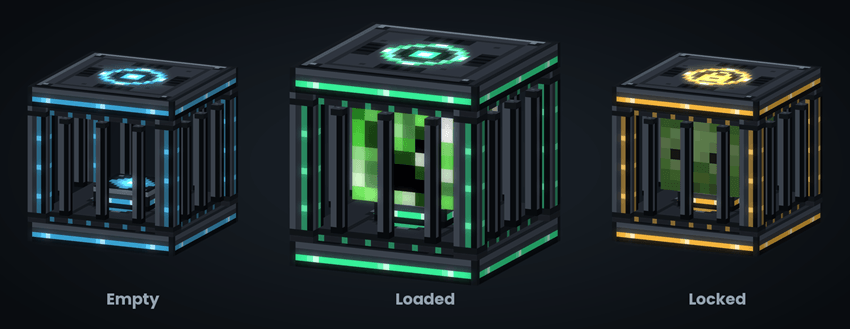
Bedrock Spawners
**Catch a mob. Drop it in a spawner. Watch it come back.**
Bedrock Spawners adds a craftable, configurable mob spawner to Minecraft Bedrock — one that shows you exactly what is inside it, that server operators can put real limits on, and that players can be trusted with as much or as little control over as you like.
Capture a mob with a crystal, slot the crystal into a spawner, and the spawner reproduces that mob on a schedule you set — keeping its name, its health, and the armour it was wearing (configurable) without requiring cheats, commands, command blocks, experimental gameplay, or Beta APIs.
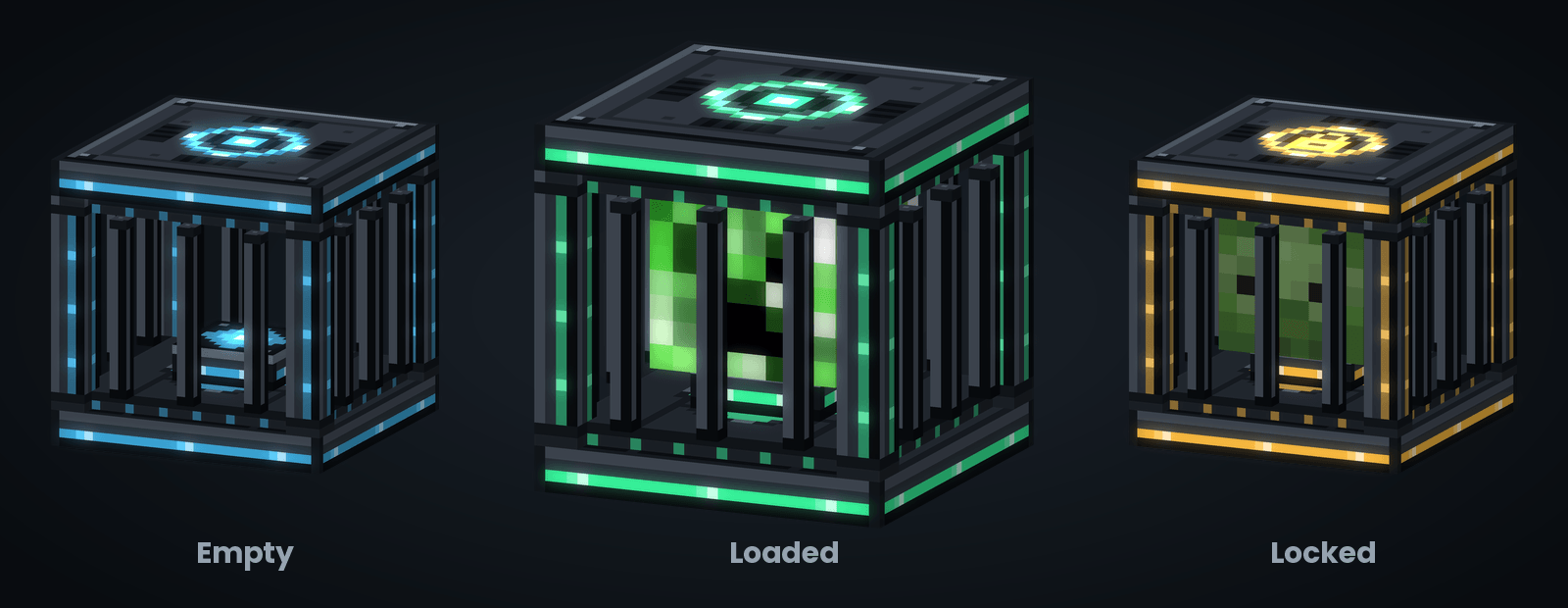
The spawner tells you what it's doing
No guessing, no opening a menu to check. The block itself reports its state, at a glance, from across the room.
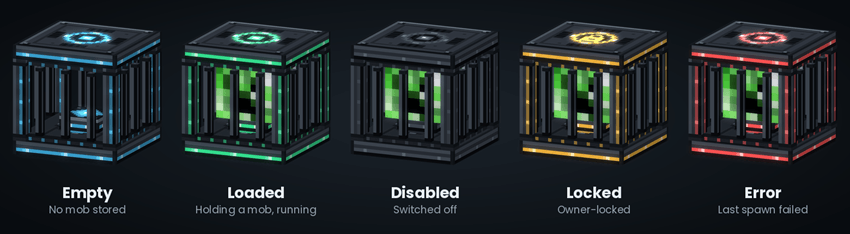
**Empty** Crafted and placed, no mob stored yet
**Loaded** Holding a mob and running on schedule
**Disabled** Switched off, by its owner or an operator
**Locked** Locked to its owner; nobody else can change or break it
**Error** The last spawn genuinely failed — worth a look
Routine pauses — no player in range, the nearby mob cap reached, redstone holding it — are *not* errors and don't light the block up. Only a real failure does.
Every mob looks like itself
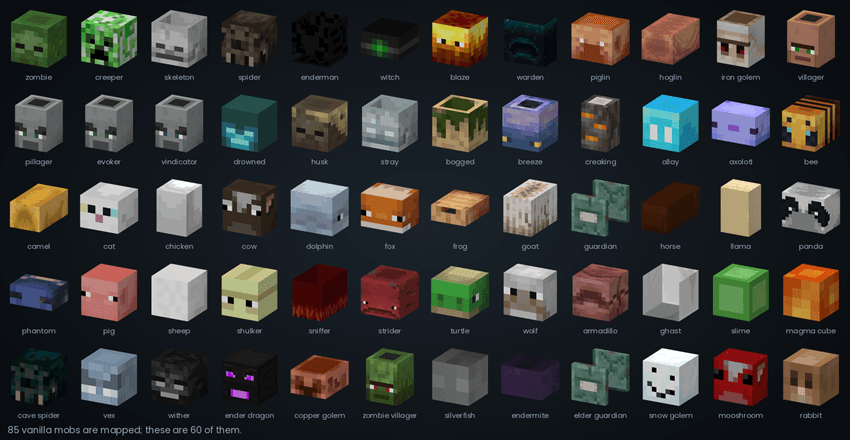
The cage holds a slowly spinning head of whatever mob is stored inside it. **85 vanilla mobs** are mapped, from a zombie to a warden to a copper golem.
Items
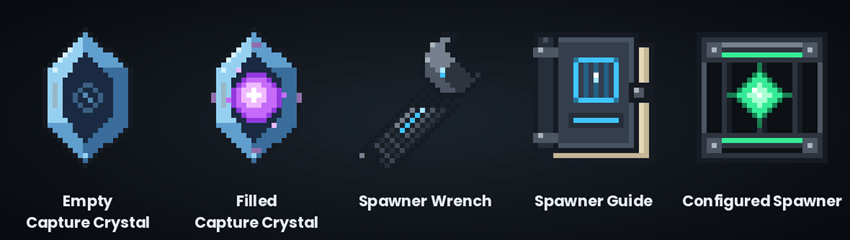
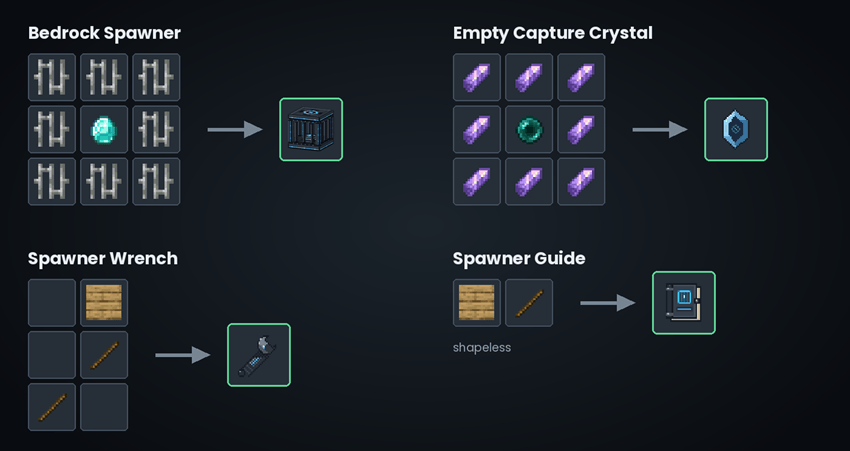
**Empty Capture Crystal** Interact with a mob to capture it. Stacks to 16
**Filled Capture Crystal** Holds a captured mob; use it on a spawner to load it
**Spawner Wrench** Opens a spawner's menu; operators get the global menu by using it in the air
**Spawner Guide** In-game instructions, in case you forget
**Configured Spawner** A spawner that already has a mob in it
Recipes
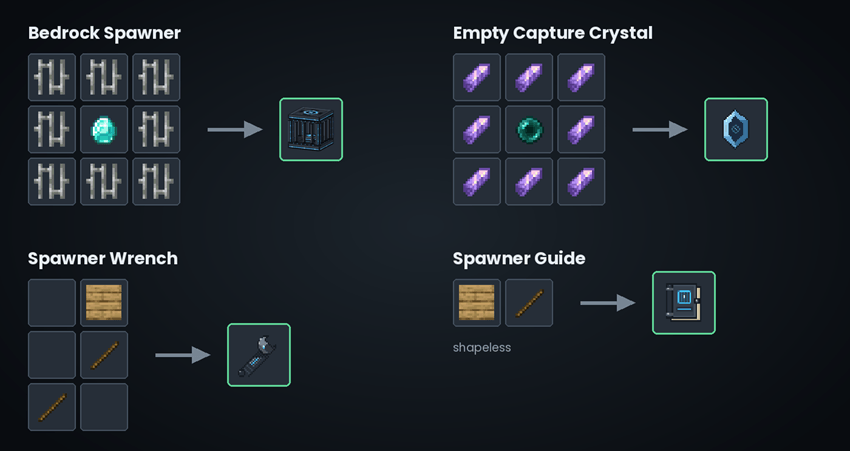
The Bedrock Spawner is deliberately not cheap — eight iron bars around a diamond — and the Empty Capture Crystal costs eight amethyst shards around an ender pearl, so capturing is a mid-game activity rather than a day-one one.
How you play it
1. **Craft an Empty Capture Crystal** and hold it.
2. **Interact with a mob.** It's captured; you get a Filled Capture Crystal named after it.
3. **Use the crystal on a Bedrock Spawner.** The cage lights up and its head appears.
4. **Stand back.** The spawner runs on its delay whenever a player is in range.
To take it back out, interact with a loaded spawner with an empty hand and the crystal pops back into your inventory. Sneak-interact with an empty hand to open the spawner's own menu.
In creative, a vanilla spawn egg used on an empty spawner loads it directly — the fastest way to set up a test farm. Operators can switch that off.
What gets remembered
A captured mob keeps its custom name, its health, its armour and held items, and whether it was a baby. The properties that are saved from a captured mob is completely configurable if you'd rather it only be the basic mob like vanilla spawners do.
Added in mob heads from the 5 Animal Fun packs as well as mob heads from Better on Bedrock so they will show inside the spawner. If you don't have those packs installed, no worries, they aren't required.
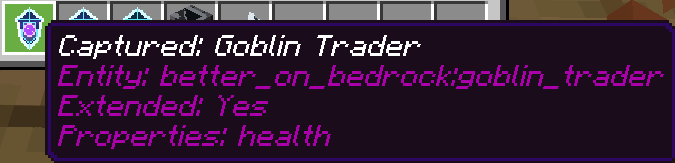
A crystal with a captured mob from the add-on Better on Bedrock:
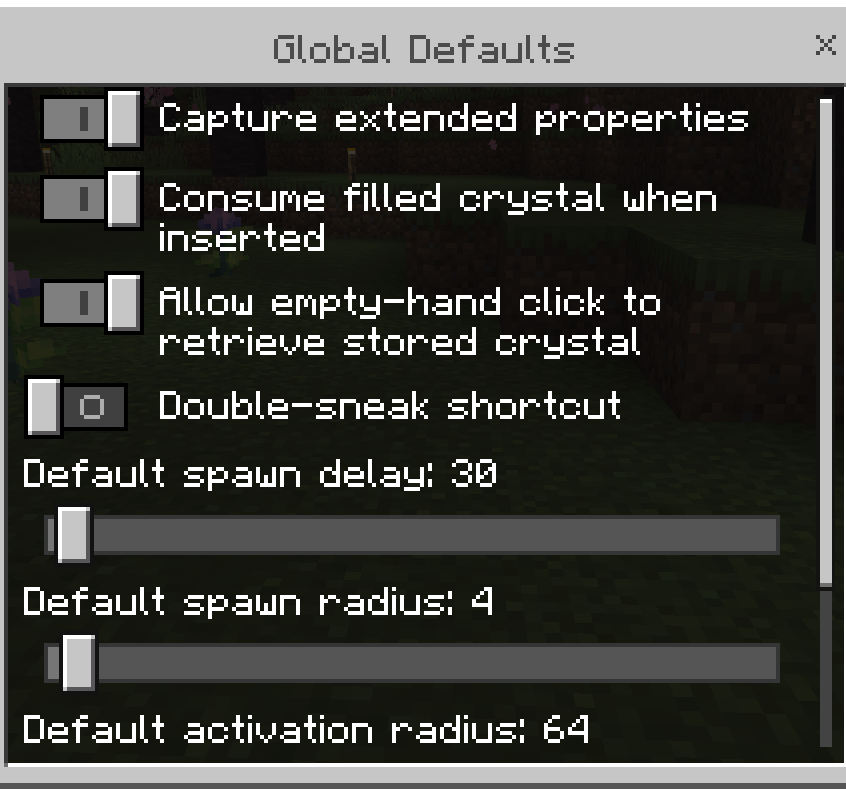
Global defaults that affect all spawners:
Player permissions to set what options players can see and change: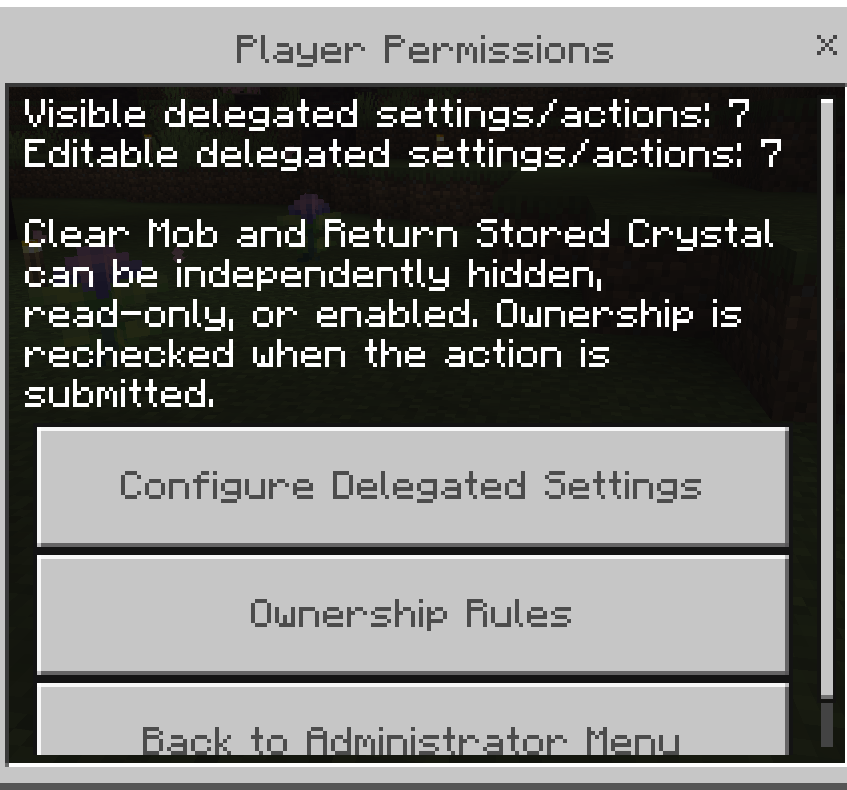
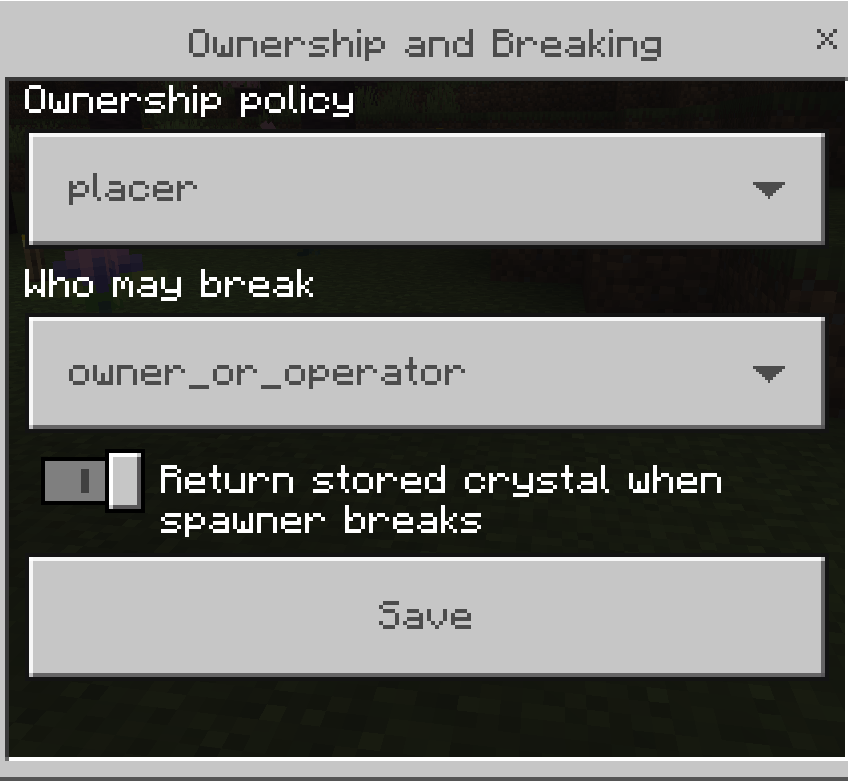
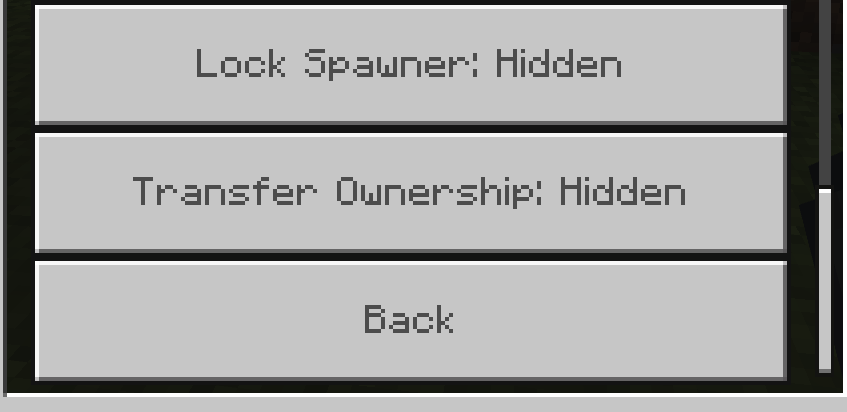
Who owns the spawner and who can break spawners:
All of the options that can be delegated to players:
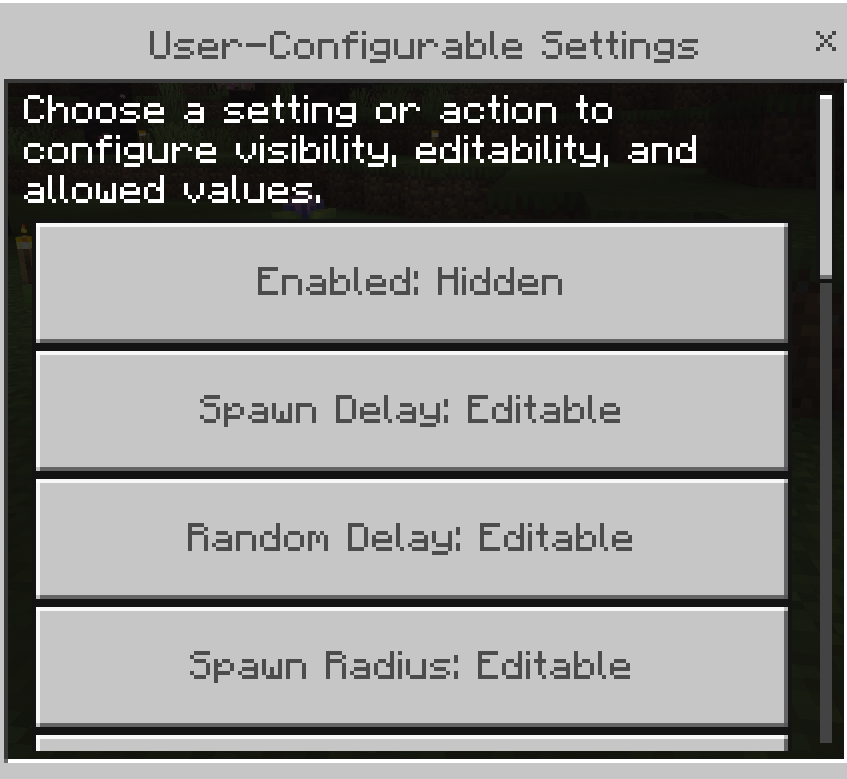
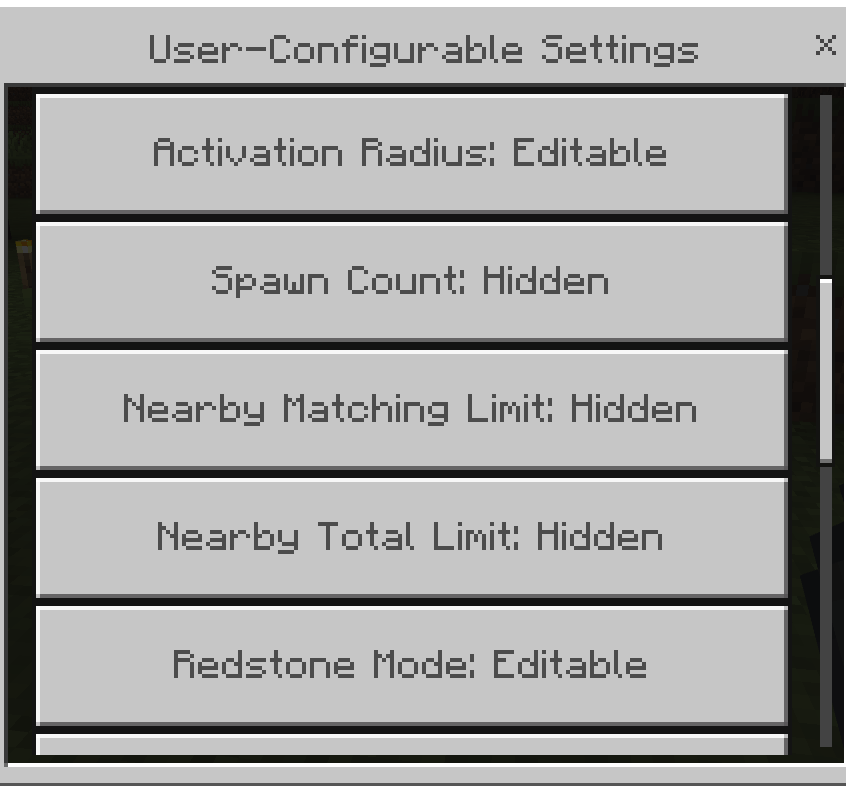
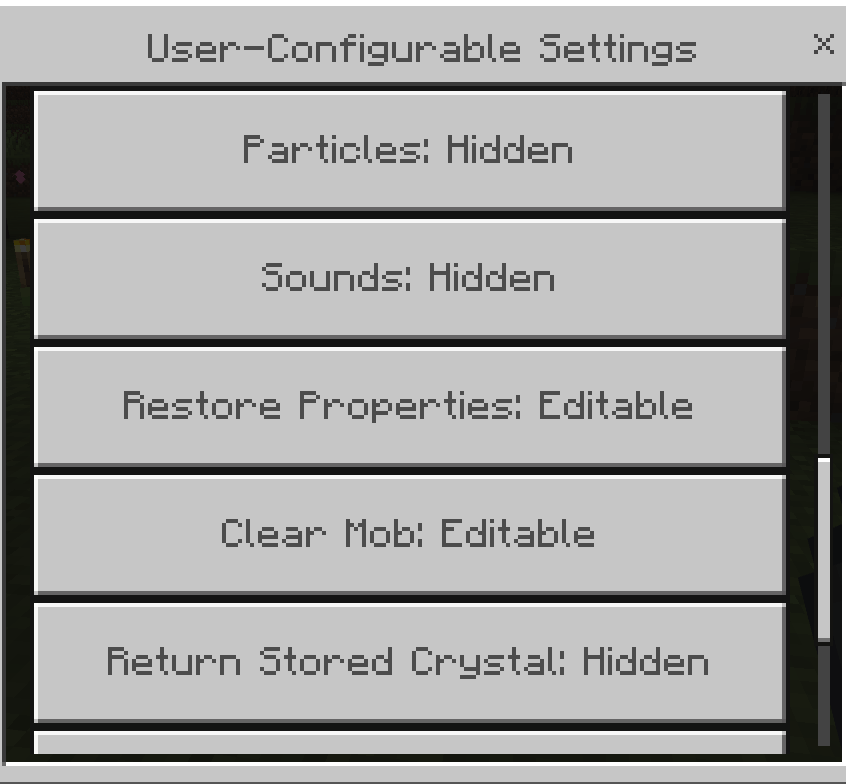
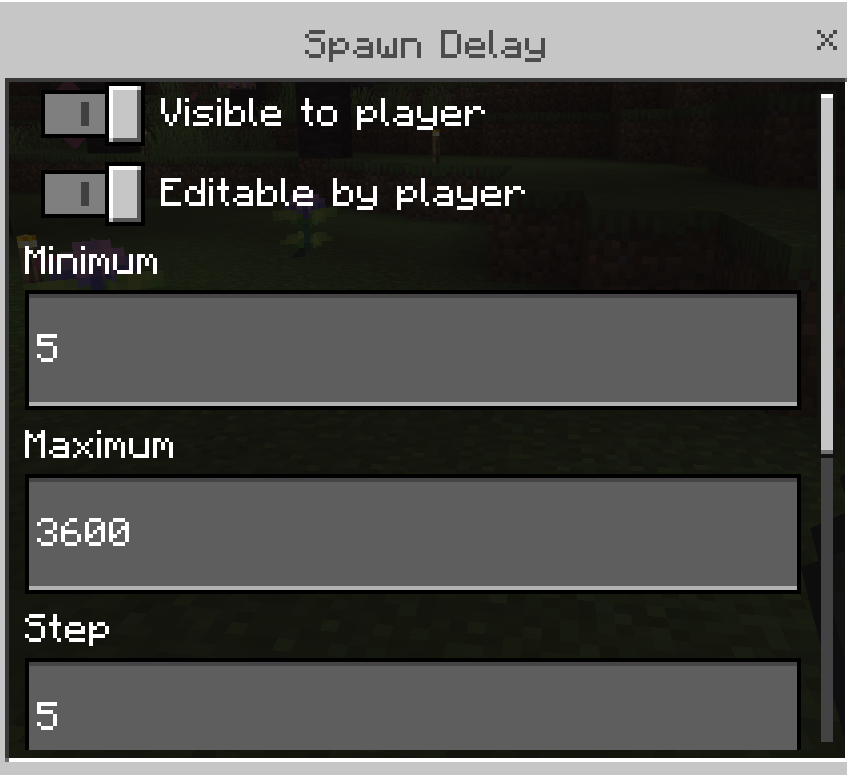
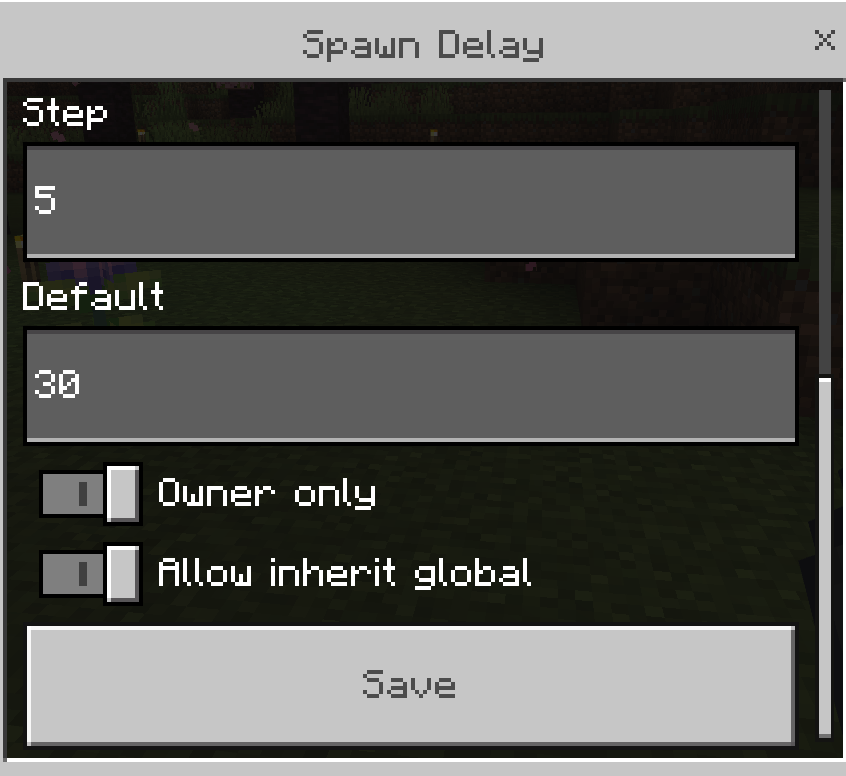
Example of a user defineable setting:
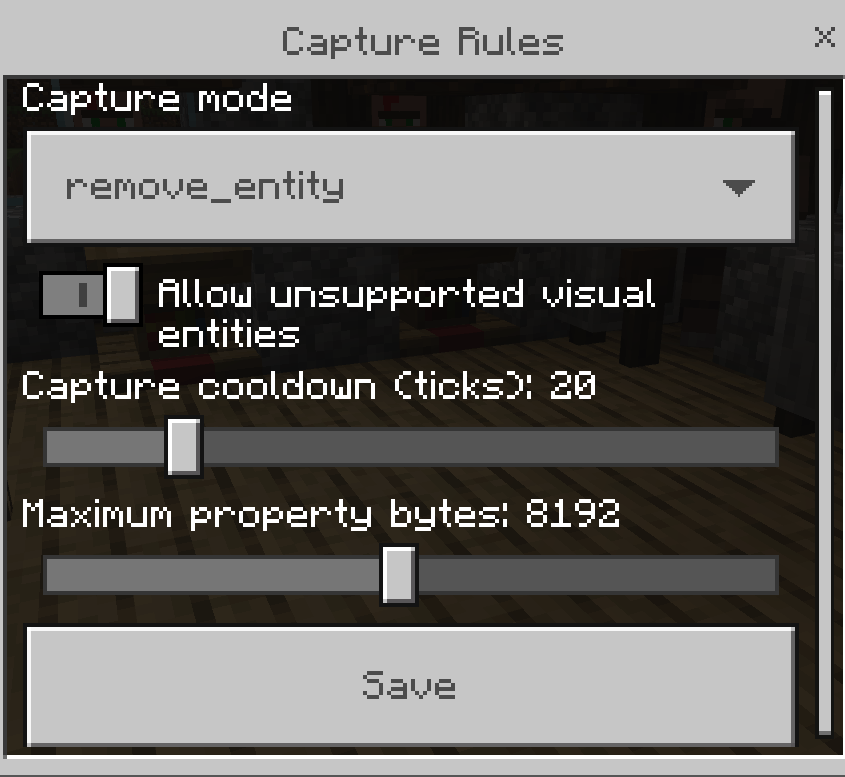
Capture rules on how to handle the mob that was captured:
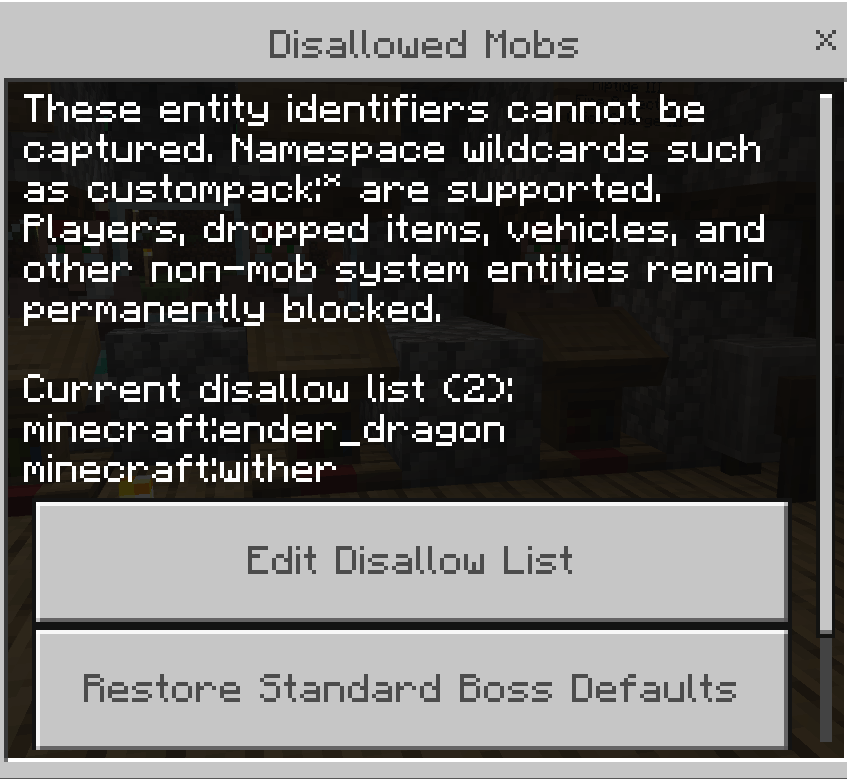
Mobs that can't be captured, defaults to the dragon and wither only. Add/remove whatever you like:
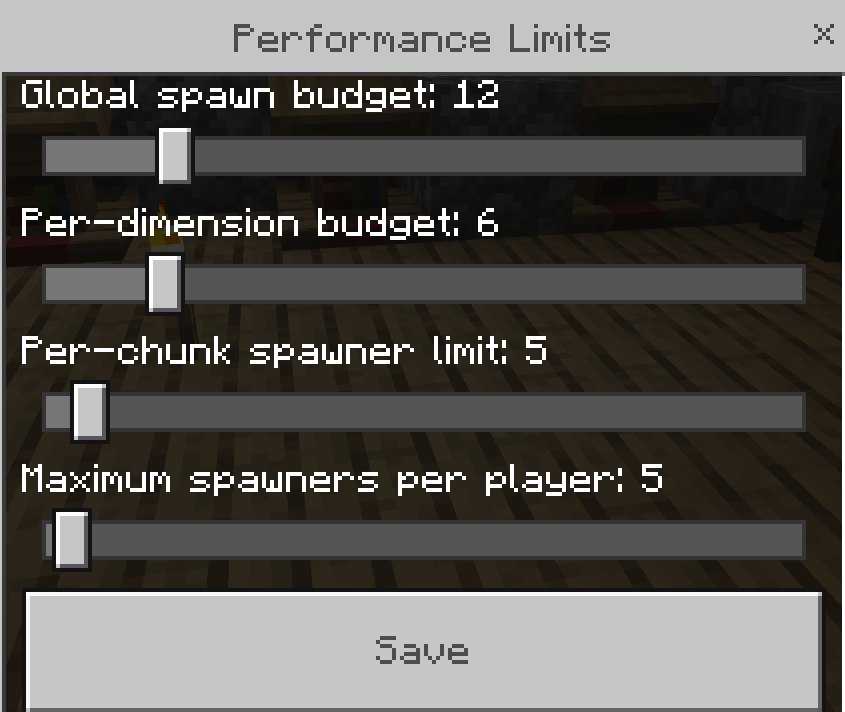
Limit the amount of spawners you can have in the world. Realistically, you should have the global spawn budget the amount per player * how many players you can have in your world:
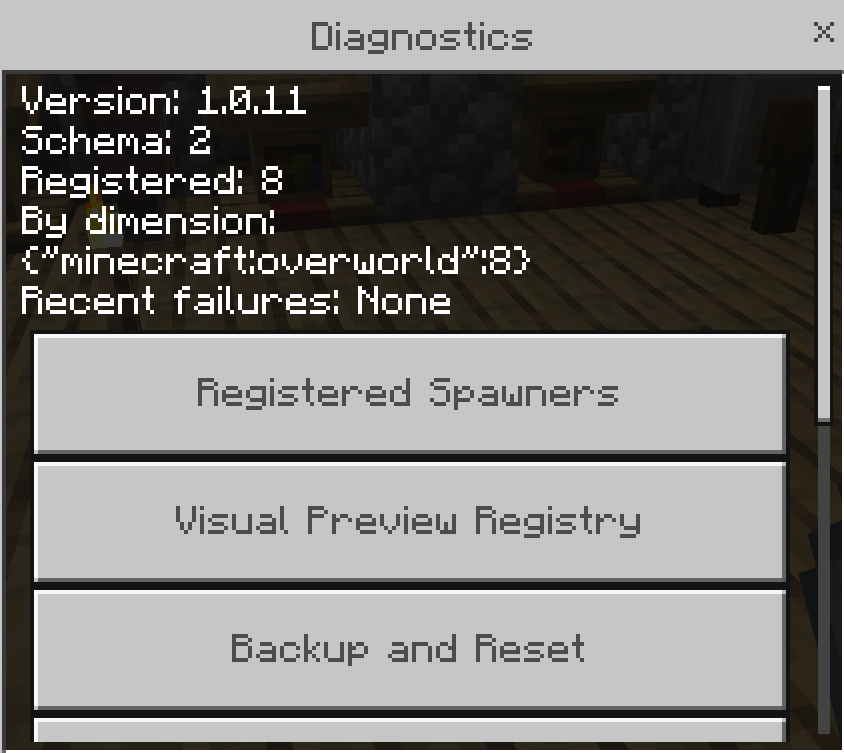
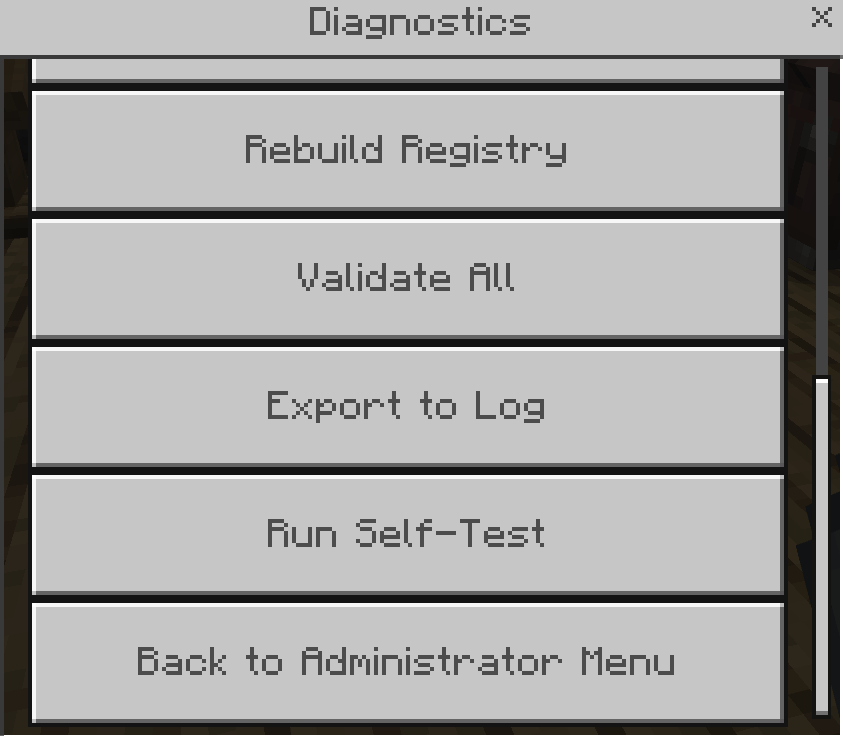
Diagnostics to see pertinent info (for operators only):
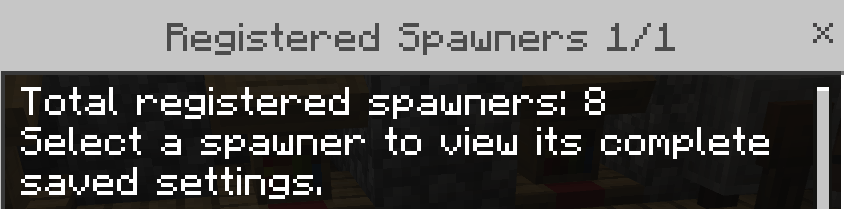
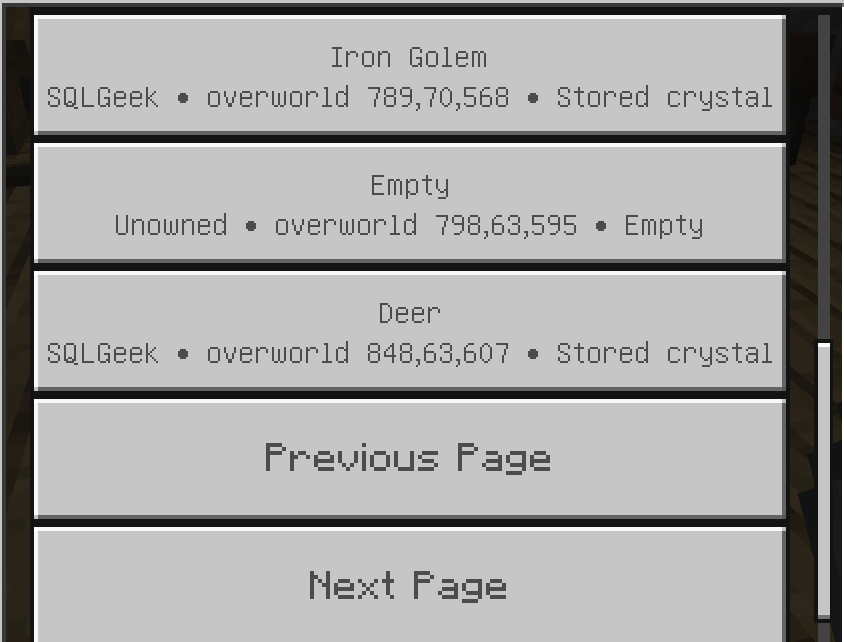
See what spawners have been deployed and what is active in them. Click on a spawner to see the details of the spawner:
Features
- Craftable Bedrock Spawners
- Empty and Filled Capture Crystals
- Capture hostile, passive, and supported custom mobs
- Preserve supported properties such as names, health, variants, and other compatible entity data
- Configure spawn delay, radius, activation distance, spawn count, nearby mob limits, redstone behavior, particles, sounds, and more
- Separate administrator and player menus
- Administrator-controlled player settings and value ranges
- Per-player spawner limit, configurable by administrators
- Ownership, locking, breaking, and replacement controls
- Configurable mob capture whitelist and blacklist rules
- Safe fallback visuals for unsupported mob previews
- Persistent spawner settings across server restarts and chunk reloads
- Performance-aware processing designed for dedicated servers
- Diagnostics, registry validation, preview repair, and configuration tools
- Support for third-party entity and visual adapters
- No slash commands required for normal setup or administration
Capturing a Mob
Craft an Empty Capture Crystal, hold it in your hand, sneak, and interact with a permitted mob. The mob’s identifier and supported properties are stored inside the crystal.
Use the Filled Capture Crystal on an empty Bedrock Spawner to configure it with the captured mob.
Managing a Spawner
Sneak and interact with a Bedrock Spawner while holding an empty hand to open its menu.
Regular players see only the options that an administrator has explicitly enabled. Administrators receive access to the complete spawner-management menu.
Available settings may include:
- Enable or disable spawning
- Spawn delay
- Random delay
- Spawn radius
- Player activation radius
- Spawn count
- Nearby entity limits
- Redstone mode
- Particle and sound effects
- Property restoration
- Ownership and locking
- Captured mob information
Administrator Controls
Authorized operators can use the Spawner Wrench to open the global administrator menu without targeting a spawner.
Administrators can configure:
- Global defaults
- Player permissions
- User-configurable settings
- Minimum and maximum player values
- Capture rules
- Supported entity properties
- Spawning rules
- Ownership and breaking policies
- Redstone behavior
- Performance limits
- Maximum spawners per player
- Individual spawner settings
- Diagnostics and registry repair
The default maximum is 5 spawners per player, but this can be changed through the administrator menu.
Player-Safe Configuration
Every setting shown in the player menu is controlled by the server administrator.
Administrators decide:
- Whether the setting is visible
- Whether the player can edit it
- The minimum and maximum values
- The permitted step size
- Which choices are available
- Whether only the owner may change it
- Whether the global value may be inherited
Hidden settings cannot be accessed through alternate menus or stale form submissions.
Designed for Survival Servers
Bedrock Spawners is intended for private servers, SMP worlds, survival communities, and progression-based gameplay.
The add-on is designed to work with:
- Cheats disabled
- Commands unavailable
- Experimental gameplay disabled
- Retail Minecraft Bedrock releases
- Bedrock Dedicated Server
- Local multiplayer worlds
Compatibility
Bedrock Spawners uses stable Minecraft Bedrock Script APIs and does not depend on Preview or Beta modules.
Third-party mobs can be captured when permitted by the administrator. Unsupported custom mobs use a safe visual fallback unless a compatible preview adapter has been installed.
Some complex entity properties cannot be preserved because Minecraft Bedrock does not expose every internal entity value through the stable Script API. The add-on stores and restores only properties that can be handled safely and reliably.
Bedrock Spawners Team