Bedrock Chunk Loader - Keep Your Farms Running!
- By
THE CHUNK LOADER THAT LEARNS YOUR FARMS. Keeps chunks loaded and ticking, and farm mode learns your real mob farm while you're there, then keeps it producing while you're away. Own radius per loader, Show area, full admin panel. No cheats.
bedrock-chunk-loader.png
hero.png
admin-settings.png
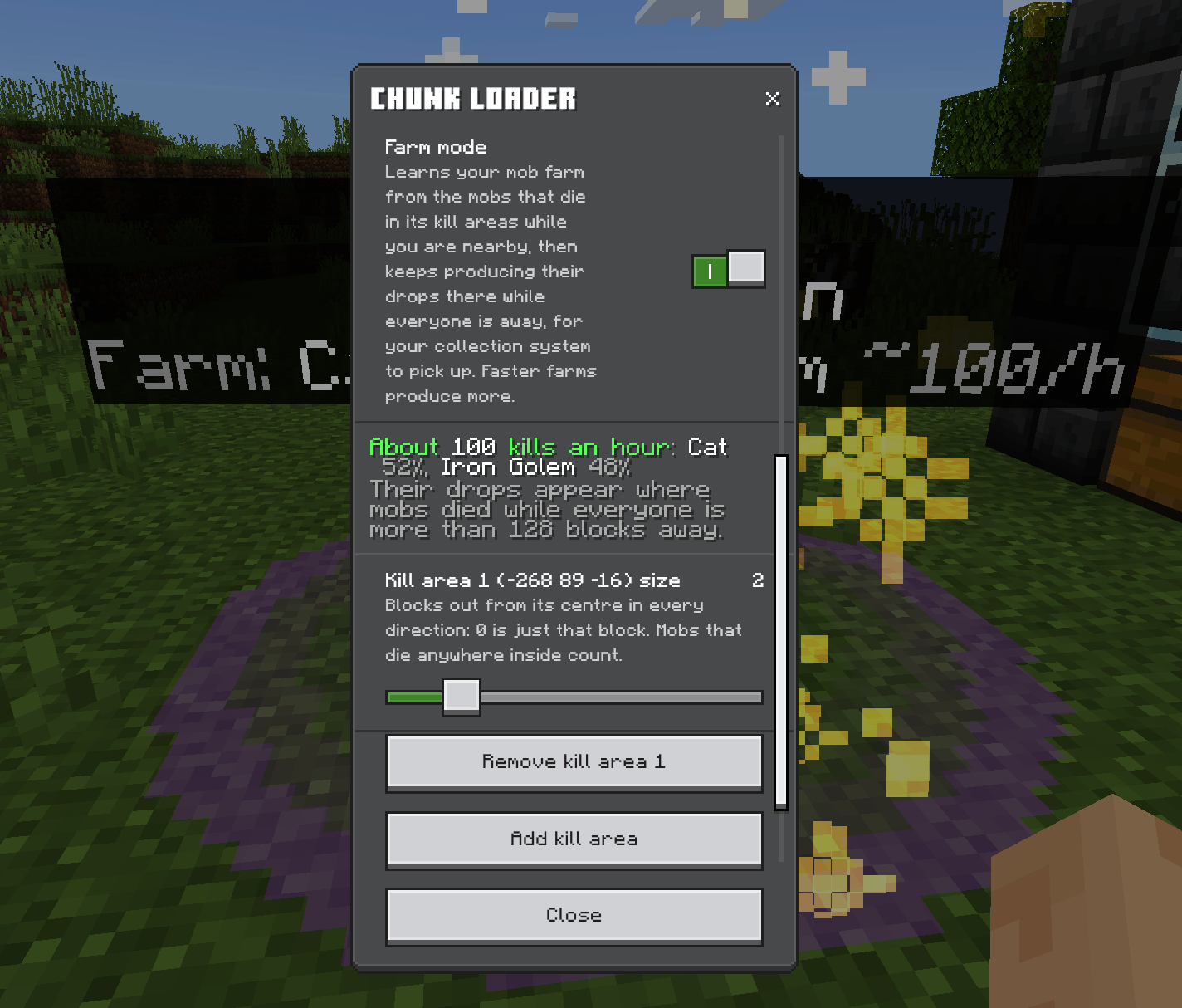
farm-learned.png
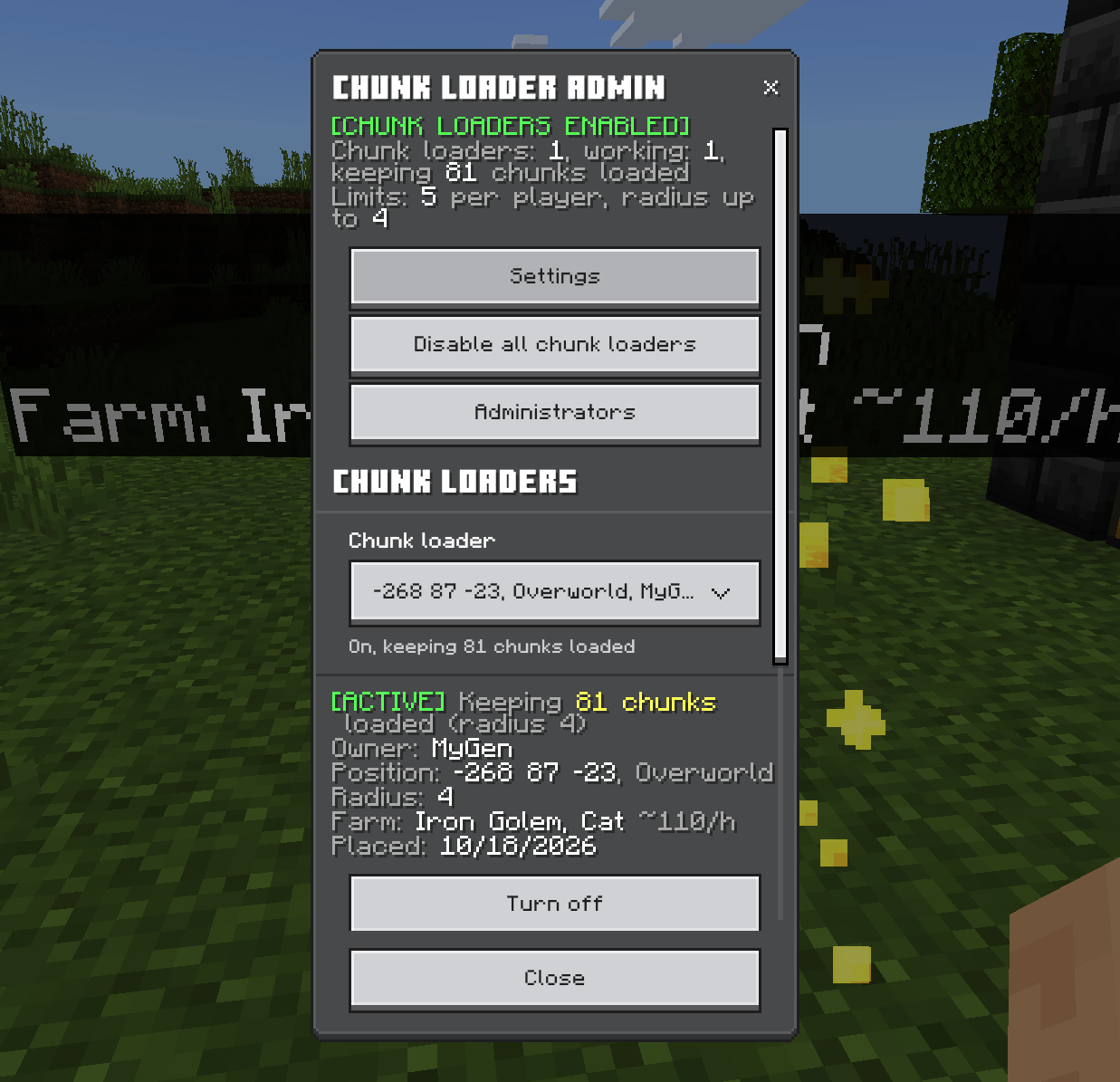
admin-panel.png
Description
🧲 BEDROCK CHUNK LOADER 2.0.0 — THE CHUNK LOADER THAT LEARNS YOUR FARMS 🧲
PUT DOWN THE BED. CANCEL THE AFK SESSION. LET YOUR FARMS RUN THEMSELVES.
You built the iron farm. You timed the redstone. You wired up the sorting system. Then you went mining, and the second you were out of range, the whole lot froze.
So you got a chunk loader. Your crops kept growing. Your hoppers kept hopping. And your mob farm still produced absolutely nothing. Because here's the dirty secret every other chunk loader keeps quiet about: mobs only spawn near players. Keep the chunks loaded all you like. With nobody there, nothing spawns, and nothing dies.
This one fixes that. It watches your mob farm while you're there, learns exactly what it produces and how fast, then keeps it producing while you're on the other side of the world. No other chunk loader does this.
🧟 LEARNED FARMS — THE BIG ONE 🧟
🎓 IT WATCHES. IT LEARNS. IT TAKES OVER. 🎓
Turn on Farm mode, show the chunk loader where your farm's mobs die, and hang around while the farm runs. It counts every mob that dies there: what it was, how it died, whether a player got the kill, what Looting they had. After 10 minutes it knows your farm.
Then you leave, and it keeps going. Every kill your farm would have made is rolled through the mob's real loot table, and the drops appear exactly where your real drops appear. Your water streams, hoppers, hopper minecarts and sorters pick them up like nothing changed. Because as far as your farm's concerned, nothing did.
🏆 BUILD IT BETTER, GET MORE 🏆
There are no preset farm types and no made-up numbers. It learns your farm. A scrappy little iron farm gets a scrappy little iron farm's output. A properly tuned monster gets a monster's output. Your engineering finally pays off while you're not even there.
Any mob farm works. Iron farms. Gold farms. Guardian farms. Raid farms. Creeper farms. Spawner farms. Mobs from other add-ons. If it dies in your kill area, it counts.
🎯 AND IT CAN'T BE CHEESED 🎯
- No farm, no loot. A chunk loader on a hopper in an empty field produces nothing, because nothing's dying there
- Fighting zombies next to your creeper farm? Doesn't count. Only kills inside the kill areas do
- Bred animals don't count. No infinite beef from one afternoon of wheat
- Player-only drops stay player-only. Iron from zombies, wither skeleton skulls and friends only come from farms where a player gets the kills, just like the real game
- Full storage? It backs up. Drops piling up in the farm pause production until they're collected. No item lag explosions
- Admins set a cap on kills an hour per chunk loader, so nobody's farm prints the whole server's economy
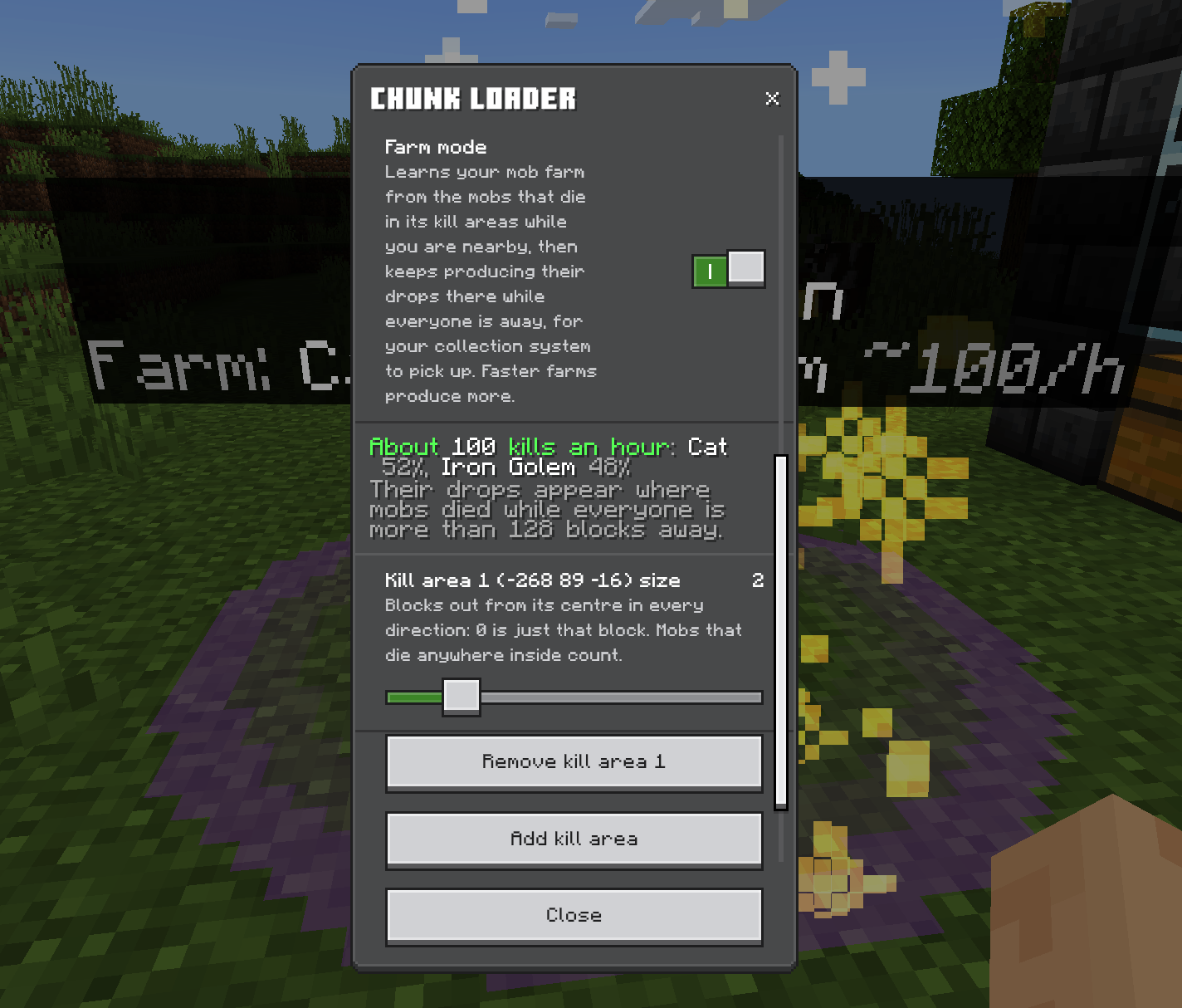
🛠️ SETTING UP A FARM — DO IT ONCE, DO IT RIGHT 🛠️
It's quick, but it's clever, so read this bit. Two minutes now saves you an afternoon of "why isn't it working".
1️⃣ PLACE THE CHUNK LOADER NEAR THE FARM
Anywhere near it works, as long as the whole farm is inside its loaded chunks: the spawning platform, the kill chamber, the collection, all of it. Open the menu and hit Show area to see the loaded chunks outlined in purple. Farm crossing the line? Move the loader or turn the radius up.
2️⃣ TURN ON FARM MODE
Open the chunk loader (use it) and switch Farm mode on.
3️⃣ MARK WHERE THE MOBS DIE
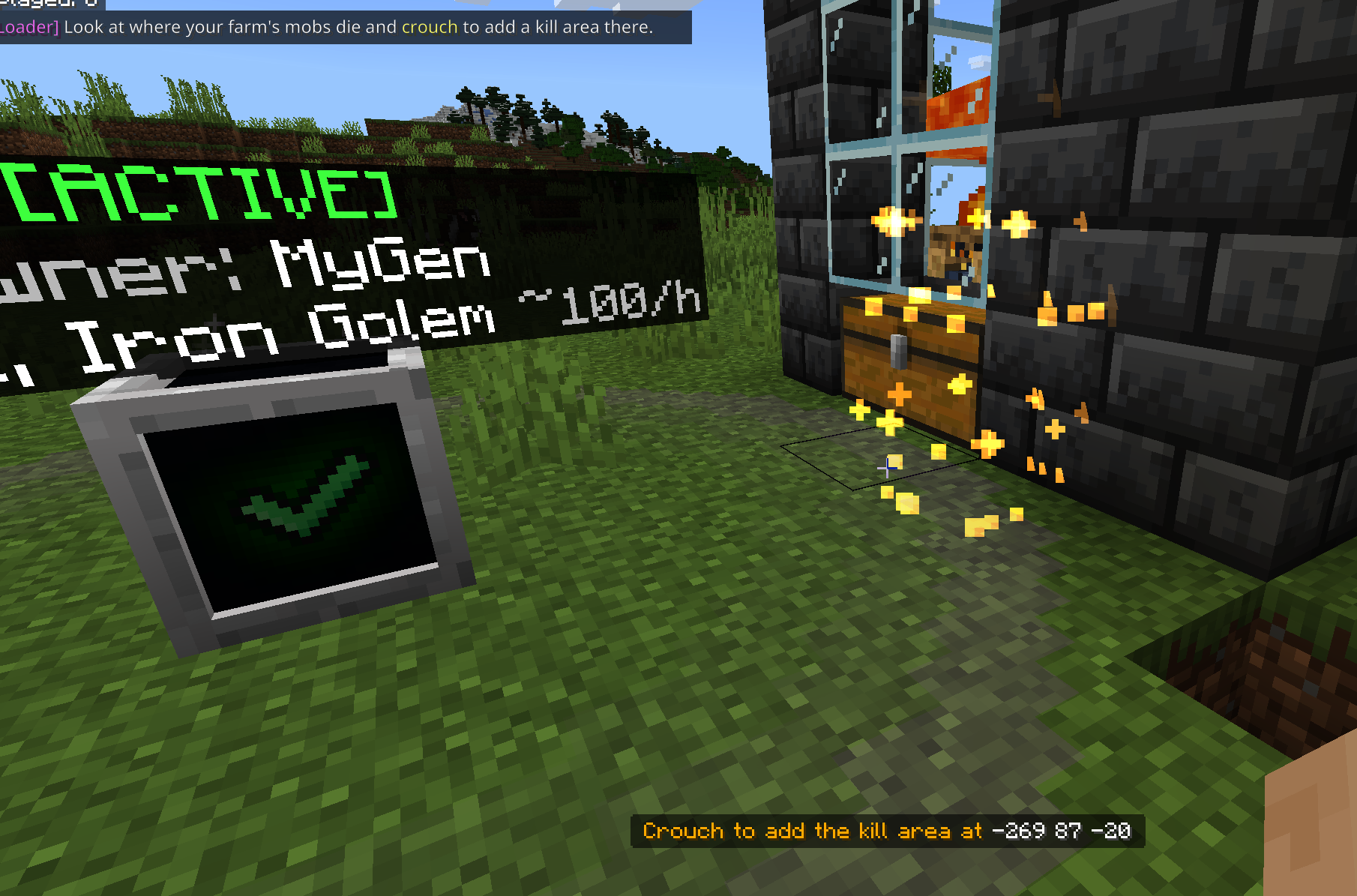
Hit Add kill area. The menu closes, and an orange outline follows where you're looking.
- Look at the spot where your mobs actually die. Not the spawning platform. Not the chest. The kill point: the lava blade, the magma floor, the trident spot, the fall landing
- You can look through glass, from up to 32 blocks away, so you don't need to climb inside your own kill chamber
- Crouch to place it. The menu pops back up
4️⃣ SET THE SIZE
Every kill area has a size slider. 0 is just that one block, and each step adds a block in every direction. Make it big enough to cover every spot where mobs die, and no bigger. Hit Show area again to see your kill areas outlined in orange.
Mobs dying in several separate places? Add up to 8 kill areas. Spread across a grid of spots (hello, guardian farms)? One area covering them all works fine: it remembers the exact spots where drops appear.
5️⃣ LET IT WATCH
Stay close enough for your farm to actually run while it learns. Mobs only spawn near players, so if the farm's not killing, it's not learning. Watch the label count up: Farm: learning 4/10 min. Time only counts while the farm's actually killing things, so a slow farm's gaps don't throw it off and wandering too far away doesn't ruin it.
6️⃣ WALK AWAY
Once the label shows Farm: Iron Golem ~90/h (or whatever your farm makes), you're done. Go further than 128 blocks (the server's farm distance) and it takes over. Come back, and the real farm takes over again. It keeps learning every time you're there, so the rate keeps getting more accurate.
🏷️ WHAT THE LABEL'S TELLING YOU 🏷️
| Label says | What it means |
|---|---|
| Farm: no kill area | Farm mode's on but you haven't marked where the mobs die. Step 3 |
| Farm: learning 4/10 min | Watching your farm. Stay nearby while it runs |
| Farm: Iron Golem ~90/h | Learned. It produces this many kills an hour while you're away |
| Farm: Various ~300/h | Same, for a farm killing three or more kinds of mob |
| Farm: needs a visit | Nobody's seen the farm run for 7 days. Pop back while it runs and it starts again |
Open the menu for the full story: the mobs and their percentages, whether it's capped by the server's limit, and whether it's paused because drops are piling up.
🔧 IF SOMETHING'S OFF 🔧
- Learning stuck, no kills counting? Your kill area isn't covering the spot where mobs die, or you're too far away for mobs to spawn. Show area, check the orange box, move closer
- Counting mobs that aren't part of the farm? Your kill area's too big. Shrink it
- Rebuilt or upgraded the farm? Hit Forget what it learned and let it learn the new one. (It'd catch up by itself over a couple of hours, but why wait)
- Says paused? Your storage is full or the collection's broken. Empty it, fix it, and it carries on
- Producing less than your farm? Check the menu for capped: the server's admins set a maximum kills an hour
🌾 CROP FARMS DON'T NEED ANY OF THIS 🌾
Crops, sugar cane, trees, kelp, bamboo, cobblestone generators, chicken egg farms, villager crop farms, redstone, furnaces, sorters: they just keep working with the chunk loader on its own. Farm mode is for mob farms, because those are the only ones that need a player to make things spawn.
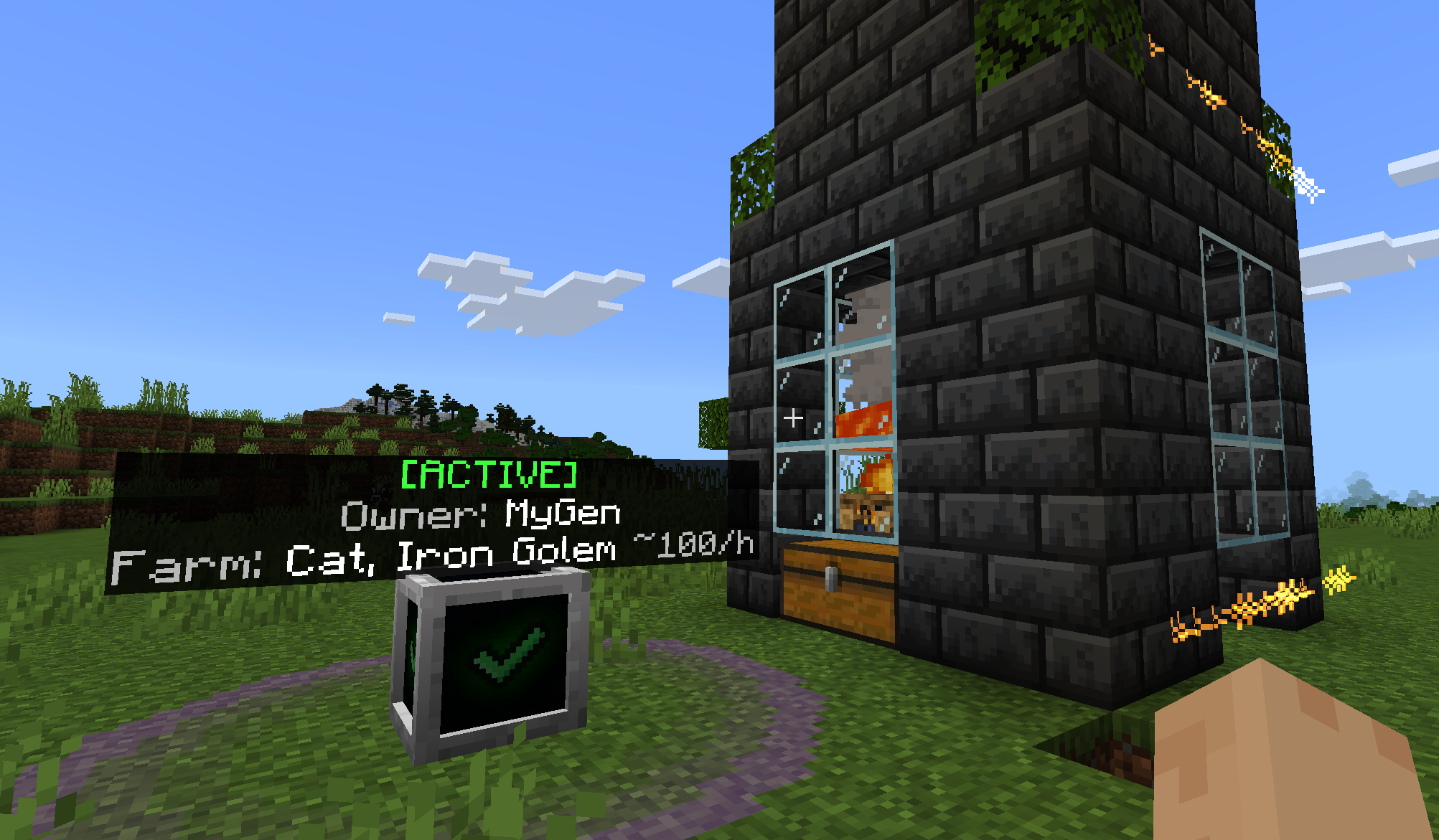
🔥 EVERYTHING ELSE IT DOES 🔥
⚙️ PLACE IT. FORGET IT. ⚙️
Put a chunk loader down and it switches on straight away, keeping a square of chunks around it loaded and ticking with nobody there. Your base keeps being your base.
📏 YOU PICK THE SIZE 📏
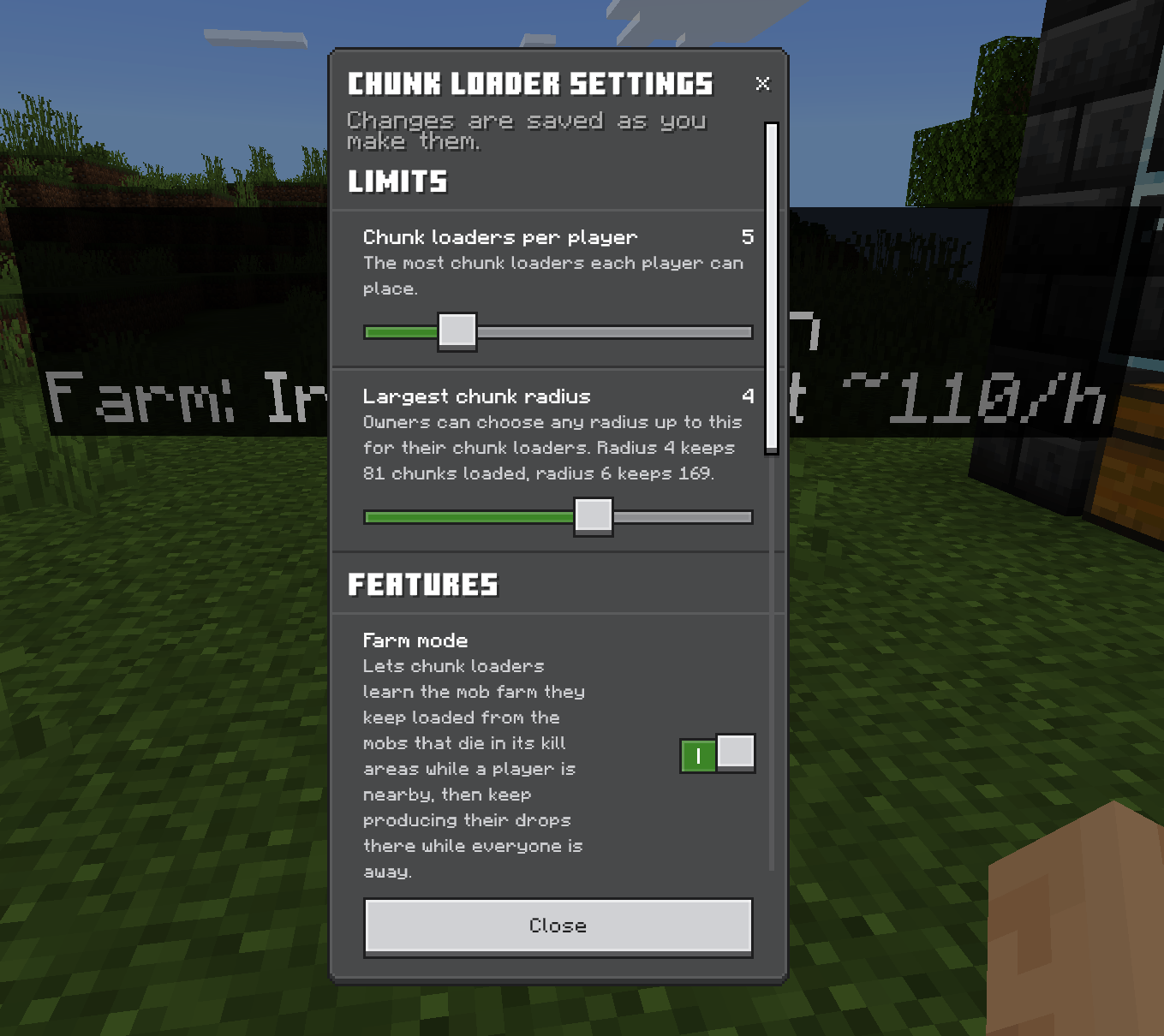
Every chunk loader has its own radius, from a tidy 3×3 chunks up to whatever your server allows (a 13×13, 169 chunks, at the very top). Only need the farm loaded? Shrink it. Running the whole industrial district? Go big. And Show area outlines exactly what's covered.
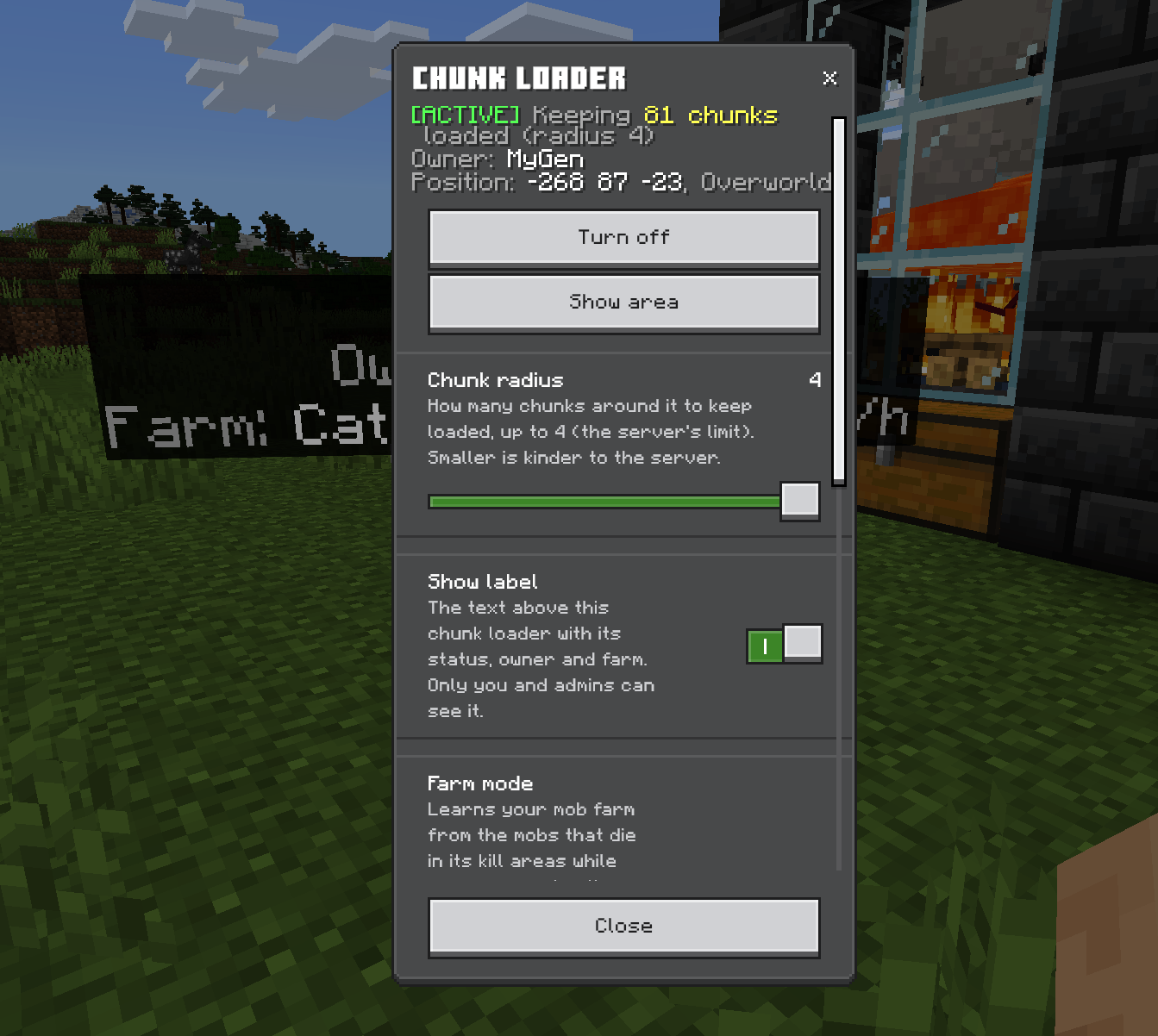
🔴 REDSTONE CONTROL 🔴
Power a chunk loader with redstone and it pauses. Cut the signal and it's back. Lever, daylight sensor, hopper clock, whatever you like. There's a 2-second grace period so your circuit finishes what it was doing before the chunks unload, and the pause survives a restart.
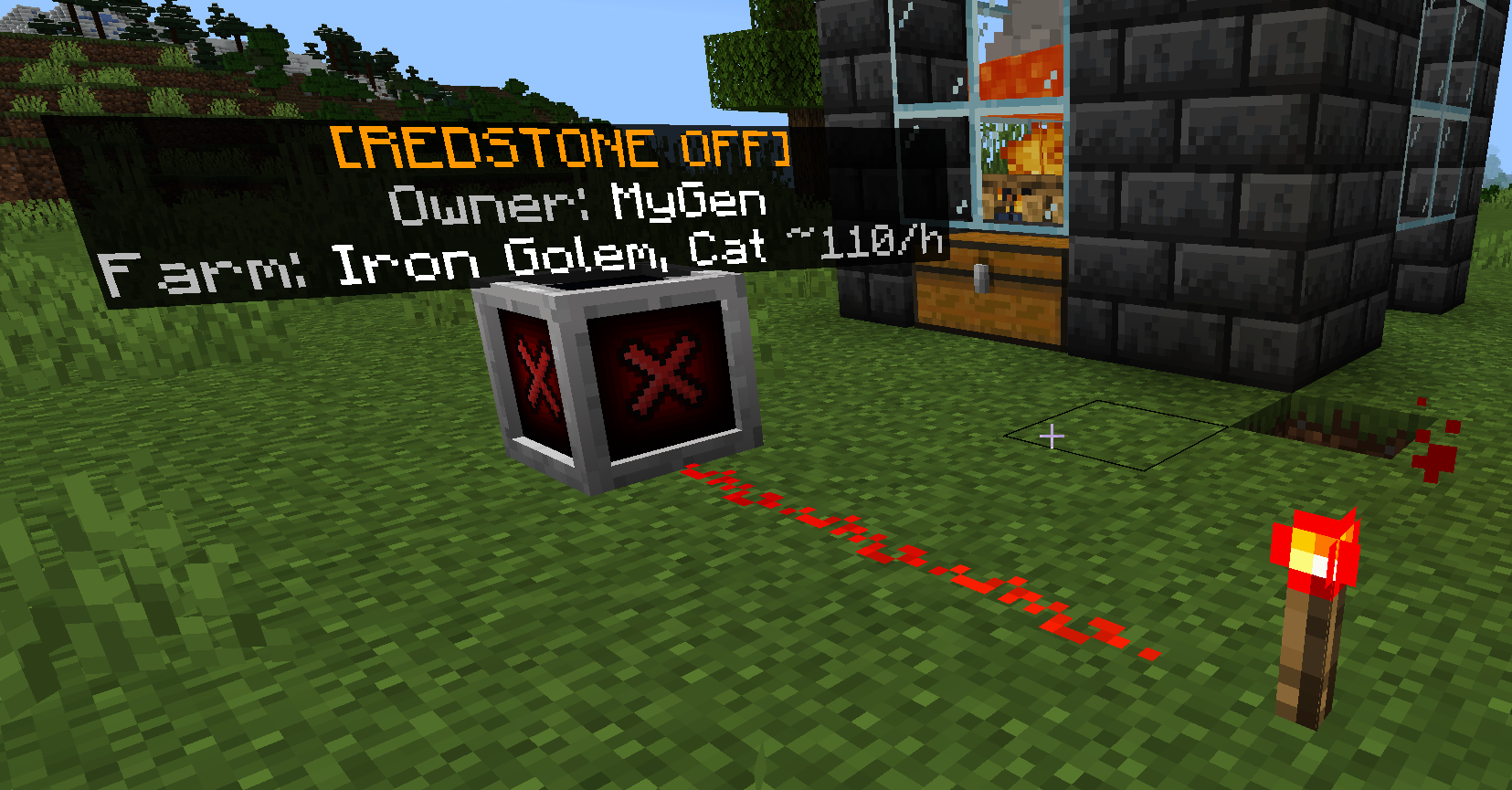
🏷️ PRIVATE LABELS 🏷️
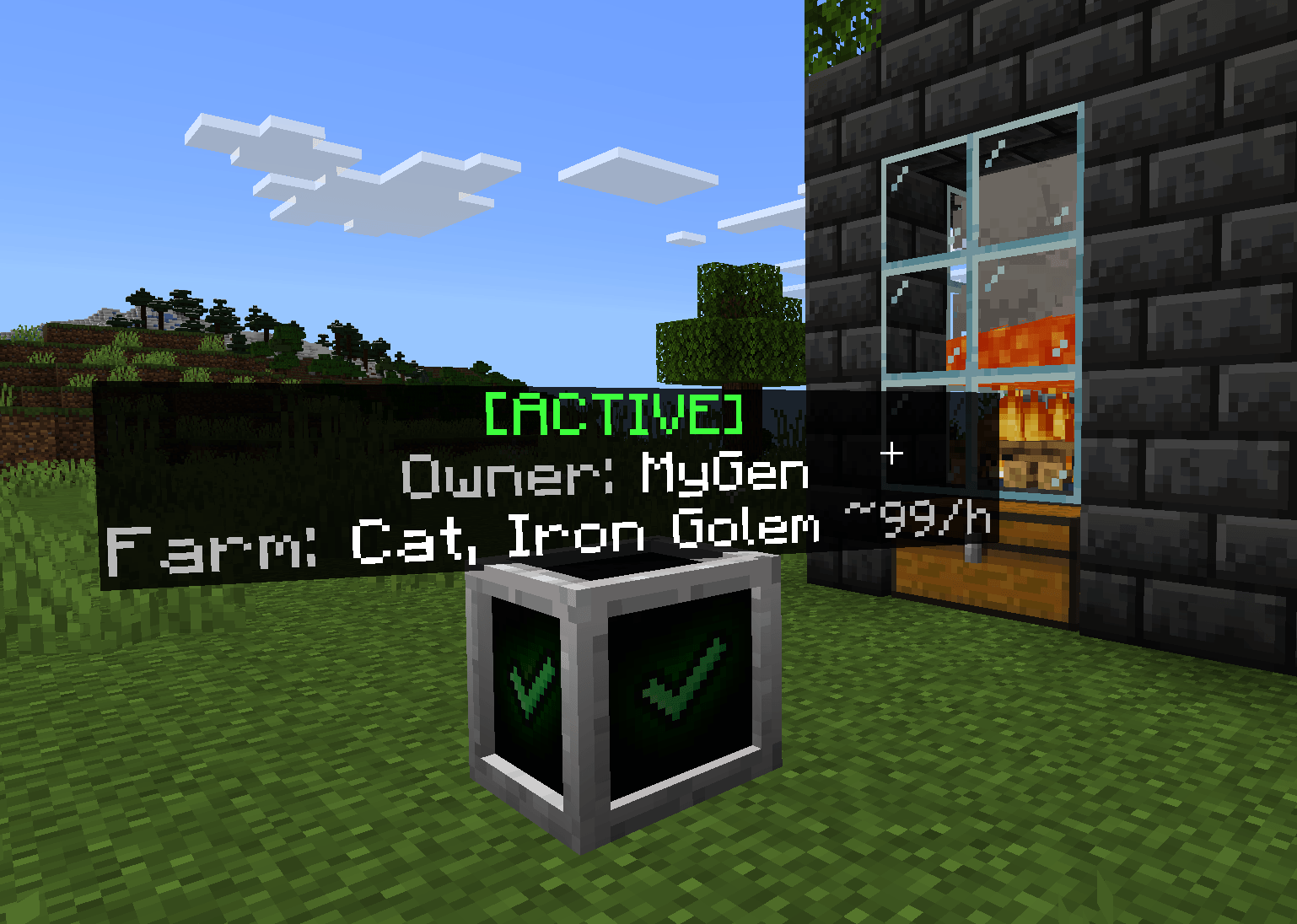
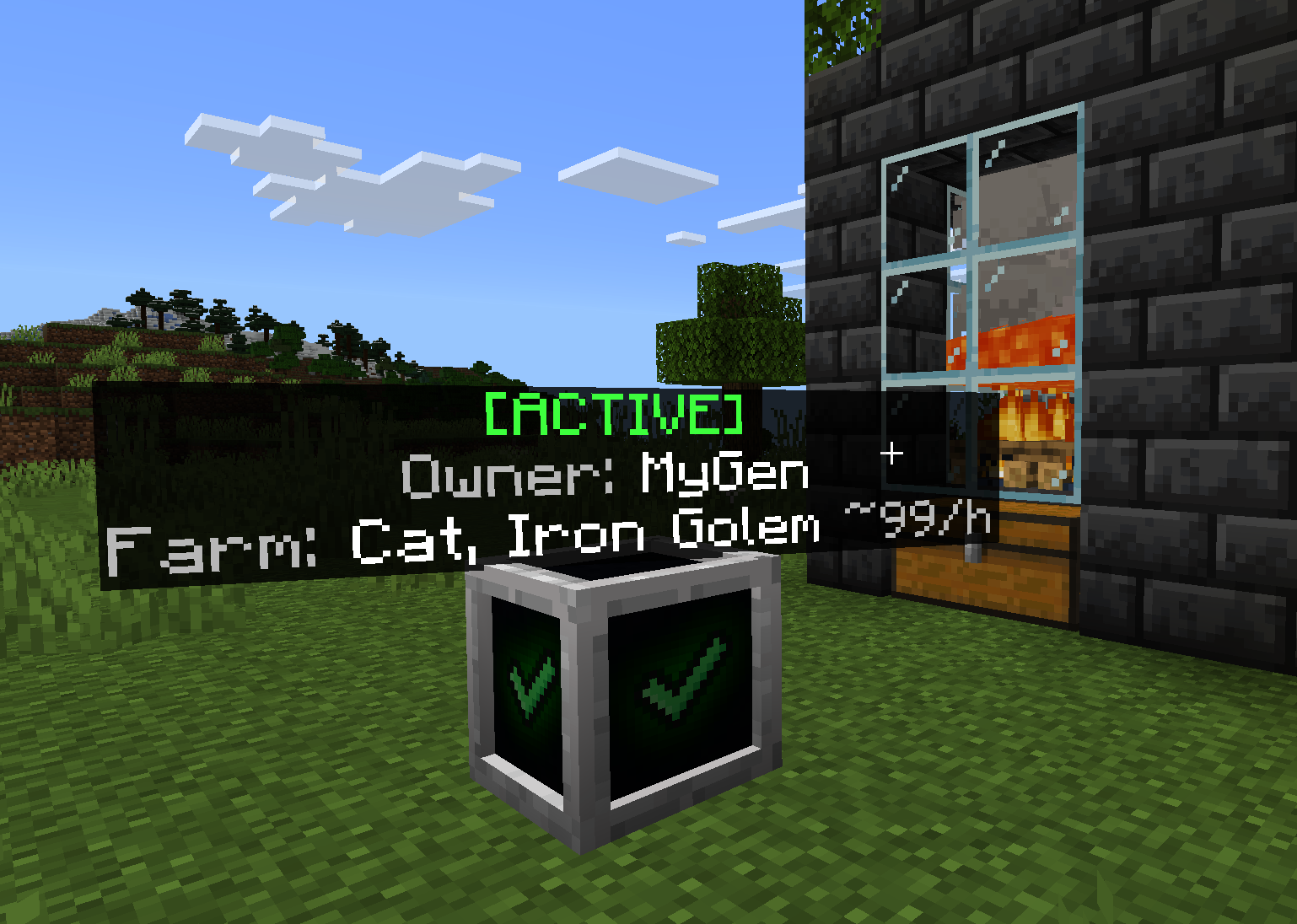
Each chunk loader shows [ACTIVE], who owns it, and what its farm's doing. Only the owner and admins can see it, and it hides behind blocks like it should. Don't want it? Show label: off.
✨ IT LOOKS THE PART ✨
Purple sparkles rush in when it switches on. They fizzle away when it switches off. A slow, soft pulse ripples out while it's working. You always know it's running.
🛡️ OWNER PROTECTION 🛡️
Only the owner (or an admin) can open a chunk loader or break it. Anyone else gets told the moment they start mining, not three seconds into swinging a pickaxe at it.
👑 A PROPER ADMIN PANEL 👑
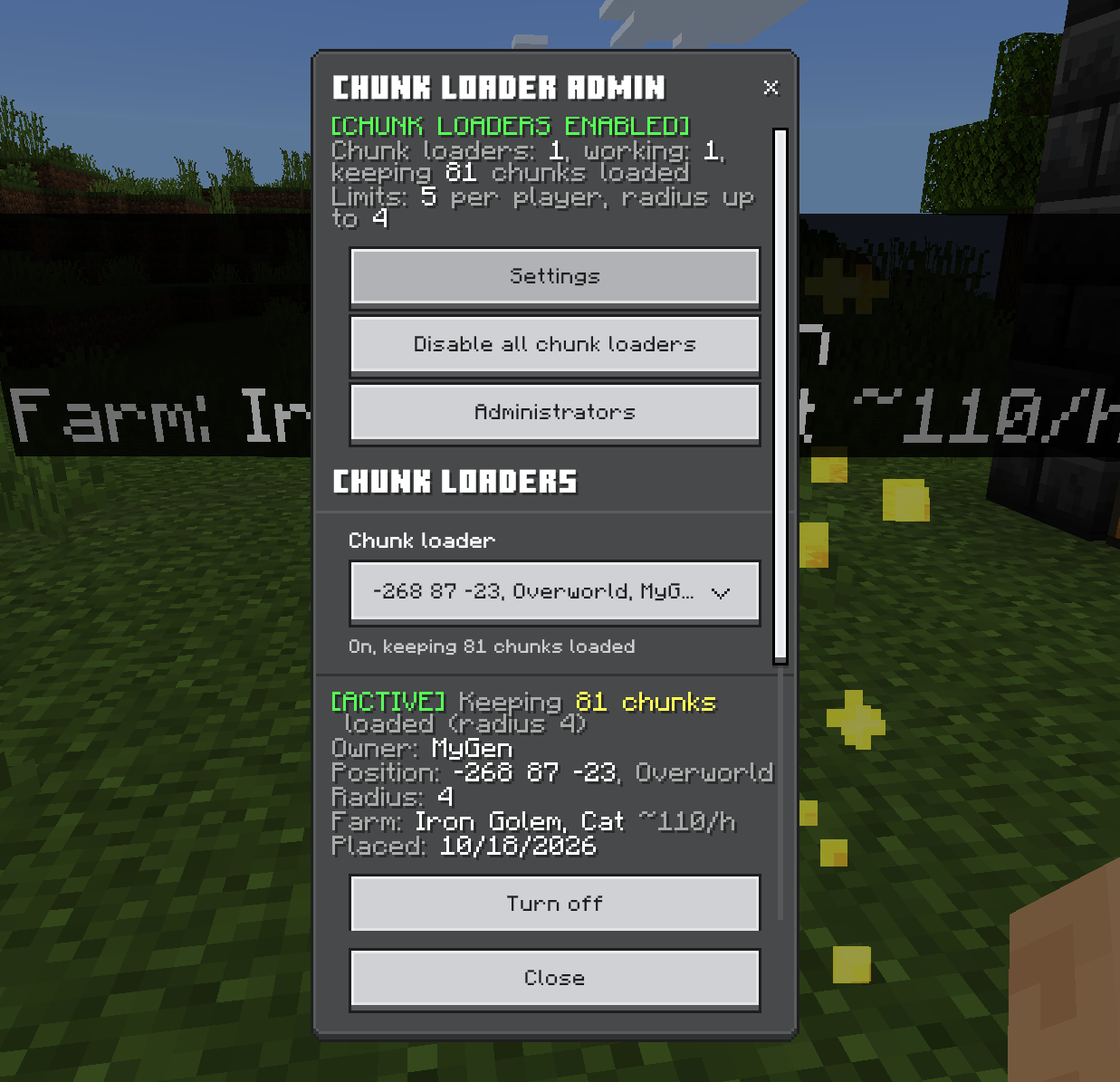
Type /mygen:chunkloaders:
- SEE EVERYTHING — every chunk loader in the world, how many are working and how many chunks they're keeping loaded
- FIX ANYTHING, FROM ANYWHERE — pick any chunk loader from the list and switch it on or off, change its radius, or teleport to it. Switch on one that's 10,000 blocks away? It wakes the chunk up just long enough to do it
- ONE BIG SWITCH — disable every chunk loader on the server in one go. Enable them again and exactly the ones that were on come back
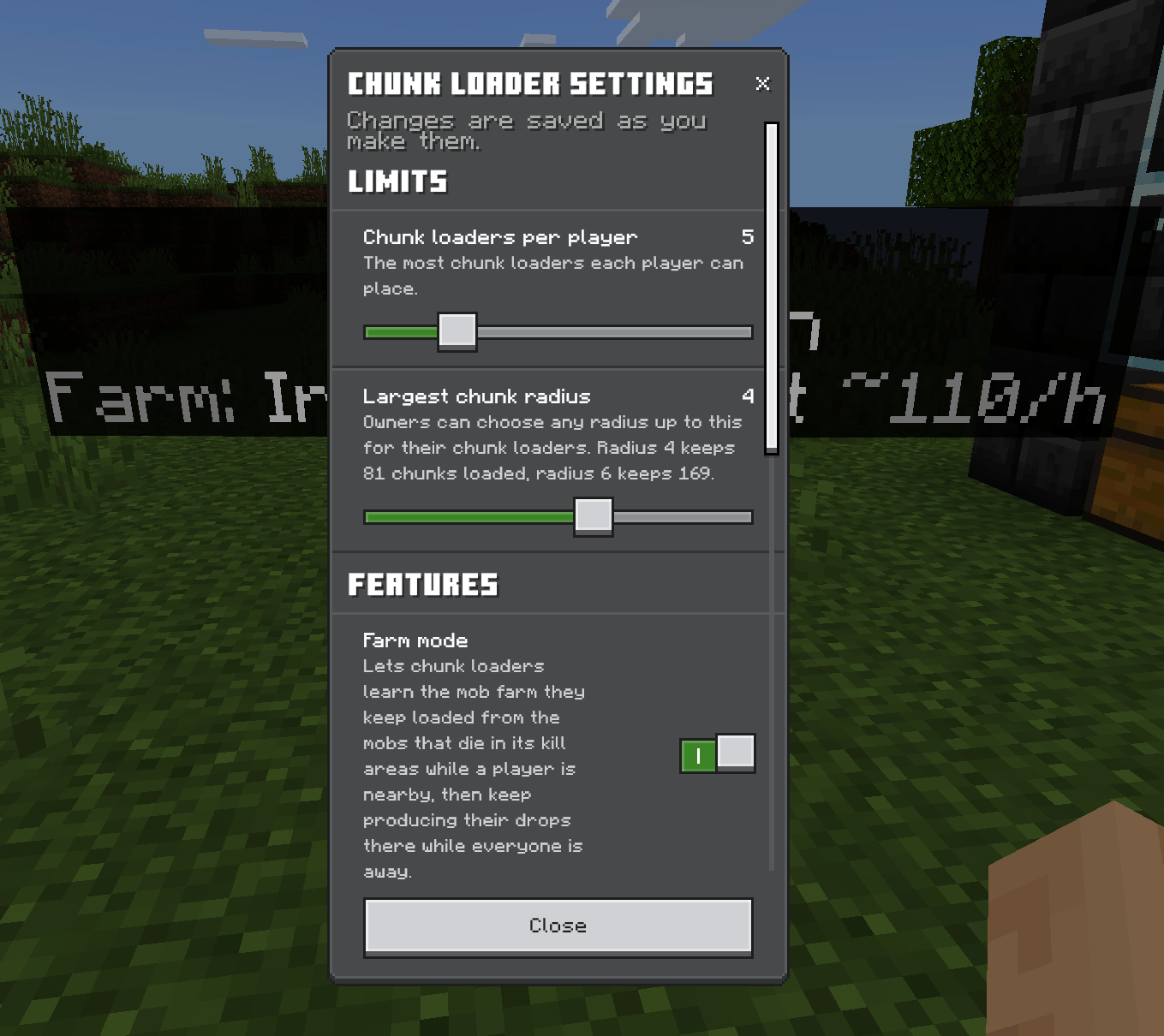
- SET THE RULES — chunk loaders per player, the largest radius, farm mode, farm distance, the farm cap, redstone control, the ambient pulse. Changes save as you make them
- SHARE THE LOAD — operators can make trusted players administrators without giving them operator
🚀 NEW IN 2.0.0 🚀
The whole thing has been rebuilt from the ground up.
- Learned farms replace the old farm types. Your chunk loader learns your farm, instead of making a chosen farm's items out of thin air
- Your own radius for every chunk loader, up to the server's limit
- Show area, so you can finally see what's loaded
- Brand new menus that update live while they're open
- Labels drawn as proper text, private to the owner and admins, hidden behind blocks, and no longer name tags on hidden entities
- Particle effects for everything, and a working pulse
- Switch on any chunk loader from anywhere in the admin panel
- No more line-of-sight checks running twice a second for every player and every chunk loader. Your server says thank you
- Loaders at the same spot in different dimensions no longer overwrite each other, a redstone pause survives a restart, and a lost chunk loader entity is put back automatically
Upgrading from 1.4.0? Your chunk loaders, owners, on/off states and settings all come with you. The one thing that doesn't: farm types are gone. Chunk loaders that had one have farm mode switched on, ready to learn. Add a kill area, stay nearby for 10 minutes, and they're back in business. Probably better than before.
💻 QUICK START 💻
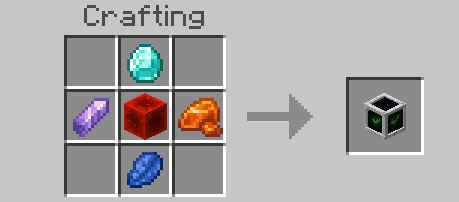
CRAFT ONE — a redstone block in the middle, a diamond above, lapis lazuli below, and a resin clump and an amethyst shard either side (either way round)
PLACE IT near the thing you want kept running. It switches on by itself
USE IT — set the radius, hit Show area to check what's covered
GOT A MOB FARM? — turn on Farm mode, Add kill area, look at where the mobs die, crouch, and hang around for 10 minutes. (Full guide above)
CHUNKS IN, FARMS OUT.
📥 INSTALLATION 📥
- Download the
.mcaddon - Open it — Minecraft imports it automatically
- Create or edit a world, go to Behavior Packs, and turn it on
- The Resource Pack switches itself on with it
- Craft a chunk loader (or grab one from the creative inventory under Equipment). Go. Load.
Needs Minecraft Bedrock 1.26.50 or newer. No experimental toggles required.
⚠️ GOOD TO KNOW ⚠️
- Loaded chunks cost performance. Every working chunk loader keeps (2 × radius + 1)² chunks running: 81 at radius 4, 169 at radius 6. The admin panel shows the total. Keep an eye on it on busy servers
- Farm drops are averages, not copies. Each produced kill is a fresh roll of the real loot table, so it matches your farm over time rather than kill for kill
- Equipment drops aren't produced (zombified piglins' golden swords and the like), because they aren't part of loot tables. Experience orbs aren't either
- Vibrant Visuals: the game currently shows labels through walls with Vibrant Visuals on (MCPE-243723)
🎯 WHY DO WE DO THIS? 🎯
Because you didn't spend three evenings building a perfectly timed iron farm so it could sit there doing nothing every time you leave the house. Your farms should work as hard as you did building them. That's why.
Made by MyGen Gaming — with coffee and a lot of iron golems.
No iron golems were harmed in the making of this update. Well. Quite a lot were, actually. It was for science.
Bedrock Chunk Loader - Keep Your Farms Running! Team

Owner