WorldBackup
- By
Backs up your worlds before a game update or a mod change can alter them, on a schedule, at shutdown and on demand. Restore from a window at the next start, and undo it if you change your mind. Small, deduplicated backups. MIT.
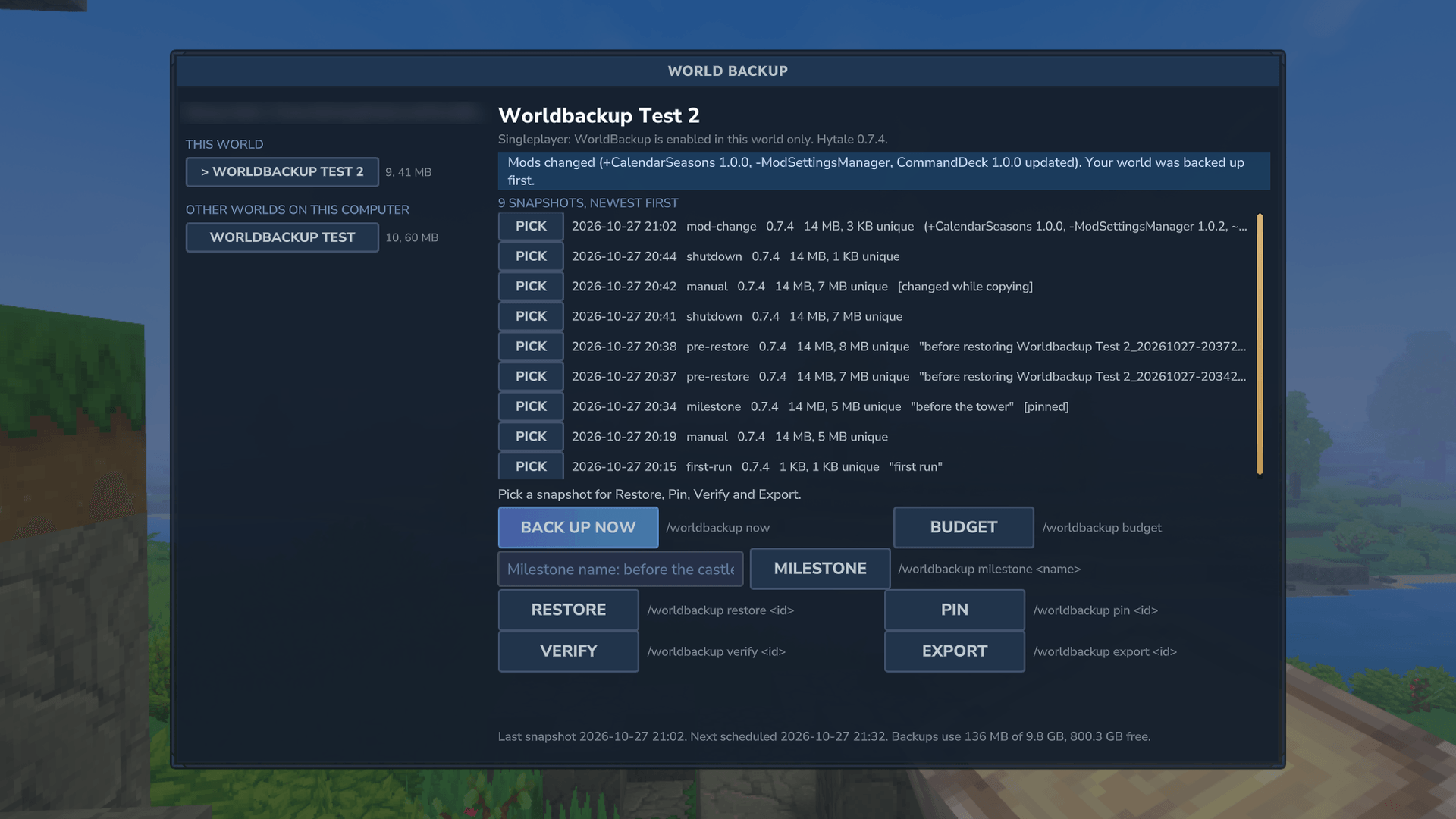
wb-01-window-full-list.png
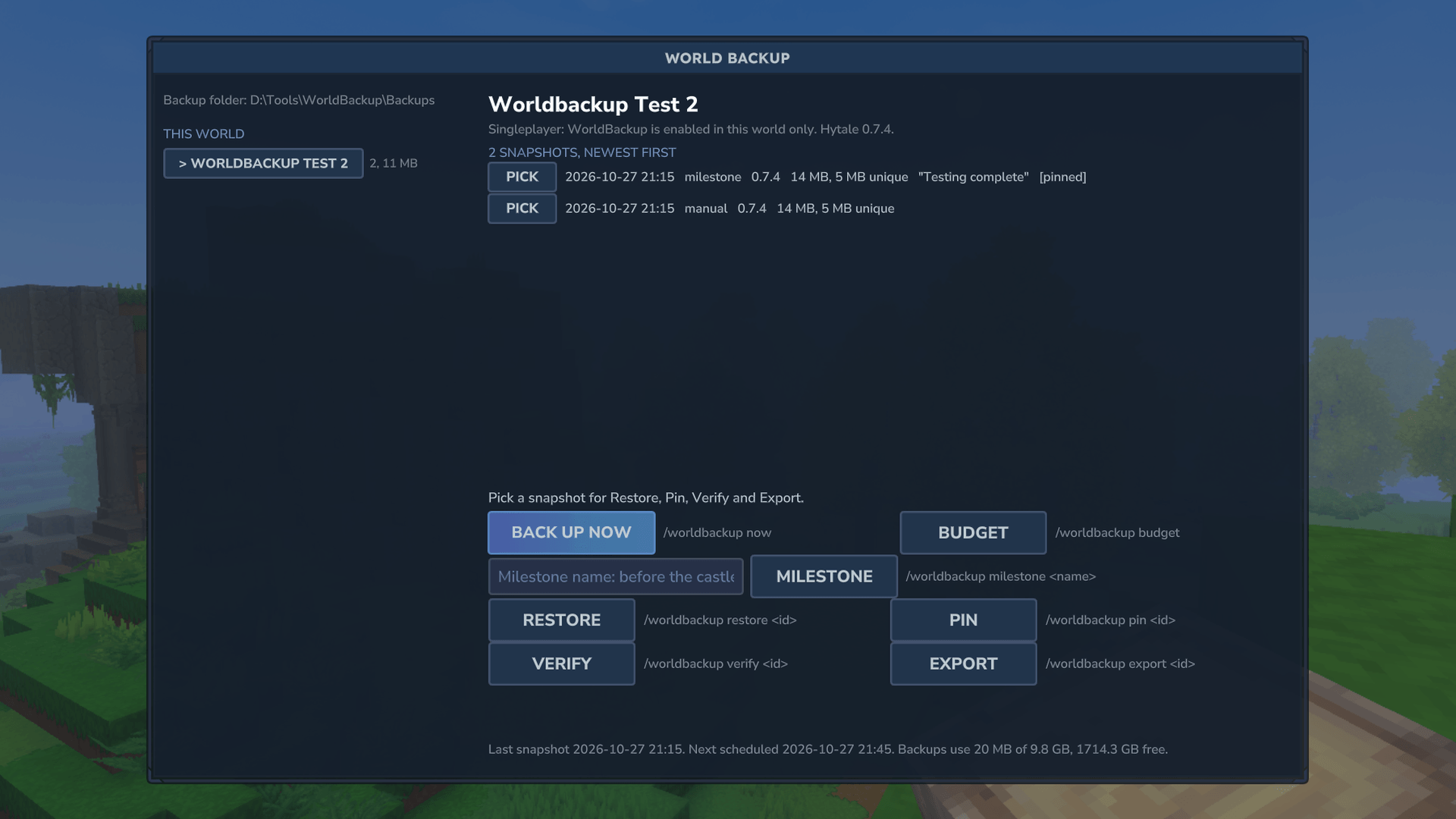
wb-01-window.png
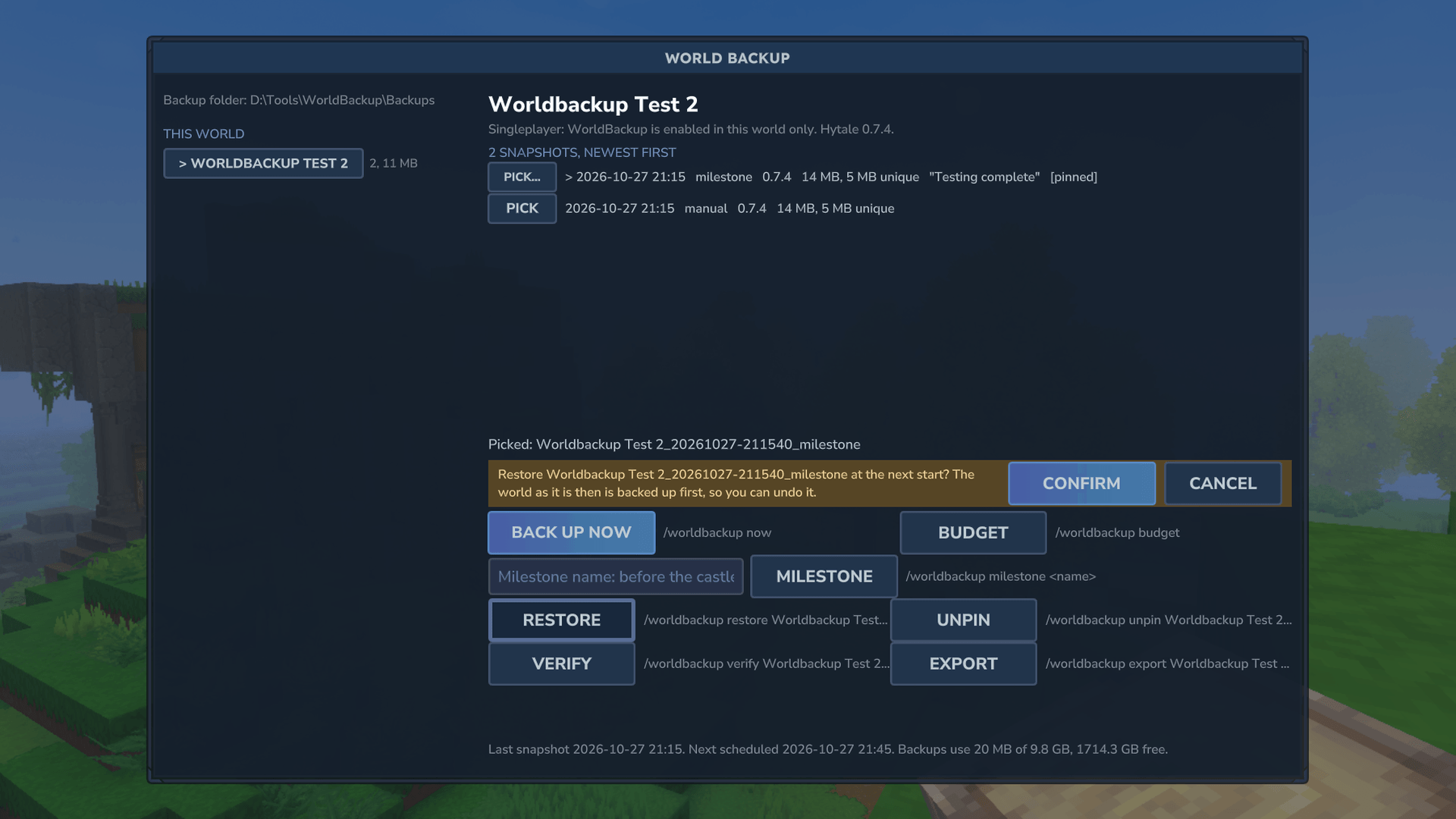
wb-03-confirm.png
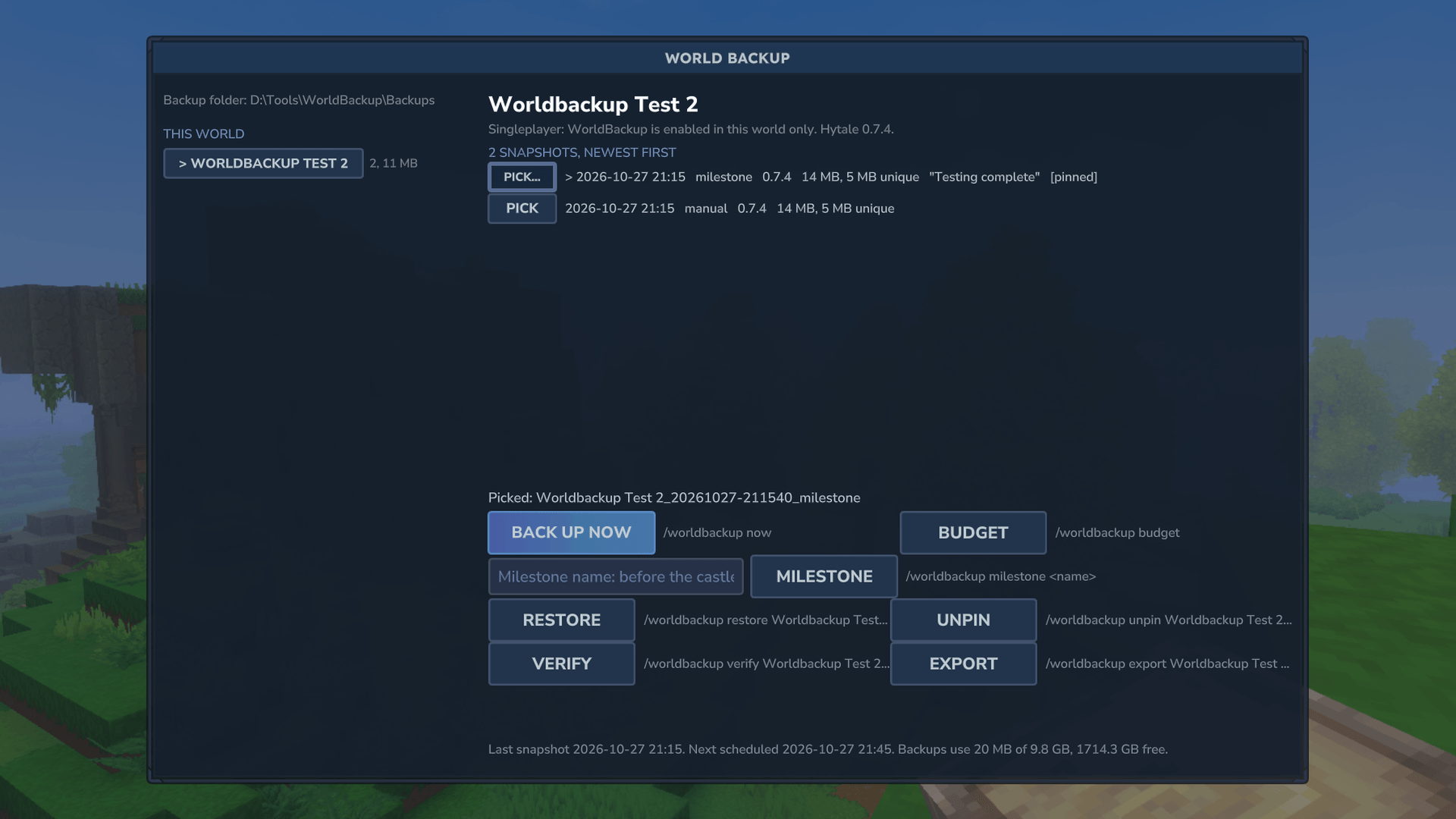
wb-02-picked.png
wb-03b-pending.png
Description
World Backup
Back up before you update
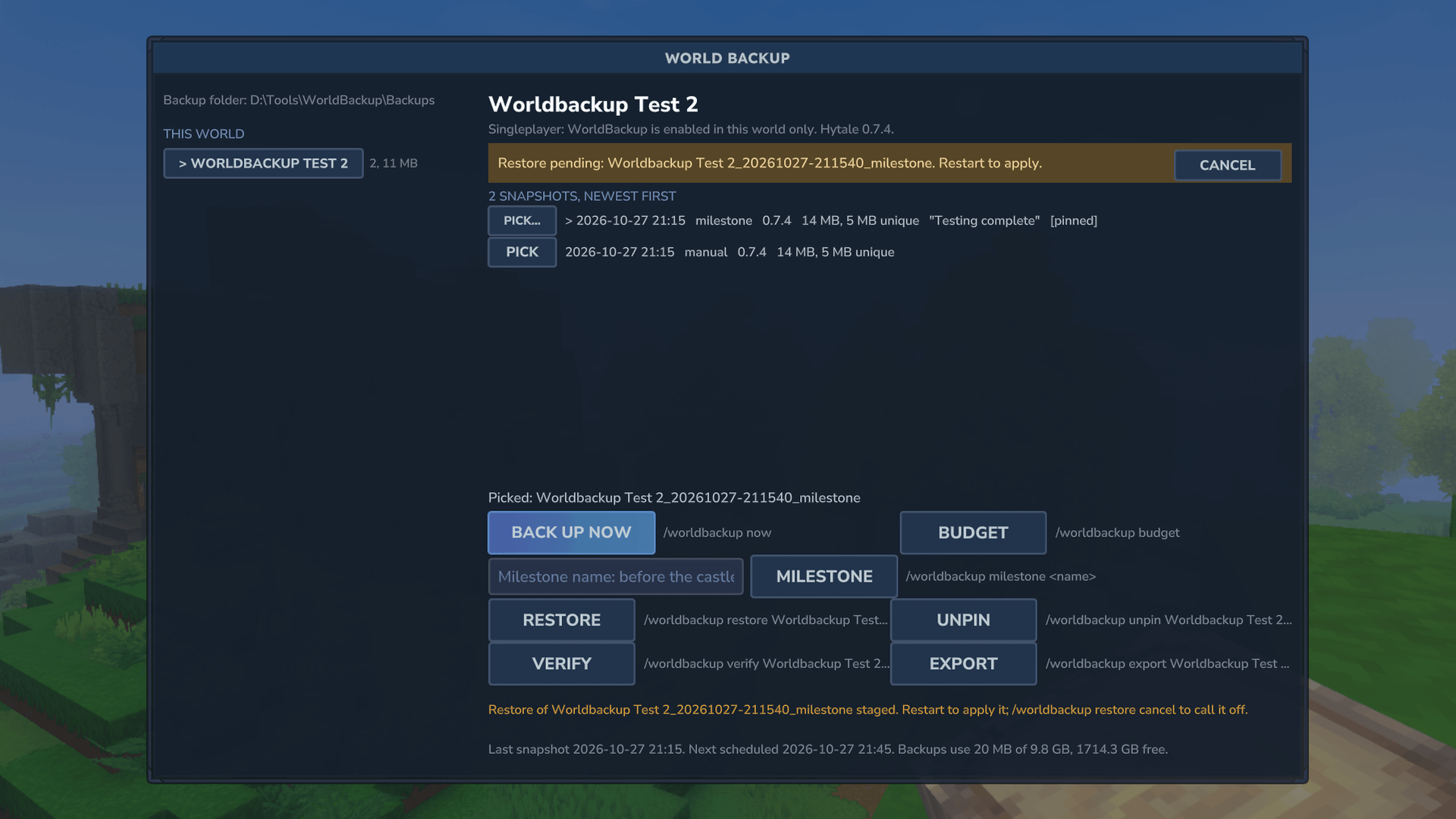
Backups of your worlds that happen before the game can break them. World Backup snapshots each world before a new game version or a changed mod list first opens it, on a schedule, at every clean shutdown, and when you press a button. Open the window with /worldbackup, pick a snapshot, press Restore, and it's applied at the next start. The world as it was is backed up first, so every restore can be undone.
It works as soon as it's installed: the first time it sees a world, it backs it up.
Features
- Before updates and mod changes. A game update can upgrade a world so older versions can't open it, and a world opened without one of its mods may not come back the same. World Backup takes a
pre-updateormod-changesnapshot before the world loads, so you always have the world as it was. - On a schedule, without waste. Every 60 minutes by default, skipped when nothing changed, and only while someone is playing (plus one when the last player leaves). Another one at every clean shutdown.
- Milestones. Name a moment ("before the castle") and it's pinned: never deleted automatically.
- Restore with undo. Restores happen at the next start, before the world loads. The world being replaced is saved and checked as a
pre-restoresnapshot first. An interrupted restore finishes at the next start, and one that fails puts the world back as it was and says why. - Small backups. Files are stored in 64 KB blocks, by content, once. A snapshot of a world where little changed costs almost nothing, so frequent snapshots are cheap.
- You control the space. One backup folder for the whole computer with one space limit (10 GB by default). Older snapshots thin out to one a day, then one a week.
/worldbackup budgettells you whether your settings fit, and roughly how much history they give. - Deleted a world by accident? Its snapshots stay in the backup folder. Export writes any snapshot out as a plain world folder.
- One window. Your worlds on the left (this server's, other worlds on this computer, deleted ones), the chosen world's snapshots on the right, and every button with its command written beside it.
- Logged. Every snapshot, restore and command goes to
actions.login the backup folder. - Leaves Hytale's own backups alone. It never changes their settings or files; the window shows how much space they use.
Singleplayer and servers
- Dedicated servers: every world on the server is covered.
- Singleplayer: Hytale enables mods per world, so World Backup protects the worlds you enable it in, while they're open. The window says so.
- World Backup can't roll the game itself back to an older version. On a server you can put the old server jar back and restore the
pre-updatesnapshot. In singleplayer the launcher keeps only the latest version, so the snapshot is a safe copy to keep until a fixed update arrives.
Install
- Put
WorldBackup-1.0.0.jarin your server'smodsfolder (singleplayer:%APPDATA%\Hytale\UserData\Mods\, then enable it in the world's mod list). - Nothing else is needed. Mod Settings Manager is recommended, for a settings page.
- Open the world. Type
/worldbackup.
Backups go to %LOCALAPPDATA%\WorldBackup\ on Windows. Another drive is safer: set Backup folder in the settings.
Commands and permissions
| Command | What it does |
|---|---|
/worldbackup or /wbak |
Opens the window |
/worldbackup list [world] |
Snapshots, newest first |
/worldbackup worlds |
Every world in the backup folder |
/worldbackup budget [world] |
Whether the space settings fit |
/worldbackup now [label] |
Saves the world, then backs it up |
/worldbackup milestone <label> |
Like now, but pinned |
/worldbackup verify <id> |
Checks a snapshot's files |
/worldbackup pin <id>, unpin <id> |
Protects a snapshot from deletion, or stops protecting it |
/worldbackup restore <id> |
Restores at the next start; restore cancel takes it back |
/worldbackup prune |
Applies the keep settings now |
/worldbackup export <id> |
Writes a snapshot out as a plain folder |
Permissions: anyone can list and check the budget. worldbackup.create allows now, milestone and verify. worldbackup.admin allows restore, pin, unpin, prune and export. Operators and the singleplayer world's owner have both. A server can restore and pin only its own worlds; other worlds in the same backup folder can be listed, verified and exported.
Settings
The settings are in mods/Hledjolf_WorldBackup/config.json, or on a settings page in Mod Settings Manager if it's installed, where every change except the backup folder applies without a restart.
- Disk space: the space limit for all backups, the free space to keep on the drive, and when to warn.
- How often: scheduled snapshots on or off, minutes between them, skip if nothing changed, only while players are on, and a speed limit so a big snapshot doesn't cause lag.
- How many to keep: recent snapshots (24), then one a day (7 days), then one a week (4 weeks), and shutdown snapshots (2).
- Milestones: snapshots before updates and mod changes, and how many of those to keep (3).
- Worlds, Where, Notices: worlds not to back up, the backup folder, whether to include player data, and chat notices to operators.
On a server with several worlds, each world gets its own section in Mod Settings Manager. A value you don't set there follows the server's setting.
Command line
The same jar runs outside the game, for when the server is stopped: java -jar WorldBackup-1.0.0.jar help. It lists worlds and snapshots, checks the budget, verifies and exports snapshots, and restores into a stopped server. It refuses a server that's still running.
Compatibility
- Hytale server 0.7.4.
- Dedicated servers and singleplayer.
- No dependencies. It adds a window; it doesn't replace any vanilla assets.
- Servers and saves that share a backup folder take turns through a lock file. Running two servers on one backup folder at the very same moment has been tested less than one at a time.
License
MIT, copyright (c) 2026 Hledjolf.
WorldBackup Team