PlaytestNotes
- By
Write findings down in game, at the spot, with /note. Each line records the time, player, world, position and #tags in a Markdown file that lists every loaded plugin and version. Ready to hand to whoever writes the test report. MIT.
02-notes-file.png
04-msm-page.png
01-chat-note.png
Description
Playtest Notes
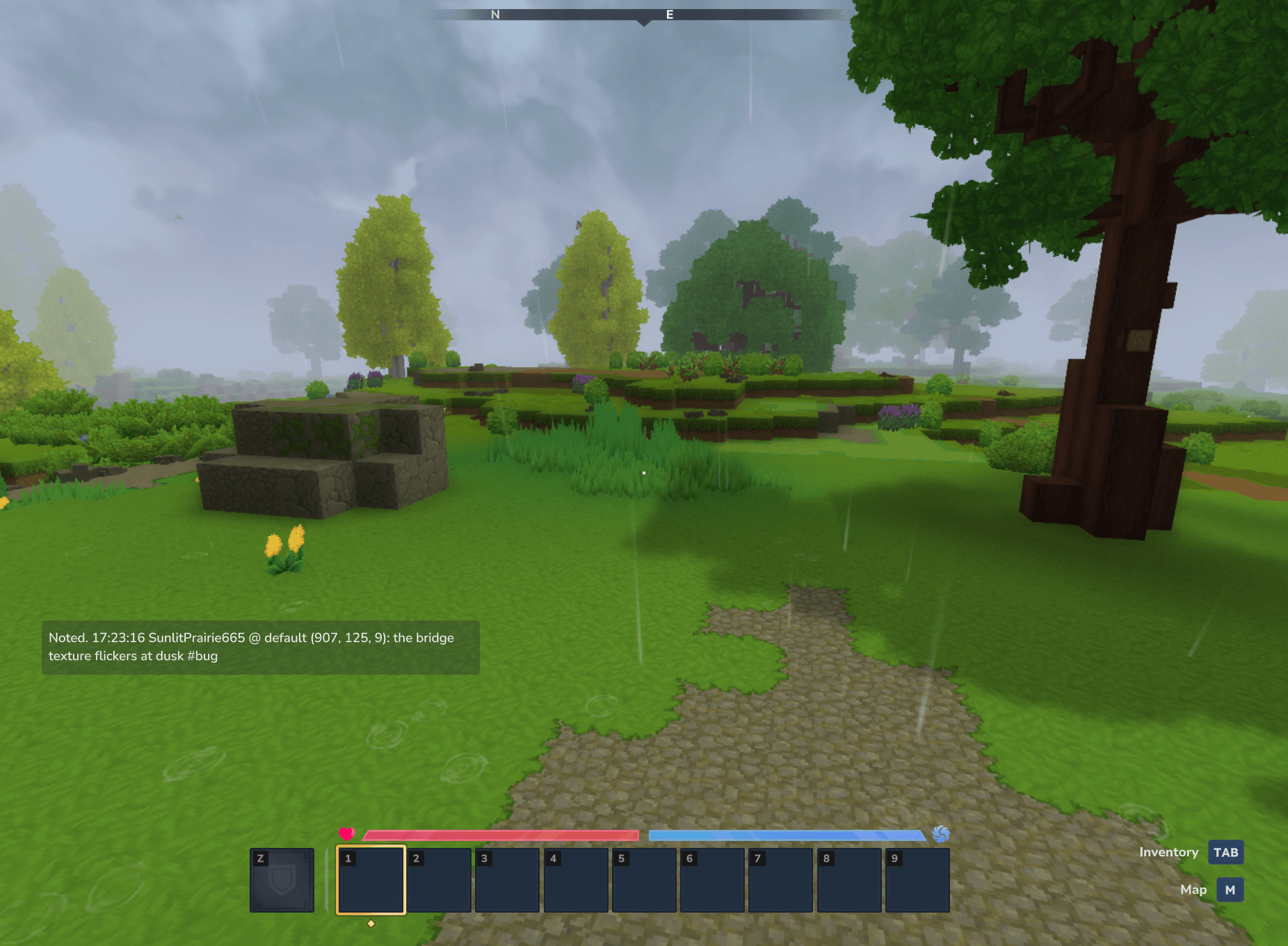
Write down what you find while you play, without leaving the game. Type /note the bridge texture flickers at dusk #art and a timestamped line goes into a Markdown file on the server. The line records who wrote it, the world, the position and any #tags.
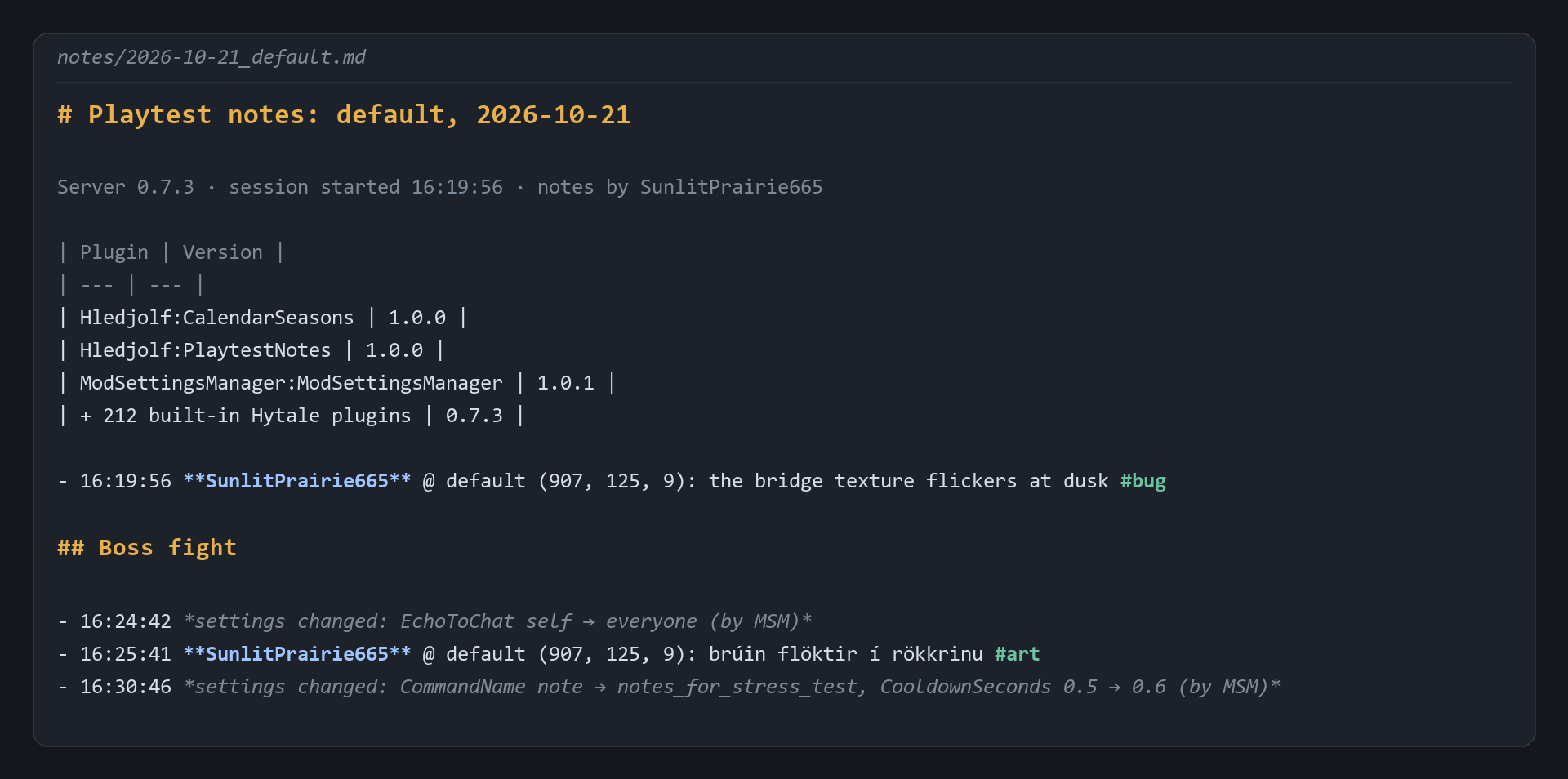
Each file starts with a table of the loaded plugins and their versions. When someone writes the test report, hand them the file. The table answers "which jars was I running?"
Features
/note <text>adds one line to today's notes file. Known#tags(bug, idea, balance, art, perf, ui) are picked out; you can change the list.- Time, player, world and position on every line, in the format you choose.
- A plugin table at the top of each file: the server build, the start time, and the loaded plugins with their versions.
/notesshows the last lines in chat./notes mark <label>writes a## heading, to split a session into parts./notes fileprints the file's path.- One file per day and world by default. Files are append-only UTF-8, and each line is flushed at once, so nothing is lost if the server stops. Letters in any language work.
- Works from the server console too. Console notes have no position.
- Guards: a note that is too long is refused, not cut short. A second note within the cooldown is refused, in case you press Enter twice.
- Everything is configurable: output folder, file name, line format, time format, UTC, coordinate decimals, length limit, cooldown, chat echo, who may write notes, the command name and the tag list.
A notes file
Each day and world gets one Markdown file. It opens with the date, the server version and a table of the loaded mods, then one line per note: time, player, world, position, text and tags. /notes mark Boss fight adds a heading, and settings changes made through Mod Settings Manager are logged too. See the notes-file picture in the gallery.
Commands and permissions
| Command | Who | What it does |
|---|---|---|
/note <text> |
See WhoCanNote |
Adds one line to today's notes file |
/notes |
Anyone | Shows the last 5 lines in chat |
/notes <n> |
Anyone | Shows the last n lines (1 to 20) |
/notes mark <label> |
See WhoCanNote |
Writes a ## <label> heading |
/notes file |
Operators | Prints the full path of the current file |
Permission: playtestnotes.write lets a player write notes when WhoCanNote is permission. Operators always pass. The server console can always write.
Settings
Settings live in notes/settings.json in the mod's data folder. The first start writes the most-used keys; any other key works when you add it. A bad value is replaced by its default, with a line in the server log. The mod never rewrites the file after it first creates it.
| Key | Default | What it does |
|---|---|---|
Enabled |
true |
Turns /note on or off |
OutputFolder |
"notes" |
Where files go: absolute, or relative to the data folder |
FileNameTemplate |
"{date}_{world}.md" |
Tokens {date} {world} {server} {player}; must end in .md or .txt |
LineTemplate |
(long, see below) | How each line looks |
TimeFormat |
"HH:mm:ss" |
HH:mm, HH:mm:ss, h:mm a, h:mm:ss a, ISO-8601 or epoch-ms |
UseUtc |
false |
UTC instead of the server's time zone |
CoordinatePrecision |
0 |
Decimal places for positions, 0 to 3 |
MaxNoteLength |
280 |
Longest note, 20 to 2000 characters |
CooldownSeconds |
0.5 |
Shortest time between two notes from one player, 0 to 10 |
IncludeModList |
true |
Start each file with the plugin table |
ModListIncludeBuiltIn |
false |
List every built-in Hytale plugin in the table; off gives one count line |
EchoToChat |
"self" |
Who sees "Noted.": none, self, operators, everyone |
WhoCanNote |
"everyone" |
everyone, permission or operators |
CommandName |
"note" |
The command's name; takes effect after a restart |
Tags |
bug, idea, balance, art, perf, ui |
Words after # that count as tags |
Default LineTemplate: "- {time} **{player}** @ {world} ({x}, {y}, {z}): {text} {tags}"
Works with Mod Settings Manager
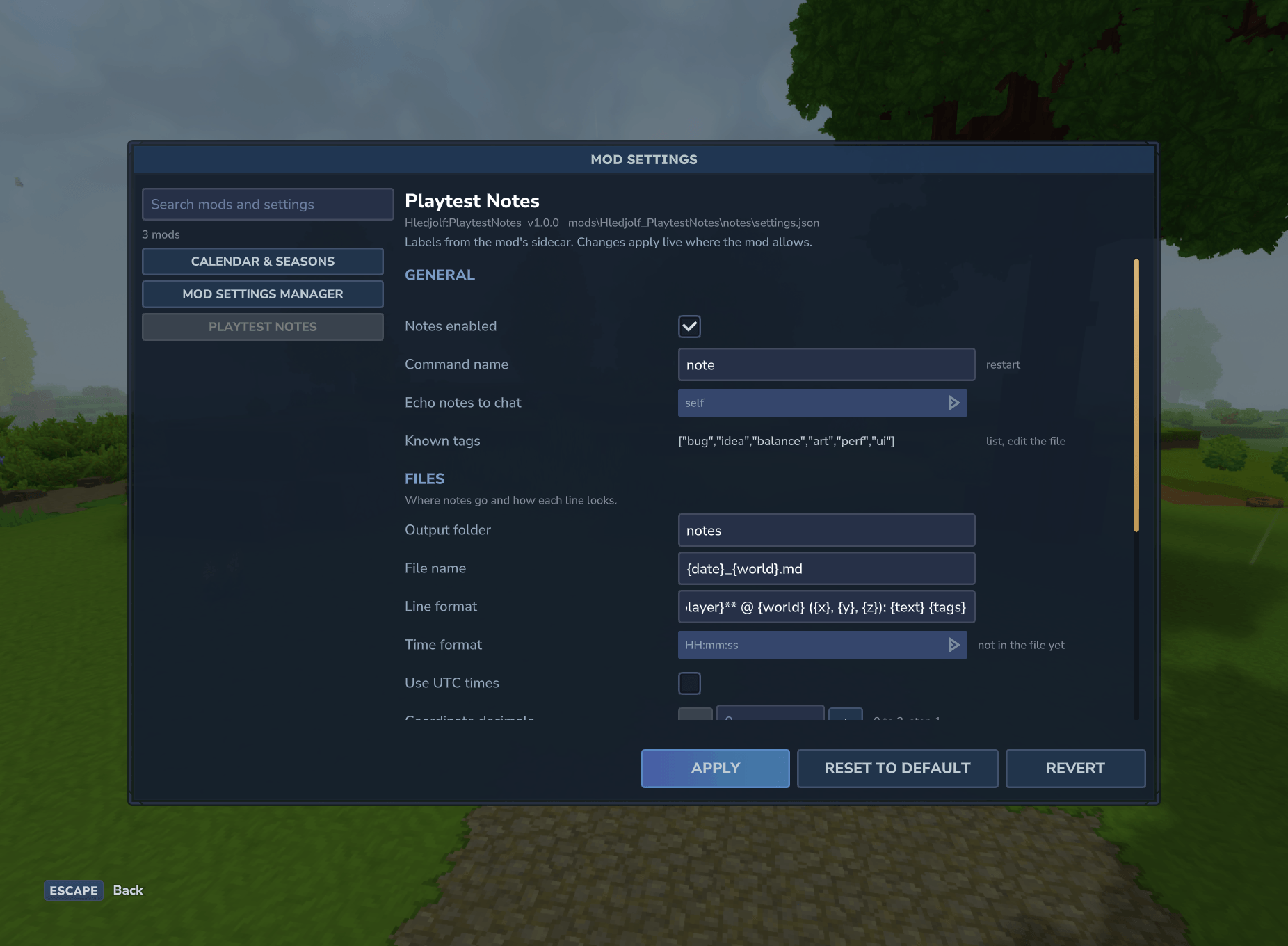
Playtest Notes does not need Mod Settings Manager, but if it is installed, every setting appears in its /modsettings window, with labels, sections, ranges and dropdowns. Changes apply live. Only Command name needs a restart. A change made that way is also written into the current notes file.
Mod Settings Manager pages: CurseForge · Nexus Mods
If you set the output folder to one the server can't write to, the change is refused and notes keep going to the old folder. The server log says why.
Install
- Put
PlaytestNotes-1.0.0.jarin your server'smodsfolder (singleplayer:%APPDATA%\Hytale\UserData\Mods\). - Start the server or open the world.
- Type
/note it works #idea.
The notes are in mods\Hledjolf_PlaytestNotes\notes\. In singleplayer, that is inside the world's save folder: %APPDATA%\Hytale\UserData\Saves\<world>\mods\Hledjolf_PlaytestNotes\notes\.
Compatibility
- Hytale server 0.7.3.
- Works on dedicated servers and in singleplayer.
- No dependencies. Mod Settings Manager is optional.
- Not in this version: screenshots attached to notes, a notes window, uploading or syncing notes, and per-player files.
License
MIT, copyright (c) 2026 Hledjolf.
Source code and issue tracker: https://github.com/Hledjolf/PlaytestNotes
PlaytestNotes Team