


Shrinkium
- By
Shrink yourself and living creatures with a crystal-powered ray, explore at three smaller sizes, and restore your original scale.
banner.png
ray-and-ore.png
quarter-view.png
ray-controls.png
Description
A smaller point of view
Shrink yourself and living creatures with a crystal-powered ray, explore at three smaller sizes, and return to your original scale. Shrinkium pairs a brass-and-crystal device with purple cave-grown crystals and native size controls.
Player guide · Source repository · GitHub files · Report an issue
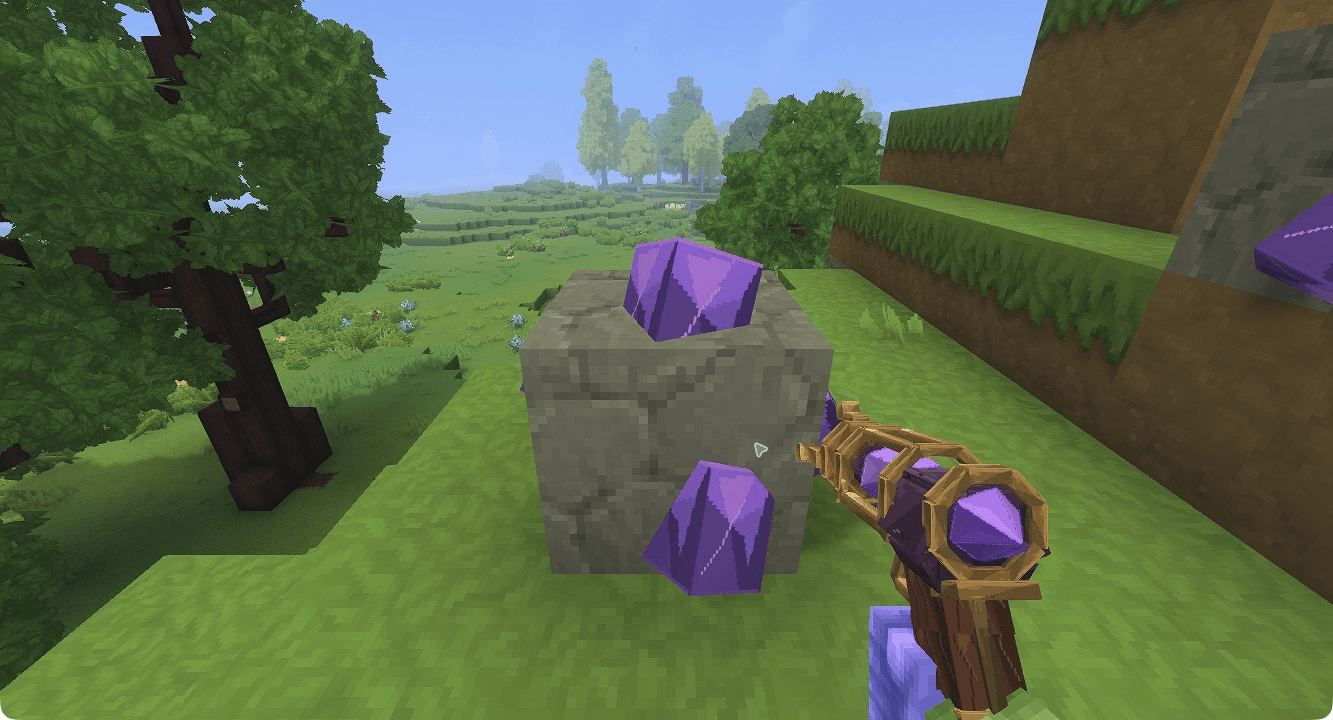
Native Hytale 0.7.4: the ray and corrected ore, shown in a staged placement.
Small device, big change
- Choose 75%, 50% or 25% of the target’s captured original size.
- Fire at one visible living target within 16 blocks, with walls blocking the shot.
- Choose SELF to shrink yourself. The transition changes your actual scale and viewpoint.
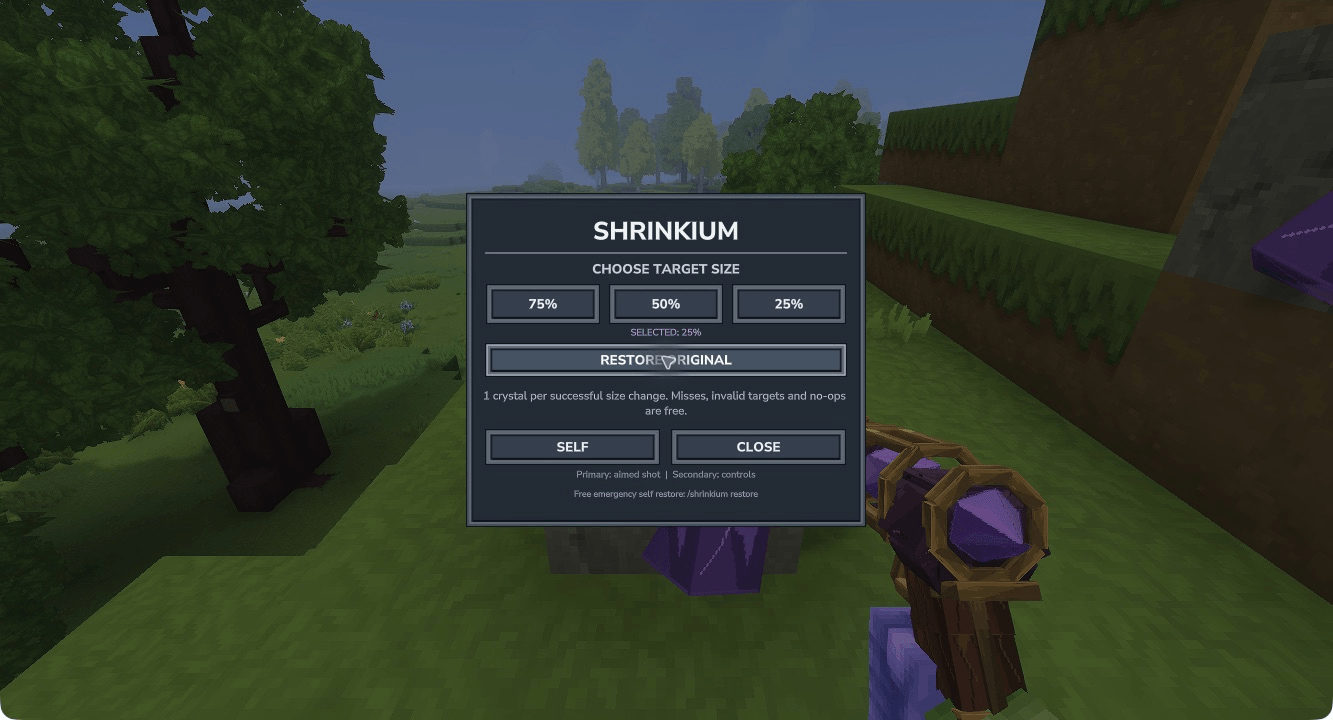
- Spend one Shrinkium Crystal per successful size change. Misses, invalid targets and no-ops cost nothing.
- Restore the original size through the ray, or use free emergency self recovery with /shrinkium restore.
- Retain captured baselines and selected sizes through normal world saving and reload.
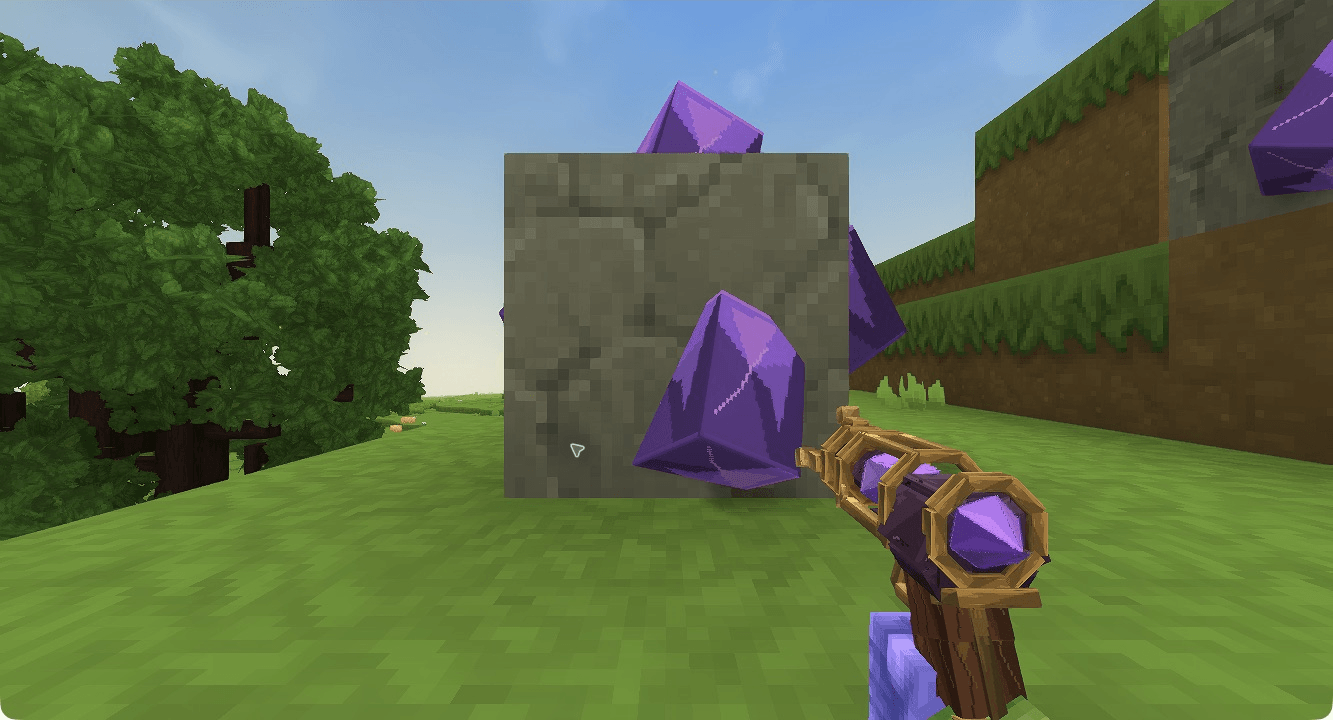
The real 25% SELF viewpoint changes how ordinary blocks feel.
Get your first ray
Find Shrinkium Crystal Ore in newly generated default-world Rock Stone caves, at least 24 blocks below the local surface. Its raised purple deposits cover all six faces. Each ore drops two Shrinkium Crystals. Existing explored terrain is not rewritten.
At the standard Workbench → Tools, craft a Shrink Ray using 6 Iron Bars, 4 Copper Bars and 2 Shrinkium Crystals. Crafting takes four seconds; there is no separate machine or workbench to unlock.
Primary fires an aimed shot. Secondary opens the controls. Select a percentage, close the panel and aim, or select SELF. RESTORE ORIGINAL selects paid restoration for the next shot or SELF activation. Move into clear space before growing.
The emergency /shrinkium restore command restores only yourself, needs no ray or crystals, and uses checked clear space or a suitable saved same-world anchor. Restore animals with the ray’s restoration mode.
Native size controls and their actual crystal charge rule.
Install and play
Stop Hytale or your server normally, back up your world and player data, and put the selected mod JAR in the Hytale Mods folder. The JAR includes its asset pack; restart and enable Shrinkium for the world. Restore affected players and creatures before uninstalling; removing the JAR does not automatically undo saved scale.
Declared compatibility: >=0.7.4 <0.8.0. Tested in Hytale 0.7.4. The store’s 0.7 tag is a family label and does not mean every patch has been tested. Match the selected file’s requirements to your game.
Current limits
This first release has been playtested in single-player. Real second-client multiplayer and the full ordinary survival acquisition route remain unverified. The ray can disappear after emergency restoration; select another hotbar slot and then the ray to recover it. Terrain generation can cause pauses. Shrinkium does not shrink blocks or enlarge targets beyond their original size. Back up before upgrades while recipes, balance and saved-data behavior evolve before 1.0.
Banner/logo artwork is promotional; the gameplay screenshots show the actual mod in Hytale 0.7.4.
Shrinkium Team


