HAARP Weather Control
- By
HAARP Weather Control is a Hytale command mod that lets you instantly change and control in-game weather conditions on demand.
⚡ HAARP Weather Control
The forecast is whatever you want it to be.
/haarp 5    →  a thunderstorm rolls in
/haarp 16   →  the sky darkens with falling ash
/haarp 13   →  the moon turns red
/haarp cancel  →  the clouds part
Two characters in chat. The sky obeys. That's the whole interface.
What it is
A small, server-side weather plugin for Hytale: 22 themed weather programs, one command, zero setup. No crafting, no client install — your players just watch the sky change.
The 22 programs
Type /haarp for a colour-coded menu — green = ready, red = on cooldown. Activate by number, full name, or fuzzy prefix:
/haarp 5 · /haarp thunderstorm · /haarp thunder| # | Weather | Runs for | What it does |
|---|---|---|---|
| 1 | Light Rain | 120s | Gentle rainfall. Calming ambiance. |
| 2 | Clear Sky | 180s | Stops all weather — blue skies return. |
| 3 | Light Fog | 90s | Mild atmospheric haze. |
| 4 | Heavy Rain | 240s | Intense downpour with dark skies. |
| 5 | Thunderstorm | 300s | Lightning and wind. Dramatic but safe. |
| 6 | Dense Fog | 120s | Thick fog blankets the area. |
| 7 | Dust Storm | 180s | Sand particles swirl. |
| 8 | Blizzard | 240s | Snow and ice effects. |
| 9 | Aurora Borealis 🌙 | 300s | Northern lights dance across the sky. |
| 10 | Electrical Storm | 180s | Intense lightning show. Spectacular and safe. |
| 11 | Acid Fog | 150s | Eerie toxic purple haze. Cosmetic only. |
| 12 | Radiant Clear | 240s | Enhanced clear sky with golden light. |
| 13 | Blood Moon 🌙 | 300s | Massive red moon, twisted clouds. Cosmetic only. |
| 14 | Void Storm | 180s | Void-event atmosphere — darkens the sky, and may increase dark-mob spawns. |
| 15 | Gentle Snow | 180s | Soft, steady snowfall. Calm and wintry. |
| 16 | Ashfall Storm | 240s | Dark skies and falling ash. Apocalyptic. |
| 17 | Toxic Cloud | 180s | Thick poisonous haze. Cosmetic only. |
| 18 | Nightmare 🌙 | 240s | Oppressive horror atmosphere. Cosmetic only. |
| 19 | Volcanic Haze | 180s | Smoldering volcanic sky. |
| 20 | Celestial Sky | 240s | Bright skylands sky with drifting clouds. |
| 21 | Ghostly Mist 🌙 | 180s | Pale, haunted fog. Cosmetic only. |
| 22 | Firefly Night 🌙 | 240s | Calm night aglow with fireflies. |
🌙 = looks best at night.
Each runs for a set duration, then expires on its own — start a five-minute storm, walk away, and the sky clears itself. Per-player cooldowns keep it fair; /haarp status shows what's live, the time left, and who triggered it.
Nothing here hurts anyone. No program damages players or passive mobs — Acid Fog doesn't burn, Blood Moon doesn't aggro your friends. It's pure atmosphere.
When you'll reach for it
- Framing a build. The spire's finally done and the light is almost right →
/haarp 20(Celestial Sky). Golden hour, on demand. - Running a session. The party crosses the desert →
/haarp 7. They reach the stone circle at midnight →/haarp 13. You never break narration. - Just vibing. It's a Tuesday, you're farming, and you'd prefer some drizzle →
/haarp 1. Done.
Who can change the weather
By default, anyone can run /haarp — ideal for a relaxed server where everyone shares the sky.
Running something bigger? HAARP ships an opt-in permission gate. On first launch it writes a small mods/haarp/haarp_config.json:
weatherControl—"everyone"(default) or"permission"controlPermission— the node to require (defaulthaarp:control)
Flip it to "permission" and only players you grant the node (plus the server console) can activate or cancel weather; everyone can still view the menu, /haarp status, and /haarp help. Leave it untouched and nothing changes — no setup required.
Good to know
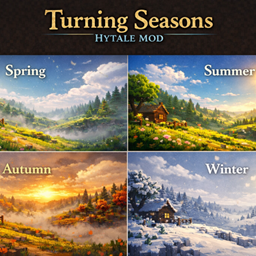
- Manual, not automatic — programs run, then end. For an automatic seasonal sky, pair it with Turning Seasons (also mine).
- Server-side only — no client install, no dependencies, ~23 KB, loads in a tenth of a second.
- Hytale Update 4, 5 & the Update 6 pre-release.
Install
- Download
HAARP-3.2.5.zipand extract it — then copy onlyHAARP-3.2.5.jarinto%APPDATA%\Hytale\UserData\Mods\. ⚠️ The .jar, not the .zip — the zip is just the download wrapper and the mod can't run from inside it. - Upgrading? Delete the old
HAARP-3.x.x.jarfirst (and any HAARP.zipthat ended up in Mods). - Enable HAARP Weather Control in your world's mod settings.
- Type
/haarp. The sky is yours.
⚠️ Getting "Command not found! haarp"?
The mod's code isn't loaded — in every case so far, the .zip was placed in the Mods folder instead of the .jar (it can even show up in the mod list that way, looking installed while containing no runnable code). Fix: delete the HAARP .zip from Mods, copy the .jar in, make sure the mod is ticked on for your world, and restart the world.
Missing a weather you'd love? Drop a comment — I read every one.
Type a number. Watch the sky obey.
— LordDionysus ⚡
HAARP Weather Control Team