GlymeraPets
- By
Buy peaceful pets from a placeable shop NPC: own up to 10, one follows you, immortal and never aggressive, teleporting back if you stray. Set each creature's price as items or money (Merchant/Vault). Right-click a pet for hearts.
Unbenannt_1.jpg
Unbenannt_2.jpg
Unbenannt_3.jpg
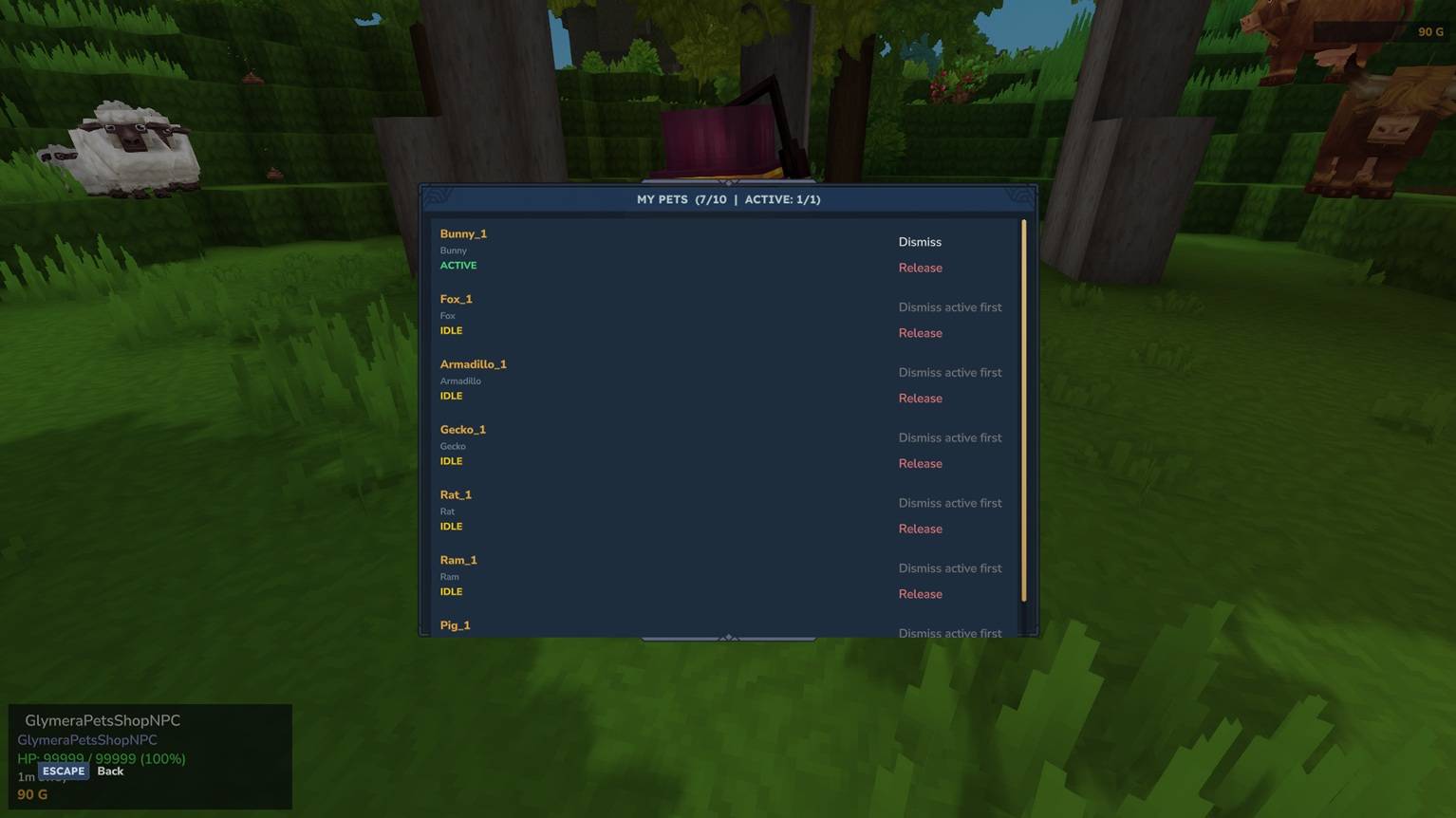
Unbenannt_4.jpg
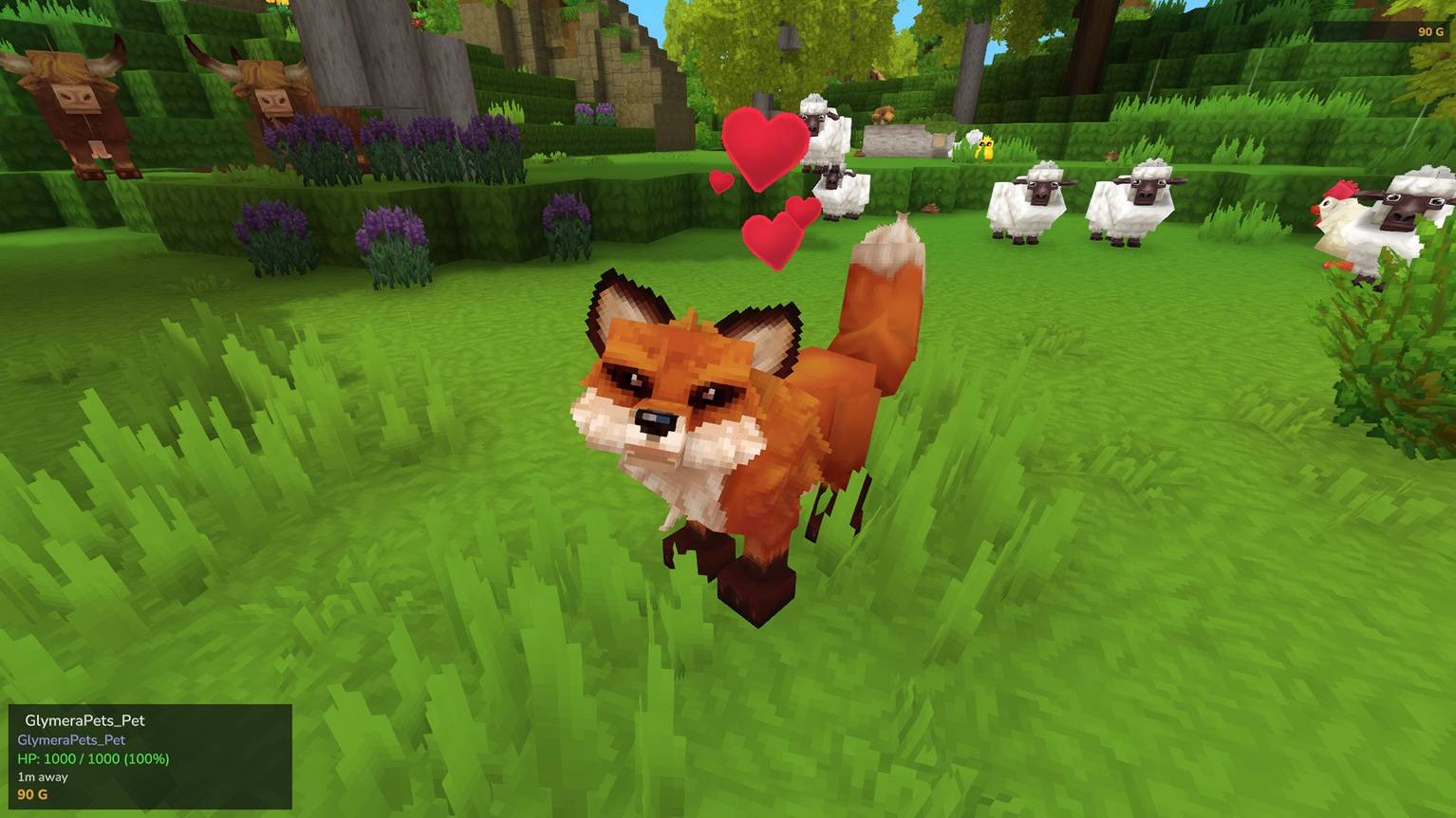
Unbenannt_5.jpg
Description
GlymeraPets
Peaceful companion pets for your world - plus a placeable pet shop your players can buy them from.
Don't miss my other exciting projects — take a look at GlymeraCraft's Profile Discord: https://discord.gg/s5NRFWfxgy
GlymeraPets lets players own and summon friendly creatures that follow them around. Almost any creature that is no bigger than a player can become a pet - small mammals, birds, reptiles, bugs, tree-folk, little undead and more. Pets are always peaceful and never die.
For players
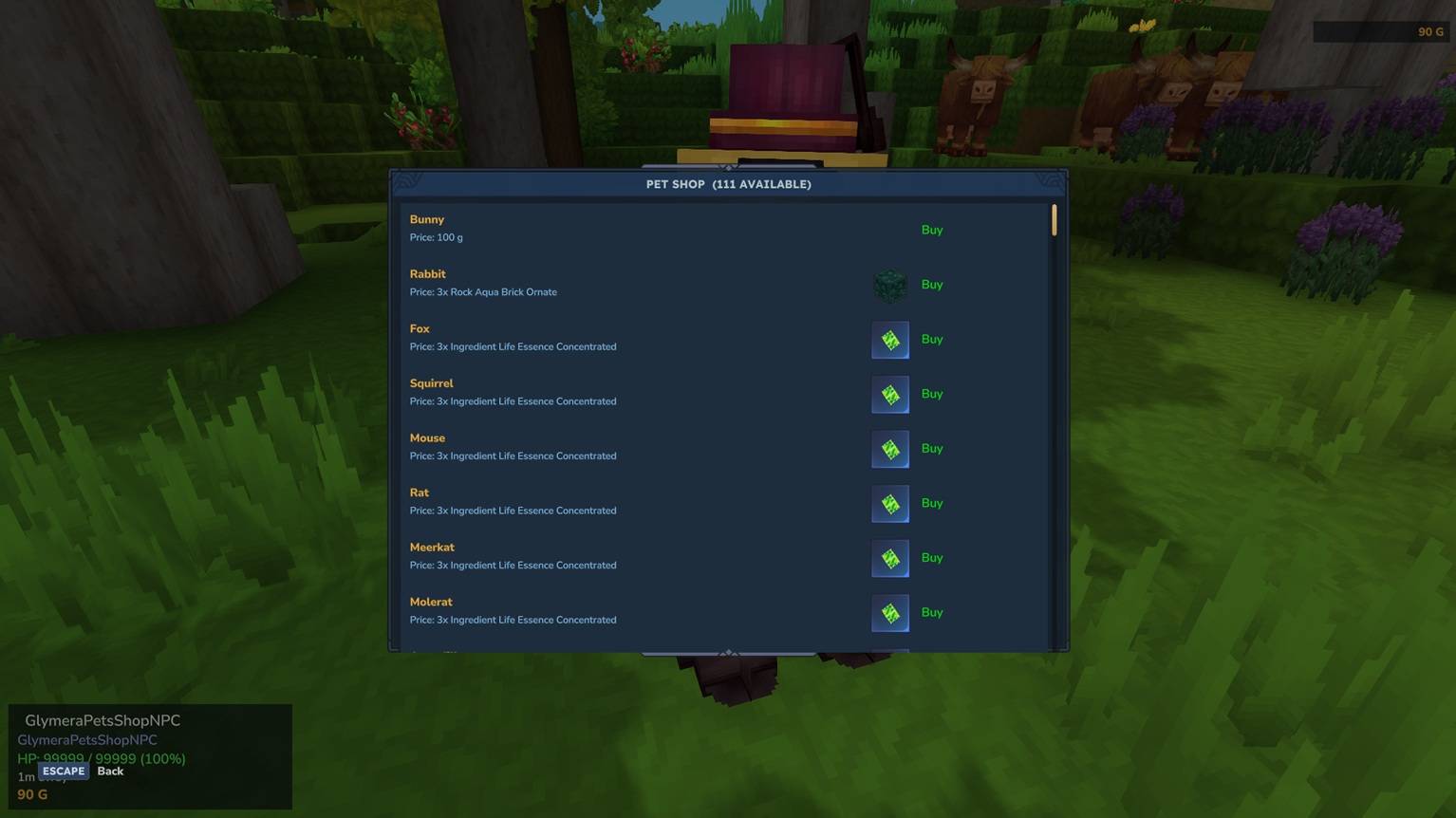
- Buy pets at a Pet Shop. Walk up to a Pet Shop keeper, right-click it, and a menu opens listing every available pet with its price. Click a pet to buy it - it starts following you right away.
- One pet out at a time, a whole collection at home. You can own up to 10 pets and have 1 following you at any moment.
- Pets follow you everywhere. Wander too far and your pet teleports back to you. Pets are immortal - they can't be killed.
- Pet them for hearts. Right-click your pet and little hearts pop up above it.
- Manage your pets with
/gpets. Call a pet to your side, dismiss it, or release ones you no longer want.
Player commands
/gpets- open your pet manager (call / dismiss / release / list)/gpets call <name>//gpets dismiss <name>- summon or send away your active pet/gpets release <name>- permanently release a pet/gpets list- list your pets
For admins
- Place a shop anywhere. Get the shop block with
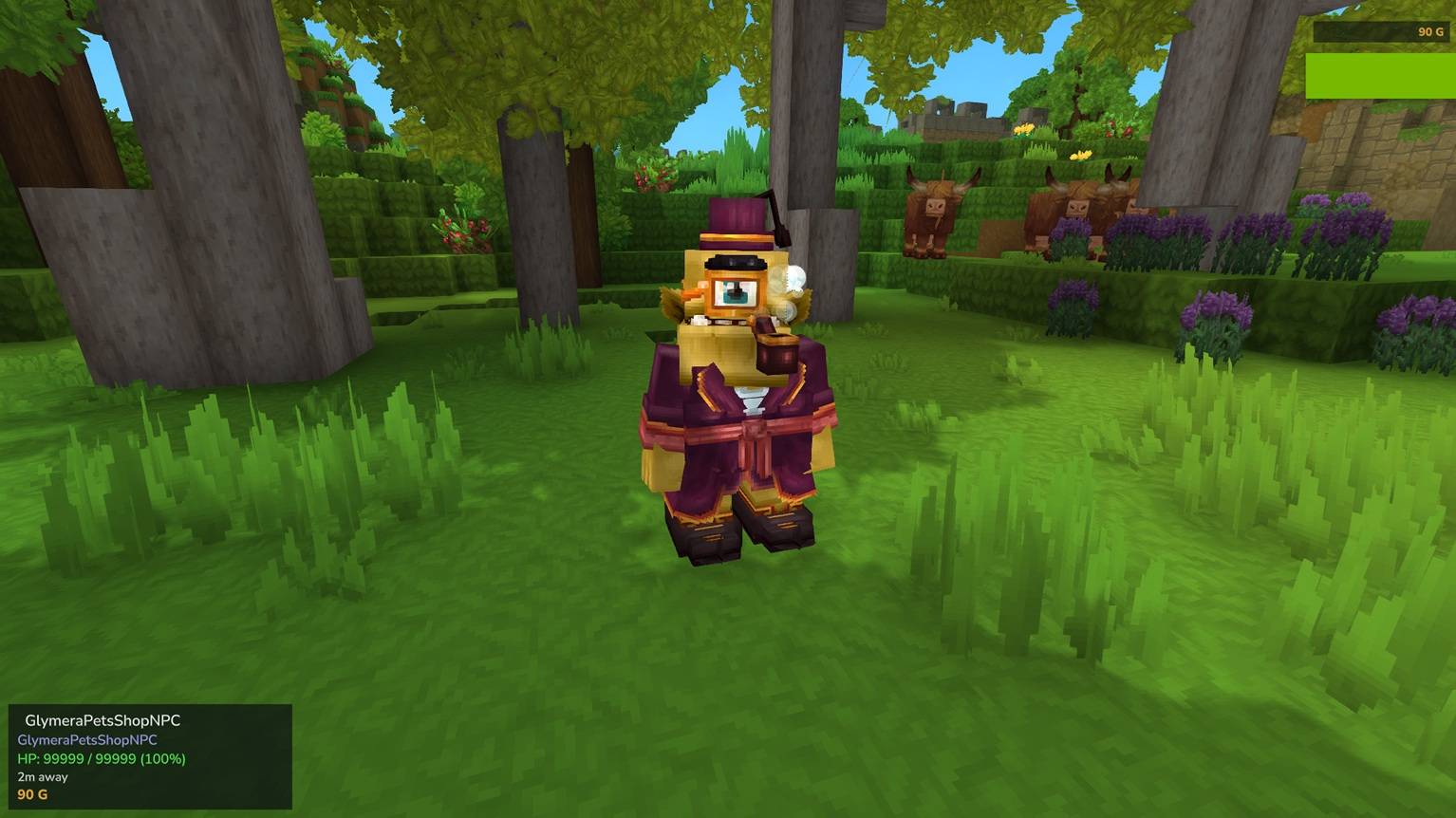
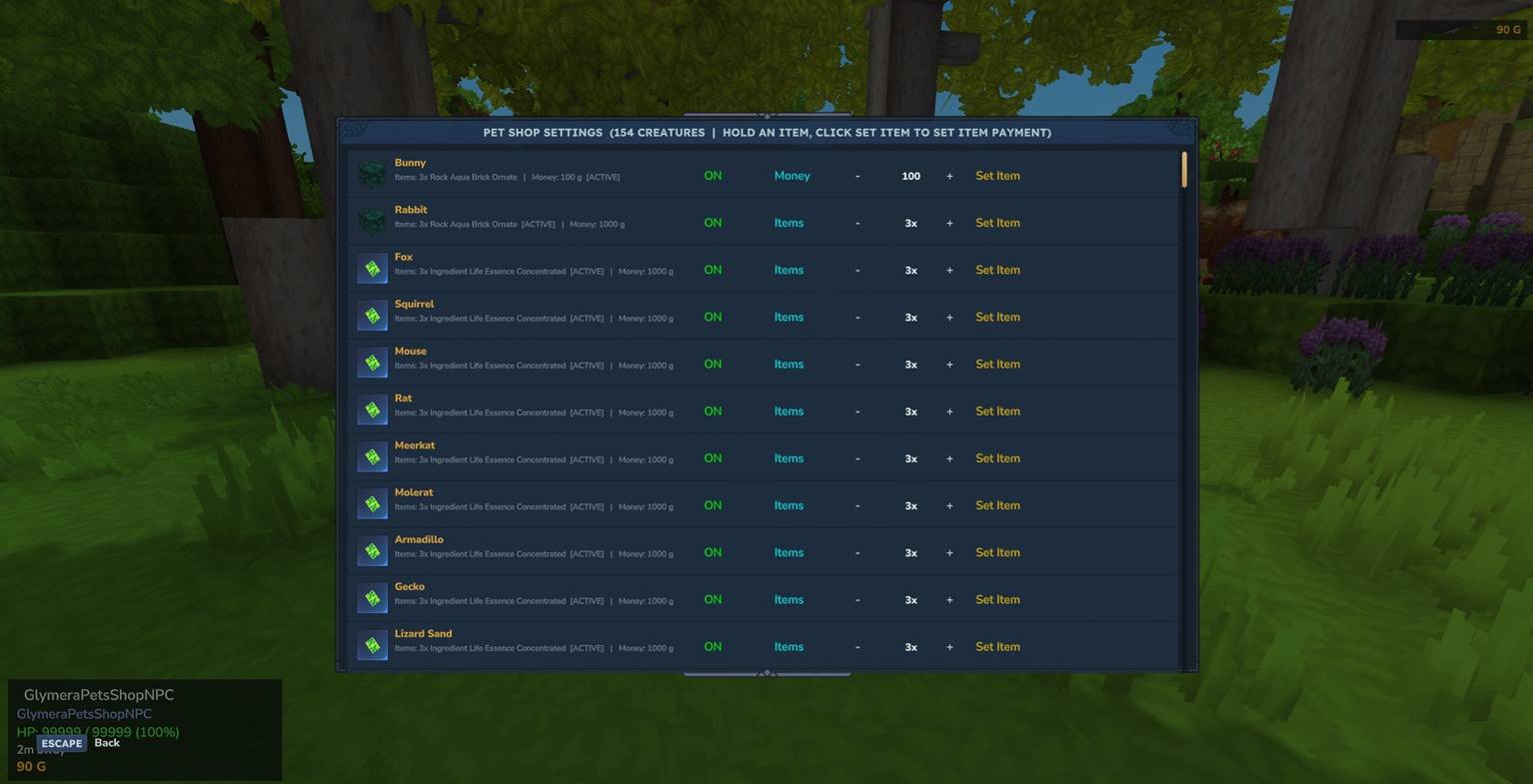
/gpets giveshop, then place it - a shop keeper (a Klops Gentleman by default, configurable viashopAppearance) appears. Remove it again with/gpets shopremovewhile standing next to it (you get the block back). Only admins can place or remove shops; shops survive server restarts. - Decide what each pet costs - per creature. Open the settings GUI with
/gpets admin:- Enable or disable each creature for the shop.
- Switch each creature between items and money payment (the active one is marked
[ACTIVE], and both values are always shown). - Adjust the price up/down.
- Set the required payment item simply by holding it in your hand and clicking "Set Item" - its icon then shows next to the pet, in the shop and in the settings.
- Money works with your economy. Money payments use GlymeraMerchant if installed, otherwise a VaultUnlocked economy. If your server doesn't use money at all, just leave everything on item payment - it works out of the box with no economy plugin.
Defaults
- Every creature defaults to 3x Greater Essence of Life as payment.
- The default money price (if you switch a creature to money) is 1000.
- 111 pet-sized creatures are enabled by default; larger/borderline creatures are included but off by default so you can enable them if you want. Aquatic creatures are not included - they don't work as land-following pets.
Admin commands
/gpets admin- open the per-creature settings GUI (enable/disable, items<->money, price, set payment item)/gpets shop- open the buy menu directly/gpets giveshop//gpets shopremove- place / remove a shop/gpets reload- reload the config
How it works
Each pet is a single peaceful, invulnerable follower that simply takes on the look of the creature you bought - so a wolf, a chicken or a little zombie all behave the same friendly way and never attack anything. The shop keeper is a normal NPC you place as a block; clicking it opens a buy menu built from your config. Everything is data-driven: enable creatures, set per-creature prices, and choose item or money payment, all in-game or in the config file.
Compatibility & data
- Optional integrations: GlymeraMerchant (preferred) and VaultUnlocked for money payments. Both optional.
- All settings live in
mods/Glymera_GlymeraPets/config.jsonand can be reloaded in-game with/gpets reload. - No network access, no logging.
GlymeraPets Team