GlymeraFarmWater
- By
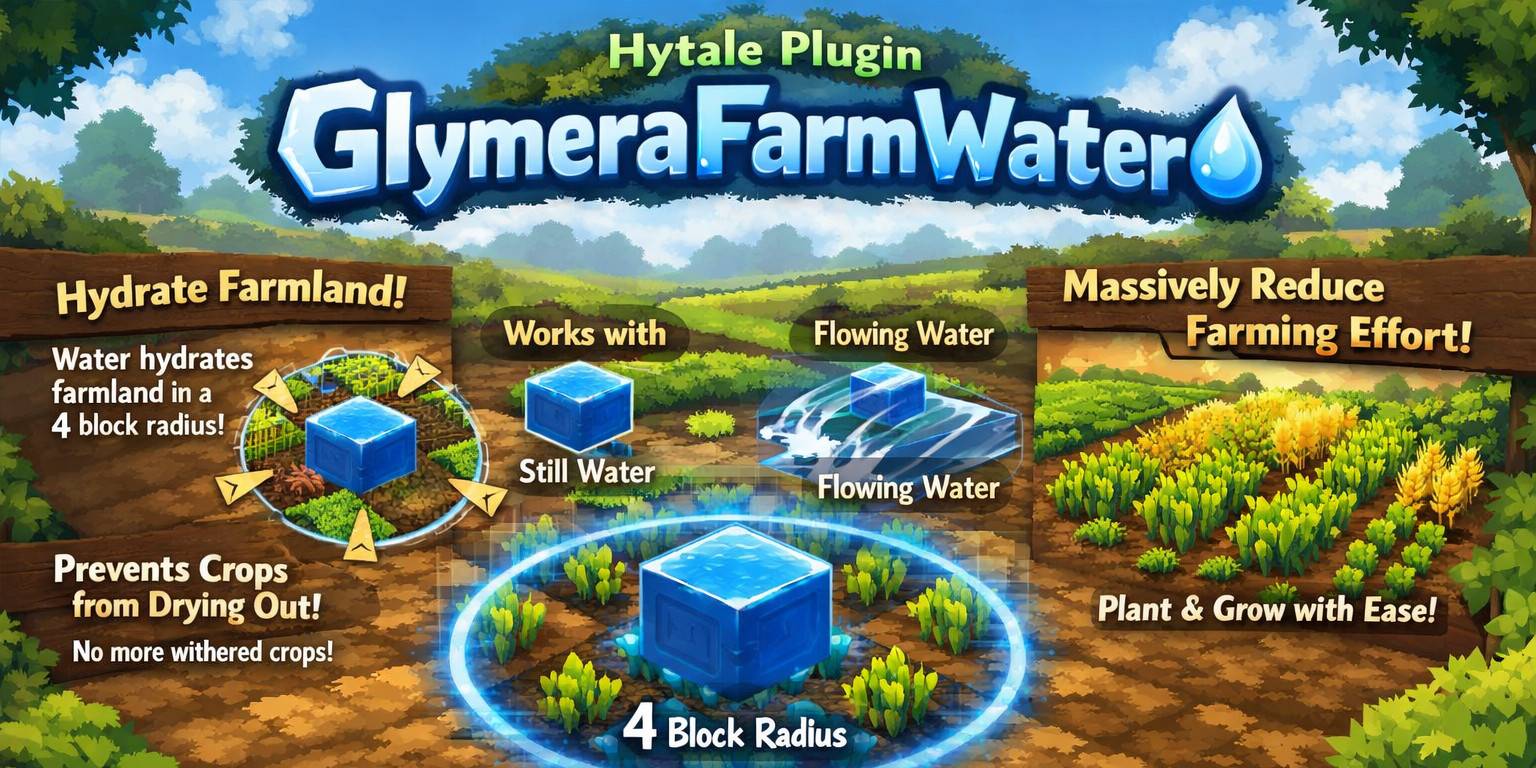
FarmWater brings Minecraft-style automatic crop watering to Hytale. Place water within 4 blocks of your farmland and it stays watered automatically. Works with source blocks and flowing water. No configuration needed – just install and farm!
Unbenannt.jpg
Unbenannt_1.jpg
Description
💧 FarmWater 💧
Water blocks automatically keep nearby farmland watered within a 4-block radius. Minecraft-Style.
Most actual version only working for Hytale stable 5 ! Don't miss my other exciting projects — take a look at GlymeraCraft's Profile Discord: https://discord.gg/s5NRFWfxgy
◆ What is FarmWater?
In vanilla Hytale, farming requires you to manually water your crops with a watering can every time they dry out. There is no way to automate watering by simply placing water near your farmland. If you've ever played Minecraft, you know that placing a water source block within 4 blocks of farmland keeps the soil hydrated permanently - no manual interaction needed.
FarmWater brings this beloved Minecraft mechanic to Hytale. Place any water block - whether it's a source block or flowing water - within 4 blocks of your tilled farmland, and the plugin will automatically keep that soil watered. No watering can needed. No manual labor. Just place water near your farm, plant your crops, and watch them grow.
This plugin is a must-have quality-of-life improvement for any Hytale server that features farming. It removes the repetitive chore of manually watering crops while still requiring the player to build a proper irrigation system with water channels. The result is farming that feels rewarding and strategic rather than tedious.
◆ The Problem FarmWater Solves
Hytale's farming system requires constant manual watering. Every time your crops dry out, you need to grab your watering can, fill it with water, and water each block of farmland individually. For small personal gardens, this is manageable. But for larger farms, it becomes an extremely tedious and repetitive task that can drive players away from farming entirely.
▸ Without FarmWater
- You plant crops on tilled soil
- The soil dries out after some time
- You must manually water every block with a watering can
- Crops wither and die if you forget to water them
- Larger farms become a full-time job of constant watering
- Players avoid farming because it's too tedious
- Unattended farms die while you're exploring or building
▸ With FarmWater
- You place water blocks near your tilled farmland
- The plugin automatically keeps all farmland within 4 blocks watered
- Works with both source blocks AND flowing water
- Crops never dry out as long as water is nearby
- You can build massive farms with strategic water channels
- Farming becomes a fun building challenge instead of a chore
- Your farm stays watered even while you're away exploring
◆ How it Works
FarmWater operates using a highly optimized two-phase scanning system that runs entirely in the background. No commands are needed. No configuration is required. Just install the plugin, place water near your farmland, and the magic happens.
▸ Phase 1: Discovery (every 30 seconds)
The discovery phase scans all loaded chunks on the server to find tilled farmland blocks. This is not limited to areas around players - if a chunk is loaded, FarmWater will find any farmland in it. The discovery system uses a multi-level filtering approach to minimize performance impact:
- Chunk-level filter - Before scanning individual blocks, the plugin checks if a chunk column contains any tilled soil at all. If not, the entire chunk is skipped instantly. This eliminates the vast majority of chunks from the scan.
- Section-level filter - Each chunk column is divided into vertical sections (32 blocks tall). The plugin checks each section for the presence of tilled soil before scanning its contents. Empty sections and sections that only contain air are skipped immediately.
- Y-range filter - Only blocks between Y=30 and Y=200 are considered. Farmland below underground level or above mountain peaks is excluded from the scan. This avoids wasting time on impossible locations.
- Block-level scan - Within qualifying sections, every block position is checked against the cached tilled soil block IDs using fast integer comparison (no string lookups). Discovered farmland positions are stored using bit-packed coordinates for minimal memory usage.
Newly discovered farmland is automatically added to the tracking list. Farmland that has been destroyed or reverted to regular soil is automatically removed during the irrigation phase.
▸ Phase 2: Irrigation (every 10 seconds)
The irrigation phase processes all tracked farmland positions and checks if water is present nearby. For each tracked farmland block, the plugin performs the following steps:
- Validation - Verify that the block is still tilled soil. If the farmland has been destroyed, trampled, or reverted to dirt, it is removed from the tracking list.
- Water proximity check - Scan a 9x9 horizontal area (4 blocks in each direction) around the farmland. Water is checked at the same Y level as the farmland and one block below (Y-1). This means water can be at the soil surface level or in a channel below the farmland. The plugin detects both source water and flowing water.
- Native system check - If Hytale's native watering system (e.g., rain or other built-in mechanics) has already flagged the soil as externally watered, the plugin skips it to avoid conflicts.
- Duration check - If the farmland was recently watered by a watering can for a longer duration than the plugin would apply, the plugin skips it. The watering can's manual watering always takes priority.
- Apply watering - The soil's watered timer is set to the current time plus 20 seconds (scan interval + 10 second buffer). This ensures continuous hydration as long as water remains nearby.
- Visual update - The farmland's visual state is updated to show the dark, watered soil texture. The plugin correctly distinguishes between regular watered soil and fertilized watered soil, applying the correct visual state ("Watered" or "Fertilized_Watered").
◆ Water Detection - What Counts as Water
FarmWater detects water by reading the fluid layer of the world, not the block layer. This means it uses Hytale's native fluid system to determine what is and isn't water. The plugin recognizes:
- Water Source Blocks - The standard still water blocks you place from a bucket. These are the most reliable and permanent water sources for your farm.
- Flowing Water - Water that flows outward from a source block. This means a single source block can irrigate a much larger area through its flowing water streams. Build creative water channel systems and let the flowing water do the work!
▸ Water Placement
Water is detected at two Y levels relative to the farmland:
- Same level (Y) - Water placed directly beside the farmland on the same horizontal plane.
- One block below (Y-1) - Water in a channel or trench below the farmland surface. This is the classic Minecraft irrigation trench design where water runs in a 1-block-deep channel between rows of crops.
The horizontal detection range is 4 blocks in every direction, creating a 9x9 square detection area around each farmland block. This matches the Minecraft irrigation radius exactly.
◆ Farm Layout Examples
FarmWater is designed to support a variety of farm layouts. Here are some common designs that work perfectly:
▸ Classic Row Farm (Minecraft-Style)
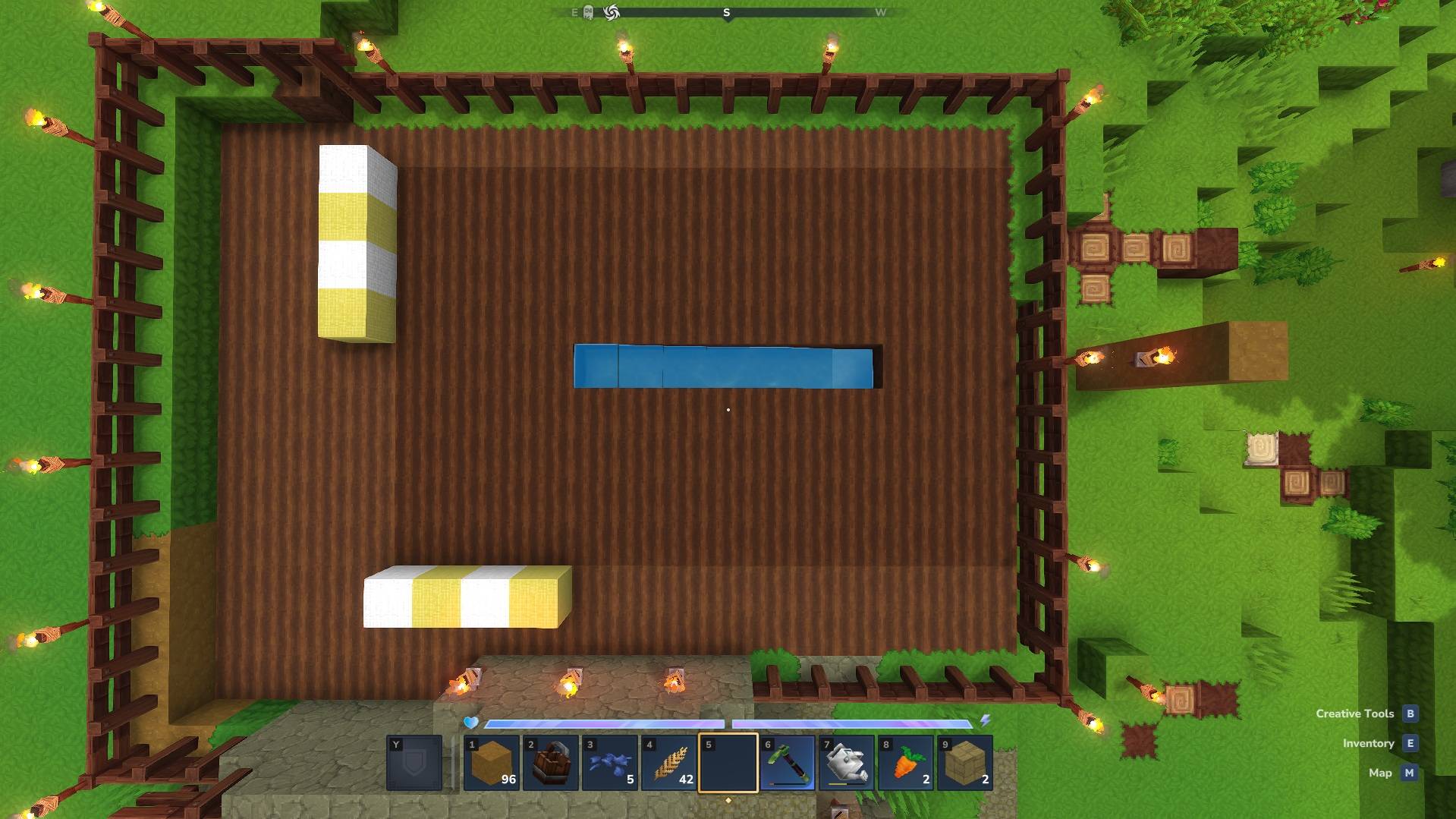
Place a row of water down the center of your farm. Plant crops on both sides of the water, up to 4 blocks away. The water keeps all soil in range hydrated permanently.
F F F F W F F F F
F F F F W F F F F
F F F F W F F F F
F F F F W F F F F

F = Farmland, W = Water
▸ Single Source Block Farm
Place a single water source block in the center of a 9x9 area. All farmland within 4 blocks in every direction stays watered. This is the most space-efficient design.
F F F F F F F F F
F F F F F F F F F
F F F F F F F F F
F F F F F F F F F
F F F F W F F F F
F F F F F F F F F
F F F F F F F F F
F F F F F F F F F
F F F F F F F F F

F = Farmland, W = Water (center)
▸ Underground Channel Farm
Place water directly below your farmland. The farmland sits on top of the water block. The water below keeps the soil watered without taking up any surface space. Perfect for maximizing your crop area!
Side view:
F F F F F F F F F   (surface - farmland)
W W W W W W W W W   (below - water directly under farmland)

F = Farmland, W = Water (1 block below)
▸ Flowing Water Farm
Place a single water source block at one end and let it flow across a channel. The flowing water irrigates all farmland within 4 blocks of any point along the stream. One source block can effectively irrigate a massive area through its flowing water reach.
F F F F F F F F F F F F F
W ~ ~ ~ ~ ~ ~ ~
F F F F F F F F F F F F F

W = Water Source, ~ = Flowing Water, F = Farmland
◆ Performance & Optimization
FarmWater is built for performance from the ground up. Running on a server with potentially thousands of loaded chunks, the plugin uses multiple optimization strategies to keep CPU usage minimal:
- Direct BlockSection access - Instead of using expensive high-level API calls like world.getBlockType(), the plugin reads block IDs directly from the chunk's internal data structures. This is orders of magnitude faster for bulk scanning operations.
- Integer block ID caching - Block type identifiers are resolved once at startup and cached as integers. All subsequent comparisons use fast integer lookups instead of slow string comparisons.
- FastUtil collections - The plugin uses the high-performance FastUtil library (IntOpenHashSet, LongIterator, LongSet) for all internal data structures. These specialized collections are significantly faster than Java's standard collections for primitive types.
- Multi-level chunk filtering - Before scanning individual blocks, the plugin filters at the chunk level and section level. Chunks and sections that don't contain farmland are skipped entirely, avoiding millions of unnecessary block checks.
- Bit-packed position storage - Farmland positions are stored as packed 64-bit longs instead of full coordinate objects. This uses X (26 bits), Y (12 bits), and Z (26 bits) packing, supporting a world range of ±33 million blocks horizontally and up to 4096 blocks vertically while using only 8 bytes per tracked position.
- Staggered scan intervals - The heavy discovery scan runs every 30 seconds, while the lightweight irrigation check runs every 10 seconds. This distributes the processing load evenly over time.
- Thread-safe design - All world operations run on Hytale's world thread via world.execute(). The tracking data uses ConcurrentHashMap for safe cross-thread access. The plugin never blocks the main server thread.
- Automatic cleanup - Farmland that no longer exists is automatically removed from the tracking list during irrigation scans. The tracking data never grows unbounded.
- Early termination - Water proximity checks stop as soon as the first water block is found within range. The plugin doesn't waste time scanning the remaining area.
◆ Compatibility
- Works alongside the watering can - FarmWater respects manual watering. If a player waters soil with a watering can for a longer duration, the plugin won't override it. The longer watering timer always takes priority.
- Works alongside native Hytale systems - If Hytale's built-in mechanics (e.g., rain) mark soil as externally watered, the plugin skips those blocks entirely. No conflicts, no double-watering.
- Works with fertilized soil - The plugin correctly detects fertilized farmland and applies the appropriate visual state (Fertilized_Watered vs Watered). Your fertilizer investment is safe.
- Multi-world support - The plugin scans all worlds on the server automatically. Whether you have one world or twenty, every world gets automatic irrigation.
- No commands needed - There are no commands to configure, no permissions to set up, no config files to edit. Install the plugin and it works.
◆ Features Summary
- Automatic farmland watering - Water blocks within 4 blocks keep tilled soil permanently hydrated
- Works with source AND flowing water - A single source block can irrigate through its flowing water streams
- Minecraft-style 4-block radius - The exact same irrigation radius as Minecraft for familiar farm designs
- Detects water at soil level and below - Supports surface water and underground irrigation channels
- Visual soil update - Watered farmland visually turns dark to show it's hydrated
- Fertilizer compatible - Correctly handles fertilized soil with the proper visual state
- Chunk-based scanning - Works on ALL loaded chunks, not just near players - your farm stays watered even while you're away
- No player proximity required - Farms in loaded chunks are watered regardless of player location
- Zero configuration - Install and forget. No config files, no commands, no permissions
- Highly optimized - Direct block section access, integer ID caching, bit-packed positions, FastUtil collections
- Non-intrusive - Respects watering can duration, native Hytale watering systems, and fertilizer states
- Multi-world support - Automatically works across all worlds on the server
- Automatic cleanup - Destroyed farmland is removed from tracking automatically
- Lightweight - No ECS systems, no event listeners, no commands - just efficient background scanning
◆ Technical Details
For server administrators and developers who want to understand exactly what's happening under the hood:
▸ Scan Timing
- Discovery scan: Every 30 seconds - Scans all loaded chunks for new farmland
- Irrigation scan: Every 10 seconds - Checks tracked farmland for nearby water
- First discovery scan starts 5 seconds after server start - gives time for worlds to load
- Watering duration: 20 seconds per cycle (10s interval + 10s buffer) - ensures no gaps between scans
▸ Scan Range
- Horizontal irrigation radius: 4 blocks in all directions (9x9 area)
- Vertical water detection: Same Y level and Y-1 (one block below)
- Y scan range: Y=30 to Y=200 - farmland discovery is limited to this vertical range
- Chunk sections scanned: Sections 0-6 (covering Y=0 to Y=224)
▸ Detected Block & Fluid Types
- Farmland: Soil_Dirt_Tilled (all interaction states)
- Water source: Water_Source fluid type
- Flowing water: Water fluid type
▸ Memory Usage
- Each tracked farmland position uses 8 bytes (bit-packed long)
- 10,000 tracked farmland blocks = approximately 80 KB of memory
- 100,000 tracked farmland blocks = approximately 800 KB of memory
- Positions are stored in a ConcurrentHashMap with world name keys
◆ Installation
- Stop your Hytale server
- Copy GlymeraIrrigation-1.2.0.jar into your server's mods/ folder
- Your mods/ folder should now contain:
mods/
GlymeraIrrigation-1.2.0.jar- Start your server
- Check the server log for: "[GlymeraIrrigation] Started - Radius: 4, Scan: 10s, Discovery: 30s"
- Place water near your tilled farmland and watch it stay watered automatically!
That's it! No configuration files, no commands, no permissions. The plugin starts working immediately after installation.
◆ Important Notes
- Only tilled soil is affected - Regular dirt, grass, or other blocks are not affected. You still need to till the soil with a hoe before the plugin can water it.
- Water must be present - The plugin does not create water or generate moisture out of thin air. You need to place actual water blocks (source or flowing) within range of your farmland.
- Chunk must be loaded - The plugin only scans and waters farmland in loaded chunks. If a chunk is unloaded (no players nearby and not force-loaded), the farmland in that chunk won't be watered until the chunk is loaded again.
- Watering can still works - You can still use the watering can normally. If the watering can provides a longer watering duration than the plugin, the watering can's timer takes priority.
- No farmland trampling protection - This plugin does not prevent farmland from being trampled. It only handles watering. If the soil reverts to dirt, it is automatically removed from tracking.
◆ FAQ
▸ Does this work with flowing water or only source blocks?
Both! The plugin detects both water source blocks and flowing water. A single source block can irrigate a large area through its flowing water streams.
▸ What happens if I remove the water?
The farmland will stop being watered within 20 seconds (the next irrigation cycle). After the watering timer expires, the soil will dry out naturally according to Hytale's normal farming mechanics.
▸ Does this affect server performance?
FarmWater is highly optimized and uses minimal server resources. The plugin uses direct block section access, integer ID caching, multi-level chunk filtering, and bit-packed position storage. On a typical server, the performance impact is negligible.
▸ Can I change the irrigation radius?
The radius is currently fixed at 4 blocks (matching Minecraft's irrigation radius). A configuration file with customizable settings may be added in a future update.
▸ Does this work in all worlds?
Yes! The plugin automatically scans and irrigates farmland in all worlds on the server.
▸ Does this conflict with other farming plugins?
FarmWater is designed to be non-intrusive. It respects Hytale's native watering systems and manual watering can usage. It should be compatible with other plugins that interact with the farming system.
▸ My farm isn't being watered - what's wrong?
Check the following:
- Is the soil tilled? The plugin only waters tilled soil (Soil_Dirt_Tilled).
- Is water within 4 blocks? Count the blocks - the water must be no more than 4 blocks away horizontally.
- Is the water at the right height? Water must be at the same Y level as the farmland or one block below.
- Is the chunk loaded? The farmland must be in a loaded chunk.
- Check the server log for startup messages confirming the plugin loaded correctly.
◆ Version History
▸ v1.2.0 (Current)
- Major optimization: Direct BlockSection access instead of world.getBlockType()
- Added block ID caching for faster lookups
- Full chunk scan every cycle (no partial scanning)
- Multi-level chunk and section filtering
- Bit-packed position storage for reduced memory usage
▸ v1.1.0
- Switched to chunk-based discovery (no player proximity required)
- Farmland in all loaded chunks is now discovered and tracked
▸ v1.0.0
- Initial release
- Basic farmland watering within 4-block radius of water
◆ Support
Having issues or questions? Leave a message here or visit our Discord!
Developed by GlymeraCraft
GlymeraFarmWater Team