Arsenal and Armory
- By
Keep a sword and shield, a two-handed weapon, and your favorite armor sets ready in one portable Arsenal. Switch loadouts on the fly and keep your hotbar free for tools, food, and building materials.
Description
Arsenal & Armory for Hytale
Keep a sword and shield, a two-handed weapon, and your favorite armor sets ready in one portable Arsenal. Switch loadouts on the fly and keep your hotbar free for tools, food, and building materials.
Install the mod
Download darselx_arsenal_0.4.0-dev.2.jar, place it in your Hytale UserData/Mods folder, and enable Arsenal & Armory for your world. This guide covers version 0.4.0-dev.2 for Hytale 0.7.6.
Craft your Arsenal and capsules
| Item | Crafting station | Materials |
|---|---|---|
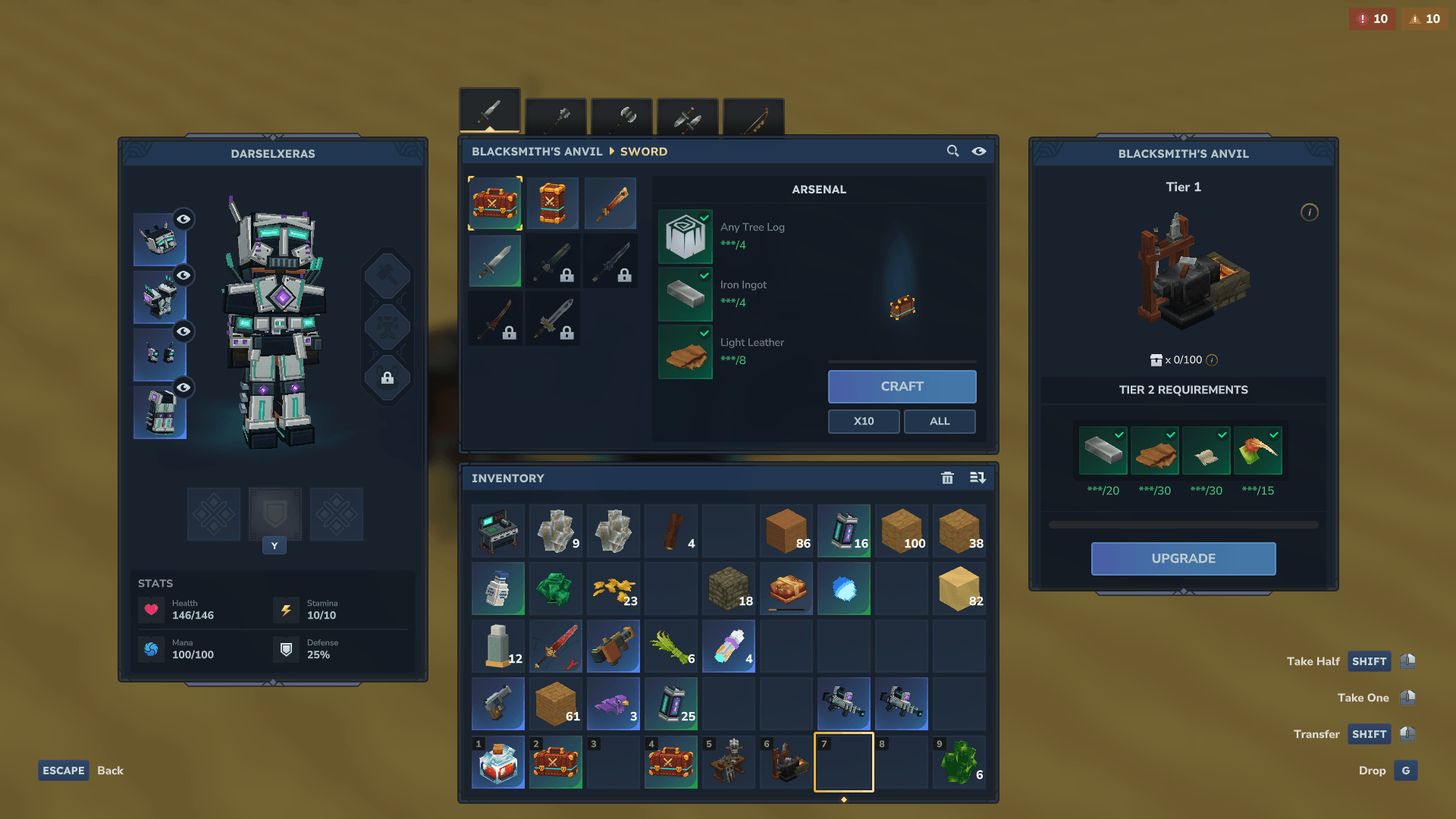
| Weapon Capsule | Blacksmith’s Anvil | 2 Logs, 2 Iron Ingots, 4 Light Leather |
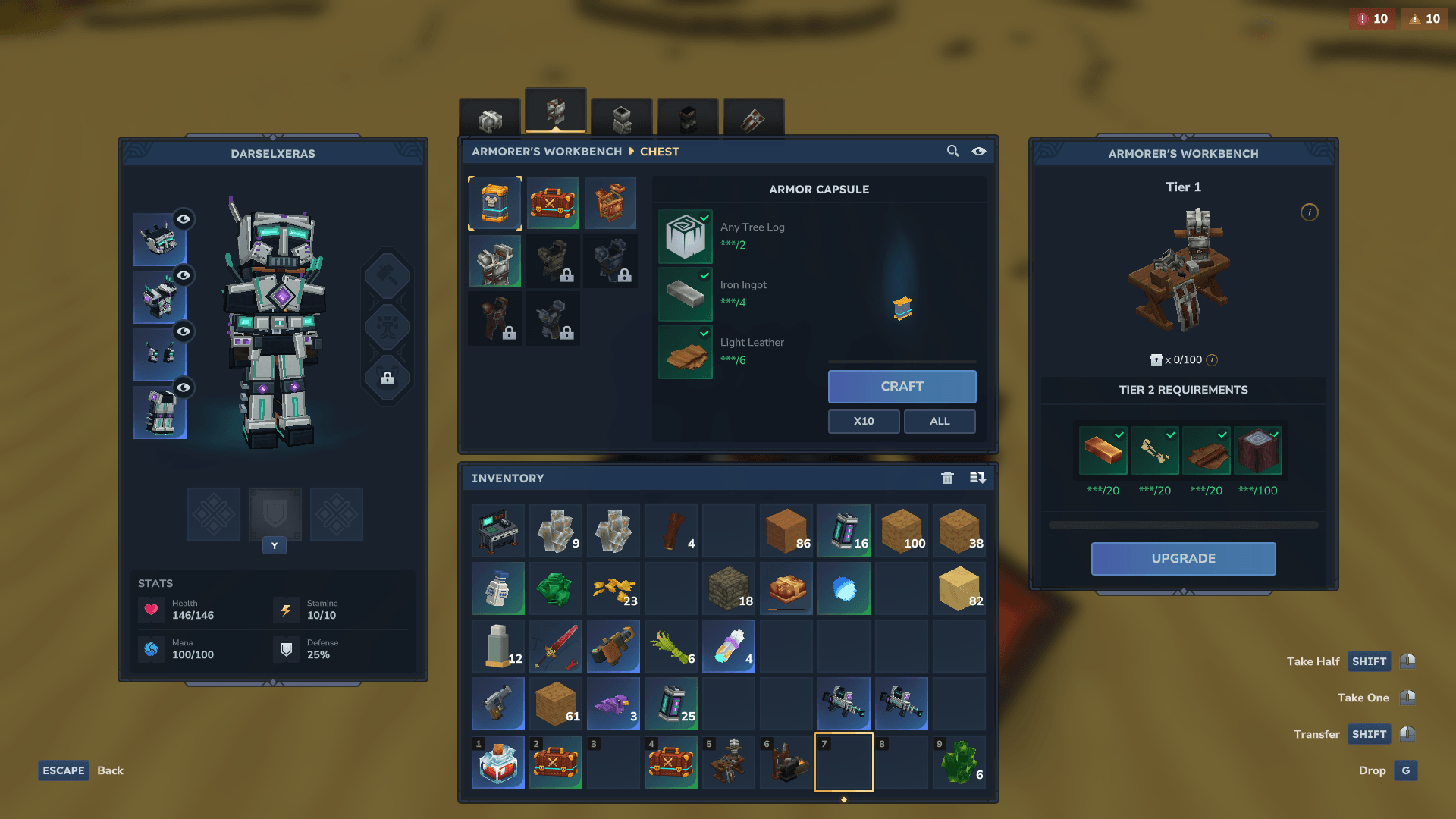
| Armor Capsule | Armorer’s Workbench | 2 Logs, 4 Iron Ingots, 6 Light Leather |
| Arsenal | Either station | 4 Logs, 4 Iron Ingots, 8 Light Leather |
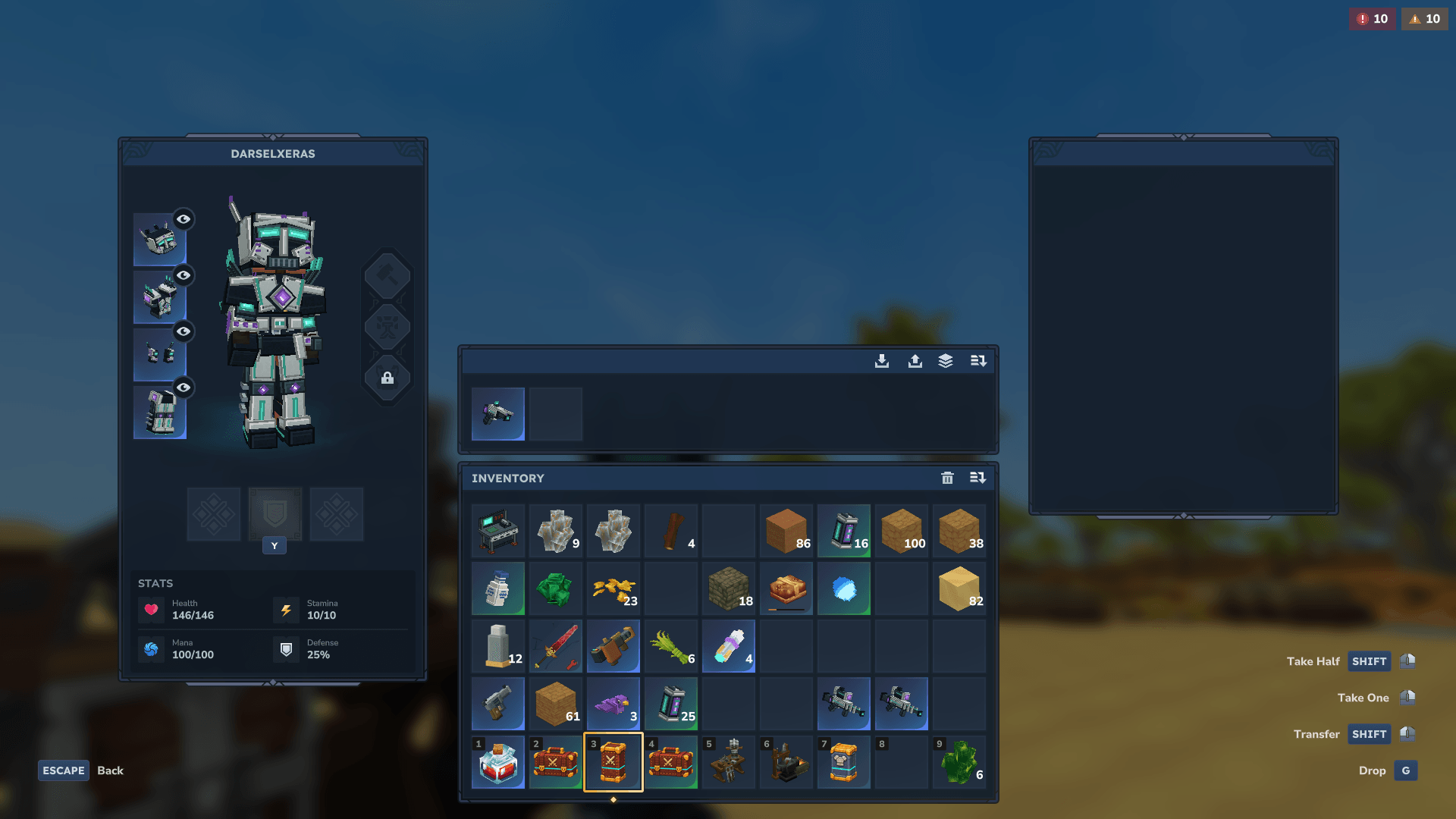
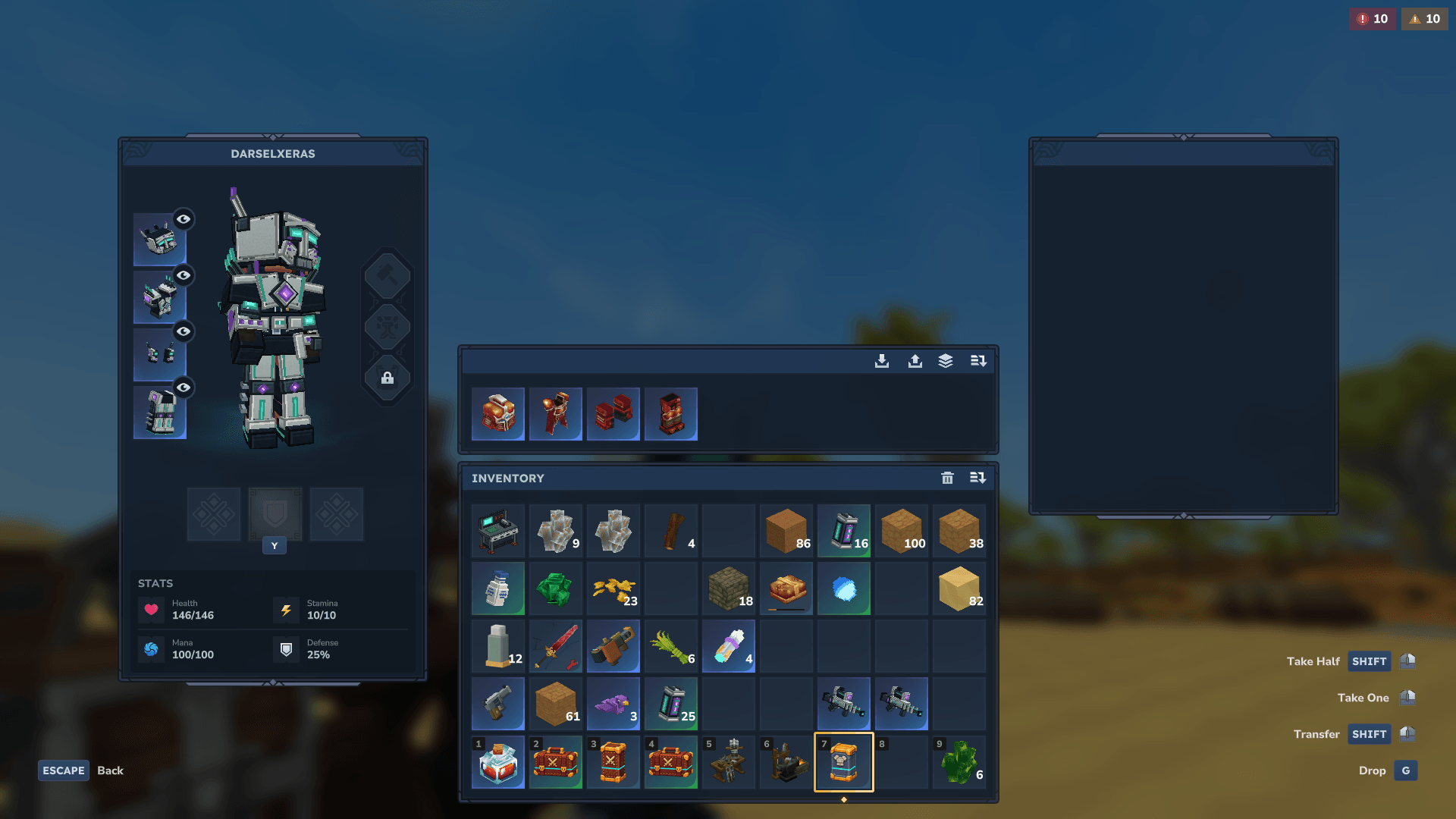
- Right-click a capsule while holding it. A Weapon Capsule holds one weapon and an optional offhand item, such as a compatible shield, torch, or lantern. A two-handed weapon locks the offhand slot. An Armor Capsule has one slot each for a helmet, chest armor, gloves, and boots.
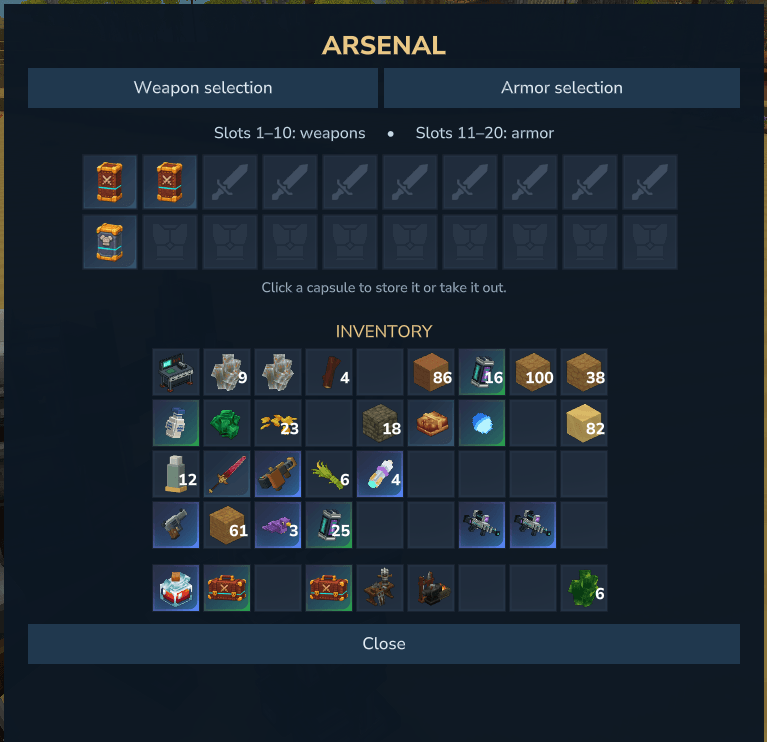
- Right-click the Arsenal while holding it. Click a capsule in the inventory shown on this screen to store it. Click a stored capsule to take it out.
- Carry the Arsenal anywhere in your inventory. The first row holds up to 10 Weapon Capsules and the second holds up to 10 Armor Capsules. Quick selection works from your hotbar, main inventory, or backpack.
Equip and switch loadouts
In Hytale’s Controls, bind Use Ability 4 to H.
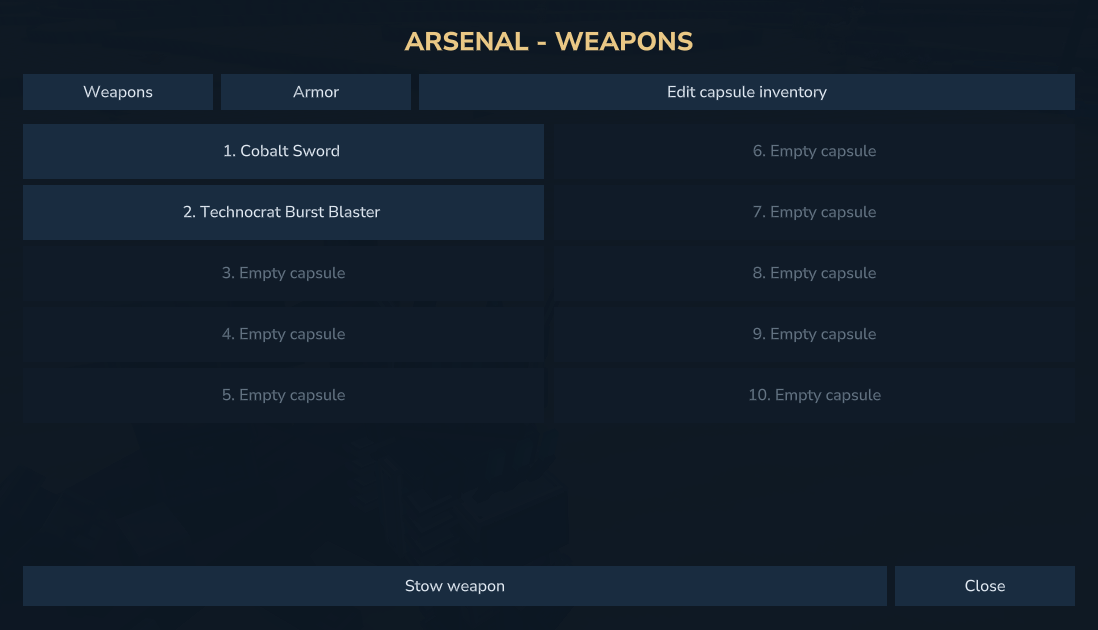
- Press H to open weapon selection. Click a loadout to draw its weapon and equip its offhand item. Arsenal weapons leave all numbered hotbar slots available.
- Press Alt+H to sheathe or redraw your last weapon. If you use another hotbar item, press Alt+H when you’re ready to draw the weapon again. If you’ve changed your Walk binding, use that key with H.
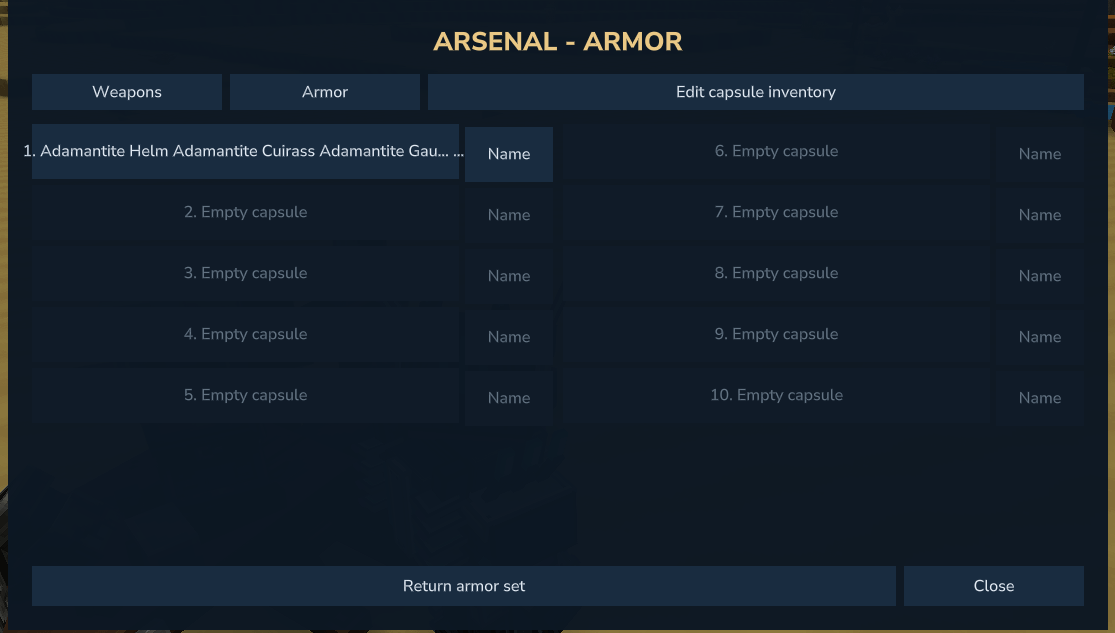
- Open the Armor tab and click a set to equip it immediately. When you switch sets, the previous set goes back to its original capsule. Click Name next to a set, enter a name, and click Save to display it in the selection menu.
- Select Edit capsule inventory from either tab to manage your stored capsules. Stow weapon returns the active weapon loadout to its capsule so you can edit or remove it.
You can also open the selection menus with /arsenal quickweapons and /arsenal quickarmor, or sheathe and redraw with /arsenal toggle.
Arsenal and Armory Team