Zygor's Tweaks
- By
Tweaks for Zygor Guides: TomTom's arrow instead of Zygor's, a guide window that keeps its size and position, and Zygor and TomTom kept on screen in DialogueUI.
Description
A small World of Warcraft addon with three tweaks for Zygor Guides:
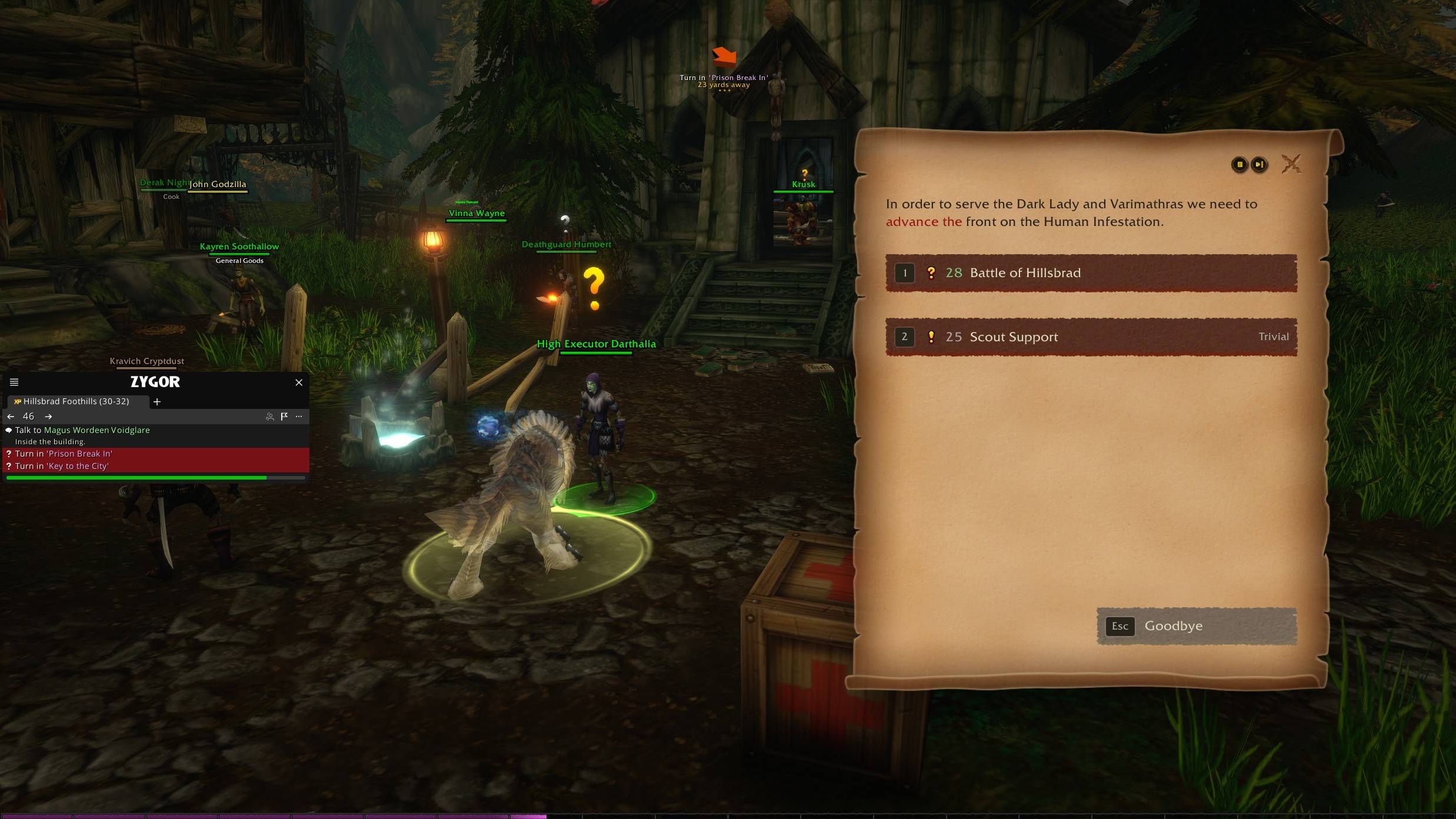
- Zygor and TomTom stay on screen while DialogueUI's "Hide UI" hides the game UI.
- TomTom's arrow points the way instead of Zygor's own arrow.
- The guide window keeps its size and position for the whole account, through Zygor updates and on every character.
Stays on screen when using DialogueUI
DialogueUI's "Hide UI" hides the whole game UI while you talk to an NPC, and that takes Zygor's guide window and TomTom's arrow with it. While DialogueUI's window is open, the patch moves both out of the hidden UI and puts them back when the dialogue closes. Their size and position don't change.
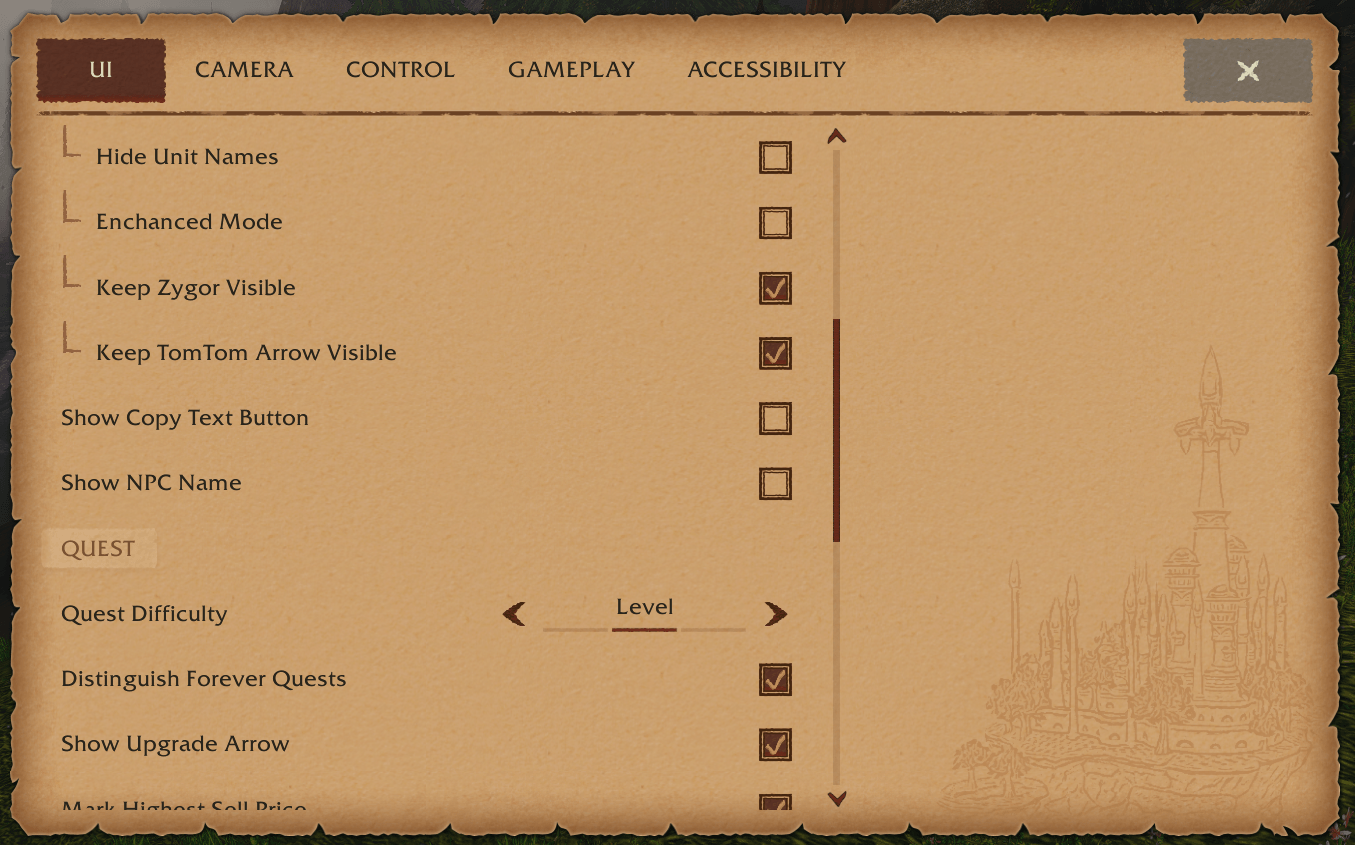
- Always on. If your DialogueUI has "Keep Zygor Visible" and "Keep TomTom Arrow Visible" under Hide UI, unchecking one turns that part off.
- Nothing moves while DialogueUI's Hide UI is off, or while you are in combat.
Points with TomTom's arrow
- Every time Zygor points its arrow at a new spot (guide step, travel-route node, manual waypoint), the patch sends that same spot to TomTom's arrow, titled with the guide step text.
- Zygor's own arrow is made invisible and click-through, but keeps running: it is what advances Zygor's travel routes and clears waypoints you have reached.
- TomTom's auto-clear on arrival is turned off for these waypoints, so Zygor decides when a step is done.
- Zygor's own map and minimap pins stay; TomTom's pins are not added on top.
Keeps Zygor's window size and position
Zygor doesn't save its guide window's width and height itself. WoW keeps them per character, and they reset whenever Zygor updates. Zygor saves the window's position separately for each character. The patch keeps all of it for the whole account:
- Resize or move the guide window, or change its scale with Ctrl+mouse wheel or Zygor's "Viewer size" option. The patch saves it.
- At every login it puts that width, scale and position back, on every character on the account.
- The height comes back too when Zygor's "fixed height" or "show all steps" is on. Otherwise Zygor sets the height to fit the steps.
- This part works without TomTom.
Requirements
- DialogueUI, for the stay-on-screen tweak
- TomTom, for the arrow tweak
- Zygor Guides Viewer (any WoW version)
If TomTom is missing, or a Zygor version has a different arrow, the patch prints one chat line and leaves Zygor's arrow alone. On a client without Zygor it does nothing.
Known limits
- When Zygor would hide its arrow (pet battles, guide window closed with "hide arrow with guide"), TomTom's arrow still shows.
- Zygor's clickable teleport or hearthstone icon still appears on its own where Zygor's arrow sat.
- Right-click on Zygor's arrow for the route menu is gone, because Zygor's arrow no longer takes clicks.
Zygor's Tweaks Team

Owner