GSE: Tracker
- By
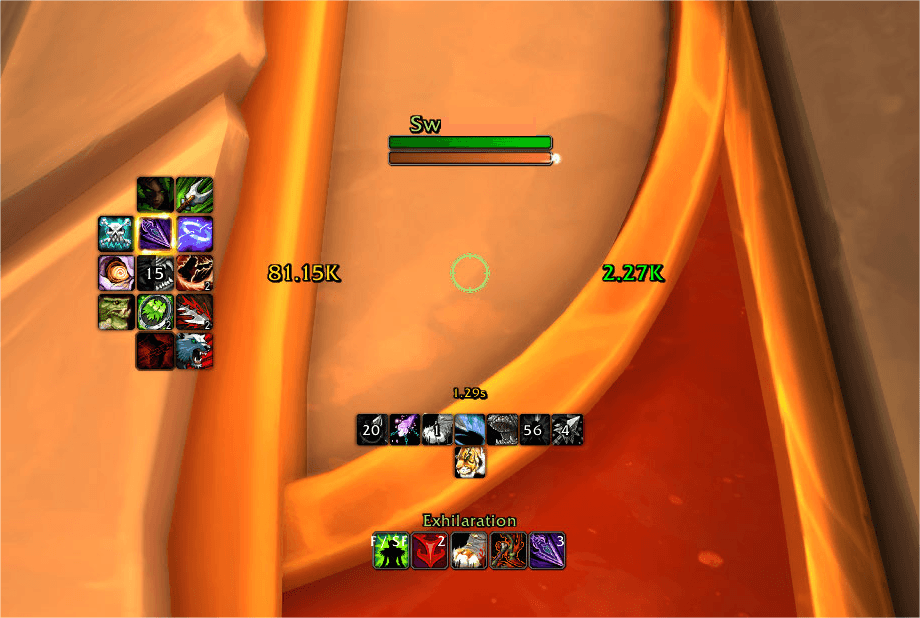
A minimal in-game tracker for active GSE sequences, recent spell casts, and modifier keys.
GSE_Tracker.png
dwLbuKB9vW.png
GSETRK-Options.png
GSETRK-Meters.png
GSETRK-ActionHZN.png
GSETRK-ActikonVert.png
GSETRK-Details.png
GSETRK-AH.png
GSETRK-PI.png
Description
GSE: Tracker
Meters · Assisted Highlight · Action Tracker · Quality of Life




A clean, highly-customizable combat overlay for sequence & macro users — sequence tracking, an assisted-rotation highlight, a center marker, and a full built-in meters suite, all in one addon. Integrates natively with GSE when available, and also works with Single-Button Assistant and plain manual keypresses. Built by and for the GSE United community — sequences for every class and spec.
⚠ SETTINGS RESET ONCE ON MAJOR UPDATES
A major update resets GSE: Tracker to a fresh, curated default layout one time — your old settings are replaced on first login, then everything saves normally again. No manual reinstall needed; just re-apply any personal tweaks afterward.
Overview
GSE: Tracker gives you a cleaner, more customizable way to see what your macros are doing in combat — then adds the awareness tools you'd otherwise need three separate addons for. Everything is configurable from one settings window with live previews.
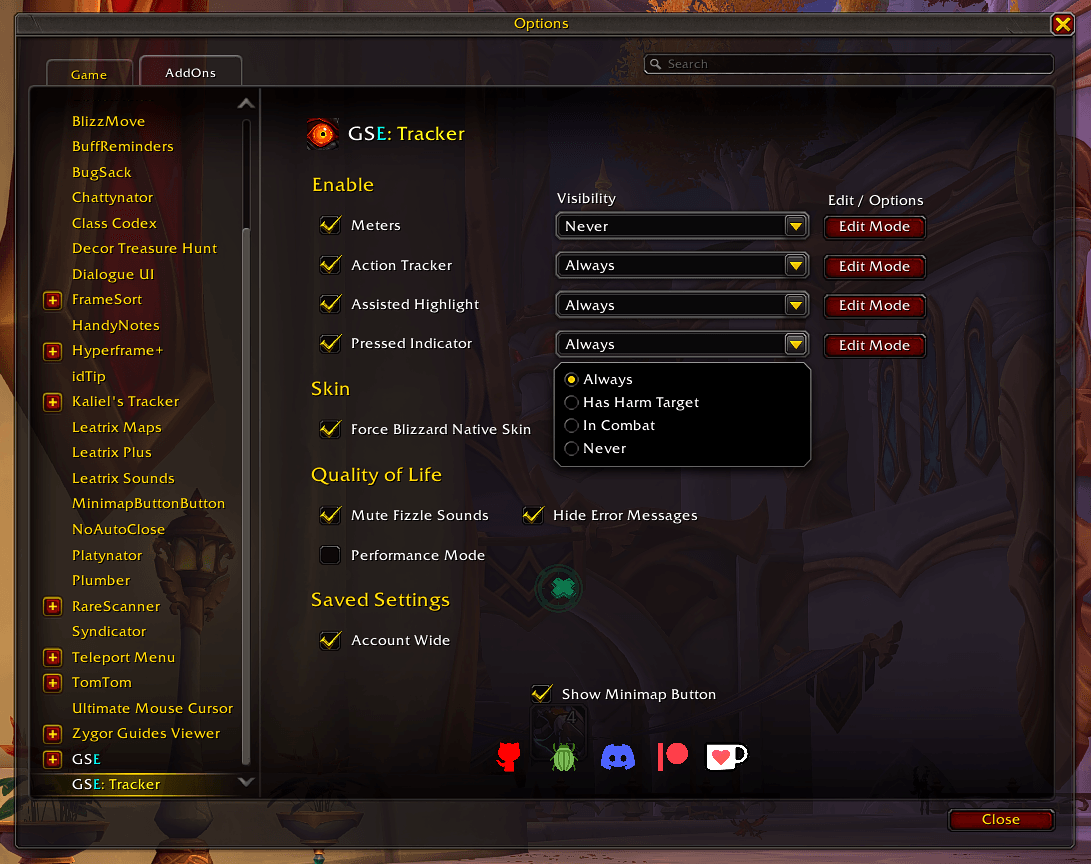
Tracker Options
Option Access: In-Game Option Panel > /gsetracker > minimap button.
| | Unlocking |Native Edit Mode integration with example live previews (drag or arrow-key nudge) | | Performance mode |Drops visual effects & animations for maximum FPS | | Meters |Details window, DPS/HPS/GCD readouts, Center Marker, Cooldown Manager viewers, combat timer | | Assisted Highlight |Highlight mode, anchor, and target settings | | Action Tracker |Full layout, scaling, and visual control | | Adaptive Icon borders |Adaptive borders across the Action Tracker, Center Marker, and Assisted Highlight | | Fonts |Sequence, Modifier, and Keybind fonts, with outline (SharedMedia supported) |
Core Features
Meters
A self-contained damage/utility meter set — no second meters addon required.
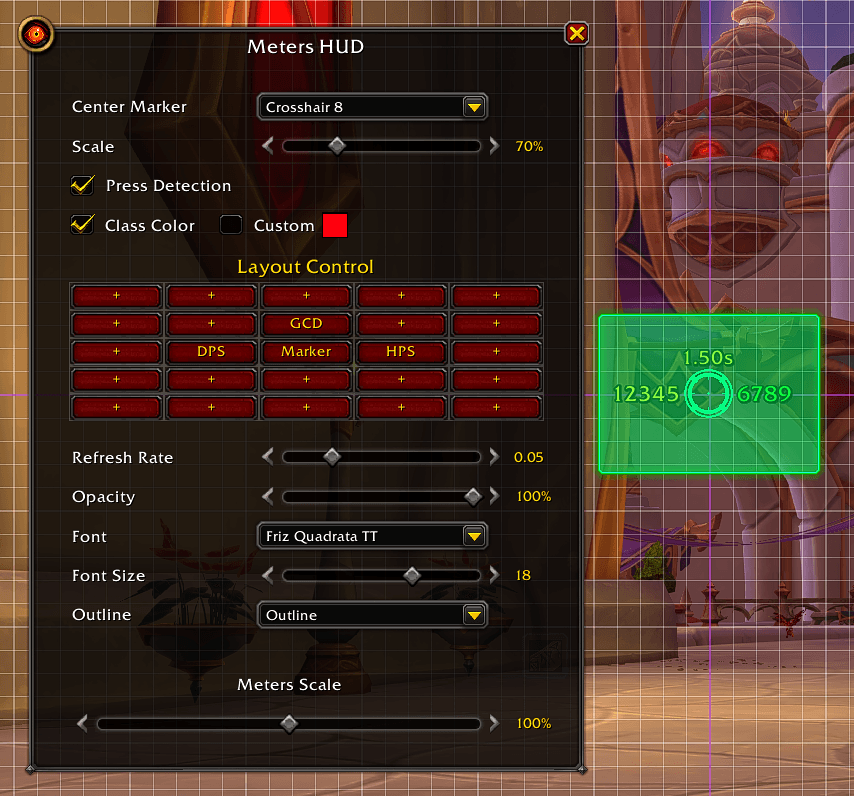
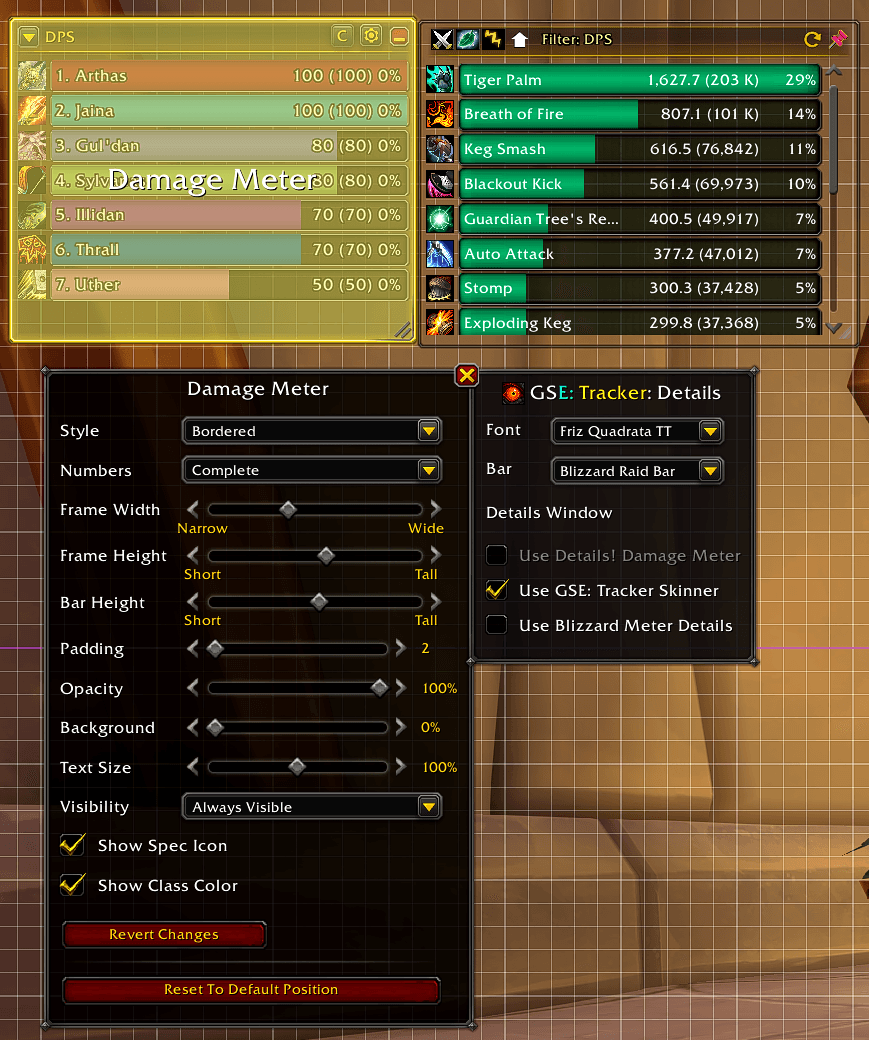
| | Live readouts |Lightweight DPS, HPS, GCD swipe, and Single-Button Assistant usage — with an adjustable refresh rate | | Details window |Damage / Healing / Dispels / Interrupts tabs, expandable pet & spell grouping, last-10-fights session paging, and a docked combat timer | | Drill-down |Right-click any row to break down that specific combatant | | Skinned breakdown |Class-coloured bars with your font (SharedMedia) and bar texture; the window is resizable, movable, and pinnable | | Meter source |Use the built-in GSE: Tracker Skinner, Details!, or Blizzard's meter details | | Center Marker |Find your character during busy, movement-heavy encounters — selectable symbols, size, colour (incl. class colour), show-when rules, and Press Detection that pulses on input | | Cooldown viewers |Pin Blizzard's Cooldown Manager — Essential & Utility — into your HUD with real charges, stacks & live timers, laid out on the grid and skinned to match your bars. (Classic uses a built-in Cooldowns bar + spell picker instead) |
Assisted Highlight
Anchor Points: Screen | Mouse Cursor | Target Portrait
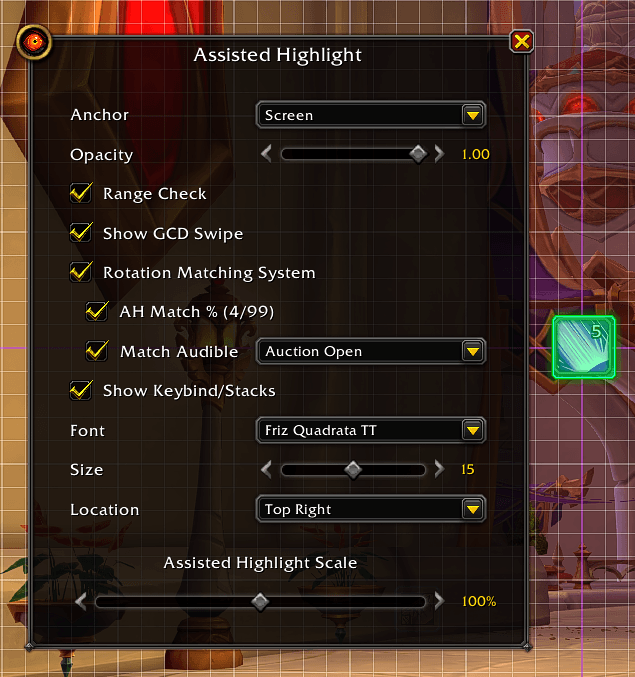
A flexible rotation-assist highlight that mirrors your suggested next ability wherever you want it — anchored to the screen, following the mouse cursor, or shown over the target's portrait (auto-sized and rounded to match). Optional keybind + stack/charge count, range checking (red-tints when out of range), and a GCD swipe — plus adjustable size, opacity, border, and class / custom colour.
Action Tracker
Tracks the spells your sequence/macro fires and shows them as a clean, fully-configurable row of icons.
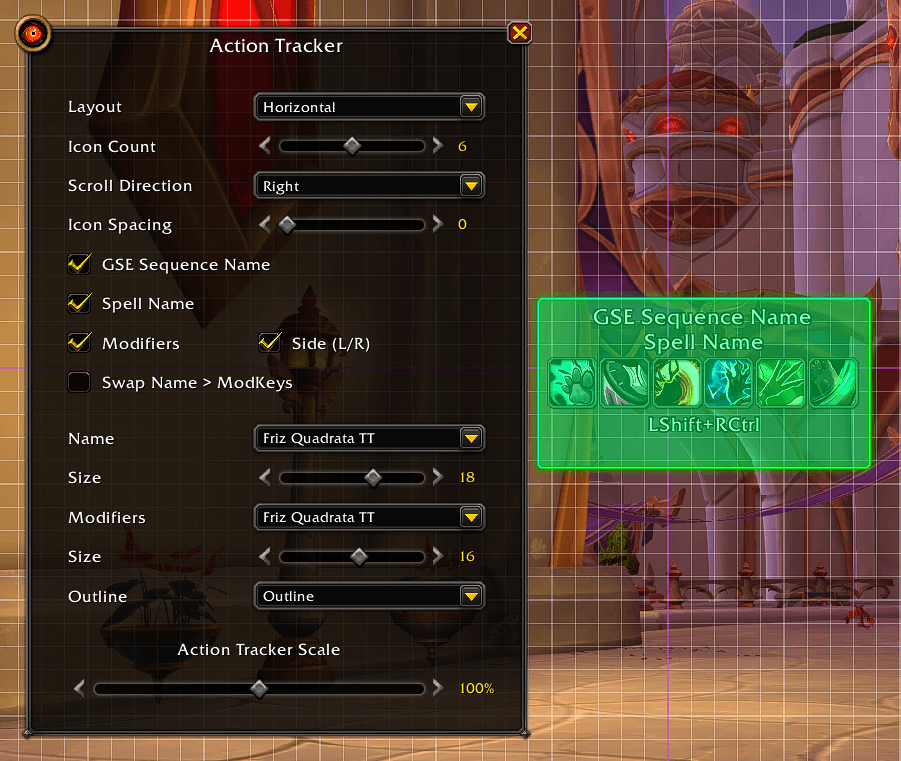
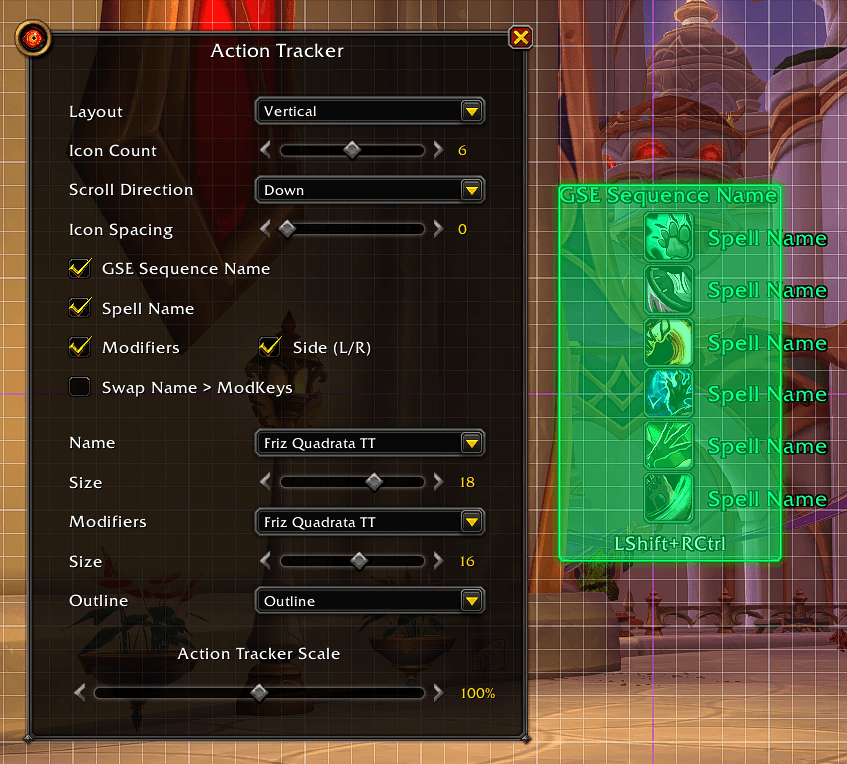
| | Live preview |See every change instantly while you configure | | Independent elements |The Sequence / Macro / Spell name, modifier keys, and keybind can each be toggled, resized, and repositioned on their own | | Free movement |Drag any element anywhere, or set precise X / Y values | | Layouts |Horizontal or vertical — vertical adds per-icon spell names beside each icon (class-coloured) — with adjustable icon count and spacing | | Scroll Direction |Left, Right, Up, or Down | | Scale |Scale the whole tracker (icons + text); matches your action bar at 1.00 | | Auto-fade |Names fade out a few seconds after you stop casting — in or out of combat |
Input & Sequence Awareness
- Modifier tracking — shows which modifier keys (Shift / Ctrl / Alt, side-aware) you're holding.
- ModKey burst stack — abilities fired while holding Ctrl/Alt stack into a centered combo display.
- Keybind display — shows the key bound to the active sequence, in a compact form (MWD, SV, SCF).
Quality of Life
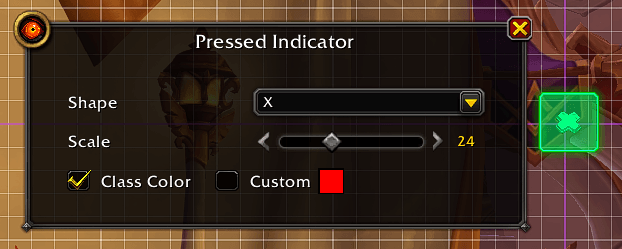
| | QoL extras |Mute spell-fizzle sounds, hide red error text, account-wide or per-character settings | | Auto-hide in vehicles |The whole HUD hides while a vehicle or quest ability replaces your action bar — your macros can't fire there anyway. Stealth, druid forms and dragonriding are unaffected | | Rotation Matching System |A proc-style glow flashes on the centre of the action-icon scroll when your cast matches the Assisted Highlight suggestion; AH Match % readout (plus the Single-Button Assistant share); optional audible alert for visually-impaired users | | Pressed Indicator |Customizable shape that pulses in sync with how fast you're pressing (choose None to hide it) |
Compatibility
All versions of World of Warcraft — Retail and Classic (Mists of Pandaria, Burning Crusade, and Era). Some features may be greyed out if they aren't available in your current game version.
Feedback, Suggestions & Bug Reports
Have ideas, feedback, or a bug to report? Join the Discord — it's the best place for clear communication, issue tracking, and sharing ideas. For sequences, guides, and the community itself, visit the GSE United forum.
Support the Project
If you enjoy GSE: Tracker and want to support ongoing development:




GSE: Tracker Team

Owner