ZoneInfo Classic Era
- By
Displays information about the current zone on the World Map for WoW Classic Era
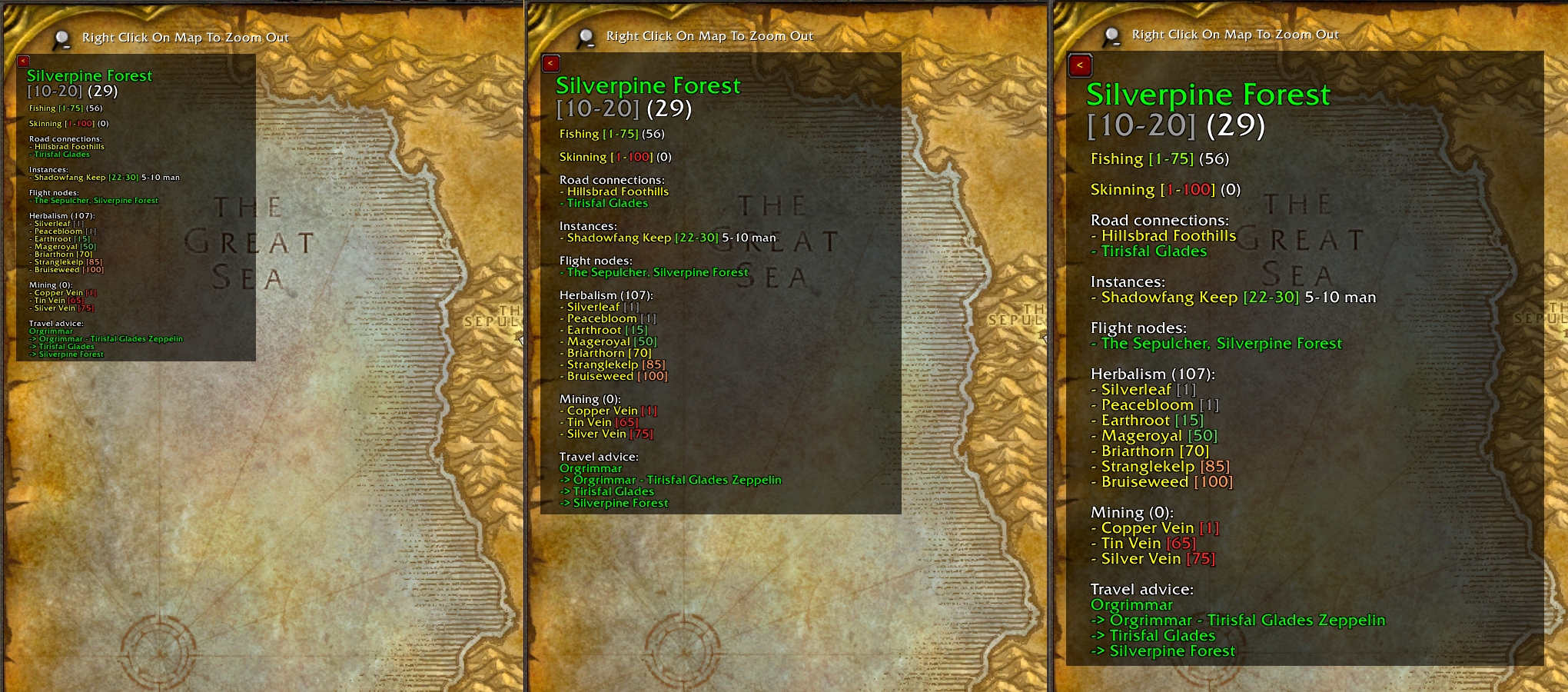
The info panel size can be adjusted using a slider on the Addon Settings window.
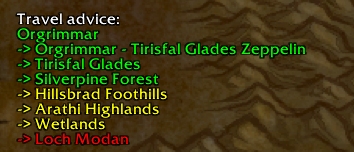
A travel advice tells you how to get to the displayed zone using road connections and transports.
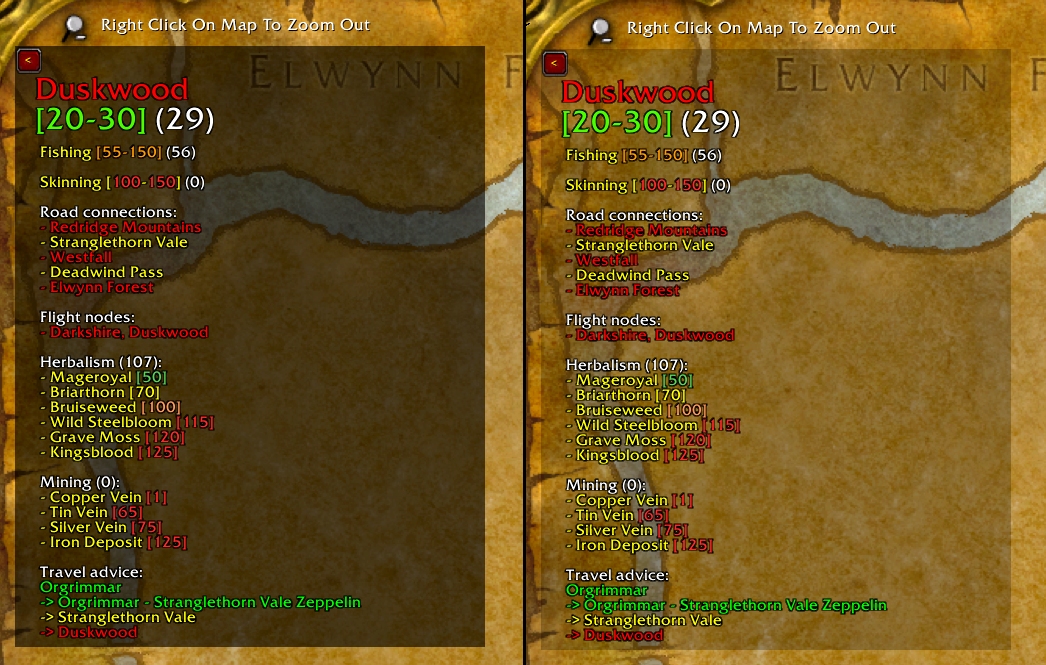
The background can be turned on or off and its transparency can be adjusted. The panel can also be minimized using the button in the top left corner.
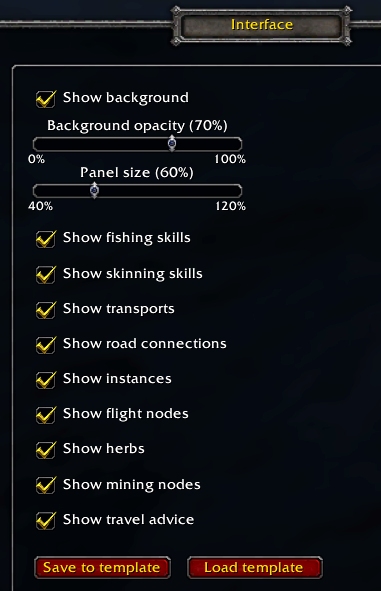
Configurable through the WoW Interface Options window. Settings are saved per character and can be copied to other characters using the template function.
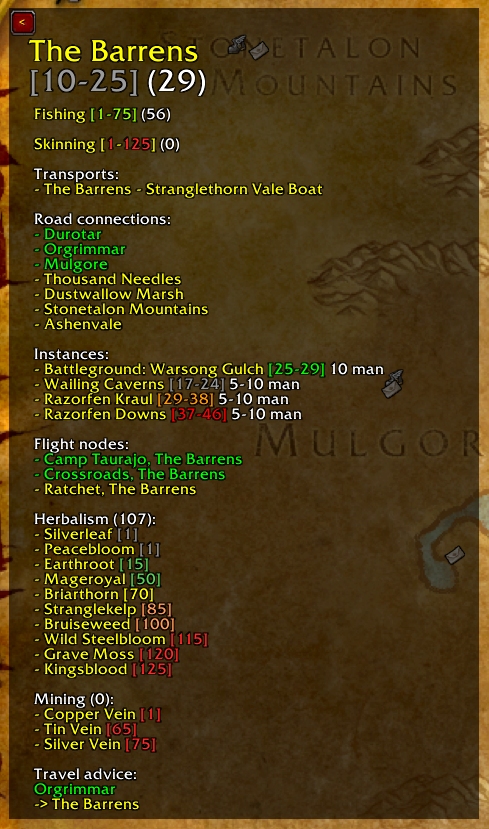
Lots of information about the displayed zone, in this case for a level 29 Horde character with Herbalism.
Description
ZoneInfo Classic Era is an addon for WoW Classic Era that displays various information on the World Map about the currently selected zone.
The following information can be displayed (as text):
- zone name, color-coded (friendly, neutral, hostile)
- zone level range, color-coded to indicate difficulty
- fishing skills if the zone supports fishing: minimum level to be able to fish, minimum level to be able to fish without get-aways and the current fishing skill of the character (color coded to indicate difficulty)
- skinning skills, calculated value showing the minimum skill required to skin a mob of the minimum zone level and the minimum skill required to skin a mob of the maximum zone level (color coded to indicate difficulty)
- road connections, color coded (friendly, contested, hostile)
- transport connections like boats and zeppelins, color-coded (friendly, neutral, hostile)
- instances including group size and level range, color coded to indicate difficulty
- flight nodes, color-coded (friendly, neutral, hostile)
- herbs: required skill level, color-coded to indicate difficulty
- mining nodes: required skill level, color-coded to indicate difficulty
- travel advice: if possible, a travel advice will be composed, using road connections and transports, to travel from the zone the character is in to the zone displayed on the map
Other functionalities:
- minimize button
- optional background with adjustable transparency
- adjustable panel size
- configurable through the WoW Interface menu, allowing to configure the background (on/off, transparency), change the panel size and turn information categories on or off.
- all settings are saved per character
- global settings template which can be used to copy settings to other characters
The information ZoneInfo displays on the World Map is localized.
WoW Mists of Pandaria Classic
See:
ZoneInfo Classic (Mists of Pandaria) on CurseForge
ZoneInfo Classic (Mists of Pandaria) project page
WoW Retail
See:
ZoneInfo Classic Era is powered by LibTourist Classic Era
The ZoneInfo Classic Era Team


Owner