Yard Range
- By
Live enemy yard distance, aggro alerts on nameplates, and color-coded spell range dots on your action bars.
unnamed (10).png
Description
Yard Range
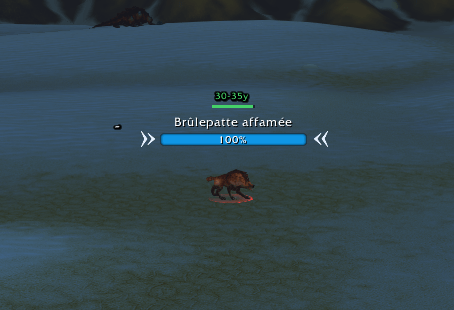
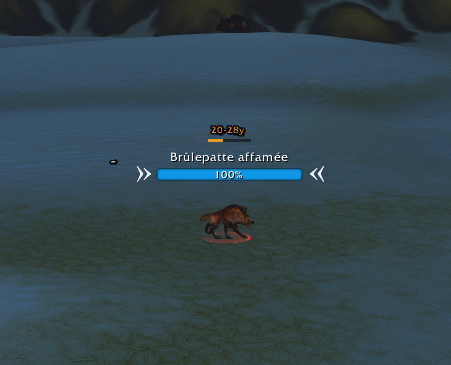
Shows how far hostile enemies are directly on their nameplates and adds color-coded range dots to your action bar spells so you always know when you are safe from pulling and when your spells can hit.
Features
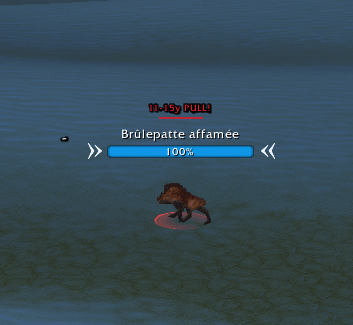
- Distance on Enemy Nameplates: Displays the distance in yards directly on hostile nameplates with a smooth green-to-red color gradient and no cluttering background box.
- Aggro Margin & PULL! Alert: Estimates enemy aggro range based on level difference, boss status, and stealth, with a shrinking proximity bar, a pulsing PULL! warning, and 15 selectable alert sounds.
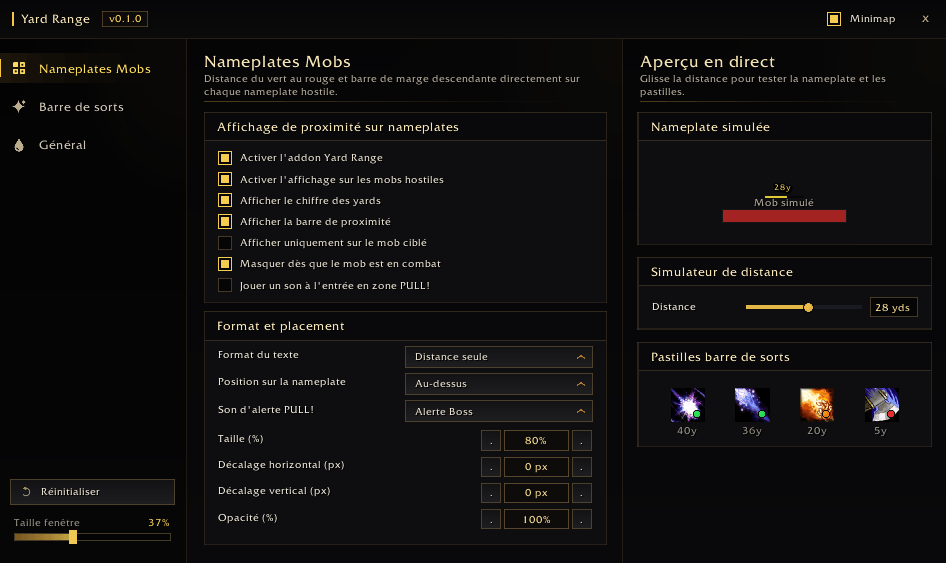
- Smart Placement & Customization: Automatically clears the mob name on default nameplates when placed above; choose your text format (distance, margin, or both), anchor side (top, left, right), scale, horizontal & vertical offsets, opacity, target-only mode, and hide-in-combat option.
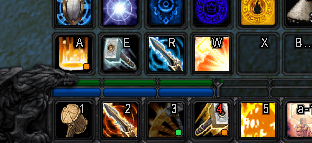
- Action Bar Spell Range Dots: Adds a small dot at the bottom-right of each hostile spell on your action bars for your current target — green in max range, orange almost in range, and red out of range — with macro support, a melee spell toggle, and live size & position sliders.
- Live Preview & Easy Setup: Clean options window with an adjustable window size slider and a built-in distance simulator (2 to 50 yds) so you can tune your settings out of combat.
- Context Controls: Enable or disable the addon separately in Open World, Dungeons, and Raids.
- Wide UI Compatibility: Works with Blizzard, ClassicUIForever, Platynator, and Plater nameplates, as well as Blizzard, ClassicUIForever, Bartender4, Dominos, and ElvUI action bars.
- Languages: Built-in English and French support.
- Minimap Button: Draggable launcher — left-click to open options, right-click to enable or disable.
Notes
- Enemy Nameplates: Make sure enemy nameplates are turned on in-game (default key
V) to see distance indicators on all nearby enemies. - Distance Brackets: Distances are calculated in real time using your spellbook ranges, item range checks, and interaction checks.
Slash Commands (aliases: /yr, /yard)
/yardrange: Open the options window/yardrange toggle: Enable or disable the addon/yardrange reset: Reset settings to default/yardrange debug: Print status info in chat
Got an idea or found a bug? Feel free to leave a comment to help improve the addon!
Yard Range Team