Beautyframe
- By
Customizable party and raid unit frames featuring an interactive visual studio, drag-and-drop layer editor, and built-in mouse click-casting.
Capture dâeÌcran 2026-11-09 aÌ 07.10.35.png
Capture dâeÌcran 2026-11-09 aÌ 06.58.44.png
Capture dâeÌcran 2026-11-09 aÌ 07.07.37.png
Capture dâeÌcran 2026-11-09 aÌ 07.07.24.png
Capture dâeÌcran 2026-11-09 aÌ 07.10.09.png
Description
Beta Notice: This addon is currently in active beta testing. While it is stable for daily gameplay, some features and visual details are still being refined. If you encounter a bug or have feedback, feel free to report it in the comments!
Beautyframe
Beautyframe replaces the default Party and Raid unit frames with clean, customizable frames and an integrated visual configuration panel. You can preview and adjust every layout, texture, layer position, and click-cast binding directly in-game without being in a group.
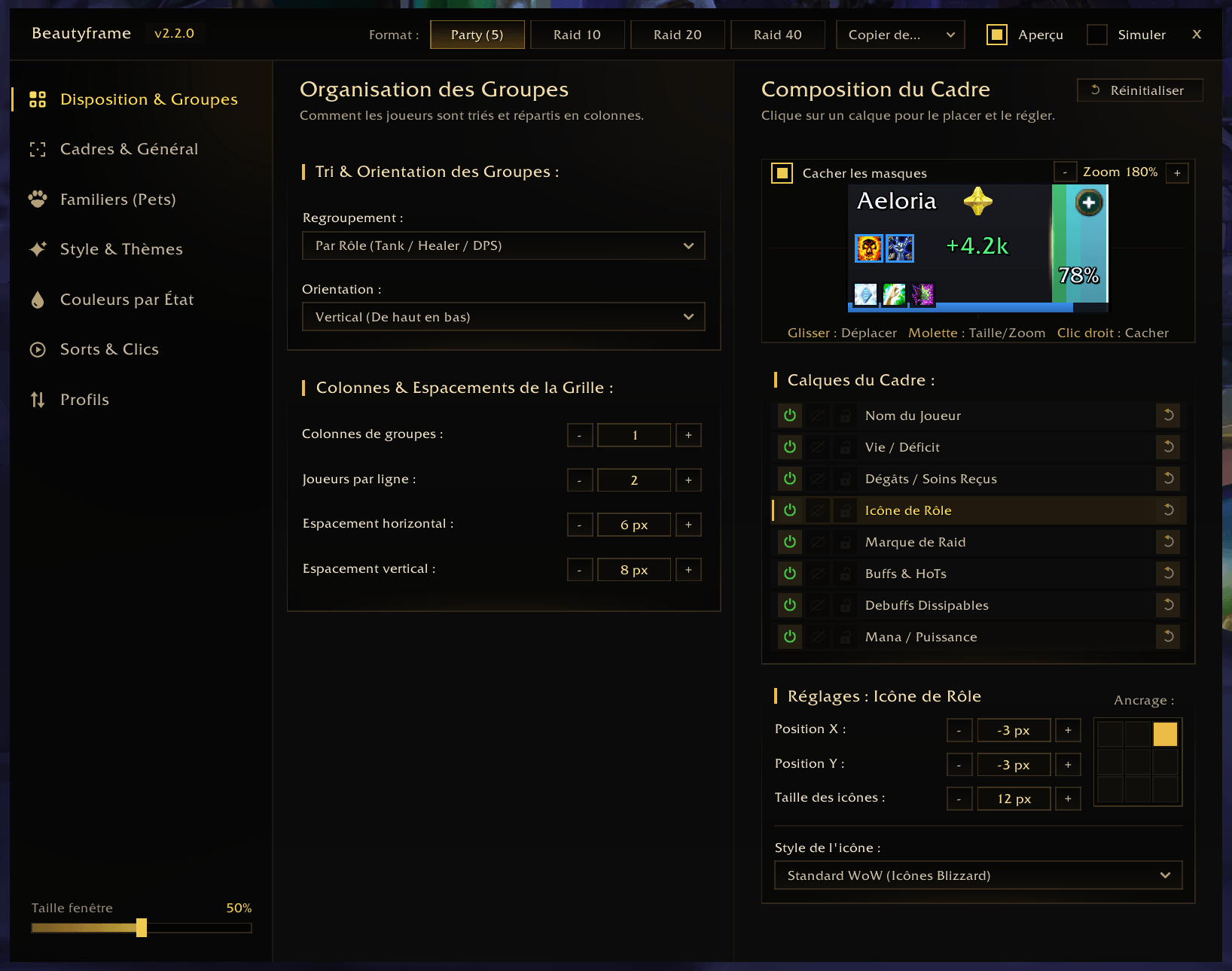
Independent Formats & Group Sorting
- 4 Dedicated Formats: Separate settings for Party (5), Raid 10, Raid 20, and Raid 40, with one-click settings copy between formats.
- Automatic Switching: Automatically loads the matching layout profile when your group size changes.
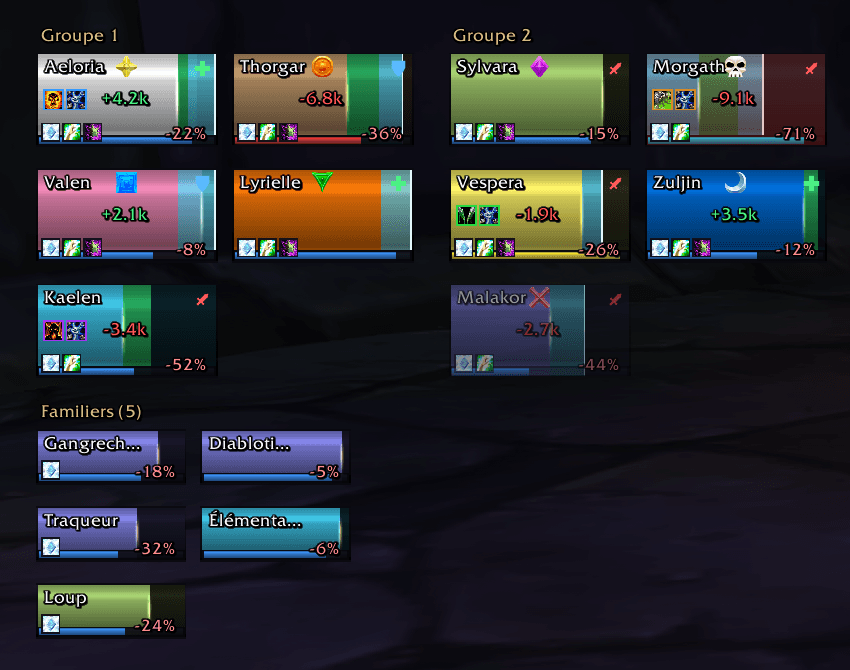
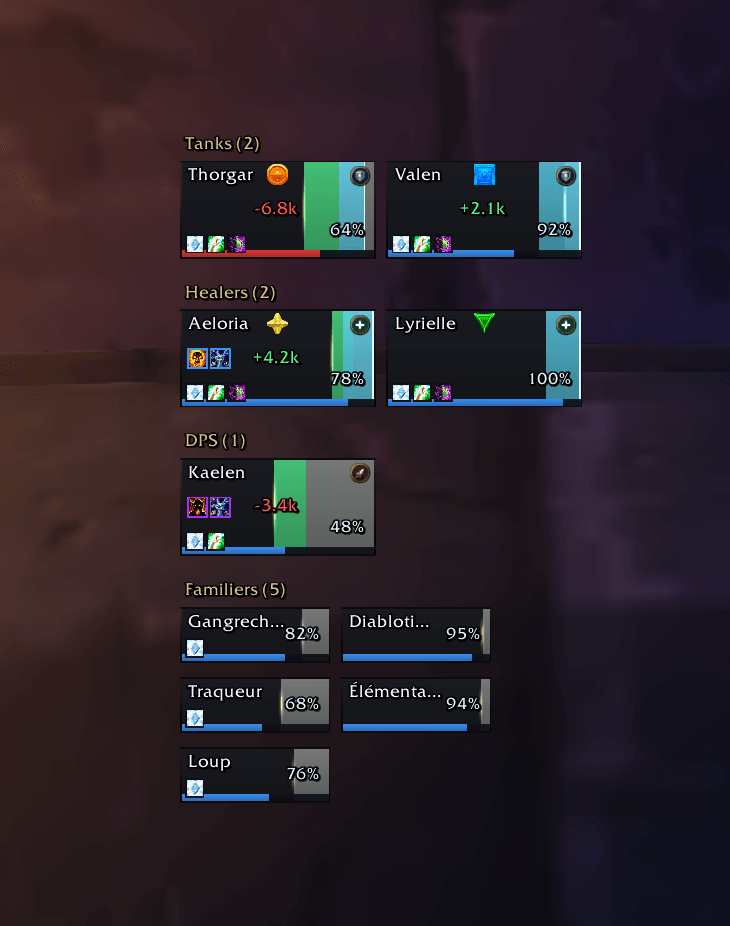
- Sorting Modes: Group players by Role (Tank / Healer / DPS), by Raid Subgroup (Group 1 to 8), or display a continuous grid.
- Grid Controls: Adjustable group orientation (vertical or horizontal), group columns, players per row, frame dimensions, spacing, and global scale.
Interactive Layer Editor
Every element inside a unit frame is an independent layer that you can move, resize, anchor, lock, or hide directly on a zoomed preview canvas:
- Player Name: Character name or class name with configurable character limit.
- Health Status: Health deficit (-18%) or current percentage (82%), plus dead/ghost status.
- Damage & Healing Text: Floating incoming damage and healing feedback.
- Role Icon: 3 visual styles (Flat Solid, Geometric Crest, or Standard Blizzard).
- Raid Target Marker: Raid icon placement and sizing.
- Buffs & Debuffs: Up to 6 icons each, optional 1 px border, and optional spell tooltip on hover.
- Mana / Resource Bar: Adjustable thickness and optional 1 px inner contour.
Built-in Mouse Click-Casting
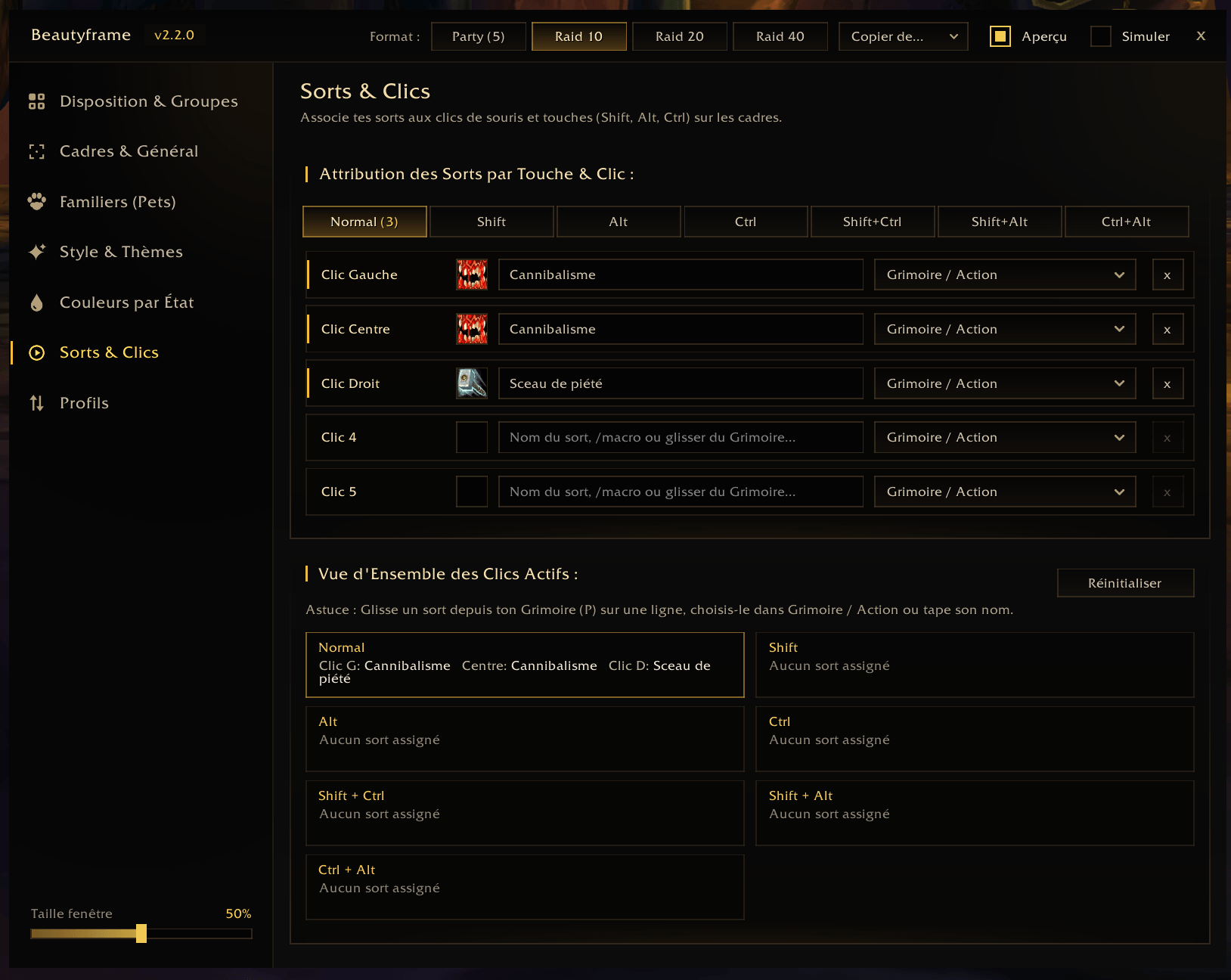
Bind spells, actions, or macros directly to mouse clicks on unit and pet frames:
- 7 Modifier Combinations: Normal, Shift, Alt, Ctrl, Shift + Ctrl, Shift + Alt, Ctrl + Alt.
- 5 Mouse Buttons: Left Click, Middle Click, Right Click, Button 4, Button 5.
- Easy Assignment: Pick from your active Spellbook, drag and drop a spell directly from the WoW Spellbook (P), type a spell name or
/macro, or select a built-in unit action (Target, Unit Menu, Focus, Assist). - Overview Panel: See all active bindings across all modifiers at a glance.
Visual Styles & State Colors
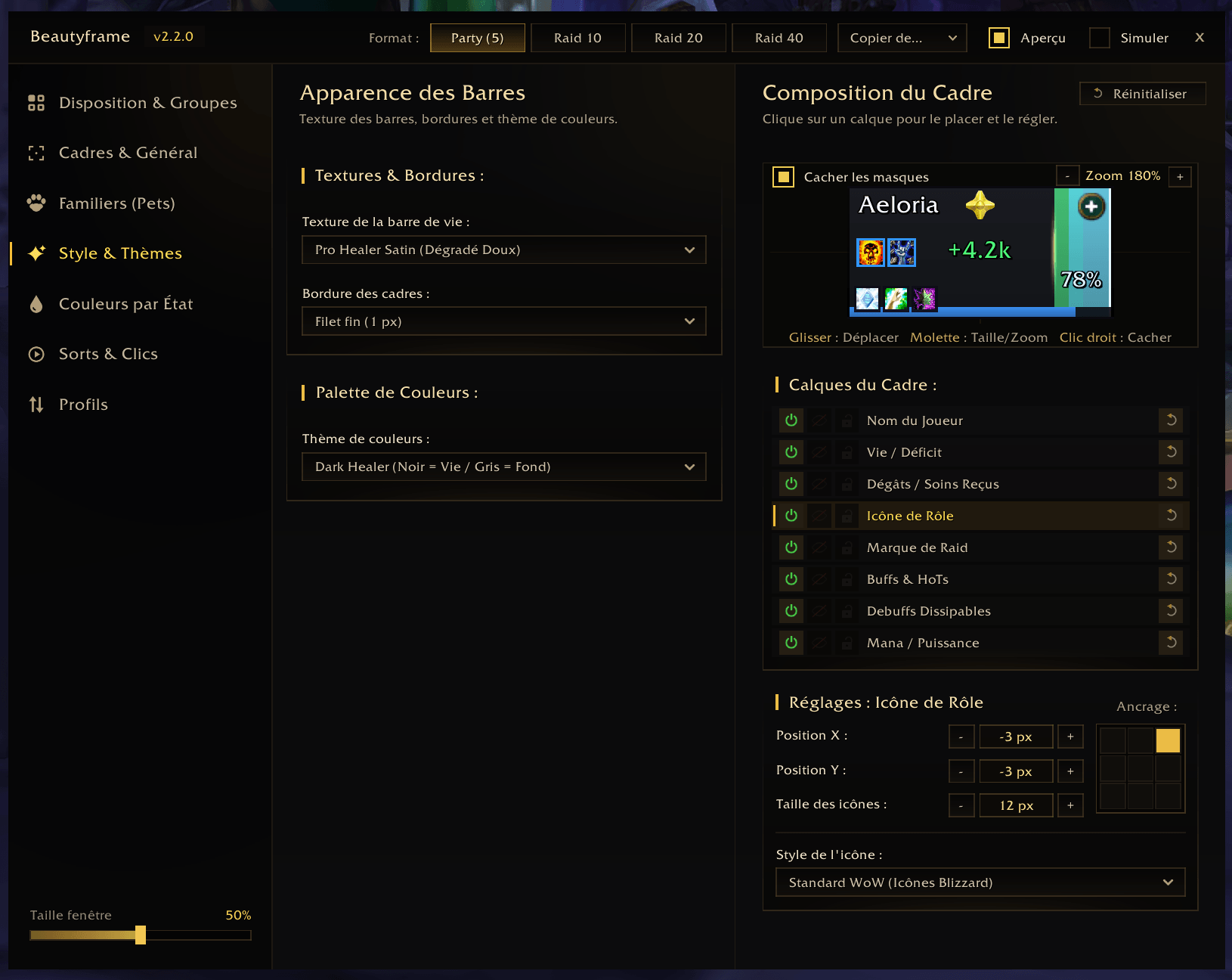
- 16 Bar Textures: Custom status bar textures with live hover preview in the dropdown menu.
- 4 Frame Border Styles
- 8 Color Palettes
- Per-State Color Overrides: Customize individual colors for Health, Background (lost health), Absorb Shields, Incoming Heals, Frame Border, and Low-Health Alert.
- Combat Indicators: Absorb shield overlays, incoming heal predictions, vitality spark, low-health glow, and out-of-range alpha fade.
Pet Frames
- Dedicated frames for party and raid pets with independent width, height, and name length settings.
- Display pets either as a detached group or anchored directly to their owner's frame (Bottom, Top, Left, or Right).
Profiles & Sharing
- 4 Built-in Presets: Apply ready-to-use visual setups in one click.
- Custom Profiles: Save, load, and delete your own named profiles across characters.
- Import / Export: Share your entire configuration (all 4 formats + click-casting bindings) with a single compressed
!BF1!text string.
Slash Commands
/bfor/beautyframe— Open or close the configuration window.- Minimap Button:
- Left-click: Open or close the configuration window.
- Right-click: Toggle Preview mode on or off.
- Window Scale: Adjust the configuration window size using the slider at the bottom-left (0% to 100%, right-click to reset to 50%) or Ctrl + Mouse Wheel.
Got an idea or found a bug? Feel free to leave a comment to help improve the addon!
Beautyframe Team