PerfBars
- By
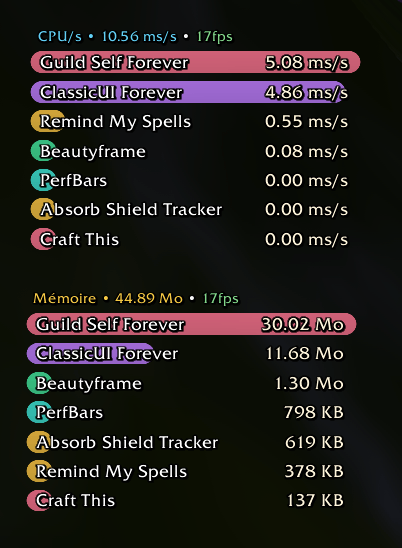
Real-time addon CPU and memory meter with smooth rounded bars and multi-window tracking.
Capture dâeÌcran 2026-11-11 aÌ 00.28.57.png
Capture dâeÌcran 2026-11-11 aÌ 00.28.15.png
Capture dâeÌcran 2026-11-11 aÌ 00.28.15.png
Description
PerfBars is a real-time performance meter for World of Warcraft that tracks addon CPU and Memory usage through smooth, rounded bars inspired by modern damage meters.
Multi-Window Monitoring
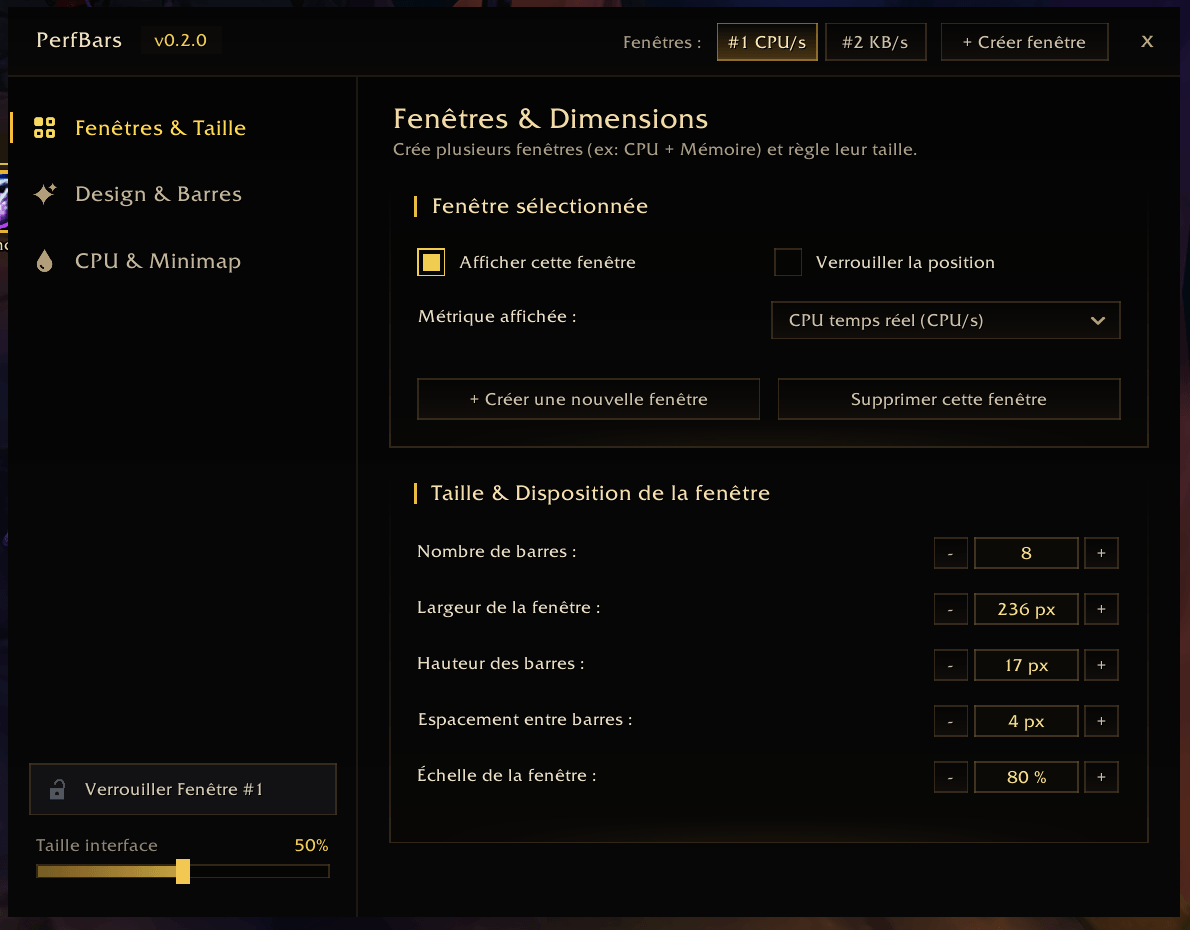
- Create up to 5 independent windows on screen to monitor different metrics side by side, such as one window for live CPU usage and a second window for total Memory.
- Configure each window individually: metric mode, number of visible bars, width, bar height, spacing, scale, and lock state.
- Always-visible window headers display the total metric value and current FPS, while quick-action buttons (Memory Purge, New Window, Lock) appear only on mouseover.
Tracked Metrics
- Total Memory (MEM): current RAM footprint of each loaded addon in KB or MB.
- Memory Allocation (KB/s): live memory growth per second to spot addons generating excessive garbage collection pressure.
- Live CPU Usage (CPU/s): real-time millisecond cost per second for each addon when WoW script profiling is enabled.
- Cumulative CPU (CPU): total execution time accumulated since the last UI reload or counter reset.
Visual Customization
- Three bar corner styles rendered without stretching at any fill percentage: Rounded Corners, Full Pill Capsule, and Square Edges.
- Six custom statusbar textures: Soft Satin, Modern Flat, Glass Vial, Velvet, Neon Glass, and Beveled.
- Three color palettes: Unique Color per Addon, Dynamic Load Gradient (Green to Red), and Gold and Amber Theme.
- Three background track styles: Dark Rounded Track, Subtle Background, or Transparent.
Accurate Self-Profiling
- Subtracts the C-engine scan duration of UpdateAddOnMemoryUsage and UpdateAddOnCPUUsage from PerfBars own CPU counter so querying the game engine never inflates PerfBars reported usage.
- Zero-allocation update loop with dirty-checking on bar widths, colors, and text labels.
Slash Commands
/pbor/perfbars: open the Studio configuration panel./pb add: create a new meter window./pb gcor/pb reset: force Lua garbage collection and reset CPU profiling statistics.
Got an idea or found a bug? Feel free to leave a comment to help improve the addon!
PerfBars Team