WoWBabel
- By
Bilingual English-to-Spanish chat dictionary, 1-click English LFG/LFM generator, and quick replies for WoW: Forever.
Description
🌐 WoWBabel — Bilingual Chat Dictionary & 1-Click LFG/LFM Helper
Exclusivity Notice: Designed, built, and tested exclusively for World of Warcraft: Forever 1.60.1 (Interface 16001). Does not support standard Classic or Retail clients.
WoWBabel bridges the communication gap between Spanish-speaking and English-speaking players in WoW Forever—right inside the game client, with no alt-tabbing, external translators, or browsers required.
✨ Key Features
1. 💬 Contextual Chat Jargon Tooltips (Hover & Click)
- Automatically detects and highlights common English WoW acronyms and combat/trade jargon (
LFM,PST,OOM,BRD,DM,UBRS,Kite,Inc,WTS,WTB,Dispel,CC, and 55+ more) directly inside your chat frames. - Safe Link & Color Preservation: Never breaks or alters item, spell, quest, player hyperlinks, or active
|c...|rchat color codes. - Hover over any highlighted term to display a clean tooltip with its Spanish translation, practical usage, and chat example. Click to open the full entry in WoWBabel's searchable dictionary.
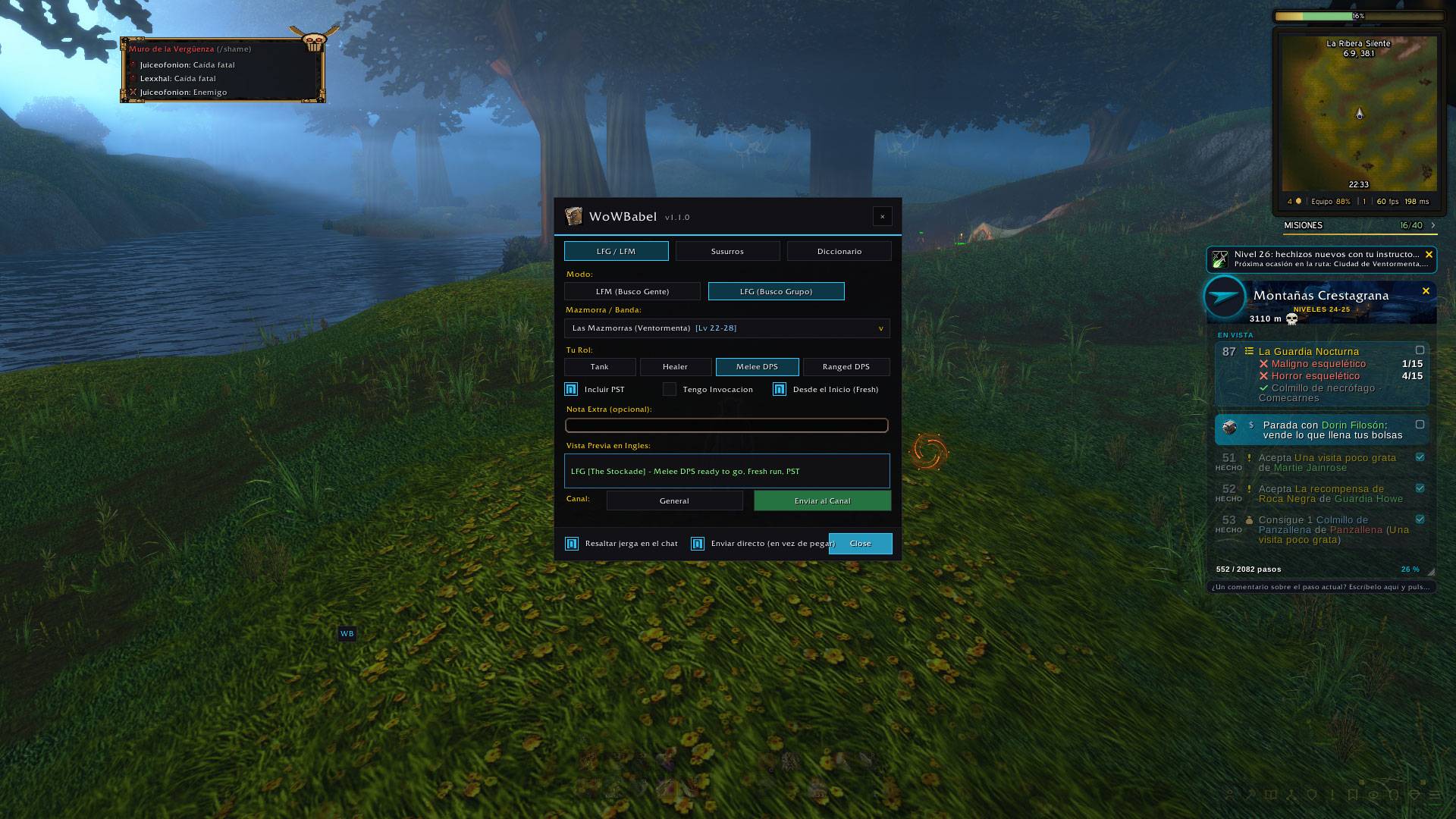
2. 🛡️ 1-Click English LFG / LFM Generator
- Choose between LFM (forming a group) or LFG (looking for a group).
- Select your role or needed roles (
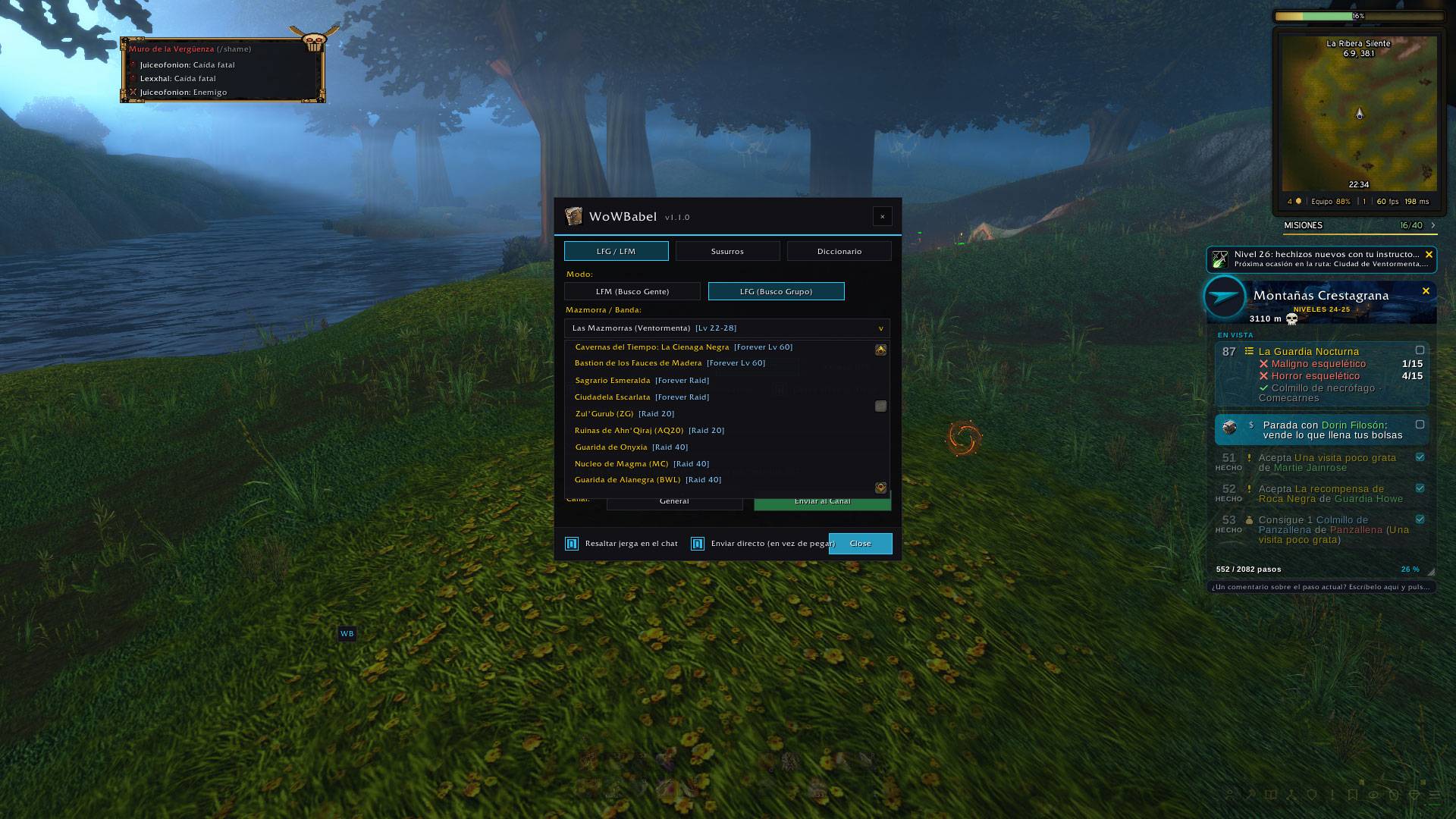
Tank,Healer,Melee DPS,Ranged DPS), optional tags (PST,Have Summon,Fresh Run), and custom notes. - Includes standard level 60 instances plus WoW: Forever content (
Karazhan Crypts,Stormwind Vault,Caverns of Time: Black Morass,Timbermaw Hold,Emerald Sanctum,Scarlet Citadel). - Smart Channel Pasting & Direct Send: Switches your chat input box to your chosen channel (
LookingForGroup,Trade,General,Say,Yell,Guild,Party) or sends directly with 1 click.
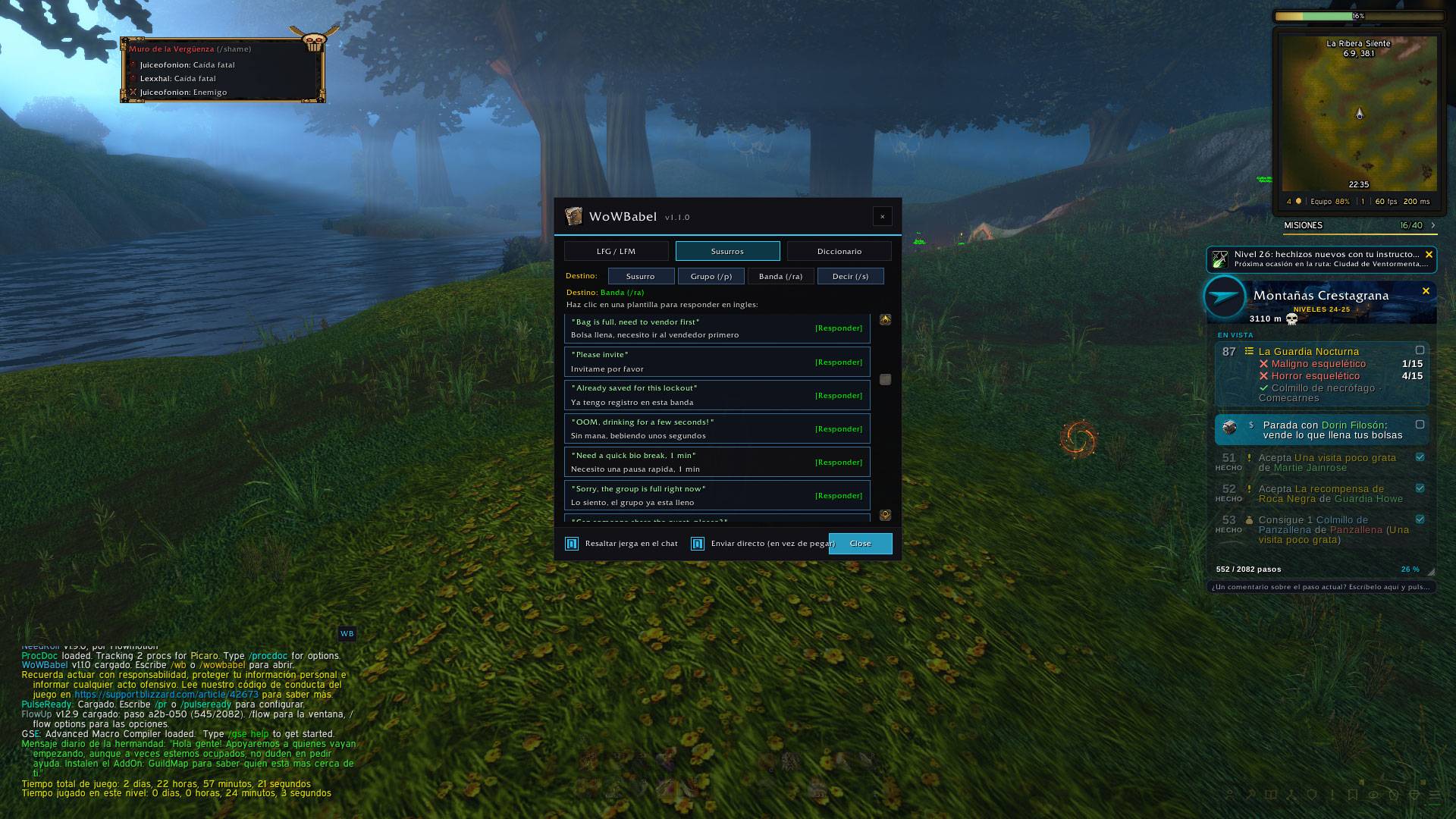
3. ⚡ Quick Replies (Whisper, Party /p, Raid /ra, Say /s)
- 10 polite, ready-to-send English templates with Spanish explanations, including:
- "On my way, approx 2 mins"
- "Bag is full, need to vendor first"
- "Please invite"
- "Already saved for this lockout"
- "OOM, drinking for a few seconds!"
- "Need a quick bio break, 1 min"
- Choose the target channel independently (Whisper, Party
/p, Raid/ra, or Say/s), with automatic tracking of the last player who whispered you.
4. 🧭 Draggable [WB] Chat Button, Dictionary & Native AddOns Menu
- Draggable
[WB]Chat Button: Discrete floating access button (Left-Click opens the main window, Right-Click opens Quick Replies, Drag to reposition anywhere with smart fallback anchoring when side chat buttons are hidden). - Native Blizzard Options (
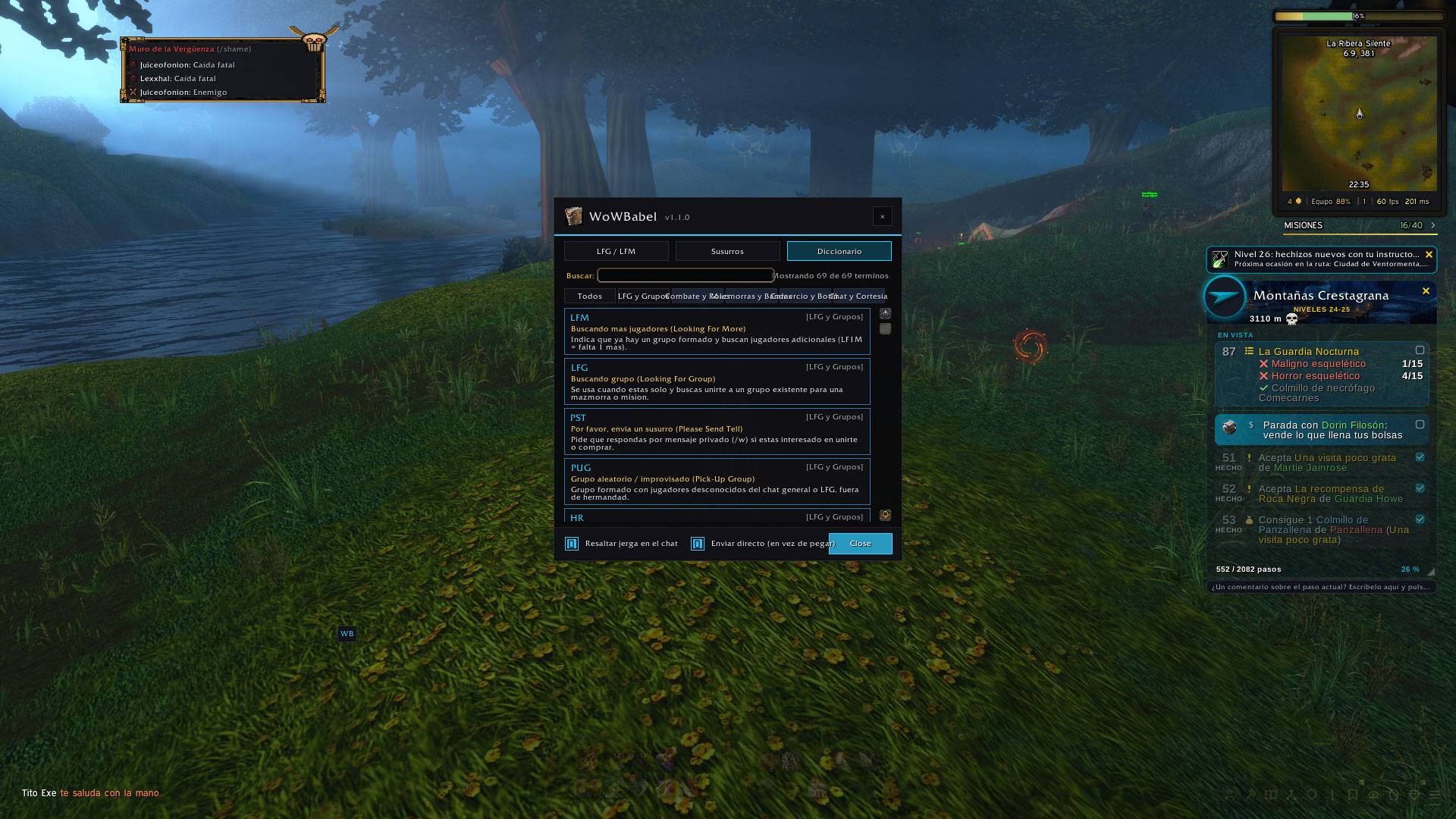
Options → AddOns → WoWBabel): Dedicated launcher button to open WoWBabel directly. - Searchable & filterable Lexical Dictionary organized by category (
LFG & Groups,Combat & Roles,Dungeons & Raids,Trade & Loot,Chat & Courtesy).
💻 Slash Commands
| Command | Action |
|---|---|
/wb or /wowbabel |
Toggles the main WoWBabel window |
/wb dict |
Opens the searchable Dictionary tab |
/wb whisper |
Opens the Quick Replies tab |
/wb reset |
Resets main window and [WB] button positions |
/wb help |
Displays available commands in chat |
🌐 Bilingual Localization (enUS / esES / esMX)
Focused specifically on English-to-Spanish communication with clean UI adaptation for enUS, esES, and esMX clients.
📦 Installation
- Download
WoWBabel.zip. - Extract the
WoWBabelfolder into your WoW Forever directory:
World of Warcraft\_forever_\Interface\AddOns\ - Ensure the folder is named exactly
WoWBabeland containsWoWBabel.toc. - Launch the game and type
/wb!
☕ Support & Donations
If you enjoy my work and would like to support future updates and new features, consider buying me a coffee:

WoWBabel Team