Wofi
- By
Keyboard-driven WoW Classic TBC Anniversary launcher for spells, items, macros, professions, players, zones, lockouts, and more. Search anything, use with Enter, or right-click drag to your action bars.
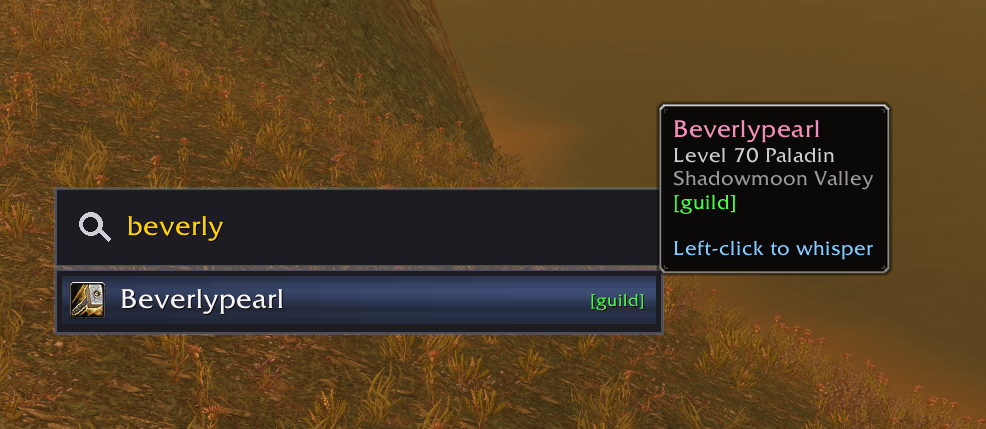
image5.png
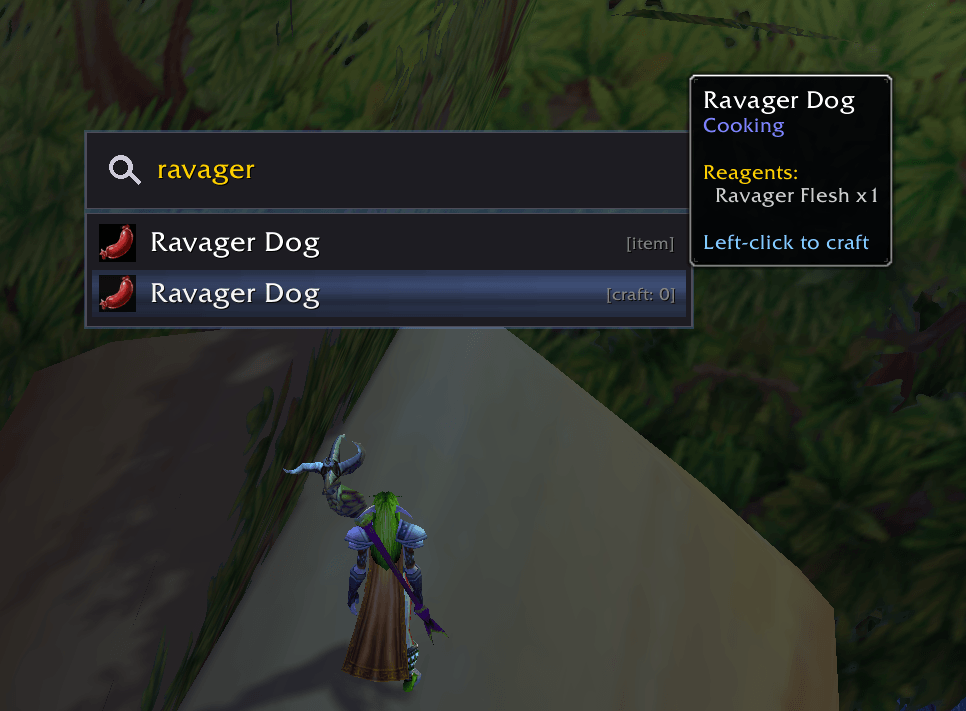
image2.png
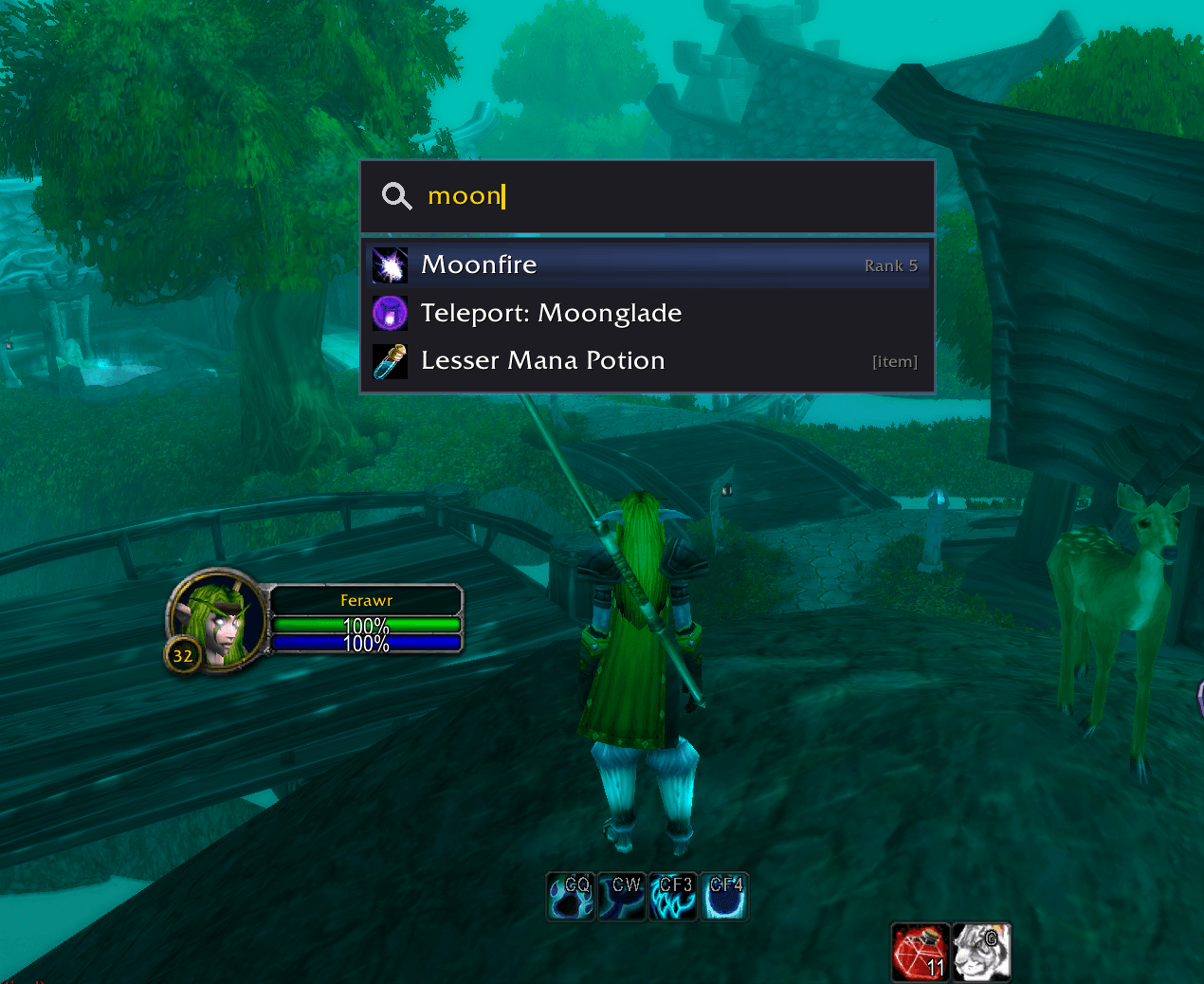
image1.png
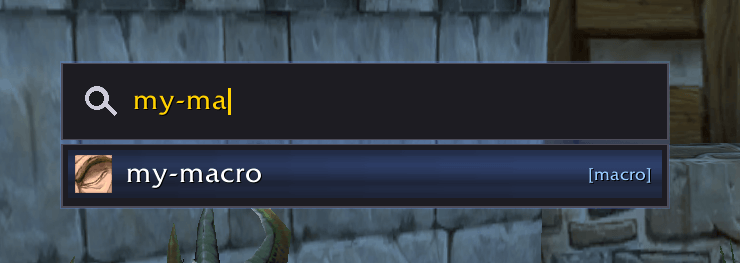
image4.png
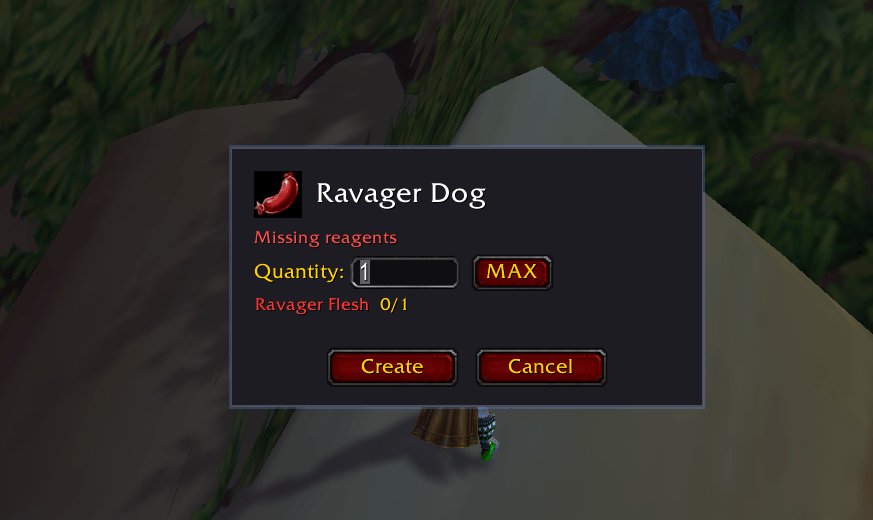
image3.png
Description
Wofi
Wofi is an out-of-combat Spotlight/Rofi-style keyboard-driven launcher for spells, items, macros, professions, players, zones, lockouts, quests, reputations, addons, and dungeon/raid loot. Search, cast with Enter, or drag (with right-click) to your action bars - a faster alternative to the spellbook for both casting and bar setup.
Built specifically for TBC Classic Anniversary.

Features
- Fuzzy search - Type "fb" to find "Fireball", "mana" to find potions and conjured gems
- Spells, items, macros, professions, and more - Search your entire spellbook, usable bag items, macros, profession recipes, zones, instance lockouts, active quests, reputations, installed addons, and dungeon/raid loot in one place
- Tradeskill crafting - Craft profession recipes directly from the launcher with quantity popup, reagent display, and progress alerts
- Merchant search - Search bar overlays merchant windows for quick item lookup and bulk purchasing
- Macro support - Search and run account-wide and character-specific macros
- Player search - Find and whisper friends, BNet friends, guild members, GreenWall co-guild members, and recently interacted players with inline level, class, and zone display
- Zone search - Search any game zone and open it on the World Map
- Instance lockouts - Search your saved raids and heroics with live reset timers and boss progress; click to open the Raid Info panel
- Quest search - Search active quests with completion status; click to open quest log and map (enhanced with Questie if installed)
- Reputation search - Search all faction reputations with standing level and progress (e.g.,
[Honored 5,000/12,000]); click to open the Reputation panel - Addon manager - Search installed addons, click to enable/disable without opening the Blizzard UI
- Loot browser - Browse dungeon and raid loot tables with difficulty selection, expandable tier set groups, Shift-hover item comparison, and boss highlight when navigating from search (requires AtlasLoot)
- Keyboard-driven - Navigate with arrow keys or Tab, activate with Enter
- Drag to action bar - Right-drag spells, items, and macros to place them on your bars
- Customizable appearance - Adjust launcher width, height, and font sizes with live preview
- Custom keybind - Set any key combo to open the launcher instantly
- Smart prioritization - Exact matches first, then prefix, then contains, then fuzzy
- Auto-close on combat - Stays out of your way when the fight starts
Ideal Use Cases
- Mage teleports/portals - No need for 12 buttons, just type "iron" for Ironforge
- Consumables - Potions, food, bandages, quest items
- Profession crafting - Search recipes across all professions, craft with one click
- Merchant shopping - Find items in large vendor lists instantly
- Macros - Quickly find and run any macro by name
- Quick whisper - Type a friend or guildie's name, hit Enter to whisper
- Lockout check - Quickly see if you're saved and when it resets
- Zone lookup - Jump to any zone on the World Map instantly
- Reputation check - See your standing and progress with any faction at a glance
- Addon management - Quickly enable/disable addons without digging through menus
- Loot lookup - Check what drops from a boss before your raid
- Hunter tracking - Quickly swap between tracking types
Usage
Type /wofi to open the launcher, or use your custom keybind.
- Start typing a spell, item, macro, or recipe name
- Use Up/Down or Tab/Shift+Tab to navigate
- Press Enter or click to cast/use/craft
- Right-drag to place on action bar
- Press Escape to close
Tradeskill Crafting
Select a recipe from search results to open the craft popup:
- Enter a quantity or press MAX for maximum craftable
- See reagent requirements with live bag counts
- Press Enter or click Create to craft
- A progress alert shows remaining count during multi-craft operations
Merchant Search
When a merchant window is open, a search bar appears automatically. Type to filter merchant items, click to buy, or use the quantity popup for bulk purchases.
Slash Commands
/wofi- Toggle the launcher/wofi config- Open configuration GUI/wofi refresh- Rebuild spell/item/macro/profession cache/wofi help- Show all commands
Configuration
Open with /wofi config:
- Include items - Toggle bag item search on/off
- Include macros - Toggle macro search on/off
- Include tradeskills - Toggle profession recipe search on/off
- Include players - Toggle online player search on/off (friends, guild, BNet, recent)
- Include zones - Toggle zone search on/off
- Include lockouts - Toggle instance lockout search on/off (raids/heroics)
- Include quests - Toggle quest search on/off (requires Questie)
- Include reputations - Toggle reputation search on/off
- Include addons - Toggle installed addon search on/off (click results to enable/disable)
- Include instances & bosses - Toggle dungeon/raid loot search on/off (requires AtlasLoot)
- Show all spell ranks - Display all ranks instead of highest only
- Maximum search results - Adjust from 4 to 12 results (default 8)
- Show craft progress notification - Toggle the center-screen craft alert
- Show merchant search bar - Toggle the search overlay on merchant windows
- Launcher width - Adjust launcher width from 250 to 600 pixels (default 480)
- Launcher bar height - Adjust launcher bar height from 30 to 70 pixels (default 46)
- Entry font size - Adjust result entry name font size from 8 to 22 (default 14)
- Descriptor font size - Adjust category/detail font size from 7 to 16 (default 10)
- Keybind - View, set, or clear your custom hotkey
- Refresh caches - Manually rebuild spell/item/macro/profession lists
Limitations
- Cannot be used during combat - WoW security restriction, not a bug
- Auto-closes when combat starts - Secure frames can't be modified mid-fight
License
MIT License - Open source and free to use.
Feedback & Issues
Found a bug or have a suggestion? Reach me on Discord: _cmos or open an issue on GitHub: https://github.com/clearcmos/Wofi
Wofi Team