ScrollingLoot
- By
Elegant scrolling loot, gold, and honor notifications with icons and quality colors, plus a fast-loot mode that auto-loots and hides the loot window.
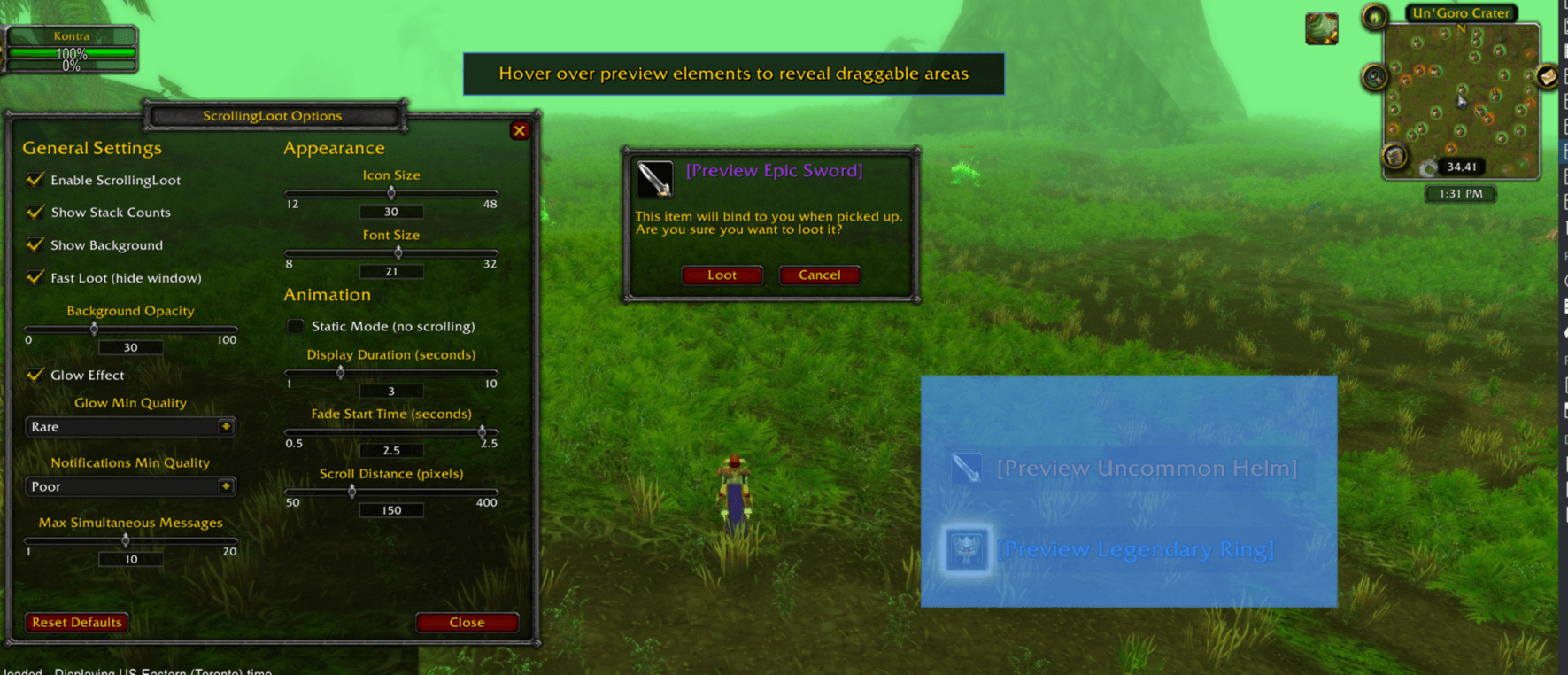
image1.png
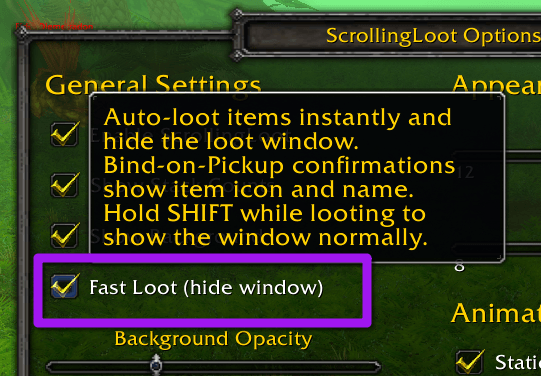
image5.png
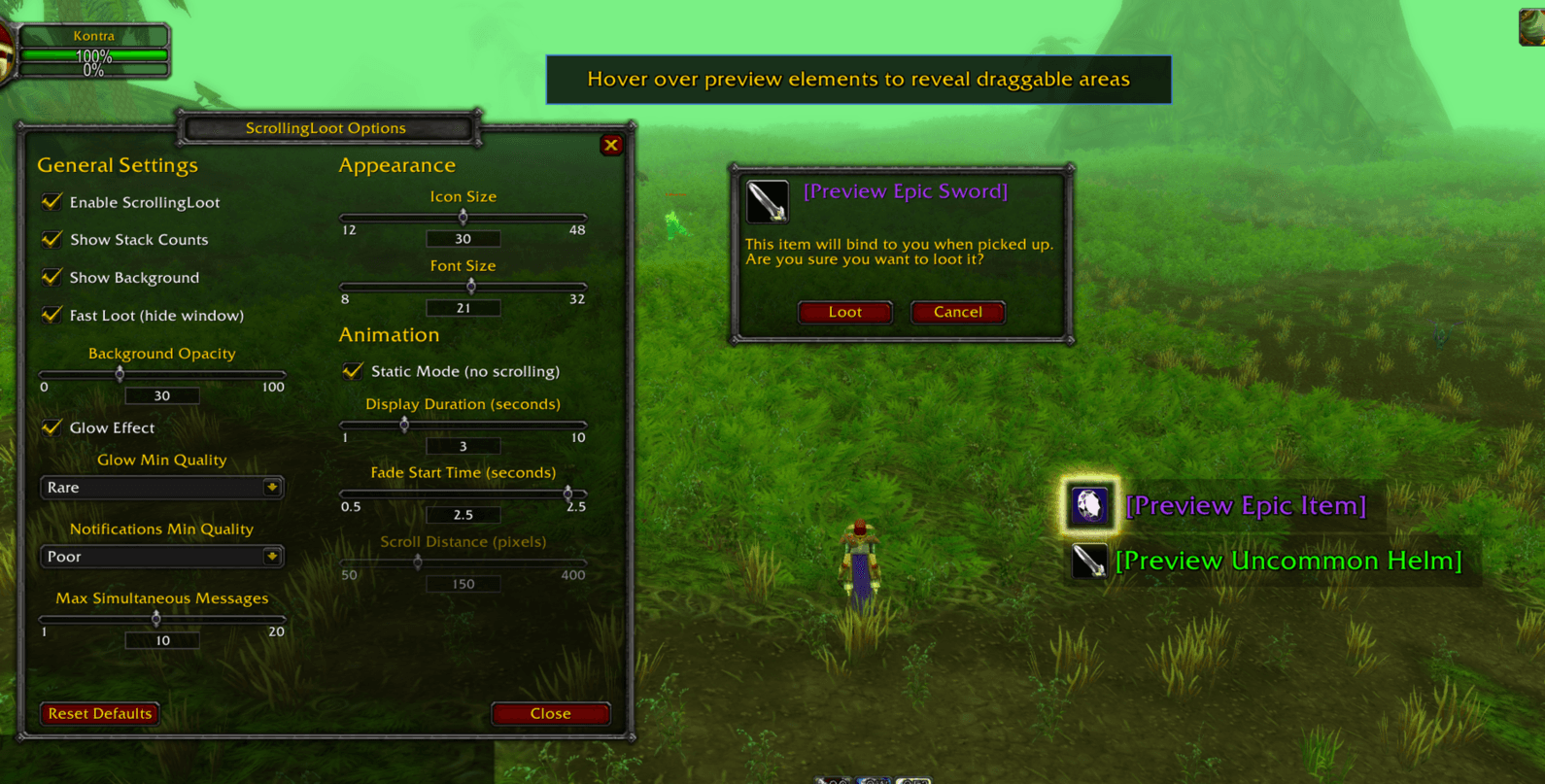
image2.png
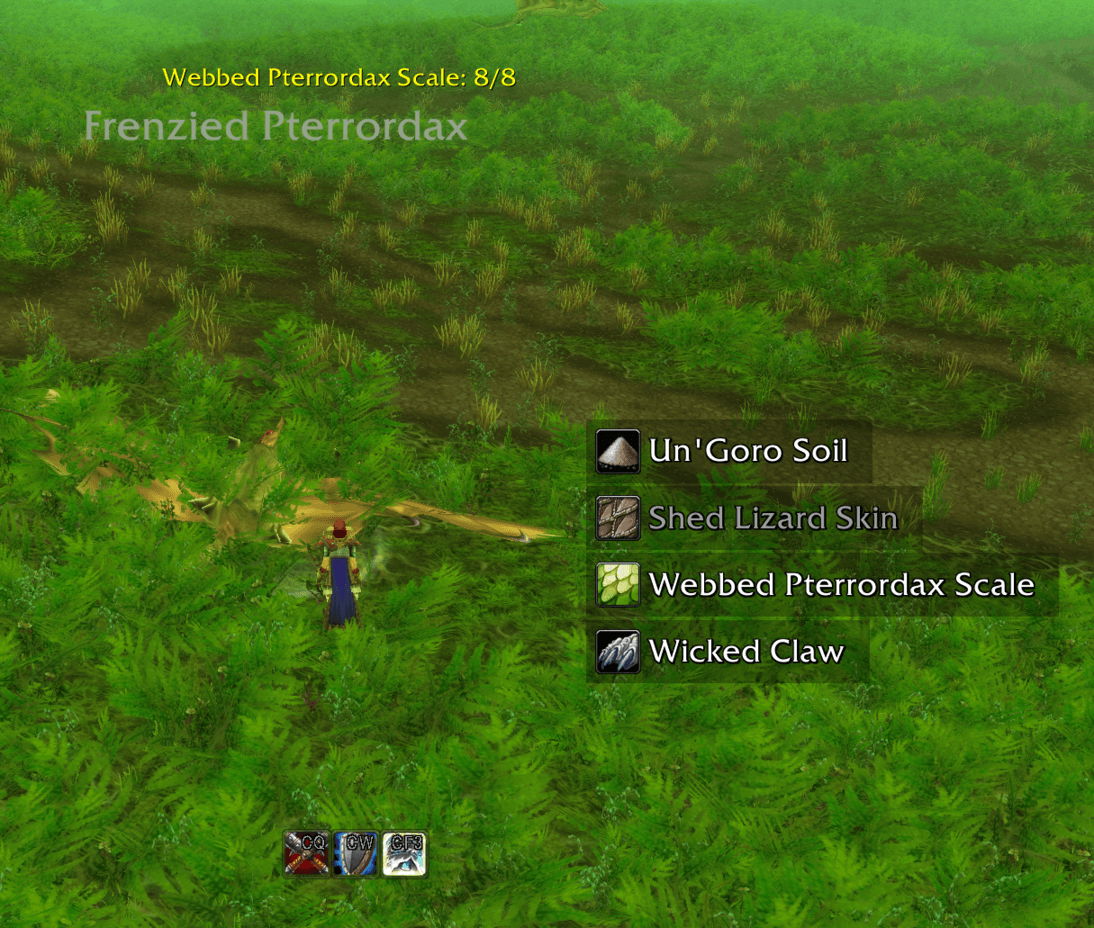
image3.png
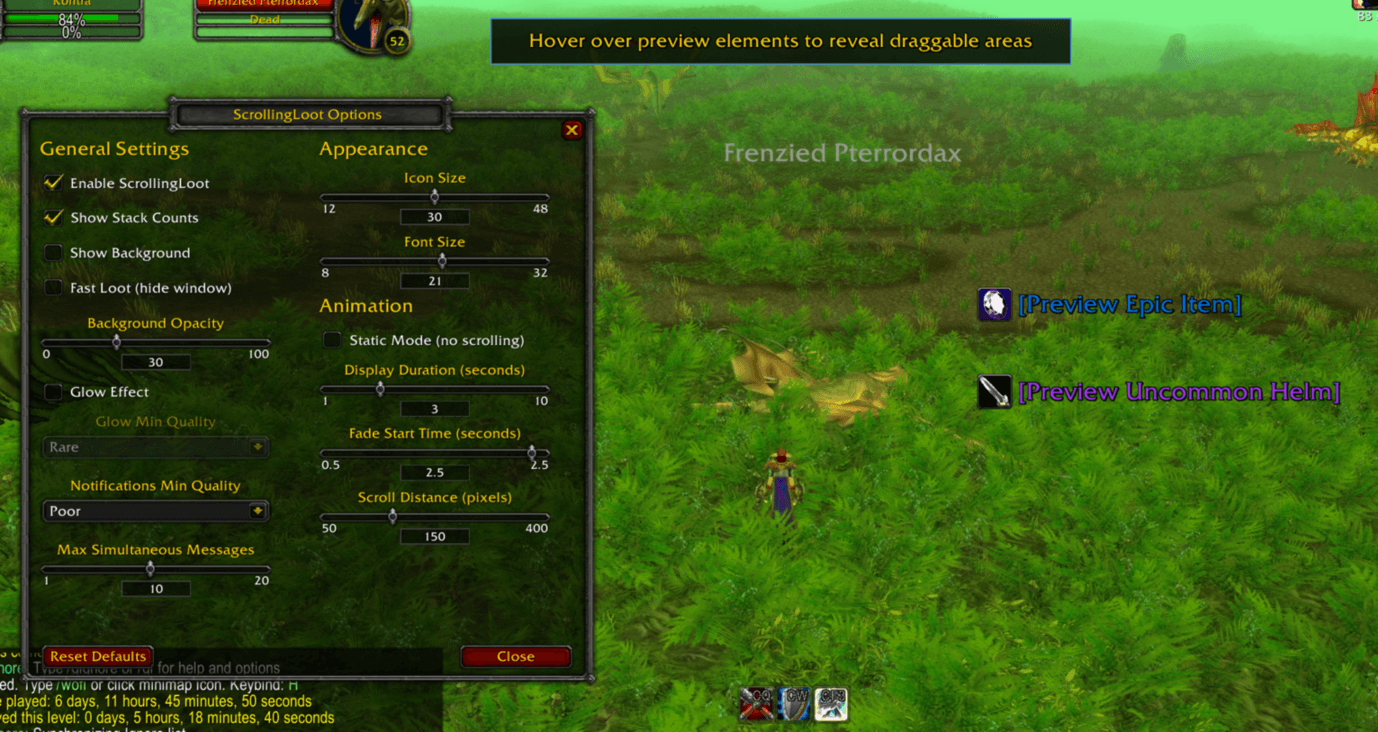
image4.png
Description
ScrollingLoot
ScrollingLoot displays your looted items as elegant scrolling text with icons. No more squinting at chat logs to see what you picked up when you have fast loot enabled!
Built specifically for TBC Classic Anniversary.

Features
- Floating notifications - Items scroll upward (or fade in place with Static Mode) with smooth animations, positionable anywhere on screen
- Item icons - Each notification includes the item's icon for quick recognition
- Quality colors - Text is colored by item rarity (grey → white → green → blue → purple → orange)
- Stack counts - Shows quantity for multi-item loots (e.g., "Wool Cloth x5")
- Money notifications - Gold, silver, and copper pickups display with appropriate coin icons
- Honor notifications - Honor point gains display with faction-appropriate PvP icons (Horde/Alliance) and customizable text color
- Fast Loot mode - Auto-loot items instantly and completely hide the loot window (hold SHIFT to show window normally)
- Enhanced BoP confirmation - Custom Bind-on-Pickup dialog shows item icon and name (when Fast Loot enabled)
- Drag-to-position - Reposition loot notifications and BoP dialog by simply dragging them in real-time
- Live preview - See your changes instantly while configuring
- Quality filter - Hide low-quality items to reduce clutter
- Optional background - Add a subtle dark background behind text for better visibility
- Glow effect - Optional glowing highlight around item icons based on quality threshold
- Fully configurable - Adjust icon size, font size, scroll speed, fade timing, and more
Usage
Type /sloot to open the options panel. Blue highlighted areas will appear over the preview elements - simply drag them to reposition where your loot notifications and BoP confirmation dialog appear.
Slash Commands
/sloot- Open options panel/sloot test- Show test notifications/sloot on- Enable addon/sloot off- Disable addon/sloot reset- Reset to defaults
Configuration Options
General
- Enable/Disable addon
- Show stack counts
- Show background behind text
- Show money pickups (gold/silver/copper with coin icons)
- Show honor points (with faction PvP icons and customizable color)
- Fast Loot (hide window) - auto-loot and hide loot window; hold SHIFT to show normally
- Background opacity
- Glow effect toggle
- Glow minimum quality threshold
- Notifications minimum quality filter
- Max simultaneous messages
Appearance
- Icon size
- Font size
- Text alignment (Left, Center, Right)
Animation
- Static Mode (items fade in place without scrolling)
- Display duration (how long messages stay visible)
- Fade start time
- Scroll distance (disabled in Static Mode)
Position
- Drag the preview area to set position (no sliders needed!)
License
MIT License - Open source and free to use.
Feedback & Issues
Found a bug or have a suggestion? Post a comment / message me on CurseForge, or open an issue on GitHub: https://github.com/clearcmos/ScrollingLoot
ScrollingLoot Team