LFG Expanded
- By
WoW Classic TBC Anniversary addon that adds role and class filters to the LFG Group Browser
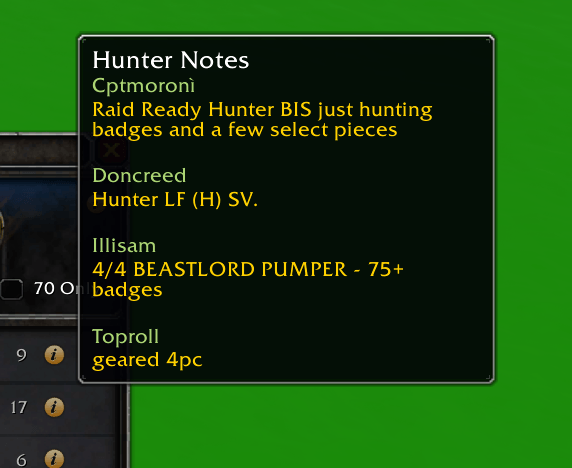
image3.png
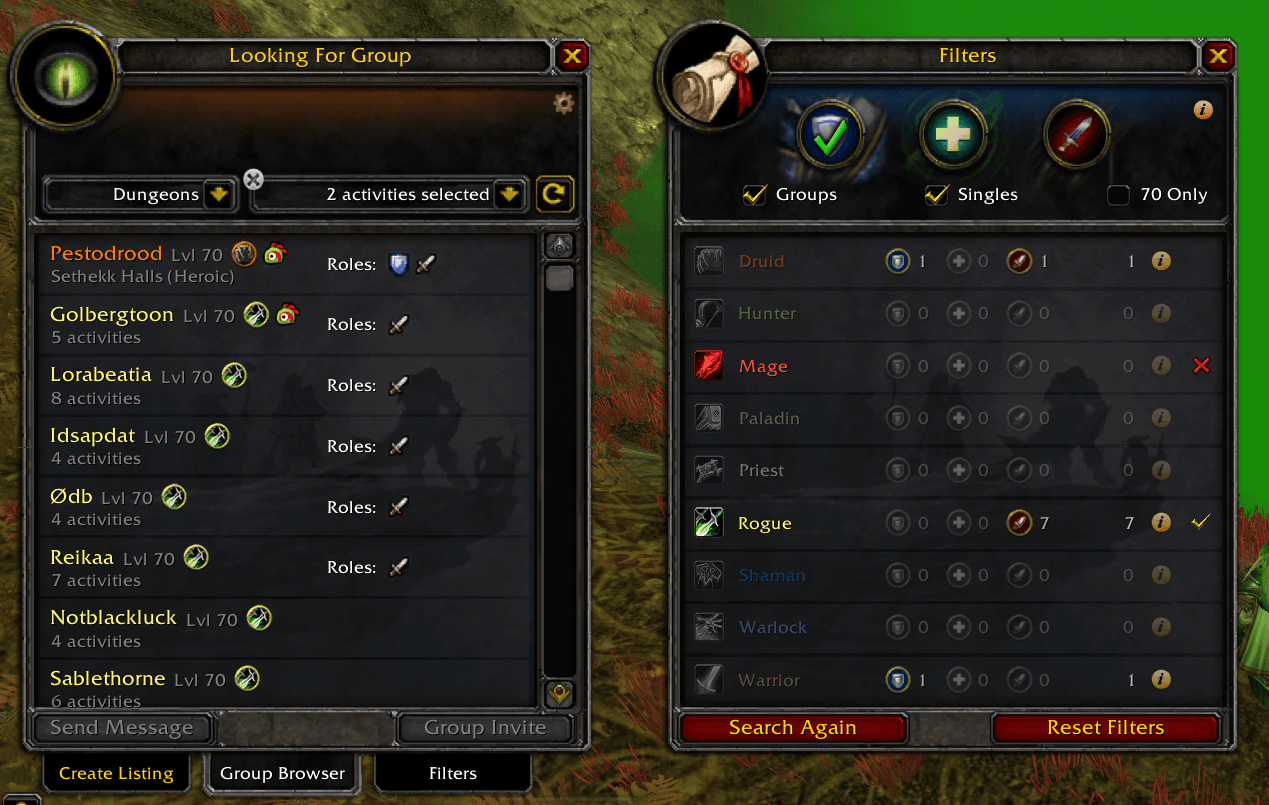
image1.png
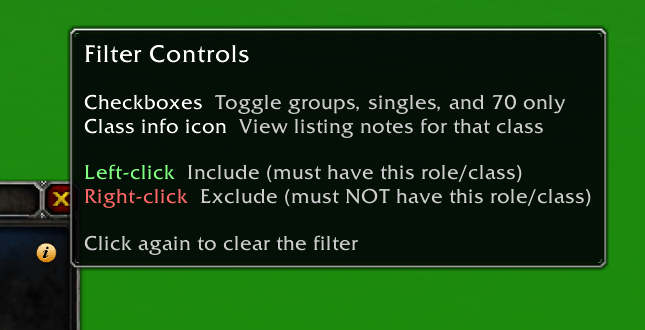
image2.png
Description
LFG Expanded
LFG Expanded adds a filter side panel to the LFG Browse frame, letting you filter search results by role and class.
Built specifically for TBC Classic Anniversary.

Features
- Auto-open - Filter panel appears automatically when Dungeons or Raids is selected
- Role filters - Tank, Healer, DPS toggle icons with include/exclude
- Class filters - All 9 TBC classes with class-colored labels, include/exclude
- OR across dimensions - Including a role and a class shows listings matching either (e.g., Healer + Hunter shows all healers and all hunters)
- Per-class role breakdown - Each class row shows how many listings have that class as Tank, Healer, or DPS with native Group Browser icons
- Class notes tooltips - Hover the info icon on any class to see listing notes from leaders of that class, with class-colored names
- Include/Exclude - Left-click to require, right-click to exclude, click again to clear
- Smart exclusion - Exclusions always override includes. Groups: reject if excluded role/class is present. Singles: reject only if all listed roles are excluded
- Show filters - Groups, Singles, and 70 Only checkboxes below the role icons
- Smart sorting - Groups shown first, singles sorted by class when filters active
- Search Again & Reset - Buttons to re-search or clear all filters
- Native LFG styling - Uses the same portrait frame, background textures, and tab style as the built-in Group Finder
Usage
Open the Looking for Group window and select Dungeons or Raids — the filter panel appears automatically. Whether you're browsing groups or creating a listing, selecting a dungeon or raid activates the filters right away.
Controls
- Left-click a role or class to include it (must have)
- Right-click a role or class to exclude it (must NOT have)
- Click again to clear the filter
- Checkboxes - Toggle show groups, show singles, and level 70 only
Configuration Options
- Role filters: Tank, Healer, DPS
- Class filters: Druid, Hunter, Mage, Paladin, Priest, Rogue, Shaman, Warlock, Warrior
- Groups / Singles / 70 Only via inline checkboxes
- Search Again and Reset Filters buttons
License
MIT License - Open source and free to use.
Feedback & Issues
Found a bug or have a suggestion? Reach me on Discord: _cmos or open an issue on GitHub: https://github.com/clearcmos/LFGExpanded
LFG Expanded Team