Wind Down - Play Time Reminders
- By
Set a bedtime, a timer or a weekly play goal, and get gentle, combat-safe reminders to wrap up, without ever being logged out.
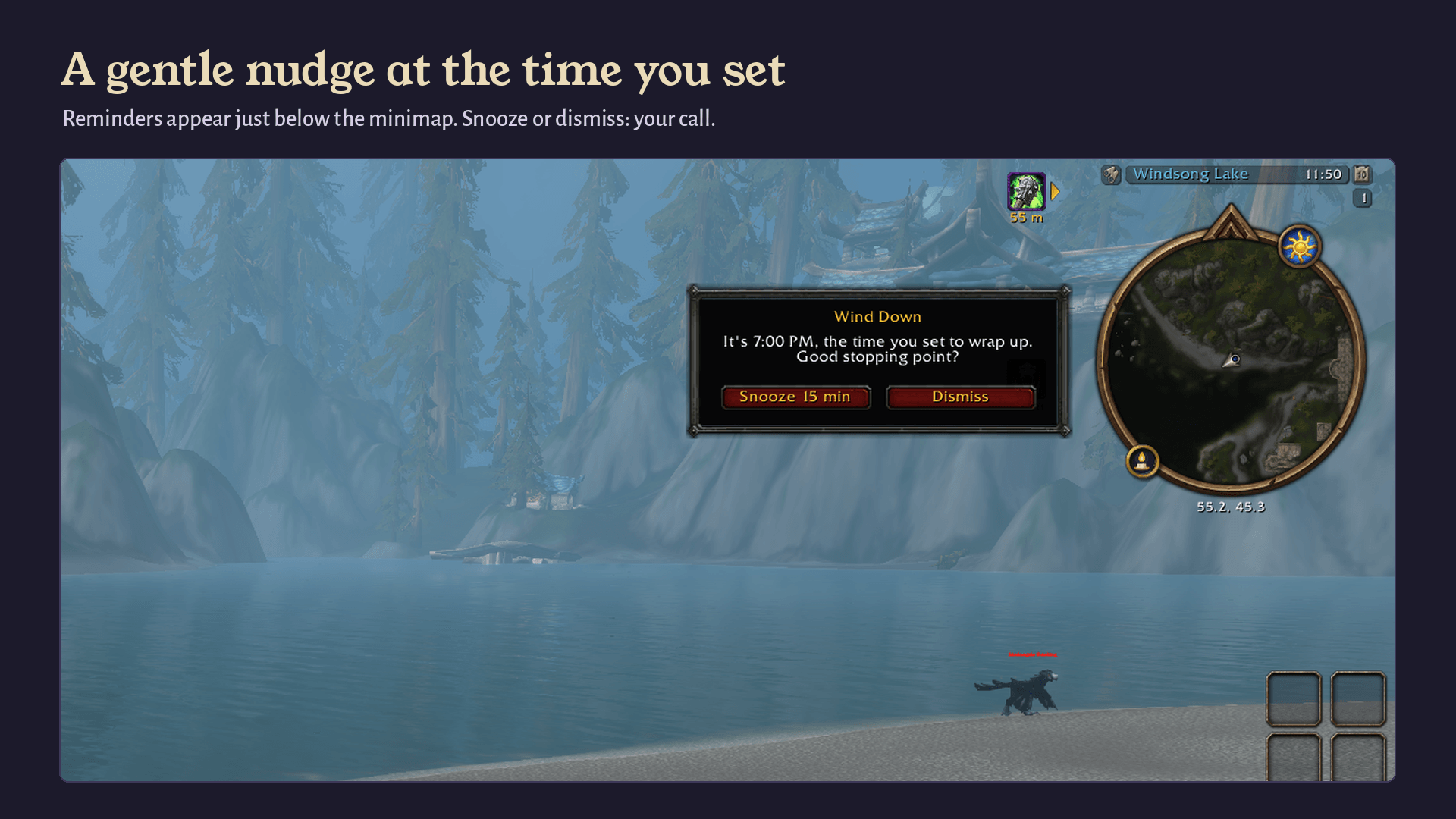
Set a stop time and Wind Down lets you know when it arrives, with a small popup beside the minimap. Snooze or dismiss: your call.
Description
A helping hand for managing your play time.
Wind Down gives you gentle, optional reminders about your play time. You choose when you'd like to stop, and Wind Down lets you know when that time arrives.
It never logs you out. It never blocks anything. It never interrupts a fight. You decide what happens next.
Built for World of Warcraft: Forever, whether you're brand new to Azeroth, coming back after years away, or playing alongside Retail or Classic.
Beta release (v0.1). Wind Down is in beta alongside the Forever beta. Spotted something odd? Let us know in the comments. See Beta notes below.
Features
Stop time
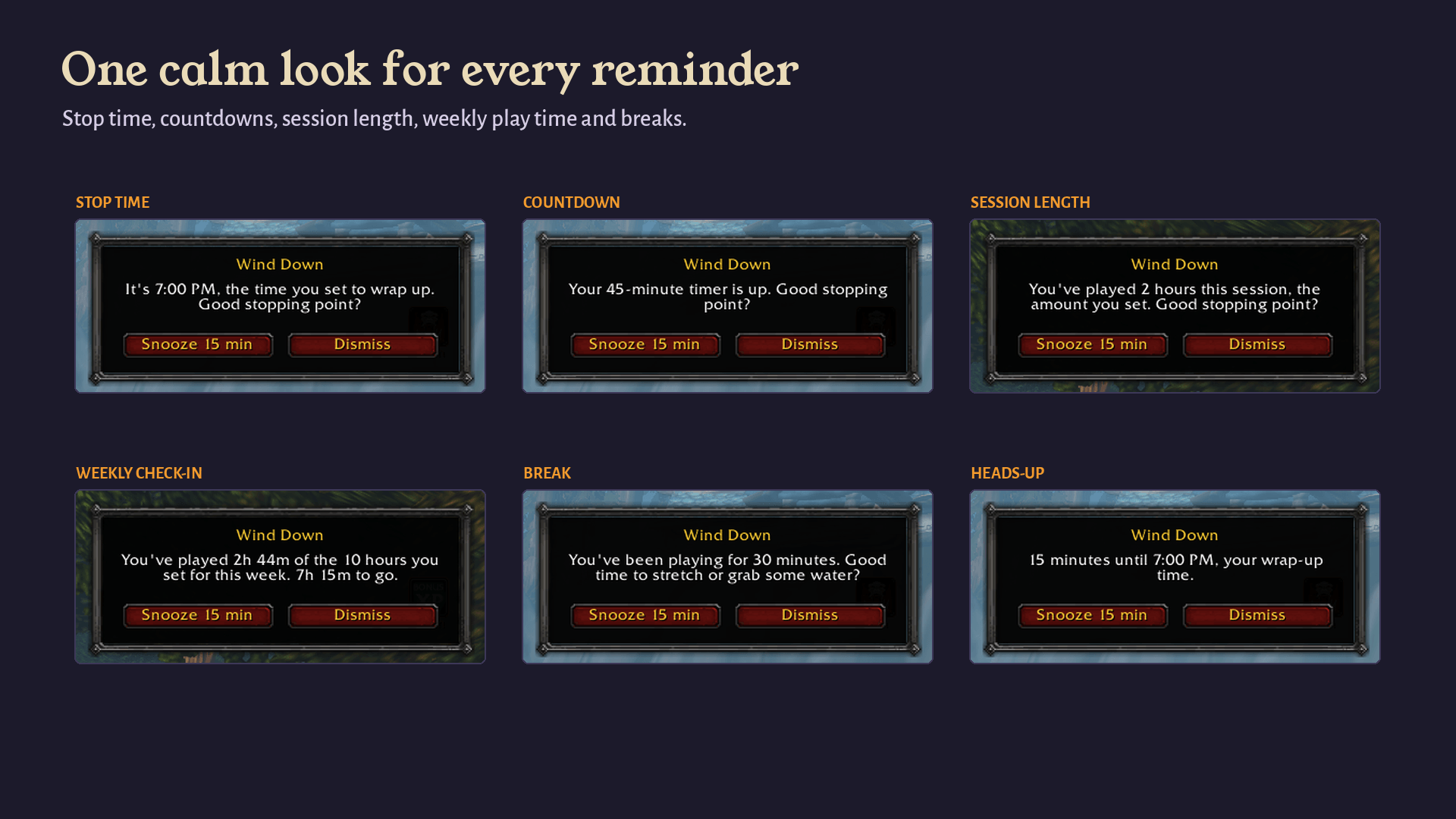
Pick a time, like 11:00 PM, and get a reminder when it arrives. It works past midnight, and if you log in a little after your stop time, you'll get one gentle heads-up.
Countdown timer
"Remind me in 45 minutes." Quick picks for 30, 45 and 60 minutes, or any length from 5 minutes to 8 hours. Perfect for "one more dungeon" or "until dinner."
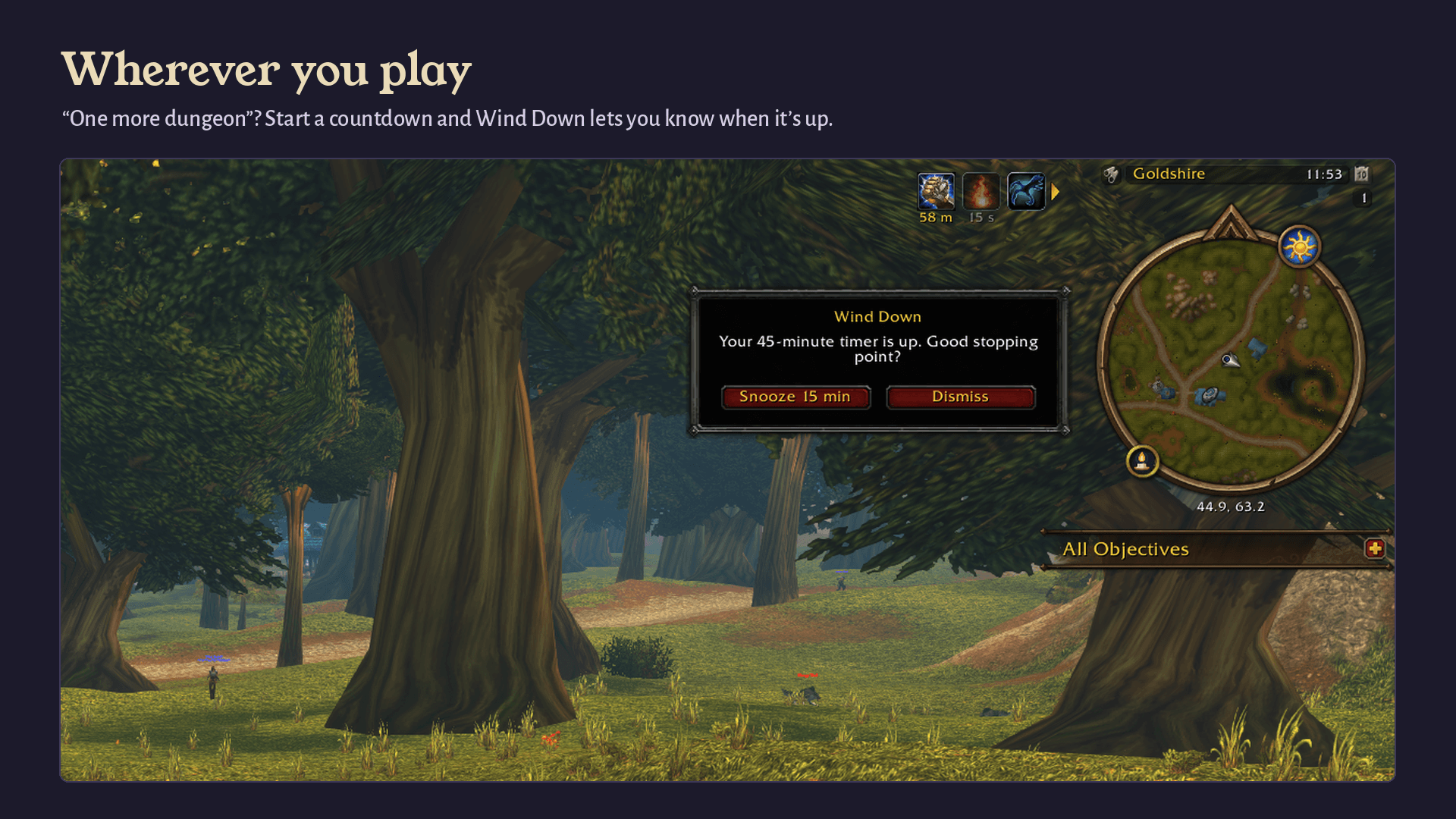
Session length
A reminder after you've played a set amount of time in one sitting, from 30 minutes to 12 hours.
Weekly play time
Choose how much you'd like to play each week (1 to 80 hours), shared across every character on your account. Get a check-in partway through the week (50%, 75% or 90%), see time used and time left at a glance, and pick which day your week resets (Monday by default).
Break reminders
Optional nudges to stand up, stretch or grab some water, every 30, 45, 60 or 90 minutes, or an interval of your choice. Off by default.
AFK time is yours
By default, time spent AFK (typing /afk or WoW's automatic AFK) doesn't count toward your session, breaks or weekly play time. Switch it on if you'd rather count every minute.
How reminders behave
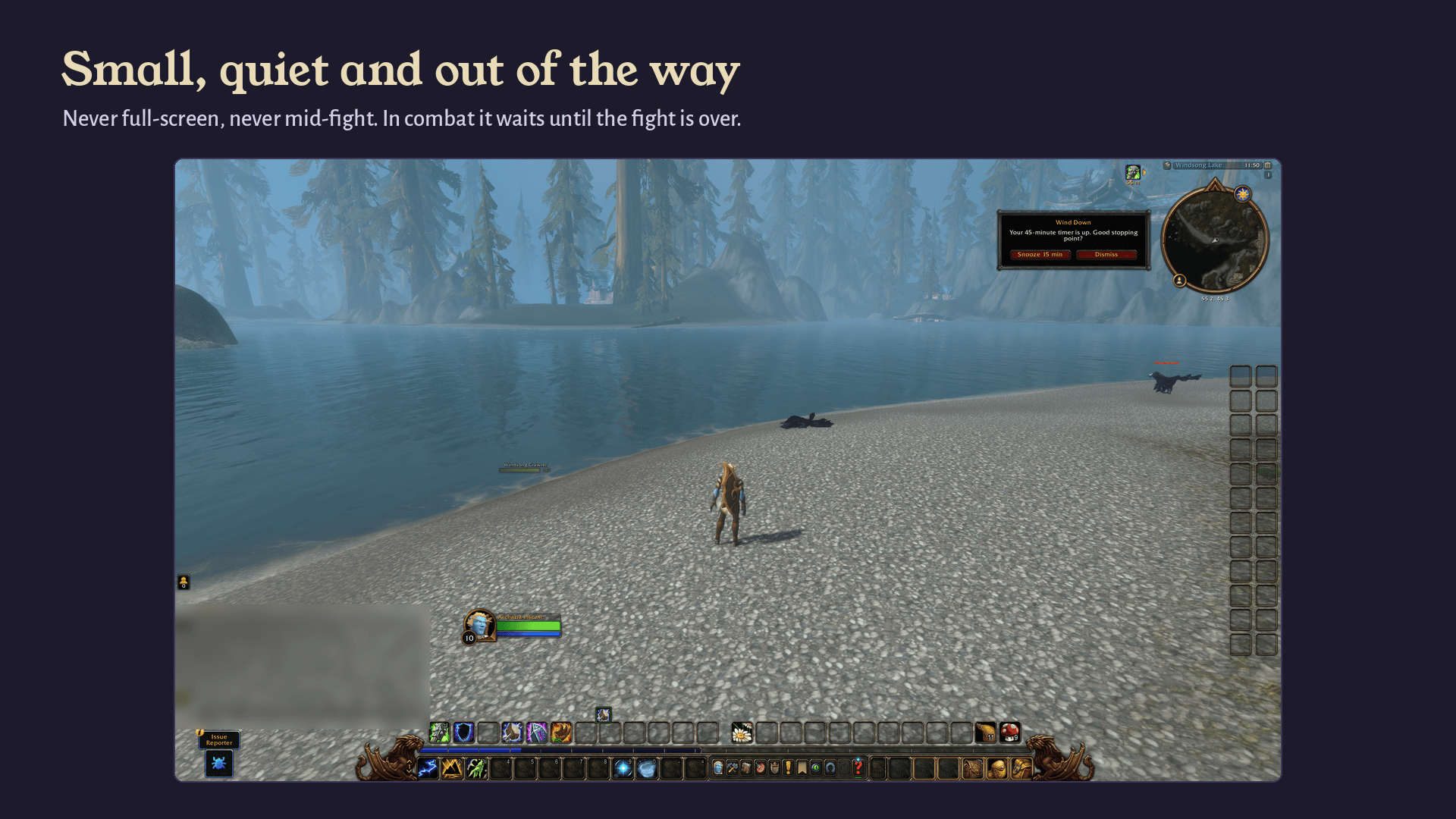
- Small and quiet. A compact popup appears beside the minimap with Snooze and Dismiss. No full-screen alerts, no flashing.
- Combat-safe. If a reminder comes due mid-fight, there's no popup. The minimap candle glows softly instead, and the reminder appears once combat ends.
- Never lost. Leave a reminder alone and it tucks itself into the minimap icon after a couple of minutes. Hover to read it, click to bring it back.
- Patient. Reminders wait for cutscenes and loading screens to finish.
- Your tone. Choose how reminders sound: Gentle (default), Straightforward or Encouraging.
- A heads-up first, if you like. An early nudge 5, 10, 15 or 30 minutes ahead, or none at all.
- Sound is optional. Off by default. Turn it on and pick Chime, Ping or Page turn. It follows your Sound Effects volume.
The candle
Wind Down's minimap icon is a small candle that shows where you stand at a glance:
| Candle | What it means |
|---|---|
| Lit | Nothing you set is close to up. |
| Burning low | You're inside the heads-up window before a reminder. |
| Out | A time you set has been reached. |
The candle relights on your next login (or at your weekly reset, for weekly play time), and you can relight it anytime from the right-click menu. Prefer a plain icon? Turn off Show the candle going out.
Getting started
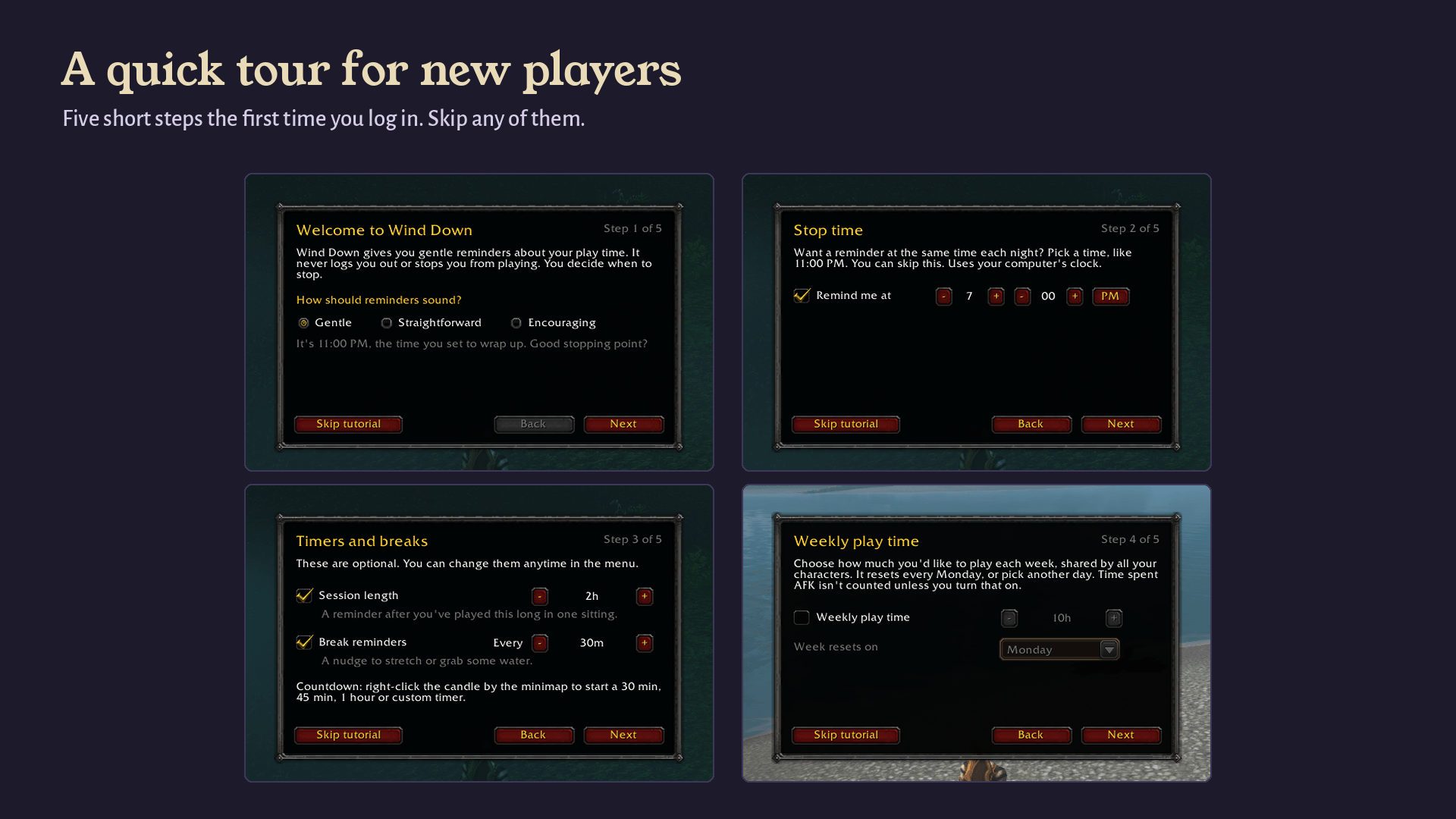
The first time you log in, a short five-step tutorial walks you through choosing a tone, a stop time, session and break reminders, and a weekly play time. Every step is optional, and you can skip it entirely.
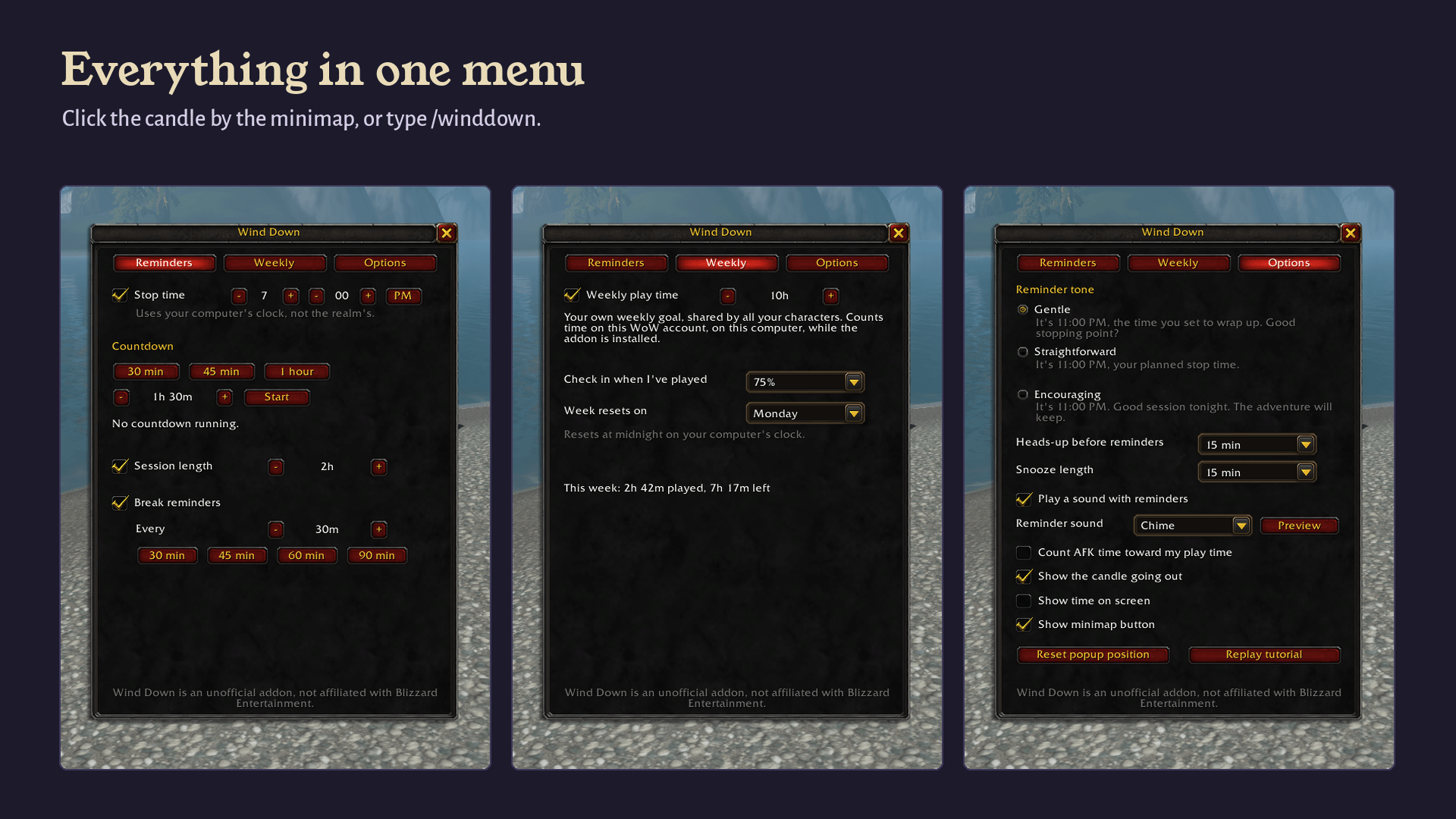
- Left-click the candle by the minimap to open Wind Down.
- Right-click it for quick actions: start a countdown, snooze a reminder, relight the candle.
- Drag it around the edge of the minimap to move it.
Commands
/winddownopens the menu (works even if the minimap button is hidden)/winddown minimapshows or hides the minimap button/winddown tutorialreplays the tutorial
Good to know
- Uses your computer's clock. Stop times and the weekly reset follow your computer's local time, not realm time.
- Counts what it can see. Weekly play time counts time on this WoW account, on this computer, while Wind Down is installed.
- Stays on your computer. Wind Down never sends chat messages or data anywhere, and never talks to other players' addons.
- Lightweight. No libraries, no dependencies, one small timer.
- WoW: Forever only. There are no Retail or Classic versions.
Beta notes
- The Forever beta client currently doesn't keep addon settings between sessions (this affects every addon). During the beta, Wind Down starts fresh each time you log in, the tutorial will reappear, and weekly play time can't build up across sessions. This should be fixed by the live game.
- Found a bug or have an idea? Leave a comment on this page.
License
Wind Down is free and open source under the MIT License. All art is original.
Wind Down is an unofficial addon and isn't affiliated with Blizzard Entertainment.
Wind Down - Play Time Reminders Team