Frequent Flyer - Flight Path Timer & Arrival Tips
- By
Know what is waiting before you land. Frequent Flyer shows your time to landing, quests to turn in, repairs and full bags at your destination, and keeps a logbook, stats and passport of your flights.
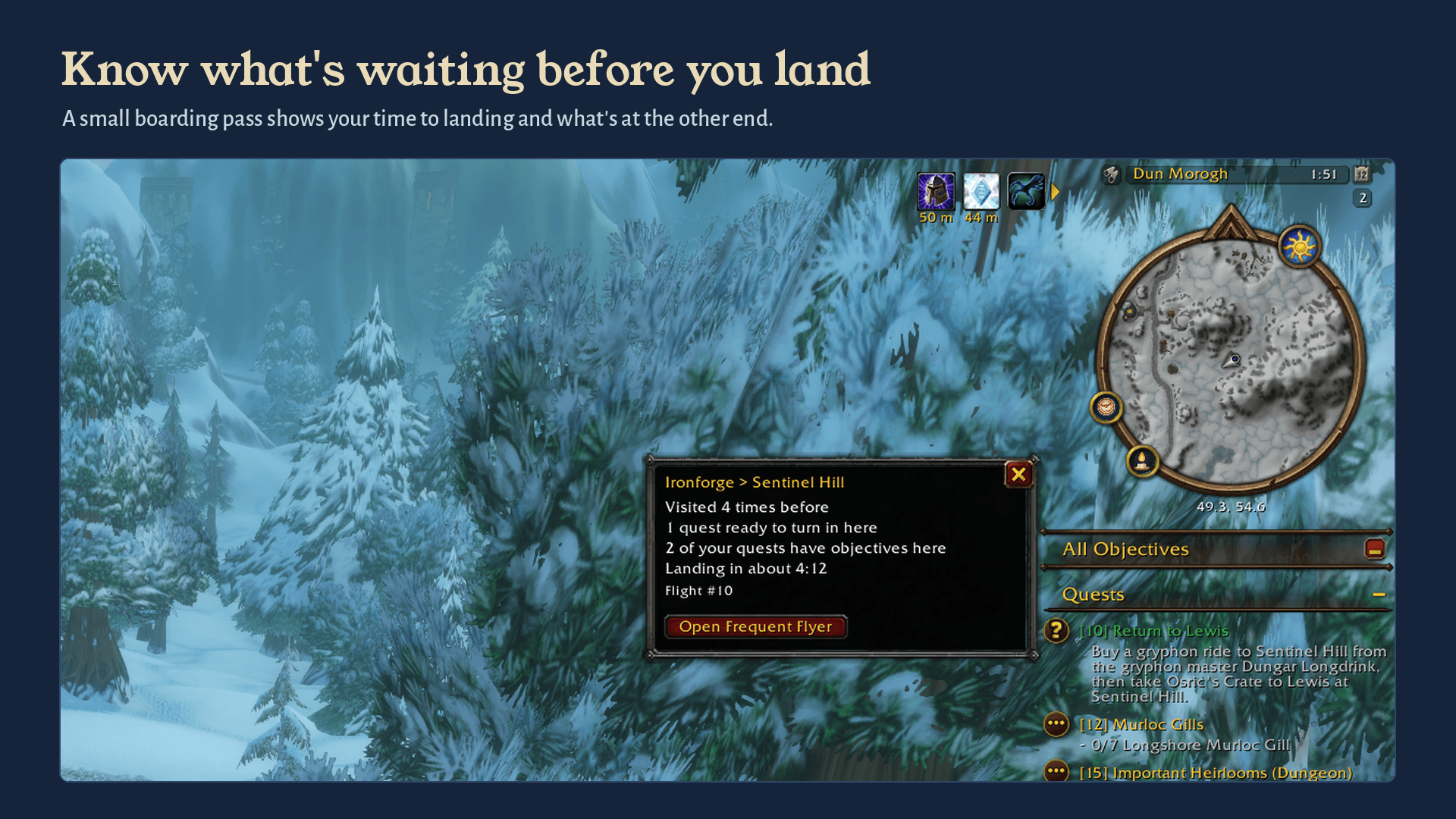
A small boarding pass beside the minimap shows your route, what's waiting at your destination and your time to landing.
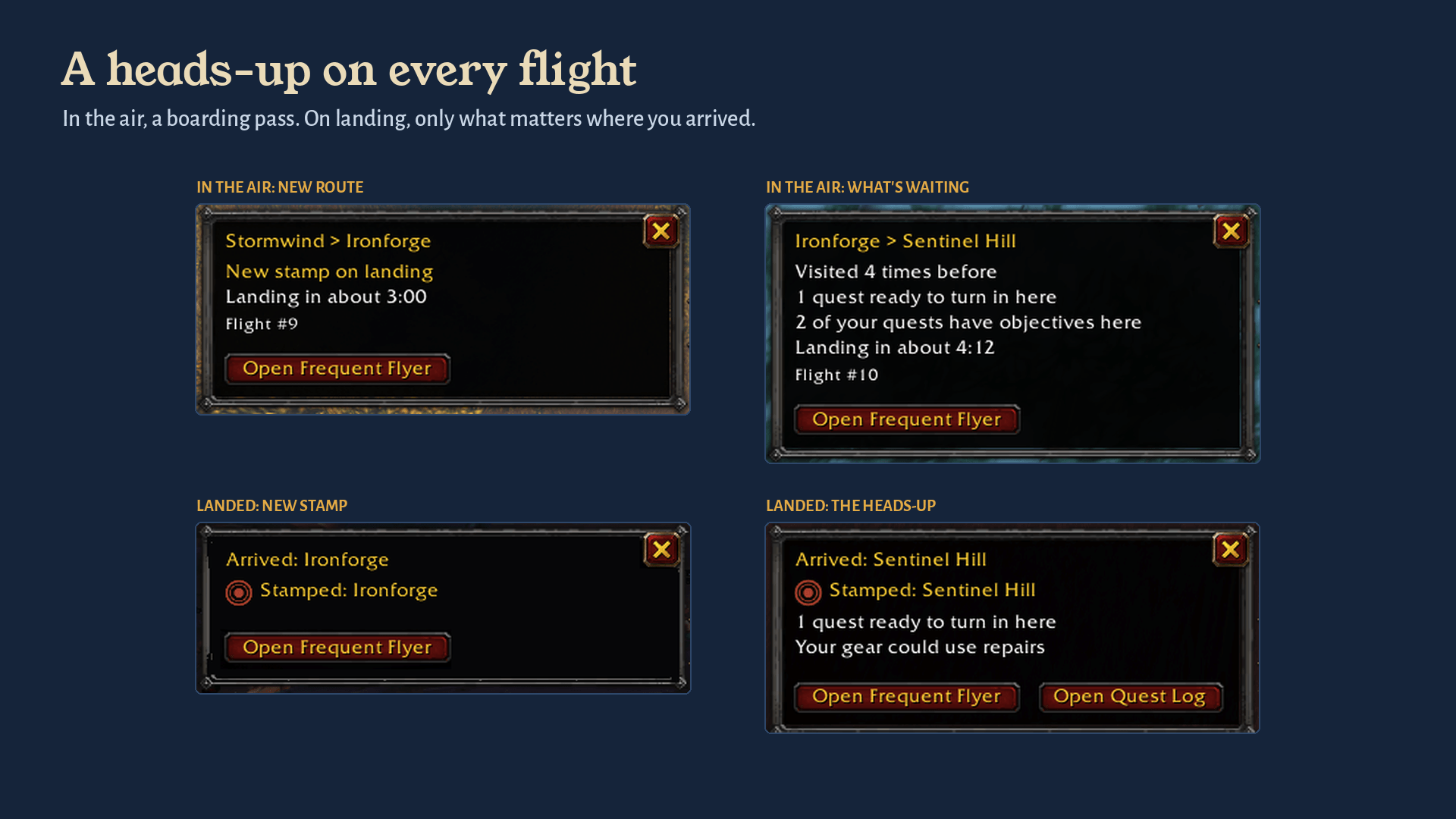
In the air, a boarding pass. On landing, an arrival card with only what matters where you arrived.
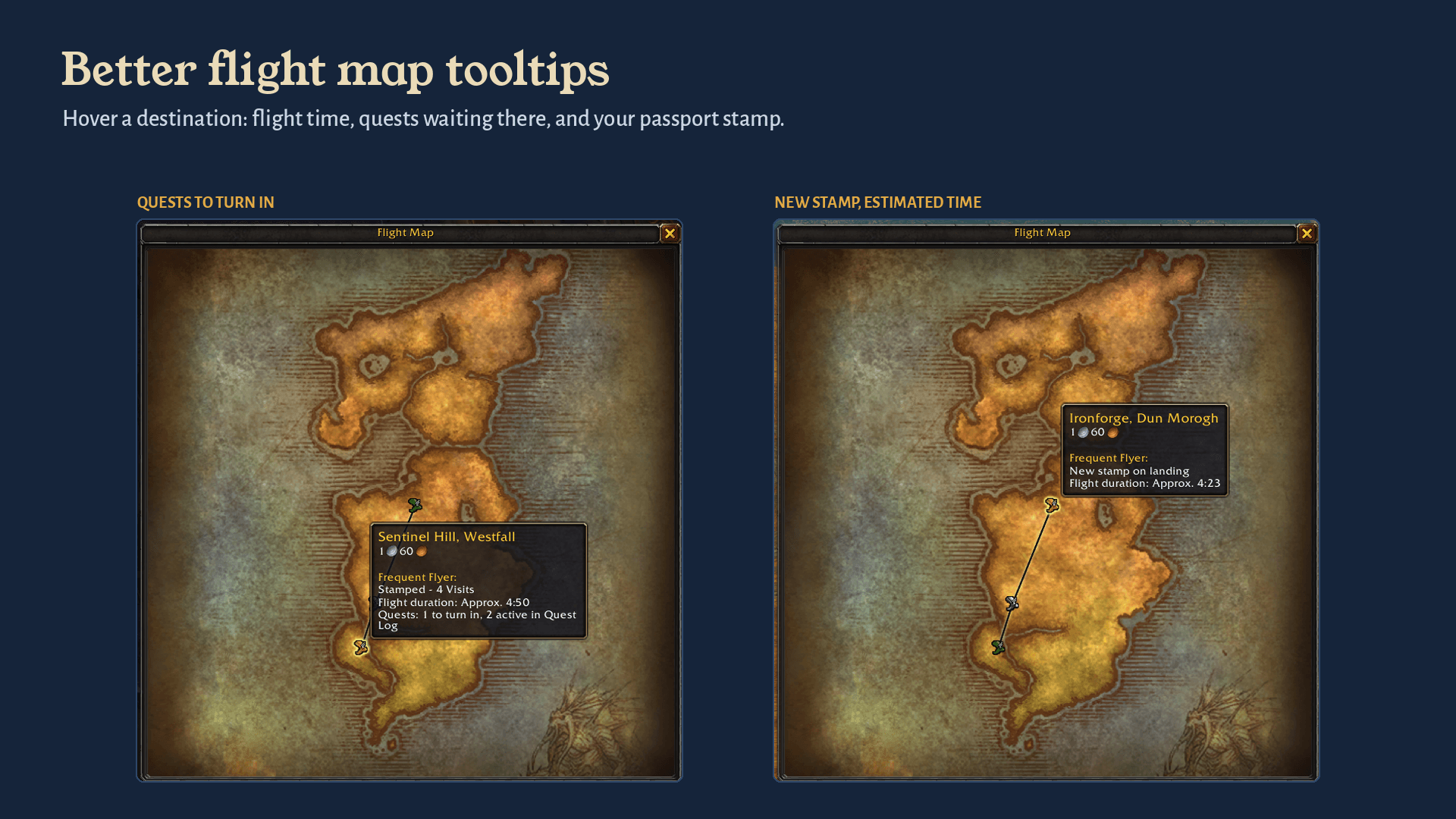
Hover a destination at the flight master: flight time, quests waiting there, and whether it's a new passport stamp.
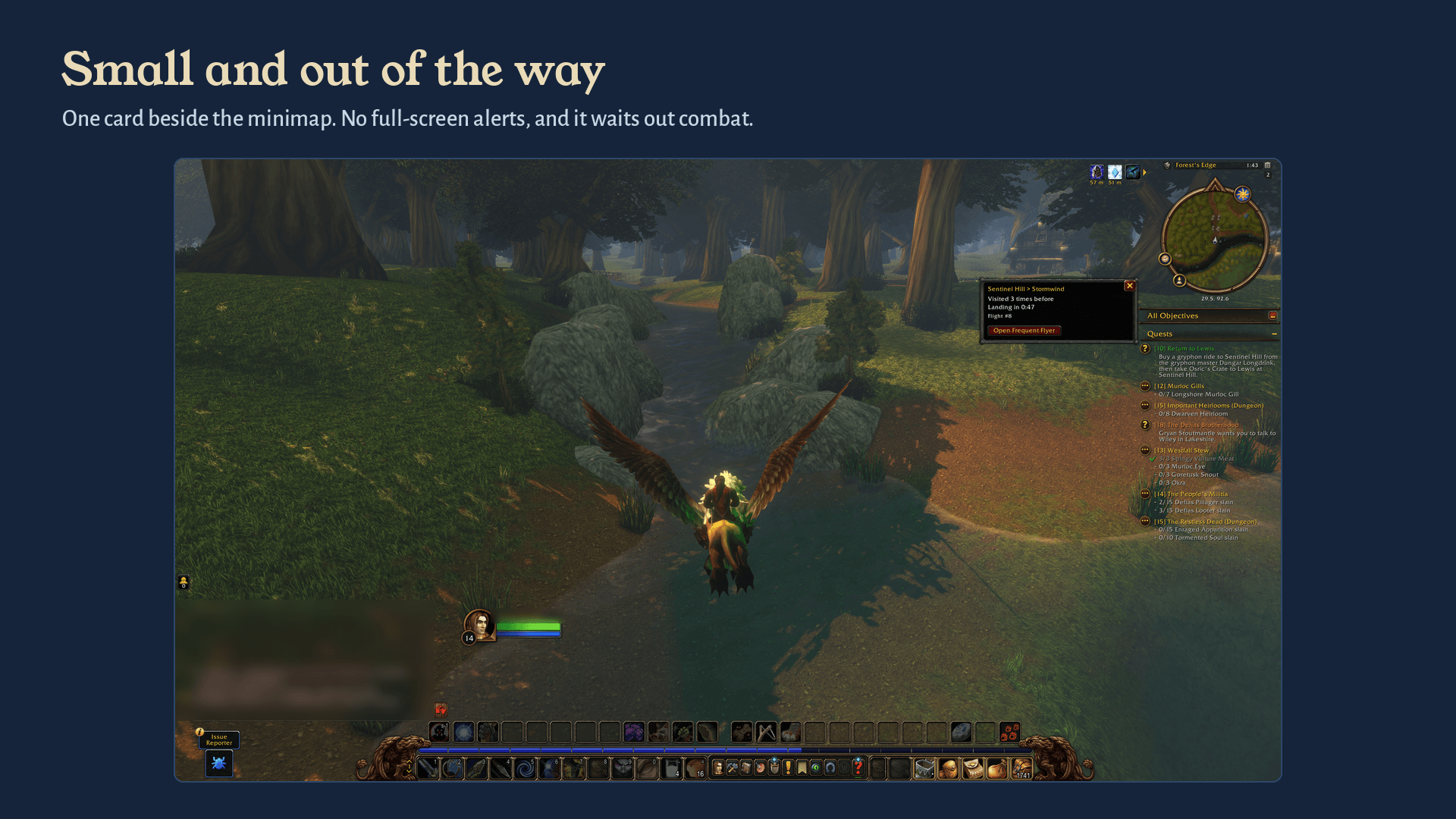
One small card beside the minimap. No full-screen alerts, and it waits until combat ends.
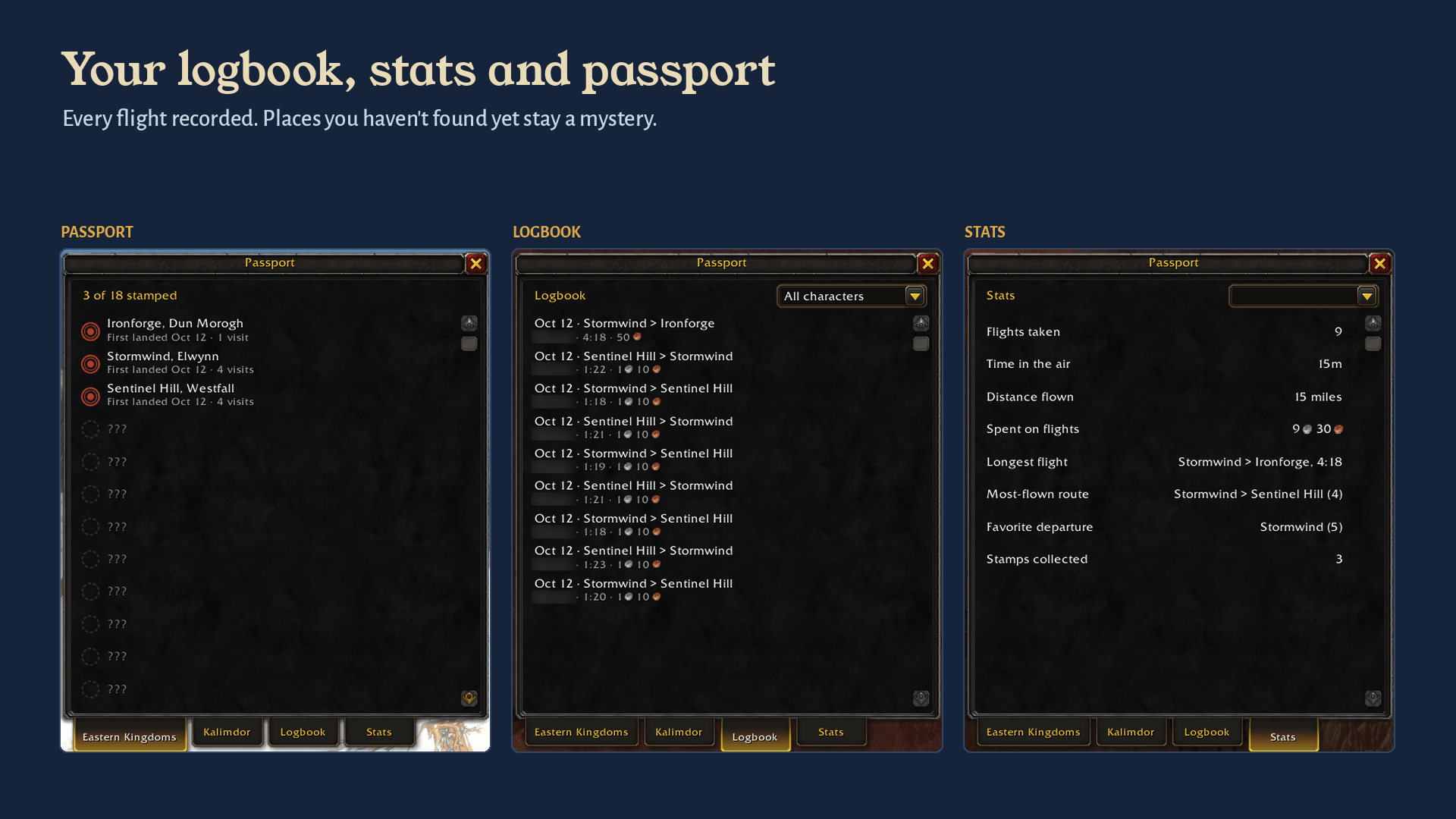
Every flight recorded, with stats per character. Places you haven't found yet stay a mystery.
Description
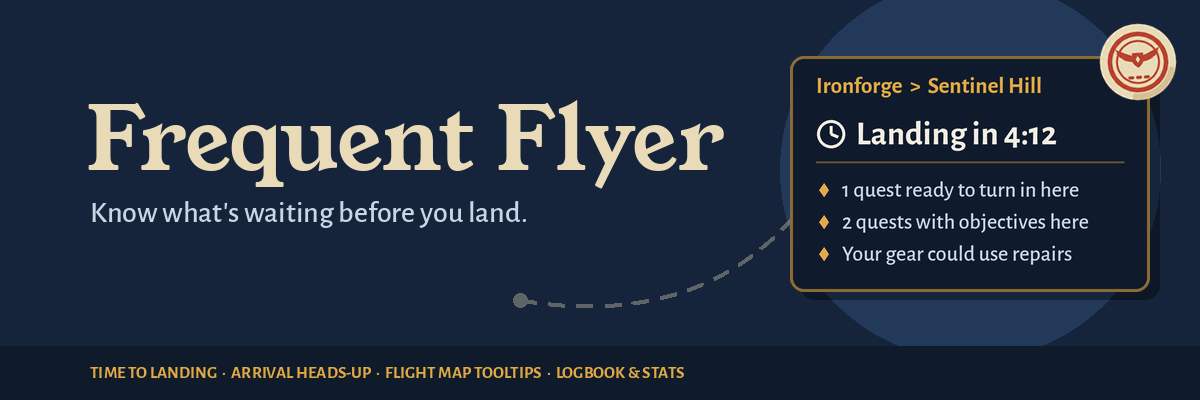
Know what's waiting before you land.
Frequent Flyer makes flight paths more useful. Before you take off, it tells you how long the flight will take and what's waiting at the other end. When you land, it gives you a quick heads-up: quests to turn in, gear that needs repair, bags that are almost full.
It never takes a flight for you, never clicks anything, and never turns in a quest or repairs on its own. It just tells you what's worth knowing.
Built for World of Warcraft: Forever, whether it's your first flight or your thousandth.
Beta release (v0.1). Frequent Flyer is in beta alongside the Forever beta. What you record in the beta stays in the beta: everything resets for launch, so every passport starts empty on day one. Spotted something odd? Let us know in the comments. See Beta notes below.
Features
Arrival heads-up
When you land, a small card beside your minimap shows only what matters at the place you've arrived:
- Quests ready to turn in here
- Quests with objectives here
- Gear that could use repairs (anything at 25% durability or less)
- Bags almost full (2 free slots or fewer)
Nothing to report? No card. Land at the same place again shortly after with nothing new, and it stays out of your way. The card fades on its own after 30 seconds, and hovering over it keeps it open.
Time to landing
While you're in the air, a small boarding pass shows where you're headed and how long until you land, along with a preview of what's waiting there, so you can plan your next few minutes.
On a route you haven't flown before, the time is an estimate ("Landing in about 1:30"). After that, Frequent Flyer uses your own flight times, so it gets more exact every trip.
Better flight map tooltips
Hover a destination at the flight master and the game's own tooltip gets a few extra lines:
- Flight time: your usual time on that route, or an estimate.
- Quests: how many you can turn in there, and how many you're working on.
- Passport: whether you've been there before (see below). You can switch this line off.
Pick your next stop knowing what's there before you pay for the ride.
Logbook and stats
- Logbook: your last 100 flights, with date, route, character, flight time and cost.
- Stats, per character: flights taken, time in the air, distance flown, gold spent on flights, your longest flight, most-flown route and favorite departure. Switch to "All characters" for account totals.
Passport
A light collection on the side: every time you land somewhere by flight, that place gets a stamp in your passport. Open it from the minimap button to see which flight points you've flown to on each continent, and which you haven't yet. Places you haven't discovered show as ???, so nothing is spoiled. Stamps are shared across your characters.
It's entirely optional to pay attention to. Everything above works whether you look at your passport or not.
How it behaves
- Hands off. Frequent Flyer only watches and reminds. It never takes flights, picks routes, turns in quests, repairs or sells.
- Combat-safe. If you land in a fight, the arrival card waits until combat ends.
- Quiet. Small cards, no full-screen alerts, no flashing. Sound is off by default.
- Your choice. Every part can be switched off in settings: the boarding pass, the arrival card, each heads-up line, time to landing, and the flight map lines.
- Plays well with timers. Already use a flight timer addon? Turn off Show time to landing and keep everything else.
Getting started
Install it and take a flight. That's it.
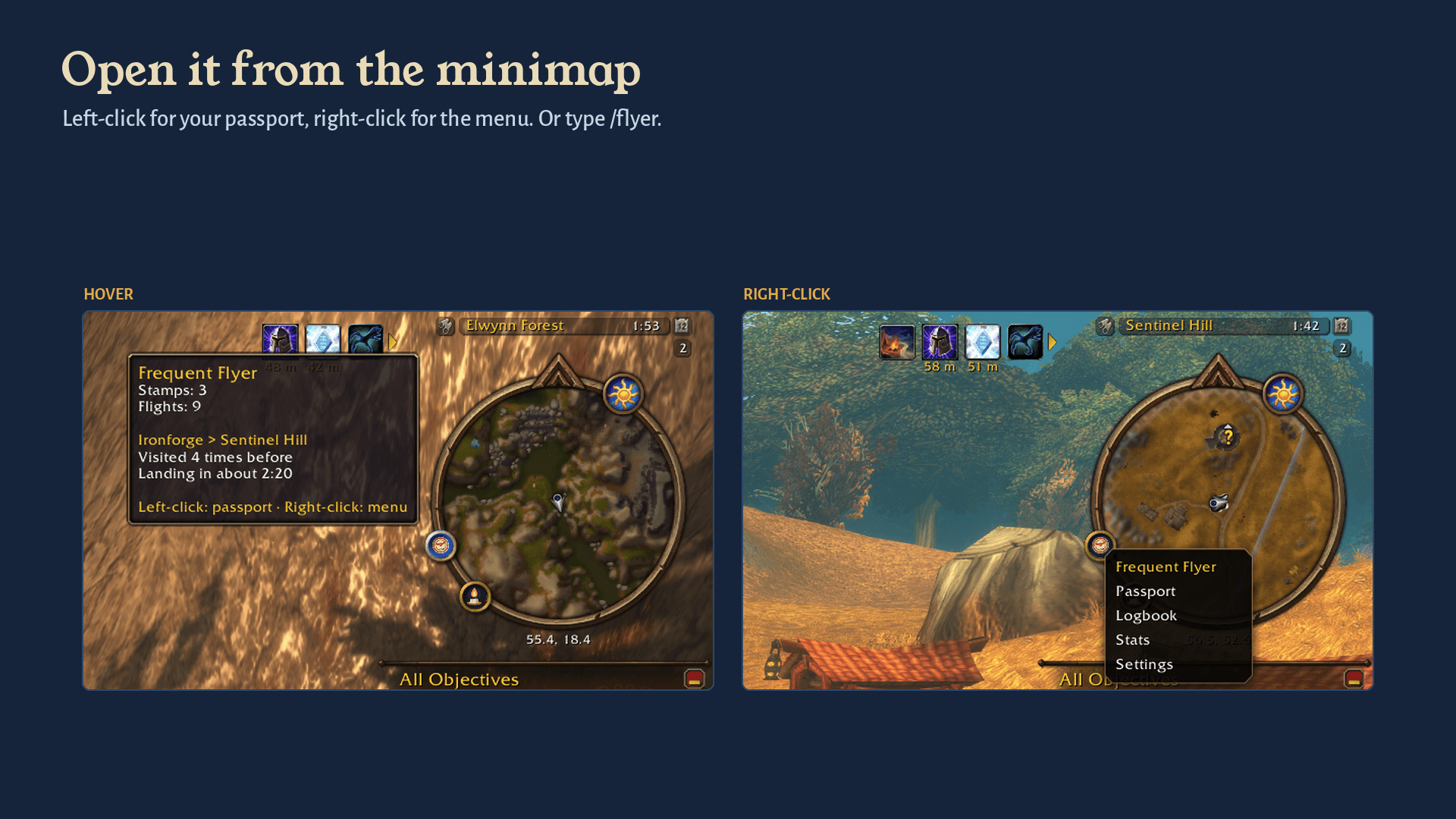
- Left-click the minimap button to open your passport, logbook and stats.
- Right-click it for a quick menu, including settings.
- Drag it around the edge of the minimap to move it.
- Settings are also under Options → AddOns → Frequent Flyer.
Commands
/flyeropens the passport, logbook and stats/flyer statusprints a one-line summary/flyer settingsopens the settings/flyer minimapshows the minimap button again if you hid it
Good to know
- Learns as you fly. Flight times start as estimates and improve with every trip. A laggy or interrupted flight won't throw them off.
- Stays on your computer. Frequent Flyer never sends chat messages or data anywhere, and never talks to other players' addons.
- Lightweight. No libraries, no dependencies. It only runs a timer while you're in the air.
- WoW: Forever only. There are no Retail or Classic versions.
Beta notes
- The beta stays in the beta. Stamps, flights, stats and learned flight times from the beta won't carry over to the live game. Everything resets for launch, so everyone starts with an empty passport on day one.
- The Forever beta client currently doesn't keep addon data between sessions (this affects every addon). During the beta, your logbook, stats, passport and learned flight times reset each time you log in.
/reloadkeeps them. - Because of that, flight times stay estimates for longer during the beta. They learn properly once your data sticks around.
- Found a bug or have an idea? Leave a comment on this page.
License
Frequent Flyer is free and open source under the MIT License. All art is original.
Frequent Flyer is an unofficial addon and isn't affiliated with Blizzard Entertainment.
Frequent Flyer - Flight Path Timer & Arrival Tips Team