Wheel Cast - Mouse Wheel Click Casting for Raid & Party Frames
- By
Click casting for your mouse wheel. Point at a party, raid or player frame, Blizzard or EllesmereUI, and scroll to cast a heal, buff, macro or item on that unit, with or without Shift, Ctrl and Alt. Works in combat; elsewhere the wheel still zooms.
Description
Wheel Cast
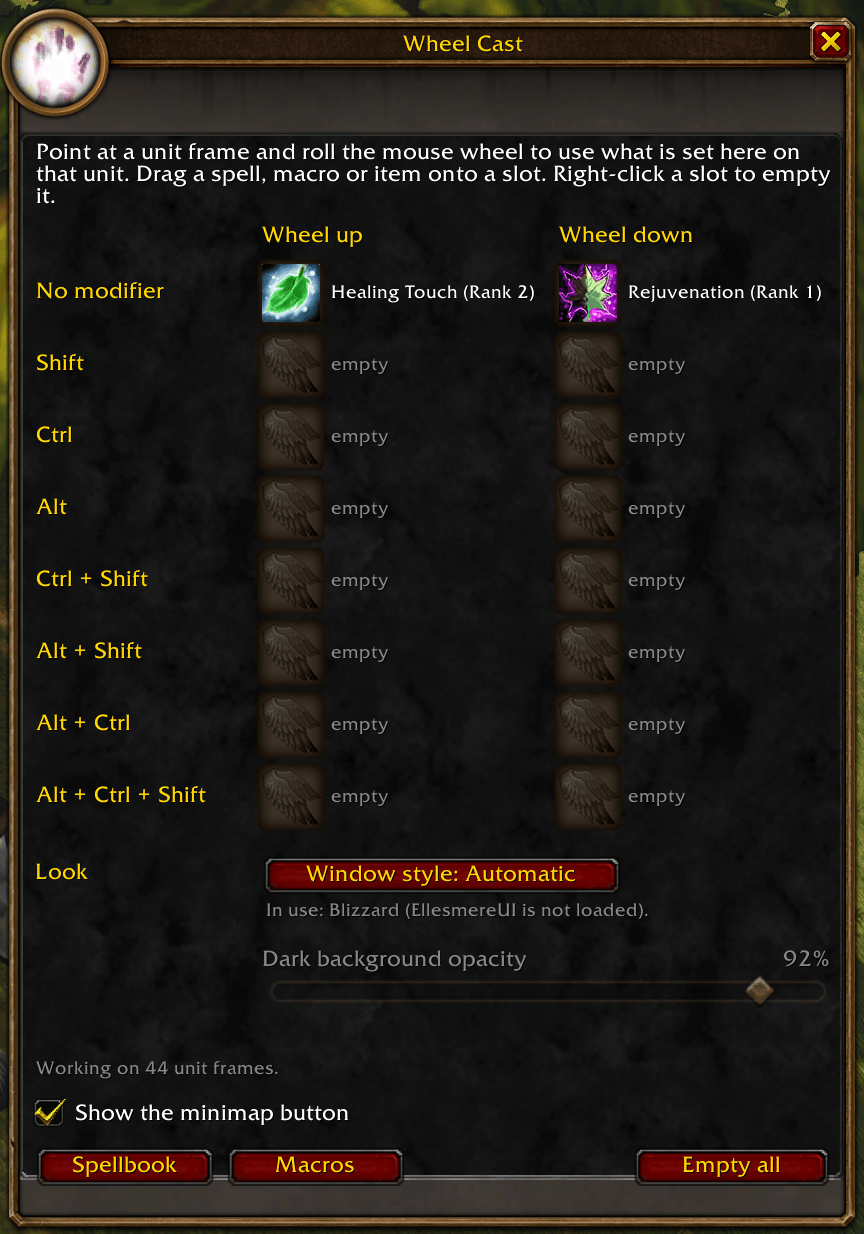
The game's click casting only takes mouse buttons. Wheel Cast adds the mouse wheel: point at a unit frame and scroll up or down to cast on that unit. Put your quick heal on Shift + wheel up, a buff on Ctrl + wheel down, a dispel on plain wheel up, and heal your group without ever clicking.
Features
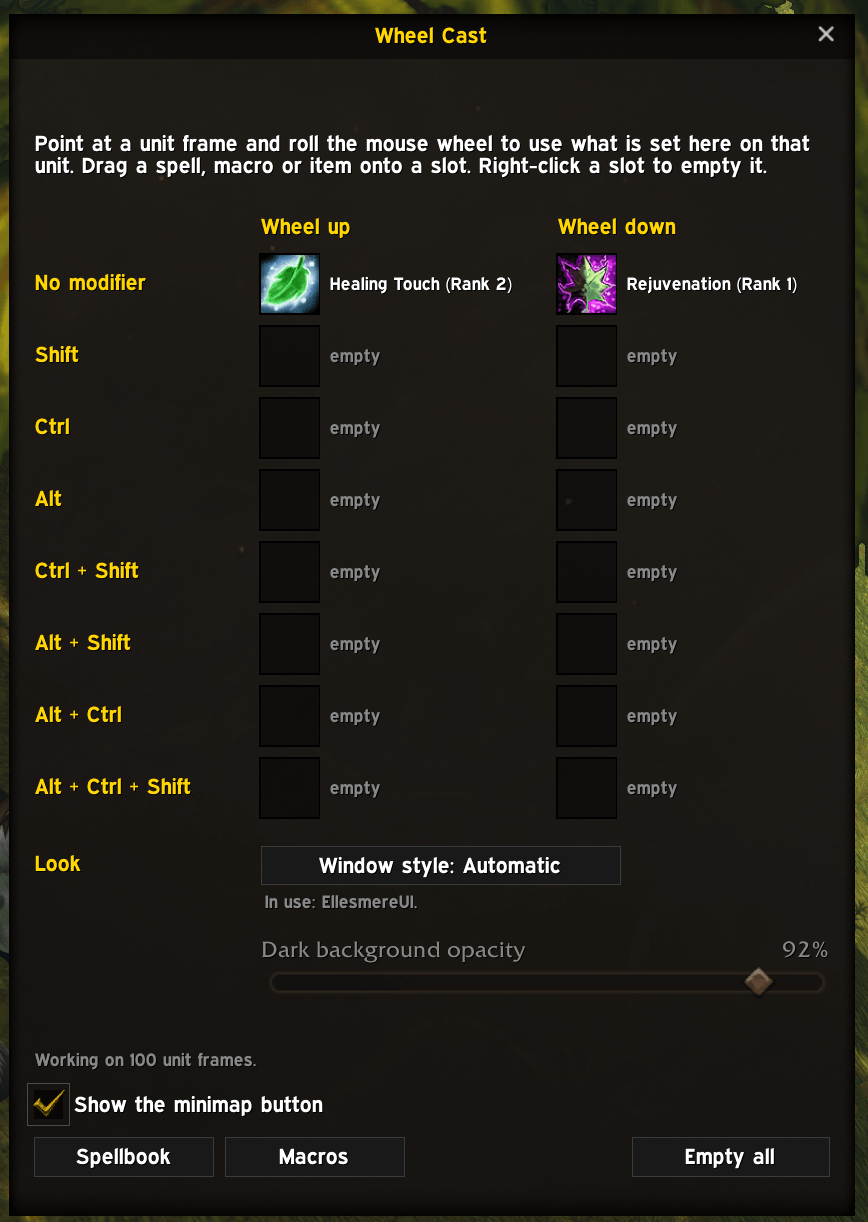
- 16 wheel slots. Wheel up and wheel down, each with no modifier, Shift, Ctrl, Alt, or any mix of them.
- Spells, macros and items. Drag them onto a slot from your spellbook, macro window or bags. Right-click a slot to empty it.
- Spells and items go on the unit under your pointer.
- Macros run as written, so use
[@mouseover]in them to aim at the frame under your pointer.
- Spellbook and Macros buttons in the Wheel Cast window open them right next to it, ready to drag from.
- Works on every unit frame. Player, target, focus, pet, party and raid frames, plus unit frame addons built on the game's unit button template or registered for click casting. New raid frames are picked up as your group changes.
- EllesmereUI compatible.
- Works on EllesmereUI's player, target, party and raid frames.
- The Wheel Cast window takes on EllesmereUI's look when its Blizzard Skins+ module is on. You can switch that off for Wheel Cast in EllesmereUI's options, under Third-Party Addons.
- EllesmereUI is not required. Without it, Wheel Cast uses the game's own window art, or a built-in Dark style if you prefer.
- EllesmereUI's raid frames have their own click casting, which is off unless you turn it on. If you use it, give the wheel to only one of the two addons: if both bind the same wheel combination, whichever set it last wins.
- Works in combat. The bindings switch inside the game's own secure system, so nothing is blocked mid-fight. Changes you make in combat apply when it ends.
- Your camera zoom is safe. The wheel is only taken over while your pointer is on a unit frame, and only for the combinations you set up. Everywhere else it zooms the camera as usual.
- Sits alongside the game's click casting. Your mouse button bindings are untouched.
- Each character keeps its own set.
- Window style. Automatic (EllesmereUI's look when it's installed, otherwise Blizzard's), Blizzard, or a built-in Dark style with adjustable opacity.
- Minimap button opens the window. Drag it around the minimap, or hide it.
Getting started
- Click the minimap button or type /wheelcast.
- Click Spellbook, then drag a heal onto a slot, for example Shift / Wheel up.
- Point at a party or raid frame, hold Shift and scroll up.
Commands
- /wheelcast (or /wcast) opens the window
- /wheelcast minimap shows or hides the minimap button
- /wheelcast scan looks for unit frames again
- /wheelcast up, /wheelcast down cast when the wheel's key goes up or down (down is the default)
- /wheelcast debug prints the unit frames found, your slots and the last time the wheel cast something
Discord
Join my Discord for Feedback, Development Updates, Addon Ideas, Feature Requests, and Bug Reports.
Wheel Cast - Mouse Wheel Click Casting for Raid & Party Frames Team