WarriorLab
- By
Practice key sequences, explore rage, plan pulls and compare your own farming runs in WoW Forever.
WarriorLab
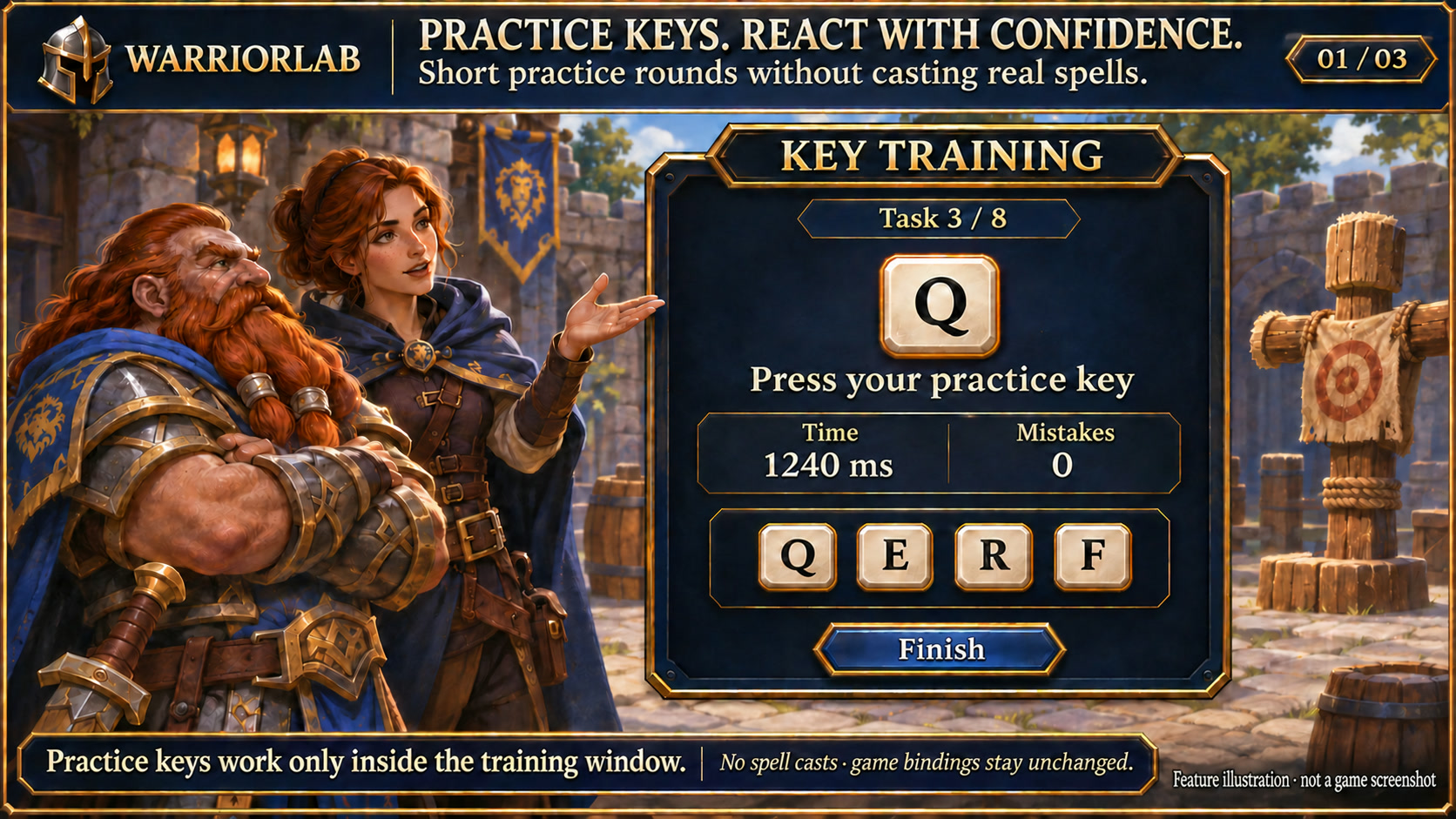
Feature illustration: schematic example, not an in-game screenshot.
Menus use the shared Forever Hub presentation: dark textured panels, subtle metal borders and clear selection states. Compact action menus stay compact; the Forever launcher icons stay frameless. Update Forever Hub to 1.10.1 or later for this appearance.
Language (from version 1.3.4): follows the WoW client by default. Each addon has a Language dropdown; select a language and click Reload UI. Available translation coverage varies by addon and language; missing labels fall back to English. Game-provided names stay in the client language. Update Forever Hub to 1.11.0 or later.
Requires Forever Hub. Install and enable Forever Hub alongside this addon.
https://www.curseforge.com/wow/addons/forever-hub
Four independent tools for planning and practice in WoW Forever.
Keyboard training
Bind keys inside an exercise, complete eight-task rounds and review errors and time. Actual game bindings remain unchanged and no abilities are cast. Escape, combat and closing the window release training input.
Rage workshop
Compare two editable sequences with up to six cost, gain or stance-change steps. Readable fixed spell costs can be imported outside combat. Values are teaching inputs, not a verified simulation of your character's damage, swings, cooldowns or procs.
Pull planner
Keep up to 30 plans with six enemy slots, assignments, markers and notes. Reorder rows and show a separate plan overlay. Copy text manually; no automatic chat messages or real raid marker changes.
Farming comparisons
Record your own played runs, elapsed time, XP, deaths and starting gear. Mark food breaks and consumable use manually. Compare XP per minute with context for gear, group and quest changes. No combat automation.
Getting started
Open /wl or /warriorlab. Use /wl training, /wl rage, /wl plan or /wl duel for individual tools. Settings and history are stored per character. Requires Forever Hub; no external services are used. Automated behavior checks passed; complete in-game validation is still pending.
Compatibility
WoW Forever 1.60.1 / interface 16001. Please report issues with the addon version and reproduction steps. Existing character settings are preserved.
Large launcher icons and faction dock
Left-click the large launcher to open the addon. Right-click hides that launcher; use /ficons and enable its checkbox to restore it. Shift-right-click opens options where available. Alt-drag moves the launcher or the shared dock. Existing visibility and position settings are preserved.
The dock defaults to your character's faction: blue/gold for Alliance, red/gold for Horde. Use /ficons > Bar style to choose Automatic, Alliance or Horde manually; the choice is stored per character. The required Forever Hub includes a Large launcher icons manager.
Changelog and version history
Each file has its own Changelog on CurseForge. The complete version history is also available at kowarek.de – WarriorLab changelog. New release notes are added to that website automatically.
Deutsch
Tastentraining, Wutwerkstatt, Pull-Planer und Vergleich selbst gespielter Farmrunden. /wl öffnet die Werkzeuge. Übungstasten gelten nur im Trainingsfenster. Wutwerte sind editierbare Lehrwerte; kein DPS-Simulator. Pläne bleiben lokal, echte Zauber und Raidmarkierungen werden nicht ausgelöst. Ingame-Validierung steht noch aus.
Starticons und Fraktionsfarben
Linksklick öffnet das Addon, Rechtsklick blendet sein großes Starticon aus. /ficons und das Häkchen beim Addon holen es zurück. Shift+Rechtsklick öffnet die verfügbaren Optionen. Die Leiste startet passend zur Charakterfraktion in Blau/Gold (Allianz) oder Rot/Gold (Horde); unter Leistenstil ist eine manuelle Auswahl möglich.
Sprache: standardmäßig automatisch nach WoW-Client. Die Sprachwahl in jedem Addon greift nach /reload; benötigt Forever Hub ab 1.11.0. Fehlende Übersetzungen erscheinen auf Englisch. Namen aus dem Spiel bleiben in der Clientsprache. Nicht alle Texte sind bereits in jede auswählbare Sprache übersetzt.
WarriorLab Team