Forever Finds
- By
Discover rares, loot, mounts, companions and toys with optional QuestieDB sources, map links and nearby-rare alerts.
Forever Finds
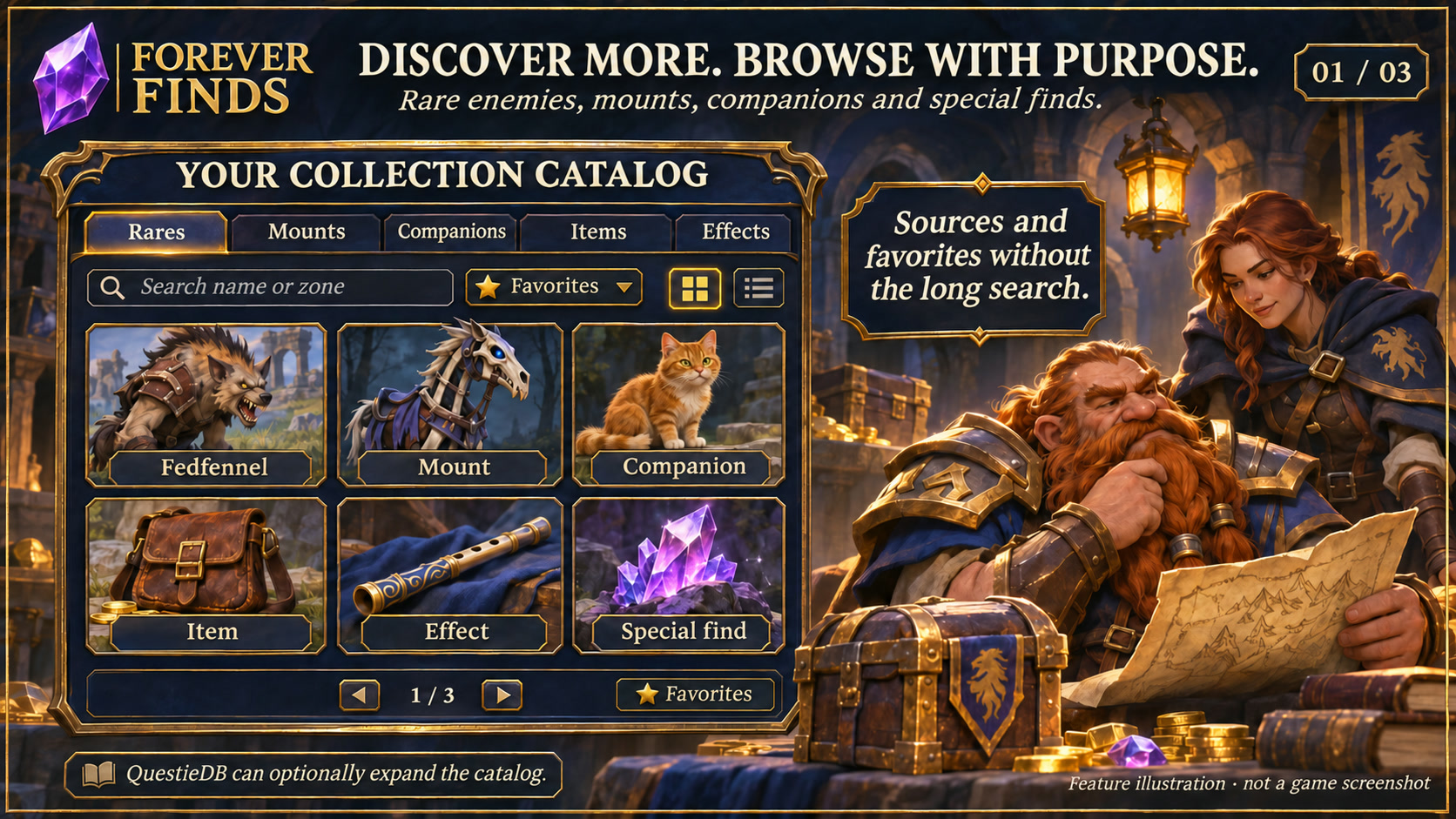
Feature illustration: schematic example, not an in-game screenshot.
Menus use the shared Forever Hub presentation: dark textured panels, subtle metal borders and clear selection states. Compact action menus stay compact; the Forever launcher icons stay frameless. Update Forever Hub to 1.10.1 or later for this appearance.
Language (from version 1.4.4): follows the WoW client by default. Each addon has a Language dropdown; select a language and click Reload UI. Available translation coverage varies by addon and language; missing labels fall back to English. Game-provided names stay in the client language. Update Forever Hub to 1.11.0 or later.
Requires Forever Hub. Install and enable Forever Hub alongside this addon. https://www.curseforge.com/wow/addons/forever-hub
Browse items, rare creatures, mounts, companions and toys / effects with traceable sources and map locations in WoW Forever.
Collections and QuestieDB
- Search the full catalogue, browse grid or list pages and keep favorites. Follow rare-to-loot and item-to-source links.
- Optional QuestieDB Forever integration adds rare names, levels, locations and possible loot, plus companions, mounts and toys / effects. QuestieDB is installed separately; its code and database are not bundled.
- Sources include creatures, vendors, quest rewards, objects and containers. Follow available source links and open valid locations on the world map.
- In the locally checked QuestieDB 1.0.14 dataset, the integration yielded 423 rares, 95 companions, 96 mounts and 8 toys / effects, within a catalogue of 1,464 items. Coverage depends on the installed provider version.
- Toys / effects includes usable Classic effect items; it does not imply a Retail-style permanent toy-box collection.
Rare alerts and personal discoveries
Red rare signs (1.5.0): optionally show red markers on accessible nameplates of actual visible rares, using any of the four marker designs. Readable native rare classifications and optional QuestieDB Forever references can identify a rare. Sighting and confirmed loot observations remain separate, and database records alone do not prove a nearby spawn. Recognition and nameplate availability remain client-dependent.
Readable, living rares on visible nameplates, target, mouseover or focus can trigger optional notifications and sound. There is no zone-wide radar or hidden-unit scanning. Database records alone never trigger a nearby-rare alert.
Optional local recording keeps readable rare sightings and selected vendor/loot observations. Data references remain separate from personal discoveries and item ownership. Observed positions are the player's position, not guaranteed spawn points. Manual JSON export is optional; no data is uploaded automatically.
Getting started
Fully restart WoW after installing an update with new Lua files. Use /ffinds to open the catalogue, /ffinds options for settings, /ffinds data for QuestieDB import status and /ffinds alerttest to test notifications. Right-click catalogue entries to favorite them. Existing settings and discoveries are preserved.
Compatibility and scope
WoW Forever 1.60.1 / interface 16001. QuestieDB is optional. Historical references and database hints are not confirmed drops, drop rates, possession or guaranteed availability. Missing sources and prerequisites are not invented. Automated Lua/API and package checks passed. Catalogue data was confirmed by the owner in game; source completeness depends on the installed data provider.
Large launcher icons and faction dock
Left-click the large launcher to open the addon. Right-click hides that launcher; use /ficons and enable its checkbox to restore it. Shift-right-click opens options where available. Alt-drag moves the launcher or the shared dock. Existing visibility and position settings are preserved.
The dock defaults to your character's faction: blue/gold for Alliance, red/gold for Horde. Use /ficons > Bar style to choose Automatic, Alliance or Horde manually; the choice is stored per character. The required Forever Hub includes a Large launcher icons manager.
Changelog and version history
Each file has its own Changelog on CurseForge. The complete version history is also available at kowarek.de – ForeverFinds changelog. New release notes are added to that website automatically.
Language support: the additional rare-marker labels now follow the selected addon language. Choose the addon language in options and reload. Game-provided names stay in the client language.
Deutsch
Ab 1.5.0 können tatsächlich sichtbare Rares zusätzlich rote Plakettenschilder in vier Designs erhalten. Native Rare-Einstufungen und optionale QuestieDB-Referenzen helfen bei der Zuordnung; Sichtungen und bestätigte Beute bleiben getrennt. Eine zugängliche Namensplakette ist für das Schild erforderlich.
Forever Finds verbindet Gegenstände, Rare-Mobs, Begleiter, Reittiere und Spielzeuge / Effekte mit Quellen und Kartenhinweisen. Die separat installierte QuestieDB ergänzt mögliche Beute, Händler, Questbelohnungen, Objekte und Behälter. Datenbankhinweise werden nicht als eigene Funde oder Besitz gewertet. Erkannte, vom Client lesbare Rares können eine Meldung und einen Ton auslösen. Eine lückenlose Umgebungserkennung ist nicht möglich.
Nach dem Update WoW vollständig neu starten. /ffinds data zeigt den Einlesestatus; /ffinds alerttest prüft die Meldung. Keine automatische Übertragung persönlicher Beobachtungen.
Starticons und Fraktionsfarben
Linksklick öffnet das Addon, Rechtsklick blendet sein großes Starticon aus. /ficons und das Häkchen beim Addon holen es zurück. Shift+Rechtsklick öffnet die verfügbaren Optionen. Die Leiste startet passend zur Charakterfraktion in Blau/Gold (Allianz) oder Rot/Gold (Horde); unter Leistenstil ist eine manuelle Auswahl möglich.
Sprache: standardmäßig automatisch nach WoW-Client. Die Sprachwahl in jedem Addon greift nach /reload; benötigt Forever Hub ab 1.11.0. Fehlende Übersetzungen erscheinen auf Englisch. Namen aus dem Spiel bleiben in der Clientsprache. Neue fehlende Übersetzungseinträge nutzen Englisch.
Forever Finds Team