Warrior Tanking Suite
- By
Warrior Tanking Suite – a WeakAuras-style HUD for Protection warriors on WoW Forever, ready out of the box (no setup, no imports).
02-timers-and-stacks.png
02-alert.jpg
03-settings.jpg
04-abilities.jpg
05-edit-mode.jpg
04-threat-materials.png
06-materials.jpg
04-abilities.jpg
04-abilities.jpg
03-audio-controls.png
Description
Warrior Tanking Suite
A WeakAuras-style HUD for Protection warriors on WoW Forever (Classic), with a ready-to-use default layout. No WeakAuras installation, imports or additional addons required.
Your rotation, defensives, buffs, debuffs, rage and threat in one customizable HUD.
BUILD YOUR OWN LAYOUT
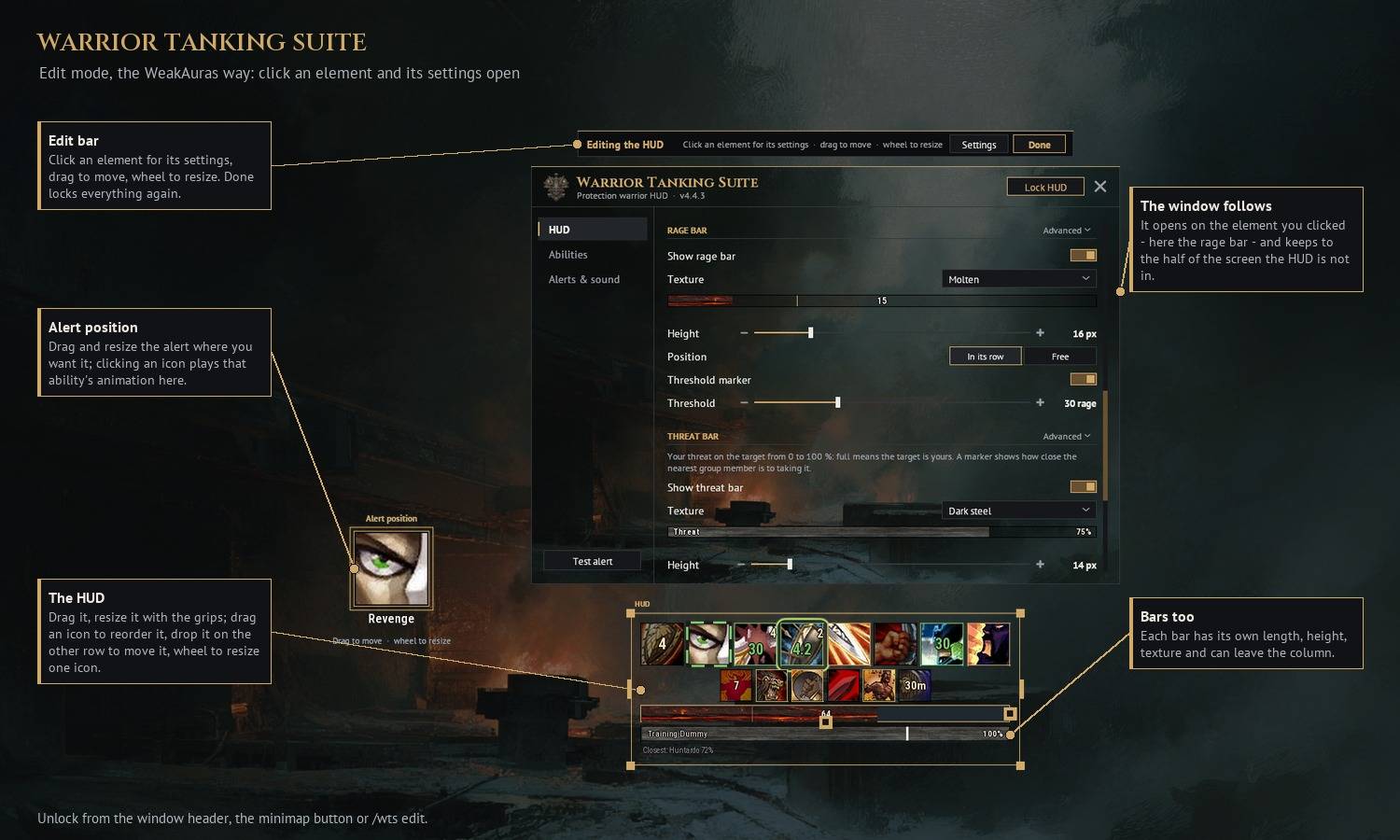
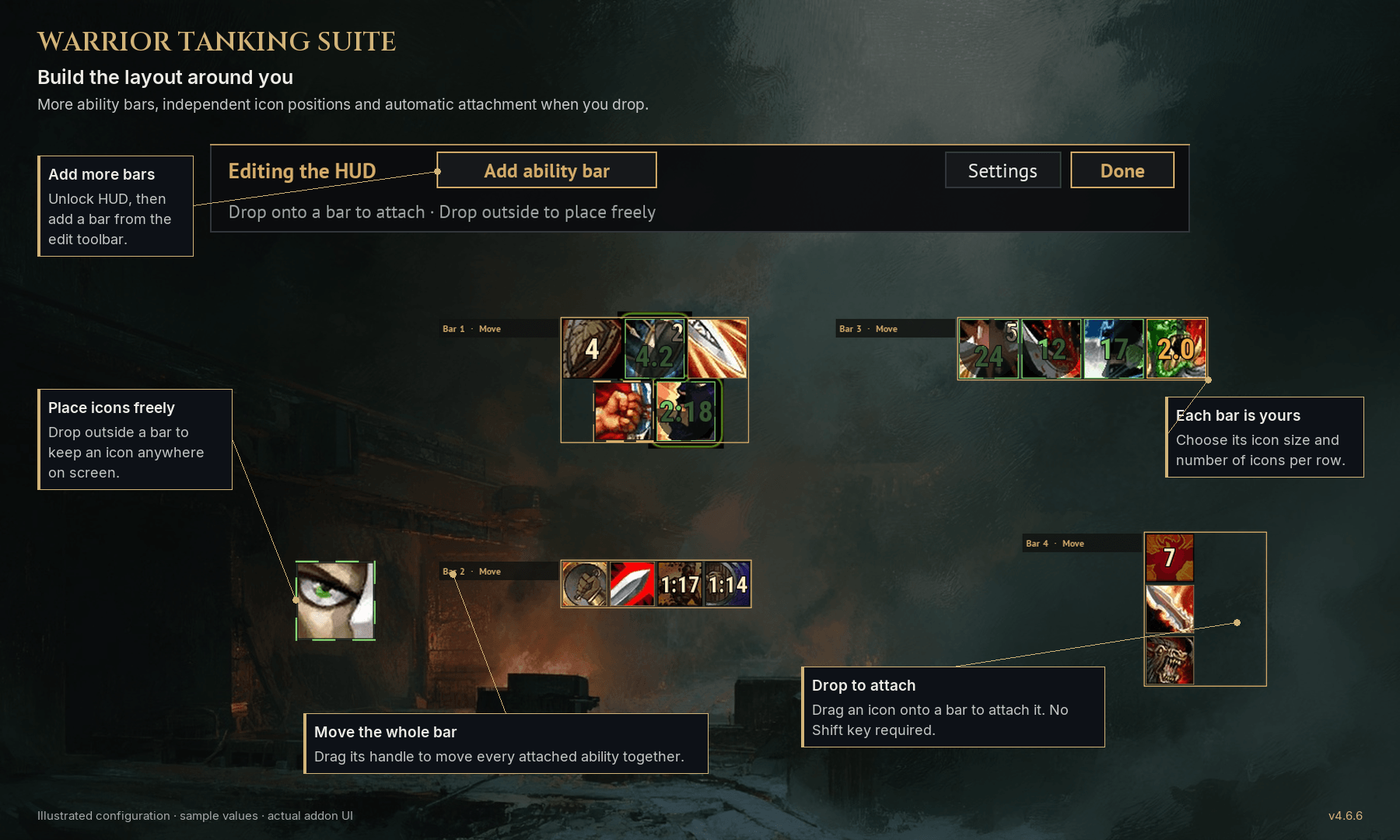
Start with two ability rows, then create up to eight bars. Give each bar its own icon size and icons-per-row setting, move spells between bars, or place individual icons anywhere on the screen.
Click Unlock HUD, then Add ability bar. Drag an icon onto a bar to attach it automatically — no Shift required. Drop it outside the bars to keep it freely positioned. Empty bars have visible drop areas while editing, and removing an extra bar returns its abilities to Bar 1.
TRACK THE PROTECTION KIT
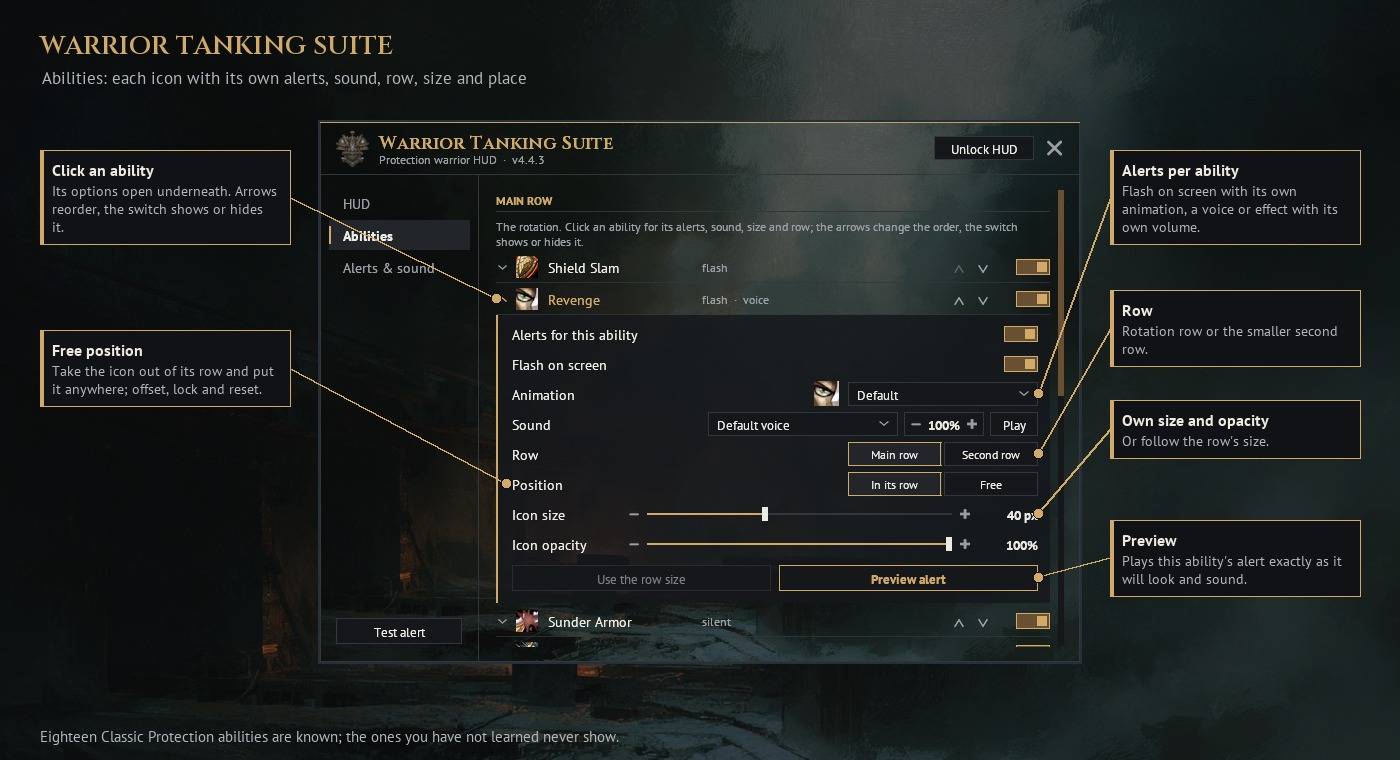
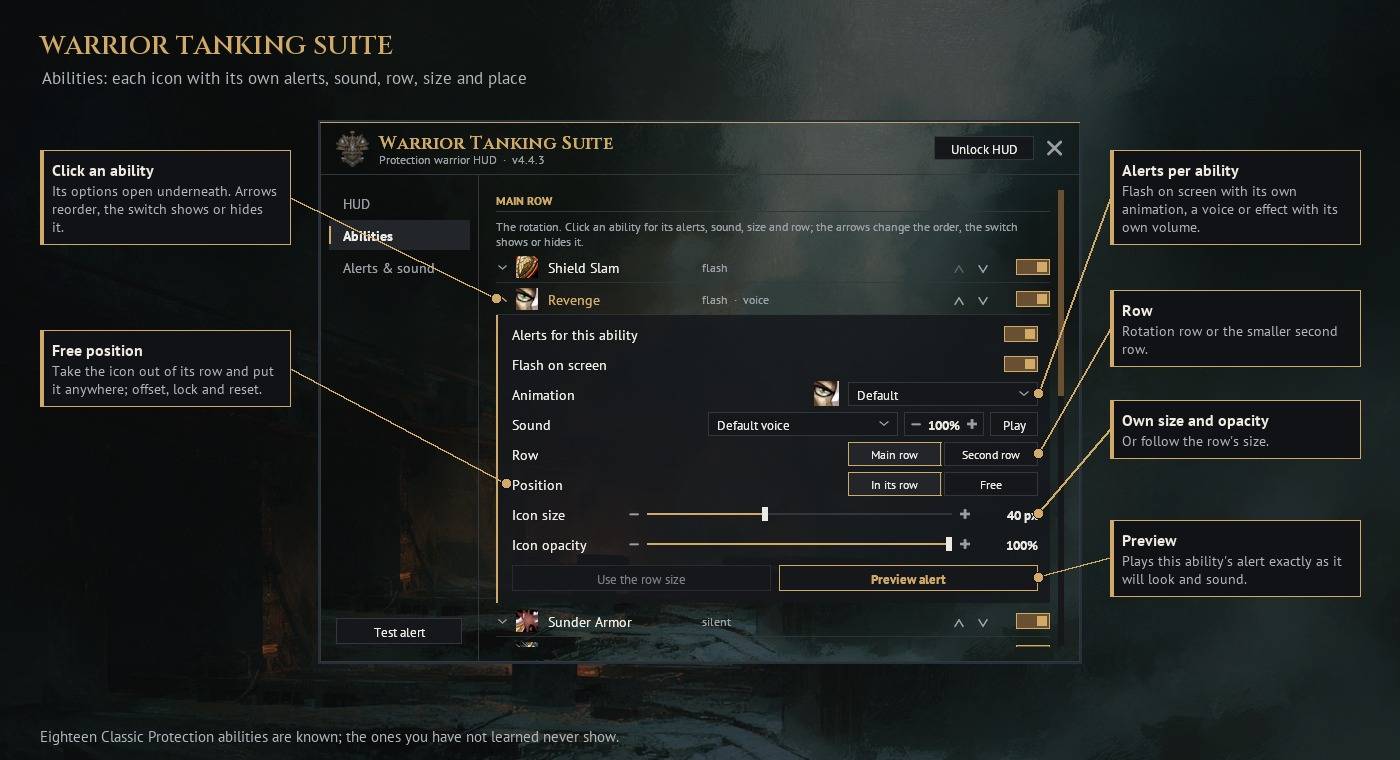
Twenty supported abilities cover the rotation, utility and defensive toolkit: Shield Slam, Revenge, Sunder Armor, Rend, Shield Block, Heroic Strike, Victory Rush, Execute, Thunder Clap, Battle Shout, Demoralizing Shout, Taunt, Mocking Blow, Challenging Shout, Shield Bash, Charge, Bloodrage, Berserker Rage, Last Stand and Shield Wall.
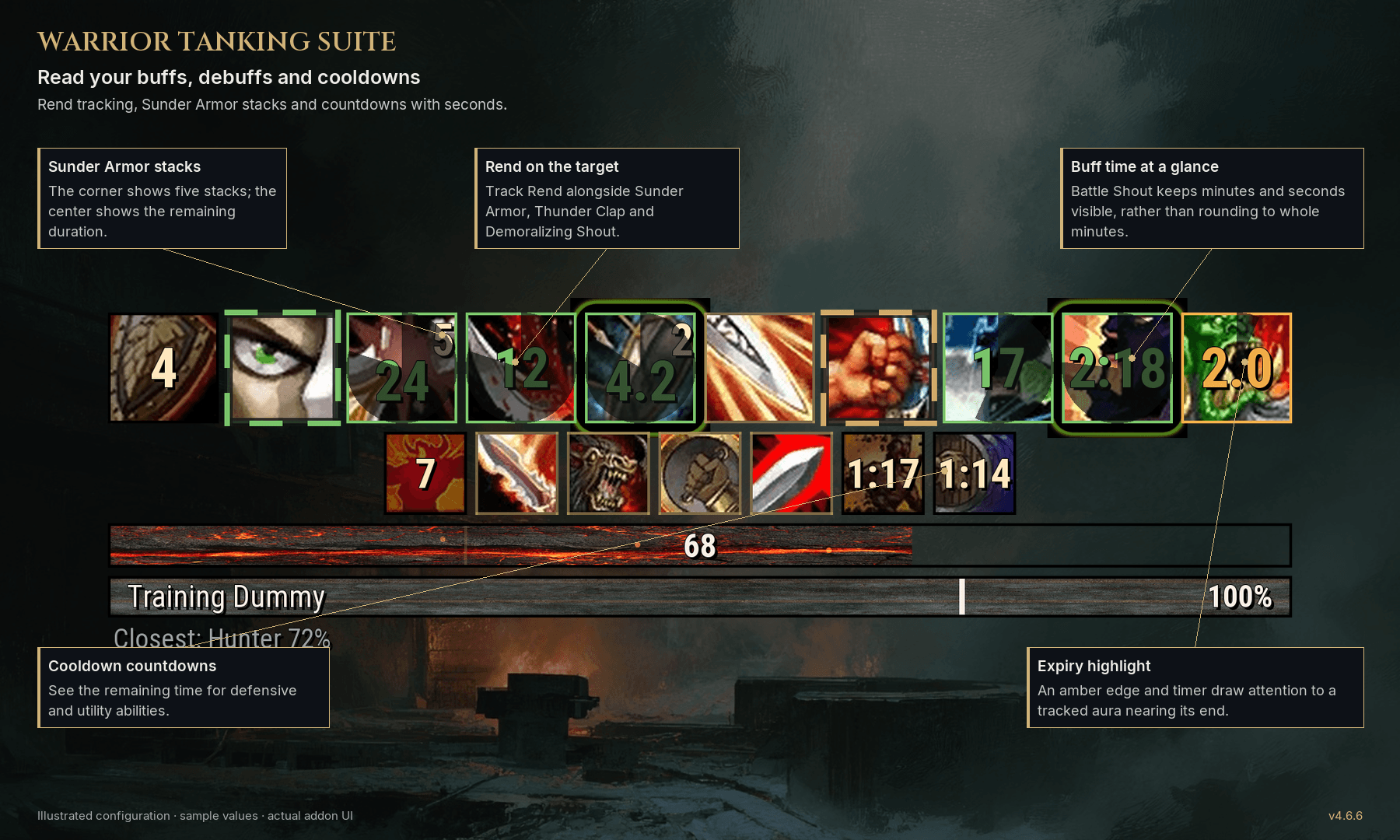
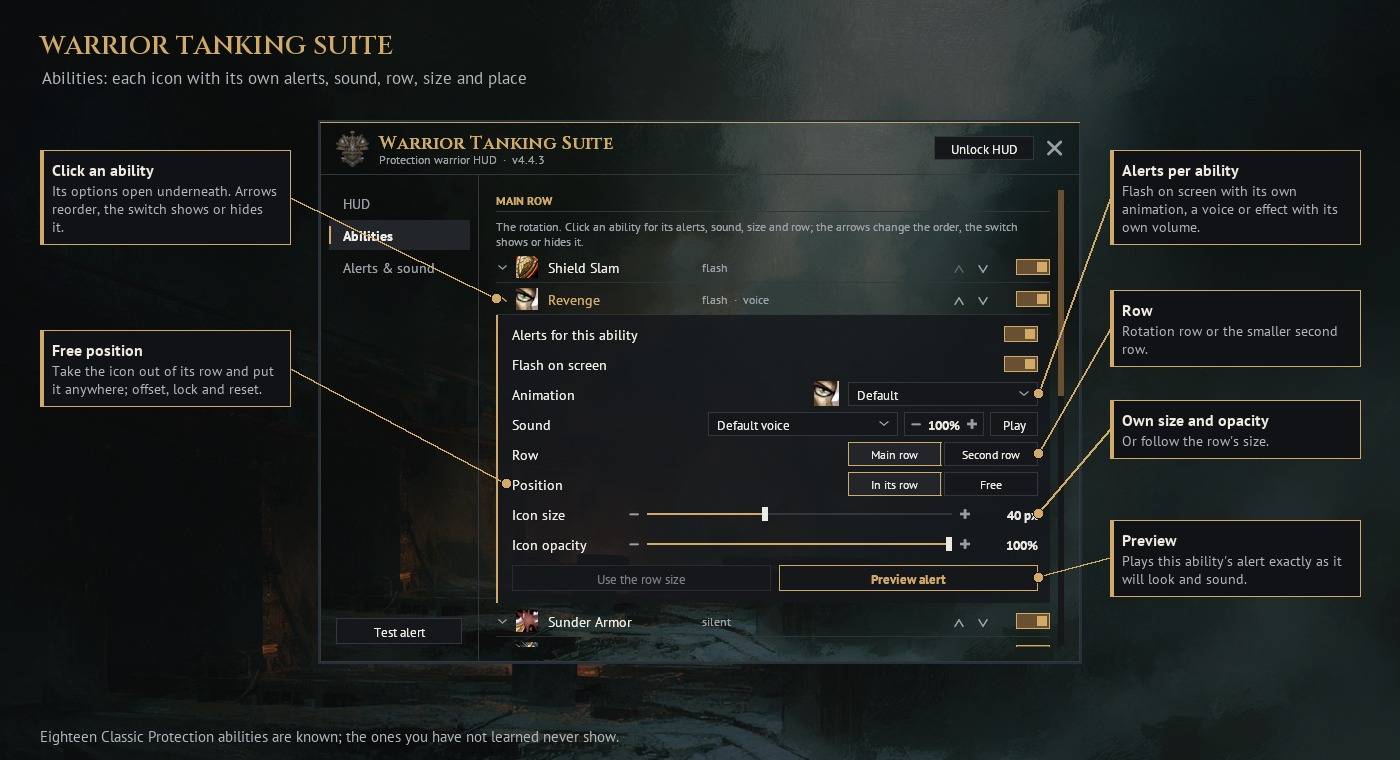
Choose which abilities appear. Large countdown numbers, cooldown swipes, corner stack counts and state highlights keep the HUD readable. Revenge and Victory Rush glow when the game reports them usable. Sunder Armor has a dedicated stack display with a show/hide option.
BUFFS, DEBUFFS AND COOLDOWNS
Follow active player buffs and debuffs on your current target, including Rend, Sunder Armor, Demoralizing Shout and Thunder Clap. Aura duration and ability cooldown can appear together, so a running buff does not replace its cooldown timer.
Timer handling has been reworked for combat, aura refreshes and target changes. Supported native Blizzard displays handle restricted aura and cooldown data instead of substituting guessed durations. Long countdowns retain seconds rather than rounding everything to whole minutes.
VOICE ALERTS YOU CONTROL
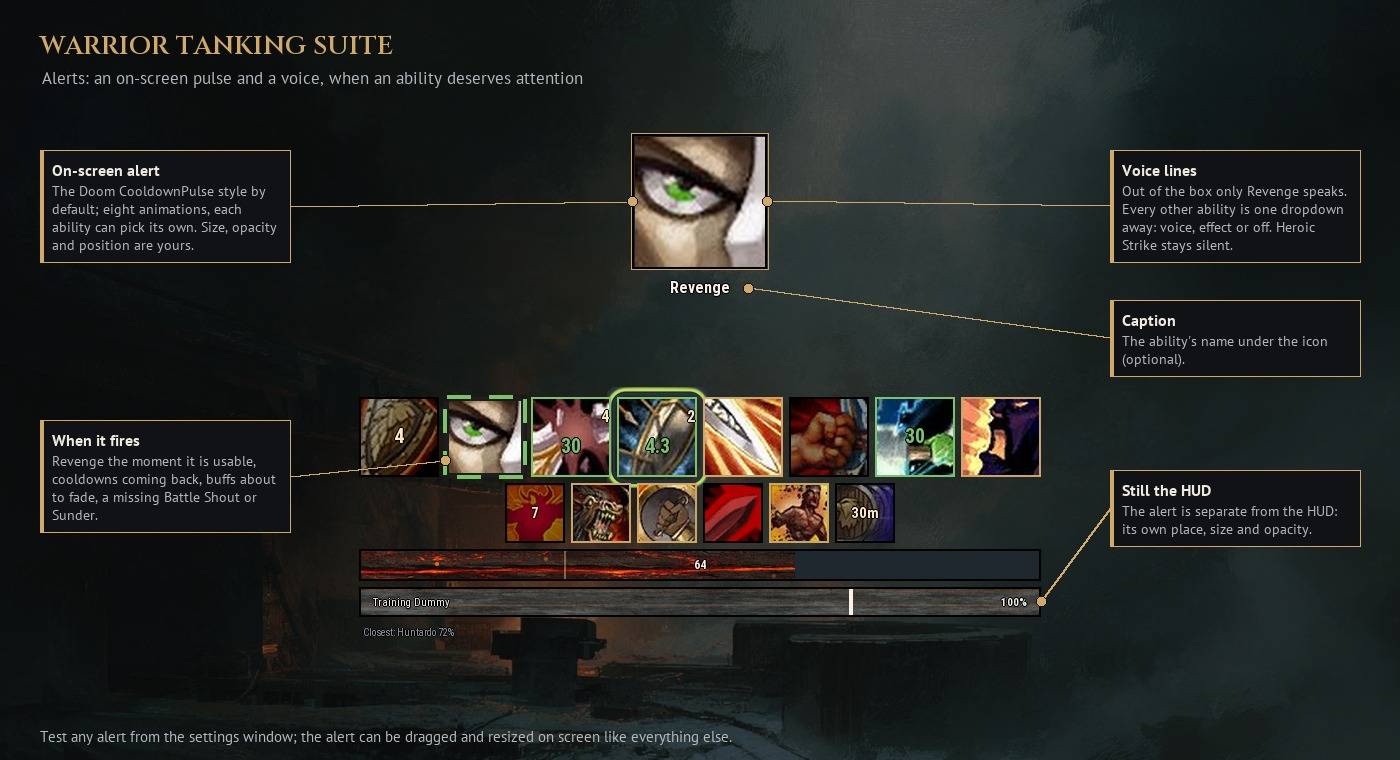
Keep your eyes on the fight with the existing warrior voice and a themed pack of steel, shield and armor sound effects.
- Revenge announces each confirmed usable opportunity in combat. Enable Repeat reminders and adjust the interval if you want continued prompts while it remains usable.
- Refresh voices cover Battle Shout, Demoralizing Shout, Thunder Clap, Sunder Armor and Rend. They trigger when the tracked aura disappears.
- "Sunder full!" announces five stacks when the game exposes the stack count.
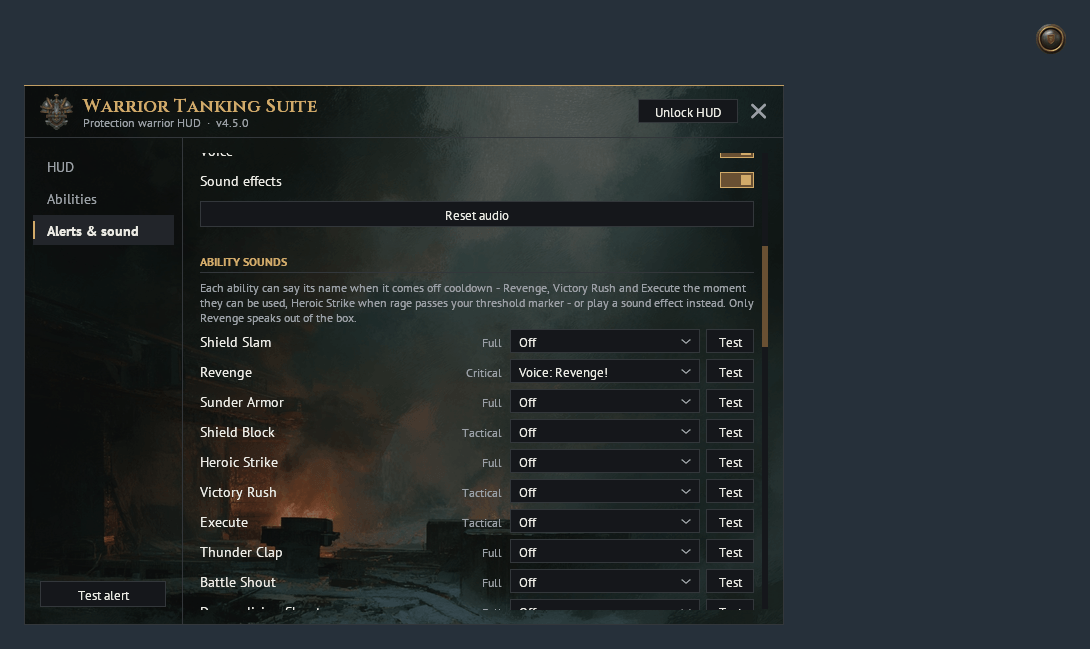
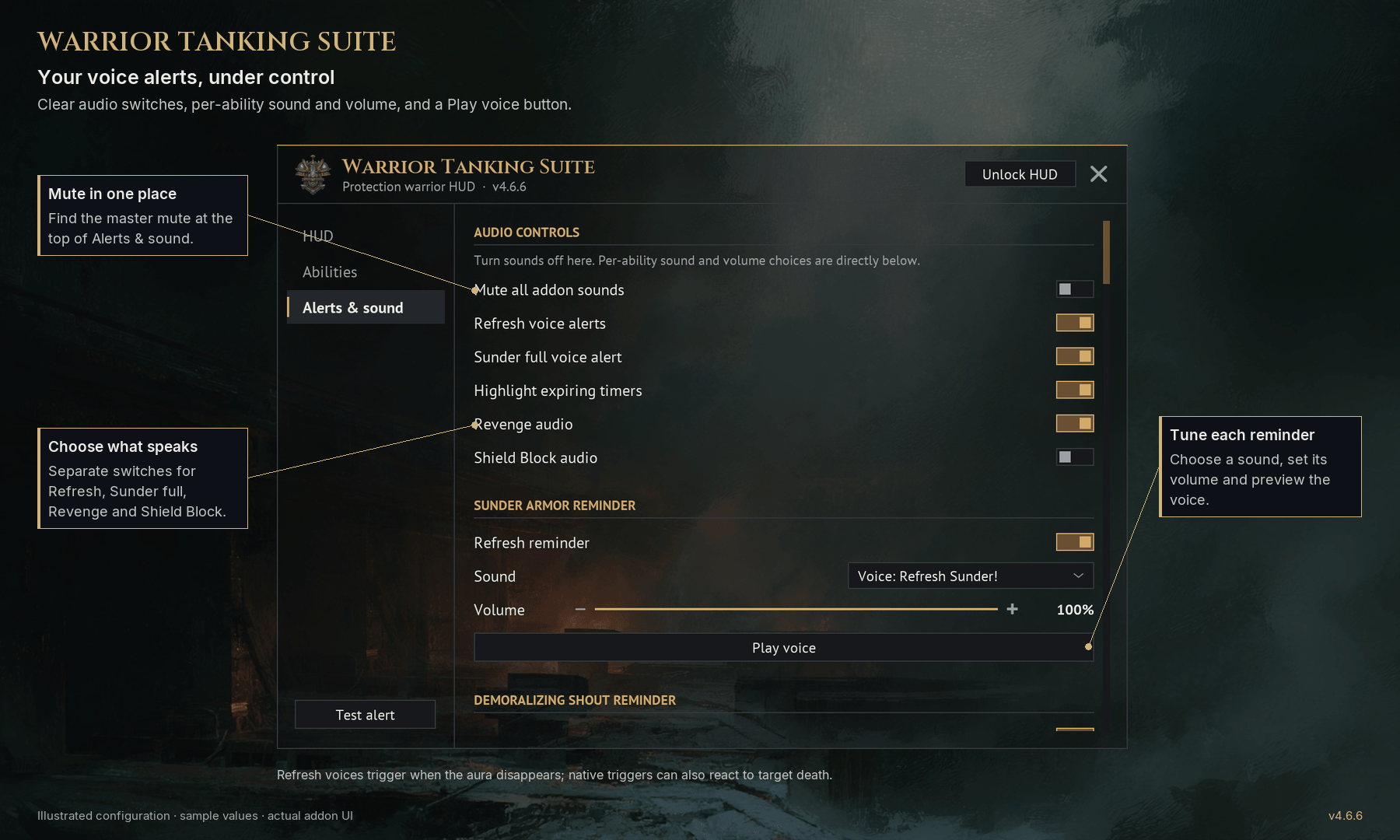
- Choose voice, effect or Off for individual announcements, adjust volume and use Play to hear the selected sound.
- Find master audio, Refresh voices, Sunder full, Revenge and Shield Block controls near the top of Alerts & sound.
RAGE AND THREAT, IN YOUR STYLE
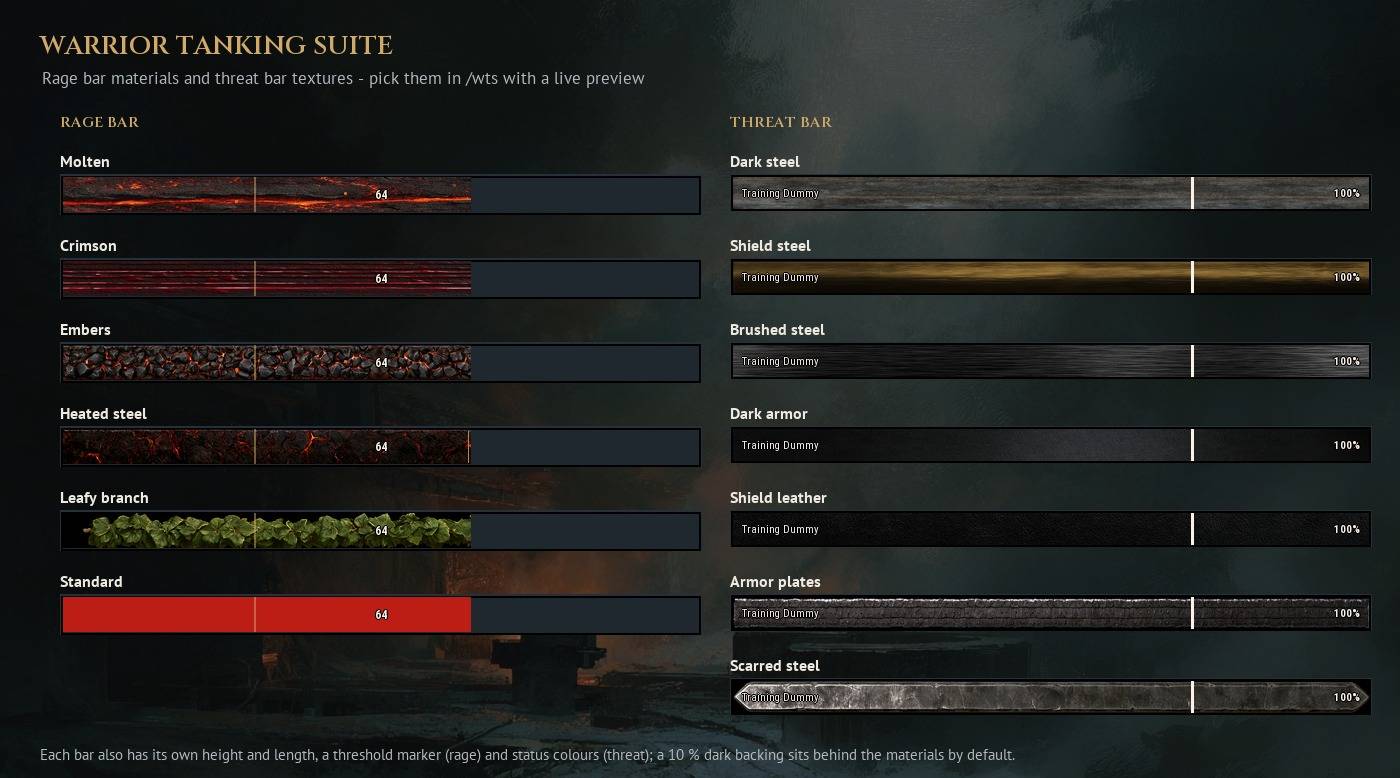
The rage bar combines animated materials, a smooth fill and an adjustable reserve marker. Combat warnings can remind you about a missing shield or Defensive Stance.
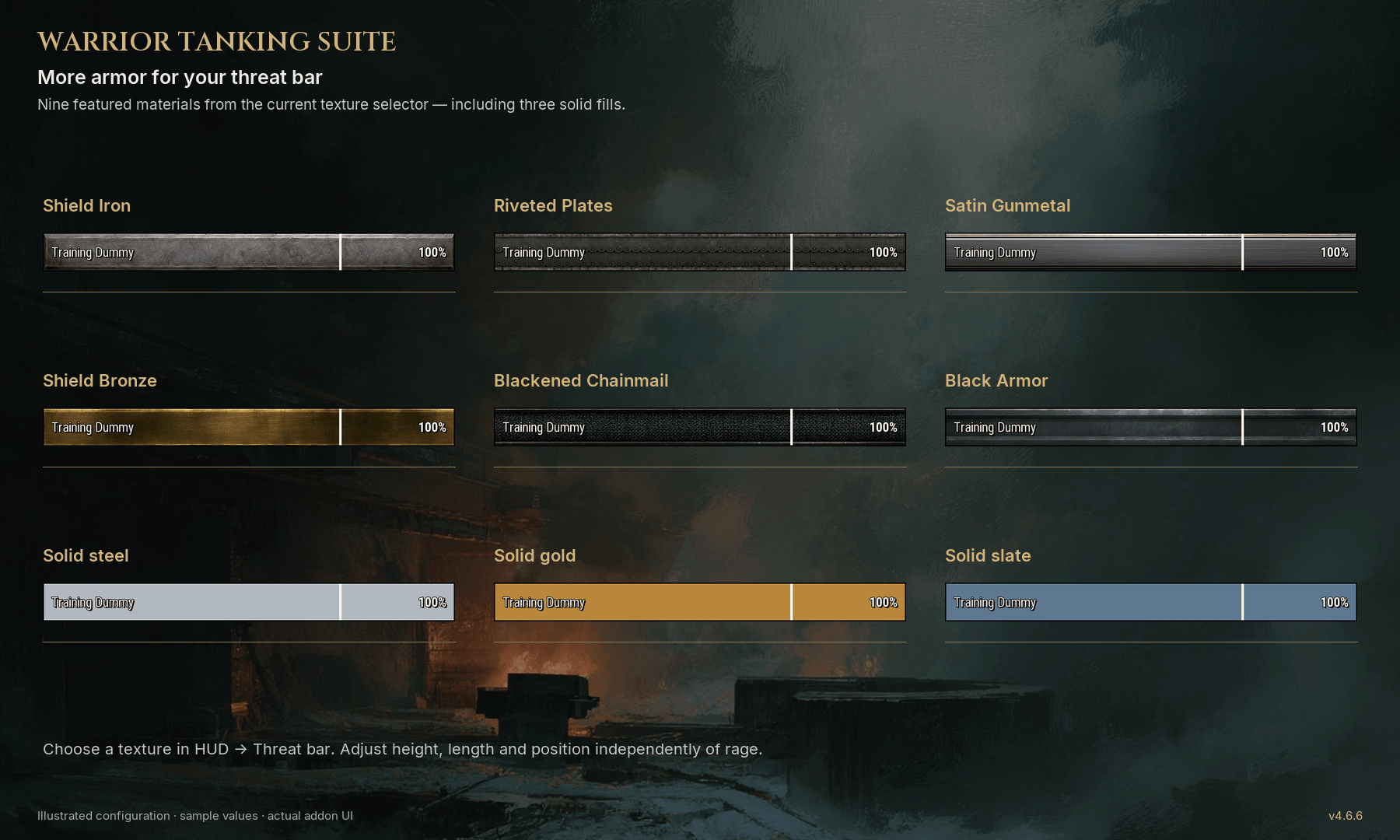
The threat bar follows your current target, with its name, threat status and closest-rival information when the client makes that data available. Customize its length, height, position and texture independently of rage.
MAKE IT YOURS
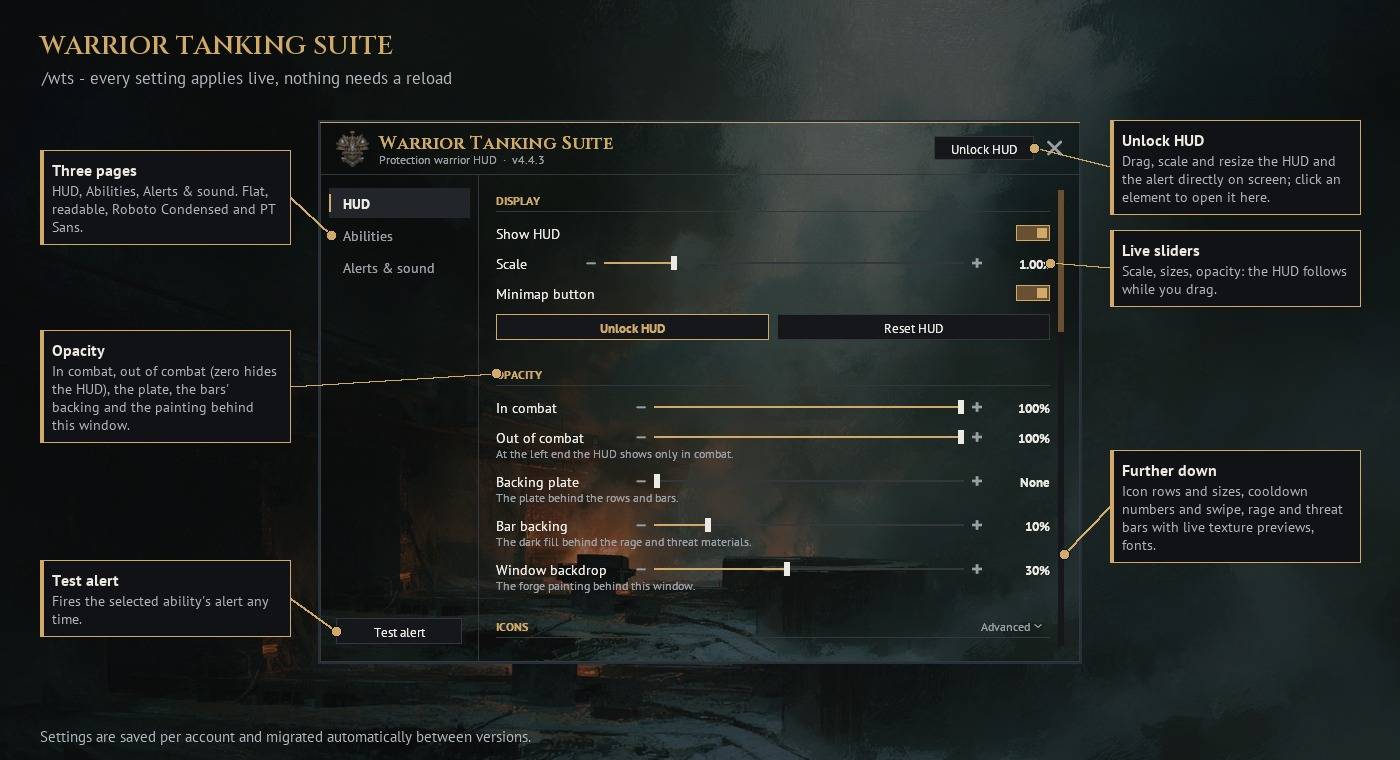
Adjust icon sizes, spacing, fonts, bar dimensions, backgrounds and separate in-combat/out-of-combat opacity. Set out-of-combat opacity to zero to hide the HUD between fights. The HUD font-size slider runs from 8 to 28 px, with separate font choices for the HUD and settings window.
Open settings with /wts or the minimap button. Appearance changes apply immediately out of combat; new native aura-sound registrations wait until combat or encounter restrictions end. Edit mode starts only when requested and closes on entering combat. Positions and preferences are saved across reloads and migrated between versions.
COMMANDS
/wts — Open settings
/wts edit — Unlock the HUD
/wts lock — Finish editing
/wts preview — Preview the selected alert
/wts debug — Show diagnostics for a bug report
/wts auras — Show native aura-timer diagnostics
Warrior Tanking Suite Team