WarlordsPvP
- By
The ultimate addon for PvP guilds in World of Warcraft Classic. Combines enemy tracking, honorable kill statistics, guild PvP ranks, bounty hunting, and raid management into one powerful package.
WarlordsPvP
The ultimate addon for PvP guilds in World of Warcraft Classic. Combines enemy tracking, honorable kill statistics, guild PvP ranks, bounty hunting, a same-faction guild blacklist, cross-guild coalition chat, raid management, and dishonorable-kill protection into one powerful package.
Built for PvP Guilds
WarlordsPvP is designed specifically for guilds focused on world PvP, city raids, and organized PvP content. Whether you're hunting enemies in the open world, tracking your guild's kill counts, or coordinating a raid on an enemy capital, this addon has the tools you need.
Core Features
Enemy Tracking
- Nearby Detection: Alerts when enemy players enter your area with class, level, and guild info
- Kill on Sight List: Mark priority targets for special alerts when detected — synced across all guild members
- Login Catch-Up: When you log in, guild members share their recently detected enemies so you're immediately aware of nearby threats
- Guild Bounties: Officers can place bounties on enemy players or entire guilds - get alerted when bounty targets are nearby
Honorable Kill Tracking
- Detailed Statistics: Track every honorable kill with full details - who, where, when, class, race, level
- Death Tracking: Know exactly who killed you and how many times
- Kill Streaks: Track your current streak and personal records
- Breakdowns: Stats by class, race, zone, guild, and time period
- Honorable vs Total: Distinguishes gray kills from honor-awarding kills
How Kills Are Detected: The addon detects honorable kills in multiple ways to ensure all participants get credit:
- Honor Gain Events - When you receive honor from a kill, the addon automatically records it. This works for ALL roles including healers who never deal damage.
- Killing Blows - Direct killing blows you or your party/raid land
- Assists - Kills where you dealt damage within 60 seconds of death
Only kills against enemies within 2 levels of you are counted as honorable. Very low-level kills (gray enemies) are excluded to keep statistics meaningful. Kills are tracked even if you're honor capped.
Guild PvP Ranks
Earn ranks based on your open world honorable kills while in your guild:
| Rank | Kills Required |
|---|---|
| Recruit | 0 |
| Blood Soldier | 500 |
| Warmaster | 2,000 |
| Battle Lord | 4,000 |
| Warlord | 7,500 |
| High Warlord | 10,000 |
Announce your rank and kills to guild chat, visible on minimap tooltip, with achievements for each rank milestone.
Guild Bounty System
Officers can coordinate guild-wide target priorities:
- Player Bounties: Target specific enemies - one-time or recurring
- Guild Bounties: Alert when ANY member of an enemy guild is detected
- Claim Tracking: Records who kills bounty targets, where, and when
- Auto-Sync: Bounties automatically shared with all online guild members
- Right-Click Integration: Add bounties directly from the Spy window
Guild Blacklist
A shared watch list of same-faction players your guild should never group with — traitors, spies, mafia members, ninja looters:
- Players or Entire Guilds: Officers blacklist individual players or whole guilds, always with a reason every member can read — pick from preset reasons (Traitor, Spy, Ninja looter, Scammer, Mafia, Harassment) or type a custom one
- Warned Everywhere: Pulsing on-screen banner + optional alarm sound when you target one, a red BLACKLISTED tag pinned under the target frame (hover for the reason), a warning line in their tooltip, and a full alert when one is in — or joins — your party or raid
- Invite Protection: Alerts when a blacklisted player invites you, and the moment you (or your click) invite one
- Nearby Detection: Combat-log proximity alerts using the same technique as enemy detection; guild-level entries match players whose guild the addon has previously observed
- Officer-Only Writes, Member-Wide Reads: By default the GM plus all officers can edit — when the GM logs in, the addon detects which guild ranks can edit officer notes and publishes that as the editing boundary (interim default before first GM login: ranks 0–1). The GM can override with a slider or
/wl bl rank <n>and return to auto-detection anytime. Every member's addon verifies the sender's guild rank against the roster before accepting a change or sync — regular members cannot inject entries - Removals That Stick: Deletions are tombstoned for 90 days, so a member who was offline for the removal can't accidentally resurrect the entry during login sync
- Fully Configurable: All warnings, the alert sound, entry management, and the GM rank slider live in Options > Guild Blacklist; window via
/wl bl
SOS Emergency Alert
Call for backup when outnumbered in the open world:
- One-Click Alert: Type
/wl sos, middle-click the minimap button, or click the on-screen SOS button - Full Situational Report: Sends your zone, coordinates, and nearest flight path
- Enemy Intel: Lists all nearby detected enemies with name, level, class, and guild
- Guild Chat: Alerts go to guild chat so guildies can fly to help
- Local Defense: Optionally alert the zone's Local Defense channel
- Nearest Flight Path: Automatically tells responders the closest flight point to your location
- On-Screen Button: Compact draggable SOS button - drag to reposition, click X to dismiss
- Configurable: Enable/disable channels and the on-screen button in Options > SOS Alert
Civilian Guard (Dishonorable-Kill Protection)
Loud visual and audio warnings before a civilian kill can happen (Classic Era only):
- Target Warning: Big flashing banner + alarm the moment you target or start auto-attacking a civilian
- AoE Proximity Alarm: Pulsing red screen edge whenever a civilian is in range while you're in combat or aiming at an enemy player - the Multi-Shot/Volley/Consecration safety net
- Group Tag Alert: When ANY party/raid member damages a civilian, everyone with the addon gets a full alert with a Leave Group Now button (DK credit is shared with nearby group members when it dies); a throttled plain-chat warning reaches members without the addon
- Strict Mode: Optionally auto-cancel casts aimed at a civilian or AoE casts with one in range (cast-time spells only - instants and melee can't be blocked by any addon);
/wl civ allowoverrides for 10s - Self-Learning: Civilian NPC types are remembered account-wide so combat-log detection recognizes them even when nobody has one targeted
- Quick Controls:
/wl civto toggle,/wl civ testto preview the warnings, full settings in Options > Civilian Guard
PvP Raid Management
Tools for organizing guild PvP raids:
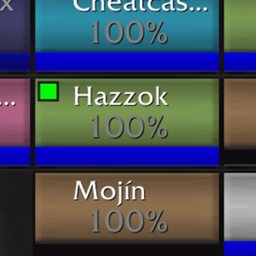
- Guild Raid Indicator: Green dots on raid frames highlight guild members in mixed groups
- Guild Raid Inviter: One-click invite all online guild members to raid with optional guild announcement
- Raid Warnings: Officers create preset /rw messages shared across all guild officers
- Compact quick-button window appears automatically when you're raid leader/assistant
- Full configuration UI with add/edit/delete for each warning
- Warnings sync automatically between officers via guild communication
Guild Master Controls
The Guild Master has a dedicated settings panel to control guild-wide features:
- Guild Map Tracking Toggle: GM can enable or disable position sharing for the entire guild
- Automatic Sync: Settings propagate to all online members immediately
- Offline Catch-Up: Members who log in later receive settings from any online peer
- Peer-to-Peer: No central server needed - settings spread from member to member
- Read-Only for Members: Non-GM members can see settings but cannot change them
Guild Map Tracking
See your guild members on the world map and minimap in real-time:
- GM Controlled: Must be enabled by the Guild Master (disabled by default for security)
- World Map Pins: Guild members show as class-colored icons on the world map
- Minimap Pins: Nearby guild members visible on your minimap
- Rank Indicators: Icons show guild rank (GM, Officer, Veteran, Member)
- Detailed Tooltips: Hover to see name, level, class, rank, and health
- Display Options: Show levels, names, health bars, or use simple dots
- Layer Support: For Classic servers with layers - filter by layer, see layer indicators
- Configurable Sizes: Adjust icon sizes for both world map and minimap
- Secure: Position data is sent only to guild members via guild-only addon channel
Guild Data Sync
All guild-wide data syncs automatically between members using secure peer-to-peer communication:
| Data | Who Controls | Sync Trigger | Login Catch-Up |
|---|---|---|---|
| Kill on Sight lists | Any member | Instant on add/remove | Yes |
| Bounties | Officers | Instant on change | Yes |
| Guild Blacklist | Officers (rank-verified) | Instant on change | Yes (from officers only) |
| Coalition chat config | Guild Master | Instant on change | Yes |
| Raid Warnings | Officers / GM | Instant + periodic | Yes |
| GM Settings | Guild Master | Instant on change | Yes |
| Achievement Points | Any member | Login + on change (30s rate-limit) | Yes (on demand) |
| War Effort list | GM / Officers | Instant on edit | Yes (on demand) |
| War Effort progress | Guild Master | On bag/bank change | Yes (on demand) |
| Event Calendar | GM / Officers | Instant on edit | Yes (on demand) |
| Enemy Detections | Any member | Realtime | Yes (last 10 min) |
| Map Positions | Any member | Every 3 seconds | Live data |
- Offline Catch-Up: When you log in, online guild members share their current KOS lists, bounties, raid warnings, GM settings, and recently detected enemies
- Peer-to-Peer: No central server — data spreads from member to member with timestamp-based conflict resolution
- Staggered Sync: Login requests are staggered (3s, 5s, 7s) with randomized response jitter to avoid message floods
Combat Performance
The addon is designed for zero impact during combat:
- All guild sync paused in combat — no outgoing guild broadcasts while you're fighting
- Party/Raid sharing stays active — your group still gets enemy detection intel
- Map tracking suspended — position broadcasting stops during combat
- Achievement calculations deferred — queued until combat ends
- Mouseover throttled — limited to 2x/sec during combat instead of every frame
- Auto-flush on combat end — all queued work processes automatically when you leave combat
Achievements
Over 100 PvP achievements including:
- Kill count milestones by class
- Kill streak achievements
- Zone-specific achievements
- Guild rank achievements
Each achievement awards a point value based on its difficulty. Your total achievement points are summed automatically and stored per-character.
Guild Achievement Points Leaderboard
Compare your PvP achievement progress with the rest of your guild:
- Ranked Window: Open with
/wl pointsor the "Guild Leaderboard" button on the Achievements window - Class-Colored Roster: See every guild member ranked by total points, with achievement count and level
- Your Rank: Your row is highlighted, and a summary shows your rank within the guild
- Auto-Sync: Your points broadcast to the guild on login and whenever your total changes (rate-limited)
- Minimap Tooltip: Hover the minimap button to see your points (X / total possible), achievements earned, and your guild rank
- Privacy-Safe: Only achievement points and unlock counts are shared — no kill data, no zone data
- Auto-Prune: Members who haven't been seen in 30+ days drop off the board automatically
War Effort
Guild-master / officer-driven donation drive for items the guild needs (mats for a raid push, BGs, recipes, etc.). The GM or any officer sets up a list of items + target quantities, and the whole guild can see what's needed and track progress.
- Setup: Type
/wl warto open the progress window. The GM or any officer clicks "Add Item" to add an item by ID (or paste an item link), then enters a target quantity. - Live Progress: For each item, a colored progress bar shows current count vs. target. Items past 50% turn yellow; past 100% turn green.
- Clickable Item Cards: Each item in the window is a clickable link — left-click for the WoW tooltip card, shift-click to paste into chat.
- Inventory Tracking: Progress is summed from the GM's bags and the guild bank inventory. The bank scan reads passively — it doesn't disturb the GM's bank view in any way. The GM just clicks through each tab they want counted (which they'd do anyway when checking the bank); everyone sees a "snapshot from X minutes ago" hint so they know how fresh the count is.
- Bag / Bank Highlight: When a War Effort is active, every guild member's bag, bank, and guild bank slots that contain a tracked item get a small gold exclamation-mark icon. Easy to spot what's needed at a glance.
- Minimap Tooltip: The minimap button tooltip shows a "War Effort active" line with the title and overall percentage whenever a drive is underway.
- Minimap Icon: The minimap button's icon also switches to a gold exclamation mark whenever a War Effort is active, so it's recognizable at a glance.
- Options-Panel Section: A "War" tab in
/wl configprovides status + shortcut buttons (Add Item / Pause / End for officers and the GM) for discoverability. - Permissions: GM or officers (anyone with edit-officer-note permission) can manage the list. Inventory tracking stays GM-only since only the GM has access to the guild bank.
- Cross-Version: Works on Classic Era 1.15.x and TBC Anniversary 2.5.x.
Event Calendar
Guild-master / officer-managed schedule of upcoming guild events (raids, premades, contests, world-boss attempts), surfaced on the minimap tooltip so everyone sees what's coming up without having to open a window.
- Setup: Type
/wl events(or open the Events tab in/wl config) to see the event list. Officers and the GM see an Add Event button. - Add Event Dialog: Title field + date picker (year / month / day in server time) + time picker (hour / minute) + +1 day / +7 days shortcut buttons. A live preview shows both the absolute date and the relative form ("in about 2 days") so there's no guessing.
- Minimap Tooltip Surfacing: The next 3 upcoming events appear on the minimap-button tooltip with weekday + time + relative form — "SW Raid · Monday 20:00 (in about 2 days)", "Premade Group · Wednesday 19:30 (in about 4 hours)".
- Grace Window: Events stay on the tooltip for 2 hours after they start ("started 15m ago") so members can confirm whether they're already underway. After that they drop off the tooltip and auto-purge from storage after a week.
- Permissions: View — anyone in the guild with the addon. Add / remove — Guild Master and officers (anyone with edit-officer-note permission).
- Sync: Officer / GM edits propagate via the addon's existing AceComm channel. New members request the current list at login from any officer / GM who's online.
Coalition Chat (Guild-to-Guild)
A shared chat channel linking two or more partner guilds — an extra "guild channel" across allied guilds, or across one community split into several guilds:
- One-Time GM Setup: One GM creates the coalition (Options > Coalition Chat, or
/wl bridge create <TAG>) and hands the generated link code to the partner GMs, who join with it. Any number of guilds can share one coalition. - Zero Member Setup: The config rides the existing GM guild-sync — every member's addon connects automatically shortly after login and reconnects itself if dropped
- Its Own Chat Tab: A dedicated "Coalition" chat tab is created automatically on first connect (toggleable in options; if you close it, messages fall back to your main chat frame and
/wl bridge tabbrings the tab back) - Type Like It's Guild Chat:
/wgcflips your chat box into a sticky Coalition: mode — from then on plain typing goes to the coalition until you switch channels, exactly like/g. Clicking the[Coalition]tag on any message opens the reply box. Messages render as[Coalition][TAG] Name: messagewith clickable player names; item links work between addon users - Hidden Channel: Under the hood it's a hidden, password-protected custom chat channel (the proven GreenWall approach — Classic clients have blocked addon messages over channels since 1.13.3). It's removed from all chat frames, so only the formatted coalition lines appear
- Honest Caveat: The channel password is shared with your whole guild by design — it keeps strangers out, not guildmates. Don't treat coalition chat as private comms.
Installation
- Download and extract to your
Interface/AddOnsfolder - Ensure the folder is named
WarlordsPvP - Restart WoW or
/reload
Commands
All commands use /wl:
General
| Command | Description |
|---|---|
/wl |
Show help |
/wl show / hide |
Enable/disable Enemy Detection (persists across sessions) |
/wl stats |
Statistics window |
/wl history |
Kill history |
/wl achievements |
Achievements |
/wl points |
Guild achievement points leaderboard |
/wl config |
Settings |
/wl kos <name> |
Toggle Kill on Sight |
/wl sos |
Send emergency alert with nearby enemies |
/wl guildkills |
Announce kills and rank to guild |
Civilian Guard
| Command | Description |
|---|---|
/wl civ |
Toggle Civilian Guard on/off |
/wl civ allow |
Allow casts on civilians for 10s (strict-mode override) |
/wl civ test |
Preview all the warnings |
/wl civ status |
Show state, civilians in range, learned NPC types |
Raid Management
| Command | Description |
|---|---|
/wl gri |
Toggle guild raid indicator |
/wl rinvite |
Invite guild to raid |
/wl rinvite message <text> |
Set invite announcement |
/wl rw |
Toggle raid warnings window |
/wl rw add <name> <message> |
Add raid warning (Officer) |
/wl rw list |
List raid warnings |
Bounties (Officer)
| Command | Description |
|---|---|
/wl bounty |
Bounty window |
/wl bounty add <name> |
Add player bounty |
/wl bounty addguild <name> |
Add guild bounty |
/wl bounty remove <name> |
Remove bounty |
/wl bounty list |
List active bounties |
Guild Blacklist
| Command | Description |
|---|---|
/wl bl |
Open the blacklist window |
/wl bl add <name|target> [reason] |
Blacklist a player (officer) |
/wl bl addguild "<guild>" [reason] |
Blacklist an entire guild (officer) |
/wl bl remove <name> / removeguild <guild> |
Remove an entry (officer) |
/wl bl list |
Print the blacklist |
/wl bl sound <alarm|kos|whip|off> |
Pick the alert sound |
/wl bl on / off |
Toggle your warnings |
/wl bl sync |
Push the full list to the guild (officer) |
/wl bl rank <0-9|auto> |
Set which ranks may edit; auto re-matches the officer ranks (GM) |
/wl bl test |
Preview the warnings |
Coalition Chat
| Command | Description |
|---|---|
/wgc |
Switch your chat box to sticky Coalition mode (like /g) |
/wgc <message> |
Send one message to all linked guilds |
/wl bridge tab |
Recreate the Coalition chat tab |
/wl bridge status |
Connection status |
/wl bridge create <tag> |
Create a coalition + link code (GM) |
/wl bridge join <code> <tag> |
Join a partner guild's coalition (GM) |
/wl bridge code |
Show the link code to share with partner GMs |
/wl bridge tag <tag> |
Change your guild's tag (GM) |
/wl bridge off |
Disable for the guild (GM) |
War Effort (GM / Officer)
| Command | Description |
|---|---|
/wl war |
Open the progress window |
/wl war add <itemId> <qty> |
Add or update an item (GM/officer) |
/wl war remove <itemId> |
Remove an item (GM/officer) |
/wl war title <text> |
Set the War Effort title (GM/officer) |
/wl war pause / resume |
Toggle without clearing (GM/officer) |
/wl war clear |
End the War Effort (GM/officer) |
/wl war refresh |
Ask the GM for the latest state |
Event Calendar (GM / Officer)
| Command | Description |
|---|---|
/wl events |
Open the Event Calendar window |
/wl events refresh |
Ask the guild for the latest event list |
Minimap Button
| Click | Action |
|---|---|
| Left | Options Panel |
| Right | PvP Kill Statistics |
| Middle | SOS Emergency Alert |
| Shift+Left | Announce Guild Kills |
| Shift+Right | Raid Warnings (Officer) |
| Ctrl+Left | Invite Guild to Raid |
| Ctrl+Right | Toggle Enemy Detection Window |
Tooltip shows your guild rank, progress to next rank, achievement points (with your guild leaderboard rank), an active War Effort summary when one is underway, the next 3 upcoming guild events with weekday + time + relative form, and recent kill statistics.
The Windows
Spy Window - Nearby enemy players with class, level, guild. Right-click for KOS, bounties, and more.
Statistics - Complete PvP stats with filters by class, zone, time period. Shows honorable vs total kills.
Kill History - Searchable log of every kill. Filter by class, level, zone, or name.
Bounty Window - Active bounties and recent claims. Officers can manage bounties here.
Blacklist Window - The guild's same-faction watch list with reasons and who added each entry. Read-only for members; officers get Add Player / Add Guild buttons (prefilled from your target) and per-entry remove. Includes your personal warning toggles and alert-sound picker. Open with /wl bl.
Raid Warnings - Compact window with preset warning buttons. Appears automatically when you're raid leader/assistant with warnings configured. Click any button to send that message as a /rw. No cap on the number of templates — the window scrolls past 12.
Raid Warnings Config - Full management UI for raid warnings. Add new warnings with name and message, edit existing ones, or delete with confirmation. Access via Options Panel > Raid Management > Manage Raid Warnings.
Guild Achievement Leaderboard - Ranked window of guild members by PvP achievement points. Open with /wl points or the button on the Achievements window.
War Effort - GM- or officer-managed donation drive. Lists items with target quantities, shows progress bars summed from the GM's bags + guild bank, and highlights wanted items in everyone's bags. Open with /wl war.
Event Calendar - GM- or officer-managed schedule of upcoming guild events. Title + date + time picker; events appear on the minimap tooltip with weekday + time + relative form ("SW Raid · Monday 20:00 (in about 2 days)"). Open with /wl events.
Settings
All settings live under Options → AddOns → WarlordsPvP (open via /wl config, /wl options, or left-click the minimap button). The tree is organized into one cohesive hierarchy:
| Page | What it controls |
|---|---|
| Overview | At-a-glance status (active War Effort, next event) and quick-action buttons. |
| Modules | Master on/off switches for Enemy Detection (Spy), Achievements, and Guild Member Map Tracking — disable subsystems without losing data or settings. |
| War Effort | Status, "Open progress window," Add Item / Pause / End shortcuts (GM/officer). |
| Event Calendar | Status, "Open calendar," Refresh-from-guild. |
| Battlegrounds | BG-mode toggles, count-kills / count-deaths / count-assists in BGs. |
| Announcements | Chat / party / raid kill announcements, multi-kill threshold, channel selection, message templates with placeholders. |
| Civilian Guard | Dishonorable-kill protection: target warning, AoE proximity alarm, strict cast-cancel mode, group tag alerts, chat fallback, sounds, screen flash, test button. |
| Milestones | On-screen milestone notifications, interval, auto-hide, sound, preview. |
| Sounds | Multi-kill sound pack (LoL / UT), single-kill / death sounds, preview. |
| Tooltips & Display | Player tooltip enrichment, kill-streak window auto-open, achievement cap. |
| Enemy Detection | Detection toggles, alerts, display style, map options, colors, main + alert windows, filtered zones (each as its own sub-page). |
| Guild Bounties | Bounty list management. |
| Guild Blacklist | Warning toggles (target, group, nearby, invites, tooltip line, target-frame tag), alert sound, add/remove players and guilds (officer), editing-rank slider + officer auto-detect (GM), test button. |
| Coalition Chat | Connection status, dedicated chat-tab toggle, guild tag, create coalition / join via link code, guild-wide enable/disable (all GM), show link code. |
| Raid Management | Indicator, inviter, raid warnings. |
| Guild Map Tracking | World map + minimap display options for guild positions. |
| Guild Master Settings | Guild-wide toggles (map tracking enable/disable), sync status. |
| SOS Emergency | Channels and on-screen button. |
| Data Storage | Auto-clear timers, sharing. |
| Reset | Reset statistics / Reset all settings (with confirm dialogs). |
| Profiles | AceDB profiles. |
| About | Version, features, credits. |
(A legacy custom tabbed window is still reachable via /wl legacy-config for one release as a safety hatch and will be removed in a future update.)
Data Storage
- Kill statistics: Per-character
- KOS lists: Per-character, synced to guild
- Bounties: Account-wide, synced to guild
- Guild Blacklist: Account-wide per-guild, synced guild-wide (officer-verified); removals tombstoned 90 days
- Coalition chat config: Per-guild GM settings, synced P2P
- Raid warnings: Account-wide, synced to officers
- War Effort: Per-guild, synced guild-wide; inventory snapshot owned by GM
- Event Calendar: Per-guild, synced guild-wide; auto-purges events older than a week
- Guild Master settings: Per-guild, synced P2P
- Window positions: Per-character
Compatibility
Works on both game versions from a single install:
- Classic Era (1.15.x) - Season of Discovery included
- TBC Anniversary (2.5.x)
The addon ships per-flavor TOC files (WarlordsPvP_Vanilla.toc / WarlordsPvP_TBC.toc), so each client automatically loads the metadata for its own game version — no separate downloads, and no "wrong version installed" warnings.
All features work on both versions, with one exception: Civilian Guard is Classic Era only, since TBC removed the dishonorable-kill system (the module stays dormant on TBC clients). Map-related features (map notes, guild map tracking) gracefully adapt to each version's map system.
Security
All guild communication uses WoW's GUILD addon message channel, which is server-enforced and invisible to non-guild players. Enemy players cannot intercept guild sync data.
- Position tracking: Guild-only channel, disabled by default, GM-controlled
- KOS lists: Guild-only channel
- Bounties: Guild-only channel
- Guild Blacklist: Guild-only channel, with an extra safeguard — every member verifies the sending officer's guild rank against the roster before accepting a change, so non-officers can't inject entries
- Coalition chat: A password-protected custom chat channel shared by the linked guilds. The password is distributed inside your guild via guild sync; anyone in any linked guild can read the channel — treat it like guild chat, not private comms
- Raid warnings: Guild-only channel
- SOS alerts: Guild chat by default. Local Defense is optional but is a public channel — enemies can read it. Use with caution.
- Civilian Guard tag alerts: Party/raid addon channel (group members only). The plain-chat fallback (on by default, throttled) posts to party/raid chat, visible to everyone in the group including non-guild members; disable it in Options > Civilian Guard if that's a concern.
- Spy detection sharing: Shared to party/raid during combat (non-guild members in your group can see enemy names). Guild-wide sharing is paused during combat.
Credits
Built from:
- Spy by Slipjack - Enemy detection
- PvPStats by Severussnipe & Hkfarmer - Kill tracking
- GuildRaidIndicator - Raid frame highlighting
- GuildRaidInviter - Mass invites
- MapMate - Guild member map tracking
Support
Issues? Open a ticket on the repo with error details.
WarlordsPvP Team