Warlock All-in-One
- By
All-in-one warlock toolkit for WoW Forever: native DoT tracker, secure action kit, soul shards, Nightfall alert, channel ticks and grimoire.
soulshardmax.png
channeling.png
dot timer.png
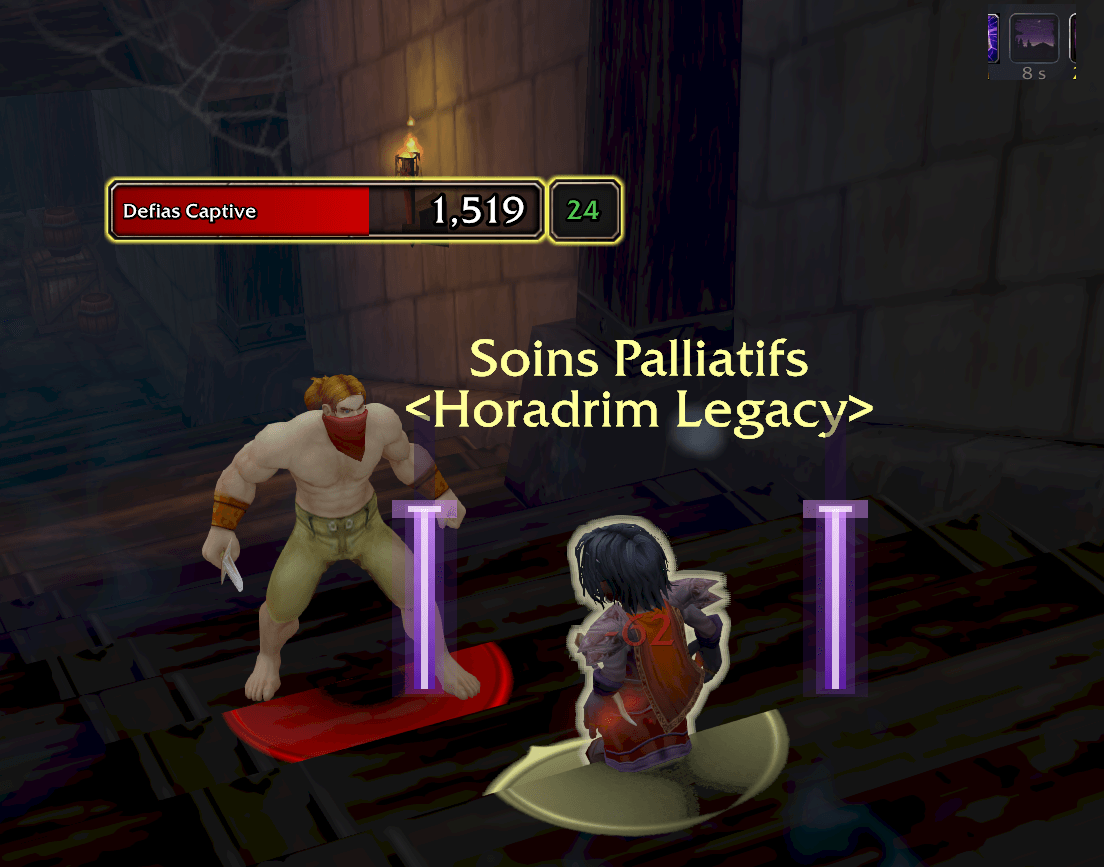
nightfallproc.png
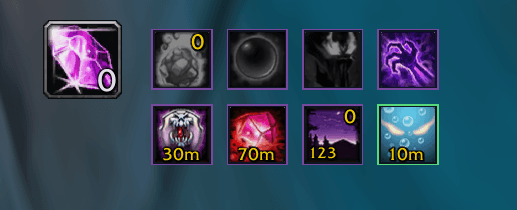
shortcut.png
Description
Warlock All-in-One
Everything a warlock needs on WoW Forever, in one add-on. Track your DoTs on every enemy, cast your stones, curses and demons from one secure kit, keep your soul shards in check, never miss a Nightfall proc and see your channel ticks — all set up in a minute with a first-launch assistant.
✨ Features
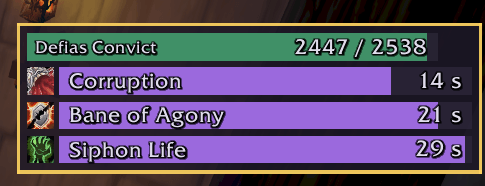
Enemies & DoTs
- One card per engaged enemy with your DoTs drawn by Blizzard's native aura engine: it keeps working in combat, where WoW Forever hides enemy auras from add-ons.
- Bars or icons, 1 to 10 effects per enemy, health bar, enemy name.
- Tick marks, a red expiry zone in the last seconds (3 s by default), widths proportional to the spell's duration, a flash on every tick.
- Gold frame on your current target's card.
- Click a card to target that enemy (out of combat, see limits).
- Test bars to tune the look live; movable, resizable, lockable frame.
Action kit
- Secure buttons: Healthstone, Soulstone, Demons, Demonic Sacrifice, Soul Link, Fel Domination, two curse slots, Shadow Ward, Demon Armor / Skin, Firestone / Spellstone, Ritual of Summoning, utility spells.
- Left-click casts or uses, right-click chooses without casting, Shift-click creates the best learned rank.
- Remaining time of your curse on your target, right on the curse buttons.
- Free placement, key bindings, manual summoning queue.
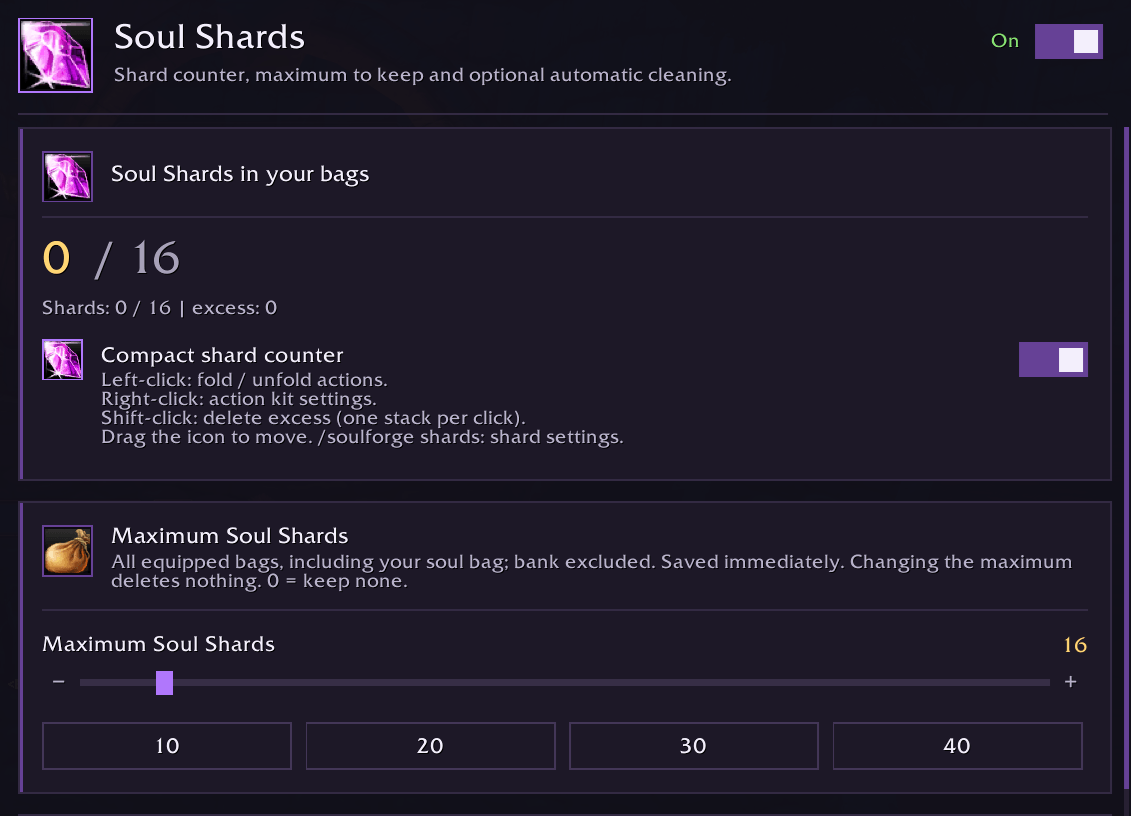
Soul shards
- Compact counter with your maximum and the excess.
- Delete excess shards with one real click or key press per shard, out of combat.
Nightfall
- Two violet blades that drain with the proc's remaining time, plus a sound with adjustable volume. Preview from the options.
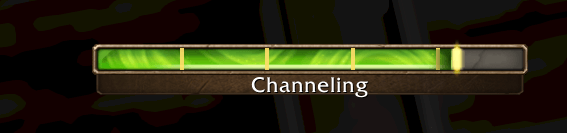
Channels
- Predicted tick marks on WoW's own channel bar: Drain Life, Drain Soul, Drain Mana, Wrack, Rain of Fire, Hellfire.
Grimoire
- Searchable spell catalogue with detailed calculations, talent gains and ranks.
Comfort
- First-launch assistant: language, modules and the main settings in five steps.
- 8 languages: English, French, Spanish, Portuguese (Brazil), German, Italian, Simplified Chinese, Russian.
- Settings window with sidebar, minimap button, slash commands.
⚠️ Limits (WoW Forever engine)
- In combat WoW Forever hides enemy auras, names and identities from add-ons. DoT bars, curse timers and enemy names are drawn by native widgets, so they stay visible; the add-on itself cannot read them.
- Click-to-target works out of combat only. WoW forbids add-ons from moving or retargeting a secure button in combat, so the buttons hide when combat starts and return after it (never a wrong target).
- The target frame in combat needs a client that supports native alpha from secret
values (
/soulforge diagnosticsshowscadre cible natif=true/false). - Shard deletion needs one real click or key press per shard (Blizzard restriction).
- Channel ticks are predicted from the cast, not read from combat hits.
⚙️ Commands
| Command | Effect |
|---|---|
/soulforge |
Open the settings (home). |
/soulforge dots · kit · shards · nightfall · spells |
Open that page. |
/soulforge setup |
Run the first-launch assistant again. |
/soulforge demo |
10-second demonstration. |
/soulforge dots debug · dots test · dots retry |
DoT diagnostics, native probe on the target, restart the native engine. |
/soulforge diagnostics |
General diagnostics. |
📦 Install
Unzip into World of Warcraft/_classic_beta_/Interface/AddOns/ (folder SoulforgeForever),
then restart the game — a /reload does not load new files.
Formerly named Soulforge Forever: settings and commands are kept.
🙏 Credits
- Original code by Vitam, MIT License.
- Channel tick counts follow the public description of WarlockTicks (MIT); no code copied.
- Shard clean-up principle inspired by SoulShard Auto Deleter; no code copied.
- Spell-alert sounds: Blizzard recordings, see
Media/*-NOTICE.txt. - Icon: World of Warcraft icons by Blizzard Entertainment, see
Media/logo-NOTICE.txt. World of Warcraft and Blizzard Entertainment are trademarks of Blizzard Entertainment, Inc.
Feedback and bug reports are welcome in the comments — /soulforge diagnostics output helps a lot.****
Warlock All-in-One Team