Wakaba Spell List
- By
A customizable list-based spellbook to easily organize, categorize, and sort your spells and macros.
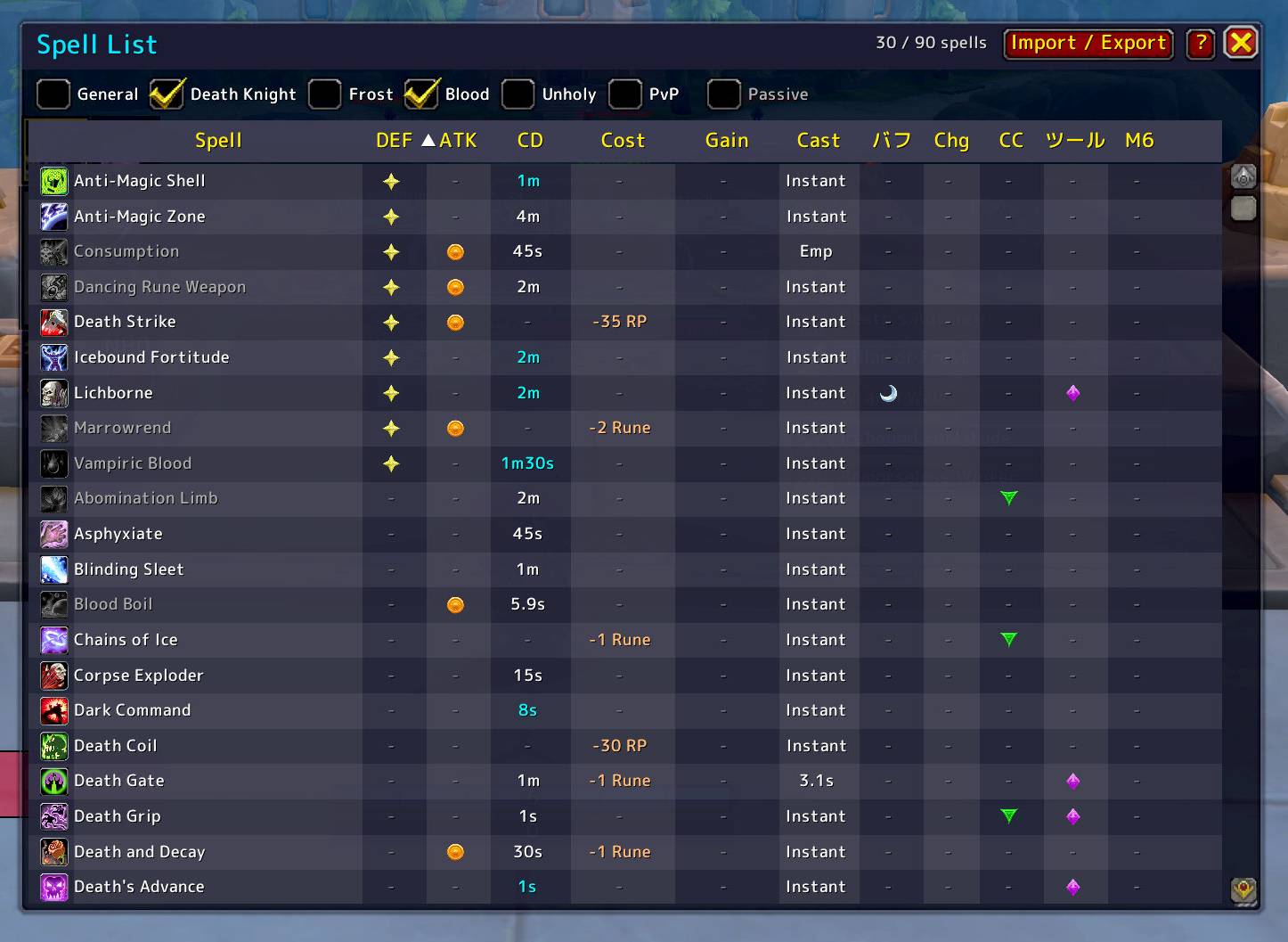
Mark and sort essential spells.
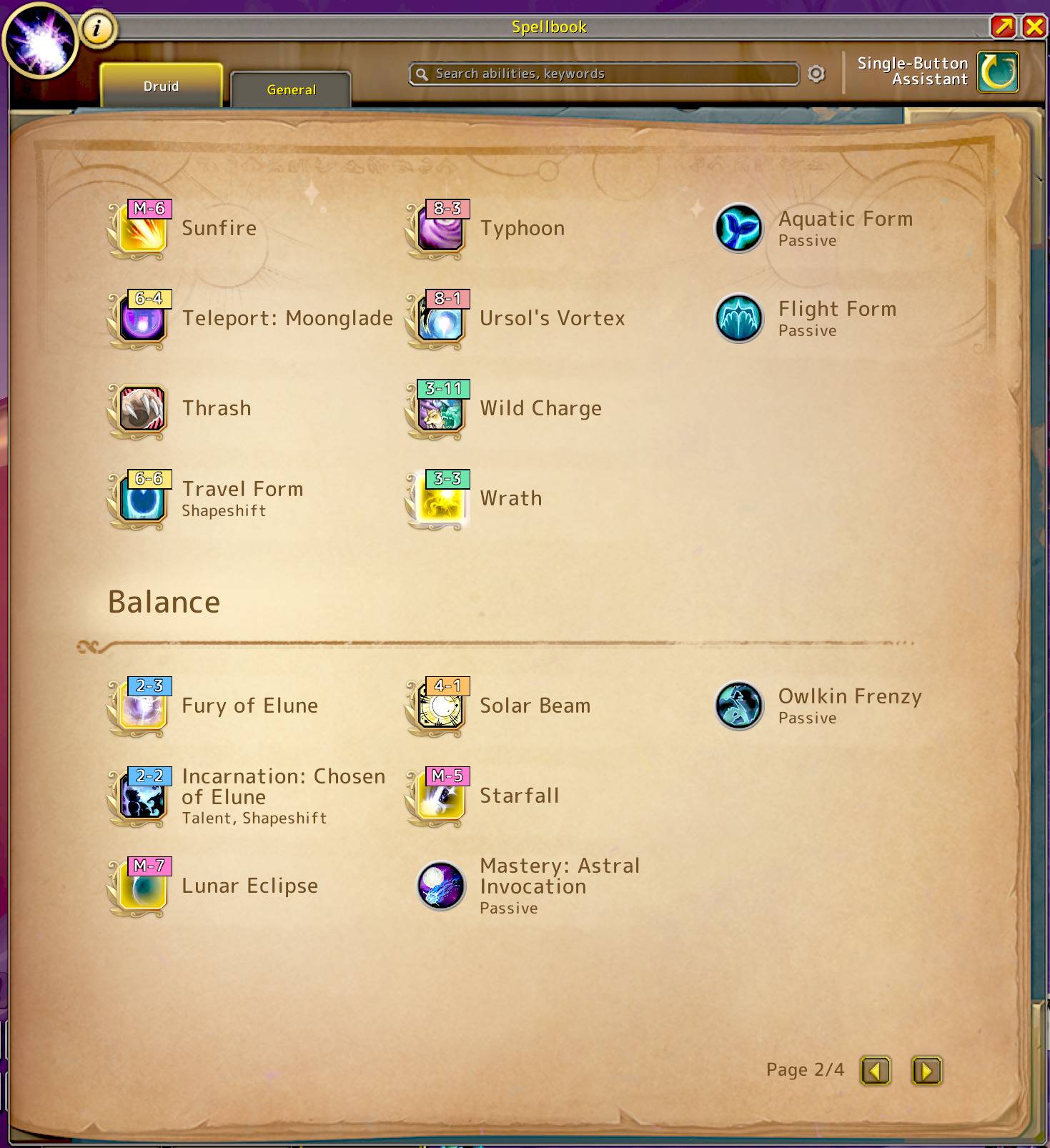
Shows action bar location badges in the spell list and spellbook.
ss5.jpg
ss7.jpg
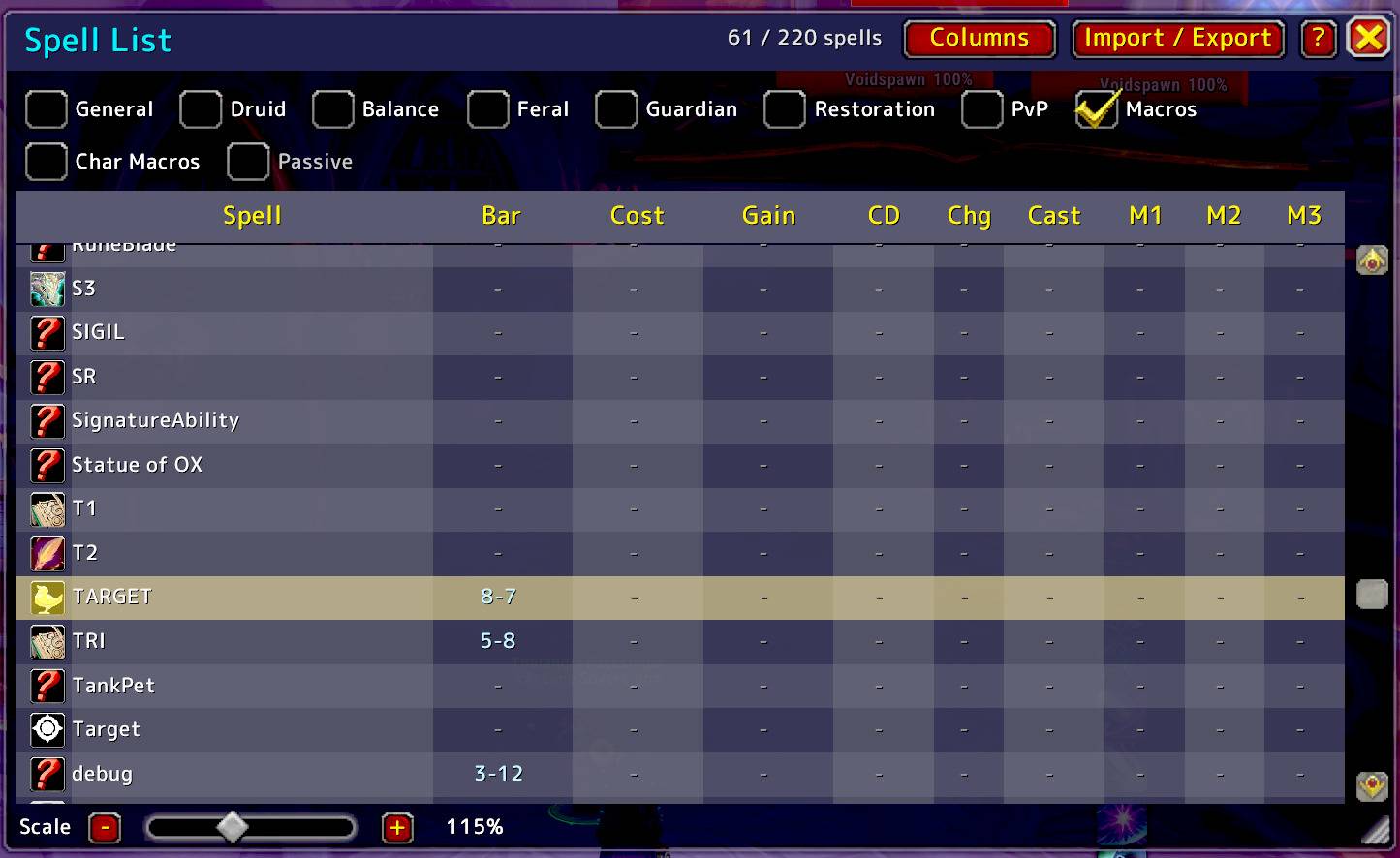
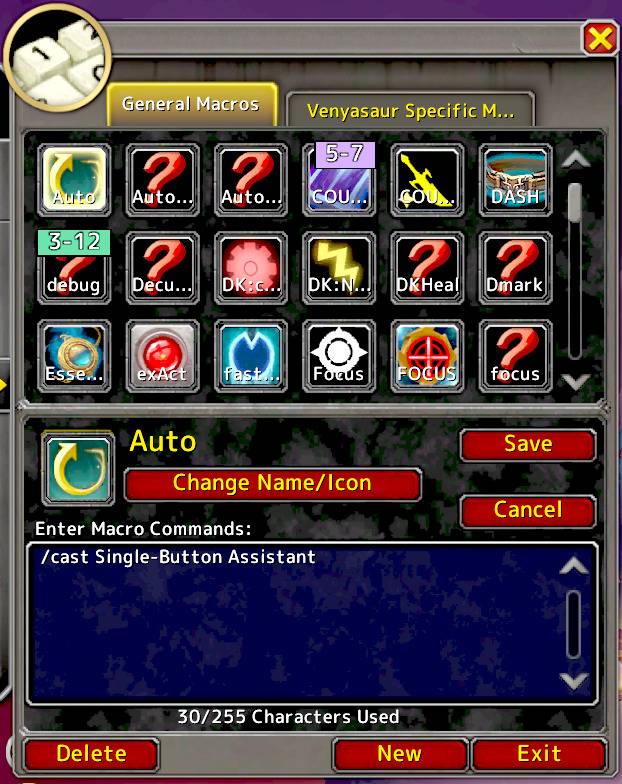
Macros can now be listed, and hovering over an action bar quickly shows which macro it is.
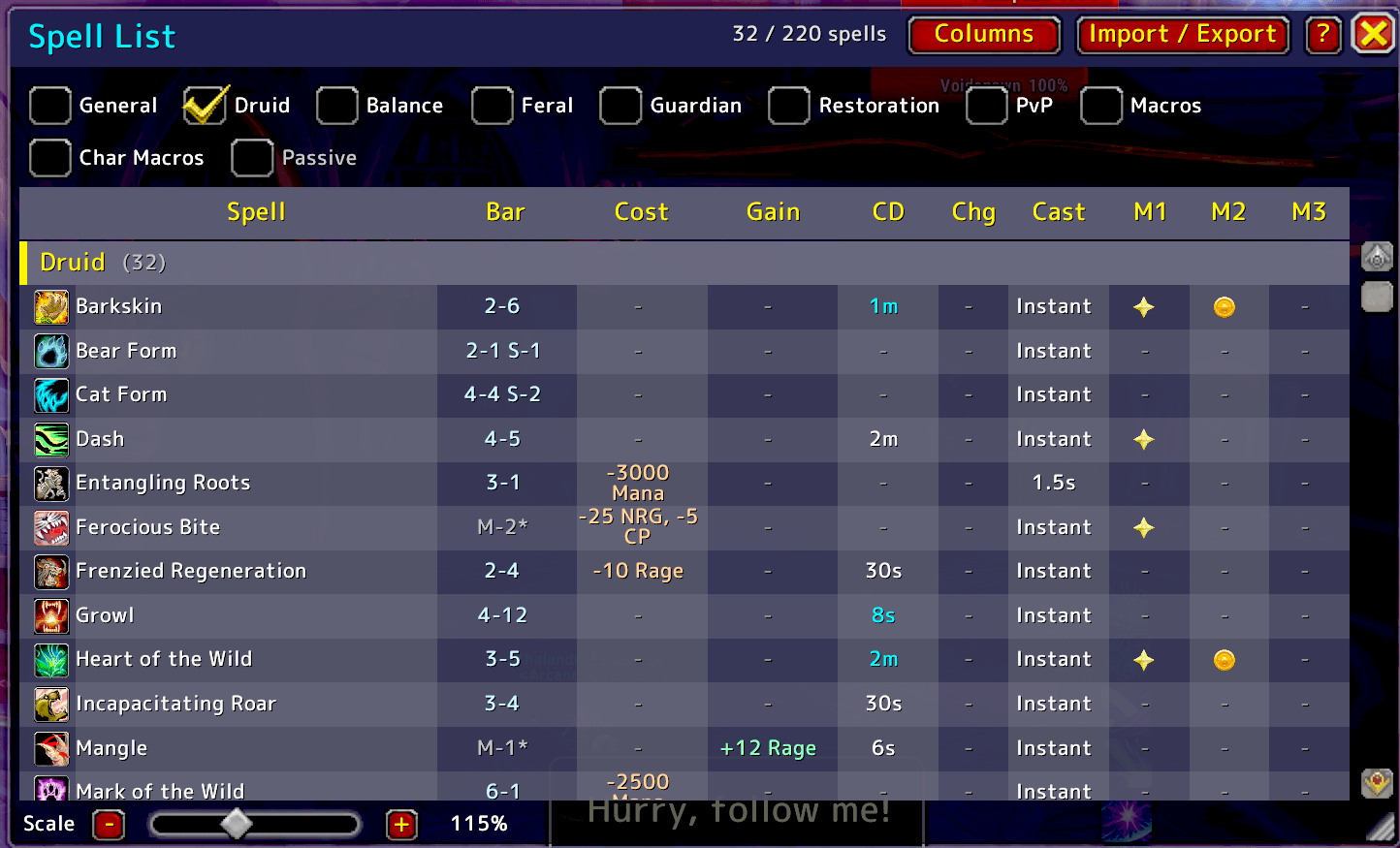
You can also check action bar addresses directly in the list. This makes it easy to see which spells are not on your action bars, and you can sort them as well.
Description
Wakaba Spell List
Wakaba Spell List turns the standard spellbook into a clean, sortable list — and shows you exactly where every spell lives on your action bars. Organize, categorize and find your abilities in seconds, even on classes with a huge spellbook.
How to Use
- Type
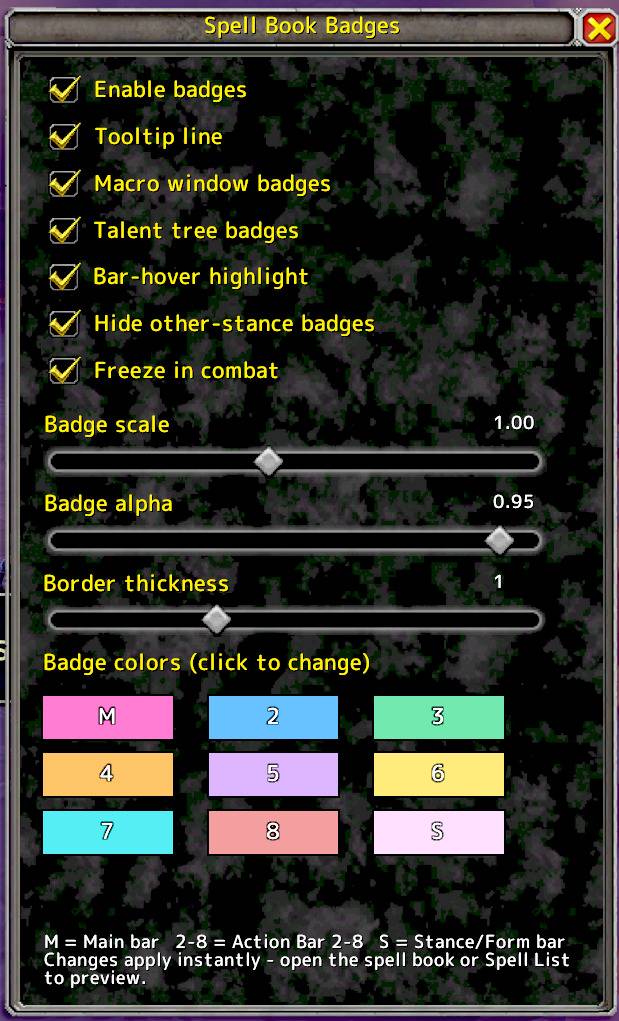
/wslin chat (or left-click the minimap icon) to open the list. - Right-click the minimap icon for Badge Options.
Key Features
📋 A sortable spell list
- Every spell in one spreadsheet-style window: cost, cast time, cooldown, charges and more.
- Sort by any column, or alphabetically — no more flipping through spellbook pages. Grouped by spec/skill line by default.
- Filter by spec, General, Pet, Macros or Passives. Show/hide columns and scale the whole window to taste.
📍 "Where's my spell?" — bar locations
- A Bar column shows where each spell/macro sits on your bars (M-3, 2-5, S-1…), updated live as you swap bars or stances.
- Badges put those same addresses right on the spellbook, talent tree, macro window and flyouts. Customizable colours and toggles in Badge Options.
- Two-way highlight: hover a row to light up its action-bar button, or hover a bar button to light up the matching row and spellbook entry.
🏷️ Custom Tags & Sharing
- Mark your spells to build your own system — inspired by Pokémon marks (●, ★…). Sort them into Offensives, Defensives, Utility, Favorites, whatever you like.
- Share your setup: export your marks and give the code to friends — perfect for teaching a class to a beginner.
🐾 Works with everything
- Macros — list your General and Character macros right alongside your spells.
- Pets — abilities and commands (Attack, Follow, Stay, Assist, Passive…), matching the game's Pet page.
- Flyouts — shown as their own gold row, so you can drag a whole flyout onto a bar as one button (its spells are listed too).
🖱️ Handy shortcuts
- Drag & drop any row onto your action bars, just like the default spellbook.
- Shift+click a spell to link
/castin chat. - Ctrl+click a row to jump to its source — macros open the macro window, spells open the spell book.
🛡️ Safe & Lightweight
- Built on standard, in-game API calls only — raid-safe, no combat taint, and easy on your framerate.
日本語説明 / Japanese Description
Wakaba Spell List は、標準のスペルブックをソート可能なリスト形式で表示し、さらに 各スペルがアクションバーのどこにあるか まで教えてくれるアドオンです。スペルの多いクラスでも、目的のスキルを一瞬で整理・発見できます。
使用方法
- チャット欄に
/wsl(またはミニマップアイコン左クリック)でリストが開きます。 - ミニマップアイコン右クリックで バッジ設定 を開けます。
主な機能
📋 ソート可能なスペル一覧
- コスト・詠唱・クールダウン・チャージなどを一覧表示。任意の列で、または 名前順 でソート。「あのスキル使って!」と言われてもすぐ見つかります。
- spec / General / Pet / マクロ / パッシブでフィルタ。列の表示切替やウィンドウの拡大縮小も可能。
📍 「あのスペルどこ?」バー位置表示
- Bar 列 に各スペル・マクロのバー上の住所(M-3, 2-5, S-1…)を表示。バーやスタンスの切替にもライブ追従。
- 同じ住所を スペルブック・タレント・マクロ画面・フライアウト に バッジ で直接表示(色や表示はバッジ設定でカスタム可)。
- 双方向ハイライト: 一覧の行にホバーすると対応するバーのボタンが光り、バーのボタンにホバーすると対応する行とスペルブックが光ります。
🏷️ 自分だけのマーキング & 共有
- ポケモンの「●や★」のように、スペルに自由なマークを付けて分類。「攻撃」「防御」「お気に入り」など自分ルールで整理できます。
- 作った分類は 書き出して友人にシェア 可能。そのクラスに不慣れな初心者に「どれが重要か」を教えるのに最適です。
🐾 あらゆるものに対応
- マクロ — General / Character マクロをスペルと並べて一覧表示。
- ペット — アビリティ と コマンド(Attack, Follow, Stay, Assist, Passive…)を公式 Pet ページと同じ顔ぶれで表示。
- フライアウト — 引き出しを 金色 の行で表示。引き出しごと1ボタンとしてバーに置けます(中の各スペルも一覧に出ます)。
🖱️ 便利な操作
- 任意の行を ドラッグ&ドロップ でアクションバーへ登録。
- スペルを Shift+クリック でチャットに
/castリンク挿入。 - 行を Ctrl+クリック で元の場所へジャンプ(マクロはマクロ画面、スペルはスペルブック)。
🛡️ 安全・軽量
- ゲーム内の標準APIのみで実装。レイド対応・戦闘中のtaintなし・動作も軽量です。
Author's Note / Motivation
"As a Japanese player, I often found it challenging to quickly identify which spells were interrupts, defensive cooldowns, or basic attacks just by reading their names or effects in a crowded spellbook. I created this addon to bridge that gap. Whether you are dealing with a language barrier or simply want a cleaner way to manage your class expertise, I hope Wakaba Spell List makes your adventures in Azeroth a little smoother."
This addon was crafted with the help of AI to bring my ideas to life. The code might be a bit of a 'vibe', but it works like a charm!
Wakaba Spell List Team