Wakaba Rotation Mirror
- By
A clean, responsive mirror for the official rotation assistant with integrated trinket and potion tracking.
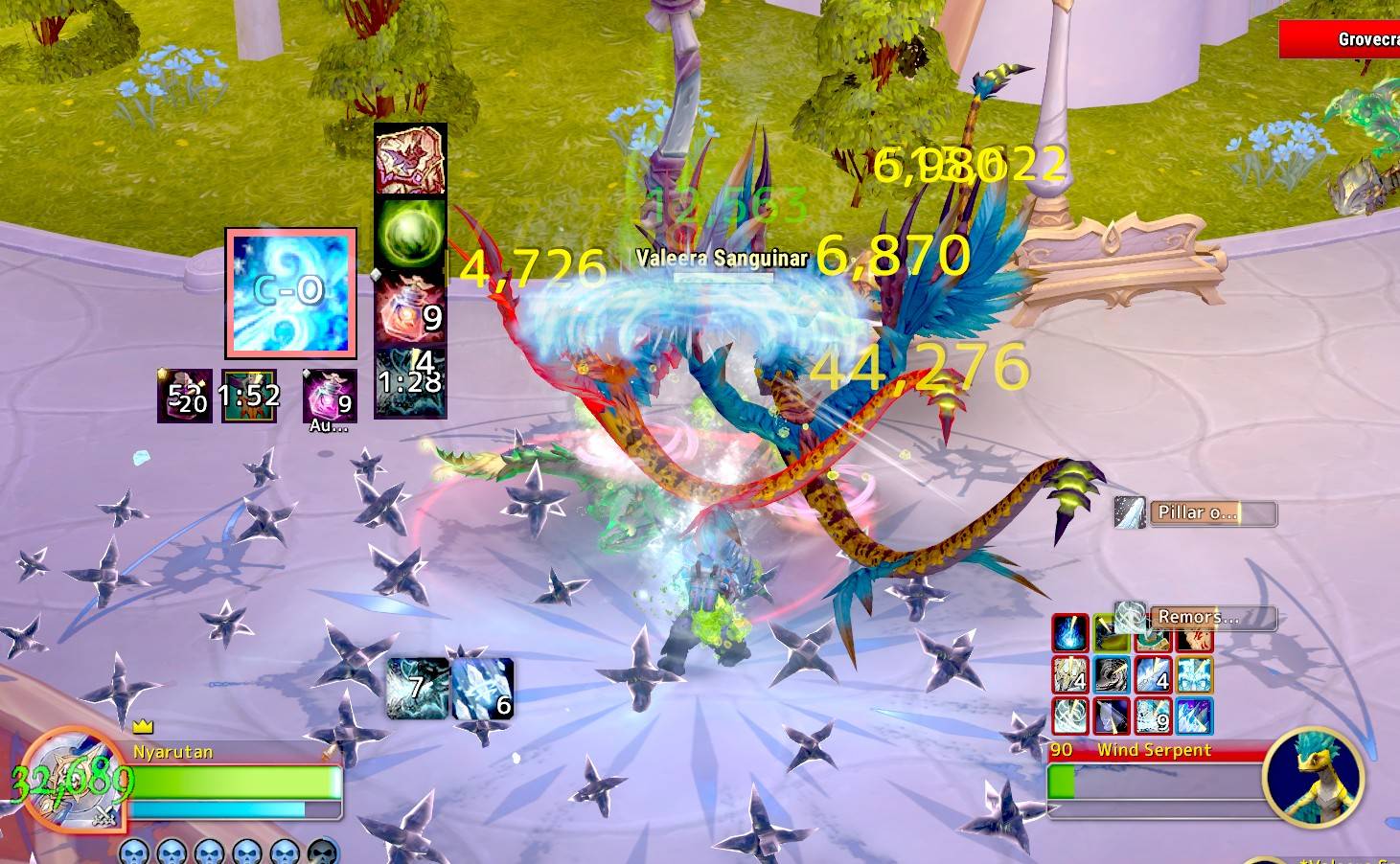
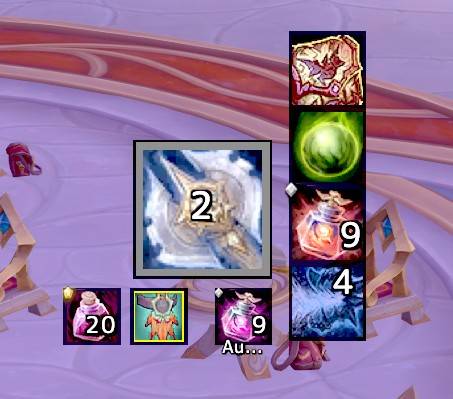
In combat: the big icon shows the next spell the game recommends. Small icons around it show your potions, trinkets and cooldowns, with keybinds, charges and cooldown timers.
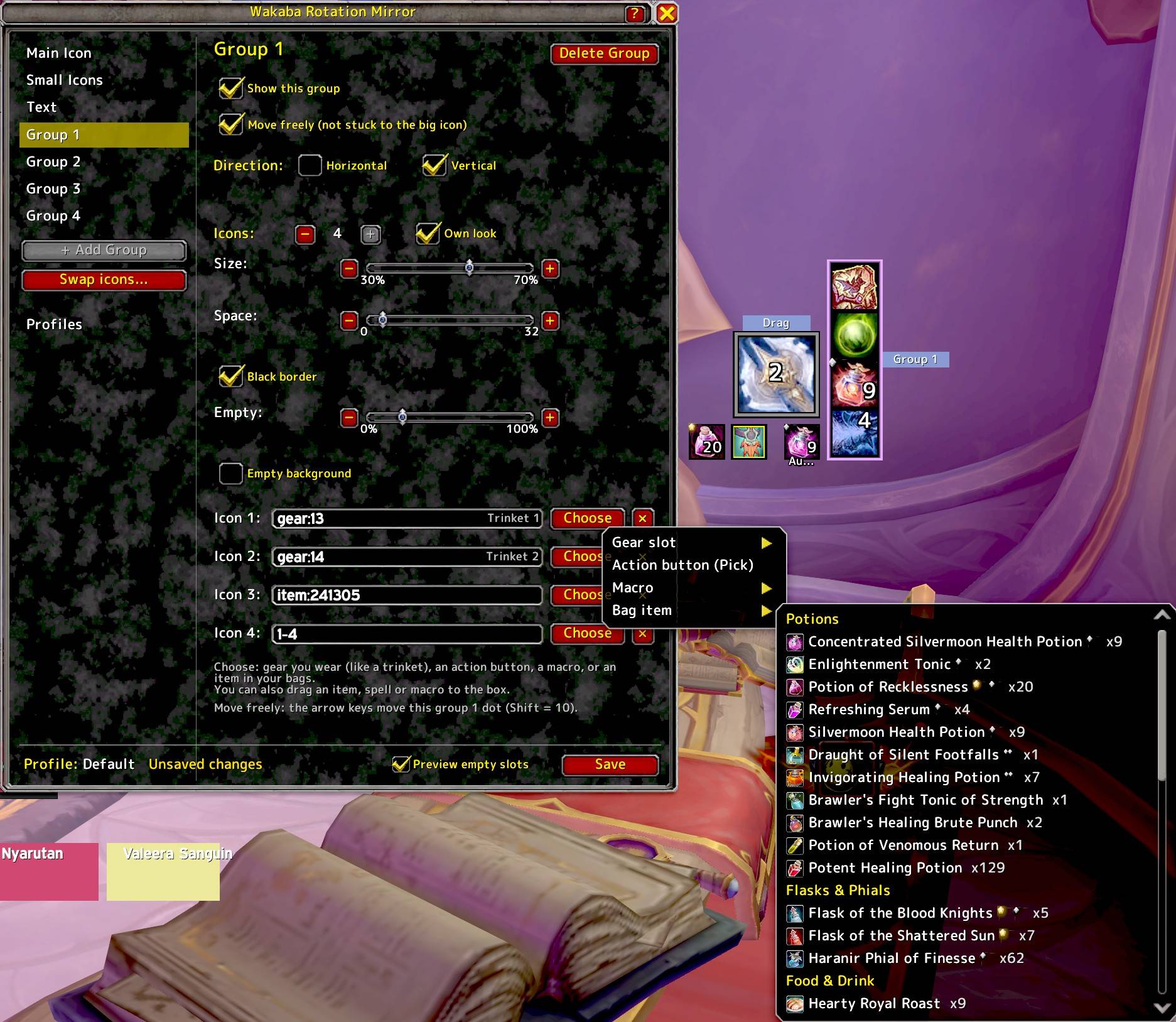
Description
Wakaba Rotation Mirror
One big icon shows your next skill. Just look and press!
Wakaba Rotation Mirror shows the spell that Blizzard's Assisted Combat (Single Button Assistant) recommends, as one big icon anywhere on your screen. Your hotkey is on the icon, so you only need to look and press.
What it does
- Shows the next recommended skill as a big icon, with your hotkey, cooldown and range color
- Small icons around it for trinkets, gear, potions, items, spells, macros and action buttons (stance and aura buttons too)
- Trinkets show up by themselves. A yellow border means it has a "Use" effect
- Click an icon to use it, or press your key. A flash shows when you press
- A glow tells you when a cooldown is ready
- Potions with the same name are one button, even with different ranks. "Fleeting" potions (like the ones from cauldrons) count as the same potion and are used first
- Groups: up to 4 groups of small icons. Put them on any side of the big icon, or move them freely
- Each group can have its own size, space, border, and look for empty slots
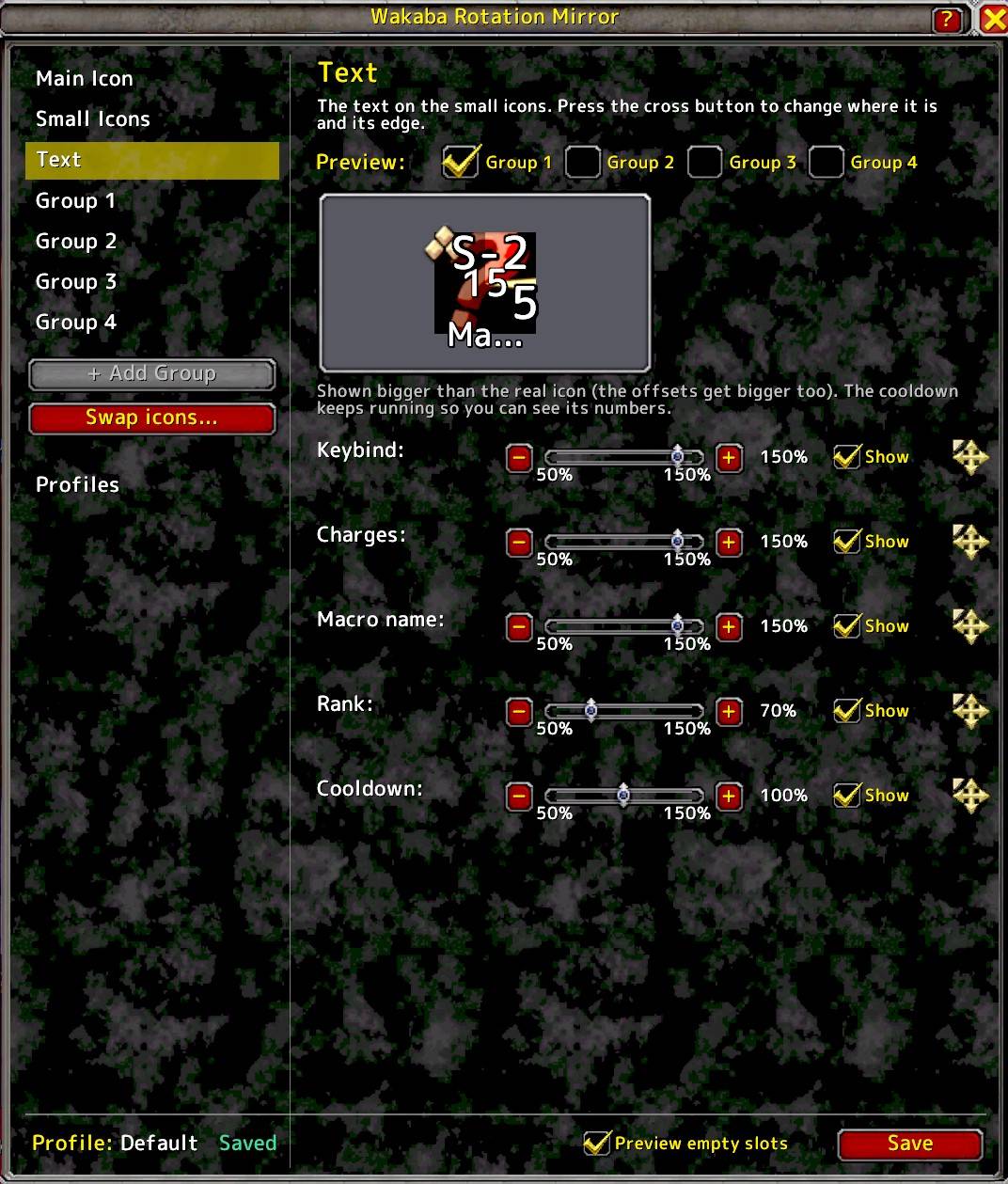
- Text page: choose the size, place and edge of the key names, numbers, macro names, item rank marks and cooldown numbers, with a preview
- Macro names can be shown on the icons
- Empty slots can take less room, or show a faint background
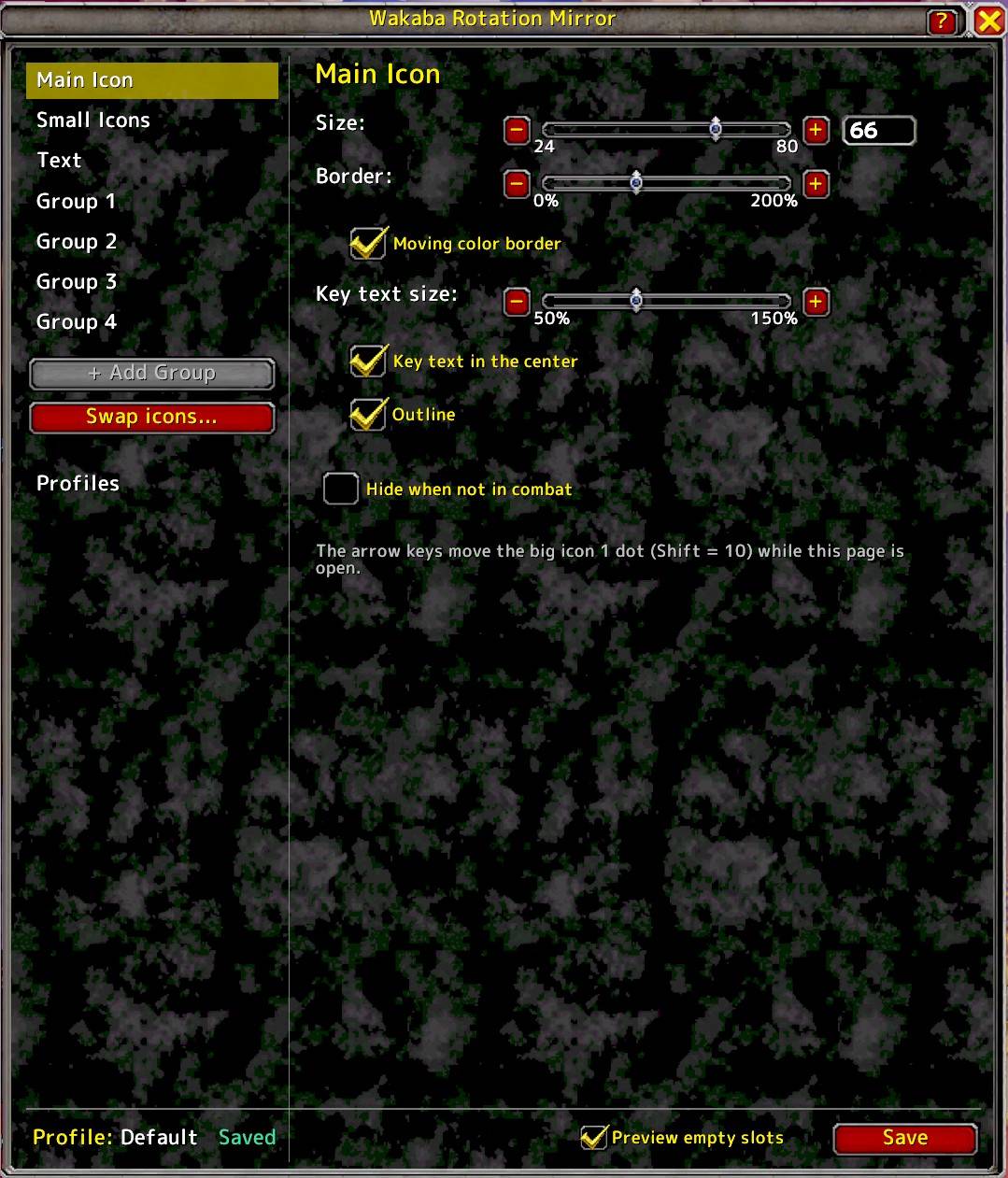
- Move things 1 dot at a time with the arrow keys
- Swap mode: click one small icon, then another, to swap them
- Save your layout as a profile and use it on all your characters
- Small icons are saved by themselves for each spec
Getting started
Click the minimap button, or type /wrm. Right-click the minimap button to hide or show the icons.
Works with
Works with the default action bars and EllesmereUI (tested). Bartender4, ElvUI and other bar addons should work too, but are not tested.
Why I made it
I made this for myself, and for anyone who feels a bit lost without a rotation helper. It is made for casual players, not for top-end raiding.
Wakaba Rotation Mirror(日本語)
次に使うスキルを、大きなアイコン 1 つで。見て、押すだけ。
Blizzard 公式の Assisted Combat(単一ボタンアシスタント)が推奨するスキルを、画面の好きな場所に大きなアイコンで表示します。ホットキーもアイコンに出るので、見て押すだけです。
できること
- 次のスキルを大きく表示(ホットキー、クールダウン、射程で変わる色つき)
- 周りに「小さなアイコン」を置けます(トリンケット、装備、ポーション、アイテム、スキル、マクロ、アクションボタン。スタンスバー、オーラのボタンも)
- トリンケットは自動で表示。黄色い枠は「使用効果あり」の印です
- クリックでも、キーでも使えます。押すと光ります
- クールダウンが戻ると光ってお知らせ
- 同じ名前のポーションは 1 つのボタンにまとまります(ランク違いも)。「Fleeting」のポーション(鍋で配られるもの)も同じポーションとして扱い、先に使います
- グループ: 小アイコンを最大 4 グループまで。大きなアイコンの好きな側に置いたり、自由に動かしたりできます
- グループごとに、大きさ、隙間、枠、空きスロットの見え方を変えられます
- Text ページ: キー名、数字、マクロ名、アイテムのランクの印、クールダウンの数字の、大きさ、位置、縁取りを選べます(見本つき)
- マクロの名前を、アイコンの上に出せます
- 空きスロットは、場所を取らなくしたり、半透明の背景を出したりできます
- 矢印キーで、1 ドットずつ位置を動かせます
- スワップモード: 小さなアイコンを、クリック 2 回で入れ替えられます
- レイアウトをプロファイルに保存して、全キャラで使えます
- 小さなアイコンの中身は、専門化ごとに自動で保存されます
はじめかた
ミニマップのボタンをクリック、または /wrm で設定画面が開きます。ミニマップのボタンを右クリックで、アイコンの表示と非表示を切り替えられます。
対応
標準のアクションバーと EllesmereUI で動作確認済みです。Bartender4、ElvUI などのバーにも対応するように作っていますが、未確認です。
作った理由
自分用に作りました。ローテーション補助がなくて少し不安な人のためにもなればと思っています。トップを目指す人向けではなく、気軽に遊ぶ人向けです。
Wakaba Rotation Mirror Team