Wakaba Techou (Sticky note Add On)
- By
Personal boss strategy notes and quick spell-insertion directly inside the Encounter Journal.
ss0.jpg
ss2.jpg
ss3.jpg
ss4.jpg
ss01.jpg
ss6.jpg
Description
"Wait, I just ran this dungeon yesterday, how did I forget the mechanics already?!"
If you've ever thought this, I made this addon for you!
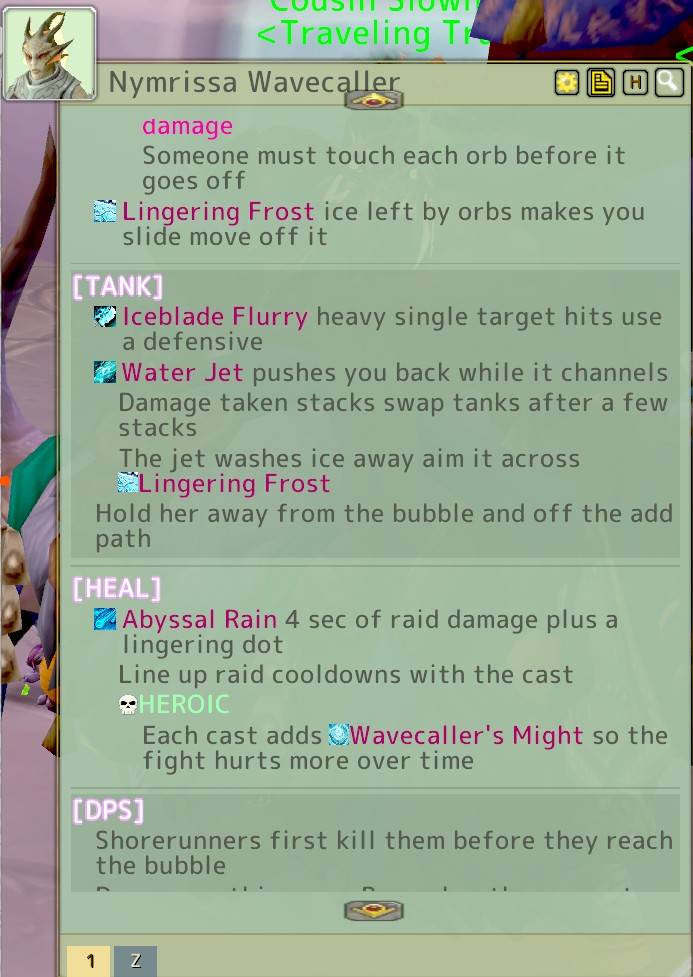
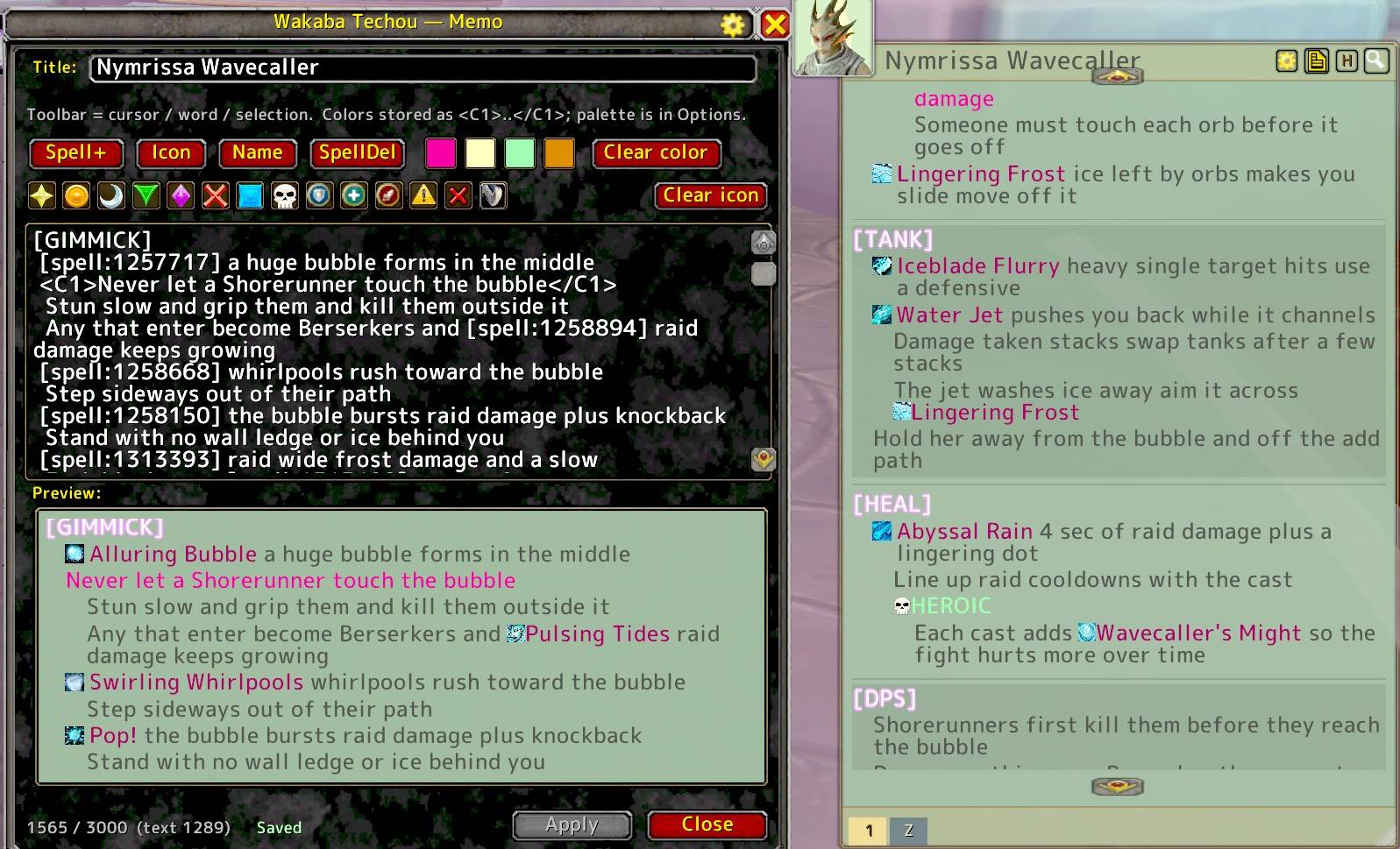
Wakaba Techou is a sticky note addon directly linked to the Adventure Guide (Encounter Journal). Notes are organized by zone and have dedicated pages for each boss. You can freely write down anything you need—from easily forgotten mechanics to the specific loot you're targeting.
Quick Start Guide
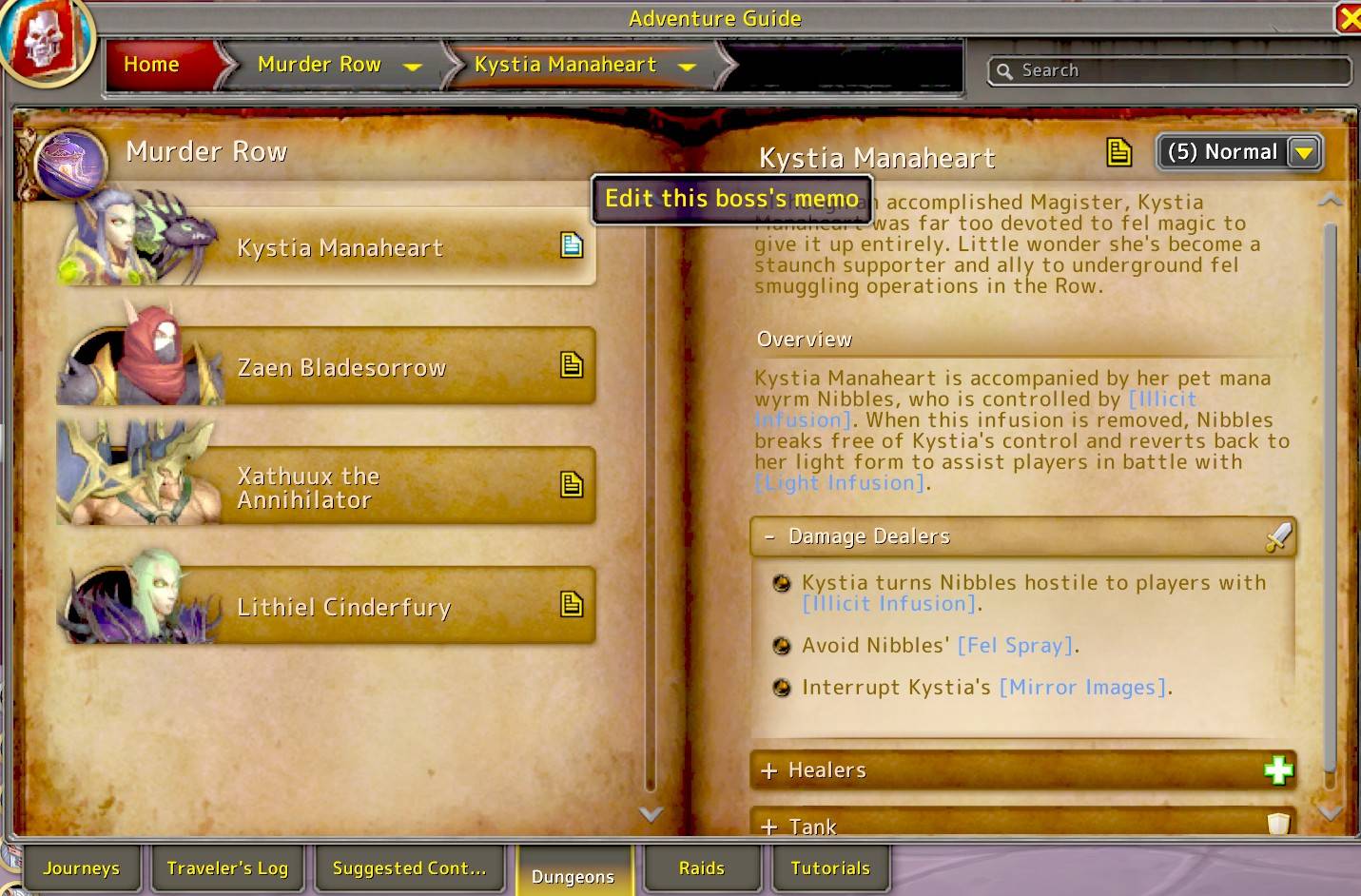
- Open the Adventure Guide and select an instance to create a sticky note.
- Select a boss via the Encounter Journal or the note's tabs.
- Click the Edit icon in the Encounter Journal or on the note's toolbar.
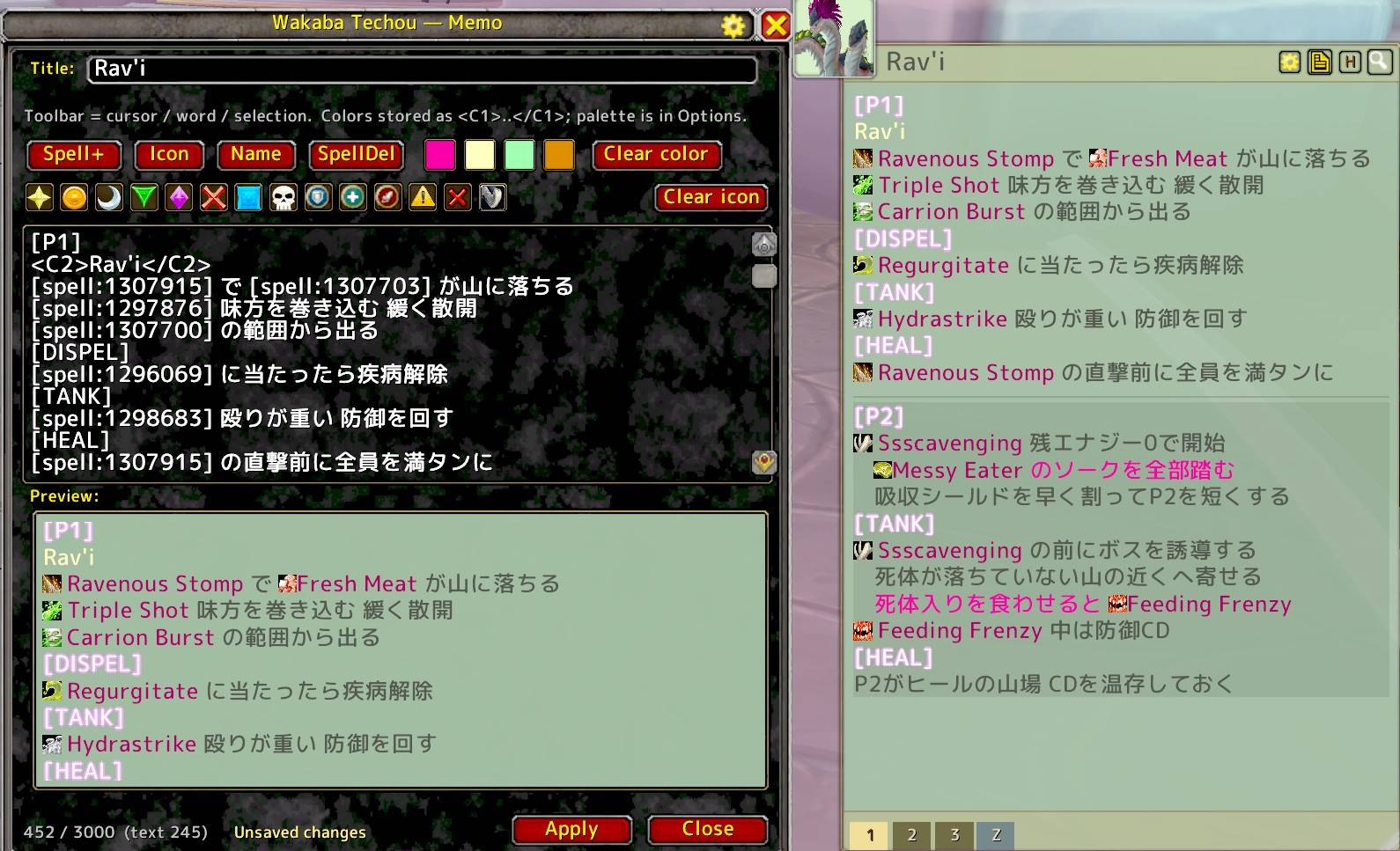
- The Editor will open. Type your notes and click Apply to see them on the note!
Writing a memo
- Indent a line by starting it with a space. A long line that wraps keeps the same left edge, so your notes keep their shape.
- A line that is only a bracketed word, like
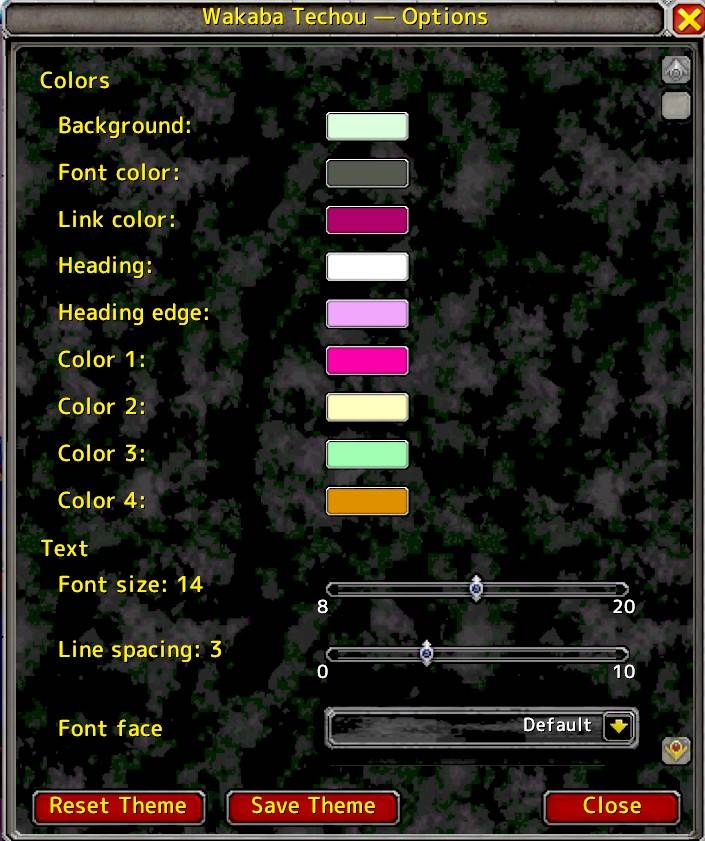
[KICK], becomes a heading. ---draws a rule. The block between two rules gets a tinted background.[spell:12345]shows the spell icon and name, and links to its tooltip.[spelli:ID]for icon only,[spelln:ID]for name only.[icon:rt_star]for raid markers,[icon:role_tank]for roles, and more.<C1>text</C1>paints text with one of four palette colors you choose.- A
/wayline, or a coordinate pair like48.34 50.50, becomes click-to-copy. - Up to 3,000 characters per memo.
Sticky Note
- Click a boss tab: open that boss memo. Click
Zfor zone-wide notes. - Tab colors: gold = open, normal = has a memo, dim gray = still empty.
Wheel Up / Downover the text: scroll the memo.Shift + Wheel: switch tabs.Wheelover the tab row or the title bar: switch tabs.- Click the on-note up/down arrows: page through long text.
- Drag the window to move it; drag the bottom-right handle to resize.
Editor
Applysaves and shows the memo.Closecloses the editor.- Color buttons
1-4: wrap the word or selection in<C1>..<C4>. Clear color/Clear icon: remove matching tags.Spell+/Icon/Name/SpellDel: switch or remove a spell tag style.Ctrl + Sapply,Ctrl + Zundo (3 levels),Ctrl + C / V / X / Aas usual.CtrlorShift+ click a spell anywhere: insert a[spell:ID]tag.Alt+ click a spell: open a clip popup with its tooltip text.Esc: drop focus from the text box.
Minimap Icon
- Left click: show / hide the sticky note.
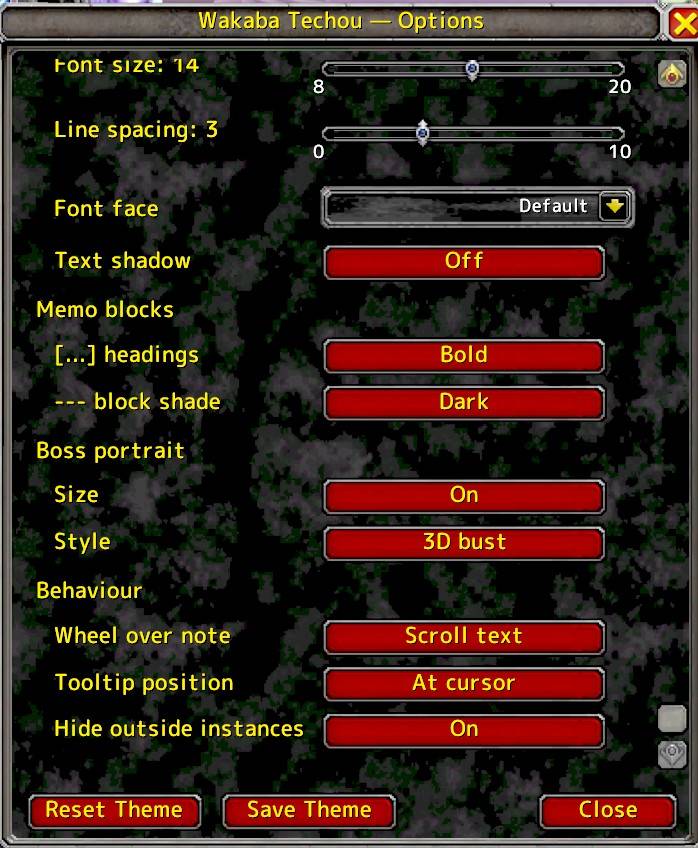
- Right click: open AddOn settings.
Free Memo Pages
Notes that have nothing to do with a dungeon — everyday lists, reminders, whatever you like.
- Click the H button on the note's toolbar to go back to the Welcome screen, then click the green Memo button.
- The tab row becomes numbered memo pages.
+adds a page, up to 10. - Shared by all your characters, the same as boss and zone memos.
- Rename a page from the editor's
Title:box; remove one withDelete page. - Everything in "Writing a memo" works here too.
Wakaba Techou - 操作ガイド(日本語)
使い方
- 冒険ガイドを開き、インスタンスを選択して付箋を表示します。
- 冒険ガイド内、または付箋のタブからボスを選択します。
- 冒険ガイド、または付箋のツールバーにある Edit アイコンをクリックします。
- エディタが開きます。メモを書き込み、Apply ボタンを押すと付箋に反映されます!
メモの書き方
- 行頭にスペースを入れると字下げされます。長い行が折り返しても頭が揃うので、階層がそのまま読めます。
[KICK]のように行全体が[...]だけの行は見出しになります。---で区切り線。区切り線ではさんだ範囲の背景に色が付きます。[spell:12345]でアイコン+スペル名を表示(ツールチップ付き)。[spelli:ID]はアイコンのみ、[spelln:ID]は名前のみ。[icon:rt_star]でレイドマーカー、[icon:role_tank]でロールアイコンなど。<C1>文字</C1>で4色のパレット色を付けられます(色は設定で変更可)。/wayの行や48.34 50.50のような座標は、クリックでコピーできます。- 1メモあたり3,000文字まで。
付箋(Sticky Note)
- ボスタブをクリック: ボスごとのメモを表示。
Zタブはゾーン共通メモ。 - タブの色: 金=選択中 / 通常=記入済み / 薄いグレー=未記入
- 本文の上で
Wheel Up / Down: 本文をスクロール Shift + Wheel: タブを切り替え- タブ列・タイトル帯の上で
Wheel: タブを切り替え - 本文の上下矢印をクリック: 長文をページ送り
- ウィンドウをドラッグで移動、右下のハンドルでサイズ変更
エディタ
Apply: 保存して付箋に反映 /Close: エディタを閉じる- カラーボタン(
1〜4): 選択範囲または語句を<C1>〜<C4>で色付け Clear color/Clear icon: 対応するタグを削除Spell+/Icon/Name/SpellDel: スペルタグの形式切り替え・削除Ctrl + S保存 /Ctrl + ZUndo(3回まで)/Ctrl + C・V・X・Aは通常どおりCtrlまたはShift+ スペルをクリック:[spell:ID]タグを挿入Alt+ スペルをクリック: ツールチップ本文のコピー用ポップアップEsc: テキスト入力のフォーカス解除
ミニマップアイコン
- 左クリック: 付箋の表示/非表示
- 右クリック: AddOn設定を開く
フリーメモ(普段使い)
ダンジョンと関係のないメモ用です。買い物リストでも進行中の予定でも、好きに使えます。
- 付箋のツールバーの H ボタンでウェルカム画面に戻り、緑の Memo ボタンを押します。
- タブ列が番号付きのメモページに変わります。
+でページ追加、最大10ページ。 - 全キャラクター共有です(ボスメモ・ゾーンメモと同じ)。
- ページ名はエディタの
Title:で変更、削除はDelete pageボタン。 - 「メモの書き方」の記法はすべてこちらでも使えます。
Wakaba Techou (Sticky note Add On) Team