


Wakaba Rotation Mirror
- By

A clean, responsive mirror for the official rotation assistant with integrated trinket and potion tracking.
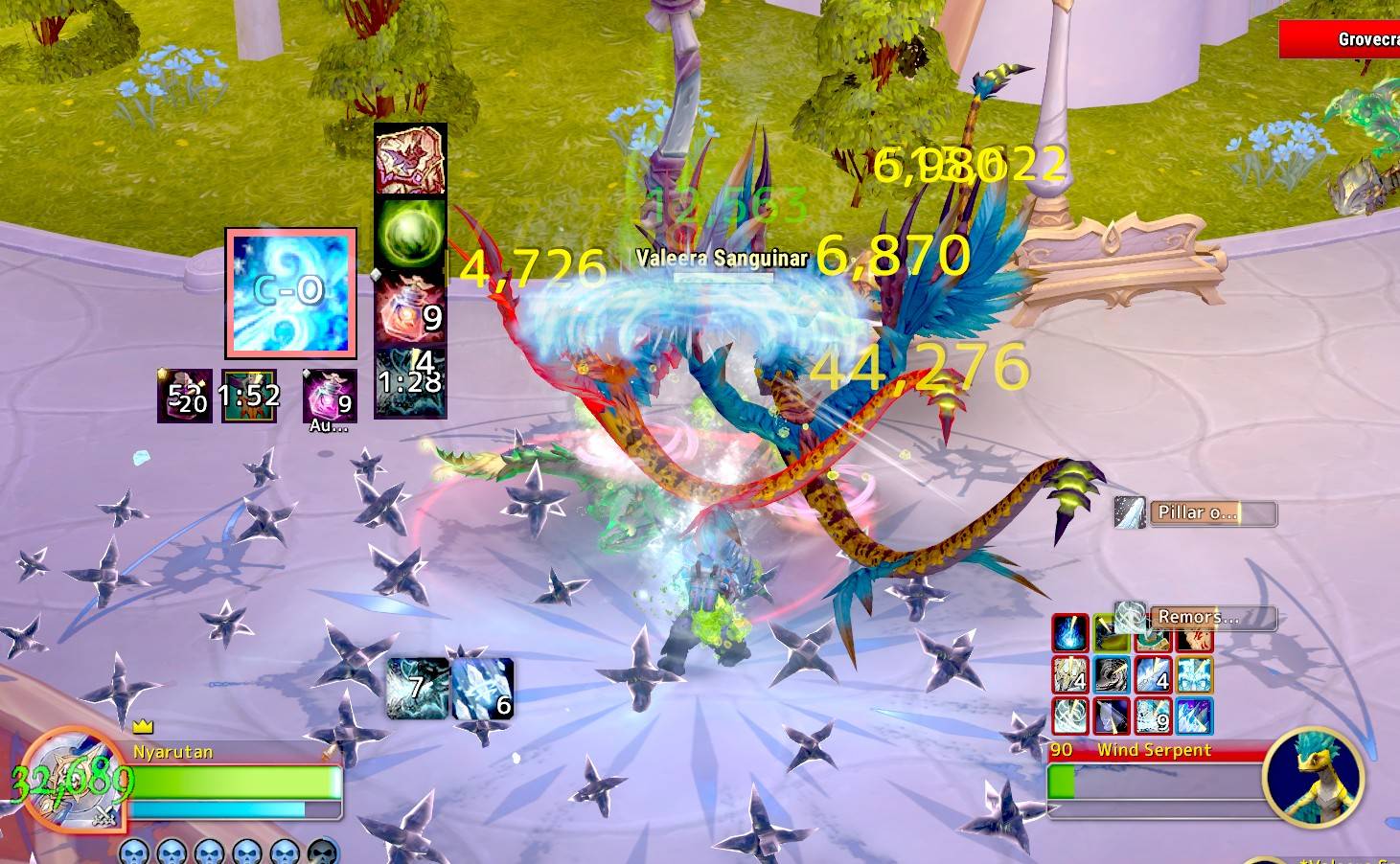
In combat: the big icon shows the next spell the game recommends. Small icons around it show your potions, trinkets and cooldowns, with keybinds, charges and cooldown timers.
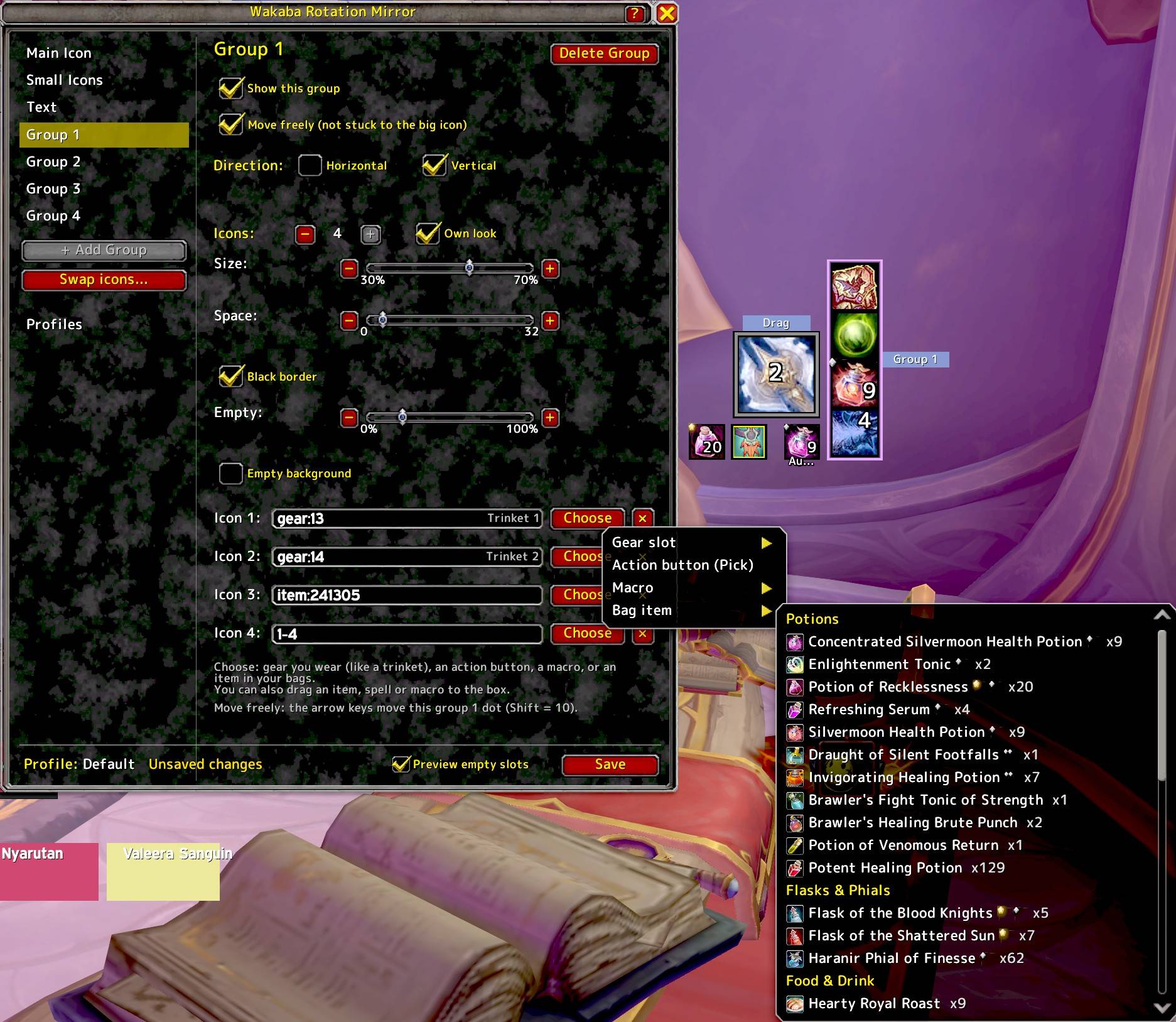
Group settings. Pick a gear slot, an action button, a macro or a bag item for each slot.
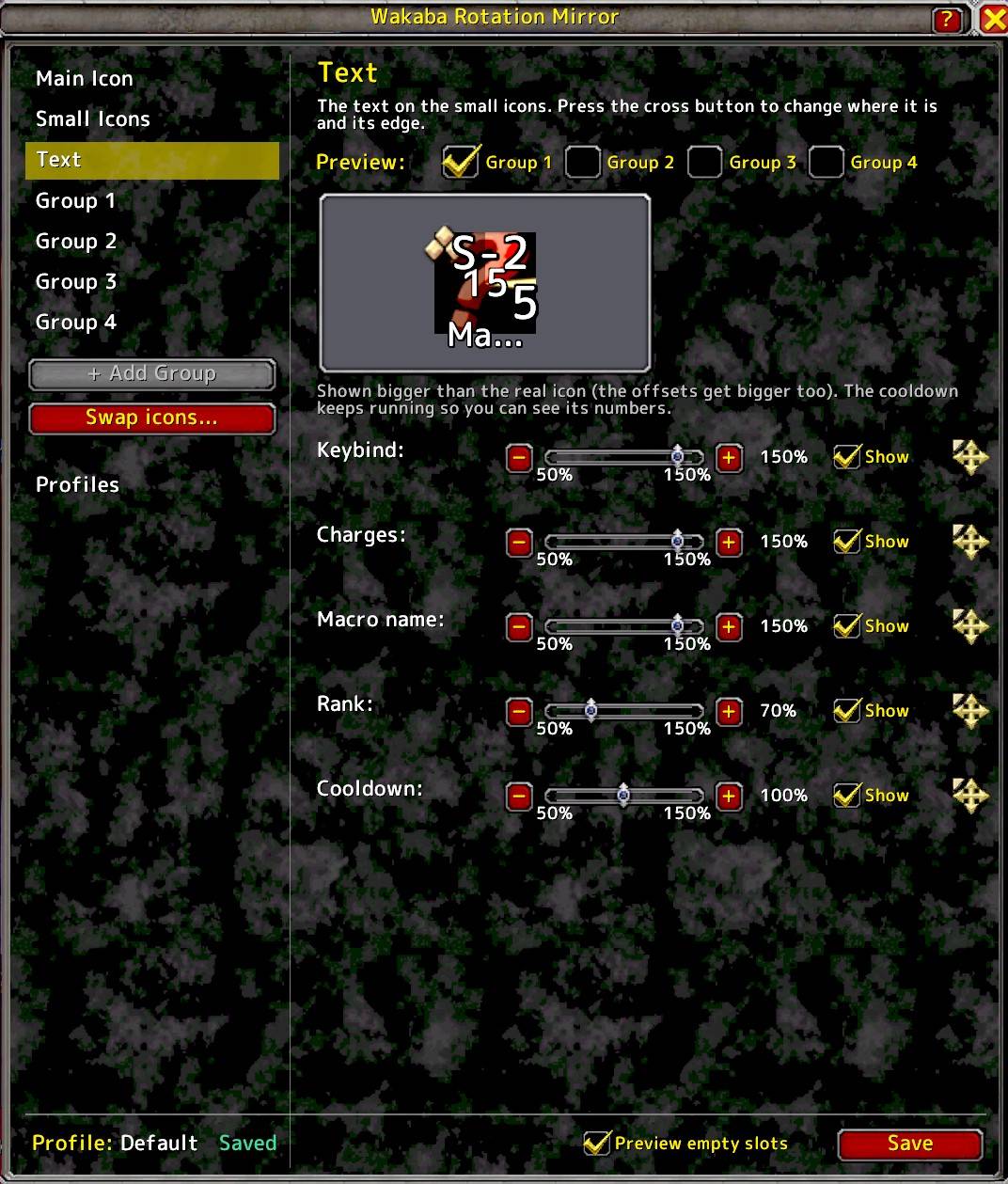
Text page. Change the size, position and edge of the keybind, charges, macro name, rank and cooldown text.
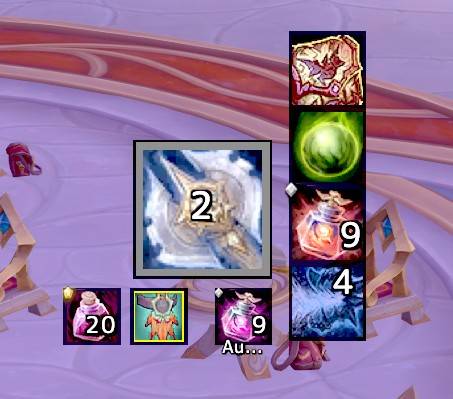
Close-up of the main icon and two groups. A group can be placed freely, and it can be vertical or horizontal.
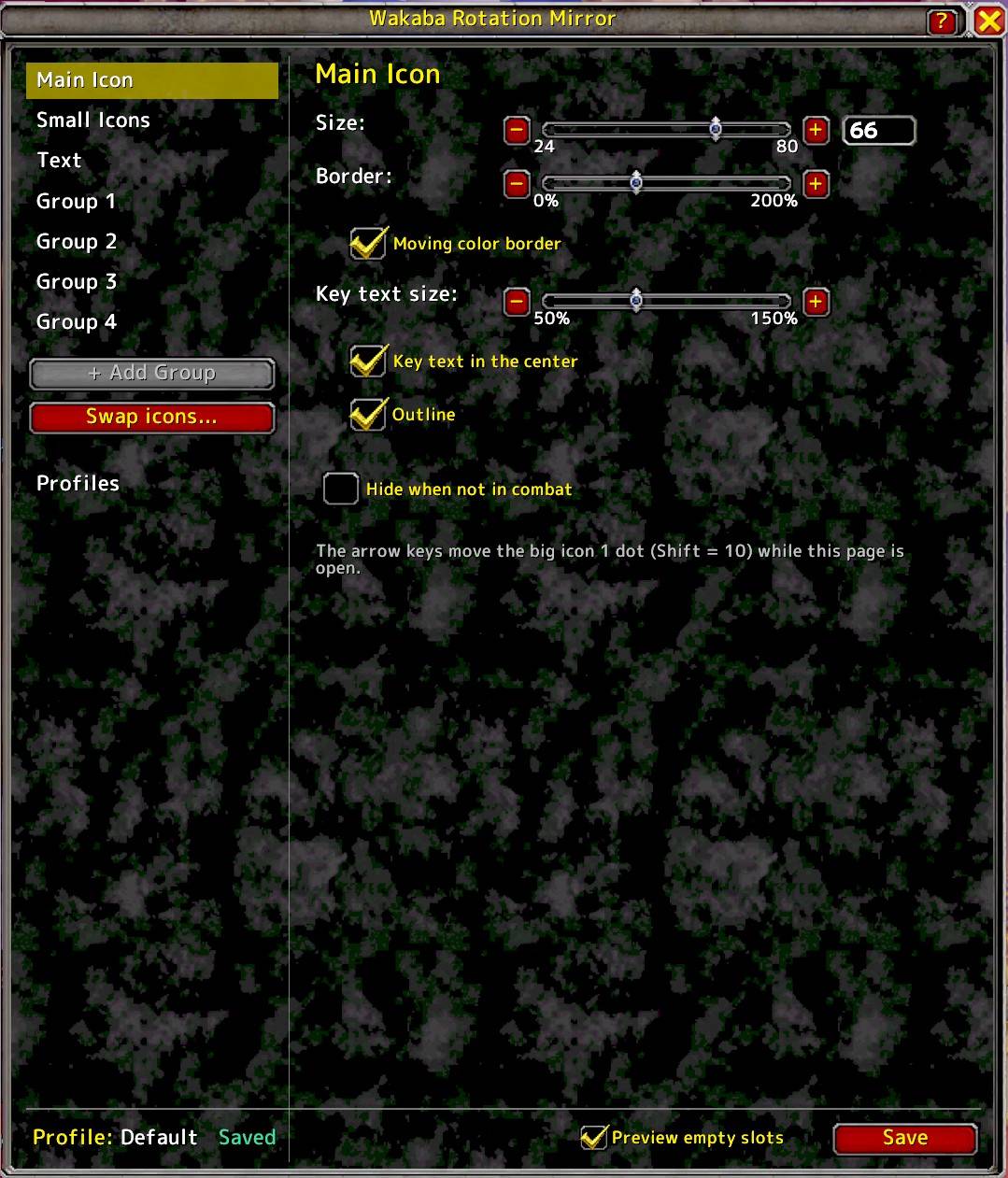
Main Icon page. Size, border and key text. Arrow keys move the icon while the page is open.