Voidcore Advisor
- By
VoidcoreAdvisor is a World of Warcraft addon that hooks into the Encounter Journal to show which loot specialization gives you the best odds of getting your desired items when spending Nebulous Voidcores.

voidcoreadvisor_dungeonscan.png
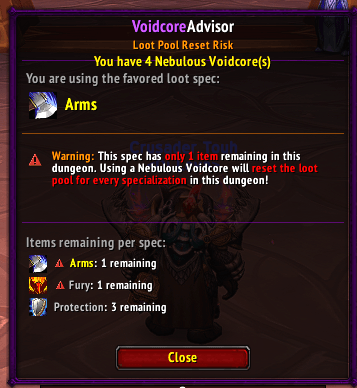
voidcoreadvisor_dungeonwarning2.png
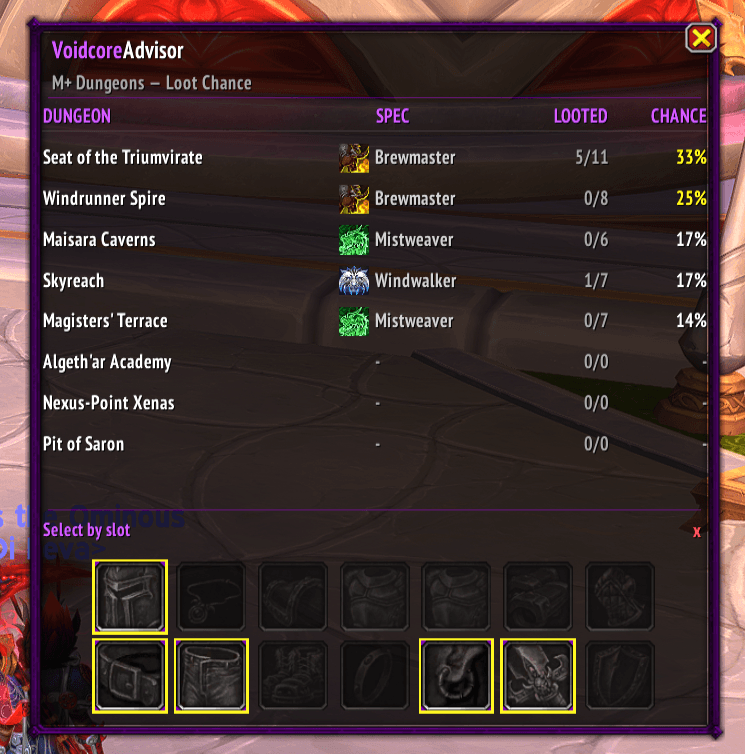
voidcoreadvisor_dungeon_overview.png
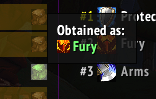
voidcoreadvisor_obtained2.png
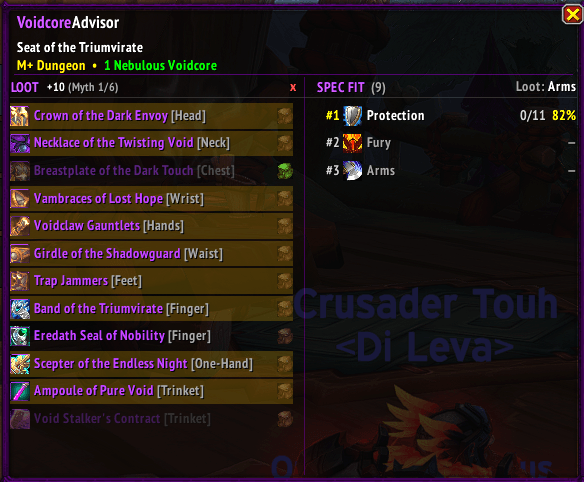
voidcoreadvisor_dungeon1.png
voidcoreadvisor_dungeon_reminder.png
voidcoreadvisor_bonusroll.png
Description
VoidcoreAdvisor
VoidcoreAdvisor is a World of Warcraft addon for Retail (Patch 12.0.0+) that helps you decide when — and on which loot spec — to spend your Nebulous Voidcores.
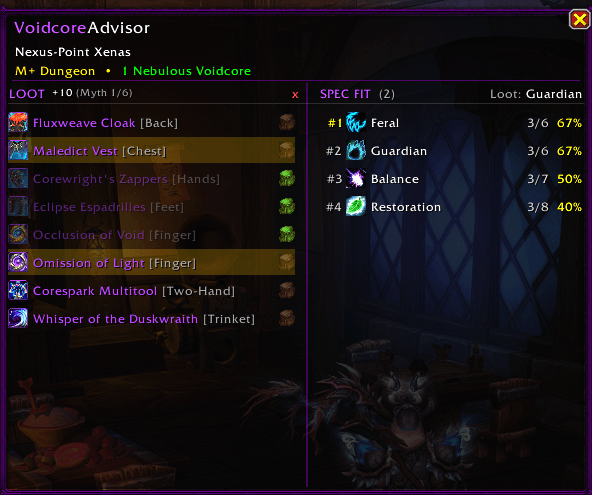
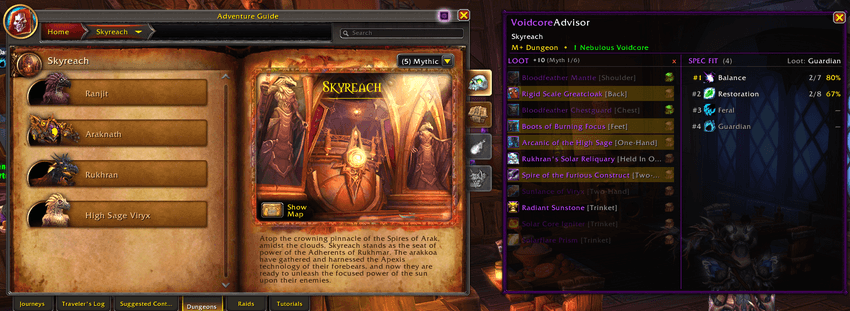
The addon adds a side panel to the Encounter Journal that shows the remaining loot pool for every raid boss and Mythic+ dungeon, along with the percentage chance each loot specialization has of giving you the items you want.
Simply select the items you are chasing, and VoidcoreAdvisor automatically calculates which spec gives you the best odds based on the remaining available loot.
As you obtain items throughout the season, the addon updates your remaining loot pools automatically, helping keep your probabilities accurate without requiring constant manual tracking.
Features
• Shows remaining loot pools for raids and Mythic+
• Calculates the best loot specialization for your selected items
• Manual Voidcache loot scan button for all loot specializations
• Detects items already obtained through Nebulous Voidcore rolls
• Automatically excludes unavailable items per specialization after scanning
• Tracks obtained items automatically throughout the season
• Loot spec recommendation popup for Mythic+ dungeons
• One-click loot specialization switching
• Safer bonus roll confirmation window
• Support for both raid bosses and Mythic+ dungeons
• Adjustable Mythic+ reward track item levels
• Slot filters for targeting specific gear types
• Persistent per-character tracking
• Localized in 11 languages
Encounter Journal Integration
VoidcoreAdvisor adds a dedicated side panel to the Encounter Journal showing:
• Remaining items for each loot specialization
• Probability percentages for every spec
• Selected item tracking
• Cross-spec loot comparisons
Specs with fewer remaining items naturally have higher chances per Voidcore roll, making it easy to see which specialization is most efficient for your current goals.
Automatic Voidcache Loot Scanning
One of VoidcoreAdvisor’s core features is its automatic Voidcache loot scan system.
The addon can scan Nebulous Voidcache loot tables for every specialization to determine:
• Which items each spec can receive
• Which items you have already obtained through Voidcore rolls
Already collected items are automatically removed from future calculations, helping keep remaining loot pools and percentages accurate throughout the season.
Items unavailable to specific loot specs are also excluded automatically, allowing the addon to calculate more realistic odds for each specialization.
This is especially useful for classes with multiple loot specs and heavily shared loot tables.
How the Scan Works
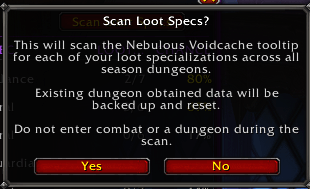
VoidcoreAdvisor reads loot availability directly from the Nebulous Voidcache tooltip for every specialization and dungeon or raid boss.
During the scan, the addon automatically:
• Detects already obtained items
• Removes unavailable items from each spec
• Updates remaining loot pools
• Refreshes probability calculations
The scan waits for tooltip data to fully load before saving results to help avoid incomplete or outdated information.
Scans automatically stop if:
• You enter combat
• Your loot specialization changes manually
• Another scan is already running
Before saving scan results, VoidcoreAdvisor automatically creates a backup of your existing obtained-item data.
If something looks incorrect, you can restore the previous state at any time with:
/vca restore
Raid and Mythic+ backups are stored separately.


Mythic+ Scan
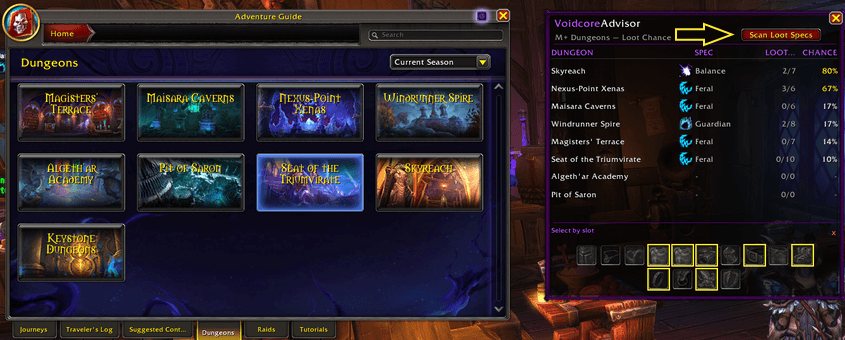
Open the Encounter Journal on the Mythic+ dungeon list and click the Scan Loot Specs button in the top-right corner of the overview panel.
The button is disabled while inside instances or while another scan is running.
Raid Scan
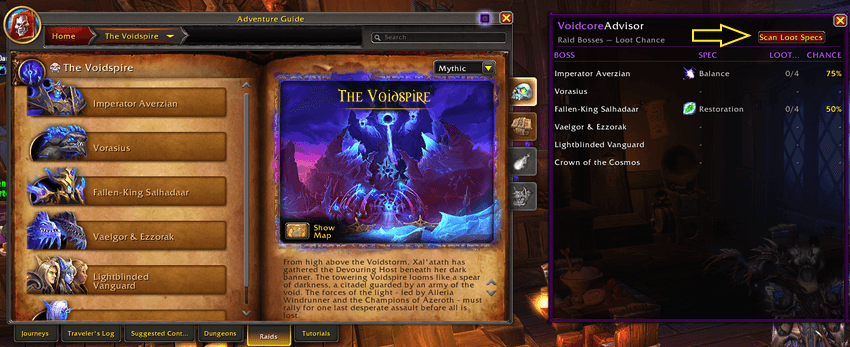
Open a raid’s overview page in the Encounter Journal and click the Scan Loot Specs button in the top-right corner.
The same restrictions apply: you must be outside an instance and not already scanning.
Dungeon Overview
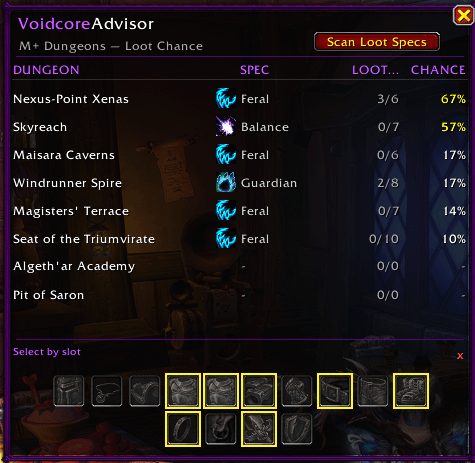
When viewing the Mythic+ dungeon list, VoidcoreAdvisor displays an overview panel ranking every current-season dungeon by your best possible Voidcore odds.
Each dungeon row shows:
• Best loot specialization
• Remaining items for that spec
• Highest single-roll percentage chance
Equipment slot filters let you narrow the rankings to specific item types such as trinkets, weapons, or armor slots.
Raid Overview
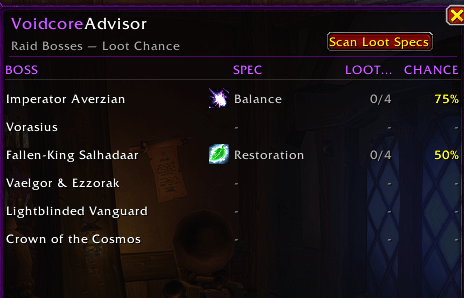
When viewing a raid overview page, VoidcoreAdvisor displays every boss along with:
• Best loot specialization
• Remaining items
• Probability percentage
This gives you a quick overview of which bosses are still worth rolling on and which spec gives the best odds for each encounter.
Bonus Roll Confirmation Overlay
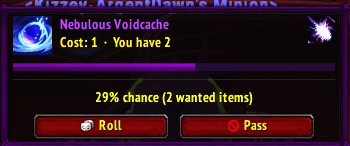
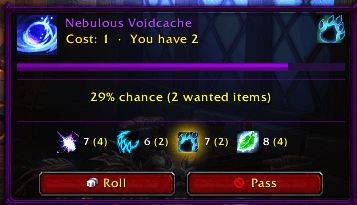
VoidcoreAdvisor replaces the default Nebulous Voidcore prompt with a safer confirmation overlay designed to help prevent accidental Voidcore spending.
The overlay displays:
• Item icon and tooltip
• Current Voidcore count
• Roll cost
• Active loot specialization
• Remaining wanted items
• Per-spec remaining item counts
• Live timer bar
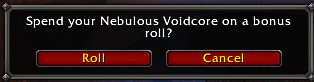
Rolling requires a second confirmation click before spending a Voidcore, while Pass remains instant.
The overlay uses Blizzard-styled Roll and Pass buttons so it feels consistent with the default UI.
Loot Spec Recommendations
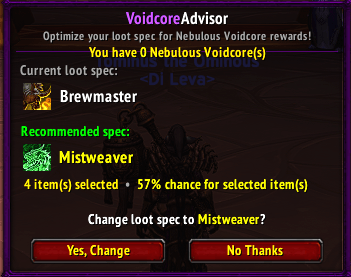
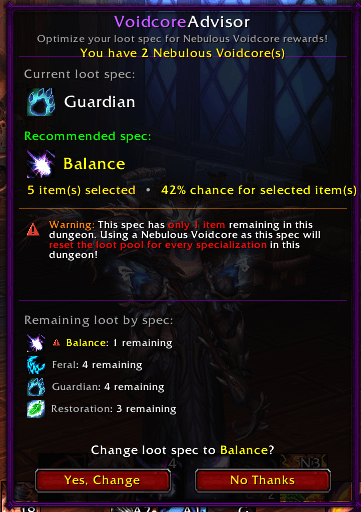
When entering current-season Mythic+ dungeons, VoidcoreAdvisor can automatically check whether your current loot specialization is the best option for your selected items.
If another spec gives better odds and you have a Nebulous Voidcore available, the addon can display a recommendation popup showing:
• Your current loot spec
• The recommended spec
• Remaining items
• Probability percentages
You can switch loot specialization directly from the popup with a single click.
The reminder only appears once per dungeon and can be disabled in the addon settings.
Customization
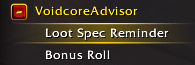
Most features can be individually enabled or disabled from the Options panel, including:
• Bonus roll overlay
• Loot spec recommendation popups
• Per-spec loot count displays
The Voidcore Advisor Team