SpoilScribe
- By
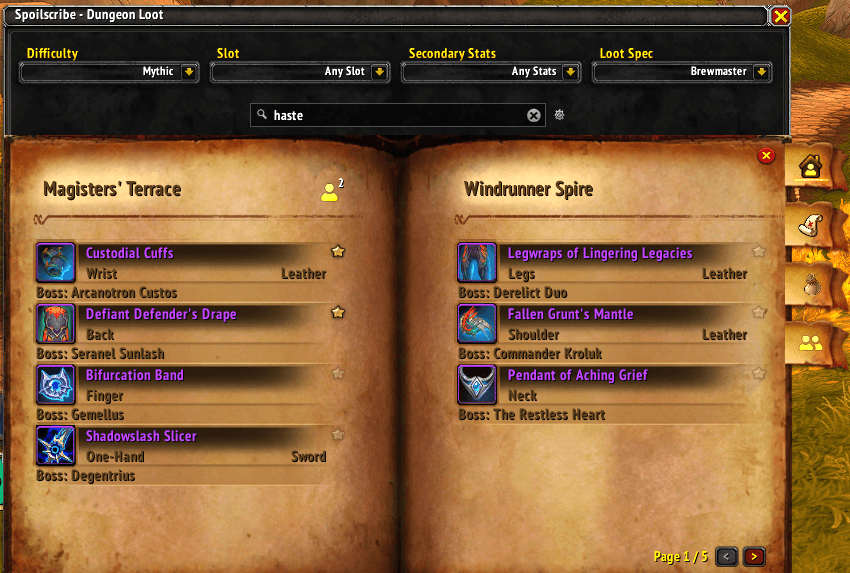
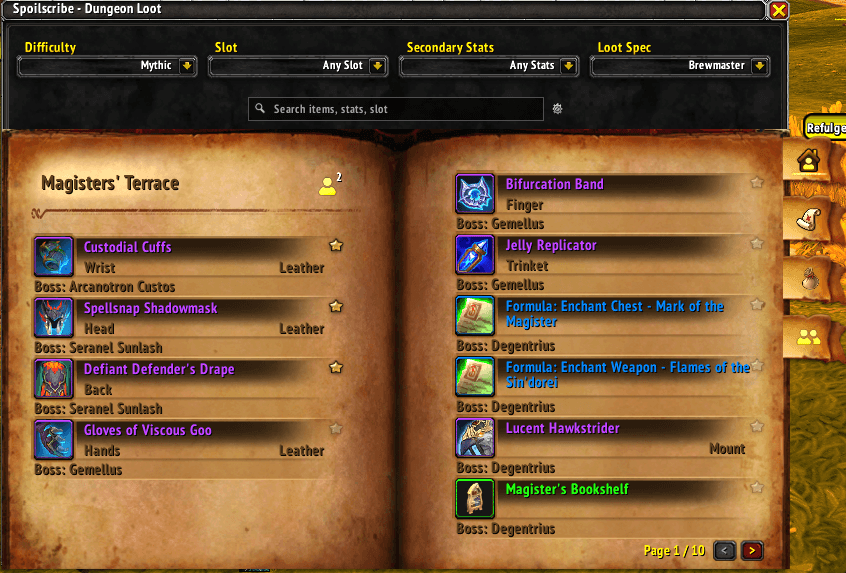
Ever wanted to find out which dungeons drop items with haste on it? Well look no further. SpoilScribe lets you filter loot from all dungeons in the Season 1 Midnight and filter on secondary stats as well as item slot.
view_favorites.png
search_stats.png
settings.png
Loot_browser.png
zoom_favorites.png
Description
📖 SpoilScribe – Your Dungeon Loot Codex
Ever wondered which dungeons hold the perfect piece of gear with Haste, Crit, or your ideal stat focus? Stop guessing—and start scribing.
Open SpoilScribe with /ss or /spoilscribe
SpoilScribe scans the Encounter Journal once at login and gives you a fast, filterable loot browser for the current dungeon season—no loading screens, no lag, no external sites.
✨ What SpoilScribe Does
🔍 Search Anything
A full-text search bar lets you find items by name, boss, dungeon, slot, armor type, or secondary stat. A gear icon next to the search bar lets you toggle exactly which fields are searched.
🛡️ Precision Filtering
Four dropdown filters work together to narrow results instantly:
- Difficulty – Normal, Heroic, Mythic
- Slot – Head, Trinket, Weapon, Off-Hand, and more
- Secondary Stat – Critical Strike, Haste, Mastery, or Versatility (one at a time)
- Loot Spec – All Specs or any of your class's specializations (defaults to your current loot spec)
A one-click clear button resets every filter and the search bar back to defaults.
⭐ Favorites
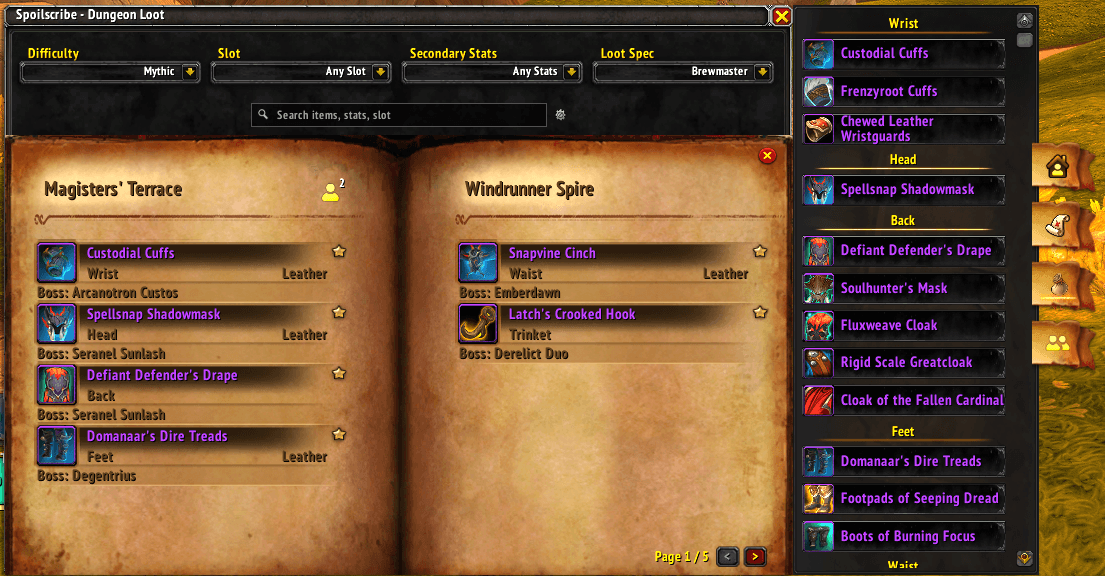
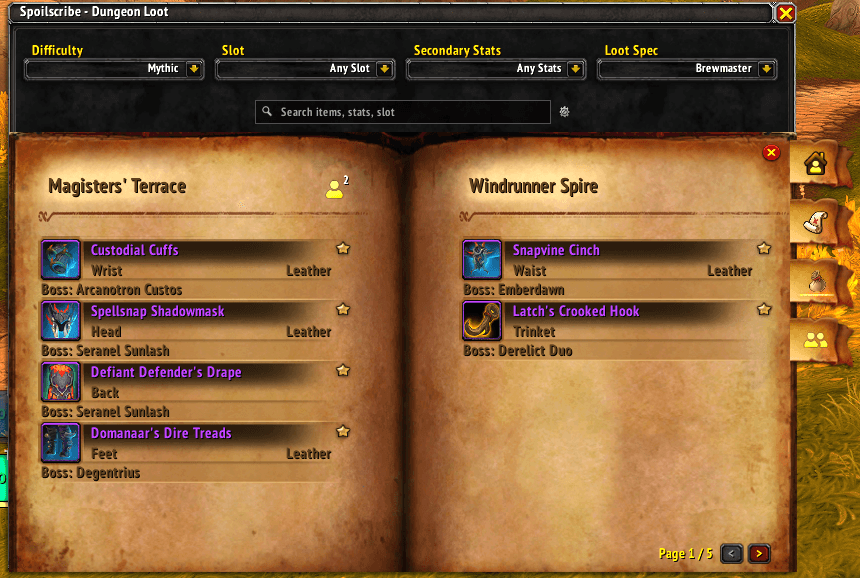
Star any item to add it to your per-character, class-wide favorites list—your starred items stay the same no matter which spec you're viewing. A slide-out panel on the right shows all your favorites at a glance, and a Zoom Favorites tab filters the main view to show only your starred items grouped by dungeon.
👥 Party Favorites
When you're in a party, SpoilScribe automatically shares your full favorites list—including exact items and difficulty—with group members. A dedicated Party Favorites tab combines everyone's wishlists into a single view, sorted by how many party members want loot from each dungeon. Each item displays stacked cyan stars—one per person who favorited it—with a tooltip showing exactly who wants what. Your own favorites are included in the list so you can see where the group's interests overlap at a glance.
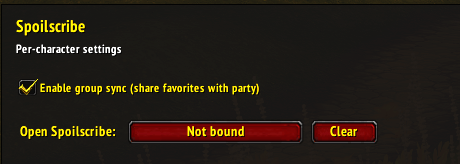
Party sync is combat-aware: communication pauses while you're in combat and automatically resyncs when you leave it. The party tab is disabled inside instances. Toggle group sync on or off in the options panel.
🏠 Tab Navigation
A vertical tab bar on the right side of the window gives you quick access to each view:
- Loot Browser – Return to the full dungeon loot list
- View Favorites – Open the slide-out favorites panel
- Zoom Favorites – Filter the main view to only your starred items
- Party Favorites – See what your group is chasing (visible in a party, disabled in instances)
The active tab is highlighted so you always know which view you're in.
📚 Two-Column Paginated Layout
Loot is displayed in a two-column, paginated book-style view with an Encounter Journal background. Items show their icon, quality-colored name, slot, armor type, and boss name. Browse with page buttons or the mouse wheel.
🗂️ Organized by Dungeon & Boss
Results are always grouped by dungeon with clear headers, and each item displays its source boss for quick reference.
⚙️ Options & Keybinding
A settings panel in the Interface Options lets you bind a key to open SpoilScribe and toggle group sync.
⚔️ Why You'll Love It
No more digging through the Encounter Journal or alt-tabbing to external sites. SpoilScribe pre-caches all loot at login so every search and filter is instant. Favorite the gear you're chasing, see what your party needs at a glance, and always know exactly where to get your next upgrade—all without leaving the game.
🧙♂️ "The right loot, in the right place—written for those who seek it."
SpoilScribe Team