VoidAH - Auction House & Shopping Lists
- By
A full Auction House replacement with built-in profession leveling plans and shopping lists.
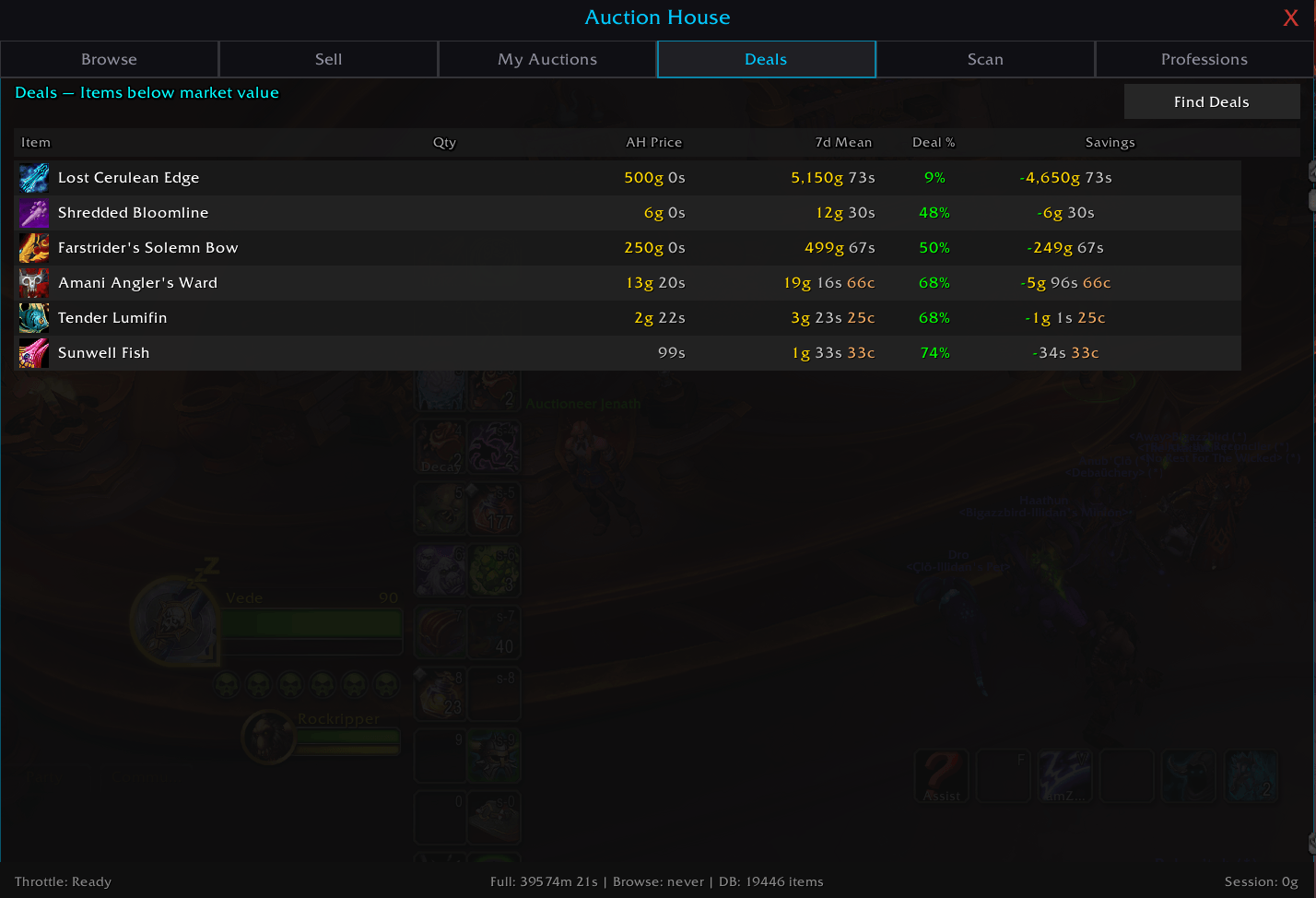
voidah-deals-tab.png
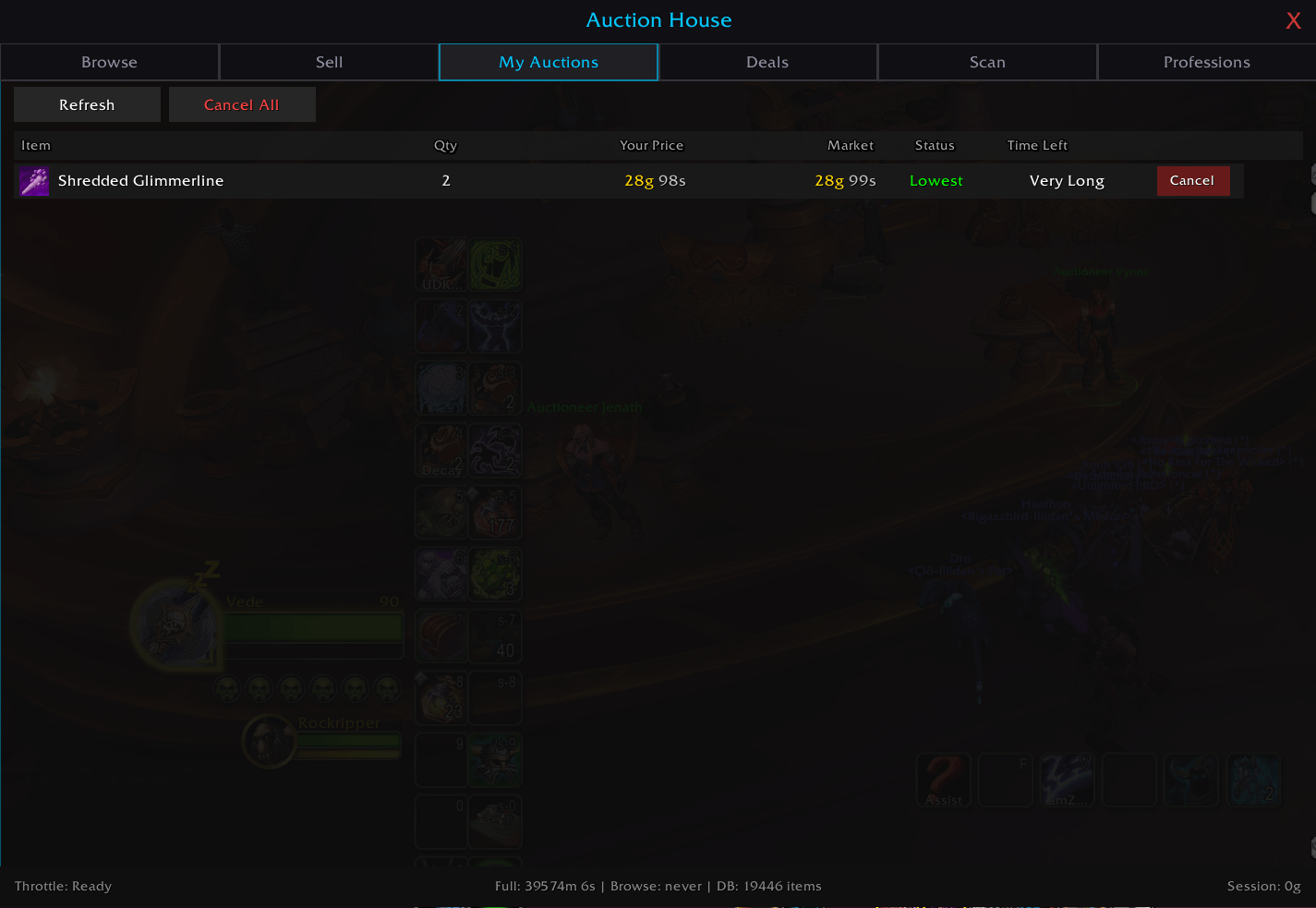
voidah-my-auctions-tab.png
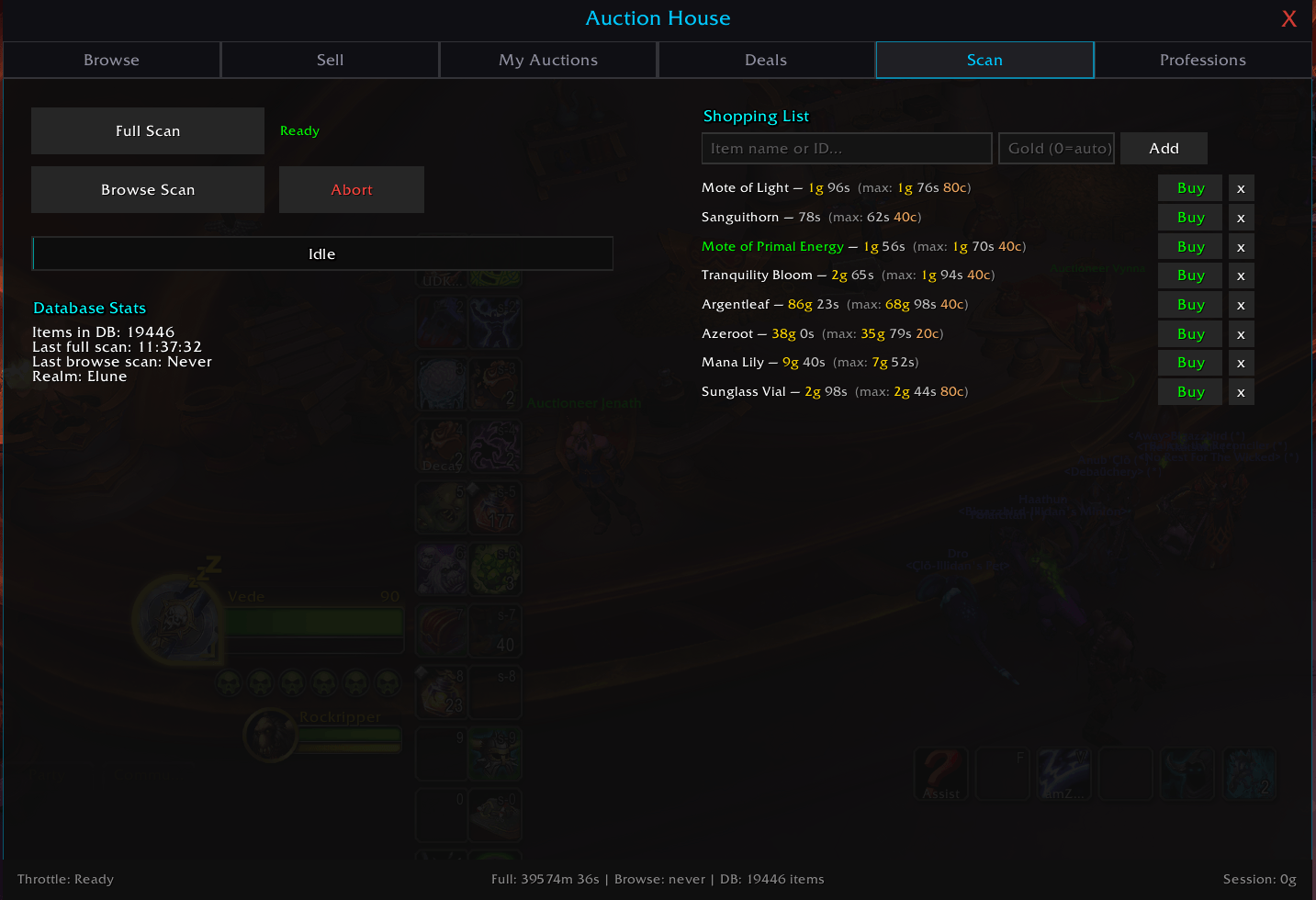
voidah-scan-tab-with-shopping-list.png
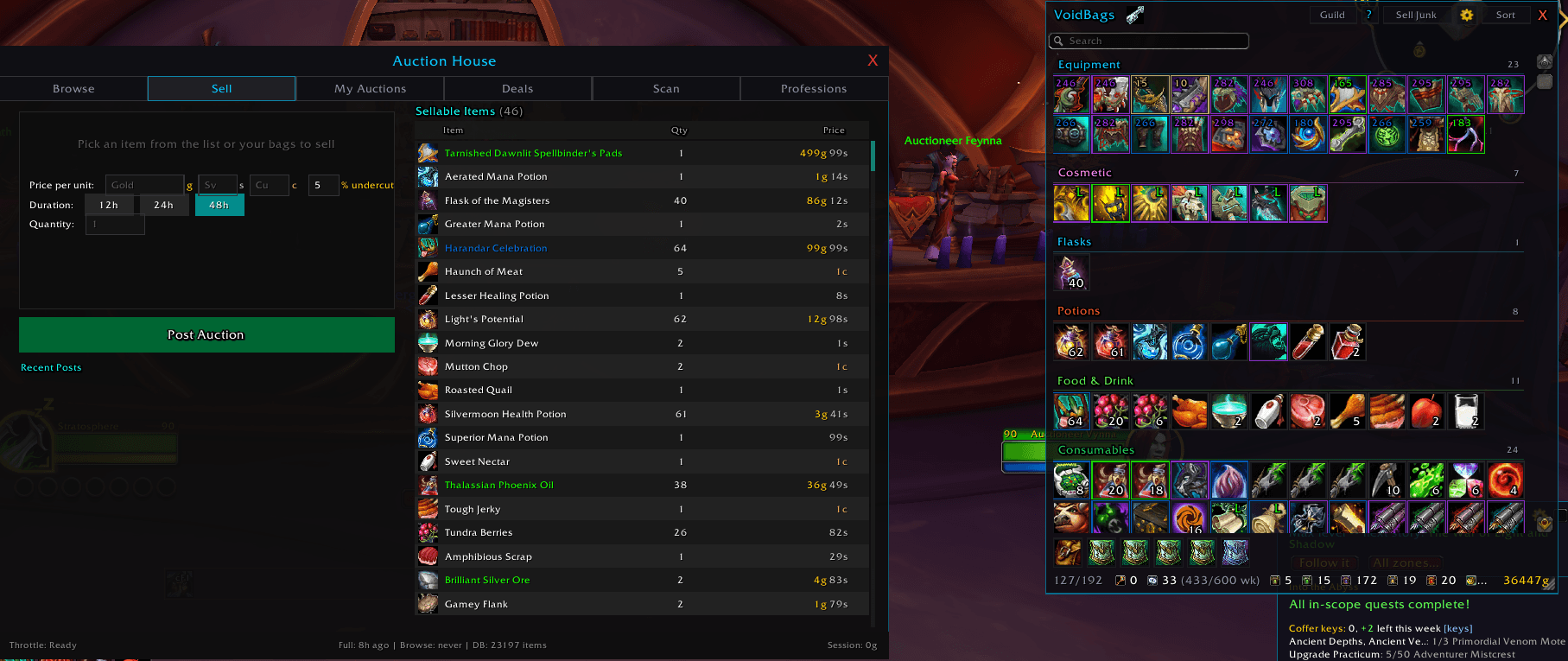
voidah-sell-tab-with-voidbags.png
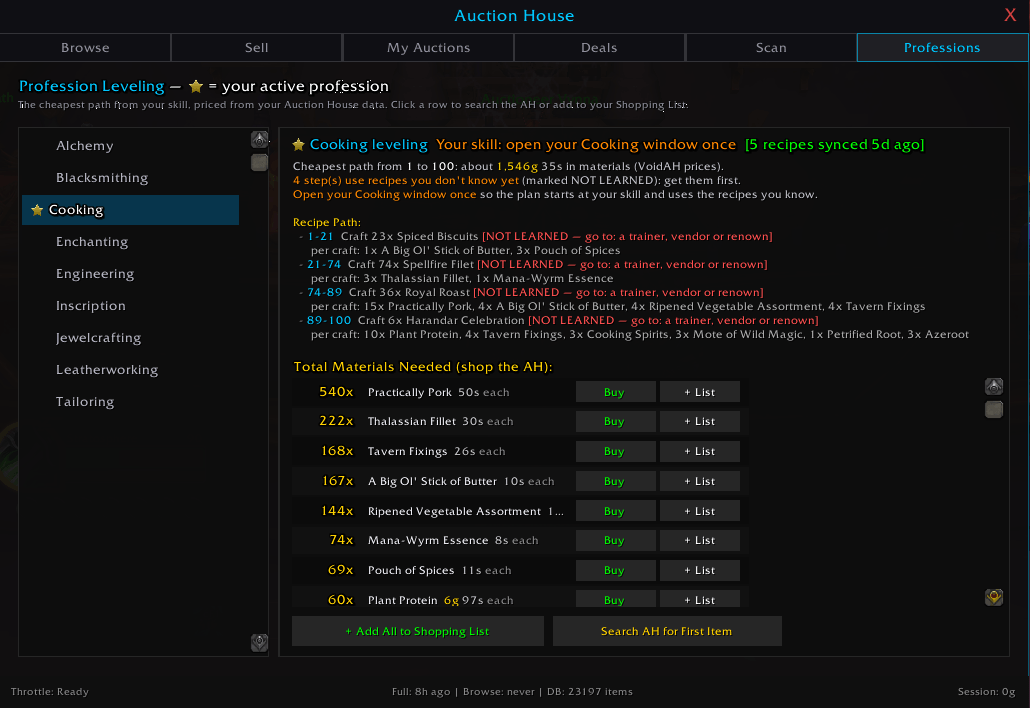
voidah-professions-tab.png
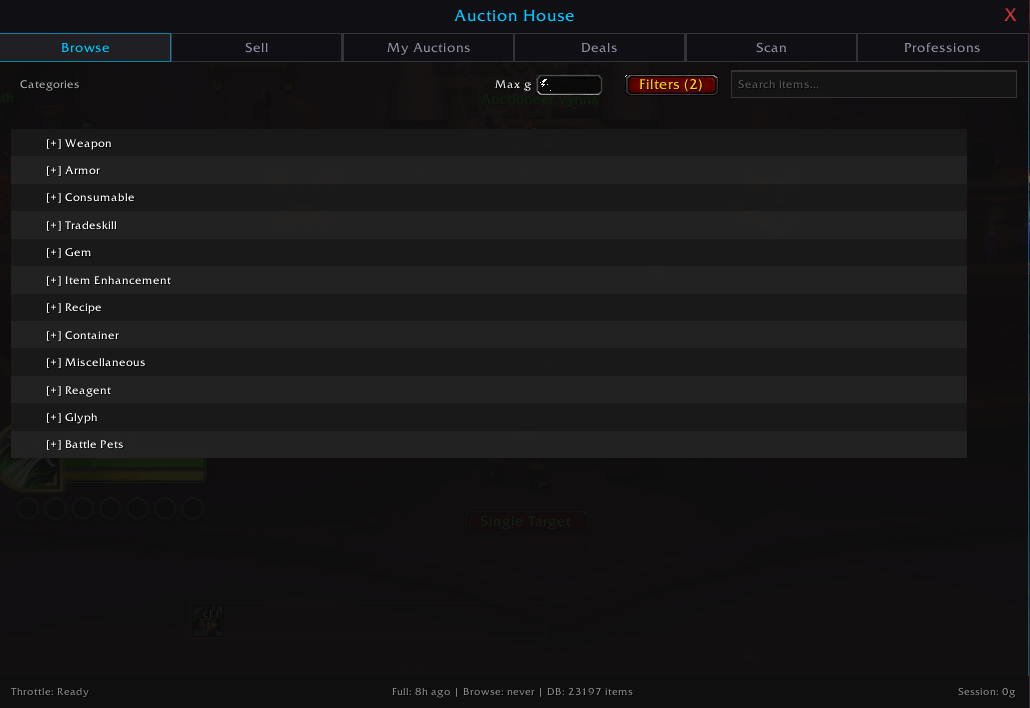
voidah-browse-tab.png
Description
VoidAH - Auction House & Shopping Lists
Works on: WoW Midnight · WoW Forever
⚠ Please update to 1.15.1: bait listings. On WoW Forever some sellers list an item with a normal starting bid and a huge buyout (a Runecloth Bag: 4g 31s bid, 103g 31s buyout). The auction house sorts items by the bid, so it showed at the top as if it were the cheapest, and older VoidAH versions showed only the buyout. 1.15.1 sorts listings by the buyout, shows the bid, and warns you (Buy anyway) before you pay more than twice the cheapest one.
A full Auction House replacement with built-in profession leveling plans and shopping lists.
VoidAH replaces Blizzard's Auction House window with a six-tab panel: Browse, Sell, My Auctions, Deals, Scan, and Professions. With VoidProf installed, the Professions tab shows what's left to buy to level any of the 9 crafting professions, priced from your Auction House data, with one-click Buy buttons that track how many you've bought as you go.
Features
Browse
- Category tree and search box, results sorted by price or item level
- Filters menu: Usable only, Upgrades only, Uncollected only, Midnight only, item quality, and primary stat (Any / your spec / Agility / Strength / Intellect)
- Max price box — hide anything above your budget
- WoW Forever: what you can wear. Gear goes by its required level there, not its item level, so a row of gear you're too low for says (requires 54) in red, its tooltip says Requires level 54 (green when you can wear it), and buying it asks you first. Usable only hides it
- Upgrade arrows: gear that beats what you're wearing in that slot gets an arrow and "+N ilvl". Green = it has your spec's two best secondary stats, orange = it's an upgrade but carries a weaker one, grey = an upgrade whose stats can't be read (hover to check). Stat priorities come from what the top Mythic+ players of each spec actually wear (Blizzard's own data)
- "Midnight only" (on by default at max level, off while leveling) hides older-expansion items, so you never buy an old enchant or gem that won't work on current gear
- Secure buy bar with a quantity box. Buying a quantity of a stackable (ore, herbs, cloth) shows the real total first; when the cheap ones run out and the average climbs, it says so in red ("avg is 3.0x the cheapest") and the button reads Buy anyway
- Ctrl-click any item to preview it in the dressing room, Shift-click to link it in chat
Sell
- Right-click an item in your bags to put it in the Sell tab (Blizzard's bags, and VoidBags too)
- Stack-size and total-quantity inputs with a deposit calculator
- Smart undercut — fills in a price just below the market. A handful of listings dumped far under the rest don't drag yours down (it says how many it left out), nor does one far under the item's usual price
- Sell fast or best price: two buttons under What sells show the price for each goal and how long it should take to sell. Sell fast is your usual undercut; Best price is the highest price that should still sell within 12 hours. VoidAH works that out from how fast the item really sells there and from the listings cheaper than yours (buyers take the cheapest first). It never suggests more than the item has been seen selling for, nor a price where your own listings expired. Your choice stays for the next item
- When it sells best: from your scan pairs, how many sell per hour at each time of day (server time, 2-hour blocks): "Sells best around 8 PM-10 PM server time: about 3.0 an hour, 0.5 at other times". Only once there are enough sales and each time of day was watched on at least 2 different days; until then it says what's missing
- Warnings when they matter: "about 5 of these sell within 48h: list fewer" when there are more than the market takes in time, and "cheap today: it usually sells around X" when the market is well under what it sells for
- What sells: what the market bought here (from your full scans) and how your own listings of the item did: "sold 12 of 15 at 41s, usually within 2h · 3 expired, from 47s"
- A second look before a bad price: posting at under half an item's usual price, or for less than a vendor pays, asks you first
- What a listing really earns you: the deposit (back if it sells, lost if not), the AH's cut, what you get, and whether that beats the vendor ("List it: +2s over vendor" or "Vendor it")
- Prices follow each auction house's own rules (whole silver on retail; on WoW Forever, copper for stackable goods and whole silver for single items); soulbound and warbound items are hidden automatically
- WoW Forever: your tools stay off the list. Your profession tools, fishing pole, cooking-fire items and class items (rogue poisons and powders, other classes' reagents) aren't offered for sale, so a run of listings can't post your Mining Pick. One copy of each tool is kept; a spare can be listed. To sell a kept item on purpose, drag it onto the item box at the top of the Sell tab
My Auctions
- All your active listings in one view, with a cancel button on each row
- Selling ledger: "Selling today / 7 days" shows what selling actually earned you after the AH's cut, lost deposits and postage. Hover it for the breakdown per character and for all your characters
Item tooltips
- Any item you can sell shows its AH price, what you'd get after the cut, and whether to list it or vendor it, from your own scans. Soulbound items are left alone
- WoW Forever: "Kept: you need it (Fishing)" under the price of a tool or class item you need, instead of "list it" advice
- How fresh the price is: "· 1h 27m ago" on every price (orange after 6 hours) and "· 1 listed" when a single listing sets it
- What sells: "Sells: 240 in 24h at ~40s · you sold 12 of 15 at 41s" when your scans or your own sales know it
- Watched items: "Watching (max 25g): last seen 13g 97s 1m ago · at or under your max at 2 of 2 checks", and the cheapest time of day once VoidAH knows it
- At a merchant: buy here, resell on the AH. Items a vendor sells show their real profit after the AH cut ("Buy here 14s 40c, resell: +26s 47c profit each"), and say to check the AH first when the price is old or from one listing
Deals
A type picker at the top left switches between kinds of deals:
- Below market: listings priced well below your scanned price history, with one-click buy on bargain commodities
- Vendor -> AH (WoW Forever, with VoidGPS): what vendors sell for less than the AH pays: recipes, pets, gear, reagents, consumables, with the nearest vendor and your profit after the AH cut. Limited only shows the limited-stock goods people buy up and resell. Click a row for the way to the vendor
- AH -> Vendor: listings cheaper than what a merchant pays for them: buy, then sell to any vendor
- Crafting (with VoidProf): every recipe you know, material cost vs what it sells for, most profit first
- Disenchant (WoW Forever, enchanters): greens and blues that break into more than they cost, from Classic's disenchant odds
Scan
- Full or browse scan with a progress bar, throttled to stay within Blizzard's limits
- A per-realm price database that persists between sessions; a full scan sets each item to today's market price, up or down: the cheapest real listing, with a handful dumped far under the rest left out and overpriced listings never counted
- What actually sells: two full scans of the same auction house within 3 hours show which listings were bought: gone while they still had time left, not above a cheaper one that stayed up (that's a cancel), and not put back up cheaper (that's a reprice). VoidAH keeps 14 days of sales per item and says after each scan how many units sold since the last one. The more scan pairs you run, the better it knows how fast each item sells
- WoW Forever: one price list per auction house. Your faction's auction house, the other faction's, and the neutral one (Booty Bay, Gadgetzan and Everlook share it) are separate markets. At Booty Bay VoidAH scans and prices for Booty Bay, in your capital for your faction's house, and away from an auction house it uses your faction's prices. The Scan tab says which one you're looking at
- Prices stay fresh on their own — if your last full scan is over 12 hours old, opening the AH runs one in the background while you browse
- A shopping list with a Buy button on every row — survives reloads
- Watch an item for a price: give a shopping-list item the most you'd pay (or 0 for automatic). Whenever VoidAH sees it at or under that price you get a chat line and a sound ("Garona at 13g 97s, your max 25g (7 up)"). While something is on the list, each visit to the auction house runs a full scan (Blizzard allows one every 15 minutes), so every visit checks it
- A price log for watched items: each sighting keeps the time, the cheapest price and how many were up, for 30 days
- When is it cheapest? VoidAH learns the cheapest time of day by server time, in 2-hour blocks. Hover a shopping-list row for its price at each time of day, how often it was under your max, and weekdays vs weekends. Every item's tooltip can also say "Usually cheapest around 10 PM-12 AM server time (12% under other times)". A best time is only named with enough scans at enough times of day and a clear difference; times nobody has scanned are never guessed
Professions (with VoidProf)
- VoidProf works out the plan, VoidAH shows what to buy. VoidProf is the profession companion; this tab is its shopping view at the Auction House
- The cheapest leveling path from your own skill for Cooking, Alchemy, Jewelcrafting, Blacksmithing, Tailoring, Leatherworking, Engineering, Inscription and Enchanting, worked out live when you pick one
- Built from the game's own recipe data: when each recipe turns yellow and grey and how many points it gives. Each craft is the recipe with the lowest cost per expected skill point, using the odds of a skill-up as recipes fade from yellow to grey
- Your prices: your Auction House scan, vendor prices from merchants you've visited, else the game's listed price (marked "est.")
- Recipes you know come first. Where none of them gives skill, it picks the cheapest one you don't know yet and flags it NOT LEARNED
- Uses what you already have. Materials in your bags, bank and warband bank (and on your other characters, with VoidGather) come off the list first, and the path favors recipes that use them. The list shows only what's left to buy; the notes say what to take from which character
- Makes what's cheaper to make: crafts a material with a recipe you know instead of buying it, and for Inscription mills your herbs into pigments for inks, with a "Make first" list. Milling yields are learned from your own milling
- Reads your real skill for each expansion's tier (Midnight Alchemy, not your old Legion Alchemy). Open the profession window once and it remembers your recipes
- The steps with skill ranges and craft counts, and the full material list with prices
- Buy jumps to Browse with the item selected and shows a banner that tracks your progress (e.g. "47 / 200 in bags")
- + List adds the material to your shopping list on the Scan tab
- WoW Forever: plans with Forever's own recipes for every profession (First Aid included), to your rank cap. Materials a vendor sells show the nearest vendor with a Go button that shows the way (with VoidGPS), and Vendor stops to errands puts them on VoidGPS's errands list so you don't need to come back here
- What selling your crafts brings back comes off the cost (vendor, or the Auction House after its cut for up to 20 of each)
VoidGear suggestions (optional)
- With VoidGear installed, the shopping list on the Scan tab gets a "VoidGear suggestions" section: the enchants, gems and consumables VoidGear's Prep tab says you need, each with a price and a Buy button
- It keeps itself current: buy it, put it on, and the row drops off by itself. It waits for a scan to finish instead of flickering while prices come in
- VoidGear's own Search AH button searches right here in VoidAH's Browse tab
- Without VoidGear, VoidAH works exactly the same; the section just isn't there
The Auction House, anywhere
- Look things up away from the AH:
/vah(or the VoidAH icon on the Void hub, or VoidBags' AH button) opens the auction house as it was on your last visit, wherever you are: every item VoidAH has seen with its lowest buyout, how many were listed and in how many auctions, how long ago, and an arrow when it's cheaper (green) or dearer (red) than its 7-day average - Search, categories, sort by any column, item tooltips, shift-click to link. It's read-only, and it never changes while it's open
- Plan away, buy there: + List puts an item on your shopping list, which VoidAH checks by itself the next time you open the Auction House. My list only shows just those
Slash Commands
| Command | What it does |
|---|---|
/vah |
Away from an Auctioneer: the Auction House from your last visit. At one: bring up the VoidAH panel if it didn't open on its own |
/vahmoney |
Print your selling ledger (today, 7 days, all characters) |
You rarely need it — VoidAH opens automatically when you talk to an Auctioneer.
Getting Started
- Install with the CurseForge app, or copy the
VoidAHfolder intoWorld of Warcraft/_retail_/Interface/AddOns/(WoW Forever:_forever_/Interface/AddOns/). - Restart WoW or
/reload. - Talk to any Auctioneer — VoidAH replaces the default window.
Good to Know
- Settings are per character. Each character keeps its own VoidAH settings, and a new character starts with the settings of the one you played last, so nothing resets when you update. Right-click the Void hub icon by your minimap and pick Copy settings from… to take another character's settings for one Void addon or all of them. That includes your shopping list, undercut and Browse filters. Price scans stay shared.
- Profession plans come from the game's own recipe tables and your own prices. Skill-ups past yellow are a chance, so counts are what you can expect, not a guarantee. Gathering professions are left out: you gather those, not buy them (VoidGather shows where your skill-up nodes are).
- For the best prices, run a full scan first, and open each profession window once so VoidAH knows your recipes.
- Your price history is shared with VoidBags, which uses it to spot items worth selling.
- The AH's cut is learned from your own sales. No game API tells addons the cut, so VoidAH reads it from your sale mail, per auction house. Until your first sale there it assumes 5% and says so ("5%?").
- The ledger counts what it sees: listings made with VoidAH, and sale and return mail you take while it's running. It stores money totals, and for each item your listings' prices and whether they sold (30 days), on your own computer. Nothing about other players.
Compatibility
- WoW Midnight 12.1.5 (Season 2)
- WoW Forever
- Standalone — nothing else to install
- Works alongside Auctionator, TSM, and other AH addons (only one can be the active AH window at a time)
Part of the Void addon family by Vede · MIT licensed · Source & bug reports · All Void addons · free M+ & raid player lookups at voidscout.io · more at tinkerline.io · Discord
VoidAH - Auction House & Shopping Lists Team