VoidBags - Bags, Bank & Inventory Organizer
- By
Smart bag organizer with auto-categorization, cross-character tracking, and one-click merchant tools.
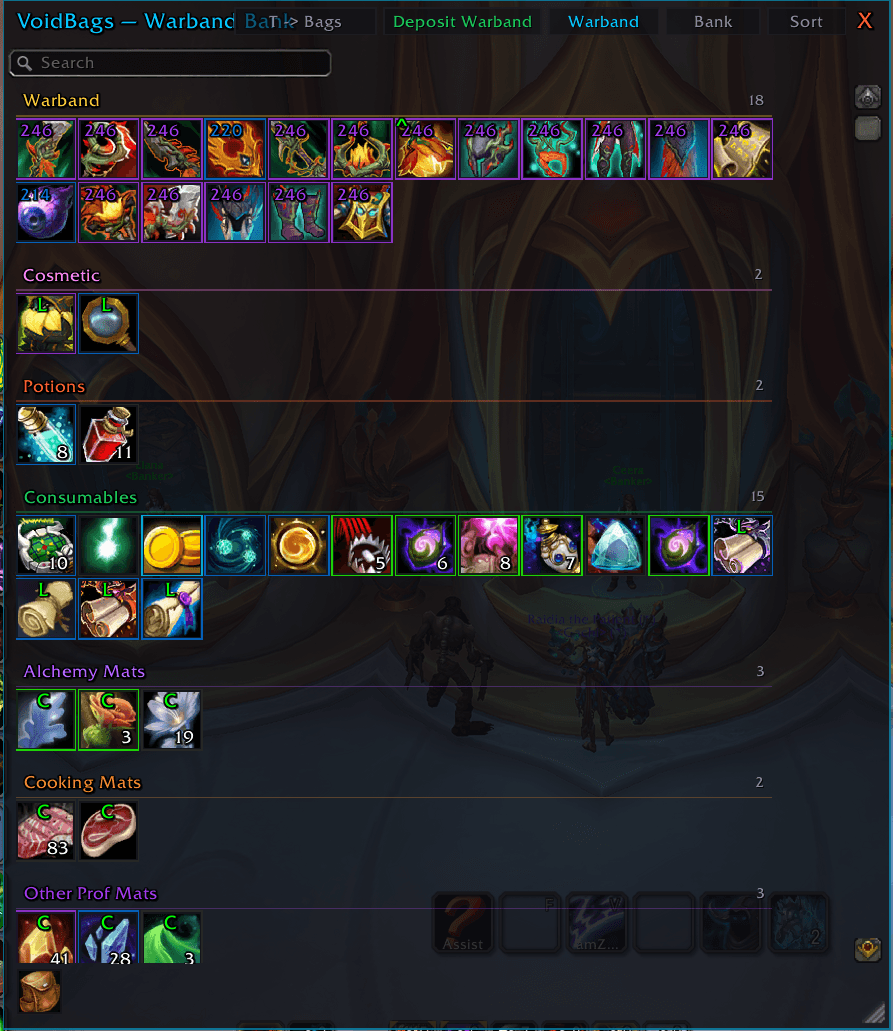
voidbags-warband-bank.png
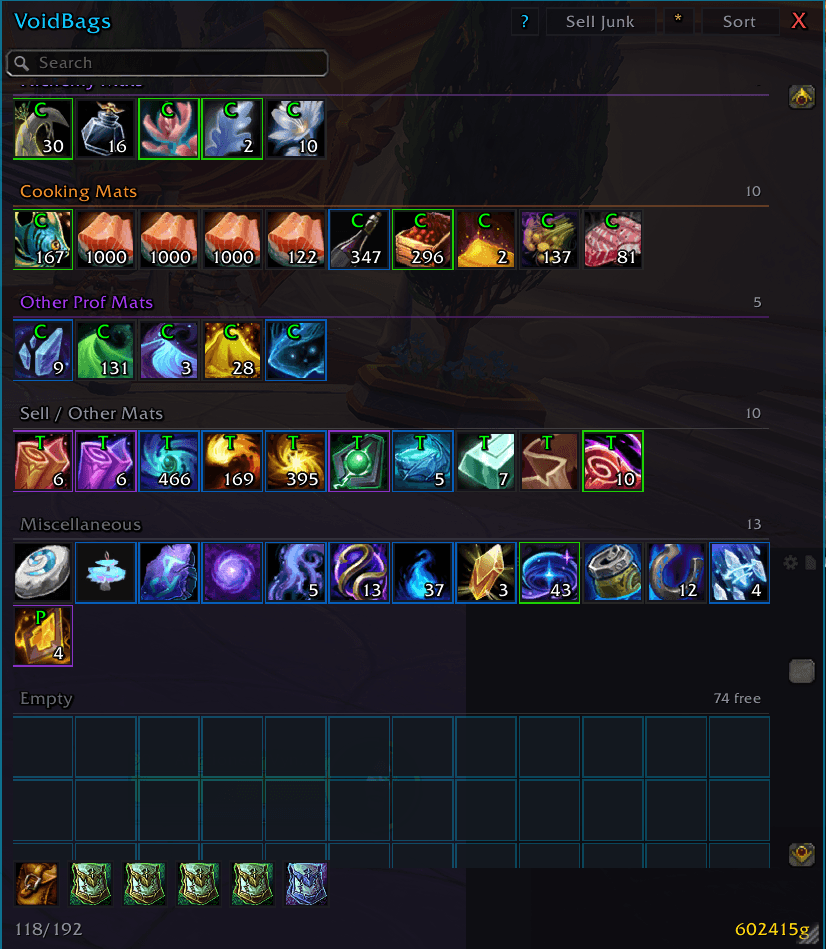
voidbags-bag-crafting-mats.png
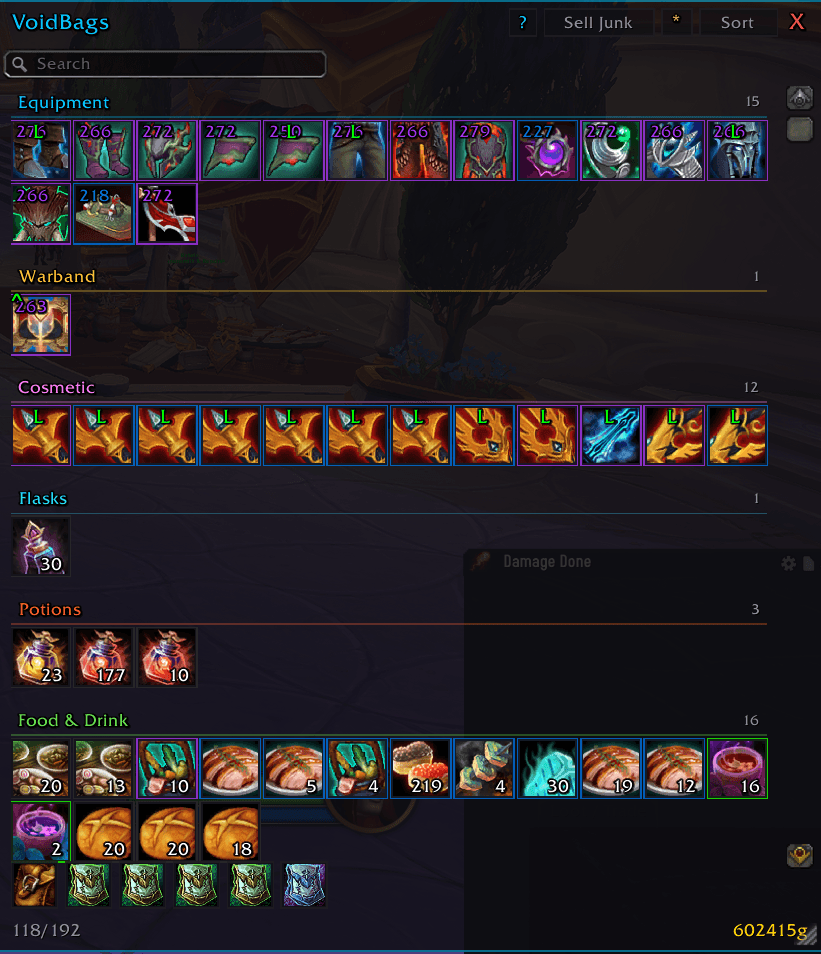
voidbags-bag-equipment-warband-cosmetic.png
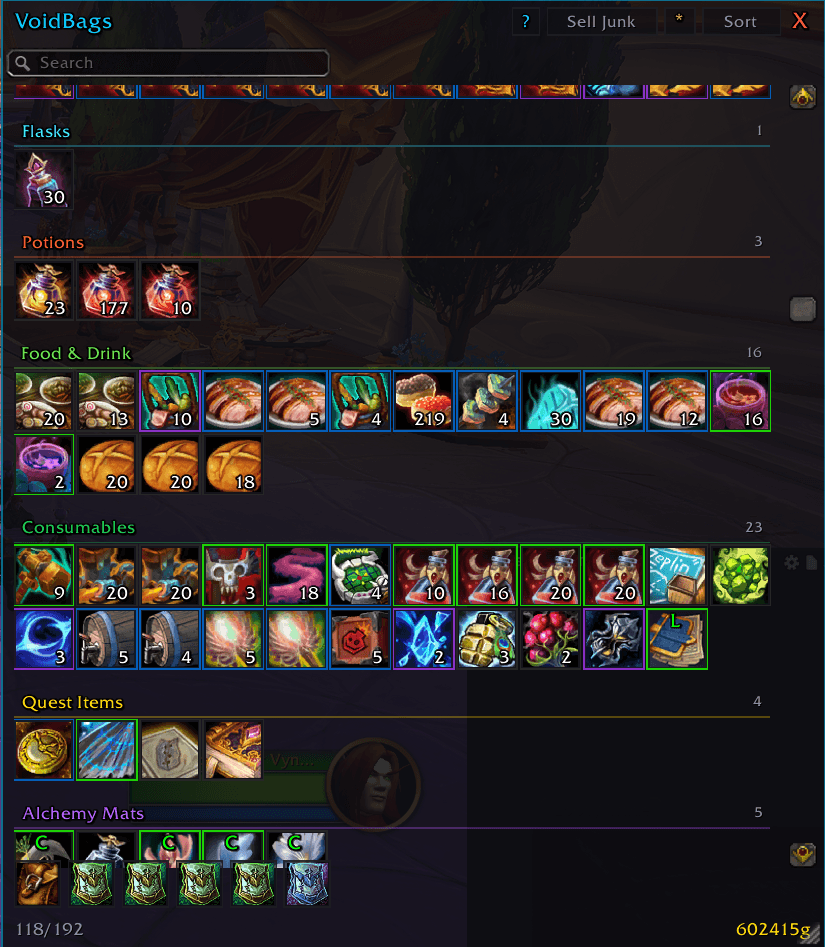
voidbags-bag-food-consumables-quest.png
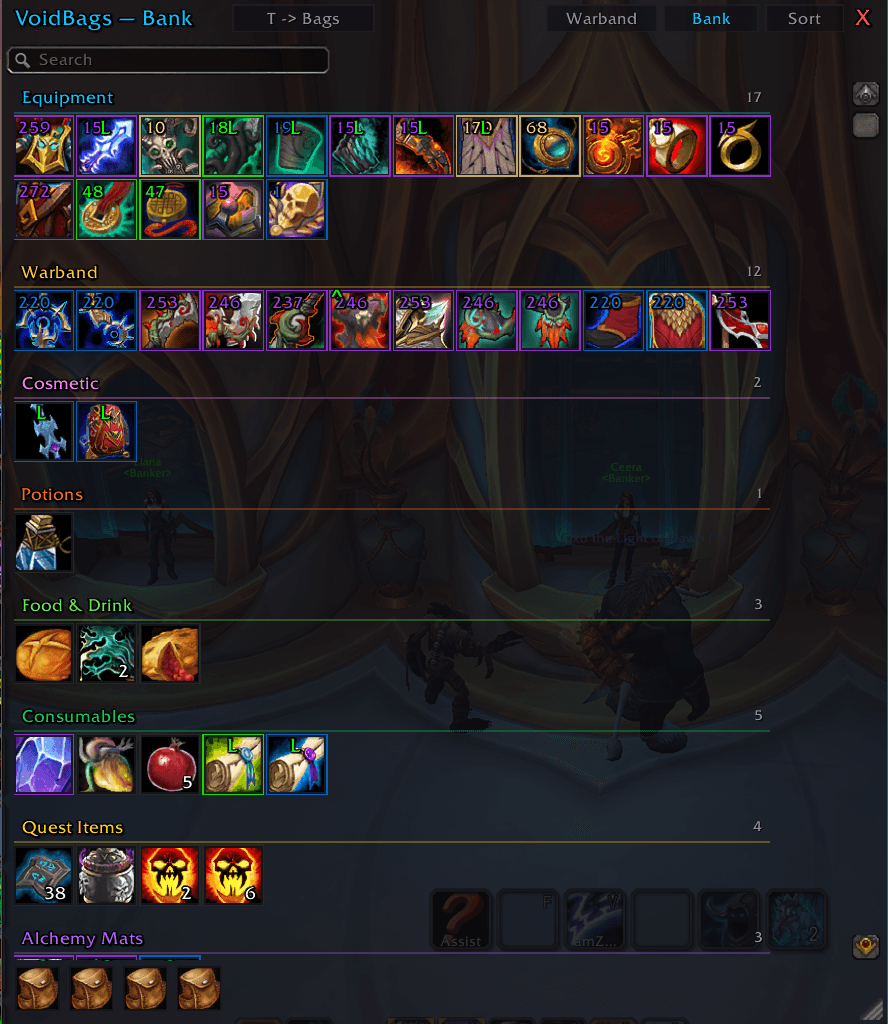
voidbags-bank-grouped-categories.png
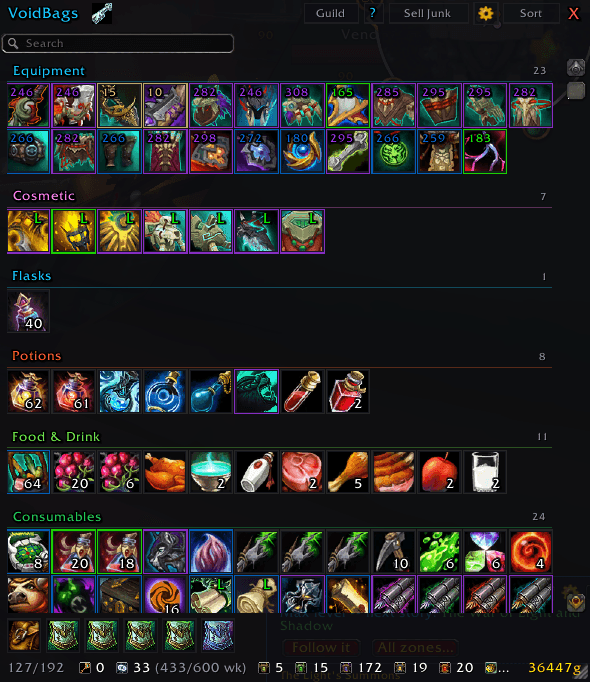
voidbags-bags-categories.png
Description
VoidBags - Bags, Bank & Inventory Organizer
Works on: WoW Midnight · WoW Forever
Smart bag organizer with auto-categorization, cross-character tracking, and one-click merchant tools.
VoidBags replaces Blizzard's bags with one unified window that sorts every item into 19 categories automatically (21 on WoW Forever). It adds a matching bank panel, cross-character item search, junk auto-sell, auto-repair (optionally from guild funds), and auction-value awareness.
Features
One window for everything
- Backpack, bags 1–4, and the reagent bag together in one frame
- Resizable and draggable — the position is remembered
- Free slots and your money (gold, silver and copper) shown in the header
- WoW Forever: materials a Forever recipe of one of your professions (or an alt's) uses are never marked as trash, Classic gems included
- Currencies next to your gold: Coffer Keys and Key Shards (with this week's progress), this season's upgrade crests, plus anything you've set to "Show on Backpack". Hover for details
- Bag swapping — drag a bag onto the bag bar to equip it, drag it out to remove it
- Settings behind the gear icon in the title bar
- Disenchant, Milling, Prospecting and Pick Lock buttons next to the title — only the ones your character knows. Click the button, then the item
Swap Gear: your own section
- Items you swap in and out stay together at the top of your bags, apart from what you loot: riding gloves and boots, PvP gear, stealth gear, your other spec's set, anything you pick
- Click Swap in the title bar, click the items you want (click one again to take it out), then click Done. Nothing moves in your bags; the section is only how they're shown
- Out of sight until you need them: after Done, Swap Gear folds into one line at the top. Click it to show or hide the items; a search shows them too
- Never sold: Sell Junk and a right-click at a vendor leave them alone. Per character
Automatic categories
Swap Gear (yours) · Equipment · Tools & Class Items (WoW Forever) · Warband · Cosmetic · Flasks · Potions · Food & Drink · Camping (WoW Forever) · Knowledge · Consumables · Quest Items · Keys · Delves · Alchemy Mats · Cooking Mats · Jewelcrafting Mats · Other Profession Mats · Craftable · Sell / Other Mats · Junk · Miscellaneous
- Knowledge collects profession knowledge items you still have to use (right-click) to get the points: treasures, weekly drops, treatises and books, for every profession
- Delves collects delve items such as the weekly bounty map and coffer keys
- Your own order: right-click a section's header to move it up, down or to the top (or put every section back in the default order). Your order stays when an update adds a new category
Item markers at a glance
- Item level on gear and a green upgrade arrow on real upgrades — only gear your spec can use, never an off-hand while you hold a two-hander, never a swap that breaks your tier set bonus
- Letter markers: L learnable · C a material for your professions · A an alt's profession needs it · $ worth selling on the AH · T vendor trash · P protected
- Items that start a quest get the yellow "!" you know from the default bags, until you take the quest
- Leftover quest items (with VoidQuest installed): a red X on a quest item whose quests are all turned in (safe to destroy), a yellow ? on one no quest in your log needs. Hover it for why. Nothing is ever destroyed for you
- Auction value shown on items worth selling
Merchant tools
- Right-click an item into the auction house: with the AH open, a right-click puts the item up for sale (in VoidAH's Sell tab, or Blizzard's AH) instead of using it, like the default bags
- Auto-sell junk when you open a vendor, plus AH-trash reagents below your price threshold
- Auto-repair, optionally using guild-bank funds
- Protected items — Alt+Right-click an item in your bags (middle-click in the bank) to protect it; VoidBags will never mark it as junk or sell it
- WoW Forever: Tools & Class Items. What your character needs is kept in its own category and can't be sold by accident: your profession tools (Mining Pick, Skinning Knife, Blacksmith Hammer, enchanting rods…), your fishing pole, Flint and Tinder and Simple Wood, and your class's items (rogue Thieves' Tools, Flash Powder and poisons; mage, priest, druid, paladin, shaman and warlock reagents). A right-click at a vendor won't sell them and Sell Junk skips them. One copy of each tool is kept (the one you hold, else the best one), so a spare pole or pick can still be sold; stacks are always kept whole. To sell a kept item on purpose, drag it onto the vendor window
- WoW Forever: Camping. Camp items get their own category so you can tell what to keep: campfire kits, camp features (Rock Garden, Greenhouse, Lodestone, Incense Candle, Cookie's Feast…) and the Cozy Sleeping Bag. They are kept, and Sell Junk never sells them. The list comes from Blizzard's own Camping recipes for every profession.
Gold per hour
- What your play earns. Hover the gold in the bag window for this session; click it for a small box on screen with the total and your gold per hour. Drag it anywhere, right-click for a new session, your best zones and your recent sessions
- Everything counts: items you loot (mobs, gathering, fishing, chests, bags and boxes you open, rolls you win), the coin you loot (and your share of a group's), quest gold and quest reward items. A sack or lockbox counts when you open it, by what's inside. Dungeons count as their own place in your best zones. What you buy, craft, get by mail or trade for doesn't, and neither does selling your loot later (it was counted when you looted it)
- Priced by what actually sells. With VoidAH, a drop is worth what that item has really sold for in your scans (never more than today's cheapest listing), after the auction house's 5% cut, or the vendor's price when that's more. An item that sits listed for days without selling counts at the vendor price, and one never seen selling yet is marked as priced from listings. Soulbound, grey and quest items: the vendor's price. Without VoidAH it uses Auctionator or TSM if you have them
- Two numbers: what it's all worth if you sell it, and the cash you can always have (coin plus vendor prices). Hover for both per hour, by source (mobs, quests, gathering…) and your best items
- Time that counts is time playing: a break over 5 minutes (flying, AFK, the bank) isn't counted. A session carries over a /reload and ends 30 minutes after you last earned anything. Per character, since gold per hour depends on your level
Bank and Warband bank
- A companion bank panel with the same categories
- Right-click to move items between bags and bank
- Drop anywhere — drag an item onto any empty part of the bags, bank or Warband window and it goes into the first free slot; no scrolling to find one
- Full Warband bank support, including tabs you buy later
- Deposit Warband button moves your warbound gear into the Warband bank and leaves warbound consumables in your bags
- Warband gold: the Warband tab shows the gold in the Warband bank, with Deposit and Withdraw buttons (retail)
- Materials for your crafters (with VoidGather) — the Warband tab lists every crafting material you're carrying that your other characters craft with (their crafting goals first, with exact counts), with one Deposit for crafters button. What the character you're on crafts with stays in its bags, except disenchanting materials, which pool for your enchanter. Take my materials does the reverse: what in the warband bank this character crafts with, back into its bags. Only crafting materials move (never potions or food), and both lists clear themselves
- Buy Tab button shows the next tab's cost (opens Blizzard's bank to complete the purchase)
Your bank, anywhere
- The Bank button on the bag window shows your bank and the Warband bank as they were the last time you opened them, from anywhere: grouped by type (recipes first), stacks added up, search, item tooltips, shift-click to link. Other characters shows your alts' banks too
- With VoidAH installed, the AH button opens the Auction House from your last visit
Cross-character inventory
- Search every character's bags for an item with
/vb search - Each character's inventory is snapshotted on logout
Blizzard's bags, if you'd rather
- Settings → "Use Blizzard's bags instead" shows the game's own bags and keeps it that way after a reload. The bank, Swap Gear, gold per hour and the item markers in tooltips keep working
- To go back: the Void hub's quick box (left-click the hub button) → Bags → "Use Blizzard's bags", then
/reload./vb defaultswitches it too
Slash Commands
| Command | What it does |
|---|---|
/vb |
Open or close the bags |
/vb sell |
Sell junk and below-threshold reagents |
/vb repair |
Repair now |
/vb autorepair |
Turn auto-repair on or off |
/vb guildrepair |
Prefer guild funds for repairs |
/vb autosell |
Turn auto-sell junk on or off |
/vb threshold <gold> |
Set the AH value below which reagents count as trash |
/vb search <name> |
Find an item across all your characters |
/vb chars |
List tracked characters |
/vb protect |
List protected items — or hover an item first to protect/unprotect it |
/vb income |
Show or hide the gold-per-hour box (or click the gold in the bag window) |
/vb default |
Switch between Blizzard's bags and VoidBags (kept after a reload) |
/vb reset |
Reset position and size |
/vb help |
Show all commands in game |
Getting Started
- Install with the CurseForge app, or copy the
VoidBagsfolder intoWorld of Warcraft/_retail_/Interface/AddOns/(WoW Forever:_forever_/Interface/AddOns/). - Restart WoW or
/reload. - Press B — VoidBags opens instead of the default bags.
Good to Know
- Settings are per character. Each character keeps its own VoidBags settings, and a new character starts with the settings of the one you played last, so nothing resets when you update. Right-click the Void hub icon by your minimap and pick Copy settings from… to take another character's settings for one Void addon or all of them. Protected items are per character too. Window positions and sizes, your alts' inventories and your manual category choices stay shared.
Compatibility
- WoW Midnight 12.1.5 (Season 2)
- WoW Forever
- Standalone — nothing else to install
- Plays nicely with ElvUI, VoidUI, and the default UI
- Supports the reagent bag and the Warband bank
Part of the Void addon family by Vede · MIT licensed · Source & bug reports · All Void addons · free M+ & raid player lookups at voidscout.io · more at tinkerline.io · Discord
VoidBags - Bags, Bank & Inventory Organizer Team