
VisageSense
- By
Tired of staring at the same frozen portrait? VisageSense brings your portraits to life with a real, breathing 3D model instead of a static snapshot.
YOUR PORTRAITS BROUGHT TO LIFE
VisageSense replaces the flat, static portrait icons on your Player, Party, Target, and Target-of-Target frames with live, fully 3D character models, the same kind of model you see on the character selection screen, right inside your unit frames. Drag to rotate, scroll to zoom, and watch your portraits react to combat, low health, and death in real time.
✨ LIVE 3D PORTRAITS✨
Hold Shift to make edits
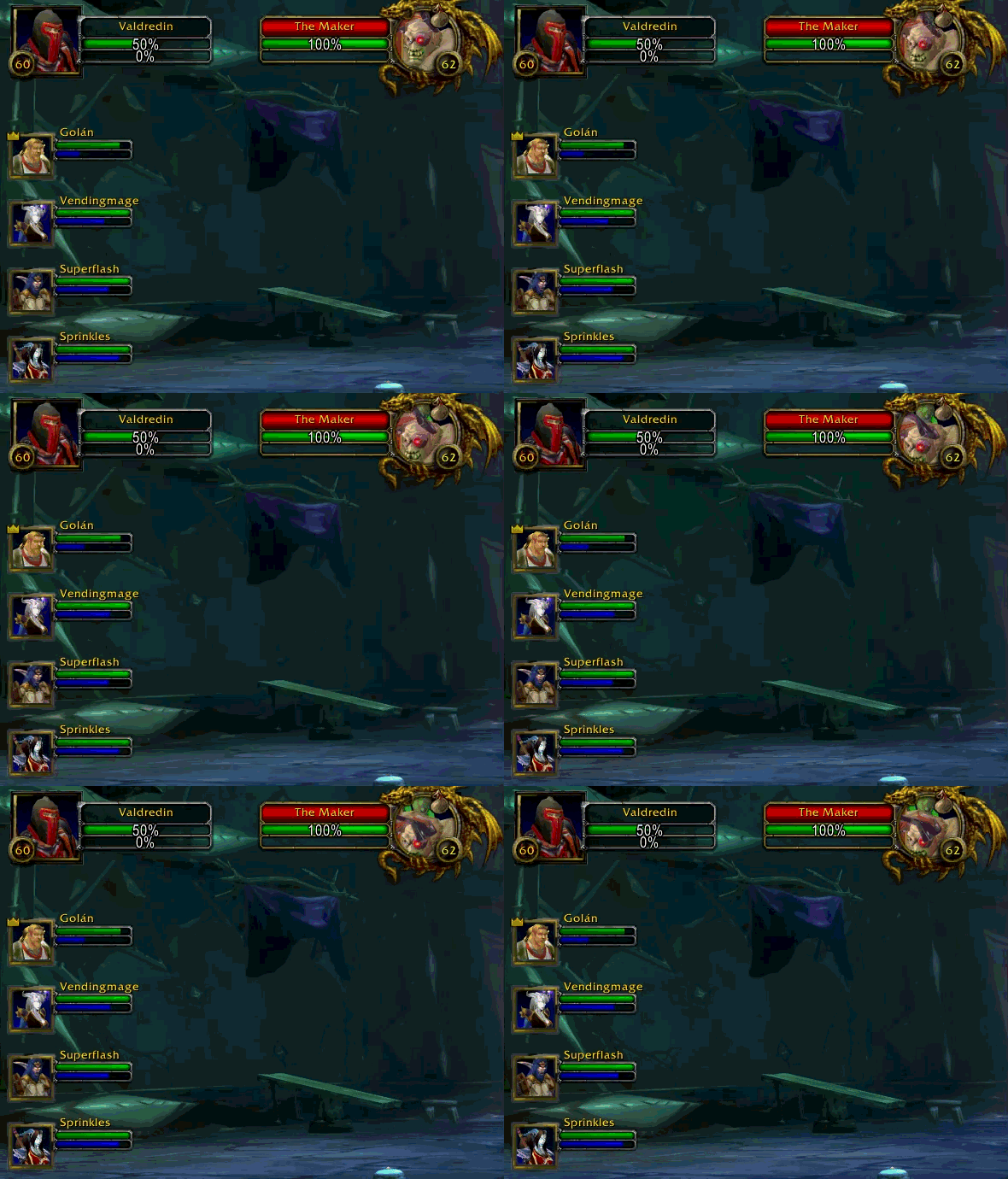 Native Blizzard portrait icons on the Player Frame, Party Frames (1–4), Target Frame, and Target-of-Target Frame are replaced with real-time 3D model renders instead of a flat 2D snapshot.
- Enemy/target portraits mirror their rotation so dragging feels natural regardless of which frame you're looking at.
- Models automatically refresh on shapeshift, mount, transform, and gear changes, so your portrait always reflects what your character actually looks like.
NEW TEMP PORTRAITS
To replace the old circular portraits with modern square ones
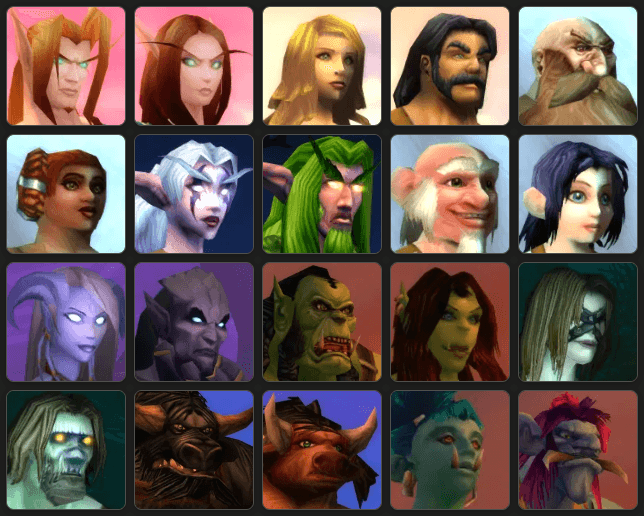
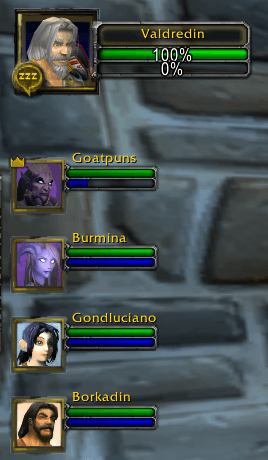
These portraits appear when the group members are too far away!
HAND-MADE SQUARE PORTRAIT FRAME ART
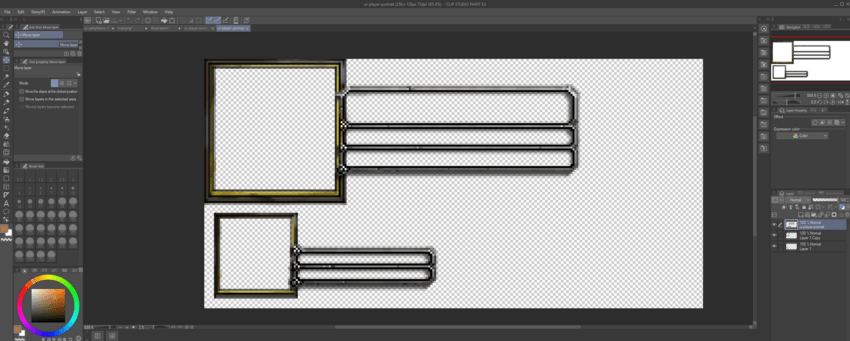
Replaces Blizzard's round portrait border art with clean, custom square-framed textures across every skinned frame (Player, Party, Target, Target-of-Target) for a more modern, cohesive look that matches the 3D model presentation.
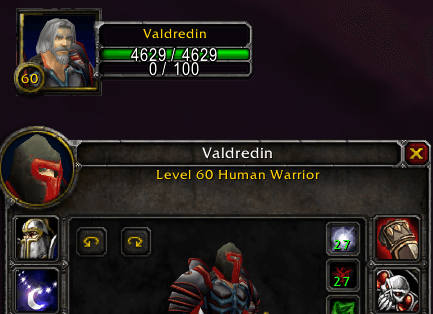
HELMETS OFF!
With the latest update, you can now hide your portrait's helmet for yourself!
FULL CAMERA CONTROL
- Drag any portrait to rotate the model.
- Scroll to zoom in and out.
- Adjustable model scale keeps geometry from clipping or bleeding outside the portrait frame.
- All camera settings (zoom, rotation, scale) persist across sessions and are fully configurable via slash command.
REACTIVE COMBAT STATES
- Combat glow — portraits pulse with a distinct glow the moment you enter combat, and settle the instant combat ends.
- Low health pulse — a smooth sine-wave alpha pulse warns you when HP drops below a critical threshold, automatically starting and stopping as your health crosses the line.
- Death state — portraits desaturate and dim when a unit dies, snapping back to full color on resurrection or release.
- All state logic is event-driven (not a busy on-update loop), so it's lightweight and battery/CPU-friendly.
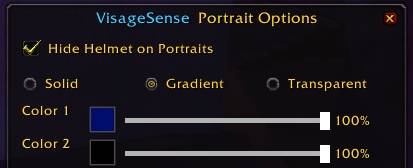
CUSTOM BACKGROUND COLORS & GRADIENTS
- Right-click any portrait to open a floating background color window.
- Choose between Solid, Gradient, or Transparent backgrounds behind your 3D model.
- Full RGB color pickers with independent opacity sliders for each gradient stop.
- Built-in Alliance and Horde faction color presets for one-click theming.
- Window position and all color settings are saved between sessions.
Built for Diagnostics & Power Users
VisageSense ships with an extensive set of in-game diagnostic tools so power users (and the author!) can troubleshoot layout issues on any UI setup:
- Dump frame hierarchies, texture paths, and geometry data on demand.
- "Identify" any hovered UI element to figure out exactly what you're looking at.
- Full debug dump saved directly to SavedVariables for easy sharing/bug reports.
🎮 Slash Commands
Use /vs or /visagesense followed by:
| Command | Description |
|---|---|
rotate <degrees> |
Set model rotation |
zoom <0.0–1.0> |
Set camera zoom |
scale <0.4–1.0> |
Set model scale |
reset |
Reset camera to defaults |
pos |
Print current portrait position/rect |
background |
Open the background color picker window |
background solid | gradient | transparent |
Quick-switch background mode |
background color1/color2 #RRGGBB [opacity] |
Set gradient color stops directly |
background alliance | horde |
Apply a faction color preset |
gradient |
Print current background config |
skin |
Re-scan and patch square portrait border art |
debug |
Dump frame diagnostics |
help |
Show all commands |
📋 Requirements
- World of Warcraft: TBC Classic Anniversary Edition
- No external library dependencies: VisageSense is fully self-contained.
🛠️ Compatibility Notes
VisageSense hooks into Blizzard's default Player, Target, Target-of-Target, and Party frames. If you're using a full unit-frame replacement addon that heavily restyles or replaces these same frames, you may see visual conflicts. Compatibility patches for popular frame replacement addons may be considered in future updates.
💬 Feedback & Bug Reports
VisageSense is actively developed. If you run into a layering issue, a portrait that isn't displaying correctly, or a frame VisageSense doesn't recognize, please open an issue with the output of /vs debug, it saves everything needed to diagnose the problem straight to your SavedVariables.
Give your character frames some life. Install VisageSense today.
VisageSense Team


