
HoardSense
- By
HoardSense tells you what every item is worth keeping for, sorts your bags into fixed categories automatically, clears vendor trash in one click, and turns your mailbox into six simple slots instead of a scrolling list. Classic TBC layout, zero bloat.
Your bags. Your bank. Your mailbox. Finally making sense.

MADE FOR THE HOARDER IN YOU
FULLY CUSTOMIZABLE
You know the feeling. A bag full of grey junk you never sell. A bank tab where reagents, gear, and mystery items are all mixed together. A mailbox with forty auction payouts buried six pages deep. Does this alt already have this item?
HoardSense fixes all of it, without replacing the interface you already know.
TOOLTIP INTELLIGENCE
Hover any item. HoardSense tells you instantly why it matters.
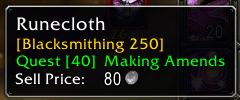
Every profession reagent shows which crafts want it and the skill level required, covering Alchemy, Blacksmithing, Cooking, Enchanting, Engineering, First Aid, Jewelcrafting, Leatherworking, Mining, and Tailoring. Quest items WoW itself won't flag show the quest name and level, so you know at a glance whether to keep it, sell it, or run it to a turn in.
No wiki tab mid dungeon. No accidentally vendoring the thing you needed.
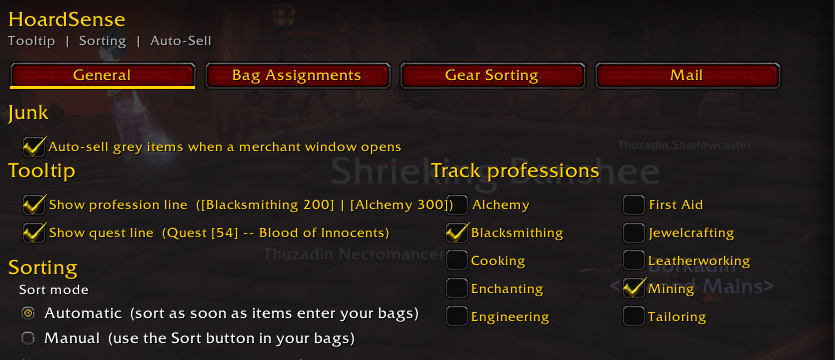
Tracked professions show up right in the tooltip, so you always know what a reagent is worth to you.
QUEST TRACKING
- Green: not started (the current look, no suffix)
- Yellow: "(in progress)": quest is in your log
- Yellow: "(ready to turn in)": in your log with objectives complete
- Grey "(done)": quest already completed; safe-to-vendor signal
Powered by Questie
BAG SORTING, AUTO OR MANUAL
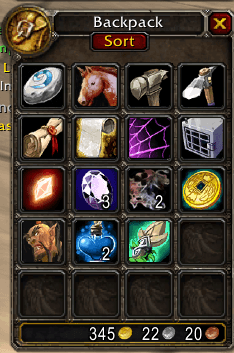
Your bags stay exactly where Blizzard put them. No combined single window, no relearning anything. What changes is what lives in each one.
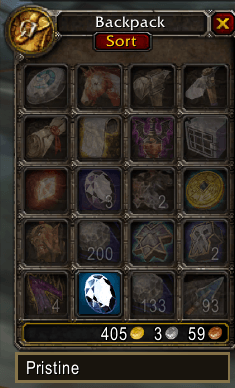
Quest items always land in bag two. Gear always lands in bag one. Everything else finds its assigned home, and when a bag fills up, overflow spills cleanly into the next. Press Sort and it is done.
Set Sort to Auto and your bags reorganize the moment you open them, no button needed. Prefer to stay in control? Manual leaves a Sort button sitting in the corner until you click it.
NEW ITEMS HIGHLIGHT
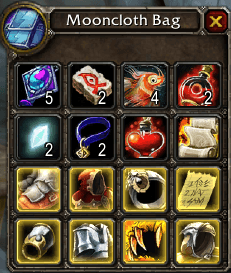
SEARCH BAR
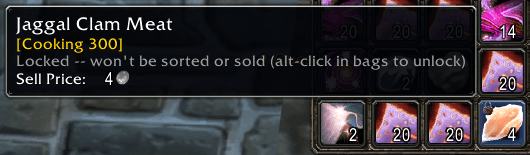
LOCK ITEMS (Alt-click)
BAG ASSIGNMENTS
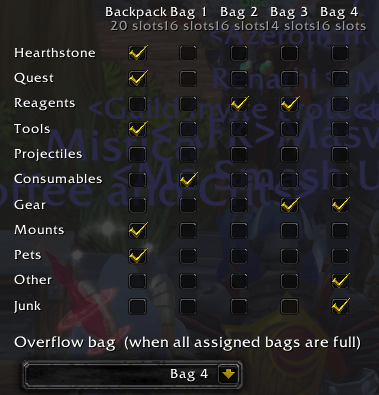
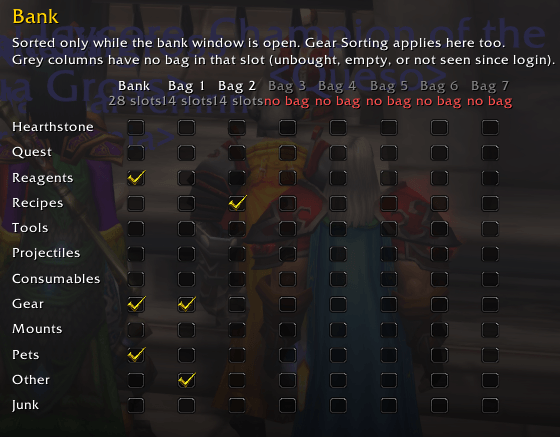
You decide which bag gets which category of item, carried bags and bank bags alike.
YOUR BANK, ORGANIZED TOO
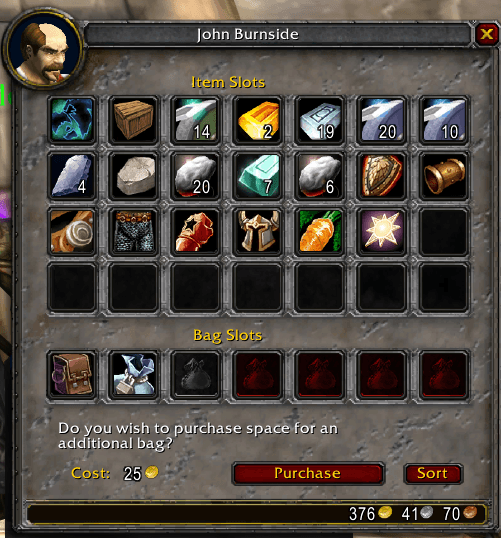
Bag Assignments carries straight over to your bank. Set a home for each category once, and every bank bag you own falls in line right alongside your carried bags, no separate setup required. Open a slot you haven't bought yet and HoardSense simply greys it out instead of pretending it's there.
Prefer things to sort themselves the moment you visit? Turn on deposit on visit and matching items in your carried bags file themselves straight into their assigned bank home while you're standing at the banker, no manual dragging required.
Your carried Sort and your bank Sort run independently, so cleaning up your bags never touches the bank, and organizing the bank never reaches into what you're carrying.
AUTO SELL JUNK
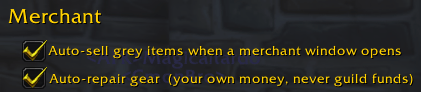
Walk up to any merchant. Every grey item sells itself. One chat line tells you what sold and for how much.

Prefer to do it yourself? One toggle in Options turns it off.
AUTO REPAIR
ALT AWARENESS
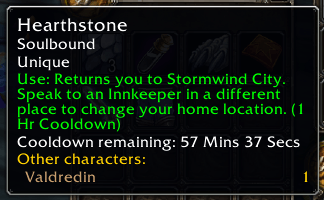
See at a glance whether an item is already sitting on one of your alts.
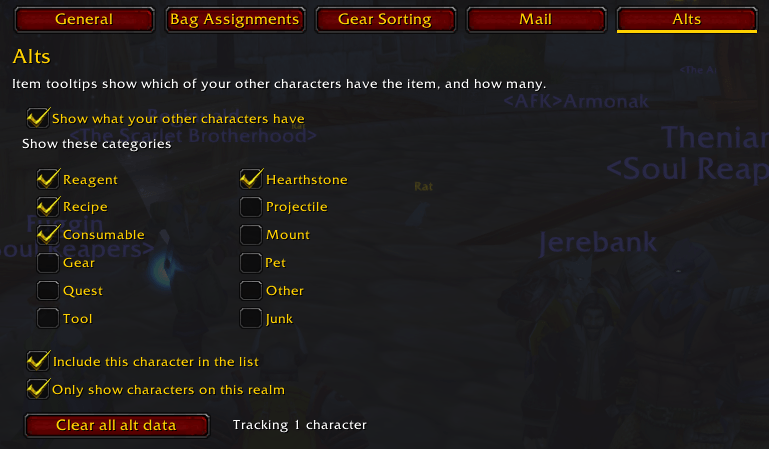
No more mailing yourself a stack of cloth you already had. Fully customizable, and off by default if you'd rather not track it.
MAILBOX CATEGORIES
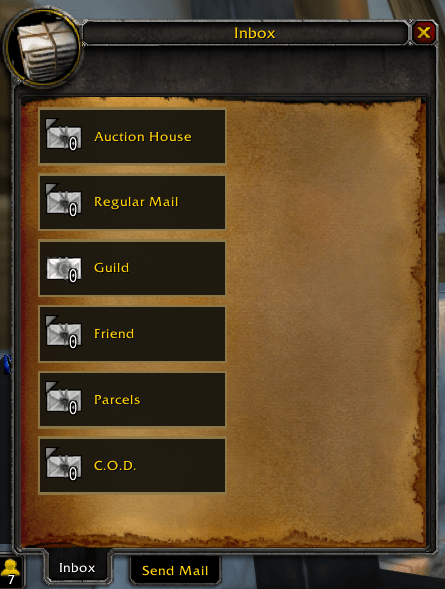
This is the feature people ask for and never get. Instead of a scrolling list seven letters at a time, your inbox becomes six fixed slots: Auction House, Guild, Friend, Regular Mail, Parcels, and C.O.D.
Every slot always represents everything of that type sitting in your mailbox, no matter how many pages it would have taken in the stock UI. Holding shift while opening a letter runs through every letter in that category for you.
AUCTION HOUSE MAIL
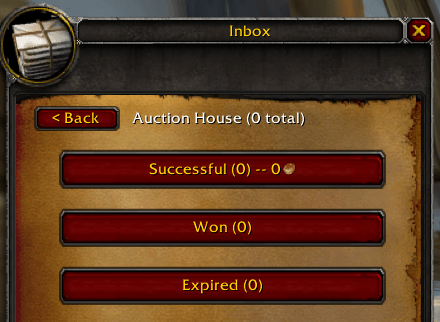
Auction House mail gets its own submenu, split into Successful (running gold total included), Won, and Expired, so you know at a glance whether today was a good auction day.
One click claims everything in a category right now. The other browses first if you'd rather look before you grab. Actual letter reading always happens in the normal Blizzard window, HoardSense just gets you there faster. Don't like it? Flip back to the original layout any time.
SIGNATURES
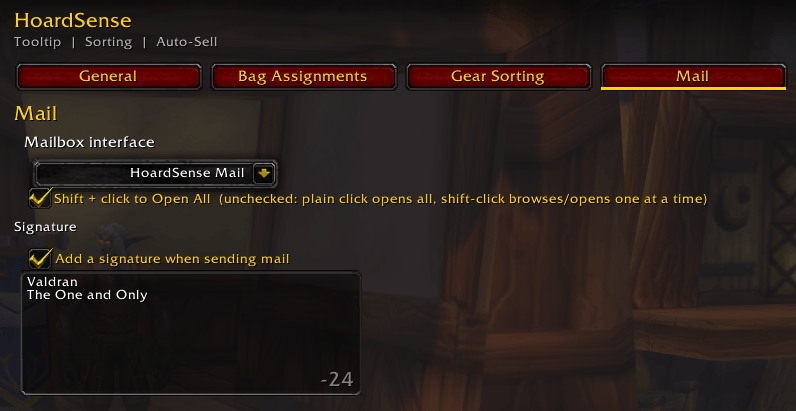
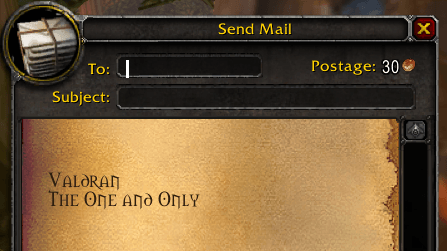
Set a signature once and HoardSense signs every outgoing letter for you automatically. Toggle it off any time you want to send unsigned.
C.O.D. CLAIM CONFIRMATION
Bulk-claiming pays COD charges, so one misclick could drain gold. A popup now states the total once before proceeding.
WHY HOARDSENSE?
Most addons that touch bags, banks, mail, or vendoring want to replace the whole interface and make you relearn everything. HoardSense adds intelligence on top of the UI you already know. Built for TBC Classic Anniversary, actively maintained, made by someone who plays this expansion every single day and got tired of the alternatives.
If HoardSense saves you a wiki tab, a misclicked sale, or five minutes digging through mail, leave a comment. Feedback is what decides what gets built next.
Quest data sourced from the Questie project database (GPL 3.0): github.com/Questie/Questie
HoardSense Team


