Veilusion - Transmog Organizer, Hide Unwanted (Exquisite+)
- By
Hides, organizes, and filters your appearance collection. Optional integration with Exquisite that adds more features.
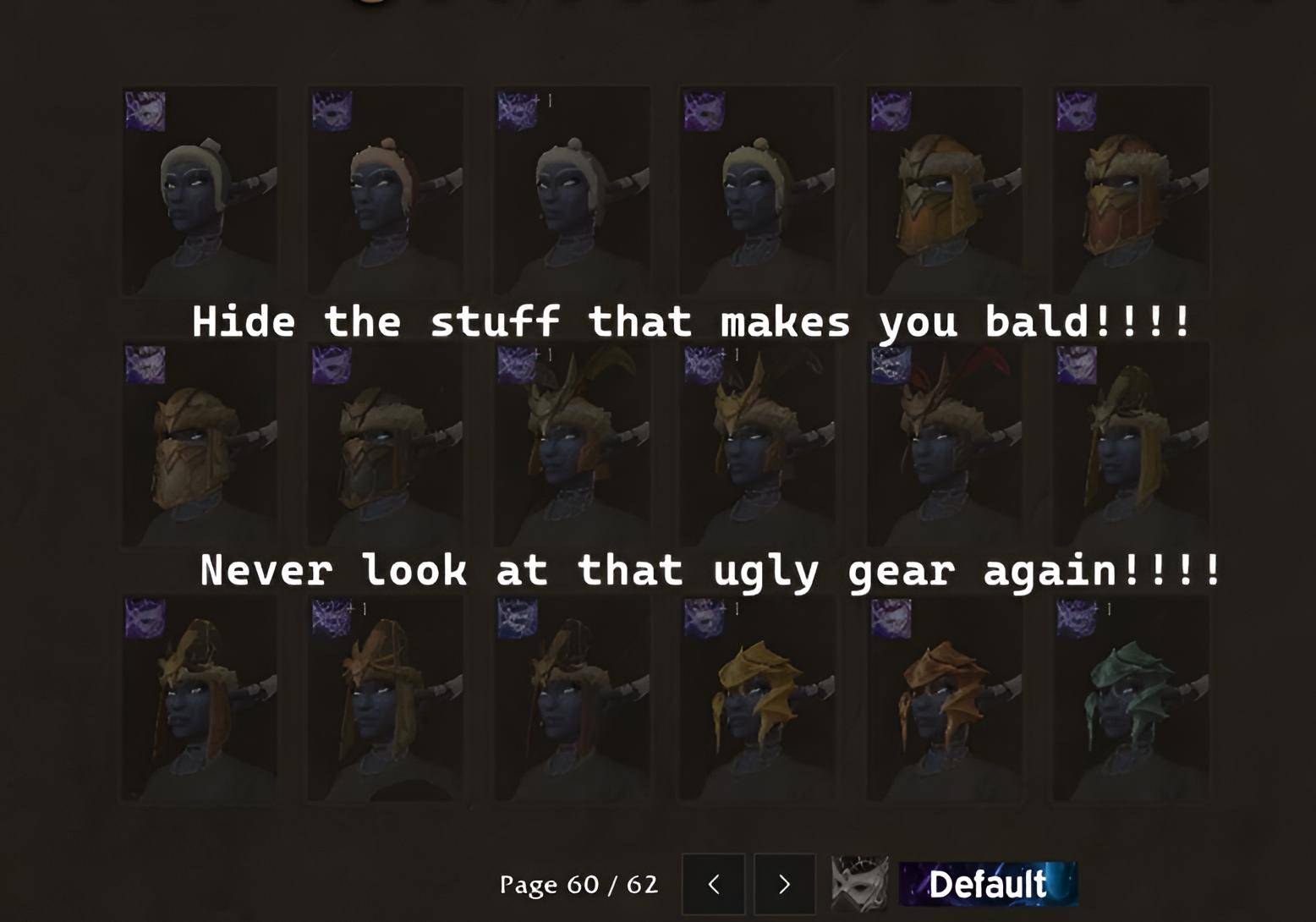
Hide what you dont wanna see
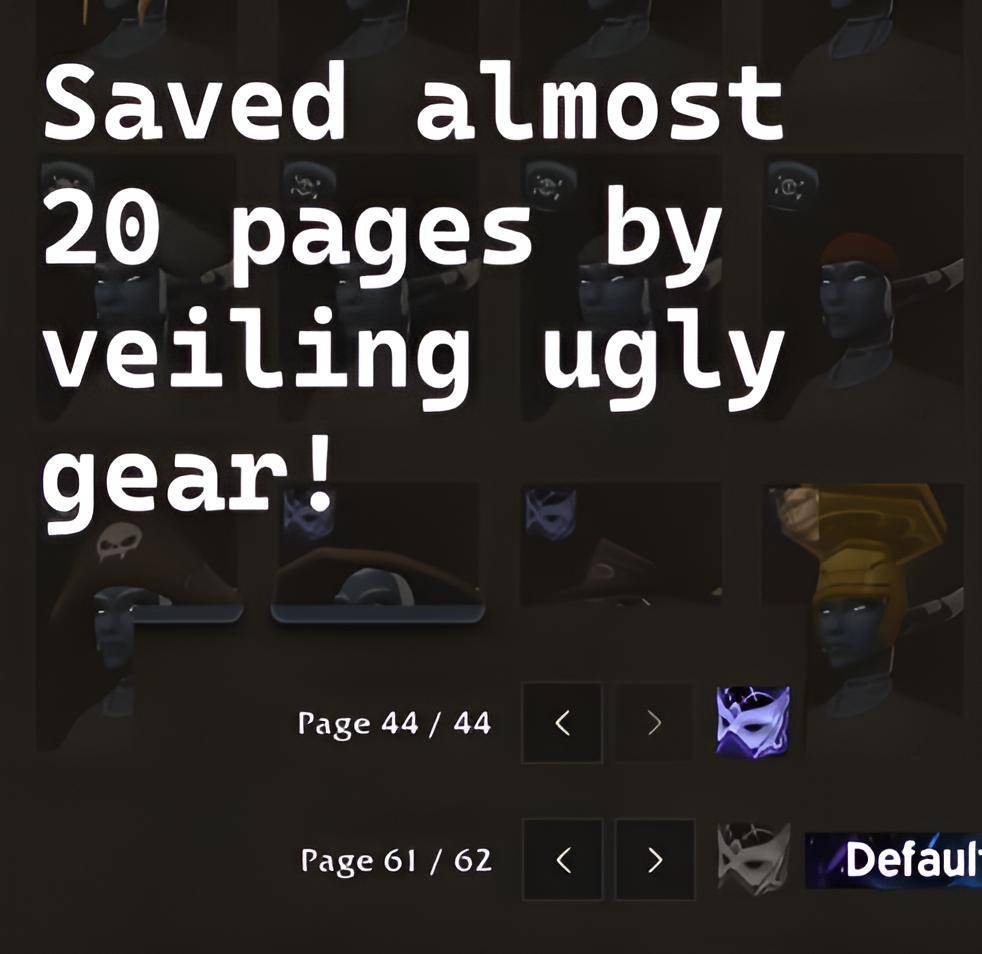
62Pagesbig.jpg
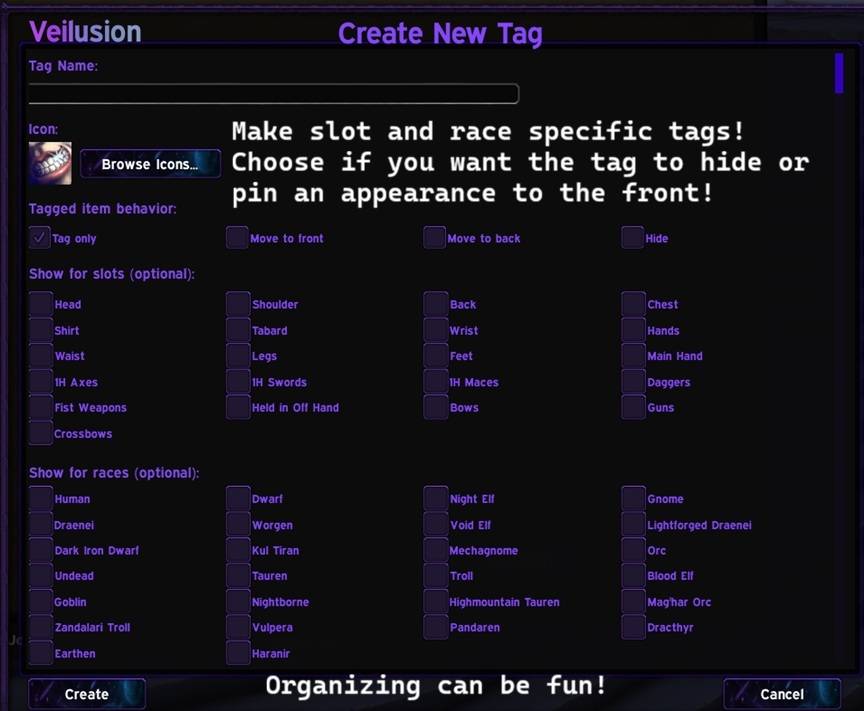
So many customization options...
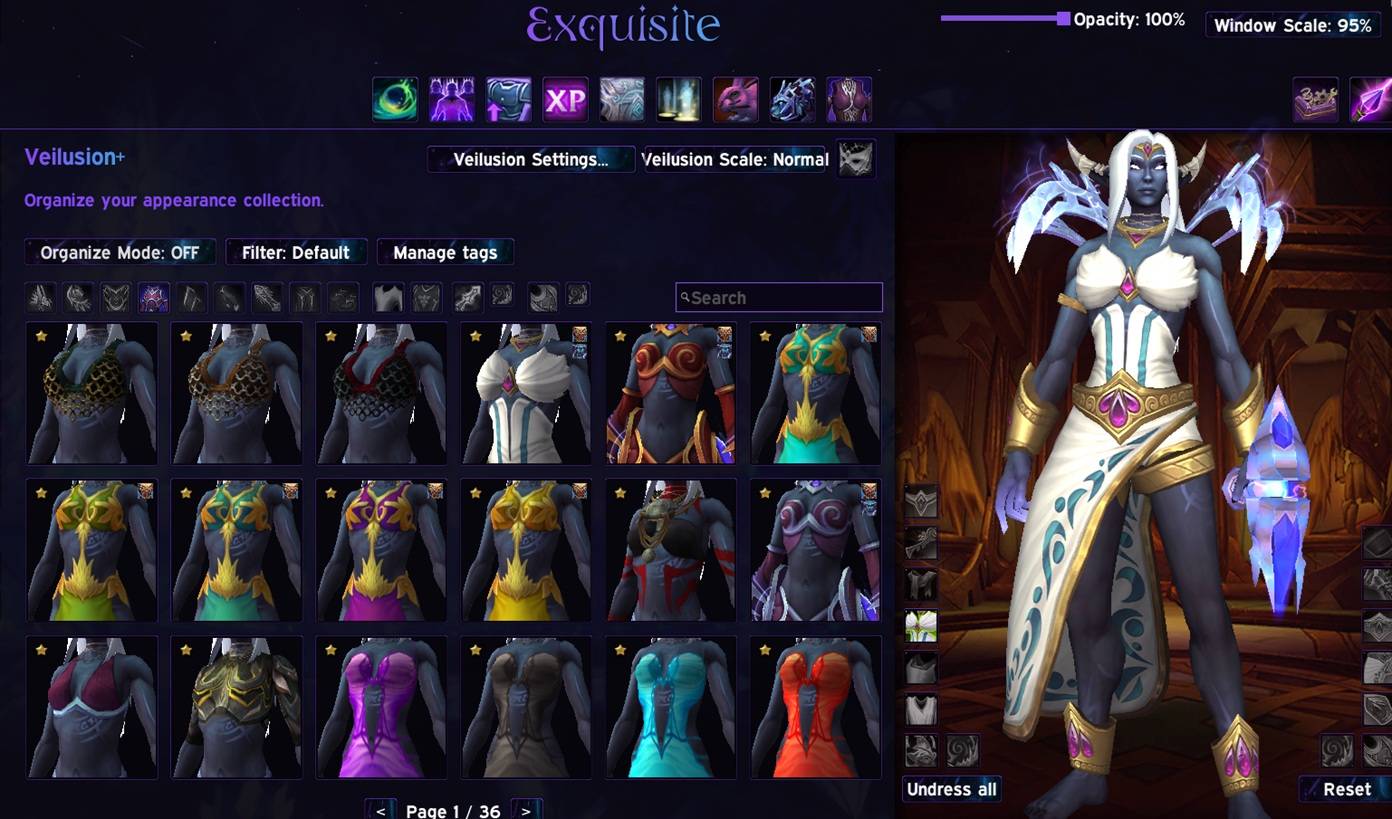
Get Exquisite for a full appearance window that even lets you browse gear your class cant wear! Quickly organize things and pair it with Exquisite's other fun features.
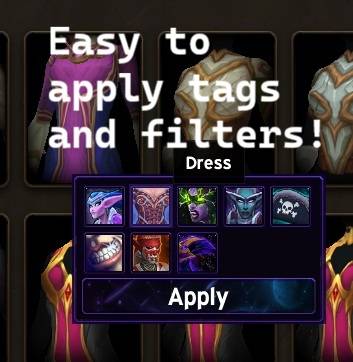
Middle click or right click to tag things, up to 3 per item.
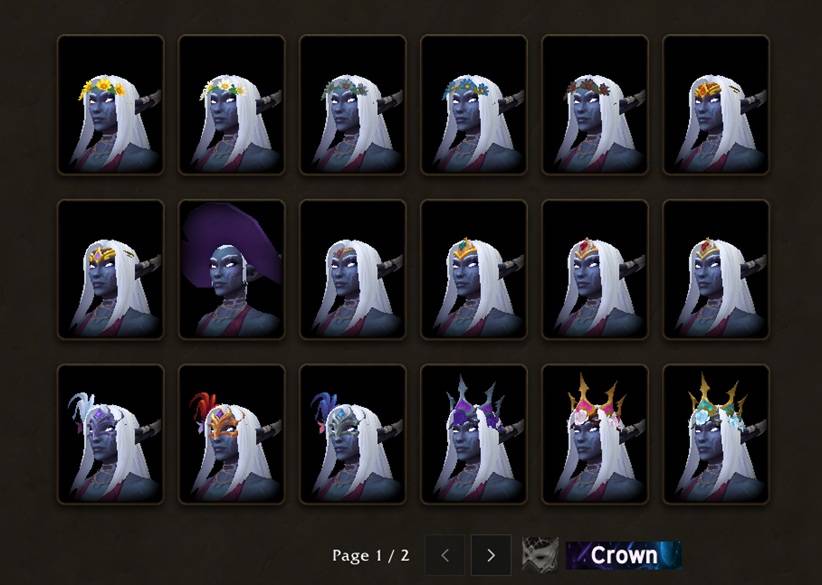
Put the things you love most to the front of the appearance list.
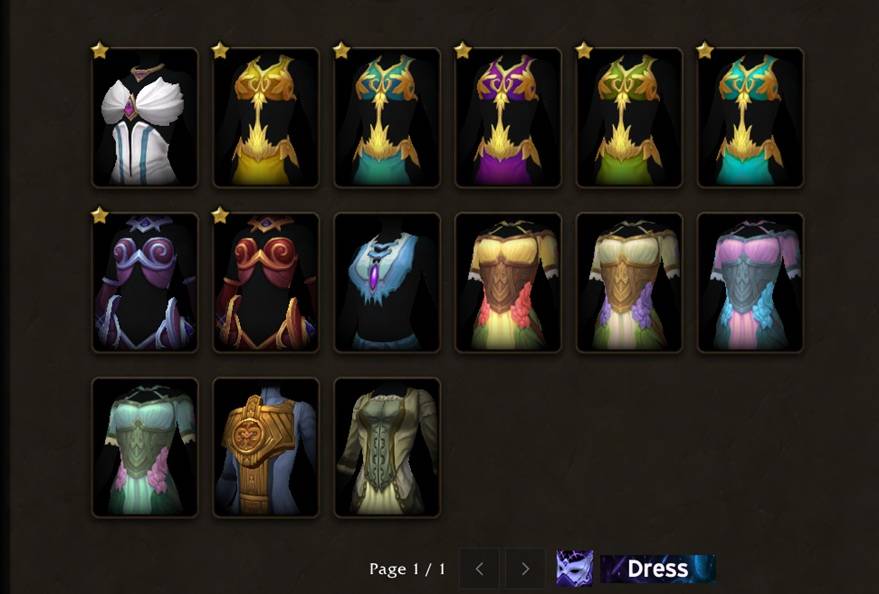
Dresses!
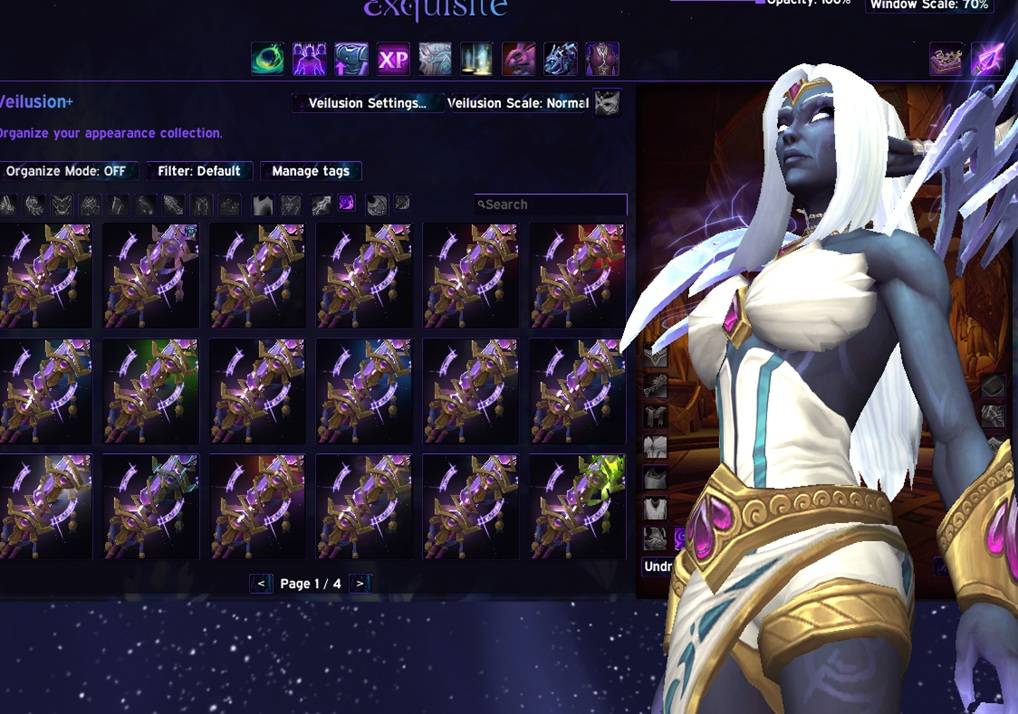
BIG!!! (Exquisite exclusive)
Description
Veilusion
Veilusion is a transmog and wardrobe focused addon that lets you organize and declutter your appearance collection. You can veil items to push them out of the way or hide them entirely, and tag items with custom-named categories that control how they're sorted and displayed, including per-race and per-slot rules so your tags adapt automatically to the character you're playing. Everything is undoable, and a toast notification with a 3D model preview appears each time you make a change.
I made this because I got tired of scrolling past hundreds of appearances I'll never use every time I open the collections or transmog window (WotLK transmogs, yikes). I wanted to hide the clutter, and I wanted to organize the things I actually care about without it being a chore and make it fun.
Veiling
Alt+Left-Click any item in the wardrobe to veil it. Veiled items are either dimmed in place or pushed to the back of the list depending on your mode. Favorited items are protected and cannot be veiled.
A special Veil Filter view flips the wardrobe to show only your veiled items, so you can review or manage them all at once.
Tags
Tags are custom categories you create and assign to appearances. Each tag has:
- A name and icon of your choosing
- A behavior that controls what happens to tagged items:
tag- item stays in place with a small icon overlayfront- item is moved to the front of the listback- item is pushed to the back and dimmedhide- item is hidden entirely
- Optional race restrictions - the tag only applies when you're playing a matching race. On any other race, the item shows normally.
- Optional slot restrictions - the tag only applies when a specific equipment slot is active in the wardrobe.
If an item has multiple tags, the most permissive behavior wins. An item is also only race-hidden if every tag on it excludes the current race.
Items can have up to 3 tags each. Tagged items display a small icon in the corner of their wardrobe cell. With 2 or more tags, the first icon is shown alongside a + badge.
A built-in preset tag called Quirky comes pre-configured for aesthetically unusual appearances, defaulting to Gnome, Mechagnome, Goblin, Vulpera, Pandaren, Tauren, Highmountain Tauren, and Worgen.
Tagging Items
Middle-click any appearance to open the quick-tag popup. It shows all tags applicable to the current slot as a grid of icons, with checkmarks on any already applied. Toggle tags on or off, then click Apply to commit.
You can also manage tags through the right-click context menu on any appearance.
Filter View
Click any tag in the settings panel to enter filter view. The wardrobe switches to showing only items in that tag. Click again or select Default to return to the normal view.
Undo
The last 5 actions (veils, unveils, and tag changes) are saved to an undo stack. You can undo by:
- Clicking the toast that appeared when you made the change
- Running
/veil undoin chat
Each toast undoes its own specific action independently, so you can undo an older change without affecting newer ones.
Toast Notifications
A toast pops up in the bottom-center of the screen whenever you veil, unveil, or apply tags. It shows:
- The action taken and the item name
- A 3D character model zoomed in on the relevant slot. Weapon slots show the actual weapon model.
- A progress bar that drains over 5 seconds, pausing while you hover
- A "click to undo" prompt
Up to 5 toasts can be visible at once, stacking upward. Toasts are draggable if you want to move them out of the way.
Settings Panel
Opened from a button added to the wardrobe UI. From here you can:
- View all your tags with their icon, name, slot, and race settings
- Create new tags
- Edit or delete existing tags
- Enter filter view for any tag
Works In Both Wardrobe Windows
Veilusion runs in both the Collections wardrobe and the Transmog window at the NPC. It hooks into Blizzard's refresh and paging events so the list stays correctly filtered across page turns, slot switches, and UI redraws.
Slash Commands
| Command | What it does |
|---|---|
/veil |
Opens the settings panel |
/veil undo |
Undoes the last action |
/veil hide |
Switches to hide mode (veiled items fully hidden) |
/veil back |
Switches to back mode (veiled items dimmed at the back) |
/veil count |
Shows how many appearances are currently veiled |
/veil debug |
Prints diagnostic info about your current state |
If you enjoy Veilusion, buy me a coffee ☕
Veilusion - Transmog Organizer, Hide Unwanted (Exquisite+) Team