NightVend - Auto Sell, Quick Destroy, Extended Vendor (Exquisite+)
- By
NightVend is a customizable item-management addon for automatically selling, destroying, repairing, and protecting items with optional vendor-interface extras.
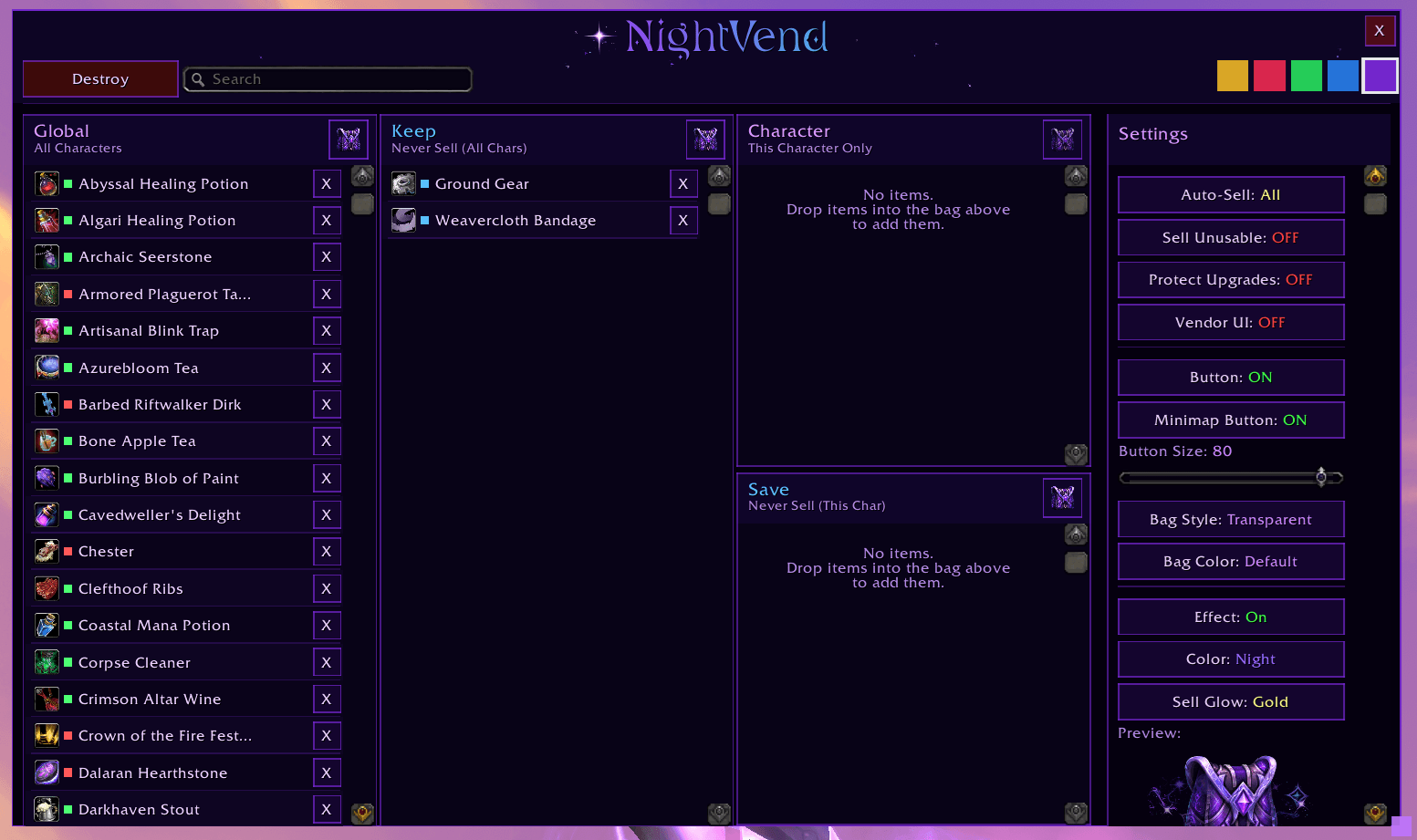
NightVendUI
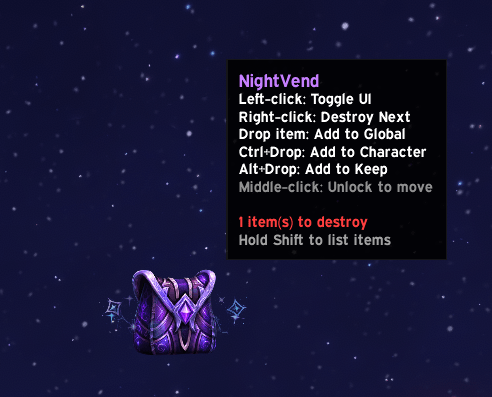
NightVend Bag Button
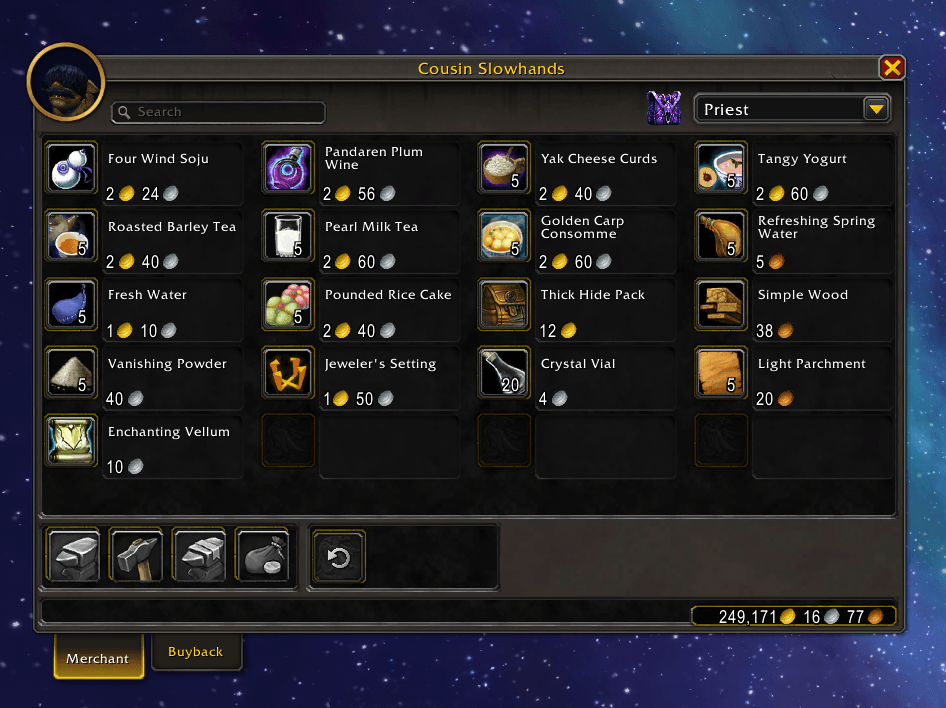
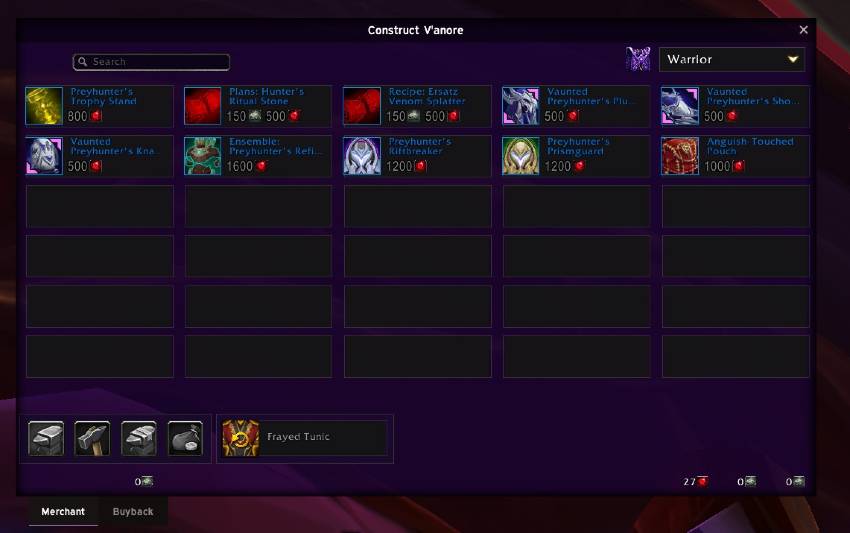
NightVend Extended Vendor
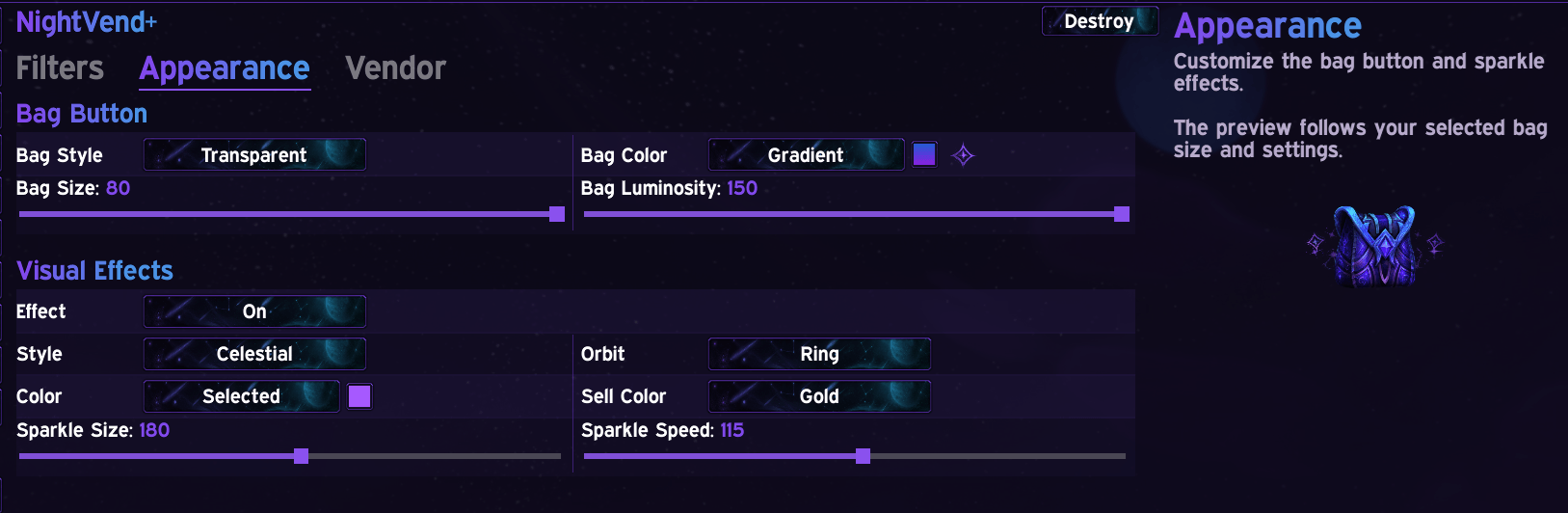
NightVend+Exquisite Appearance Page
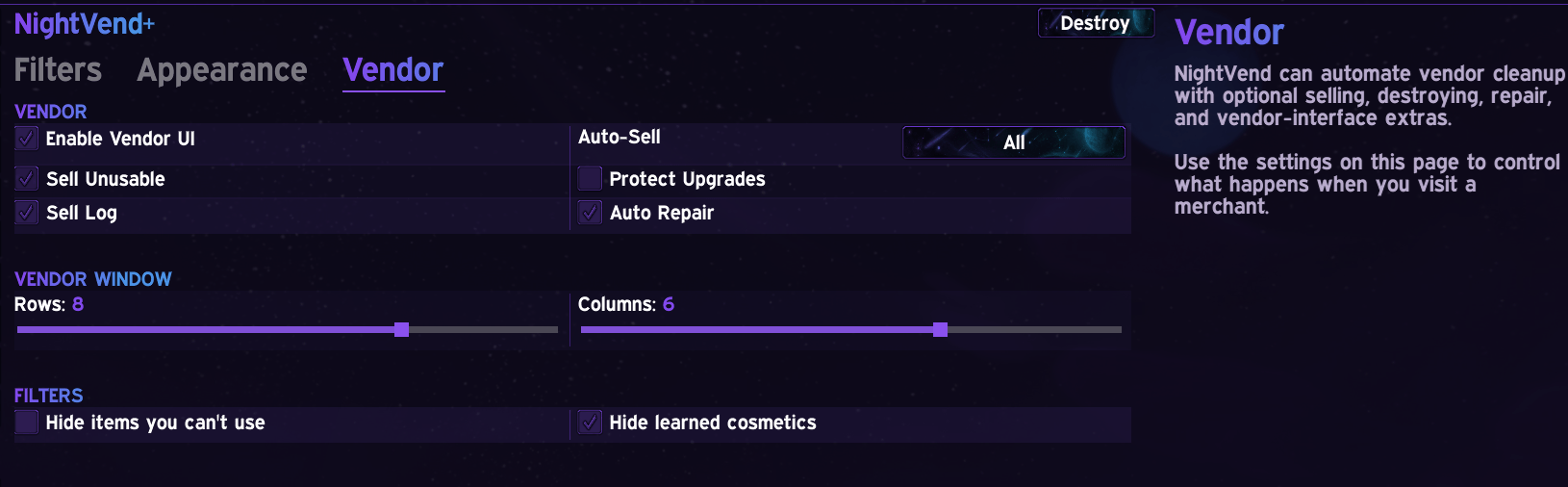
NightVend+Exquisite Vendor Page
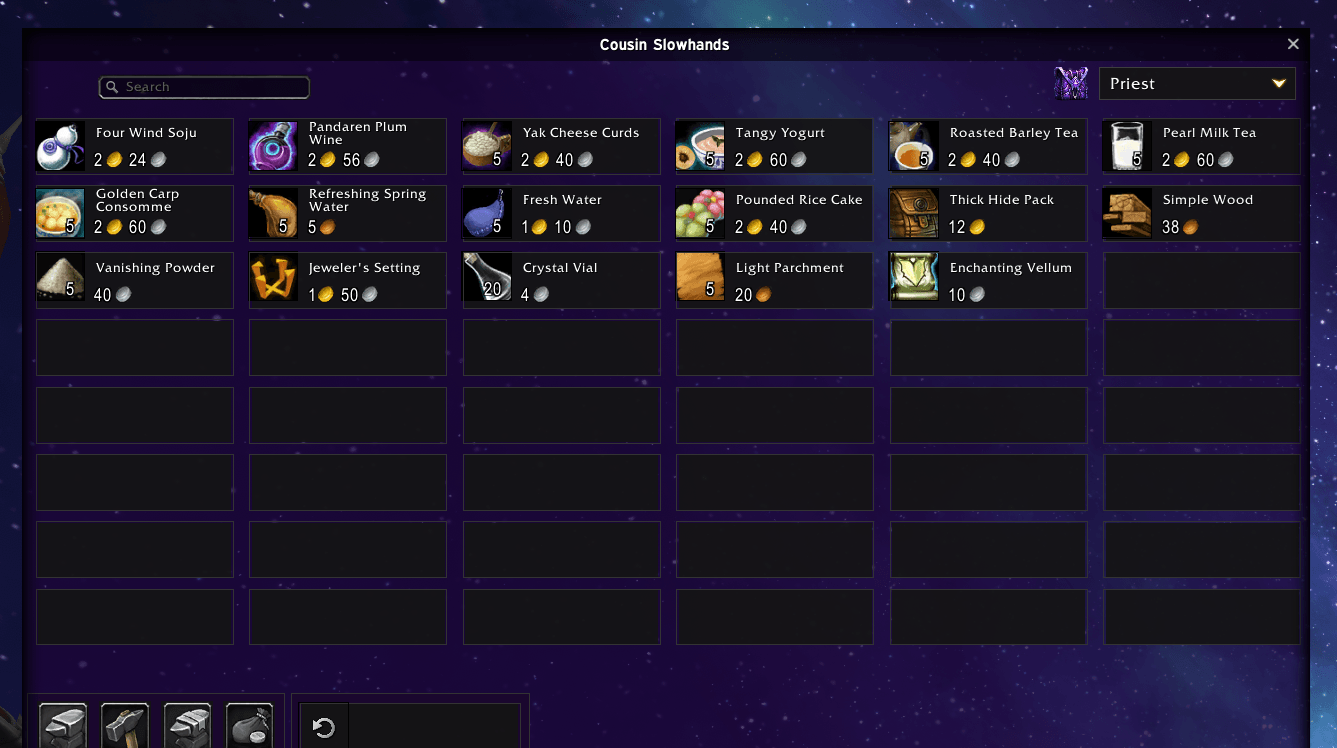
NightVend+Exquisite Extended Vendor Option
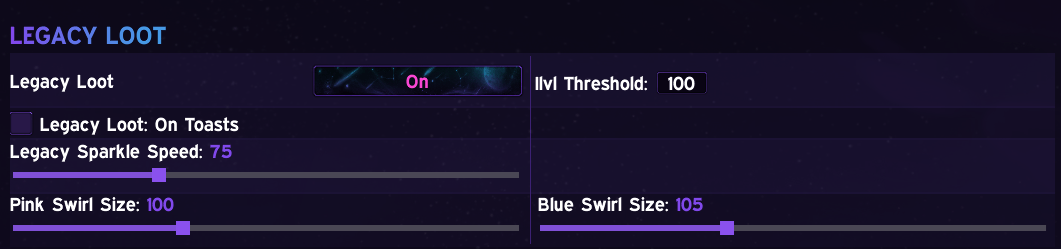
Legacy Loot Exquisite+
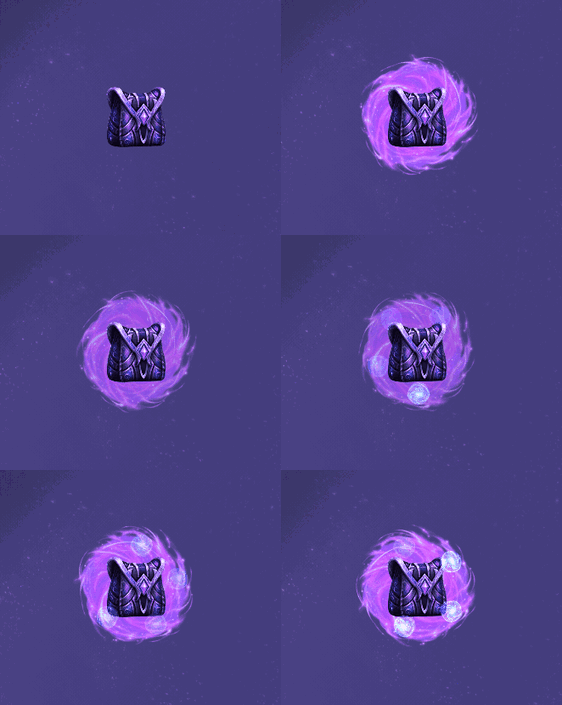
Legacy Loot Mode
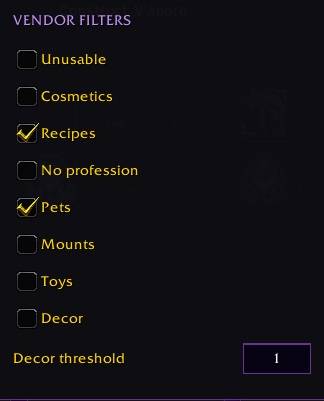
Vendor Filters
Description

Set it and forget it!
NightVend automatically sells your chosen junk and allows you to destroy unsellables without hassle. No more clicking through bags, and no more manual sorting worries. Drag an item onto one of four lists once, and NightVend remembers what to do with it forever(account-wide or character specific). When you have an item to destroy, the floating bag button sparkles to let you know to right click and poof! Like magic the item is gone.
Works with EllesmereUI
Every item you manage goes on one of four lists:
| List | Scope | Behavior |
|---|---|---|
| Global | All characters | Auto-sell or auto-destroy (NightVend decides based on vendor price) |
| Character | This character only | Same as Global, but scoped to one character |
| Keep | All characters | Never sell or destroy (protected everywhere) |
| Save | This character only | Never sell or destroy (protected on this character only) |
If an item ends up on more than one list, NightVend resolves it with a clear, consistent priority:
Character > Save > Keep > Global
A per-character sell decision always wins over a "never sell" flag (useful for the rare case where you want to override a global Keep for just one alt).
Just drag items into the columns you want, right-click an item to toggle Sell/Destroy, and you're done. At any vendor, left-click the NightVend bag button to sell up to 12 configured or eligible grey items (so they remain available in buyback), or use /nv sell when you want to sell the full configured list. Auto-Sell remains optional.
Protect by Item Level
Never accidentally vendor an upgrade again. When you add an item to a Sell or Destroy list, NightVend remembers the item level it had at that moment. If a later drop shares the same item ID but rolled a higher item level, NightVend holds it back instead of selling it . You can see exactly which threshold it's being checked against right on the list.
This is optional and off by default. Turn it on whenever you want an extra guard against accidentally selling a better replacement.
We Love Smart Stuff
- Never destroys anything with real vendor value (a hard safety floor blocks it regardless of what list an item ends up on.)
- Auto-Sell can also sweep up unflagged grey-quality junk automatically.
- Optional "Sell Unusable Gear" mode clears out soulbound armor your class can't use (never touches warbound items).
- A search bar across all four lists so you can find one entry instead of scrolling.
The Magic Bag

- Floating bag button, minimap button, or a DataBroker launcher (floating button is resizable)
- Five color themes (Purple, Blue, Green, Red, Gold) for the whole window, and a separate tint just for the bag icon, mix and match to your liking… NightVend is just as focused on aesthetic as it is function.
- Optional (but way more fun) Live sparkle effects on the bag button when you've got items ready to destroy: pick your color theme, and there's even a dedicated gold glow for sellable items.
- Resizable, moveable, scalable UI window with position and size remembered between sessions.
Extended Vendor Window
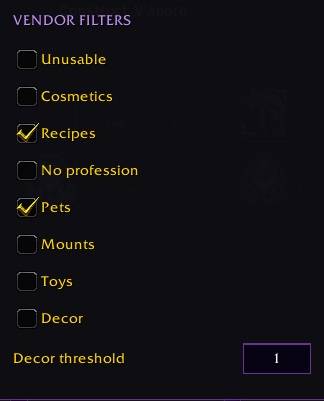
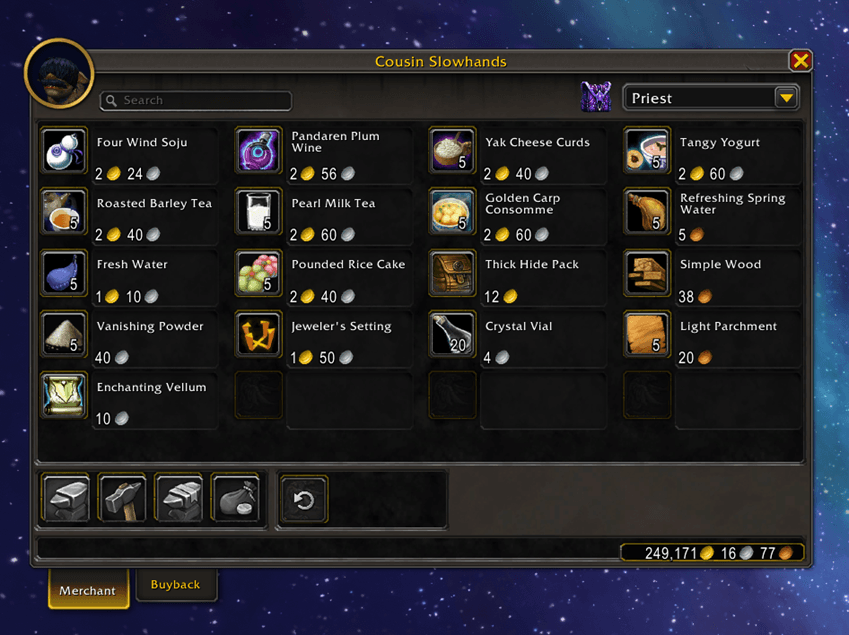 Turn any vendor into an extended shopping interface when enabled: a resizable grid view with search, one-click filters to hide items you can't use or cosmetics you've already unlocked, optional automatic repair, and an optional chat sell log.
Baganator Integration
If you run Baganator, NightVend adds a destroy-icon corner widget to flag items on your Destroy list right inside your bag grid. You can set NightVend as the Junk detector inside Baganator's UI to have it manage your junk.
Exquisite+ Integration (optional)
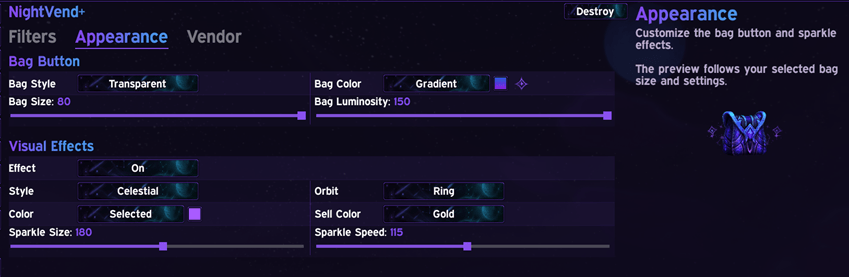
If you also run Exquisite, NightVend gets even more goodies! NightVend gains a dedicated sidebar entry in Exquisite's dashboard. Manage your Sell/Destroy/Keep/Save lists from here, tweak sparkle appearance (with more options), and adjust vendor settings without leaving Exquisite's UI. NightVend runs fully standalone either way; Exquisite just adds a second, integrated way to manage it.
The embedded page also includes the vendor UI toggle, Auto-Sell mode, Sell Unusable, Protect Upgrades, Sell Log, Auto Repair, vendor grid size, and vendor filters. These controls use the same saved settings as NightVend's standalone window.
EllesmereUI Integration
Slash Commands (not needed but they are there)
/nvor/nightvend- open the settings help/nv sell- sell everything on your lists right now/nv destroy- destroy the next item on your Destroy lists/nv reset- reset the floating button's position
Artwork: Nothing here is AI-generated. Every visual comes from the WoW atlas. Main icon and logo are upscaled and remixed by me (graphic designer for over 10 years) using Pixlr or GIMP.
Code: Development is AI-assisted, and reviewed by my brother, a career programmer.
NightVend - Auto Sell, Quick Destroy, Extended Vendor (Exquisite+) Team