Duskwatch - Objective, Quest, WQ, Scenario Tracker
- By
A highly customizable objective tracker that keeps your quests, scenarios, achievements, and other content organized to fit your playstyle.
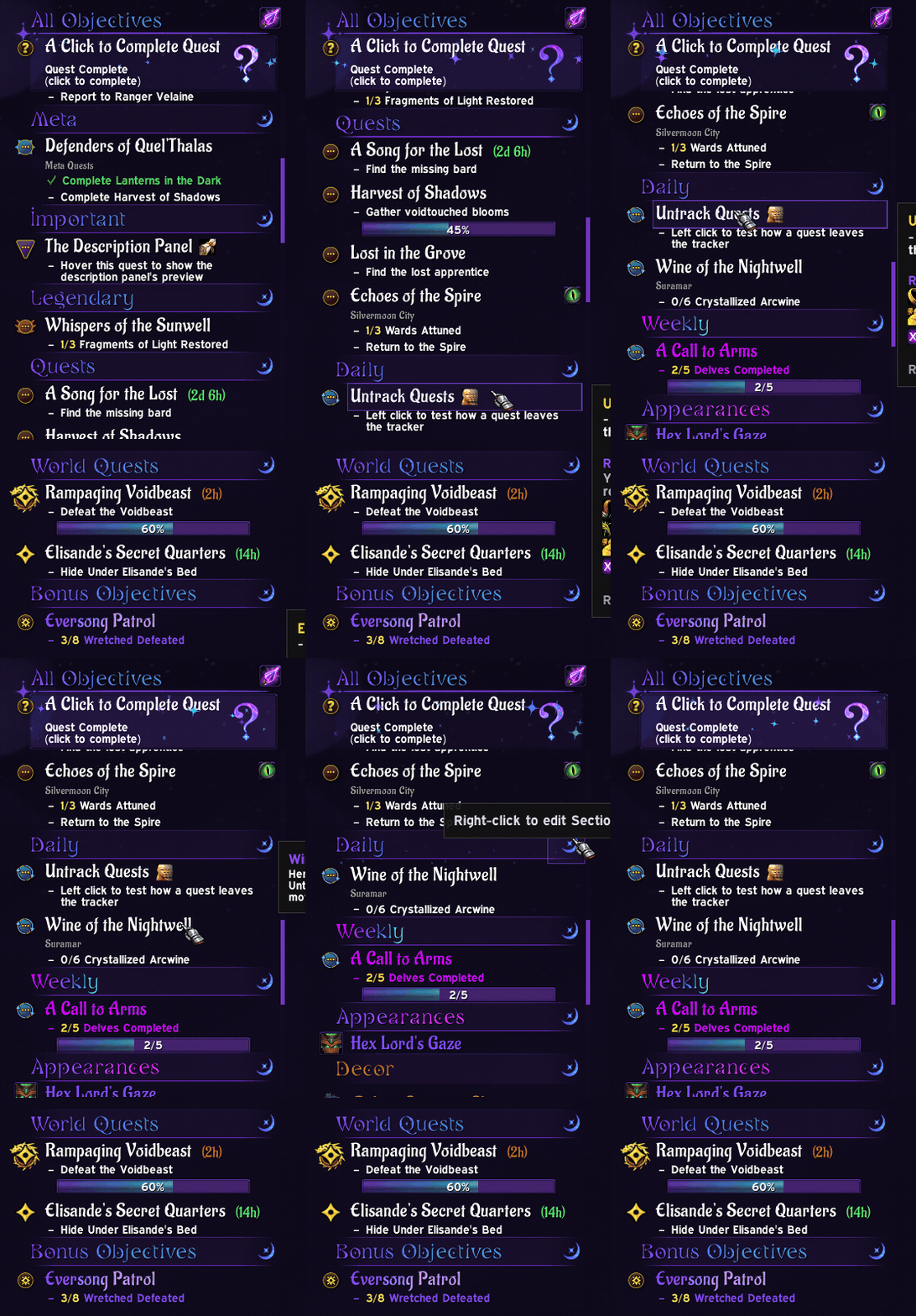
The Preview
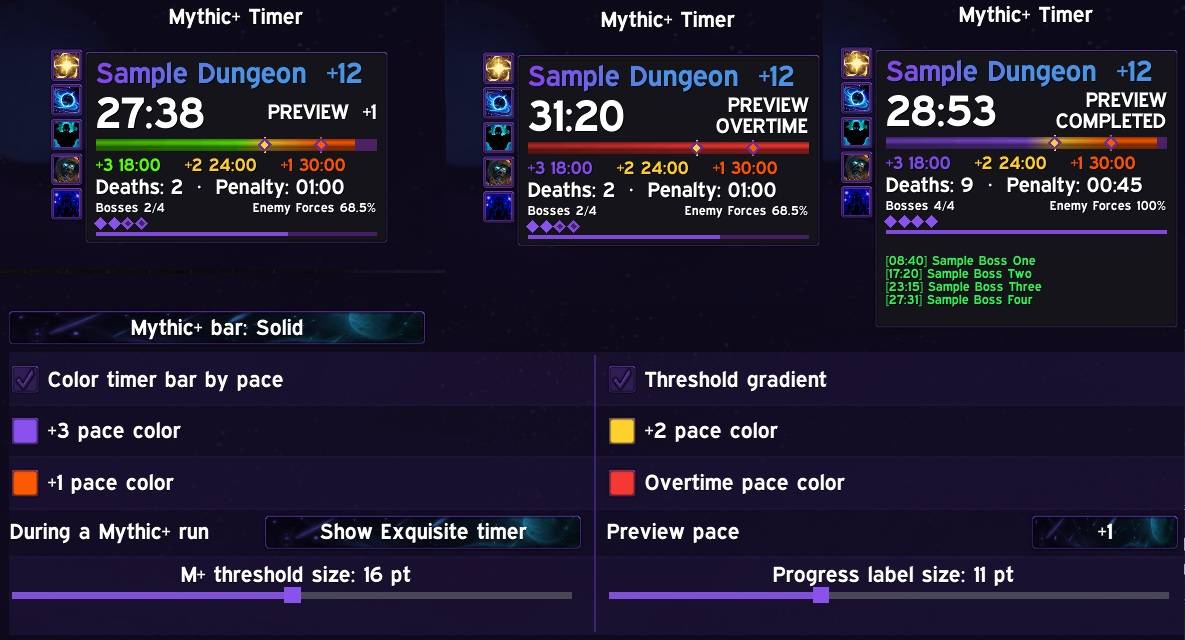
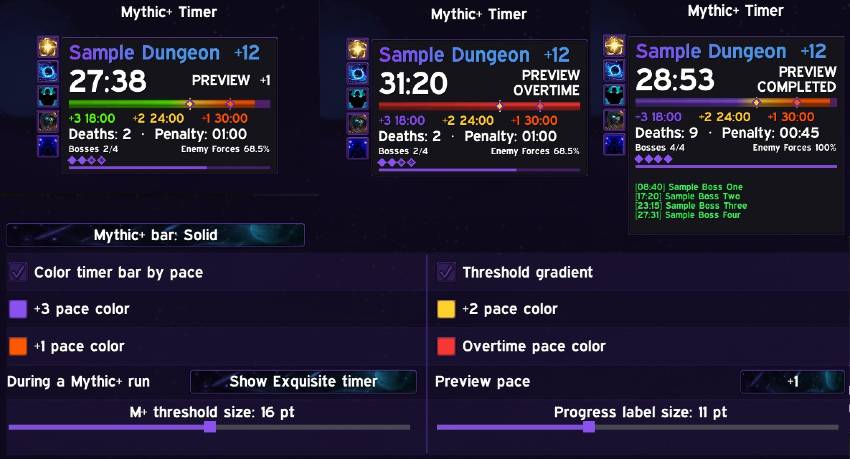
mythic+
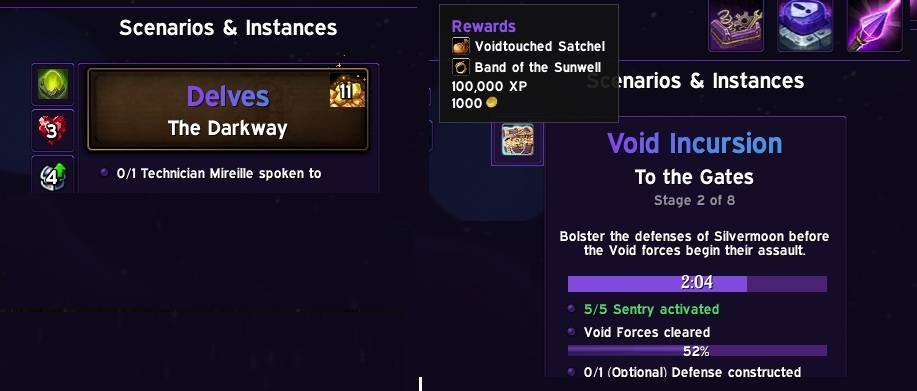
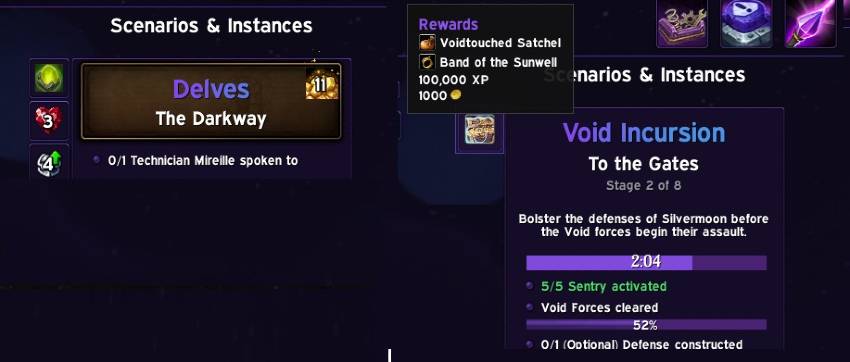
Delve and Scenario Block (dungeons/raids follow this too)
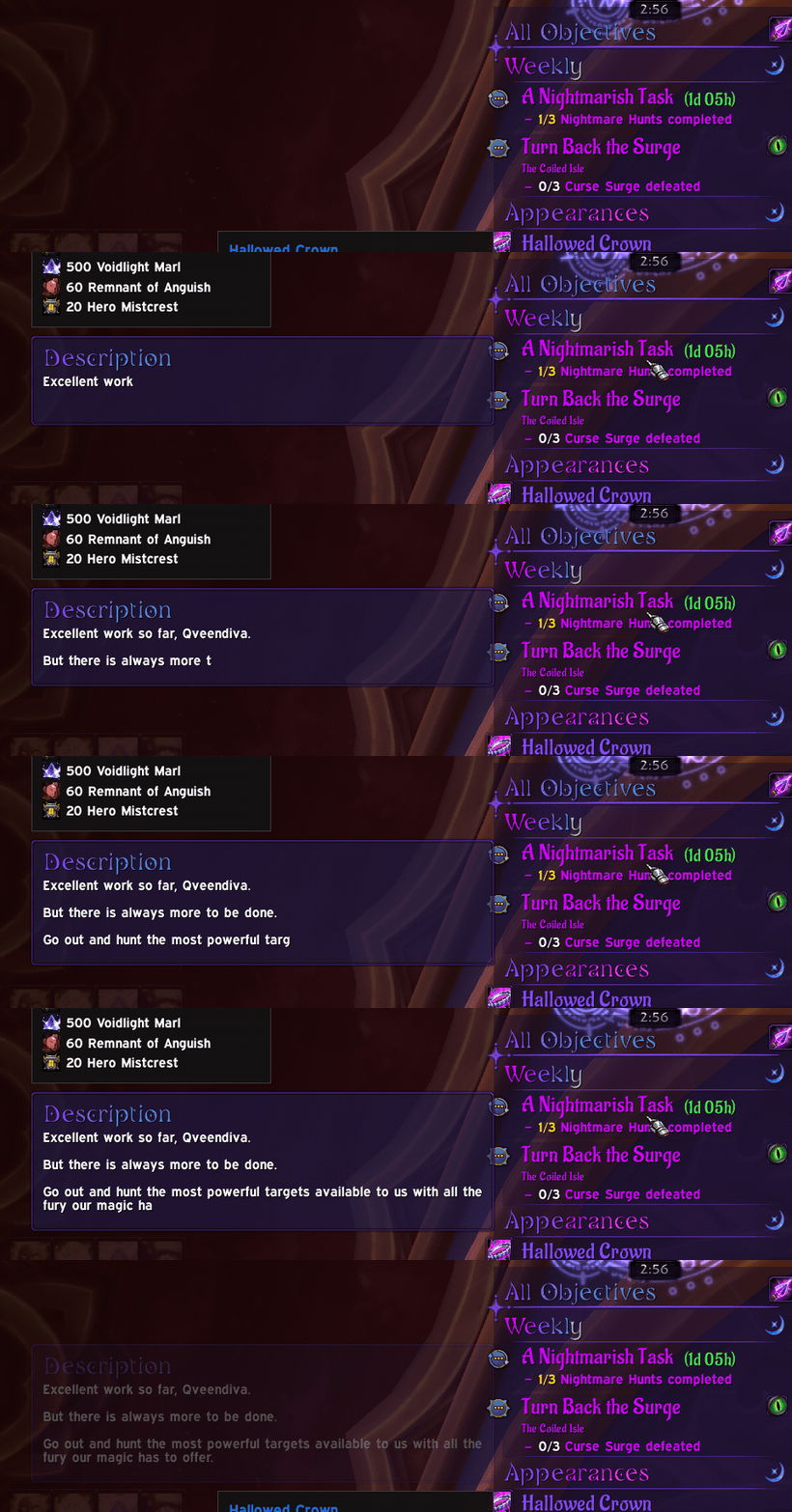
A typewriter style description panel reads from the quest log, no more needing to open the map to reread that extra info.
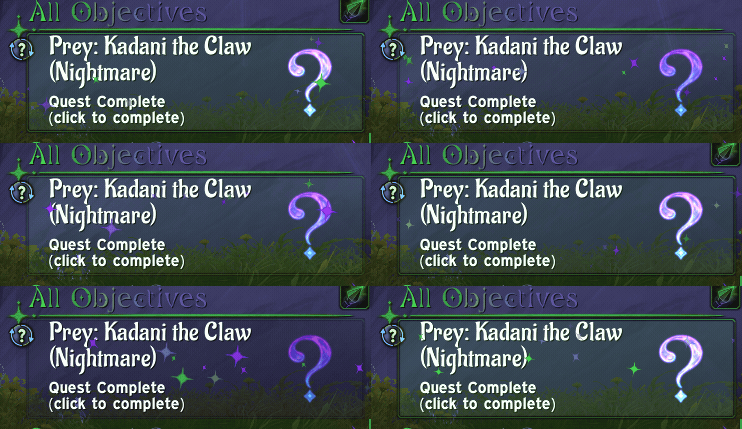
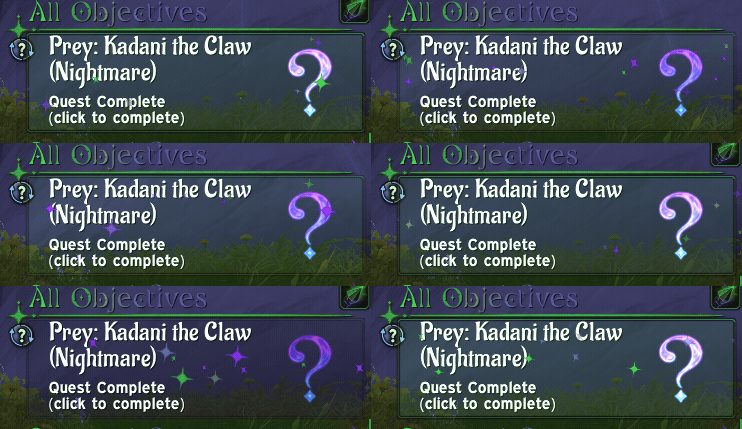
Special Click to Complete block
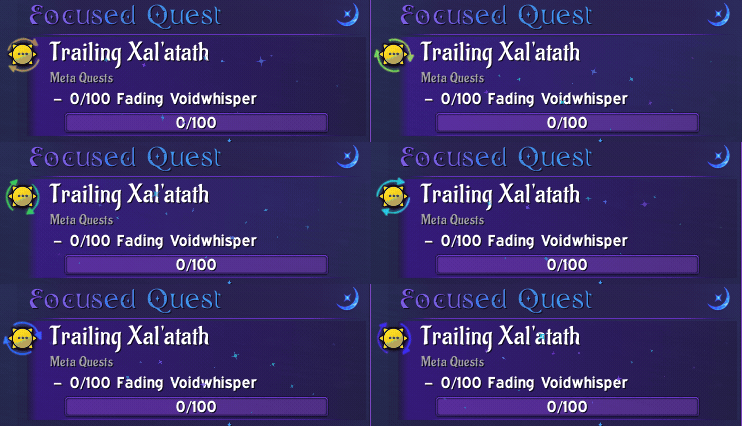
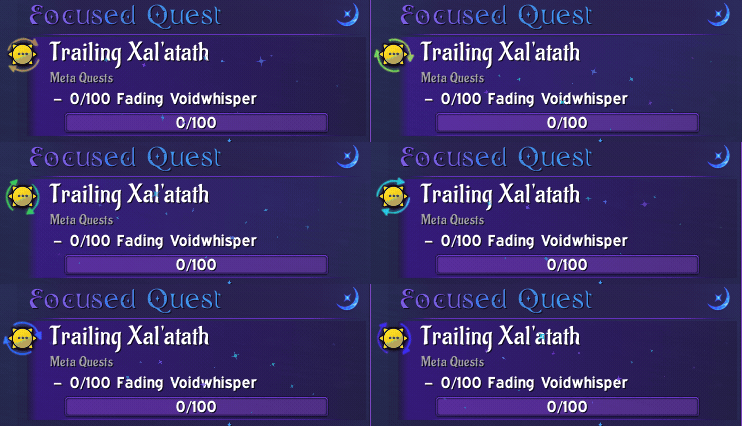
Focused Quest block
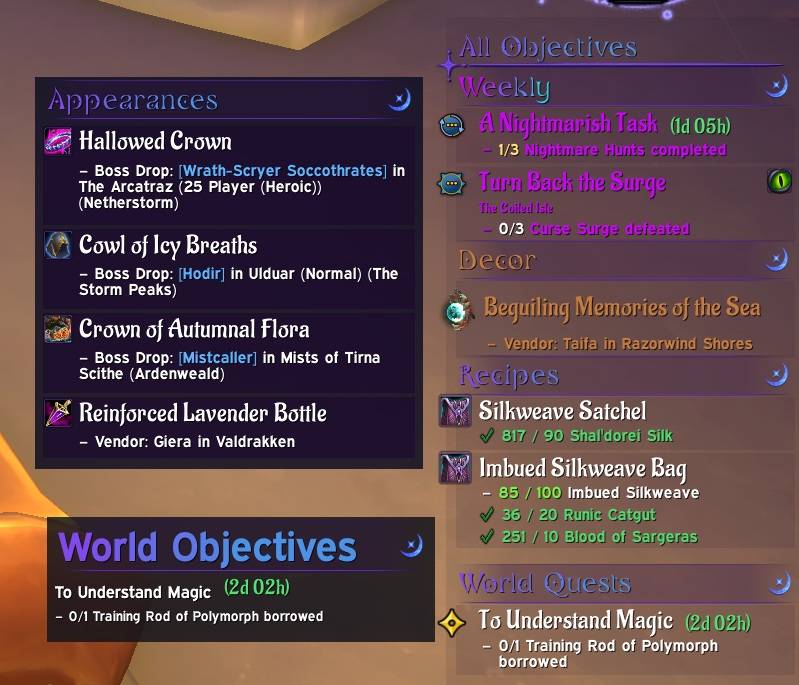
Style separate blocks to track different types of content
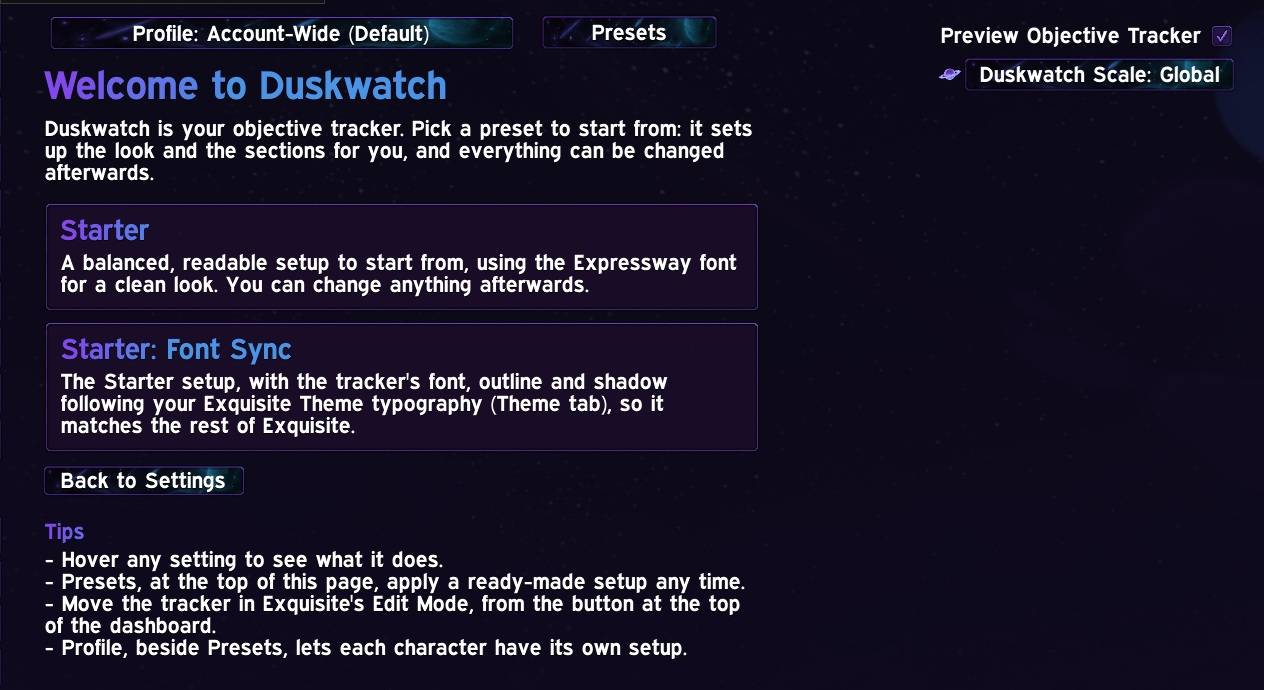
Presets
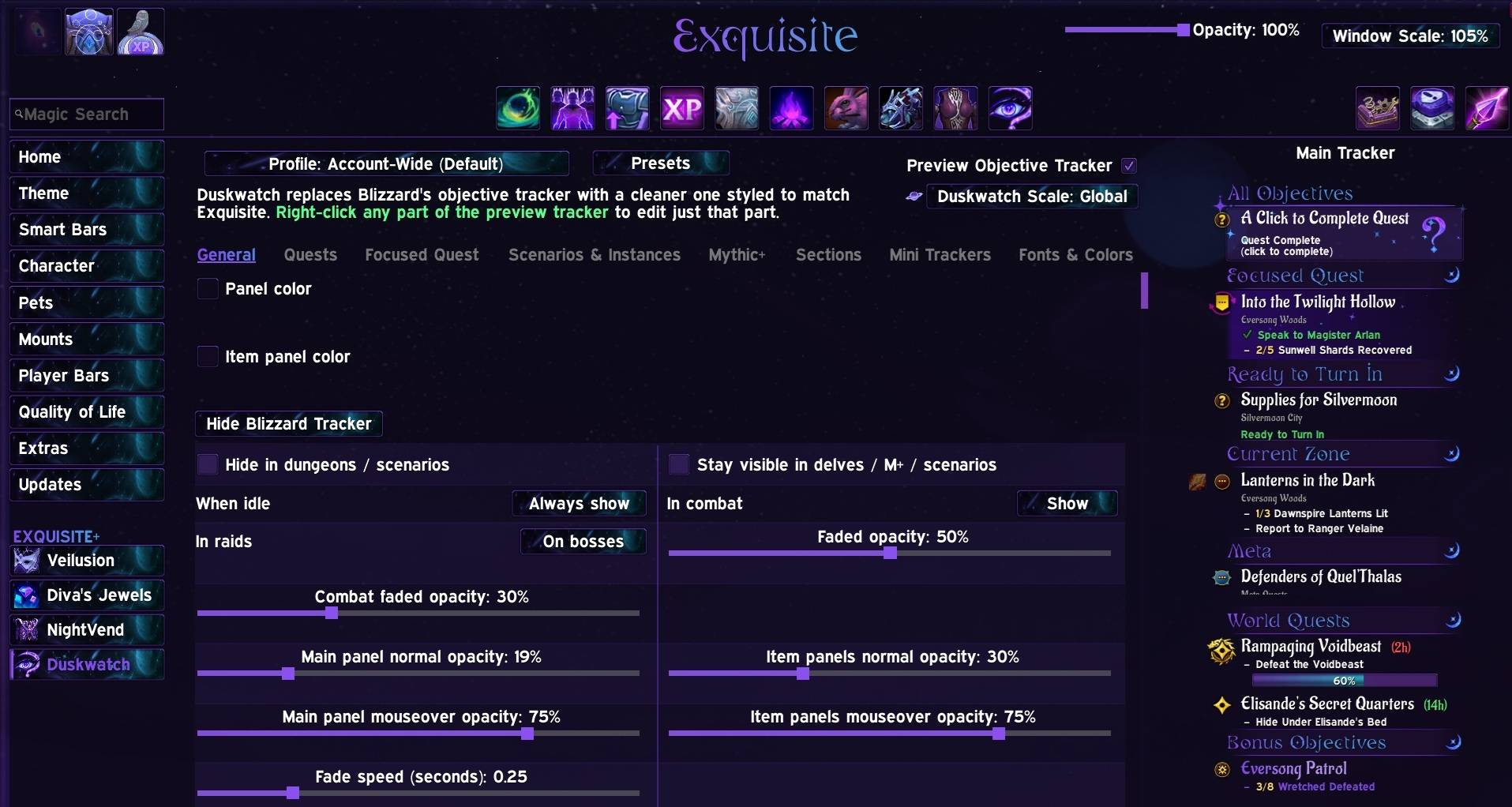
General Dashboard page
Description
Duskwatch
Duskwatch is a customizable objective tracker for World of Warcraft (Retail). It keeps quests, World Quests, scenarios, Delves, Mythic+, achievements and collections organized, and lets you style nearly every part of it. With Duskwatch, if you can dream it, you can probably style it!
Duskwatch requires Exquisite, and follows your Exquisite theme (accent color, gradients, fonts and borders) out of the box.
The Magic Preview
The settings page shows a live preview of your tracker with sample quests. Every change shows up instantly, so you never have to move the window to see what you did.
About 90% of the tracker's settings can be changed right from the preview: right-click the part you want to change and its settings open beside it.
- Right-click any part of the preview (a section header, quest title, objective, icon, progress bar, timer or the panel) to edit just that part in a small popup.
- Drag section headers in the preview to reorder your sections.
- Try a preset first: hover a preset to see it in the preview before you apply it.
- Sample scenarios, Delves and a Mythic+ timer appear on their own pages, so you can style those without being in one.
The Tracker
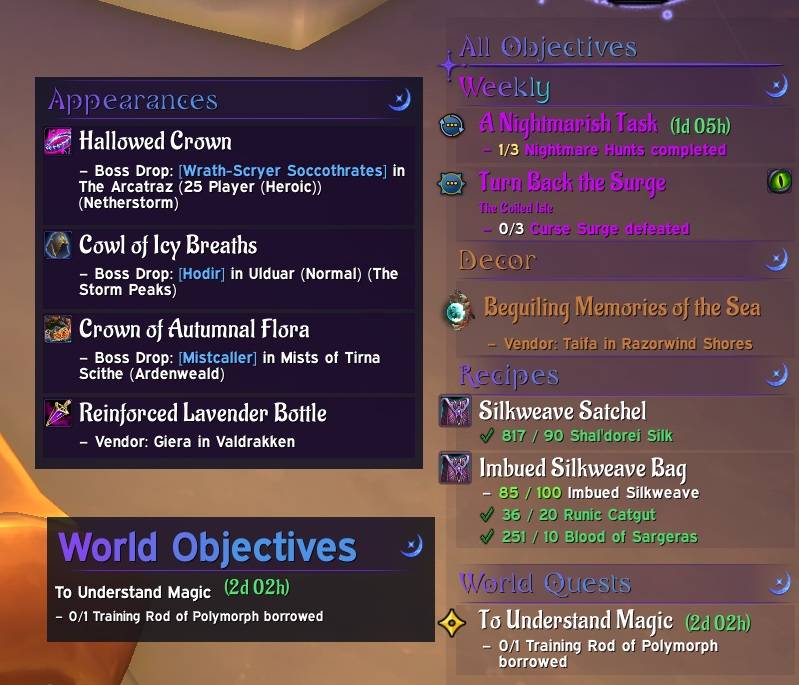
- Sections: Focused, Ready to Turn In, Current Zone, Campaign, Meta, Daily, Weekly, World Quests, Bonus Objectives and more, or one flat list. Drag them into any order, and pin any section to the top or bottom.
- Focused quest card with an optional glow and sparkles.
- Click-to-complete quests slide in at the very top with sparkles, a pulsing glow and a large question mark, so you never miss one. Tint the question mark with your accent color, the theme gradient or your own colors.
- Quest item buttons: quests with an item to use get a button beside the quest.
- Progress bars with your choice of width, height, alignment, texture and colors.
- Color by progress: objectives and progress bars blend from one color to another as they fill. Pick the colors at 0%, 50% and 100%, or color only the count (such as 1/3).
- Quest timers, quest levels, area lines and quest icons, each optional.
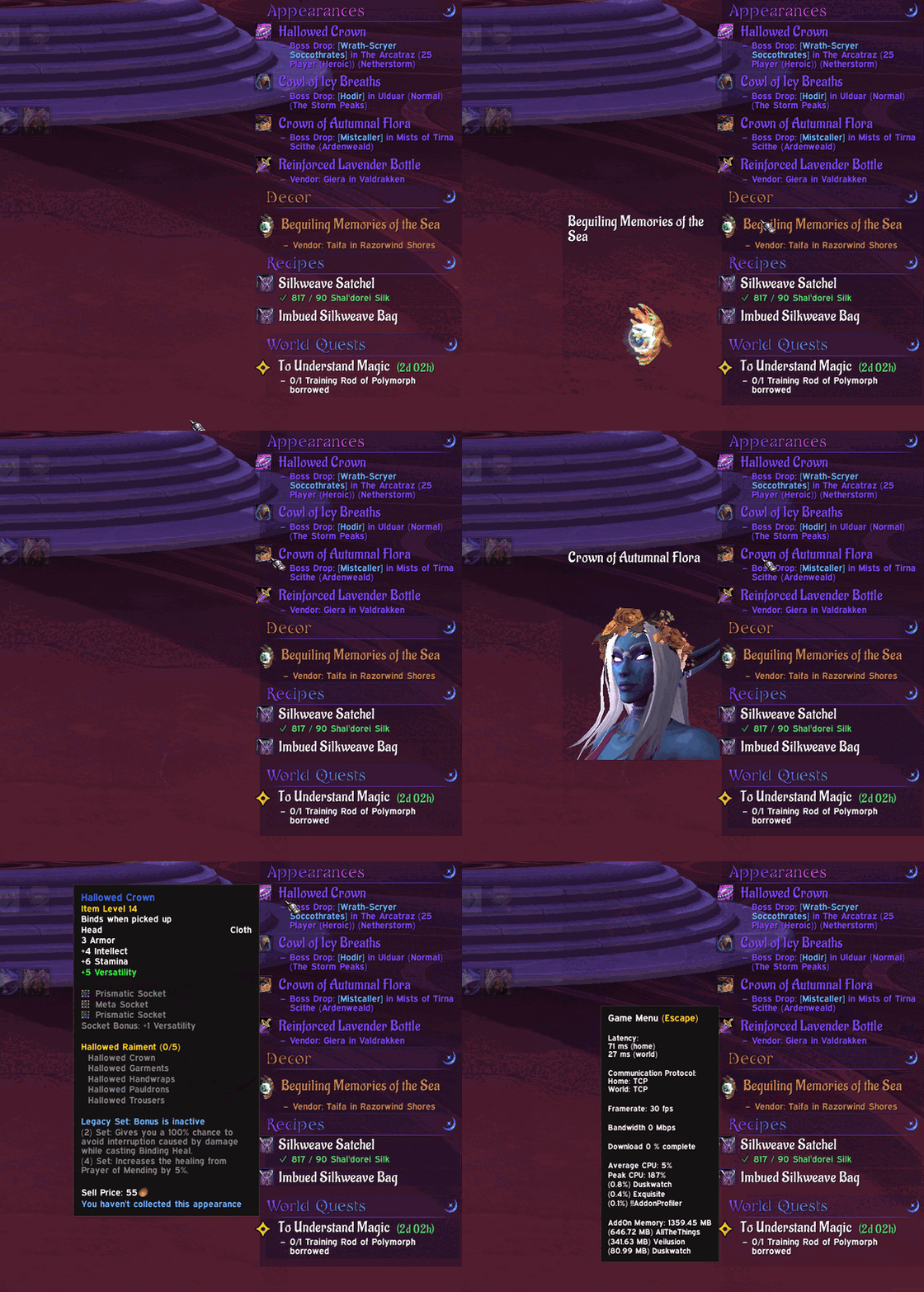
- Description popout hover a quest to read its full description in a typewriter-style panel. Hover an appearance to see it on your character, or a decor piece to see its 3D model.
- Untrack animations: quests you untrack sparkle and swipe, fade or drift away, and the quests below fade or slide up into place.
- Mini trackers: give a kind of content (such as appearances, achievements or World Quests) its own small tracker, positioned and styled independently.
Scenarios, Delves and Mythic+
- Scenario block with the name, stage, description, progress bars and timers, plus an optional "Stage 1 of 3" line.
- Reward badge beside the block, with the reward's own icon (an item, currency, gold, XP, or a treasure chest for several). Hover it for the full list.
- Delves: tier, lives, nemesis and Bountiful badges, with tooltips in your theme.
- Mythic+ timer (optional): +3/+2/+1 cutoffs with pace colors, deaths and penalty, affixes, bosses and Enemy Forces, and a recap with kill splits after the key.
- Scenarios, Delves and Mythic+ can each follow the main tracker or use their own panel (a solid color or a gradient) and their own fonts and colors.
Customization
Duskwatch is meant for lovers of aesthetics. Nearly every visual element can be adjusted:
- Fonts, sizes and colors for titles, objectives, section headers, scenarios and Mythic+
- Outlines and shadows, globally or per type of text
- A color and font for each section, or for its header, titles and objectives separately
- Panel backgrounds, borders, gradients and opacity
- Section headers: left, centered or right text, backdrops in your own color, underline length, thickness and opacity, and ornament styles (Nightborne, Fire or Blizzard) at any size
- Tracker width, height, spacing down to none, scrolling and visibility rules (hide in dungeons, fade in combat or when idle, show on mouseover)
- Optionally sync the tracker's fonts with your Exquisite Theme
A small orb marks any setting that is following a shared one, so you always know where a look is coming from.
Profiles and Presets
- Account-wide, per character, or named profiles.
- Presets to start from, chosen on a welcome page the first time you open Duskwatch.
- Share profiles with an export string, and import someone else's.
If there is something you wish to see, let me know and I'll do my best to get it in.
AI Disclosure
Artwork: Nothing here is AI-generated. Every visual comes from the WoW atlas, royalty-free art, or art hand-drawn and created by me.
Code: Development is AI-assisted, with changes reviewed by a career programmer.
We see the stars once more…
Duskwatch - Objective, Quest, WQ, Scenario Tracker Team