Ultimate Guild Recruiter
- By
An easy and wholesome guild recruiting tool with lots of features and settings.
1.png
2.png
3.png
4.png
5.png
Description
Ultimate Guild Recruiter is a lightweight recruitment tool for World of Warcraft designed to help guild leaders advertise and reach out to unguilded players directly in a wholesome way.
Main Features
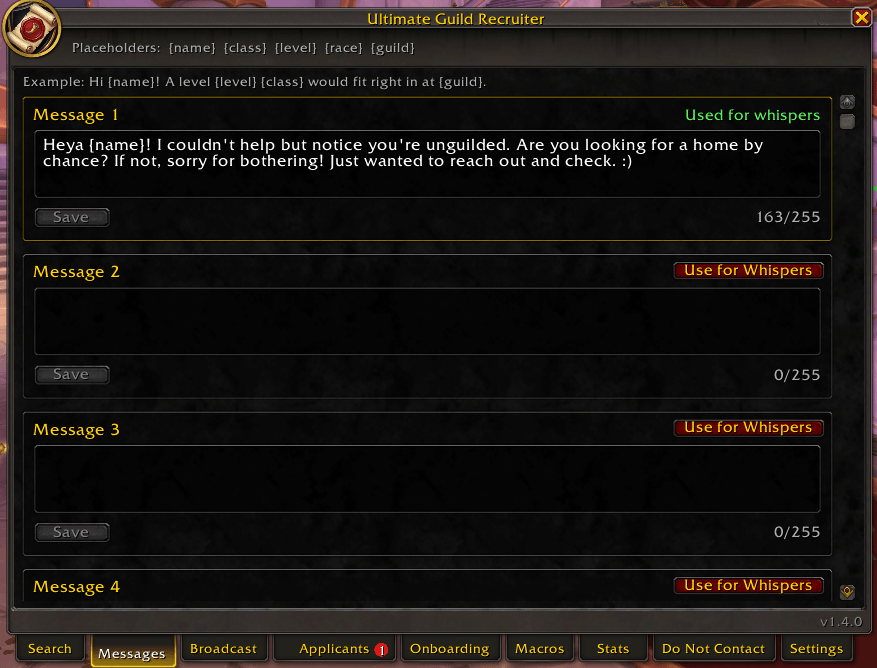
📯 Personalized Whispers: Write up to 5 recruiting messages and use {name}, {class}, {level}, {race} and {guild} to fill in details for each player. A live preview shows the exact whisper before you send it.
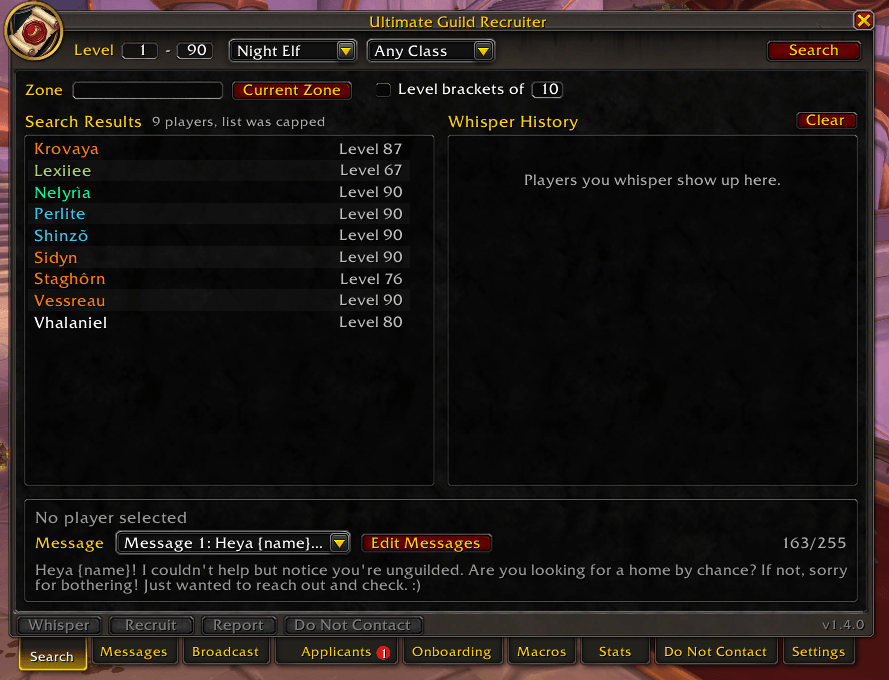
📯 Precision Search Filters: Filter by Level (1 to 90), Class, faction-specific Race and Zone. Level brackets split your range into smaller searches to get past the 50-player /who limit.
📯 Smart Message Tracking: Whispered players are hidden from search results to prevent duplicate messages. Whisper History shows who replied, who you invited, and who joined or declined. Players return to the search results after 30 days (adjustable), and anyone who declined stays hidden.
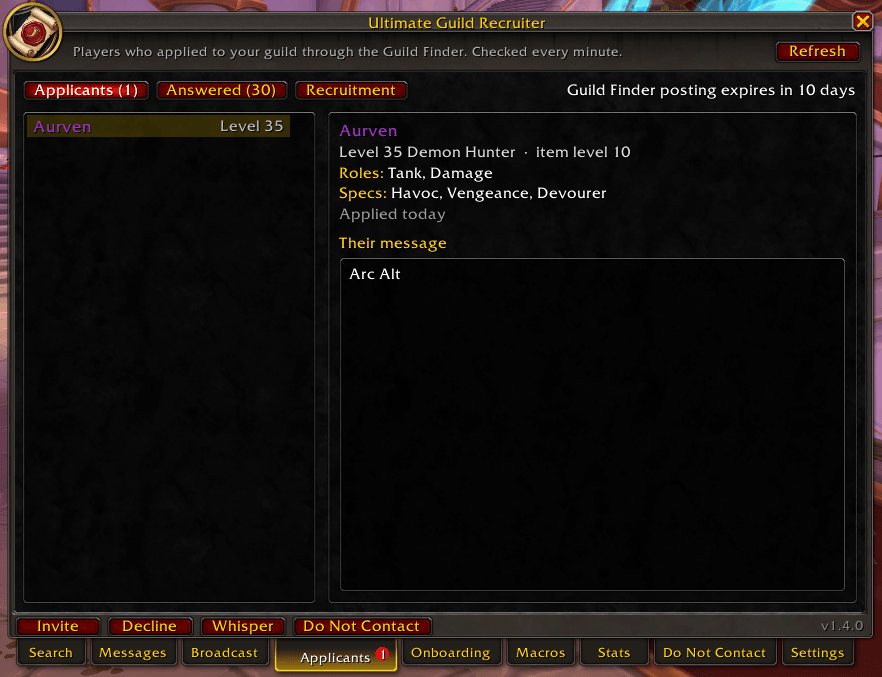
📯 Guild Finder Applicants: See everyone who applied to your guild through the Guild Finder, with their level, class, item level, roles, specs and message. Invite, Decline or Whisper them without opening the guild interface (J). Available to guild leaders and officers.
📯 Applicant Alerts: Get a chat notice, a sound and a red number on the minimap button when someone new applies, so applications never sit unanswered. Choose how often to check, from every minute to every 10 minutes.
📯 Guild Finder Recruitment: Edit your full Guild Finder listing (focus, who you're looking for, language, recruitment message, max level and minimum item level) and repost it in one click. The addon always shows when your posting expires and reminds you before it does.
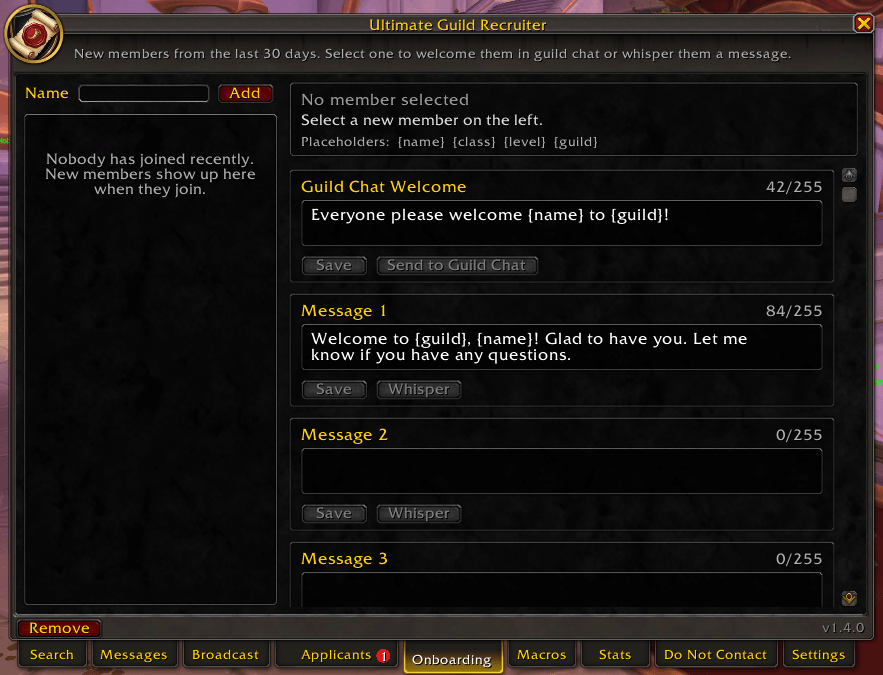
📯 Onboarding: New members who join while you're online appear in a Recent Members list, along with how they found the guild. Welcome them in guild chat with one click, or whisper them one of 4 saved messages, like your Discord link or raid times.
📯 Recruiting Stats: See how many whispers each message has sent, plus replies, reply rate, joins, join rate and declines, so you know which message works best.
📯 Do Not Contact List: Keep players who asked not to be messaged out of your search results for good, on every character.
📯 Officer Sync: Optionally share Whisper History and the Do Not Contact list with officers who also use the addon, so nobody gets whispered twice. Off by default.
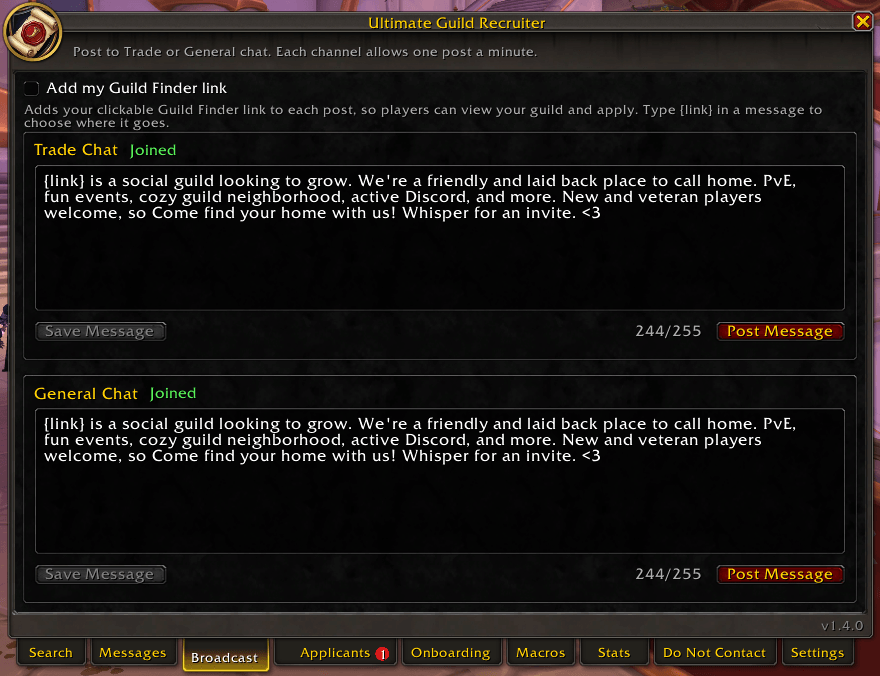
📯 Public Broadcasting: Post your saved ad to Trade or General chat with a live 60-second cooldown timer. When the cooldown ends, a sound, a chat message and a glowing Post button let you know you can post again.
📯 Guild Finder Link: Optionally add your guild's clickable Guild Finder link to Trade and General posts, so players can view your guild and apply without you opening the guild interface (J). Type {link} to choose where it goes.
📯 Smart Character Counter: The Broadcast counter includes the link's full length, so you always know your post fits WoW's 255-character limit.
📯 Chat Macros: Save up to 20 ready-made replies. Put in Chat drops one into your chat box, ready to send, and Reply sends it straight to the last player who whispered you, just like /r.
📯 Share and Backup: Export all your messages, broadcasts, macros and onboarding messages as text to share with other officers or move to another account, then import them in one step.
📯 Clean, Readable Design: A native-style window that sizes itself to your text settings, a minimap button, and automatic ElvUI styling if you use ElvUI. It also keeps /who results out of your chat.
📯 Per-Guild History: Each guild keeps its own Whisper History and stats. Everything is saved automatically across reloads.
How to Use
1. Open Interface: Click the minimap icon, use the minimap addon menu, or type /ugr (or /guildrecruiter) in chat.
2. Write Your Message: On the Messages tab, write your recruiting message and click Save. Use {name} and the other placeholders to personalize it.
3. Apply Filters: On the Search tab, set the level range, race, class and zone.
4. Find Players: Click Search to list unguilded players matching your filters. Click it again once the search finishes to refresh, or to move to the next level bracket.
5. Contact: Click a name to select them and check the preview. Use Whisper to send your message. Once they're in Whisper History, use Recruit to send a guild invite.
6. Public Ad: Switch to the Broadcast tab to post your saved ad to General or Trade chat. Each channel has a 60-second cooldown.
7. Applicants: Check the Applicants tab to answer Guild Finder applications, and use Recruitment to update and repost your Guild Finder listing.
8. Welcome New Members: On the Onboarding tab, select a new member and welcome them in guild chat or with a whisper.
Technical Compliance
This addon does not use automation. Every whisper, invite, search, broadcast and Guild Finder action takes a click from you. It is designed to work within the standard World of Warcraft API and adheres to anti-spam policies by keeping recruitment actions manual and intentional. It also pauses whispers and broadcasts automatically when WoW restricts chat during combat in instances. And personally, I hate spam, too.
Planned Features
📯 Want a feature added? Feel free to comment on this page and let me know!
Ultimate Guild Recruiter Team