Tweaks Forever
- By
Small quality-of-life automations for WoW: Forever that feel like part of the default UI.
gear.png
menu.png
editmode.png
junk.png
Description
I got tired of running a pile of small addons for things that feel like they should be in the default settings, so I put them in one. Everything is made to look like it came with the game: the options are a page in Options → AddOns, moving windows is a tab in Edit Mode, and the map uses retail's own dungeon icons.
If you already run Leatrix Plus, Questie, BlizzMove, Peddler, FishingBuddy or similar, the overlapping option greys out and names the addon that has it, so the two never fight. Anything that acts for you is off until you turn it on.
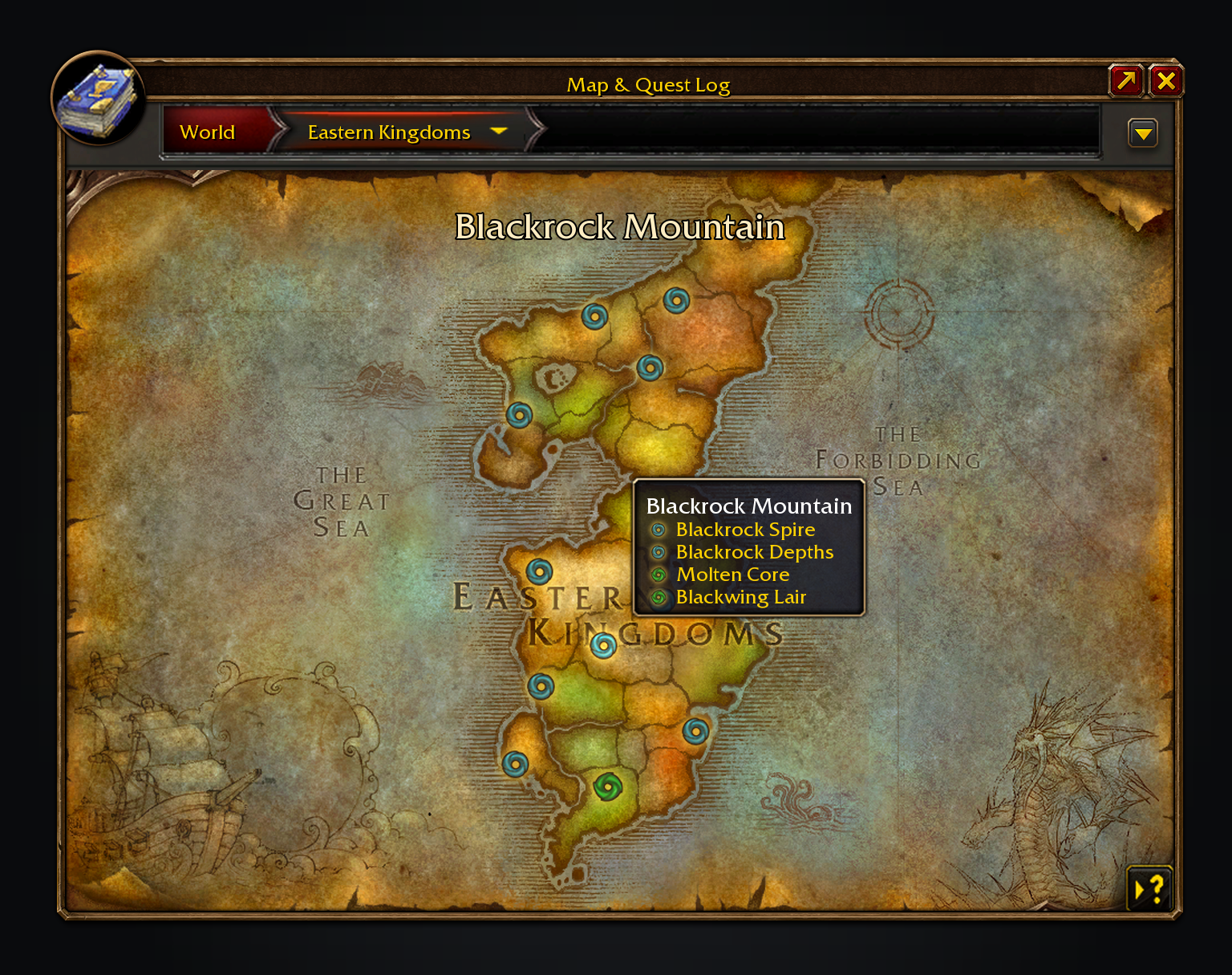
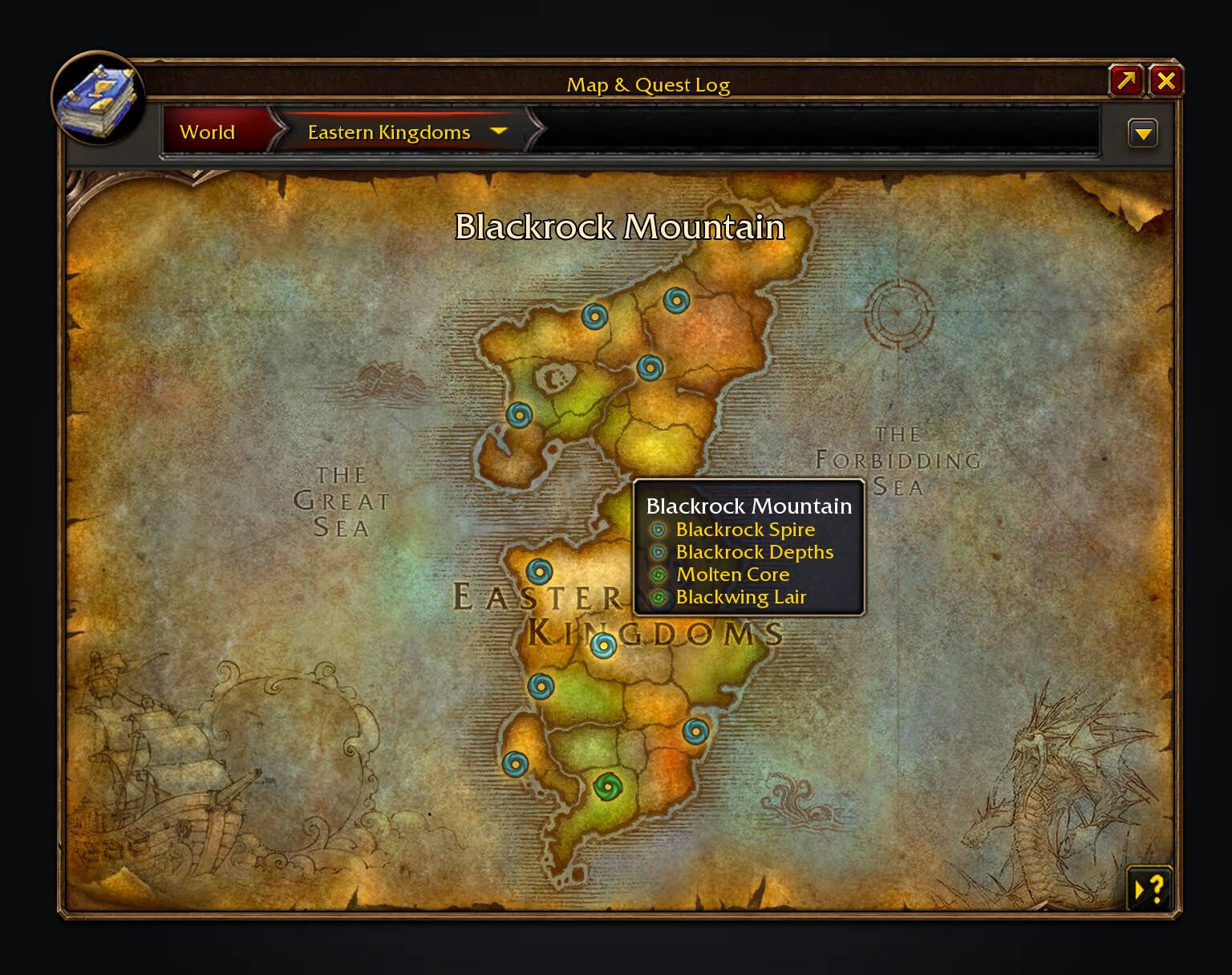
Every dungeon and raid entrance, with retail's icons. Blackrock Mountain lists all four.
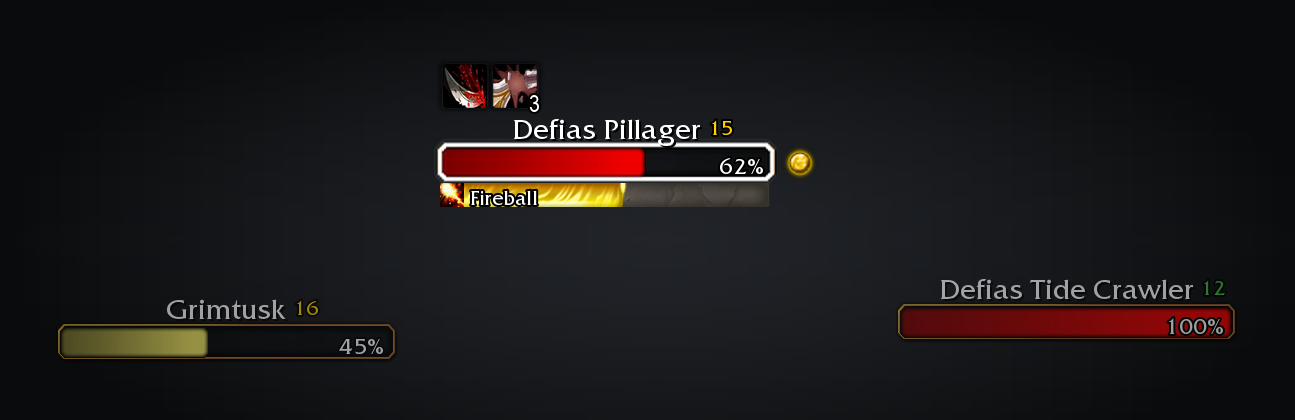
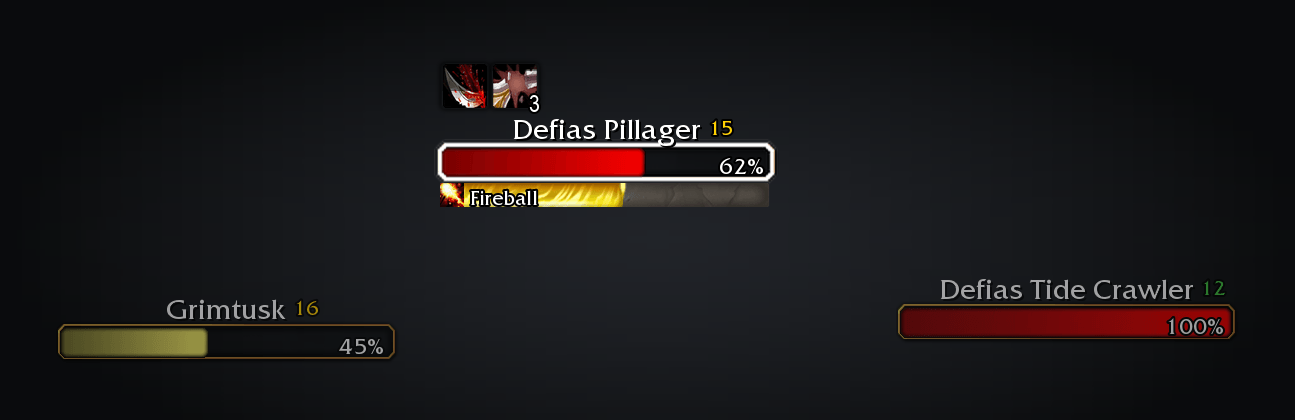
Nameplates in retail's own frame, with your target outlined, casts in a slim bar and a quest icon on what you still need.
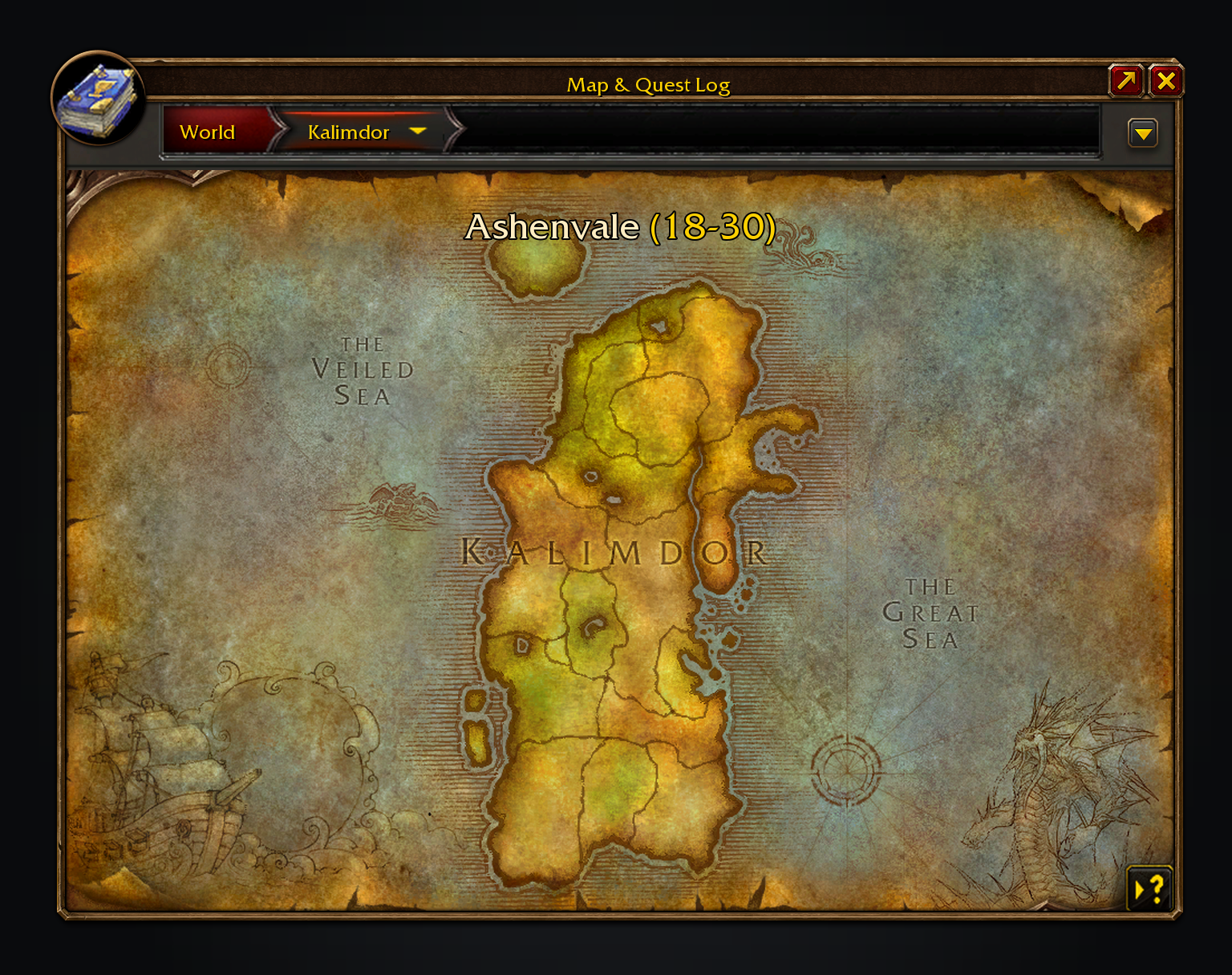
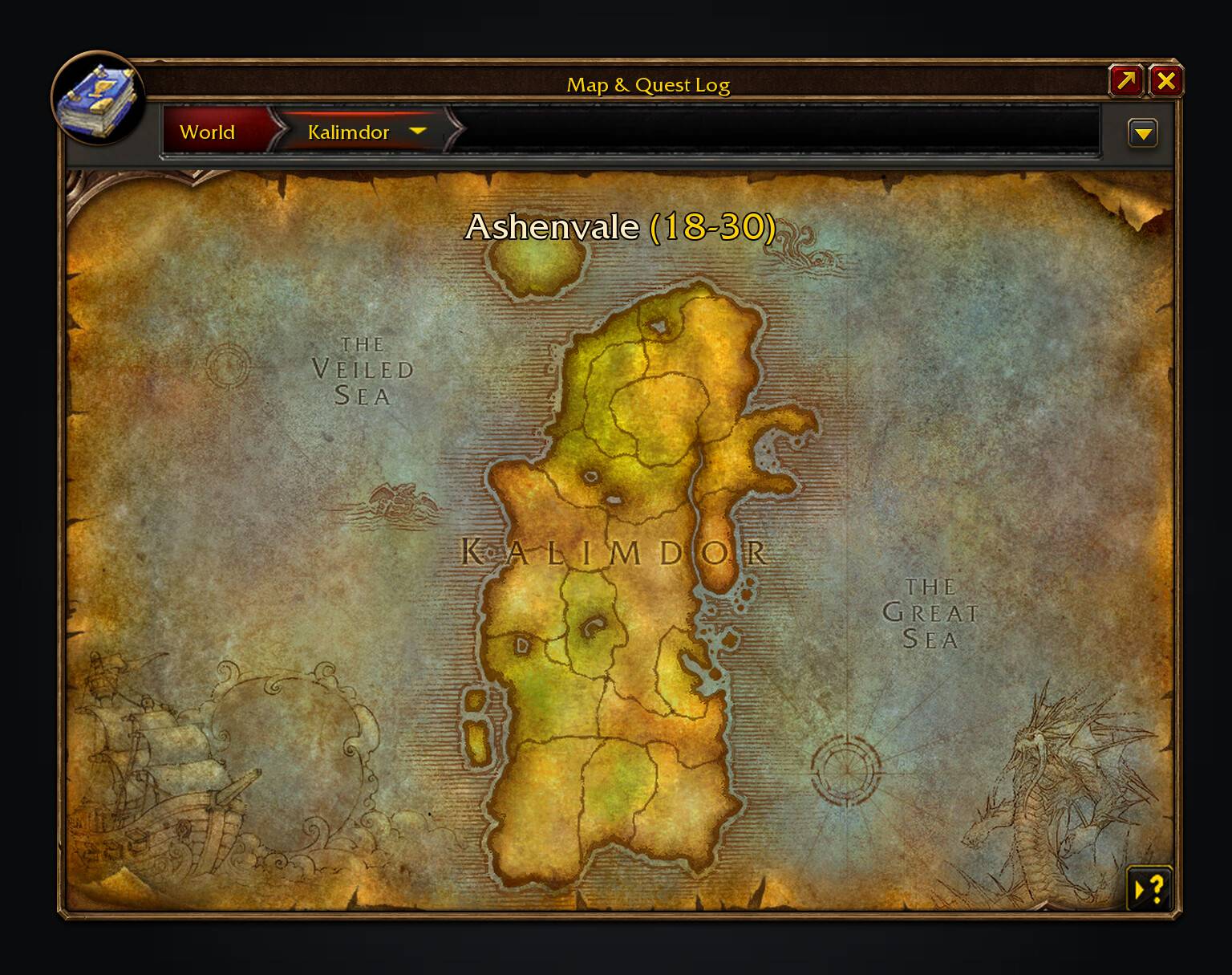
Zone level ranges on the world map, coloured like quest levels.
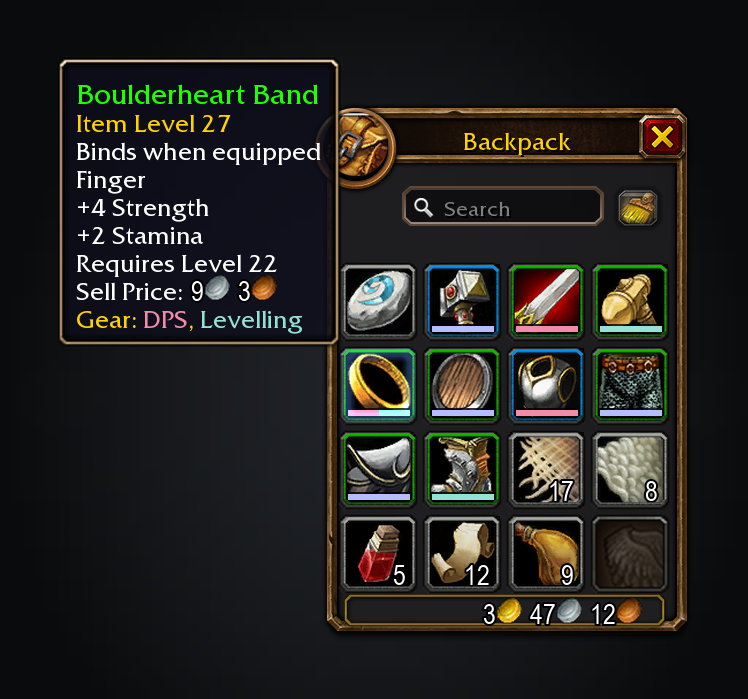
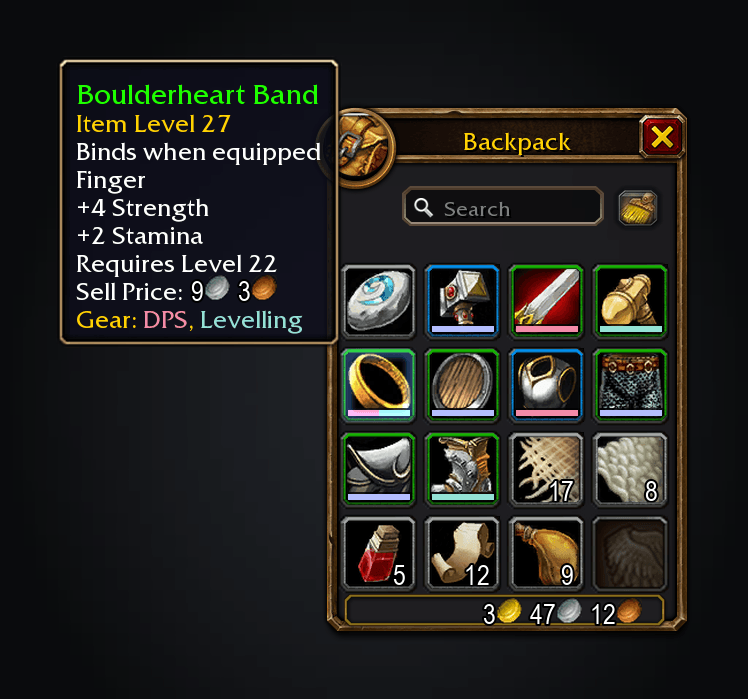
Gear groups mark each item with a strip in the group's colour.
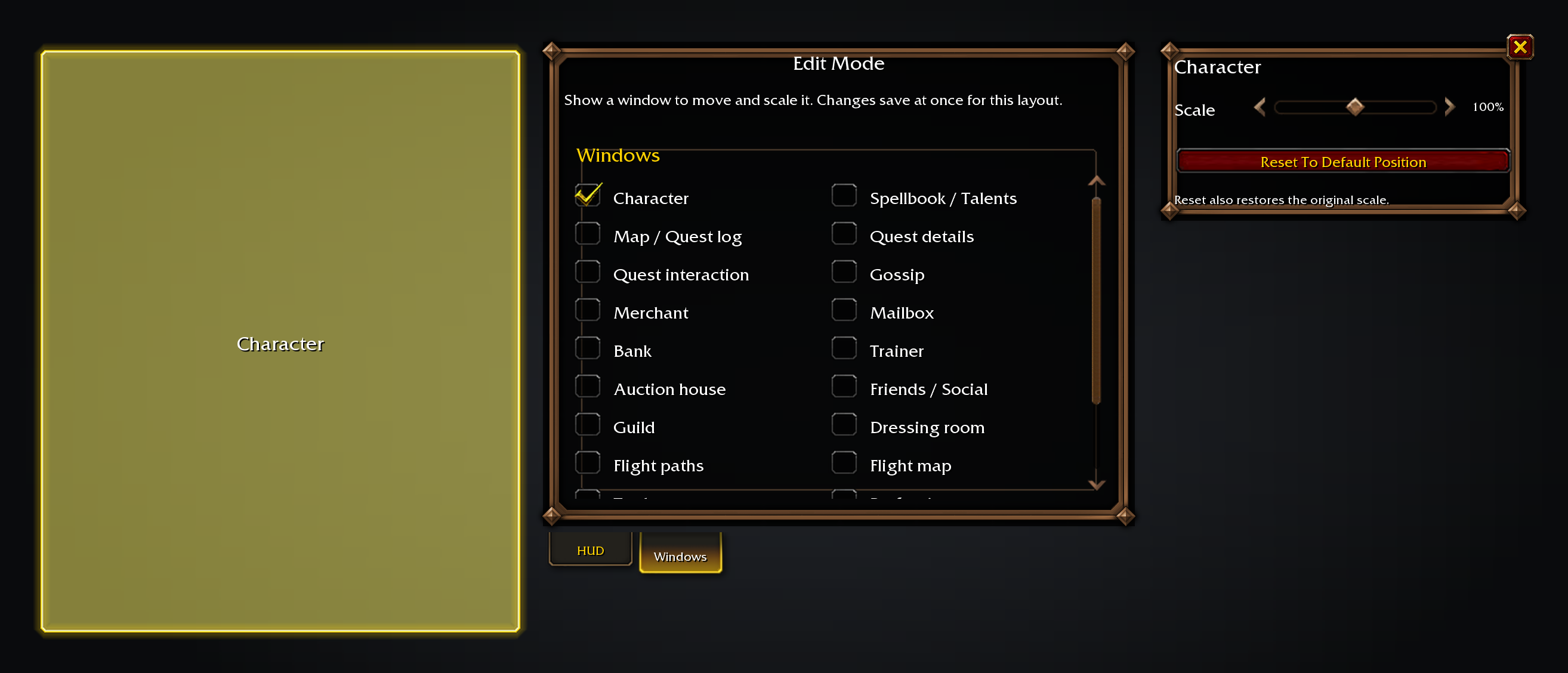
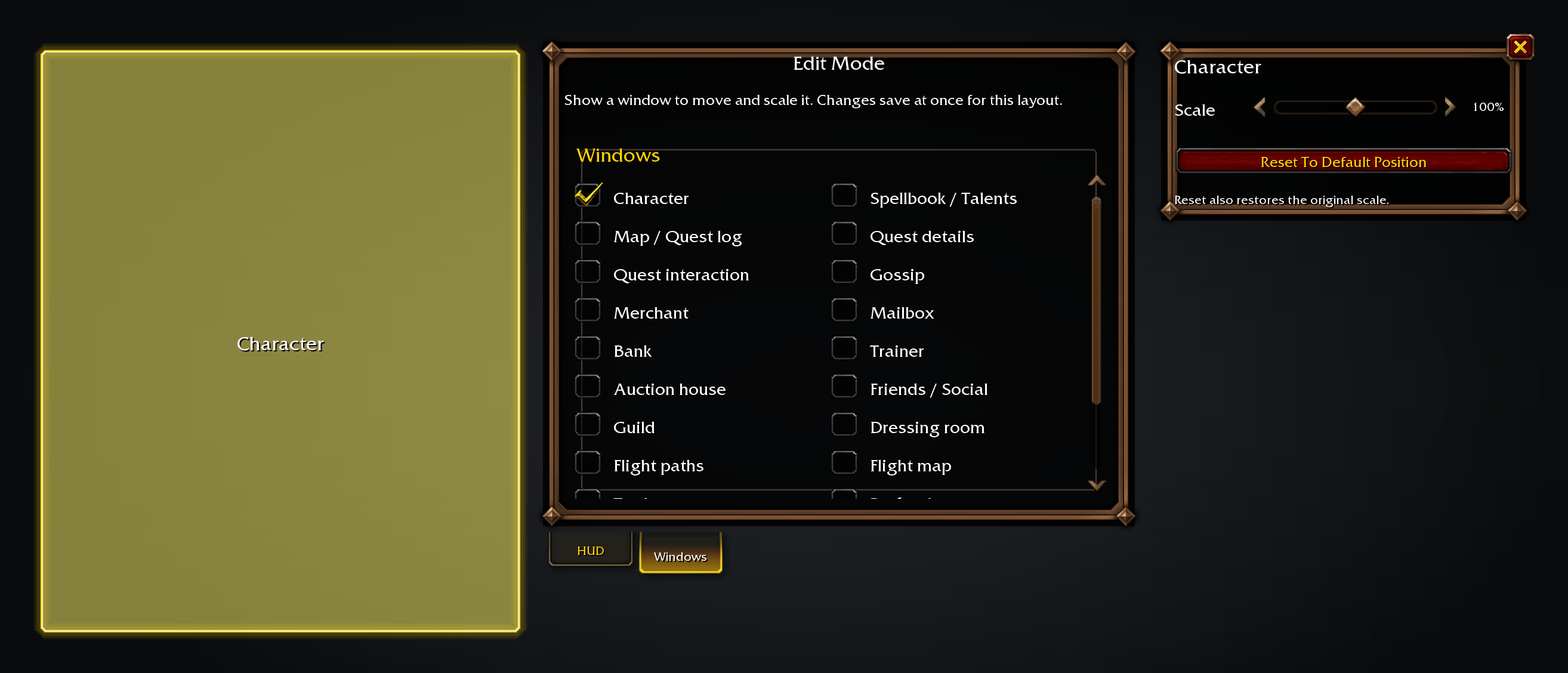
Move and scale Blizzard windows from a tab in Edit Mode.
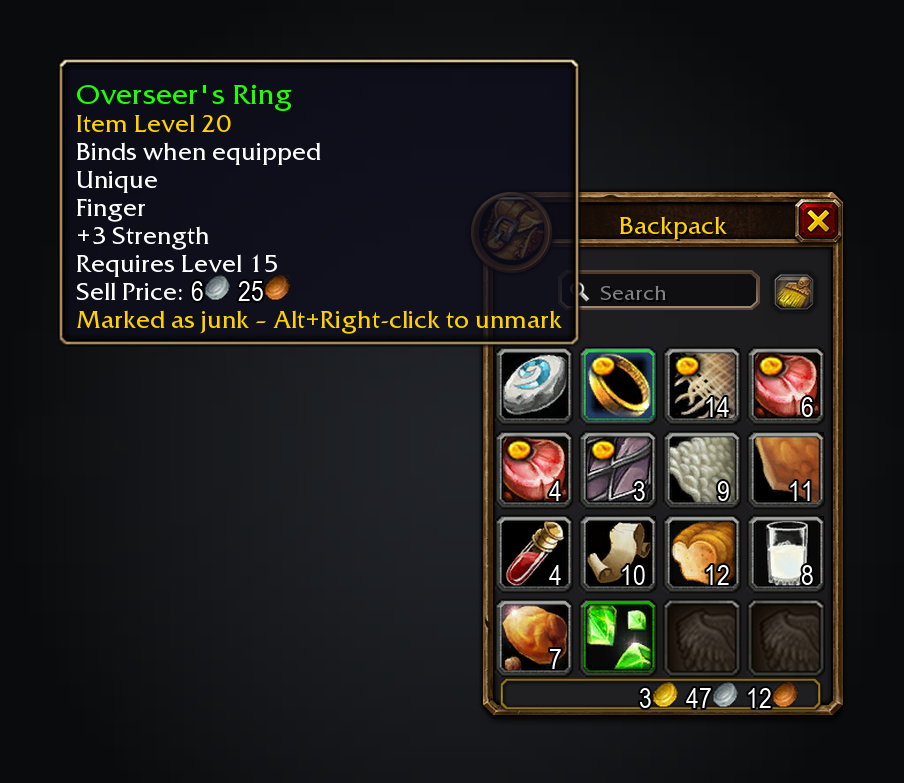
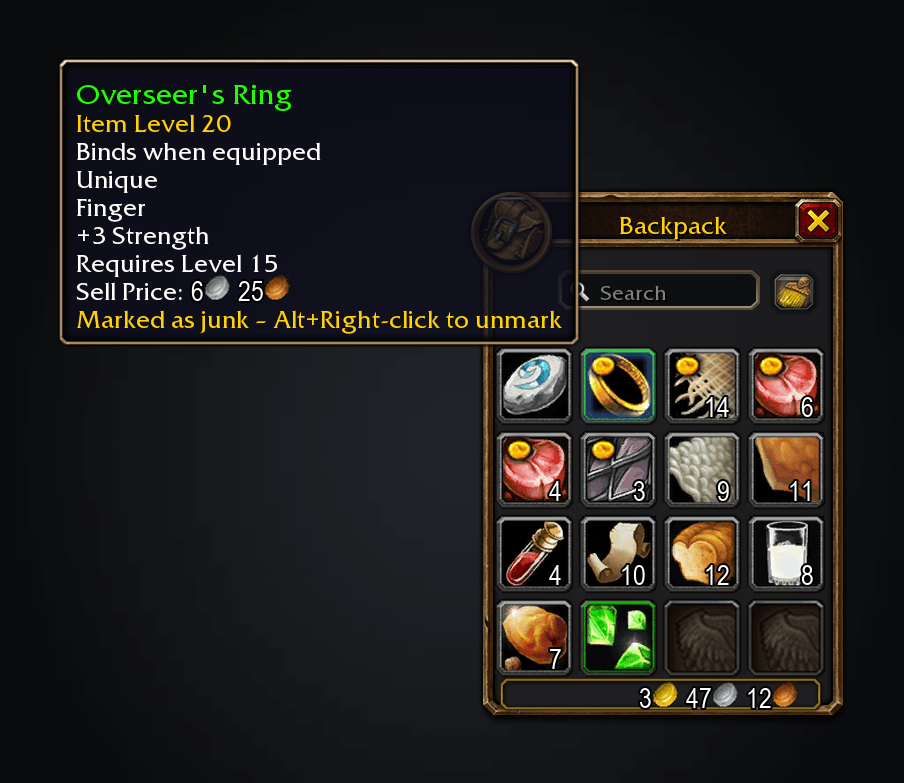
The game's junk coin on greys and on anything you mark yourself.
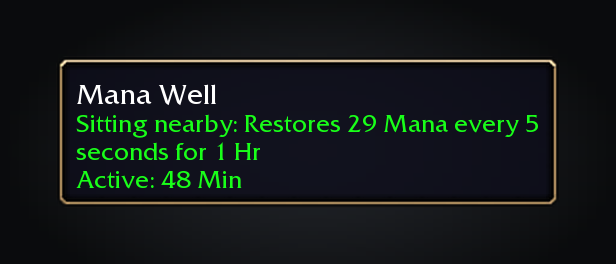
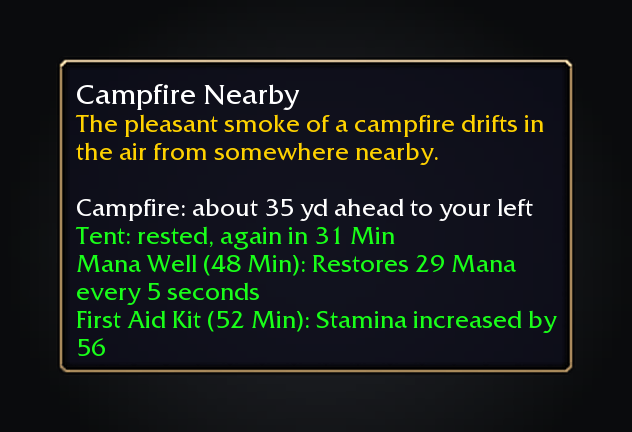
Camp tooltips say what sitting nearby gives you.
Features
- Automation: accept and turn in quests (hold Shift to talk normally), skip single-option gossip, go straight to the flight map at a flight master, accept summons and group resurrections, release in battlegrounds, decline duels. Faster auto loot is on by default.
- Vendors: repair automatically (from guild funds when allowed) and sell junk so it all stays in buyback. Alt+Right-click marks anything as junk.
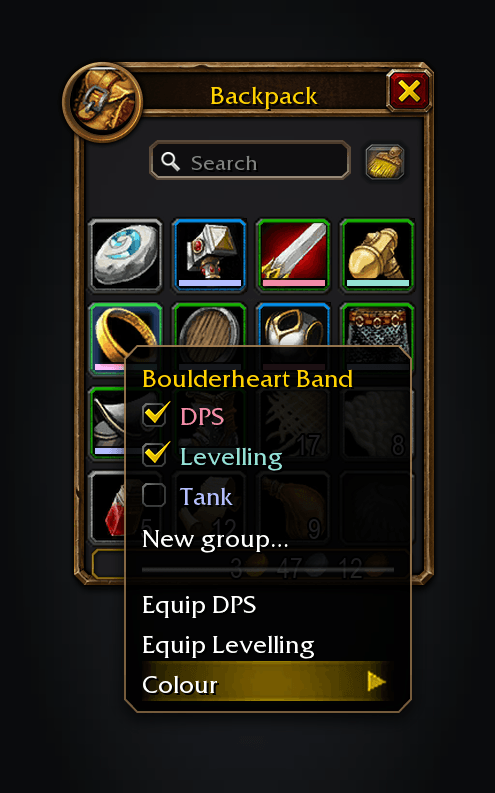
- Gear groups: Ctrl+Right-click a bag item to put it in a group such as Healing or DPS, then equip the whole group from the same menu.
- Maps: every dungeon and raid entrance gets retail's icon; click one to travel there. Zones show their level range, and unexplored areas are revealed in a blue tint.
- Nameplates: a taller bar with name and level above, your target outlined, and casts in a slim bar.
- Tooltips: a thin rounded border over charcoal, class-coloured player names, and the health bar inside.
- Windows: move and scale Blizzard windows from Edit Mode, saved per layout.
- Quests and camps: the quest tracker sorts nearest first. With QuestieDB (on its own is enough), a creature you need shows your progress in its tooltip and a quest icon by its nameplate. Camp features say what they give and whether you have it.
- Spellbook and bags: the spellbook shows spells you haven't learned yet, as retail does. The reagent bag joins the combined bag.
- Fishing: double right-click with a pole to cast, or to put on your best lure.
- Also: quiet the errors a spammed macro repeats, hide macro names, and
/rlreloads.
Beyond hiding macro names if you ask, it leaves your action bars and unit frames alone.
Usage
Everything is under Options → AddOns → Tweaks Forever. /tweaks, /tweaksforever or the addon compartment on the minimap opens it.
Bug reports and ideas are welcome. Source code and issues: github.com/cjber/tweaks-forever (GPL-3.0).
Made by Cillian Berragan · cillian.dev · GitHub · Twitter
The Tweaks Forever Team