Macro Assist Forever
- By
A macro list and editor with completions, live checks and a bundled mono font.
Macro Assist Forever gives WoW: Forever a macro window of its own. Blizzard's macro panel still opens; this addon puts every macro in one searchable list and opens the selected one in a mono-font editor beside it.
Macro Assist Forever needs Forever Core, which CurseForge and Wago install with it.
Free, with nothing locked behind it. If it saves you time, you can sponsor me on GitHub, which takes no fees, or buy me a coffee on Ko-fi. For help and each day's release notes, join me on Discord.



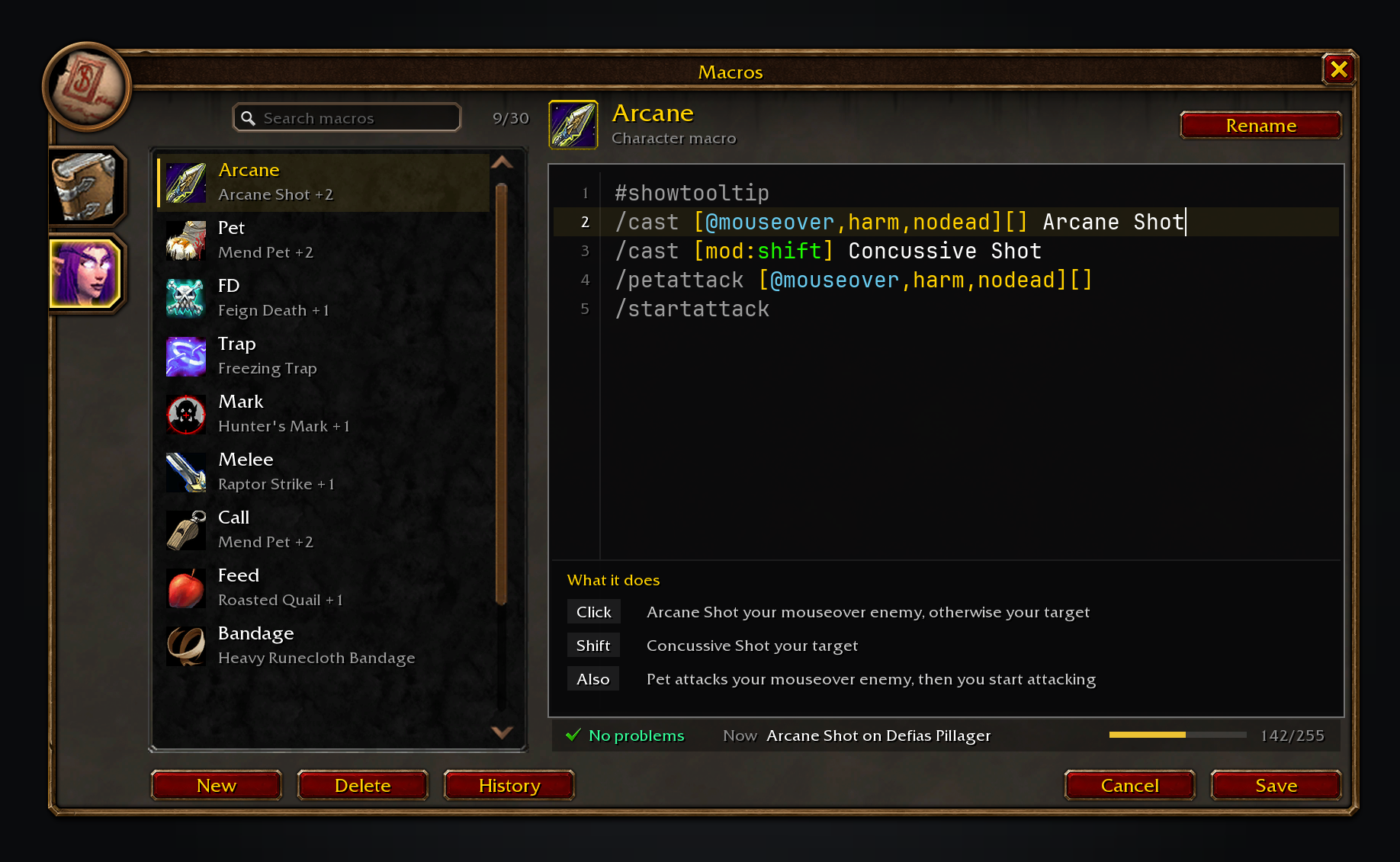
The searchable macro list on the left, with the selected macro open in the editor on the right and the "What it does" panel below the code.
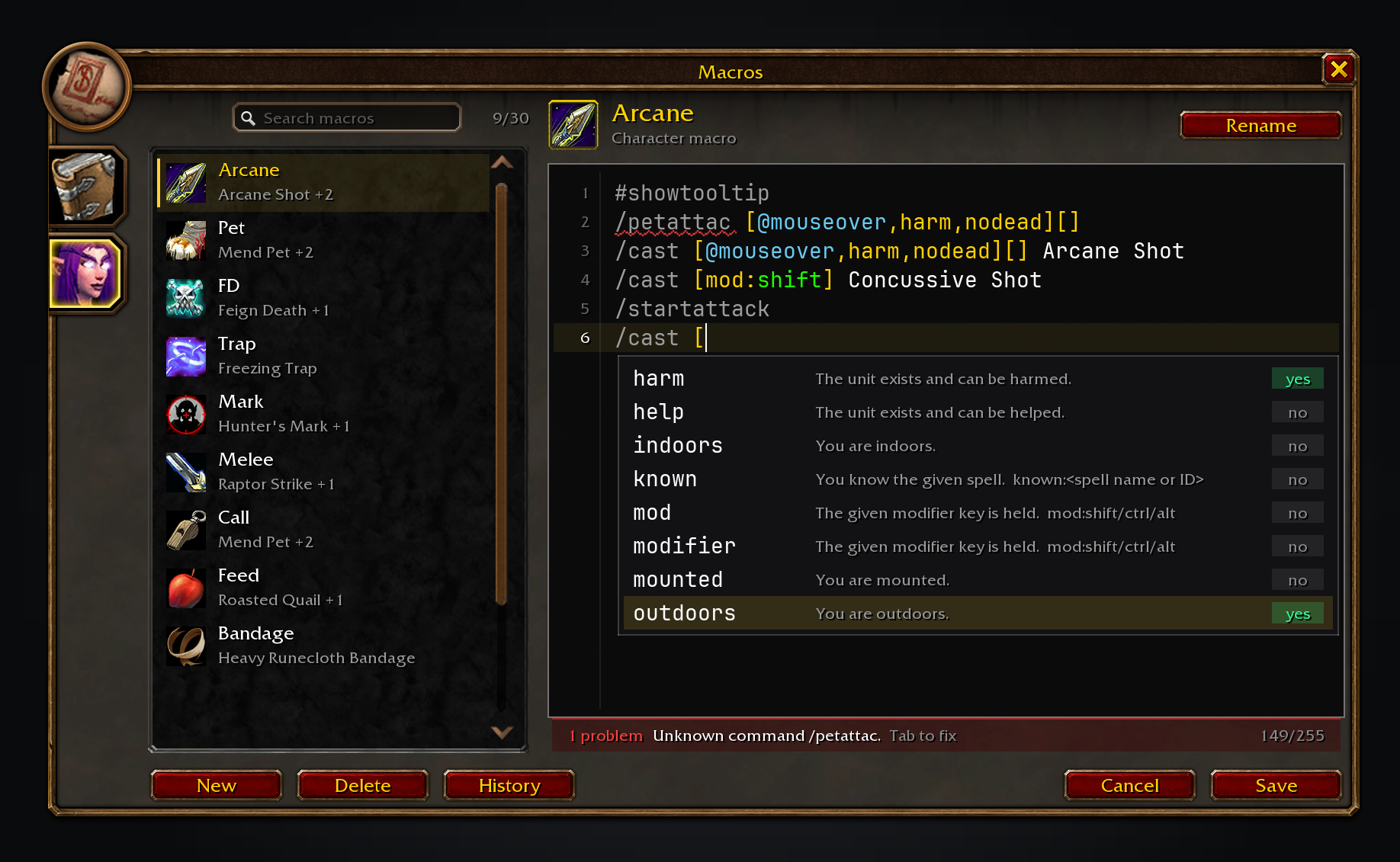
Conditions are offered with their live value, and a wavy underline marks a problem on the line above.
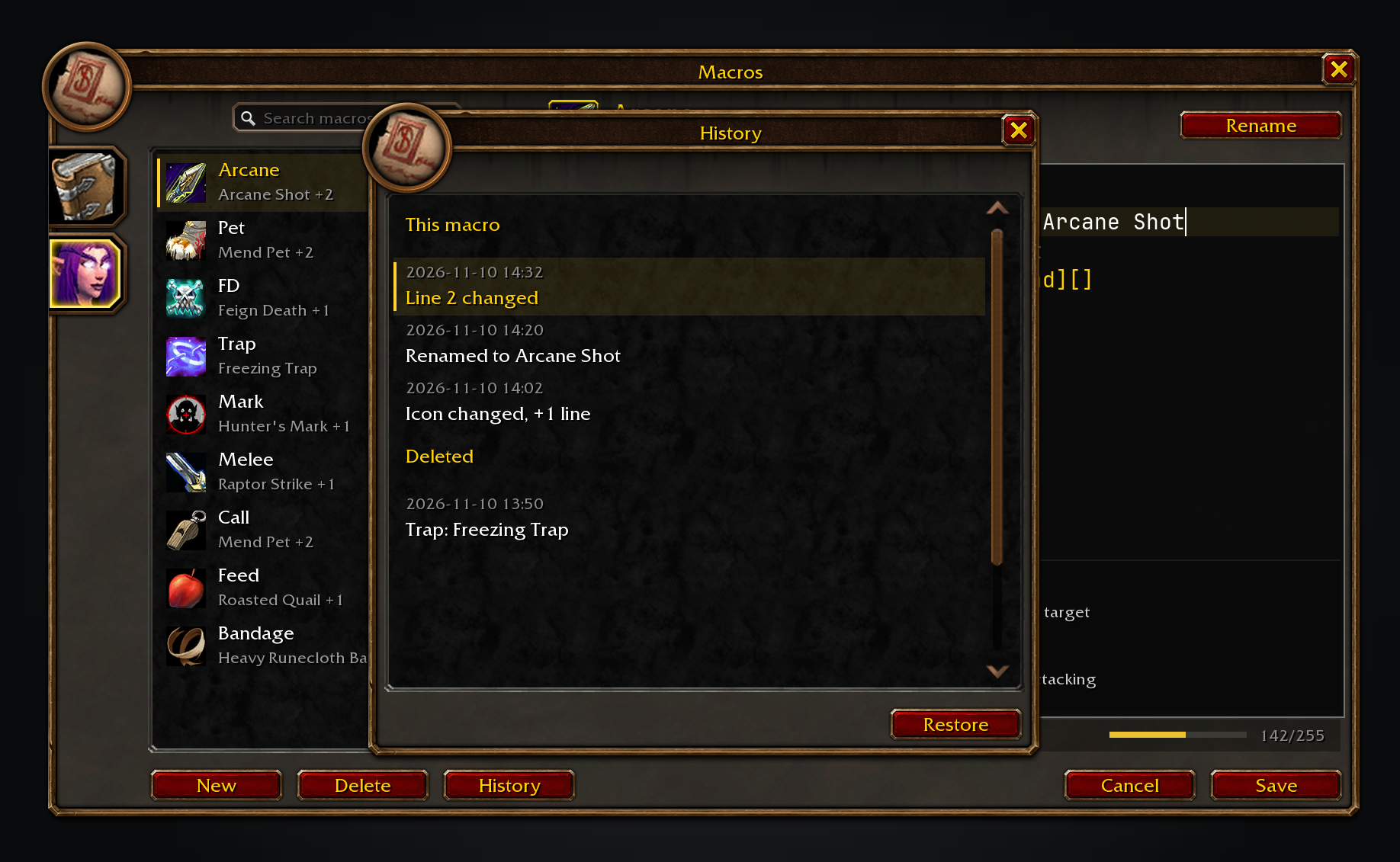
History keeps the previous versions of each macro, with a Deleted section for macros that can be restored.
These images are generated previews of the Macro Assist UI.
Features
- Every macro in one searchable list. General and character tabs sit beside the list they filter, and each macro shows its icon, name and a short summary of its main action with a count of the other cases. The count sits beside the search box, which filters by name or summary as you type.
- A real editor. The macro text uses JetBrains Mono on a dark code panel, with a line-number gutter, a current-line highlight, and colour for commands, conditions, units and spells.
- A plain-English "What it does" panel. The bottom of the code panel shows one row per click and modifier branch, read from the macro's own parse, and hides when there is nothing it can explain.
- Completions with live values. Type
/for a command,[for a condition,@for a unit or a spell name; Up and Down move the suggestions, Tab inserts one, and each shows its value in the game right now. The spellbook supplies your spell names and the ranks you know. - Problems with a fix. A wavy underline marks text the game cannot run: hover it for the explanation, then press Tab or click it to apply the suggested fix. The status bar shows the first problem, what the first matching line would do with your current target, and the character count out of 255.
- Rename, New, Save, Cancel and Delete. Rename and New use the game's name and icon picker, and Delete asks for a second click. Drag a row or the header icon to an action bar.
- History with Restore. Every save, rename and delete keeps the previous name, icon and text, the newest 20 for each macro, listed with their time and what changed. Restore puts one back, and deleted macros stay restorable in a Deleted section.
- Safe to open in combat. Every write is turned off in combat, Restore included, with a line saying why. Edits are saved when the window closes out of combat.
Usage
Open the macro window as you always do: /macro, /m, the game menu, or your keybind. /macroassist opens it too, and so does the addon compartment. Each one closes the window again when it is already open. General holds account macros and the character tab holds this character's macros.
Click a macro to edit it, or type in the search box to narrow the list. New creates a macro after you choose its name and icon. Rename changes the selected macro's name and icon. Cancel puts the editor back to the saved text, and Save writes it immediately. History lists the macro's earlier versions, and Restore puts one back. Closing also saves your text out of combat.
For a bug report, paste /macroassist report.
The Forever addons
Each one works on its own, and they work together when you install more than one.
| Addon | What it does | Issues |
|---|---|---|
| Shortest Path Forever | Plans journeys on foot, by air, by sea and through portals, with directions in the tracker. | Issues |
| Adventure Guide Forever | Suggests quests for your level and routes you from one to the next. | Issues |
| SkillUp Forever | Shows skill-up chances, recipe costs and levelling routes in the Professions window. | Issues |
| Legacy Forever | Shows your unfinished Legacy challenges on the world map and tracks the ones you choose. | Issues |
| Tweaks Forever | Adds quest automation, rare alerts and merchant options to the game's settings. | Issues |
| Field Guide Forever | Keeps a cosmetic journal of the creatures you kill, zone by zone. | Issues |
| Commissions Forever | Lists your commission turn-ins, the materials in your bags and the next NPC to visit. | Issues |
| Macro Assist Forever | Adds a macro window with every macro in one list, a mono editor with live checks, and history. | Issues |
Bug reports, feature requests and pull requests are welcome on each addon's GitHub. Everyone whose report or idea ships is thanked by name in the addon's credits and changelog.
For help, ideas and each day's release notes, join cjber's Workshop on Discord.
Source code and issues: github.com/cjber/macro-assist-forever. Licence: GPL-3.0-or-later.
Built with AI assistance.
Macro Assist Forever Team

Owner