TweakMe
- By
TweakMe adds simple quality-of-life tweaks to WoW Forever Beta: customize your chat layout, repair automatically and sell grey items with less clicking.
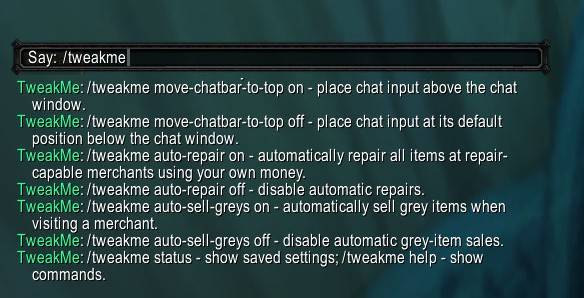
TweakMe.jpg
Description
TweakMe
TweakMe adds simple quality-of-life tweaks to WoW Forever Beta: customize your chat layout, repair automatically and sell grey items with less clicking.
Features
- Move standard chat windows to and beyond the screen edges and hide their scrollbars.
- Place the chat input above the chat window.
- Automatically repair at repair-capable merchants using your own money, when you can afford the full cost.
- Automatically sell grey (poor-quality) items from your bags when visiting a merchant.
Commands
Type /tweakme all on to enable all features, or choose individual tweaks:
| Command | Action |
|---|---|
/tweakme all on |
Enable all features. |
/tweakme remove-chatwindow-move-limit on |
Allow chat windows beyond the screen edges and hide scrollbars. |
/tweakme move-chatbar-to-top on |
Move chat input above the chat window. |
/tweakme auto-repair on |
Enable automatic repairs. |
/tweakme auto-sell-greys on |
Enable automatic grey-item sales. |
/tweakme status |
Show your current settings. |
/tweakme help |
Show all commands. |
Replace on with off to disable any feature. Use /tweakme all off to disable them all. You can change individual settings at any time.
All features are off by default, and your choices are saved for each character. Use Edit Mode to move the main chat window. Chat layout changes made during combat take effect after combat ends; automatic repairs and sales begin on your next merchant visit.
- MiniExpBar … minimal experience bar
- NameplateQuestInfo … mark quest-objectives in nameplates
- HideMe … hide bag bar, micro menu and more
- MiniStats … display gold and free bag space below the mini experience bar
TweakMe Team