KeyChain - M+ History by Siberiano12
- By
Track every Mythic+ key you run: weekly and seasonal history per character, broken down by dungeon and key level.
Keychain example 3.jpg
Keychain example 2.jpg
Keychain example 4.jpg
Keychain example 1.jpg
Description
KeyChain - M+ History by Siberiano
How many keys did I run this week? On which alt? Which dungeon have I been farming, and at what level?
KeyChain answers all of that. It automatically records every Mythic+ key you run and turns it into a clean, sortable history — per character, per week and per season, broken down by dungeon and key level.
Why this addon exists
KeyChain was born from a simple need: I wanted to know how many keys I did per character, per week. The game shows your best runs and your rating, but not a real history — how many runs you did each week, on which character, in which dungeon, at which level, and how many were timed, over time or abandoned.
So I built a tracker that keeps that record for me, week after week, for the whole season. It started as a personal tool, and now I'm sharing it with the community.
Features
Automatic tracking
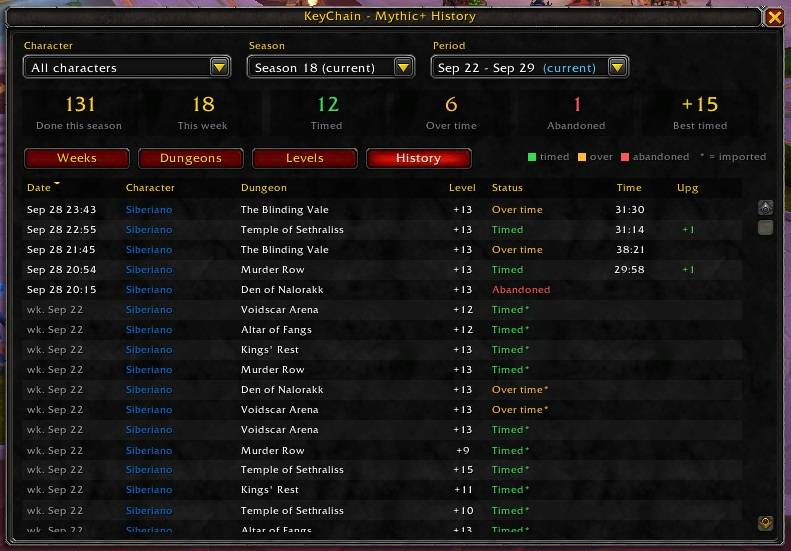
- Records every key you start: dungeon, key level, date and time, run duration and keystone upgrade (+1/+2/+3).
- Each run is marked as Timed, Over time or Abandoned (key reset or you left without finishing).
- Left the dungeon mid-run to repair and came back? KeyChain notices and records it as one completed run, not an abandon.
- A chat message after every key: result, upgrade and how many keys you've done this week.
Season history import
- The first time you log in on a character, KeyChain imports the runs the game already has for the current season, so you don't start from zero.
- Imported runs are marked with
*(the game doesn't provide their date or duration). Runs from this week go into the current week; older ones are grouped as "Before addon".
Account-wide, all your alts
- Data is shared across all characters on your account.
- Filter by one character or all of them, by season and by period (whole season or a specific week).
Summary cards
- Done this season · This week · Timed · Over time · Abandoned · Best timed key.
Four views
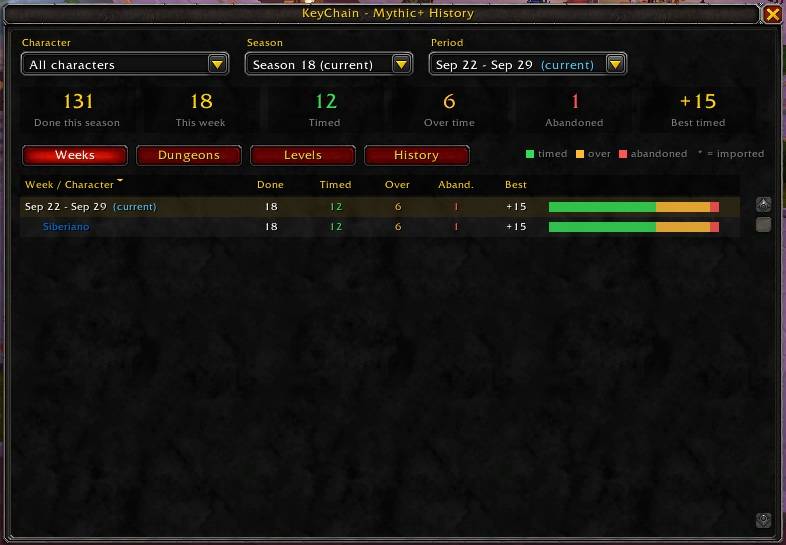
- Weeks – every week of the season, with a per-character breakdown under each week.
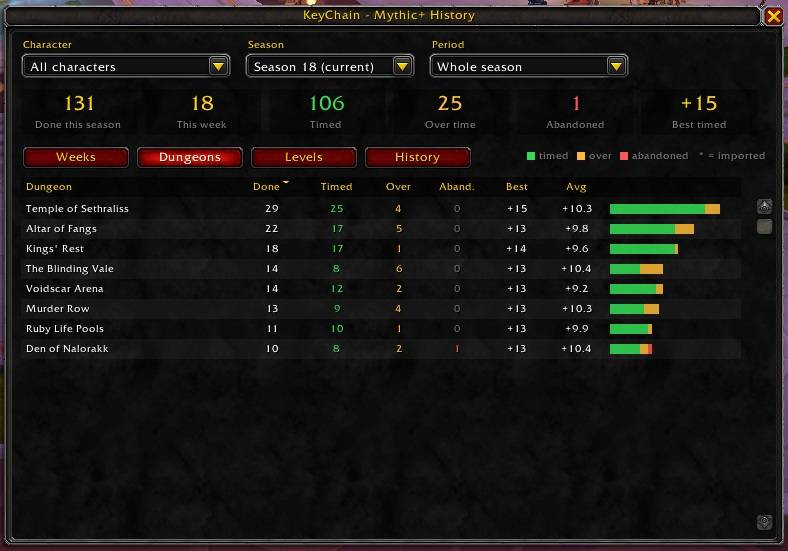
- Dungeons – runs per dungeon: done, timed, over time, abandoned, best key and average level.
- Levels – runs per key level, with your % timed at each level.
- History – every single run: date, character, dungeon, level, status, time and upgrade.
Every column is sortable: click a header to sort, click again to reverse, right-click to go back to the default order. Stacked bars (green = timed, orange = over time, red = abandoned) show the breakdown at a glance.
Easy access
- Minimap button (draggable).
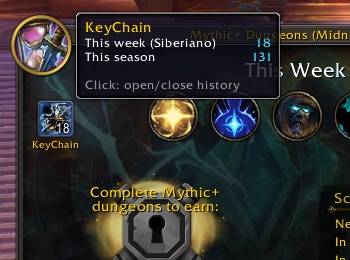
- A KeyChain button inside the in-game Mythic+ Dungeons window, showing how many keys you've done this week.
- Entry in the Addon Compartment menu.
- Slash commands.
Commands
| Command | What it does |
|---|---|
/kc or /keychain |
Open / close the window |
/kc week |
Show how many keys this character did this week |
/kc minimap |
Show / hide the minimap button |
/kc help |
List the commands |
Good to know
- KeyChain only uses Blizzard's official addon API. It reads Mythic+ events and shows a window. No automation and no game file changes, so it's safe to use like any other UI addon.
- Only characters you log into with KeyChain enabled are tracked.
- Imported runs (from before you installed the addon) have no exact date, duration or abandon information. The game simply doesn't provide that data.
- Dungeon names come from the game itself, in your client's language.
Feedback
Found a bug or have an idea? Leave a comment on this page. Screenshots and the error text (BugSack/BugGrabber) help a lot.
Made with ❤️ by Siberiano (Azralon).
The KeyChain - M+ History by Siberiano12 Team