Forever Profession Guide 1-300
- By
1-300 leveling guide for all 12 WoW Forever professions: what to craft at each skill, how many, what to keep or sell, and a shopping list you tick off. EN/PT/ES.
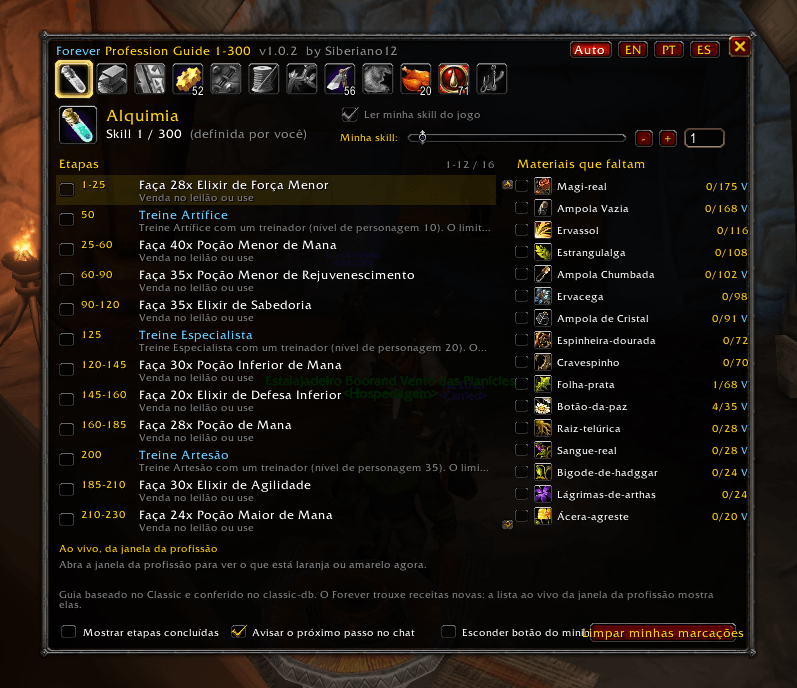
Alch.png
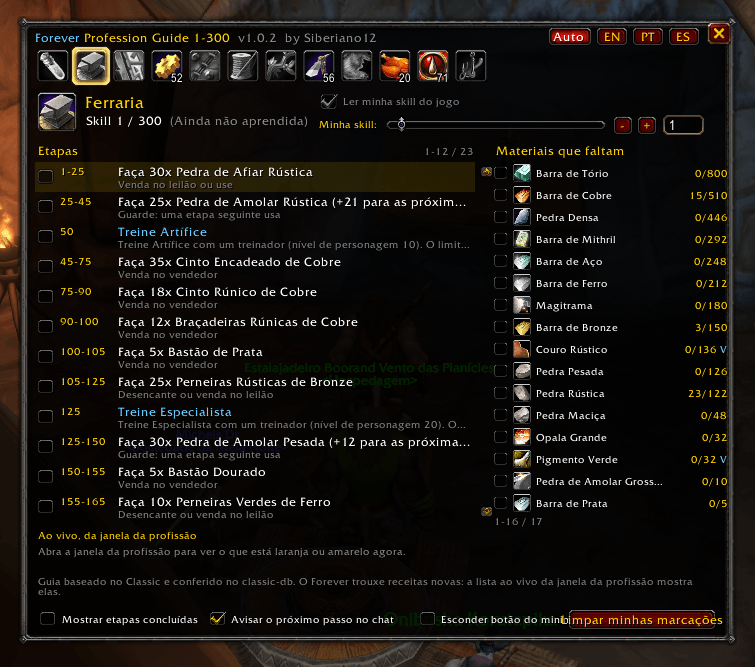
BS.png
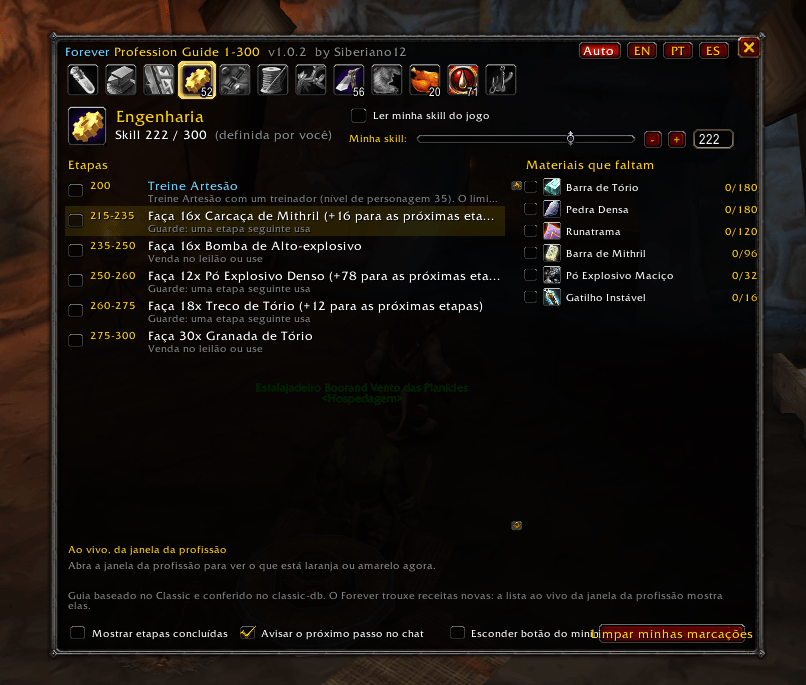
Eng 2.png
Eng.png
Eng 3.png
Description
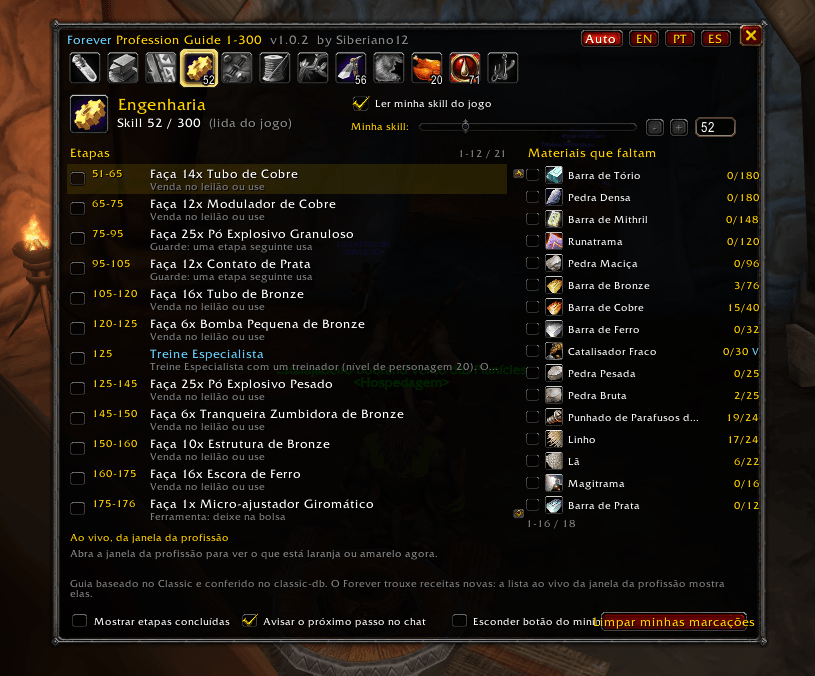
**Forever Profession Guide 1-300** is a leveling guide for **every WoW Forever profession, from 1 to 300**. Pick a profession and the addon tells you what to do: **from skill X to Y, make N of this**, and what to do with the result.
### All 12 professions
- **Crafting:** Alchemy, Blacksmithing, Enchanting, Engineering, Leatherworking, Tailoring.
- **Gathering:** Herbalism, Mining, Skinning (nodes and zones for your skill).
- **Secondary:** Cooking, First Aid, Fishing.
### It follows your skill
- Your skill is **read from the game**. No setup.
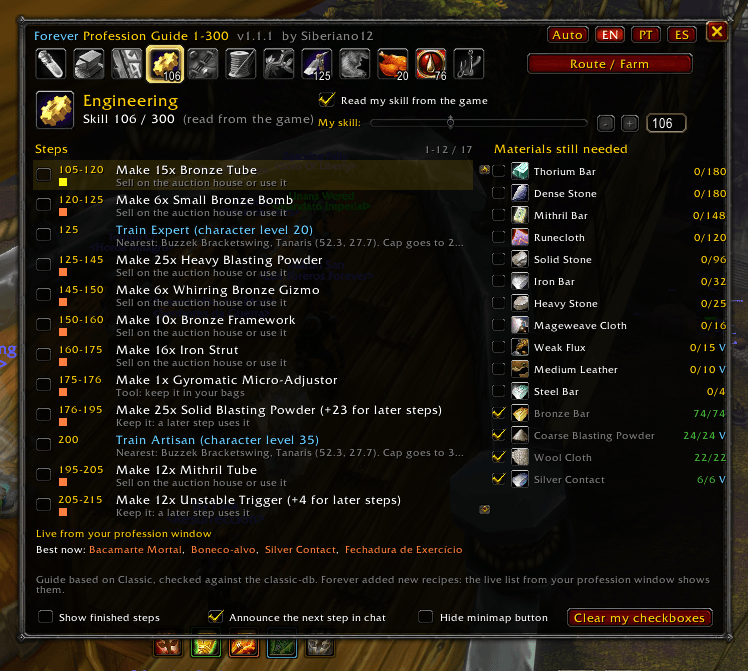
- Haven't learned the profession yet, or already halfway there? Use the **slider** to set where you are. Steps below your skill are left out, and a step you are in the middle of only counts the crafts left.
- When your skill reaches a new step, the chat tells you what comes next.
- Trainer ranks (Journeyman, Expert, Artisan) show up in the list at the right skill, with the character level they need.
### Shopping list with checkboxes
- **Materials still needed** adds up everything for the rest of the guide, minus what you already have in bags and bank.
- Things the guide makes for itself (bolts of cloth, tubes, grinding stones) are not listed. Their step asks for the extra crafts instead, so you never run short later.
- Vendor materials (vials, thread, dyes, salt) are marked with a **V**, with the price in the tooltip.
- **Tick** a material when you have it and a step when it is done. Your ticks are saved per character.
### Made for Forever
Forever changed professions: healing potions moved from Alchemy to First Aid, and there are many new recipes. So the Alchemy route has no healing potion. And when you open your profession window, the addon reads **which of your recipes are orange or yellow right now** and shows the best ones at the bottom of the guide. A colored dot next to each step shows its color in your game, and a gray step tells you to skip it.
### Every step explained
Hover a step to see the recipe source (trainer and skill, or the vendor recipe), the materials per craft with your count, and what to do with the item: keep it for a later step, sell it, disenchant it or use it.
### Minimap button and commands
- Minimap button: click opens the guide, drag moves it. Hide it in the window or with `/fp minimap`.
- `/fp` opens the guide, `/fp reset` puts the window back in the middle.
- Also in Options > AddOns.
Languages: English, Português (BR), Español. Item, recipe and zone names come from your game client in your language.
Forever Profession Guide 1-300 Team