Trinket Tracker Swapper
Tracks your trinkets with cooldowns, auto-swaps them in combat using custom priorities, and auto-reequips off-cooldown trinkets.
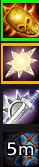
trinkettr.png
Description
TrinketTracker: Smart Trinket Management for World of Warcraft
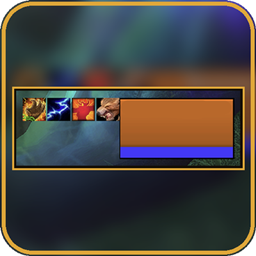
TrinketTracker is a user-friendly addon designed to help players efficiently manage their trinkets (accessories) in World of Warcraft. It provides a customizable display frame for tracked trinkets, showing icons, cooldowns, and equipped status, while offering advanced features like automatic swapping and re-equipping based on user-defined priorities. Perfect for raiders, PvPers, and anyone who frequently switches trinkets during gameplay.
Key Features:
- Trinket Tracking and Display:
- Add trinkets by Item ID or by scanning your bags/inventory.
- Customizable frame: Adjust icon size, spacing, direction (horizontal or vertical), and position. Lock/unlock the frame for easy dragging.
- Visual indicators: Borders (green for slot 13/left, gold for slot 14/right) and letters (G/D for Gauche/Droite) to show equipped slots. Tooltips on hover (optional).
- Cooldown overlays: Real-time cooldown timers on icons.
- Colors for status: Red if not found, yellow if not tracked, dimmed if in combat and unequipped.
- Auto-Swap System:
- When a trinket is used (detected via cooldown or buff), automatically swap it with the highest-priority available trinket from your custom list (must be in bags, off cooldown, and not equipped).
- Define priority lists per trinket: Set which trinkets to swap to, and reorder them (up/down arrows).
- Combat handling: Delay swaps until out of combat (default) or swap immediately if enabled. Buff-aware: Waits for active buffs to expire before swapping.
- Global toggle: Enable/disable auto-swap globally.
- Auto-Reequip System:
- Automatically re-equip tracked trinkets when out of combat, if their cooldown is ≤30 seconds.
- Priority-based: Higher-priority trinkets replace lower ones. Absolute priority option to always equip specific trinkets.
- Monitors slots: Fills empty slots or replaces non-tracked/cooldown-locked trinkets.
- Configuration and Commands:
- Slash commands: /tt or /trinkettracker to open config, reset position, show/hide frame, or debug.
- Full UI panel: Tabs for Trinkets (add/remove/scan), Auto-Swap (set priorities), and Settings (frame options, toggles for borders/letters/tooltips, debug mode).
- Per-character tracking: Saves trinkets and settings per character.
- Compatibility and Performance:
- Works with all WoW versions (Classic, TBC, Wrath, Retail) using compatible APIs (e.g., C_Container for modern versions).
- Lightweight: No heavy dependencies; uses built-in WoW functions.
- Debug mode: Optional logging for troubleshooting.
- Handles edge cases: Death/resurrection delays, combat lockdowns, and shared cooldowns.
How to Use:
- Install via your addon manager (e.g., CurseForge app) or manually extract to Interface/AddOns/TrinketTracker.
- In-game, type /tt to open the config panel.
- Add trinkets via ID or bag scan in the "Trinkets" tab.
- Set up auto-swap priorities in the "Auto-Swap" tab (select a source trinket and add targets).
- Customize display in the "Settings" tab.
- The frame appears near your character; drag it when unlocked.
Notes:
- Requires no external libraries.
- Feedback welcome! Report issues on the addon's page.
- Version: 1.0.0 (as per code).
Enhance your gameplay by never missing a trinket swap again!
Trinket Tracker Swapper Team