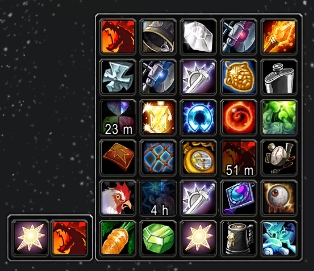
Trinkets from bags displayed in a menu
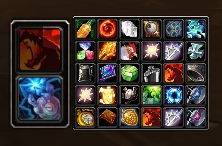
Scalable
Untitled
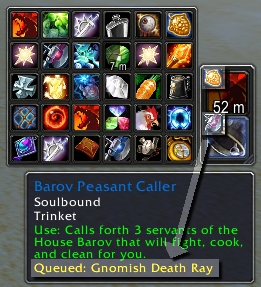
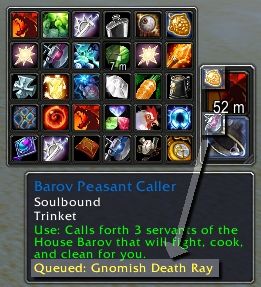
"Queue" trinkets during combat
Untitled
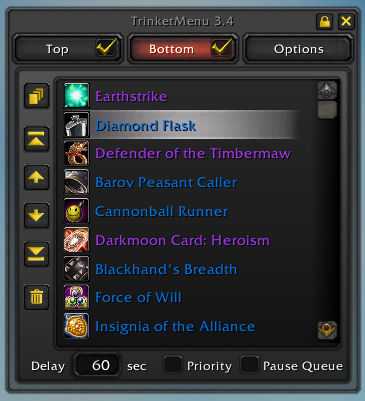
Sort a slot for auto queue
TrinketMenu
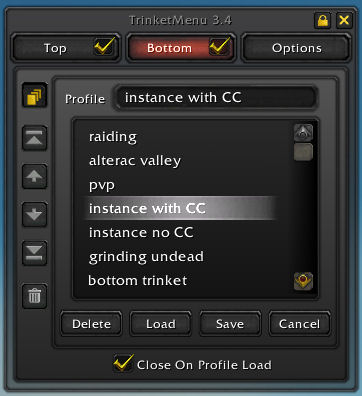
Auto queue profiles
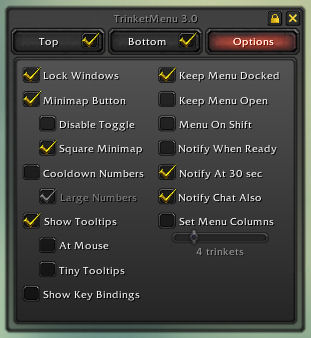
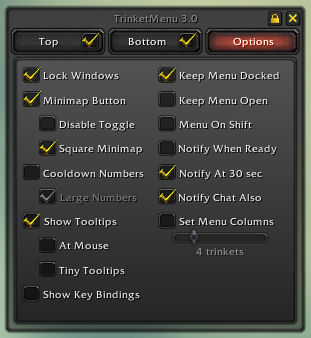
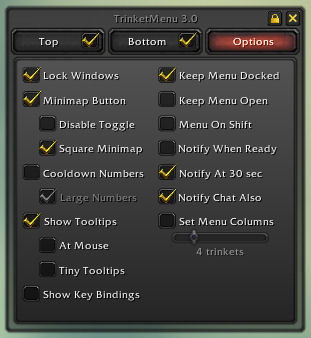
options menu
Screen
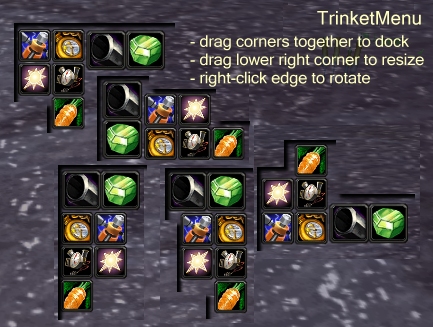
Docking examples
Description
This is a mod to make swapping trinkets easier. It will display your two equipped trinkets in a bar. Mouseover on either trinket will display a menu of up to 30 trinkets in your bags to swap.
Swapping/Using trinkets
Left click a trinket in the menu to equip it to the top trinket slot.
Right click a trinket in the menu to equip it to the bottom trinket slot.
Left or Right click either trinket to use them. Or make a key binding for either trinket.
Auto Queue
3.0 introduces auto trinket queues to TrinketMenu. In options you can sort a trinket slot to the order you want trinkets equipped, turn on Auto Queue for that slot (Alt+Click the trinket on the bar or check the tab in options), and the mod will automatically swap trinkets as they're used and come off cooldown.
It was (hopefully) made to be intuitive enough to use without instructions, but if wondering about specifics:
The auto queue rules are:
- A trinket at 30 seconds or less cooldown is considered off cooldown.
- If the currently equipped trinket is on cooldown, swap to the first available trinket not on cooldown.
- If the currently equipped trinket cannot go on cooldown (passive trinkets), equip a higher ranking trinket when it comes off cooldown.
- If the currently equipped trinket is ready for use, then do nothing unless a higher-ranked trinket marked 'Priority' is waiting to swap in.
- If a trinket has a 'Delay' defined, then hold that trinket for its delay before swapping it out. (ie, Earthstrike for 20 seconds)
Auto queue icon colors:
- A gold gear on a trinket means that auto queue is active for that slot.
- A grey gear on a trinket means the equipped trinket has a delay defined and is waiting to swap out.
- A red gear on a trinket means the equipped trinket is flagged 'Pause Queue' and auto queue is suspended.
Other auto queue notes:
- If you use some mod to automatically swap in passive trinkets (Carrot on a Stick or Argent Dawn Commission), flag those trinkets 'Pause Queue' to suspend the queue while they're equipped.
- Swapping a passive trinket manually in TrinketMenu will stop the auto queue for that slot. Alt+click the slot to turn auto queue back on.
- A purely passive trinket will mark the natural end of a queue. If you would like the queue to stop sooner (ie, Burst of Knowledge as bottom-most trinket even on cooldown), move the "Stop queue here" mark to where you want the queue to stop.
- The auto queues work independently of the "trinket ready!" notifications.
- Trinkets attempting to swap during combat or while dead will queue for when you drop out of combat or return to life.
- If you don't want to use auto queue and would like to remove it completely, you can delete TrinketMenuQueue.xml and TrinketMenuQueue.lua while out of game. The remaining mod will be about the size of TrinketMenu 2.7 and run better than 2.7.
Auto Queue Shared Timers
Keep in mind as you set up your queues that many trinkets trigger shared cooldown timers. As an example:
Trinket 0 contains a Cannonball Runner not on cooldown
Trinket 1 contains a Diamond Flask not on cooldown
When you click Diamond Flask, it will put the Cannonball Runner into a 60-second cooldown. TrinketMenu will then look for something more available for Trinket 0, and then 30 seconds later as the Cannonball Runner comes off cooldown it will swap it back in.
This is expected behavior. If it seems like this happens a lot, you may want to Auto Queue only one trinket slot, until you get trinkets that can be used without triggering the other's cooldown.
Customizing Display
The main and menu windows are independently scalable and rotatable. While the windows are unlocked:
- Move either window by dragging its edge.
- Rotate either window by right-clicking its edge.
- Scale/resize either window by dragging the lower-right corner to the desired size.
If you're having problems grabbing the edge of the menu window to move/rotate/resize it, hold Shift down while it's open and the menu won't go away when the mouse leaves the menu's edge.
If you right-click the gear icon around the minimap (or /trinket options) a small options window will appear under the minimap. Here you can customize the display further by showing cooldowns as numbers and keeping the menu always open.
Once you're settled on a setup you like, you can lock the windows in options.
To set an exact scale (optional):
- /trinket scale main n : Scale the main window to n
- /trinket scale menu n : Scale the menu window to n
- ie: /trinket scale menu 0.85
See readme.txt for much more info.
TrinketMenu Team

Owner