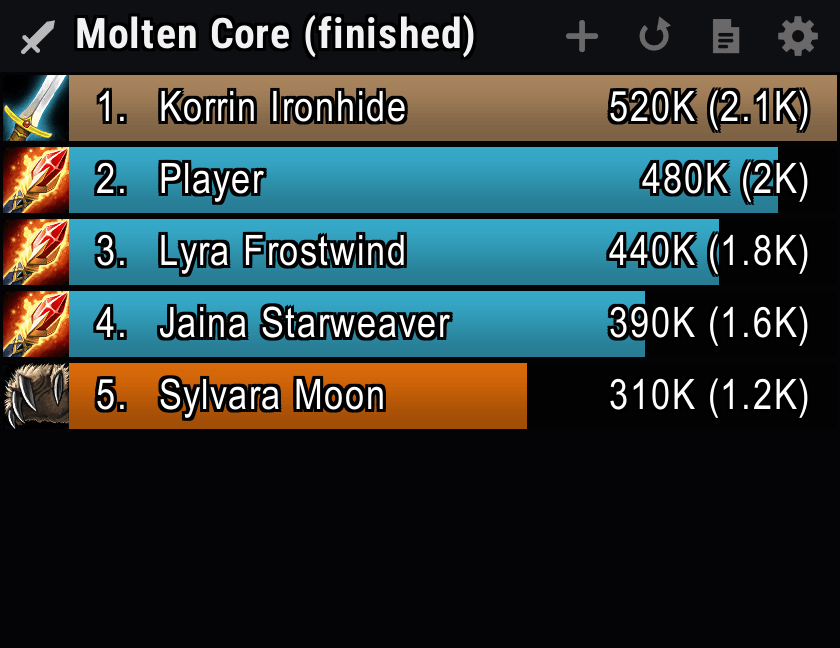
01-raid-damage.png
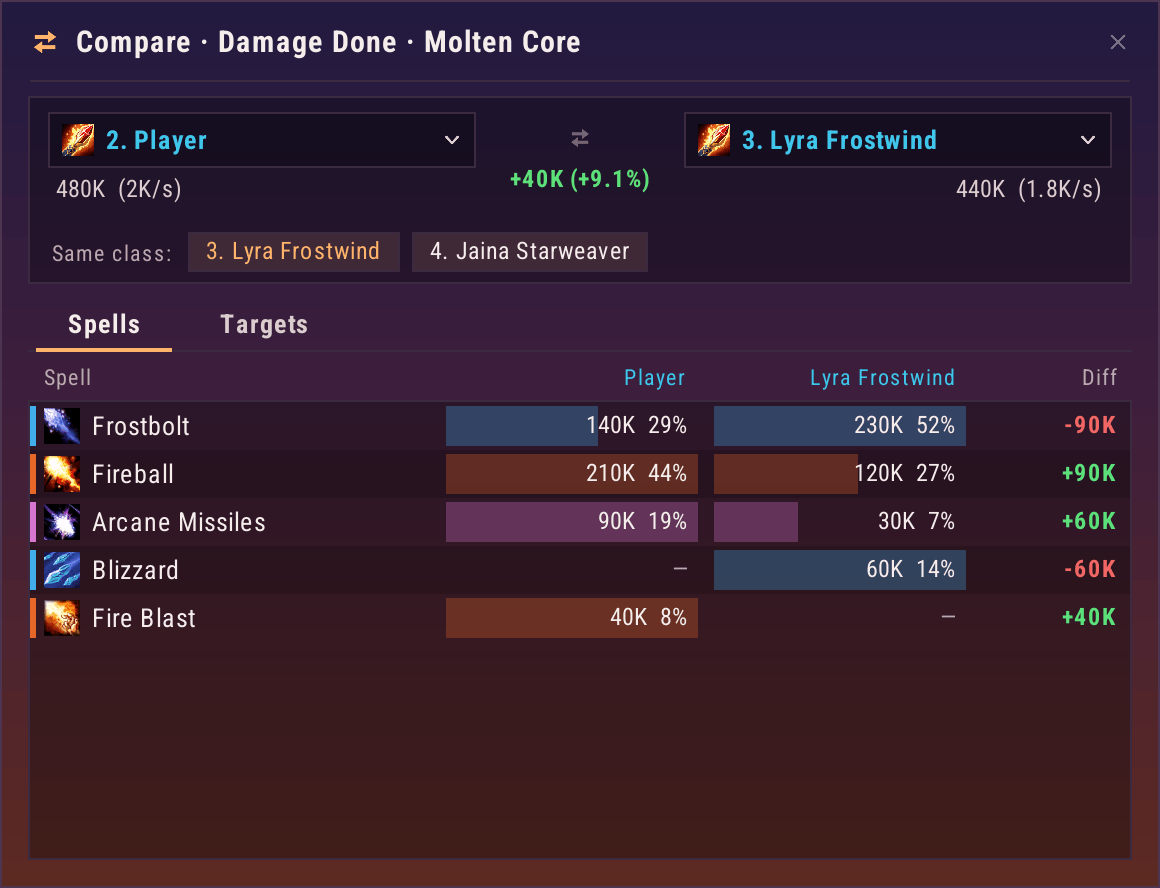
04-player-spell-comparison.png
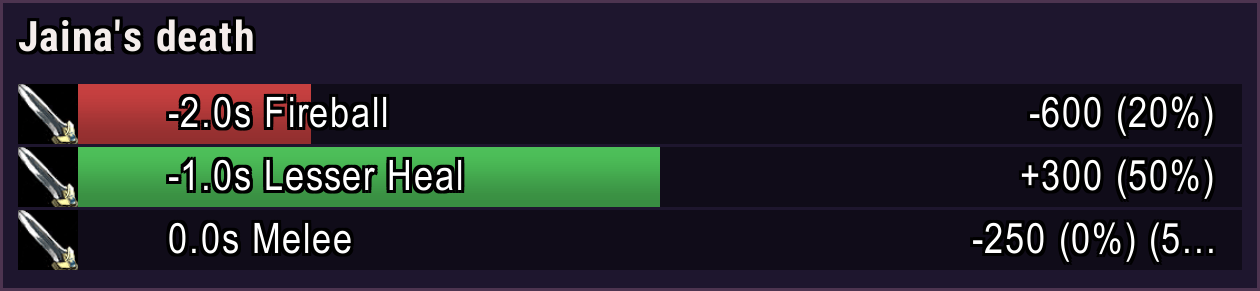
06-death-recap.png
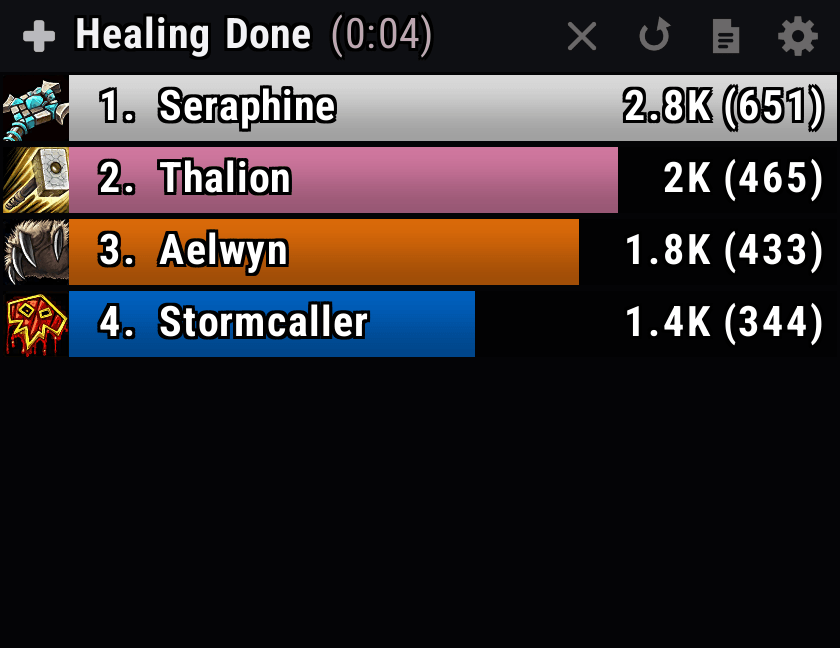
02-healing.png
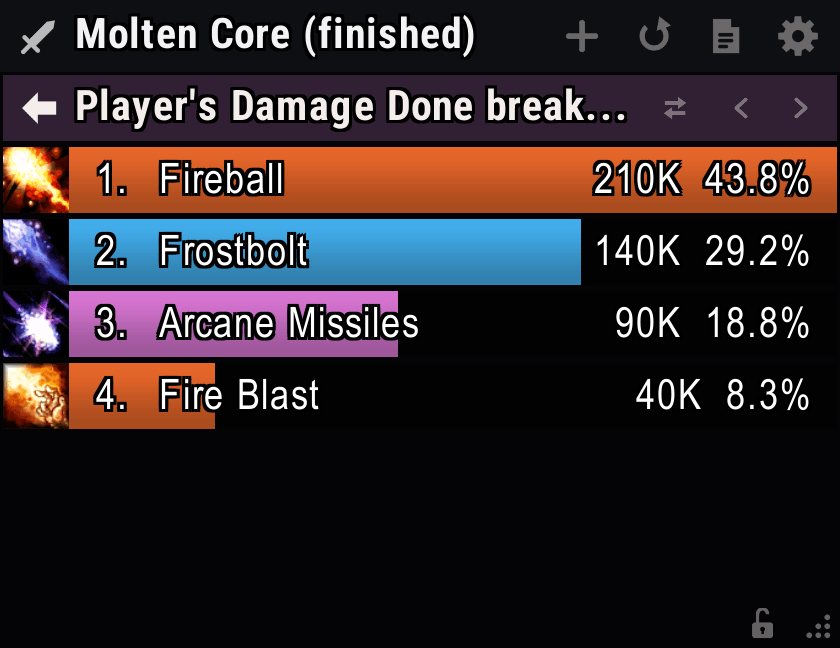
03-spell-schools.png
Description
A light damage meter for World of Warcraft: Forever. Totals reads the game's own combat data, so its numbers match Blizzard's and it costs next to nothing.
What it shows
Damage Done, Damage Taken, Avoidable Damage Taken, Enemy Damage Taken, Healing Done, Interrupts, Dispels and Deaths.
Numbers as a total, per second, or both, with an optional percentage share of the group total (shown out of combat, in past fights and in saved runs).
The current fight, Overall, and your last 20 fights.
Hover a row to see that player's spells. Damage Done also shows their top targets, and Deaths shows the last moments before the death.
Click a row to open the full breakdown inside the window. In Damage Done, hover any spell to see which enemies it hit (including in saved runs). In Enemy Damage Taken, click an enemy to see who damaged it.
Step between players inside a breakdown with the previous and next arrows in the header, without closing it.
Your own row always stays in view, pinned at the top or bottom with your real rank, with an optional amber bar on the left edge.
Dungeons and raids
Data starts fresh when you enter a new dungeon, raid or battleground.
The window names the instance ("The Deadmines Damage Done"), and Overall covers the whole run.
Your last 5 finished runs stay in the fights menu, with each player's spells and death recaps, even after you log out.
Died and ran back? Coming back into the same instance within 30 minutes picks up the same run.
In combat
The game hides names and details from addons during combat. Rows and bars still update live.
Your own breakdown always opens. A teammate's opens too when the game lets Totals tell who they are. If two teammates share a class, you pick which one.
Otherwise the breakdown opens once the fight ends, and the row tells you why. /totals why gives the details.
Windows
Starts with two windows side by side: Damage Done and Healing Done.
Up to 5 windows. They snap together into blocks that move as one. Shift-drag to take one out.
Optional fight sync for joined blocks: pick a fight or saved run in one window and the rest of the block follows.
Right-click a window to see your favourite meters. Click one to show it, middle-click to remove it, or use + Add for the others.
Resize with the corner grip, and lock with the padlock.
Choose when they show: always, in combat, in a group or on mouseover. Hide them in dungeons, raids, PvP or outside instances.
Look
Presets (Vivid, Compact, Minimal, High contrast) with a live preview and Undo.
Class colours and class icons, with outlined text that stays readable on every class colour.
Option to show first names only, and adjustable update rate during combat.
Uses LibSharedMedia textures and fonts when another addon provides them.
Settings with search: click the gear on any window, or the Totals icon in the minimap's addon list.
Extras (off by default)
Tiny Threat: a standalone threat window that matches your meter's look. It tracks your hostile target (or your ally's target), shows a Pull Aggro bar (110% of the tank), warns as you near aggro, and keeps your own row in view.
Combat timer: the current fight's duration in a small frame of its own, above or below your windows, or anywhere you like.
Spell history: your latest casts as icons or bars with their time and target. Failed and interrupted casts show in red.
Key bindings: Reset data and Show/hide windows (Options › Keybindings › AddOns › Totals), with options to toggle the extras with the same key.
Profiles
One profile per character, or shared between characters. A new character is asked which profile to use.
Export a profile as text to share it, and import someone else's into a new profile.
A backup is kept before every reset or deletion (the last 5).
Commands
Totals icon in the minimap's addon list: left-click for the settings, right-click to show or hide the windows.
/totals show, /totals hide, /totals reset (erases all data), /totals why. /totals alone lists them.
Good to know
WoW Forever only.
Totals turns off Blizzard's built-in damage meter while it's in use. Turn it back on in the settings at any time.
English and French.
Feedback and bug reports are welcome in the comments.
MIT License. Font: Roboto Condensed (Apache 2.0, included).
Totals Team