ForeverCharacterPanel
- By
A clearer character sheet for WoW Forever: the stats that matter for your class, tabs at the bottom, item level and enchants on every item, and the inspected player's talents.
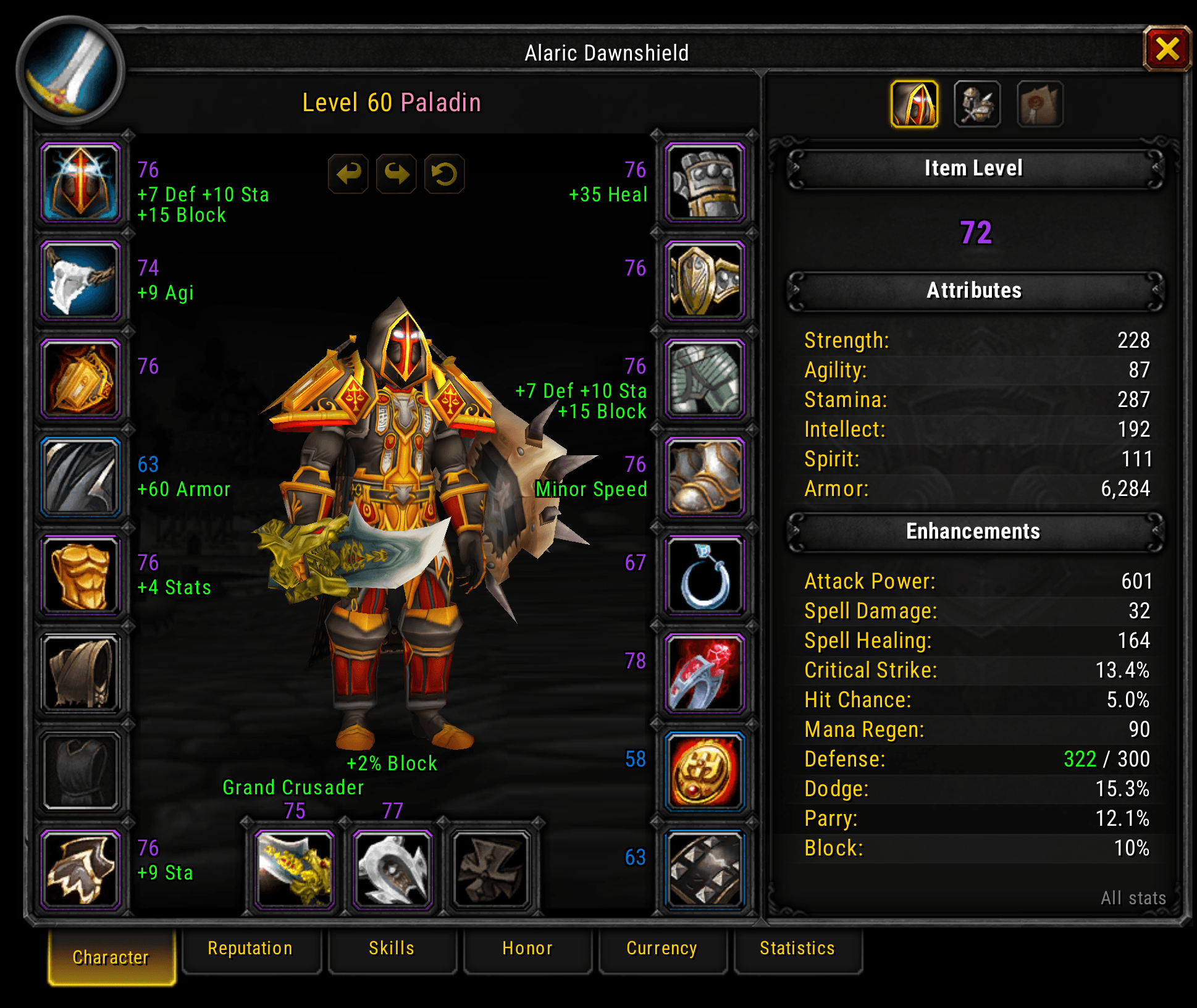
01-paladin.png
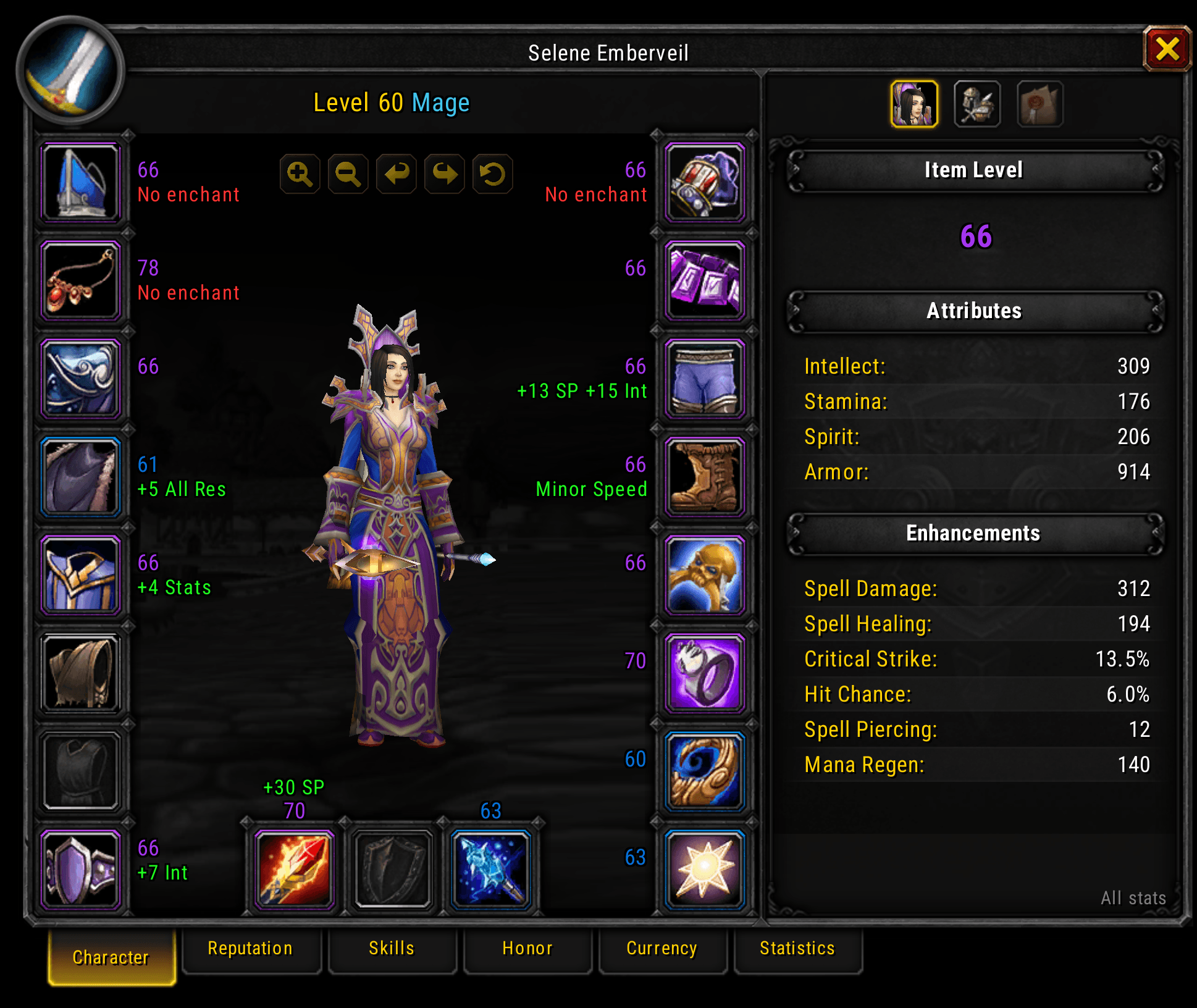
02-mage.png
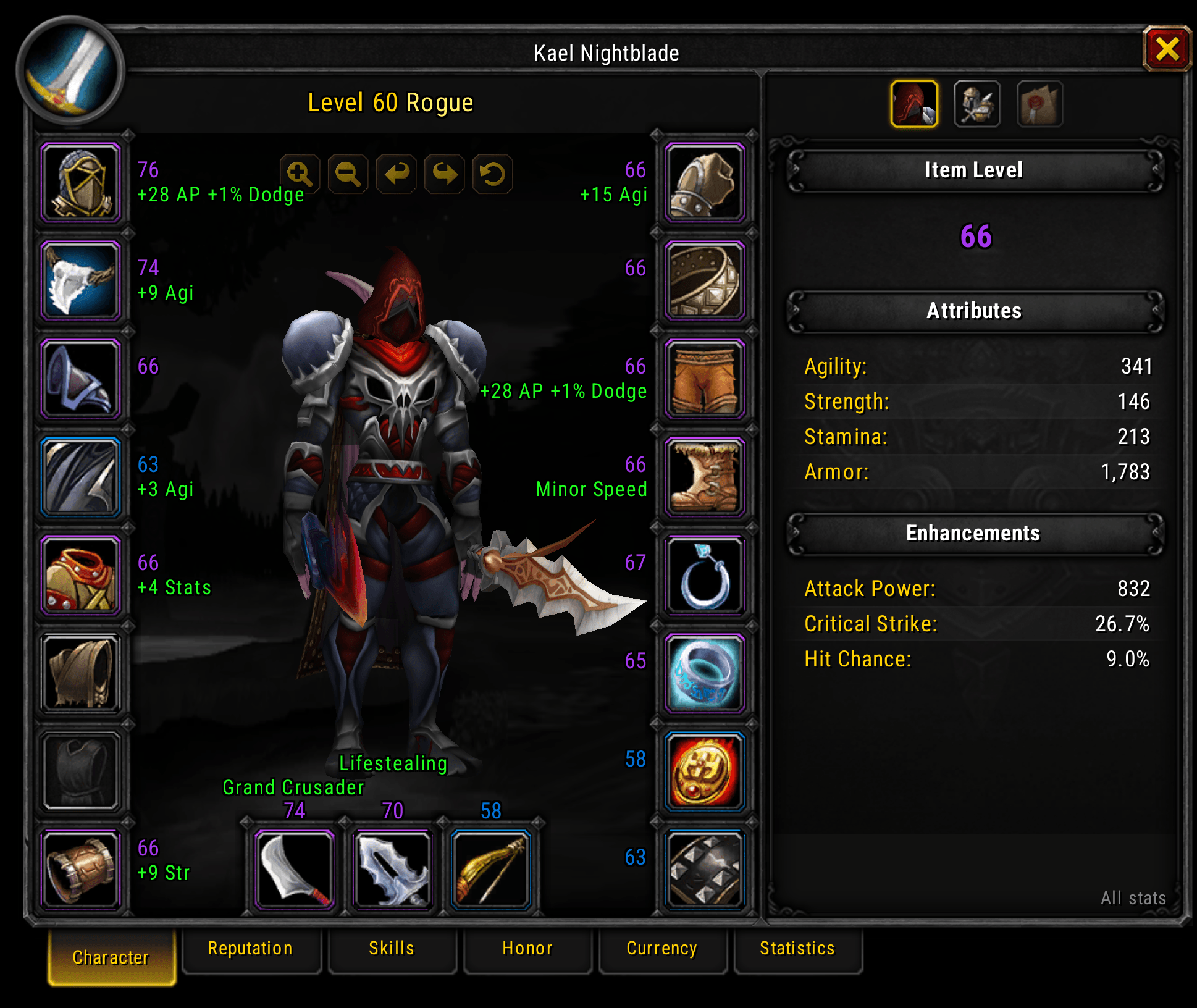
03-rogue.png
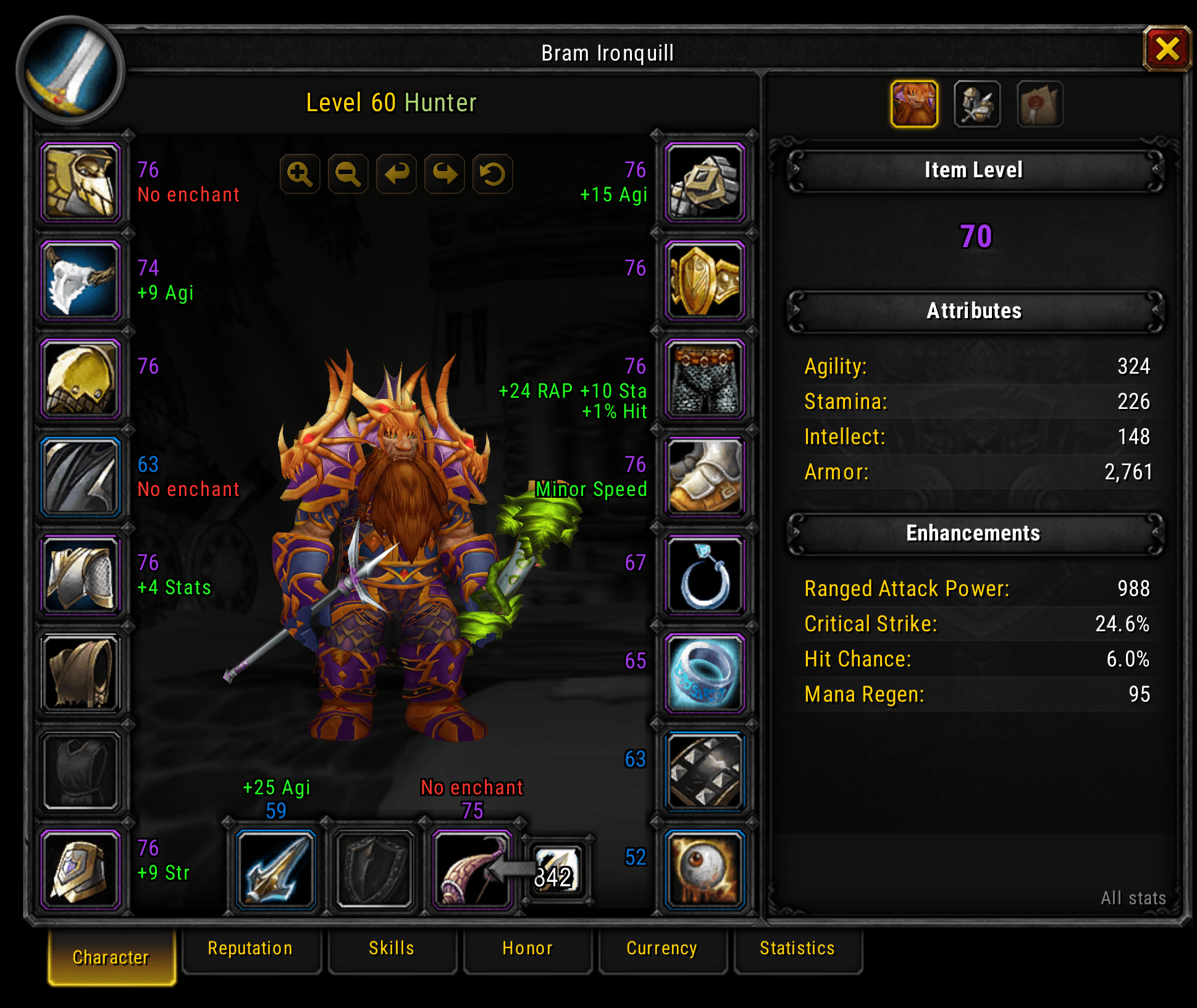
04-hunter.png
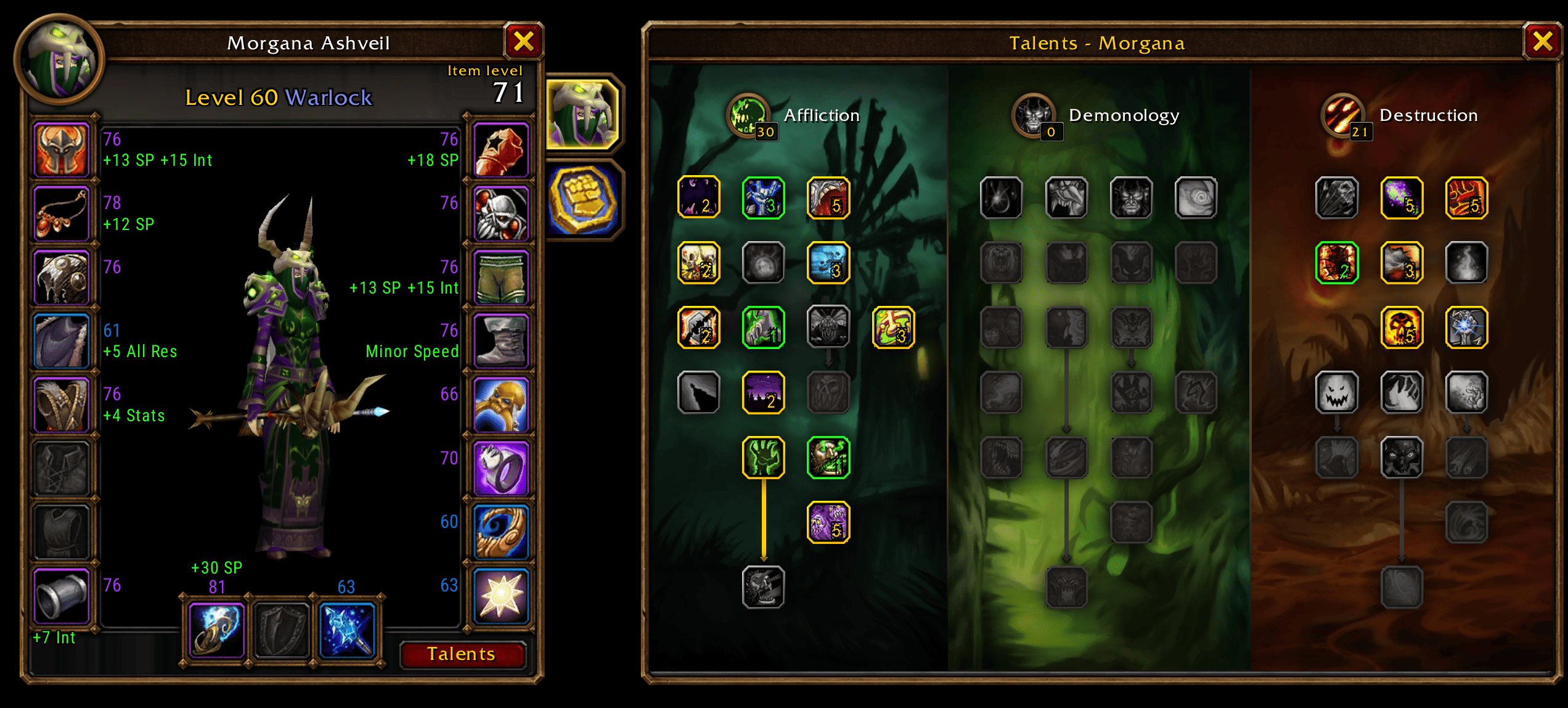
05-inspection-warlock(1).png
Description
Your whole character at a glance. Open your character sheet (C): the stats that matter for your class in one clear column, the tabs at the bottom, and next to every item its item level, its enchant and what is missing. WoW Forever's full stat list is still one click away. Inspect another player to see their gear the same way, and their talents.
The stats that matter
- Item Level in big at the top, then Attributes and Enhancements.
- Only what your class uses: a rogue sees Strength, Agility and attack power, a mage sees Intellect, Spirit and spell power. Stats at zero stay hidden, like in the game's own list.
- Druids, paladins and shamans (no specializations on Forever) see what their gear and buffs actually give them.
- Tanks see defense, dodge and parry: a warrior with a shield, a druid in Bear Form, or anyone with extra defense from gear or talents. Block shows up with a shield.
- Hover a stat for the game's own tooltip.
- All stats, at the bottom right, brings back WoW Forever's full list (weapon damage, defense, resistances…). Summary goes back. Your choice is remembered.
- During combat the game hides stat values: the column keeps the last ones and says "Updated after combat."
Tabs at the bottom
- Character, Reputation, Skills, Honor, Currency and Statistics sit under the window instead of on its side. They work like the game's own tabs, tooltips included, and shrink to fit when the sheet is collapsed.
- Titles, the Equipment Manager and the model rotation are untouched.
Next to each item
- Item level, coloured against your average: green when 5 or more above it, white when close, orange 5 below, red 10 below. The piece to replace stands out at a glance. Hover it to see by how much.
- The enchant, in short: Crusader, +9 Sta, +30 SP. Long ones go on two lines, cut between two stats (+7 Def +10 Sta / +15 Block). Hover it for the full name.
- No enchant in red at level 60, only where WoW Forever lets you enchant. Hover it to see where that enchant comes from.
- A thin durability bar on your damaged pieces, from green to red. Nothing on items in good shape.
Inspecting a player
- The same item levels, enchants and missing enchants, coloured against their average, which shows at the top right.
- A Talents button at the bottom right of the inspect window. It opens their talents next to the window, drawn like the game's talent window, in a smaller size: the class artwork, the three trees with the points spent in each, ranks and arrows. Hover a talent for its tooltip.
- The button stays greyed out until their talents arrive. Leave the panel open and it opens again on your next inspect.
WoW Forever's own enchanting rules
- Necklaces and items held in the off hand can be enchanted on Forever: they are checked.
- Shoulders, belts, rings and trinkets have no enchant you can get: never flagged.
- A scope on a bow, gun or crossbow only matters to hunters.
- Head and legs take an Arcanum; legs can also take a Leatherworking armor kit.
- No red while levelling: you replace gear too often for it to matter.
- Enchant names come from WoW Forever's own game data, in English and French.
Nothing to set up
No slash command, no options: install it and open your character sheet. It only remembers two things: whether you left the talents panel open, and whether you chose All stats. It builds on Blizzard's own frames without replacing any of their code.
Planned
A settings window to choose what is shown, text sizes and colours.
ForeverCharacterPanel Team